2019 KIA K900 battery
[x] Cancel search: batteryPage 249 of 580
Features of your vehicle
156
4
Sunvisor
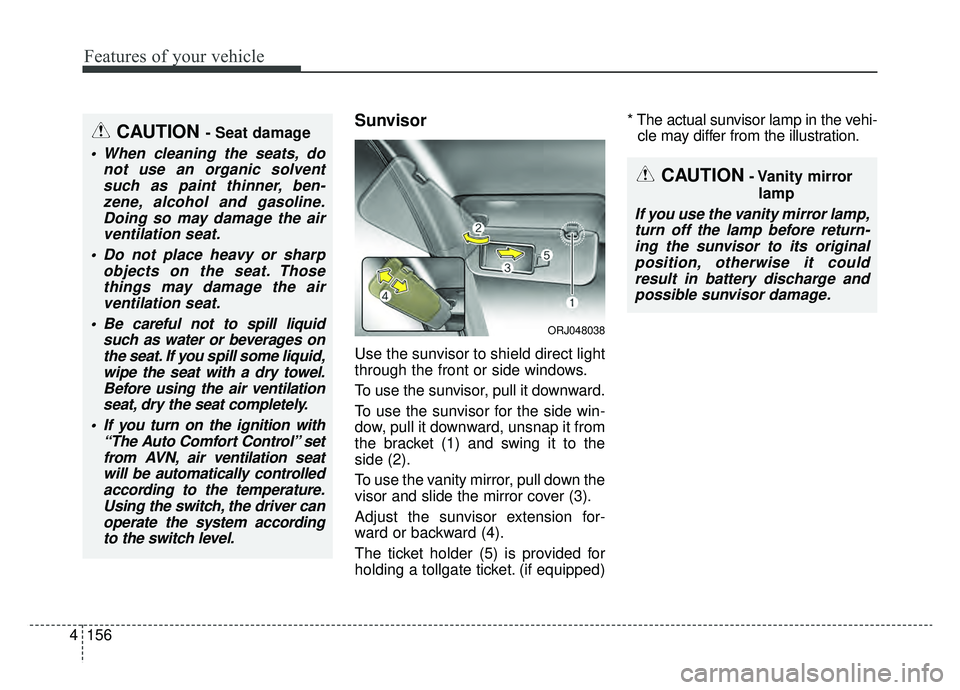
Use the sunvisor to shield direct light
through the front or side windows.
To use the sunvisor, pull it downward.
To use the sunvisor for the side win-
dow, pull it downward, unsnap it from
the bracket (1) and swing it to the
side (2).
To use the vanity mirror, pull down the
visor and slide the mirror cover (3).
Adjust the sunvisor extension for-
ward or backward (4).
The ticket holder (5) is provided for
holding a tollgate ticket. (if equipped) * The actual sunvisor lamp in the vehi-
cle may differ from the illustration.
CAUTION- Vanity mirror
lamp
If you use the vanity mirror lamp,turn off the lamp before return-ing the sunvisor to its originalposition, otherwise it couldresult in battery discharge andpossible sunvisor damage.
CAUTION - Seat damage
When cleaning the seats, do not use an organic solventsuch as paint thinner, ben-zene, alcohol and gasoline.Doing so may damage the airventilation seat.
Do not place heavy or sharp objects on the seat. Thosethings may damage the airventilation seat.
Be careful not to spill liquid such as water or beverages onthe seat. If you spill some liquid,wipe the seat with a dry towel.Before using the air ventilationseat, dry the seat completely.
If you turn on the ignition with “The Auto Comfort Control” setfrom AVN, air ventilation seatwill be automatically controlledaccording to the temperature.Using the switch, the driver canoperate the system accordingto the switch level.
ORJ048038
Page 250 of 580
4157
Features of your vehicle
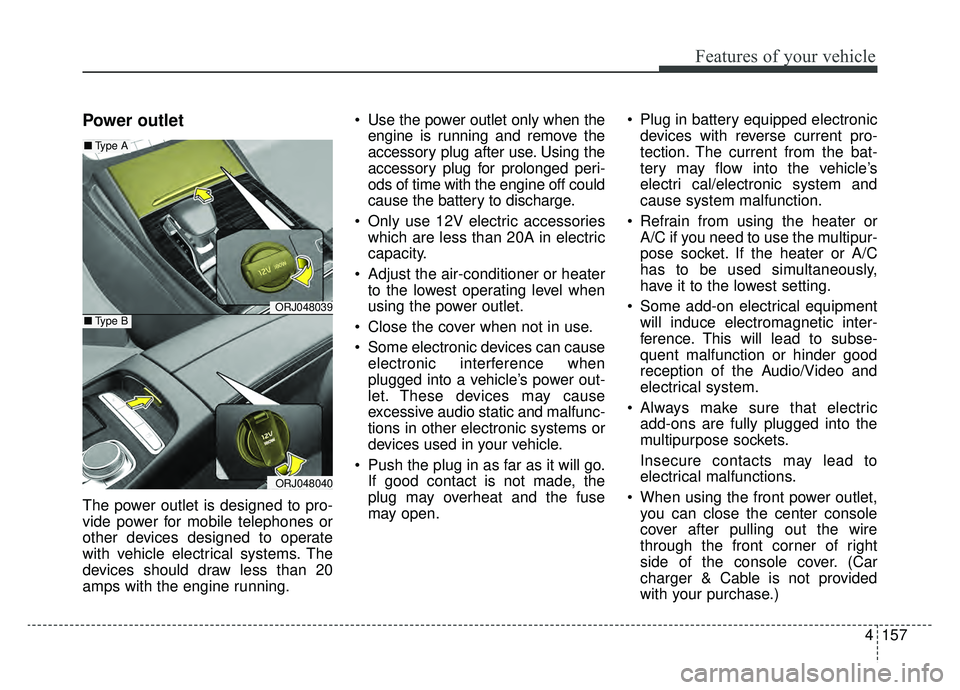
Power outlet
The power outlet is designed to pro-
vide power for mobile telephones or
other devices designed to operate
with vehicle electrical systems. The
devices should draw less than 20
amps with the engine running. Use the power outlet only when the
engine is running and remove the
accessory plug after use. Using the
accessory plug for prolonged peri-
ods of time with the engine off could
cause the battery to discharge.
Only use 12V electric accessories which are less than 20A in electric
capacity.
Adjust the air-conditioner or heater to the lowest operating level when
using the power outlet.
Close the cover when not in use.
Some electronic devices can cause electronic interference when
plugged into a vehicle’s power out-
let. These devices may cause
excessive audio static and malfunc-
tions in other electronic systems or
devices used in your vehicle.
Push the plug in as far as it will go. If good contact is not made, the
plug may overheat and the fuse
may open. Plug in battery equipped electronic
devices with reverse current pro-
tection. The current from the bat-
tery may flow into the vehicle’s
electri cal/electronic system and
cause system malfunction.
Refrain from using the heater or A/C if you need to use the multipur-
pose socket. If the heater or A/C
has to be used simultaneously,
have it to the lowest setting.
Some add-on electrical equipment will induce electromagnetic inter-
ference. This will lead to subse-
quent malfunction or hinder good
reception of the Audio/Video and
electrical system.
Always make sure that electric add-ons are fully plugged into the
multipurpose sockets.
Insecure contacts may lead to
electrical malfunctions.
When using the front power outlet, you can close the center console
cover after pulling out the wire
through the front corner of right
side of the console cover. (Car
charger & Cable is not provided
with your purchase.)
ORJ048039
ORJ048040
■ Type A
■Type B
Page 251 of 580
Features of your vehicle
158
4
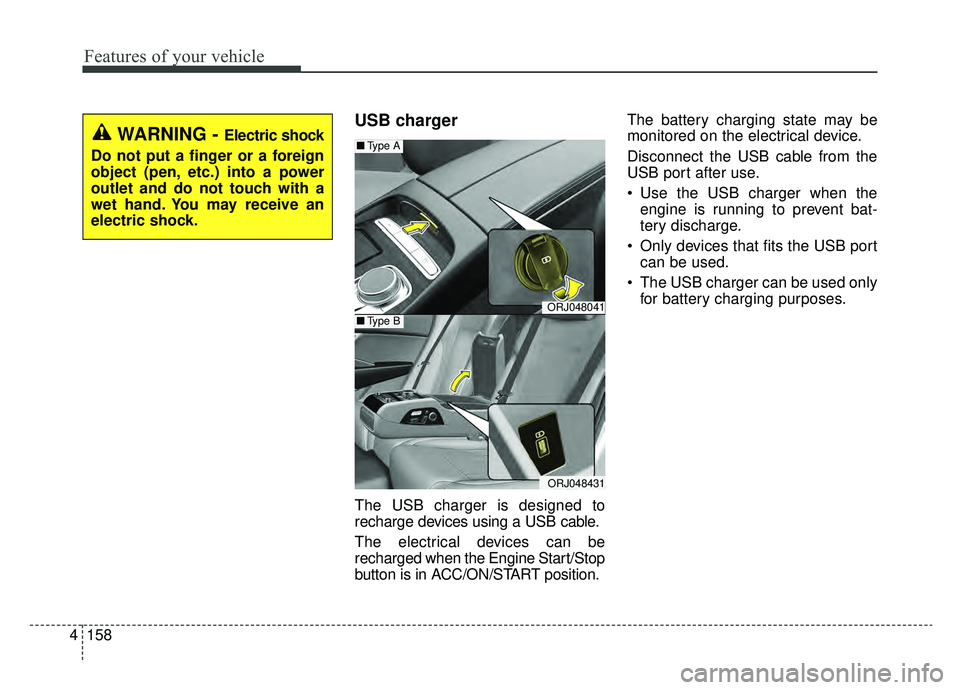
USB charger
The USB charger is designed to
recharge devices using a USB cable.
The electrical devices can be
recharged when the Engine Start/Stop
button is in ACC/ON/START position. The battery charging state may be
monitored on the electrical device.
Disconnect the USB cable from the
USB port after use.
Use the USB charger when the
engine is running to prevent bat-
tery discharge.
Only devices that fits the USB port can be used.
The USB charger can be used only for battery charging purposes.
ORJ048041
ORJ048431
■ Type A
■Type B
WARNING - Electric shock
Do not put a finger or a foreign
object (pen, etc.) into a power
outlet and do not touch with a
wet hand. You may receive an
electric shock.
Page 272 of 580
57
Driving your vehicle
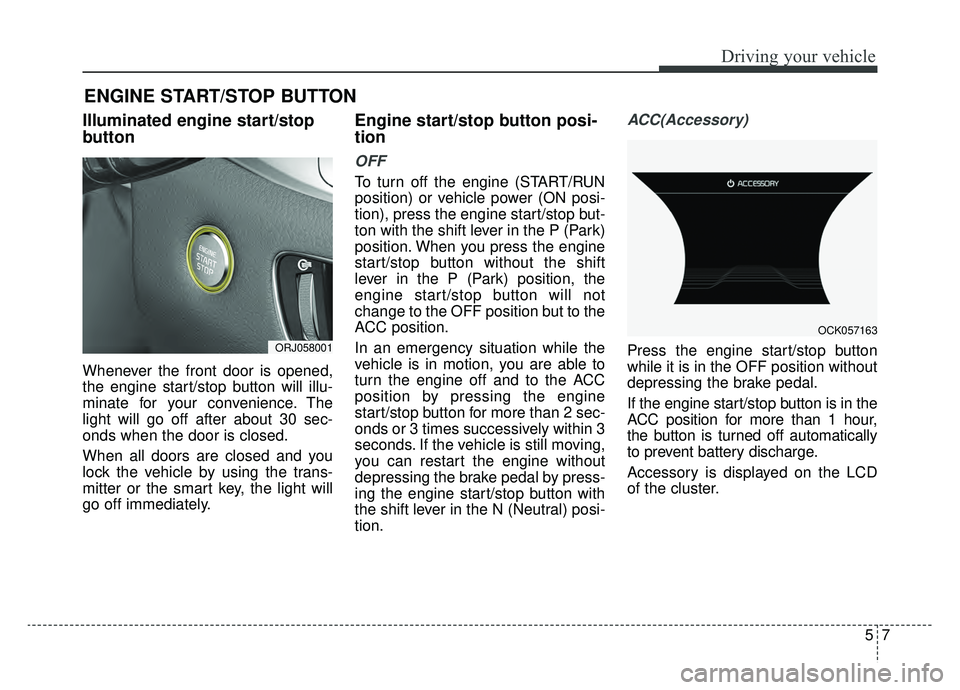
Illuminated engine start/stop
button
Whenever the front door is opened,
the engine start/stop button will illu-
minate for your convenience. The
light will go off after about 30 sec-
onds when the door is closed.
When all doors are closed and you
lock the vehicle by using the trans-
mitter or the smart key, the light will
go off immediately.
Engine start/stop button posi-
tion
OFF
To turn off the engine (START/RUN
position) or vehicle power (ON posi-
tion), press the engine start/stop but-
ton with the shift lever in the P (Park)
position. When you press the engine
start/stop button without the shift
lever in the P (Park) position, the
engine start/stop button will not
change to the OFF position but to the
ACC position.
In an emergency situation while the
vehicle is in motion, you are able to
turn the engine off and to the ACC
position by pressing the engine
start/stop button for more than 2 sec-
onds or 3 times successively within 3
seconds. If the vehicle is still moving,
you can restart the engine without
depressing the brake pedal by press-
ing the engine start/stop button with
the shift lever in the N (Neutral) posi-
tion.
ACC(Accessory)
Press the engine start/stop button
while it is in the OFF position without
depressing the brake pedal.
If the engine start/stop button is in the
ACC position for more than 1 hour,
the button is turned off automatically
to prevent battery discharge.
Accessory is displayed on the LCD
of the cluster.
ENGINE START/STOP BUTTON
ORJ058001
OCK057163
Page 273 of 580
Driving your vehicle
85
ON
Press the engine start/stop button
while it is in the ACC position without
depressing the brake pedal.
The warning lights can be checked
before the engine is started. Do not
leave the engine start/stop button in
the ON position for an extended peri-
od of time. The battery may dis-
charge, because the engine is not
running.
START/RUN
To start the engine, depress the
brake pedal and press the ENGINE
START/ STOP button with the shift
lever in the P (Park) or the N
(Neutral) position. For your safety,
start the engine with the shift lever in
the P (Park) position.
If you press the engine start/stop but-
ton without depressing the brake
pedal, the engine will not start and the
engine start/stop button changes as
follow:
OFF ➔ACC ➔ON ➔OFF or ACC
✽ ✽
NOTICE
If you leave the ENGINE
START/STOP button in the ACC or
ON position for an extended period
of time, the battery will discharge.
WARNING- Starting
vehicle
Never press the engine
start/stop button while the vehi-
cle is in motion except in an
emergency. This would result in
loss of directional control and
braking function, which could
cause an accident.
Page 275 of 580
Driving your vehicle
10
5
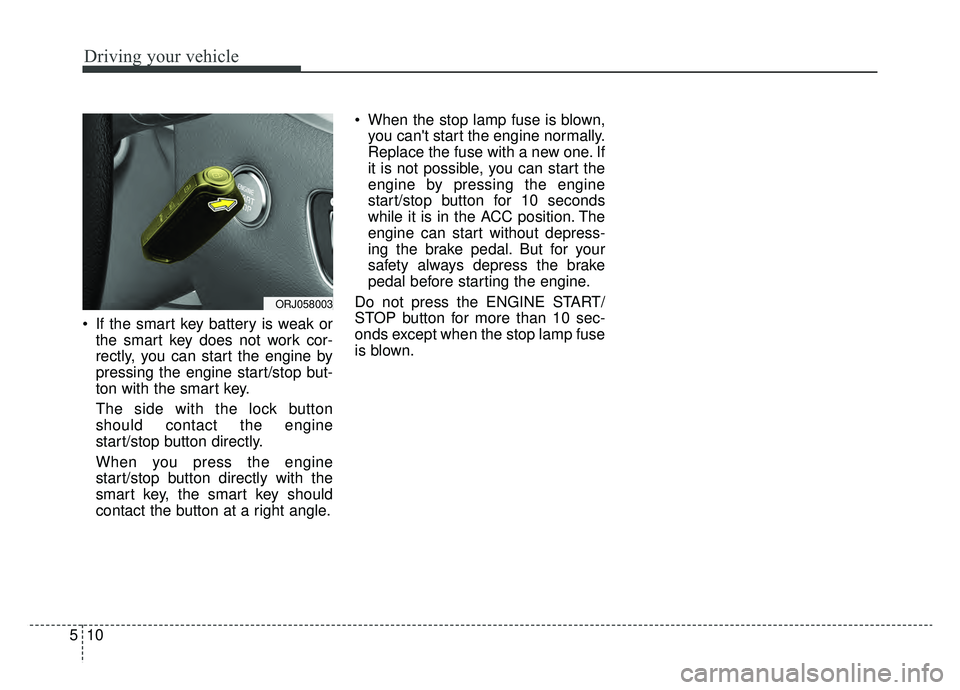
If the smart key battery is weak or
the smart key does not work cor-
rectly, you can start the engine by
pressing the engine start/stop but-
ton with the smart key.
The side with the lock button
should contact the engine
start/stop button directly.
When you press the engine
start/stop button directly with the
smart key, the smart key should
contact the button at a right angle. When the stop lamp fuse is blown,
you can't start the engine normally.
Replace the fuse with a new one. If
it is not possible, you can start the
engine by pressing the engine
start/stop button for 10 seconds
while it is in the ACC position. The
engine can start without depress-
ing the brake pedal. But for your
safety always depress the brake
pedal before starting the engine.
Do not press the ENGINE START/
STOP button for more than 10 sec-
onds except when the stop lamp fuse
is blown.
ORJ058003
Page 282 of 580
517
Driving your vehicle
Shift-lock system
For your safety, the automatic trans-
mission has a shift-lock system
which prevents shifting the transmis-
sion from P (Park) into R (Reverse)
or D (Drive) unless the [UNLOCK]
button is pressed while depressing
the brake pedal.
To shift the transmission from P
(Park) into R (Reverse) or D (Drive):
1. Depress and hold the brake pedal.
2. Start the engine or place theengine start/stop button in the ON
position.
3. Move the shift lever to R (Reverse) or D (Drive) while pressing the
[UNLOCK] button.
When the battery is discharged:
You can move the shift lever, when
the battery is discharged. However, it
will not change the gear from P
(Parking) to N (Neutral) or others.
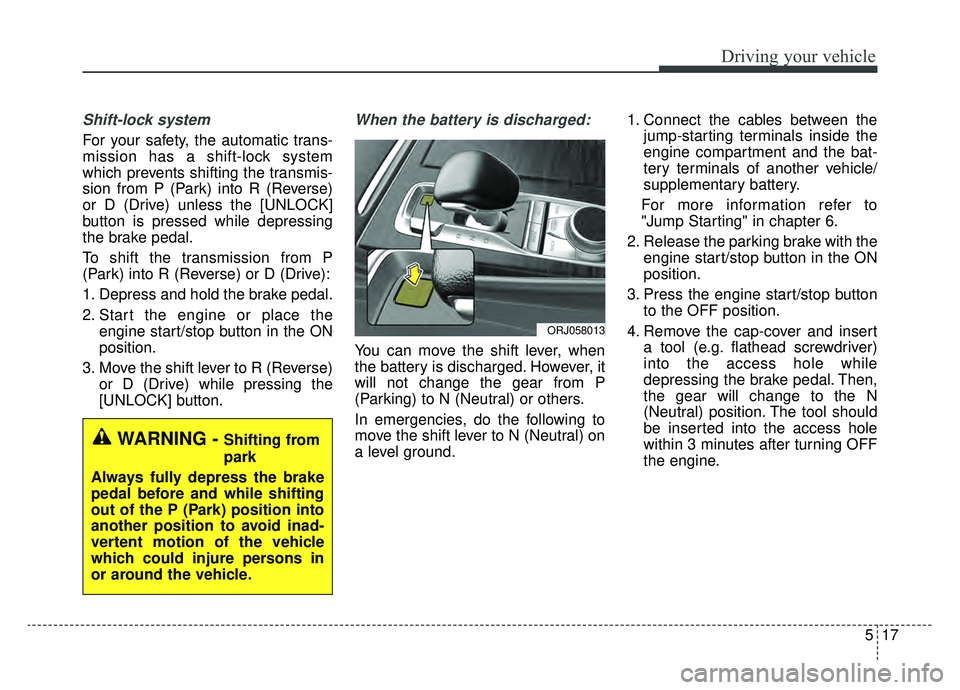
In emergencies, do the following to
move the shift lever to N (Neutral) on
a level ground. 1. Connect the cables between the
jump-starting terminals inside the
engine compartment and the bat-
tery terminals of another vehicle/
supplementary battery.
For more information refer to
"Jump Starting" in chapter 6.
2. Release the parking brake with the engine start/stop button in the ON
position.
3. Press the engine start/stop button to the OFF position.
4. Remove the cap-cover and insert a tool (e.g. flathead screwdriver)
into the access hole while
depressing the brake pedal. Then,
the gear will change to the N
(Neutral) position. The tool should
be inserted into the access hole
within 3 minutes after turning OFF
the engine.
ORJ058013
WARNING - Shifting from
park
Always fully depress the brake
pedal before and while shifting
out of the P (Park) position into
another position to avoid inad-
vertent motion of the vehicle
which could injure persons in
or around the vehicle.
Page 310 of 580
545
Driving your vehicle
When you drive on a road havingpoor traction, such as an icy road,
and have operated your brakes
continuously, the ABS will be active
continuously and the ABS warning
light may illuminate. Pull your vehi-
cle over to a safe place and stop
the engine.
Restart the engine. If the ABS warning light goes off, then your
ABS system is normal. Otherwise,
you may have a problem with the
ABS. Contact an authorized K900
Kia dealer as soon as possible.
✽ ✽ NOTICE
When you jump start your vehicle
because of a drained battery, the
engine may not run as smoothly and
the ABS warning light may turn on at
the same time. This happens because
of low battery voltage. It does not
mean your ABS has malfunctioned.
• Do not pump your brakes!
• Have the battery recharged before
driving the vehicle.
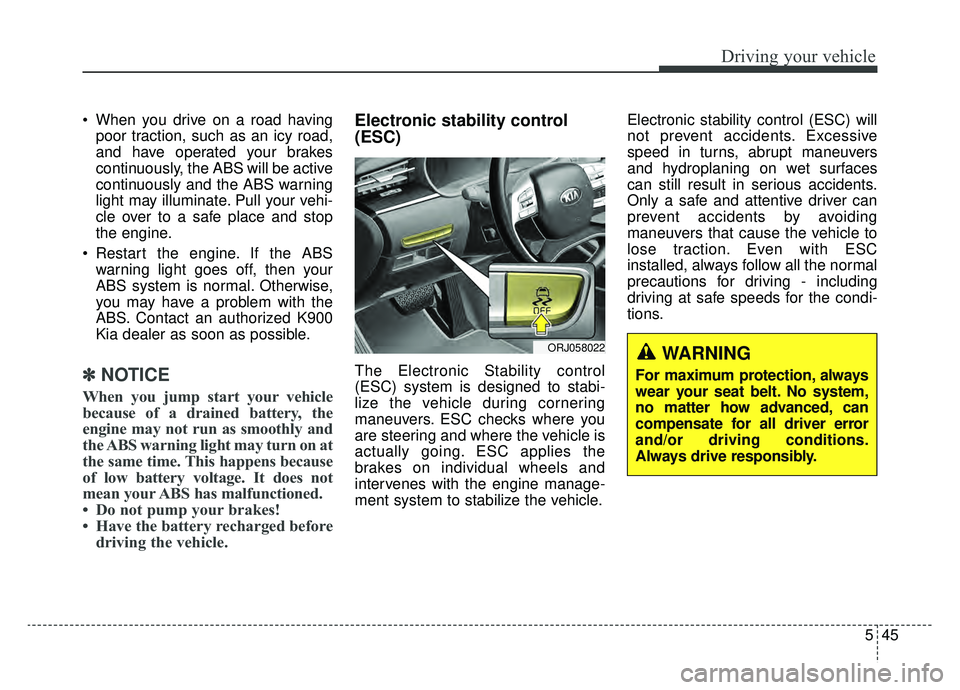
Electronic stability control
(ESC)
The Electronic Stability control
(ESC) system is designed to stabi-
lize the vehicle during cornering
maneuvers. ESC checks where you
are steering and where the vehicle is
actually going. ESC applies the
brakes on individual wheels and
intervenes with the engine manage-
ment system to stabilize the vehicle. Electronic stability control (ESC) will
not prevent accidents. Excessive
speed in turns, abrupt maneuvers
and hydroplaning on wet surfaces
can still result in serious accidents.
Only a safe and attentive driver can
prevent accidents by avoiding
maneuvers that cause the vehicle to
lose traction. Even with ESC
installed, always follow all the normal
precautions for driving - including
driving at safe speeds for the condi-
tions.
WARNING
For maximum protection, always
wear your seat belt. No system,
no matter how advanced, can
compensate for all driver error
and/or driving conditions.
Always drive responsibly.
ORJ058022