Page 206 of 580
4113
Features of your vehicle
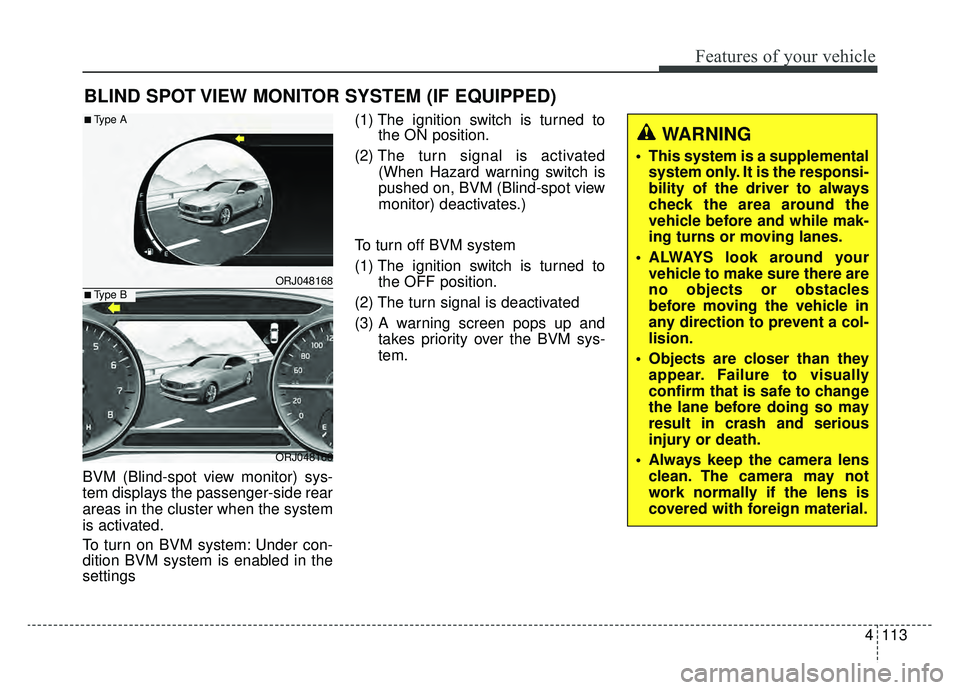
BVM (Blind-spot view monitor) sys-
tem displays the passenger-side rear
areas in the cluster when the system
is activated.
To turn on BVM system: Under con-
dition BVM system is enabled in the
settings(1) The ignition switch is turned to
the ON position.
(2) The turn signal is activated
(When Hazard warning switch is
pushed on, BVM (Blind-spot view
monitor) deactivates.)
To turn off BVM system
(1) The ignition switch is turned to the OFF position.
(2) The turn signal is deactivated
(3) A warning screen pops up and takes priority over the BVM sys-
tem.
BLIND SPOT VIEW MONITOR SYSTEM (IF EQUIPPED)
ORJ048168
ORJ048166
■Type A
■Type B
WARNING
This system is a supplementalsystem only. It is the responsi-
bility of the driver to always
check the area around the
vehicle before and while mak-
ing turns or moving lanes.
ALWAYS look around your vehicle to make sure there are
no objects or obstacles
before moving the vehicle in
any direction to prevent a col-
lision.
Objects are closer than they appear. Failure to visually
confirm that is safe to change
the lane before doing so may
result in crash and serious
injury or death.
Always keep the camera lens clean. The camera may not
work normally if the lens is
covered with foreign material.
Page 209 of 580
Features of your vehicle
116
4
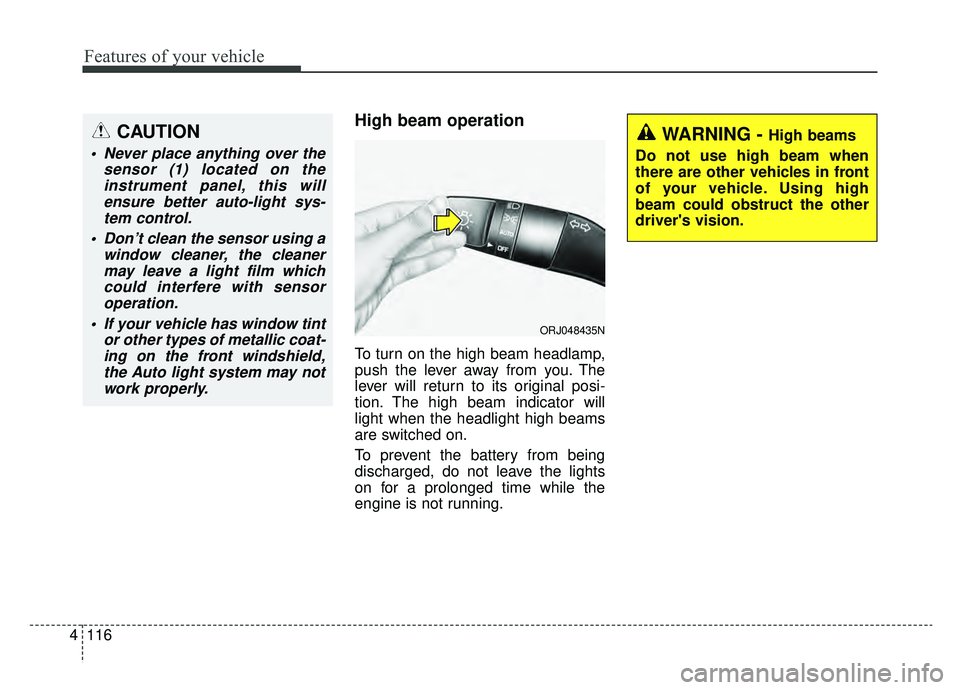
High beam operation
To turn on the high beam headlamp,
push the lever away from you. The
lever will return to its original posi-
tion. The high beam indicator will
light when the headlight high beams
are switched on.
To prevent the battery from being
discharged, do not leave the lights
on for a prolonged time while the
engine is not running.
WARNING - High beams
Do not use high beam when
there are other vehicles in front
of your vehicle. Using high
beam could obstruct the other
driver's vision.
ORJ048435N
CAUTION
Never place anything over the sensor (1) located on theinstrument panel, this willensure better auto-light sys-tem control.
Don’t clean the sensor using a window cleaner, the cleanermay leave a light film whichcould interfere with sensoroperation.
If your vehicle has window tint or other types of metallic coat-ing on the front windshield,the Auto light system may notwork properly.
Page 211 of 580
Features of your vehicle
118
4
3) If the light switch is pulled
towards you when the high
beam is on by the High Beam
Assist, the low beam will be on
and the High Beam Assist will
turn off.
4) If the light switch is turned to the headlamp position ( ) from
AUTO position, the High Beam
Assist will turn off and the low
beam will be on continuously. When the High Beam Assist is oper-
ating, the high beam switches to low
beam in the below conditions.
- When the headlamp is detected
from the on-coming vehicle.
- When the tail lamp is detected from the front vehicle.
- When headlamp/tail lamp of bicy- cle/motorcycle is detected.
- When the surrounding is so bright that high beams are not needed.
- When streetlights or other lights are detected.
- When the light switch is not in the AUTO position.
- When the High Beam Assist is off.
- When vehicle speed is below 22 mph (35 km/h).Warning light and message
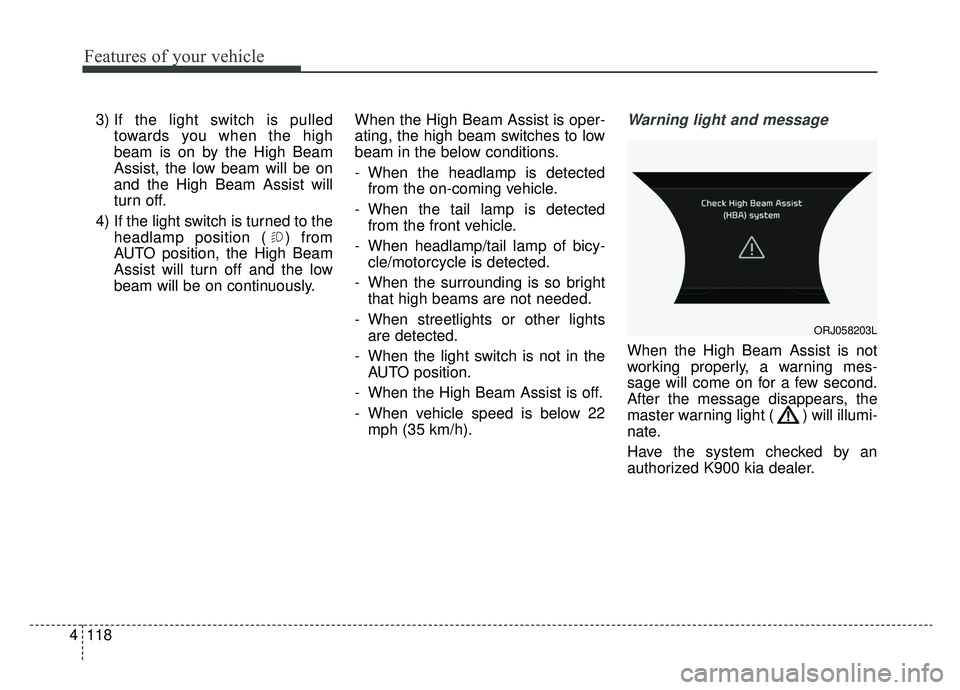
When the High Beam Assist is not
working properly, a warning mes-
sage will come on for a few second.
After the message disappears, the
master warning light ( ) will illumi-
nate.
Have the system checked by an
authorized K900 kia dealer.
ORJ058203L
Page 217 of 580
Features of your vehicle
124
4
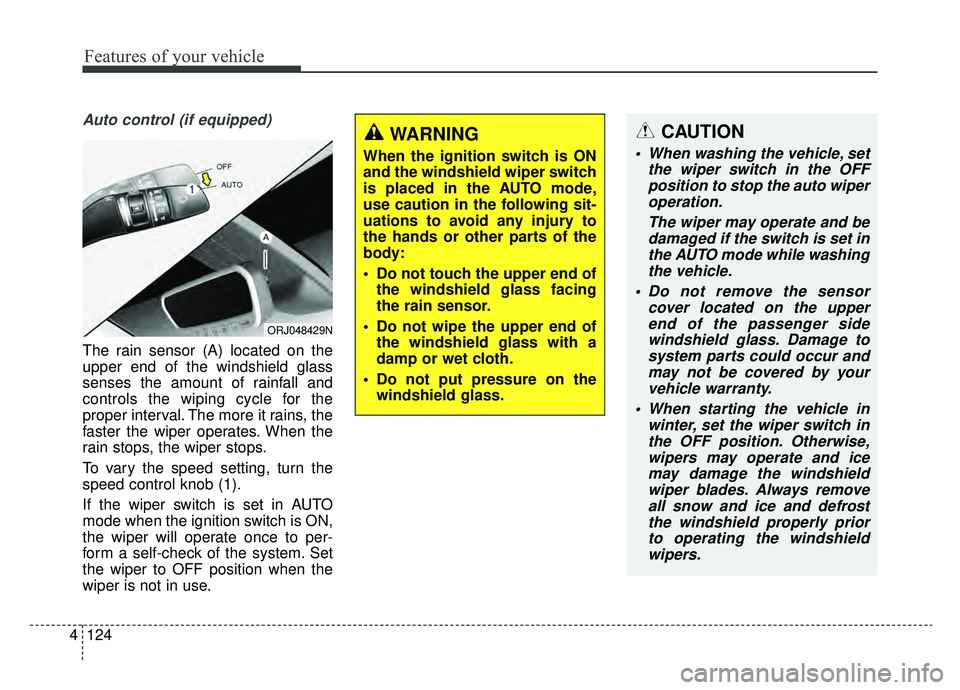
Auto control (if equipped)
The rain sensor (A) located on the
upper end of the windshield glass
senses the amount of rainfall and
controls the wiping cycle for the
proper interval. The more it rains, the
faster the wiper operates. When the
rain stops, the wiper stops.
To vary the speed setting, turn the
speed control knob (1).
If the wiper switch is set in AUTO
mode when the ignition switch is ON,
the wiper will operate once to per-
form a self-check of the system. Set
the wiper to OFF position when the
wiper is not in use.
ORJ048429N
CAUTION
When washing the vehicle, set
the wiper switch in the OFFposition to stop the auto wiperoperation.
The wiper may operate and bedamaged if the switch is set inthe AUTO mode while washingthe vehicle.
Do not remove the sensor cover located on the upperend of the passenger sidewindshield glass. Damage tosystem parts could occur andmay not be covered by yourvehicle warranty.
When starting the vehicle in winter, set the wiper switch inthe OFF position. Otherwise,wipers may operate and icemay damage the windshieldwiper blades. Always removeall snow and ice and defrostthe windshield properly priorto operating the windshieldwipers.
WARNING
When the ignition switch is ON
and the windshield wiper switch
is placed in the AUTO mode,
use caution in the following sit-
uations to avoid any injury to
the hands or other parts of the
body:
Do not touch the upper end of the windshield glass facing
the rain sensor.
Do not wipe the upper end of the windshield glass with a
damp or wet cloth.
Do not put pressure on the windshield glass.
Page 218 of 580
4125
Features of your vehicle
Front windshield washers
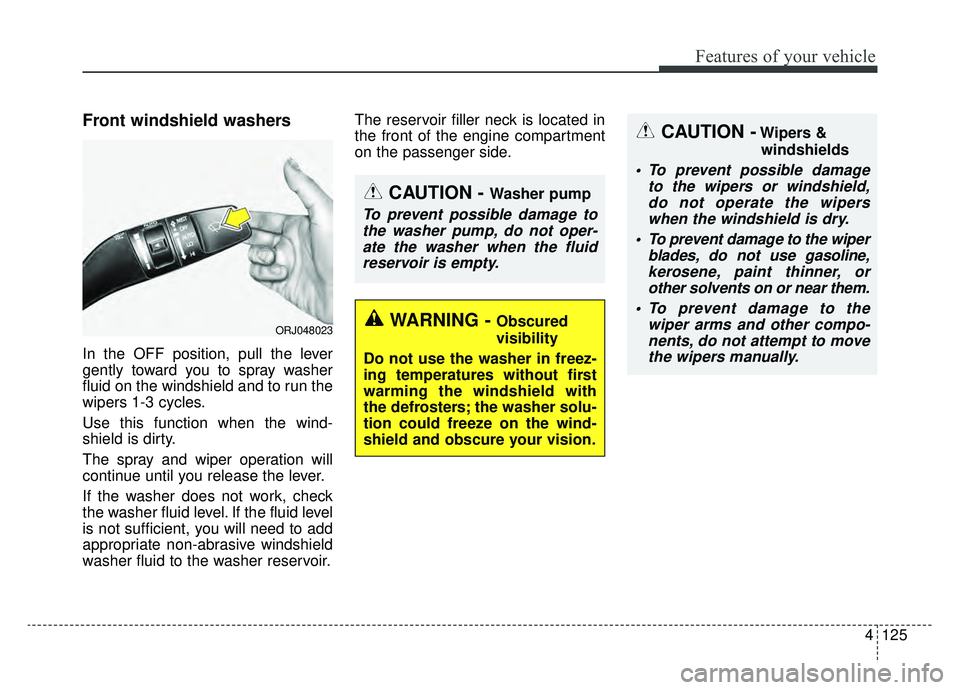
In the OFF position, pull the lever
gently toward you to spray washer
fluid on the windshield and to run the
wipers 1-3 cycles.
Use this function when the wind-
shield is dirty.
The spray and wiper operation will
continue until you release the lever.
If the washer does not work, check
the washer fluid level. If the fluid level
is not sufficient, you will need to add
appropriate non-abrasive windshield
washer fluid to the washer reservoir.The reservoir filler neck is located in
the front of the engine compartment
on the passenger side.
ORJ048023
CAUTION - Washer pump
To prevent possible damage to
the washer pump, do not oper-ate the washer when the fluidreservoir is empty.
WARNING - Obscured
visibility
Do not use the washer in freez-
ing temperatures without first
warming the windshield with
the defrosters; the washer solu-
tion could freeze on the wind-
shield and obscure your vision.
CAUTION -Wipers & windshields
To prevent possible damage to the wipers or windshield,do not operate the wiperswhen the windshield is dry.
To prevent damage to the wiper blades, do not use gasoline,kerosene, paint thinner, orother solvents on or near them.
To prevent damage to the wiper arms and other compo-nents, do not attempt to movethe wipers manually.
Page 219 of 580
Features of your vehicle
126
4
Do not use the interior lights for
extended periods when the engine is
not running.
It may cause battery discharge.Automatic turn off function
(if equipped)
The interior lights automatically turn
off approximately 20 minutes after
the ignition switch is turned off, if the
lights are in the ON position.
If your vehicle is equipped with the
theft alarm system, the interior lights
automatically turn off approximately
5 seconds after the system is armed.
Map lamp
Press either of these buttons to
turn the map lamp on or off. This
light produces a spot beam for con-
venient use as a map lamp at night
or as a personal lamp for the driver
and the front passenger.
Press the button to turn ON all
front lamps. Press the button again
turn OFF all front lamps.
INTERIOR LIGHTS
WARNING - Interior
Lights
Do not use the interior lights
when driving in the dark.
Accidents could happen
because the view may be
obscured by interior lights.
ORJ048024
Page 222 of 580
4129
Features of your vehicle
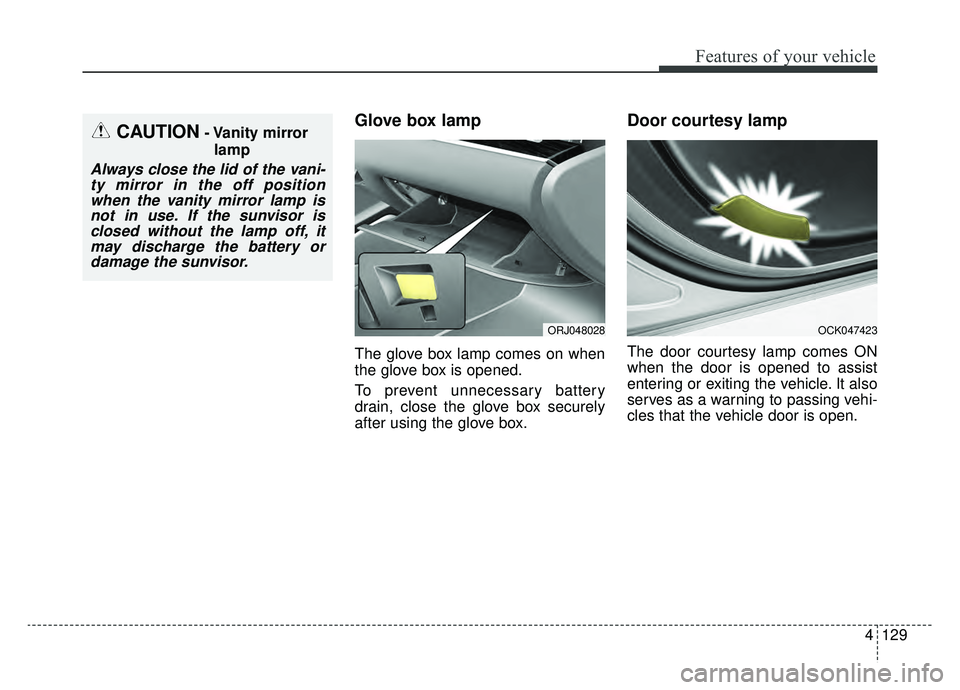
Glove box lamp
The glove box lamp comes on when
the glove box is opened.
To prevent unnecessary battery
drain, close the glove box securely
after using the glove box.
Door courtesy lamp
The door courtesy lamp comes ON
when the door is opened to assist
entering or exiting the vehicle. It also
serves as a warning to passing vehi-
cles that the vehicle door is open.
OCK047423
CAUTION- Vanity mirrorlamp
Always close the lid of the vani-ty mirror in the off positionwhen the vanity mirror lamp isnot in use. If the sunvisor isclosed without the lamp off, itmay discharge the battery ordamage the sunvisor.
ORJ048028
Page 233 of 580
Features of your vehicle
140
4
Sunroof inside air recirculation
(if equipped)
If the sunroof opens while the heater
or Air Conditioning system operates,
the outside (fresh) air will be select-
ed automatically for ventilating the
car. Then, if you select the recirculat-
ed air position, the outside (fresh) air
will be selected automatically after 3
minutes.
If you close the sunroof, the intake
mode will be changed to the previous
selected mode.
Fan speed control
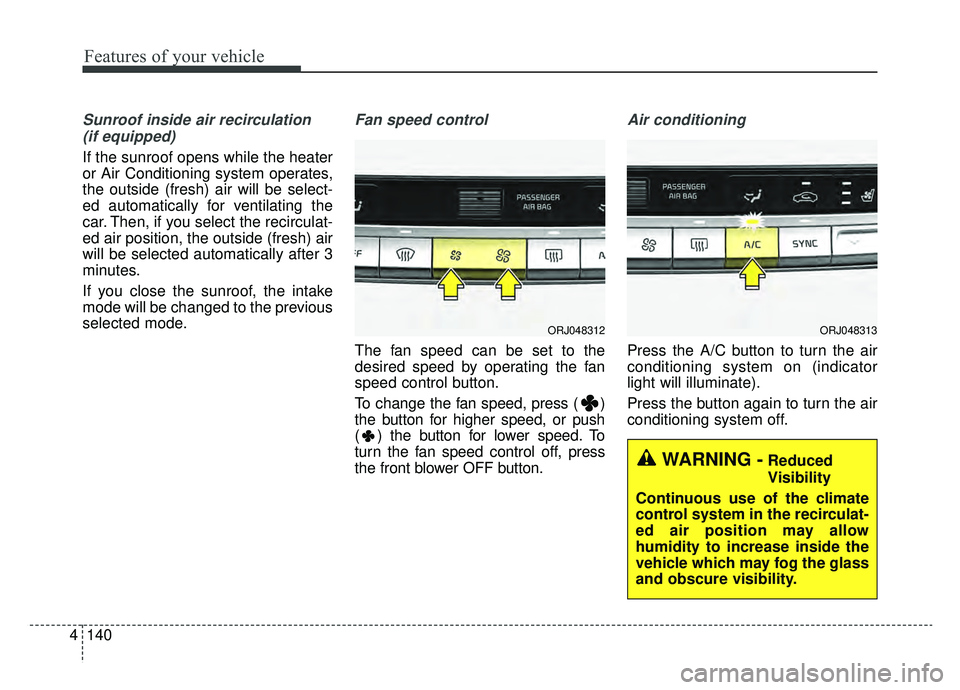
The fan speed can be set to the
desired speed by operating the fan
speed control button.
To change the fan speed, press ( )
the button for higher speed, or push
( ) the button for lower speed. To
turn the fan speed control off, press
the front blower OFF button.
Air conditioning
Press the A/C button to turn the air
conditioning system on (indicator
light will illuminate).
Press the button again to turn the air
conditioning system off.
WARNING -Reduced
Visibility
Continuous use of the climate
control system in the recirculat-
ed air position may allow
humidity to increase inside the
vehicle which may fog the glass
and obscure visibility.
ORJ048312ORJ048313