2019 KIA K900 warning light
[x] Cancel search: warning lightPage 316 of 580
551
Driving your vehicle
Hill-start assist control (HAC)
A vehicle has the tendency to roll
back on a steep hill when it starts to
go after stopping. The Hill-start
Assist Control (HAC) prevents the
vehicle from rolling back by applying
the brakes automatically for about 2
seconds. The brakes are released
when the accelerator pedal is
depressed or after about 2 seconds.
The HAC is activated only for about 2
seconds, so when the vehicle is
starting off always depress the accel-
erator pedal.
Good braking practices
Check to be sure the parking brakeis not engaged and the parking
brake indicator light is out before
driving away.
Driving through water may get the brakes wet. They can also get wet
when the vehicle is washed. Wet
brakes can be dangerous! Your
vehicle will not stop as quickly if the
brakes are wet. Wet brakes may
cause the vehicle to pull to one side.
To dry the brakes, apply the brakes
lightly until the braking action
returns to normal, taking care to
keep the vehicle under control at all
times. If the braking action does not
return to normal, stop as soon as it
is safe to do so and call an author-
ized K900 Kia dealer for assis-
tance.
Don't coast down hills with the vehicle out of gear. This is extreme-
ly hazardous. Keep the vehicle in
gear at all times, use the brakes to
slow down, then shift to a lower
gear so that engine braking will
help you maintain a safe speed.WARNING- Maintaining
Brake Pressure on Incline
HAC does not replace the need
to apply brakes while stopped on
an incline. While stopped, make
sure you maintain brake pres-
sure sufficient to prevent your
vehicle from rolling backward
and causing an accident. Don’t
release the brake pedal until you
are ready to accelerate forward.
Page 319 of 580
Driving your vehicle
54
5
The warning light illumi-
nates on the LCD display,
when you cancel the FCA
system. The driver can
monitor the FCA ON/OFF status on
the LCD display. Also, the warning
light illuminates when the ESC
(Electronic Stability Control) is
turned off. If the warning light
remains ON when the FCA is acti-
vated, we recommend that you have
the system checked by an authorized
K900 kia.
The driver can select the initial warning activation time on the LCD
display.
Go to the "AVN → Settings →
Vehicle →Driver assistance →
Warning timing → Normal/Later". The options for the initial Forward
Collision Warning includes the fol-
lowing:
- Normal:
When this condition is selected,
the initial Forward Collision
Warning is activated normally. This
setting allows for a nominal
amount of distance between the
vehicle or pedestrian, ahead
before the initial warning occurs.
- Later: When this condition is selected,
the initial Forward Collision
Warning is activated later than nor-
mal. This setting reduces the
amount of distance between the
vehicle or pedestrian, ahead
before the initial warning occurs.
Select 'Later' when traffic is light
and when driving speed is slow.✽ ✽ NOTICE
If you change the warning timing,
the warning time of other systems
may change. Always be aware
before changing the warning timing.
Page 320 of 580
555
Driving your vehicle
Prerequisite for activation
The FCA gets ready to be activated,
when the FCA is selected on the
LCD display, and when the following
prerequisites are satisfied.
- The ESC (Electronic StabilityControl) is on.
- Vehicle speed is over 6 mph (10 km/h). (The FCA is only activated
within a certain speed range.)
- The system detects the vehicle or pedestrian in front, which may col-
lide with your vehicle. (The FCA
may not be activated or may sound
a warning alarm in accordance
with the driving situation or vehicle
condition.)
FCA warning message and
system control
The FCA system produces warning
messages, warning alarms, and
emergency braking based on the
level of risk of a frontal collision, such
as when a vehicle ahead suddenly
brakes.
The driver can select the initial warn-
ing activation time in the Settings in
the AVN. The options for the initial
Forward Collision Warning include
Normal or Late initial warning time.
WARNING
Completely stop the vehicleon a safe location before
operating the switch on the
steering wheel to activate/
deactivate the FCA system.
The FCA automatically acti- vates upon placing the Engine
Start/Stop button to the ON
position. The driver can deac-
tivate the FCA by canceling
the system setting on the LCD
display.
The FCA automatically deacti- vates upon canceling the ESC
(Electronic Stability Control).
When the ESC is canceled,
the FCA cannot be activated
on the LCD display. The FCA
warning light will illuminate
which is normal.
Page 324 of 580

559
Driving your vehicle
(Continued)
• If the front bumper becomes dam-aged in the area around the radar
sensor, the FCA system may not
operate properly. Have the system
checked by an authorized K900
Kia dealer.
• Use only genuine parts to repair or replace a damaged sensor or sen-
sor cover. Do not apply paint to
the sensor cover.
✽ ✽ NOTICE
• NEVER install any accessories or
stickers on the front windshield,
or tint the front windshield.
• NEVER place any reflective objects (i.e. white paper, mirror)
over the dashboard. Any light
reflection may cause a malfunc-
tion of the system.
• Make sure the frontal camera does not get wet.
• NEVER disassemble the camera assembly, or apply any impact on
the camera assembly.
• Playing the vehicle audio system at high volume may prevent occu-
pants from hearing the FCA warn-
ings.
✽ ✽ NOTICE
Have the system checked by an
authorized K900 Kia dealer.
• The windshield glass is replaced.
• The radar sensor or cover gets
damaged or replaced.
Warning message and warning
light
Forward Collision Avoidance Assist
(FCA) system disabled.
Radar blocked
When the sensor cover is covered
with dirt, snow, or debris, the FCA
system operation may not be able to
detect vehicles. If this occurs, a warn-
ing message will appear on the LCD
display.
Remove any dirt, snow, or debris and
clean the radar sensor cover before
operating the FCA system.
ORJ058164L
Page 325 of 580
Driving your vehicle
60
5
The system will operate normally
when such dirt, snow or debris is
removed.
However, the FCA may not properly
operate in an area (e.g. open ter-
rain), where any substances are not
detected or the camera is blocked
with dirt, snow or debris after turning
ON the engine.
Also, even though a warning mes-
sage does not appear on the LCD
display, the FCA may not properly
operate.System malfunction
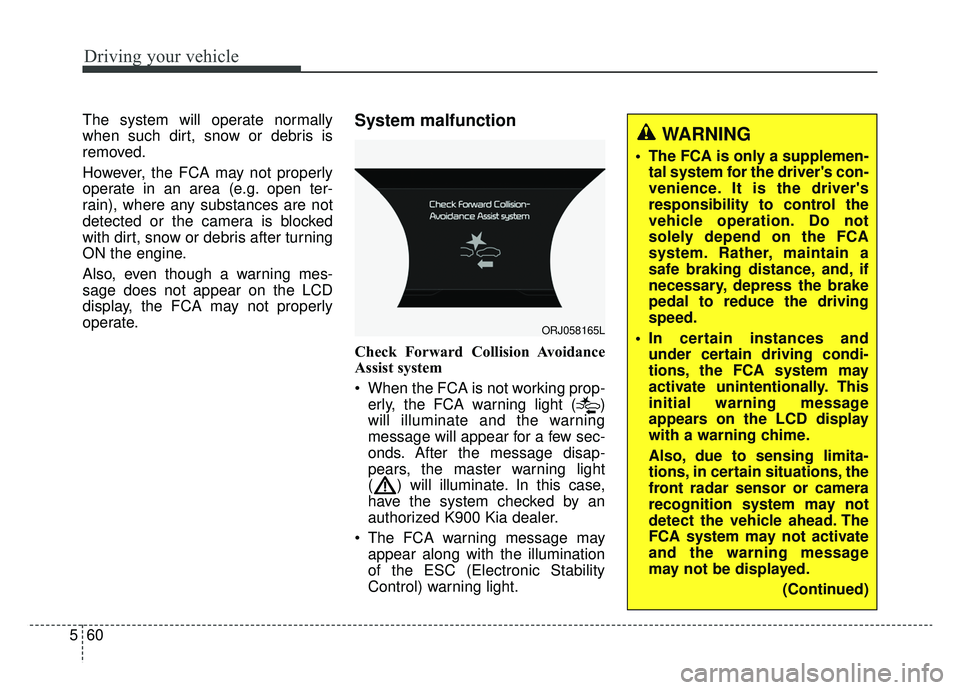
Check Forward Collision Avoidance
Assist system
When the FCA is not working prop-
erly, the FCA warning light ( )
will illuminate and the warning
message will appear for a few sec-
onds. After the message disap-
pears, the master warning light
( ) will illuminate. In this case,
have the system checked by an
authorized K900 Kia dealer.
The FCA warning message may appear along with the illumination
of the ESC (Electronic Stability
Control) warning light.
ORJ058165L
WARNING
The FCA is only a supplemen-tal system for the driver's con-
venience. It is the driver's
responsibility to control the
vehicle operation. Do not
solely depend on the FCA
system. Rather, maintain a
safe braking distance, and, if
necessary, depress the brake
pedal to reduce the driving
speed.
In certain instances and under certain driving condi-
tions, the FCA system may
activate unintentionally. This
initial warning message
appears on the LCD display
with a warning chime.
Also, due to sensing limita-
tions, in certain situations, the
front radar sensor or camera
recognition system may not
detect the vehicle ahead. The
FCA system may not activate
and the warning message
may not be displayed.
(Continued)
Page 332 of 580
567
Driving your vehicle
- When the vehicle is severely shak-en,
- When driving around circular inter- section after the vehicle in front,
- If the front of the camera lens is contaminated by front glass tinting,
film, water repellent coating, dam-
age on glass, foreign matter (stick-
er, insect, etc.)
- The radar or camera or camera lens is damaged.
- If the headlights of the vehicle are not used at night or in the tunnel
section, or the light is too weak
- If street light or the light of the vehi- cle coming from the opposite is
reflected or when sunlight is
reflected by the water on the road
surface
- When the back light is projected in the direction of the vehicle's motion
(including the headlights of vehi-
cles)
- Road sign, shadow on the road, tunnel entrance, toll gate, partial
pavement - If the windshield has moisture on
its surface or if windshield freezes,
- Driving in the fog.
- When objects are out of the sens- ing range of the sensor or radar.
- When the cyclist in front is riding intersected with the driving direc-
tion
- When there is any other electro- magnetic interference
- When the construction area, rail or other metal object is near the
cyclist
- If the bicycle material is not reflect- ed well on the radar
WARNING
Do not use the ForwardCollision avoidance Assist
(FCA) system when towing a
vehicle. Application of the
FCA system while towing may
adversely affect the safety of
your vehicle or the towing
vehicle.
Use extreme caution when the vehicle in front of you has
cargo that extends rearward
from the cab, or when the
vehicle in front of you has
higher ground clearance.
The FCA system is designed to detect and monitor the vehicle
ahead in the roadway through
radar signals and camera
recognition. It is not designed
to detect bicycles, motorcy-
cles, or smaller wheeled
objects such as luggage bags,
shopping carts, or strollers.
(Continued)
Page 340 of 580
575
Driving your vehicle
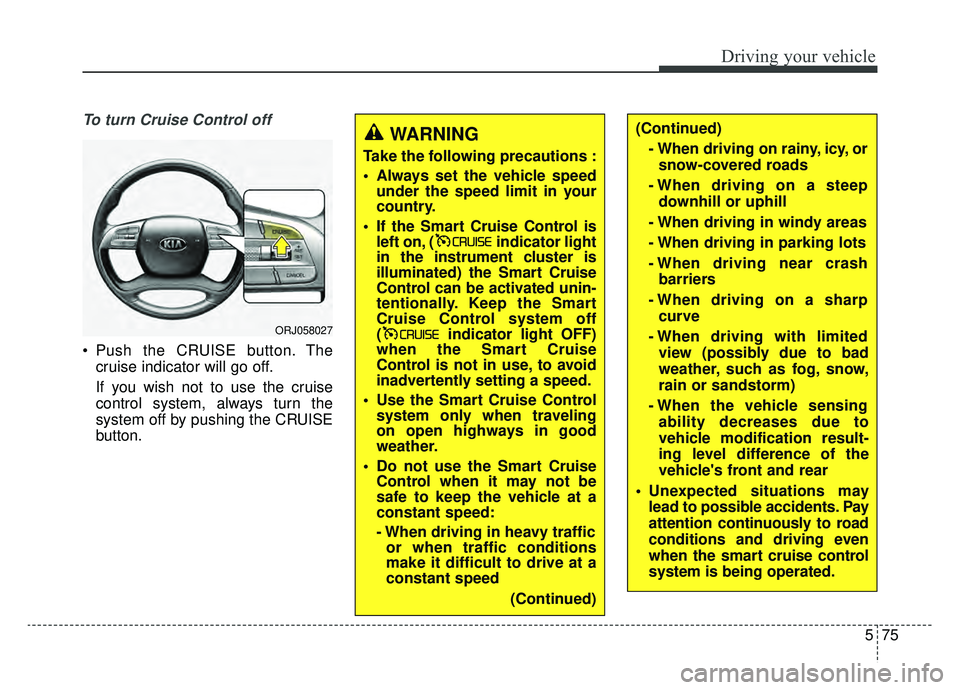
To turn Cruise Control off
Push the CRUISE button. Thecruise indicator will go off.
If you wish not to use the cruise
control system, always turn the
system off by pushing the CRUISE
button.
WARNING
Take the following precautions :
Always set the vehicle speedunder the speed limit in your
country.
If the Smart Cruise Control is left on, ( indicator light
in the instrument cluster is
illuminated) the Smart Cruise
Control can be activated unin-
tentionally. Keep the Smart
Cruise Control system off
( indicator light OFF)
when the Smart Cruise
Control is not in use, to avoid
inadvertently setting a speed.
Use the Smart Cruise Control system only when traveling
on open highways in good
weather.
Do not use the Smart Cruise Control when it may not be
safe to keep the vehicle at a
constant speed:
- When driving in heavy trafficor when traffic conditions
make it difficult to drive at a
constant speed
(Continued)
(Continued)- When driving on rainy, icy, orsnow-covered roads
- When driving on a steep downhill or uphill
- When driving in windy areas
- When driving in parking lots
- When driving near crash barriers
- When driving on a sharp curve
- When driving with limited view (possibly due to bad
weather, such as fog, snow,
rain or sandstorm)
- When the vehicle sensing ability decreases due to
vehicle modification result-
ing level difference of the
vehicle's front and rear
Unexpected situations may lead to possible accidents. Pay
attention continuously to road
conditions and driving even
when the smart cruise control
system is being operated.
ORJ058027
Page 347 of 580
Driving your vehicle
82
5
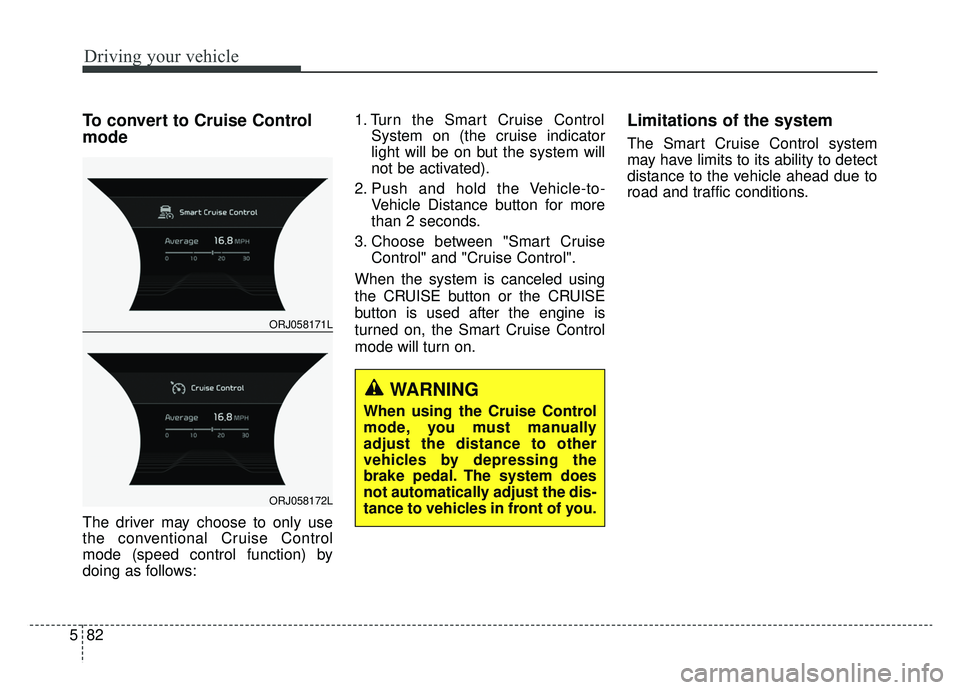
To convert to Cruise Control
mode
The driver may choose to only use
the conventional Cruise Control
mode (speed control function) by
doing as follows: 1. Turn the Smart Cruise Control
System on (the cruise indicator
light will be on but the system will
not be activated).
2. Push and hold the Vehicle-to- Vehicle Distance button for more
than 2 seconds.
3. Choose between "Smart Cruise Control" and "Cruise Control".
When the system is canceled using
the CRUISE button or the CRUISE
button is used after the engine is
turned on, the Smart Cruise Control
mode will turn on.
Limitations of the system
The Smart Cruise Control system
may have limits to its ability to detect
distance to the vehicle ahead due to
road and traffic conditions.
WARNING
When using the Cruise Control
mode, you must manually
adjust the distance to other
vehicles by depressing the
brake pedal. The system does
not automatically adjust the dis-
tance to vehicles in front of you.
ORJ058171L
ORJ058172L