2019 KIA K900 warning light
[x] Cancel search: warning lightPage 383 of 580
Driving your vehicle
118
5
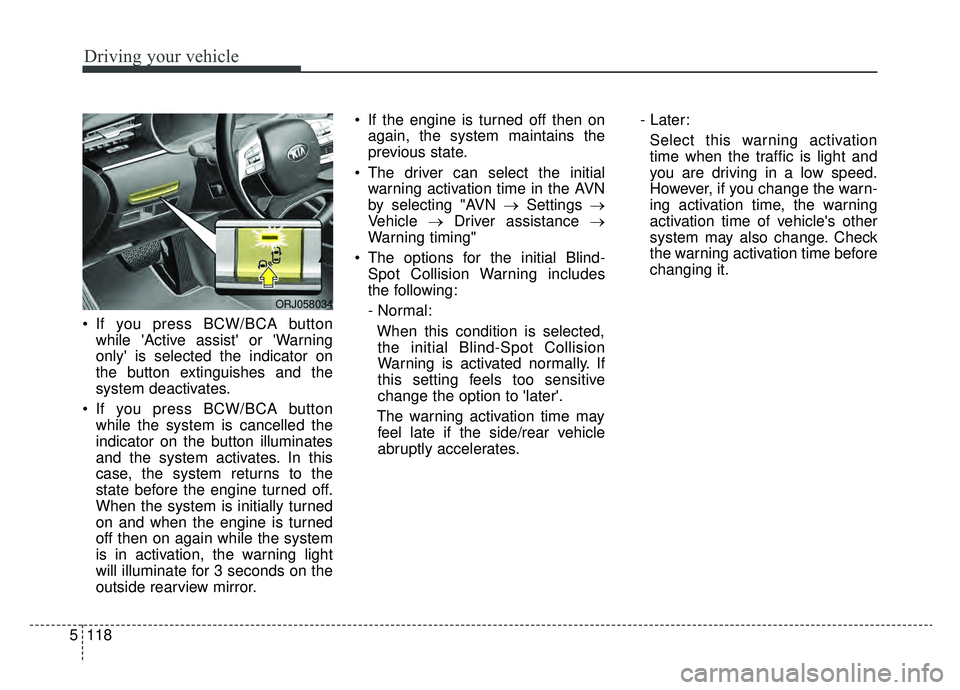
If you press BCW/BCA button
while 'Active assist' or 'Warning
only' is selected the indicator on
the button extinguishes and the
system deactivates.
If you press BCW/BCA button while the system is cancelled the
indicator on the button illuminates
and the system activates. In this
case, the system returns to the
state before the engine turned off.
When the system is initially turned
on and when the engine is turned
off then on again while the system
is in activation, the warning light
will illuminate for 3 seconds on the
outside rearview mirror. If the engine is turned off then on
again, the system maintains the
previous state.
The driver can select the initial warning activation time in the AVN
by selecting "AVN → Settings →
Vehicle →Driver assistance →
Warning timing"
The options for the initial Blind- Spot Collision Warning includes
the following:
- Normal:
When this condition is selected,the initial Blind-Spot Collision
Warning is activated normally. If
this setting feels too sensitive
change the option to 'later'.
The warning activation time may feel late if the side/rear vehicle
abruptly accelerates. - Later:
Select this warning activation
time when the traffic is light and
you are driving in a low speed.
However, if you change the warn-
ing activation time, the warning
activation time of vehicle's other
system may also change. Check
the warning activation time before
changing it.
ORJ058034
Page 384 of 580
5119
Driving your vehicle
The driver can select the warning
volume of the Rear Cross-Traffic
Collision Warning by selecting "AVN
→Settings →Vehicle →Driver
assistance →Warning volume →
High/Medium/ Low". However, if you
change the warning volume, the
warning volume of vehicle's other
system may also change.
❈ For more information refer to "LCD
Display" in chapter 4.Operating Conditions
The system enters the ready status,
when 'Active Assist' or 'Warning
Only' is selected and the following
conditions are satisfied:
1) The Blind-Spot Collision-Avoidance
Assist system will activate when :
- Vehicle speed is between 40 mph and 110 mph (60 km/h and
180 km/h).
- The system detects both of the lane lines.
- An approaching vehicle is detected next to or behind your
vehicle.
2) The Blind-Spot Collision Warning system will activate when :
The vehicle speed is above
approximately 20 mph (30 km/h).
Only
1) The Blind-Spot Collision Warning system will activate when :
- Vehicle speed is approximately 20 mph (30 km/h).
❈ The Blind-Spot Collision-Avoidance
Assist system is not activated.
Warning message and system
control
Blind-Spot Collision Warning
(BCW) system
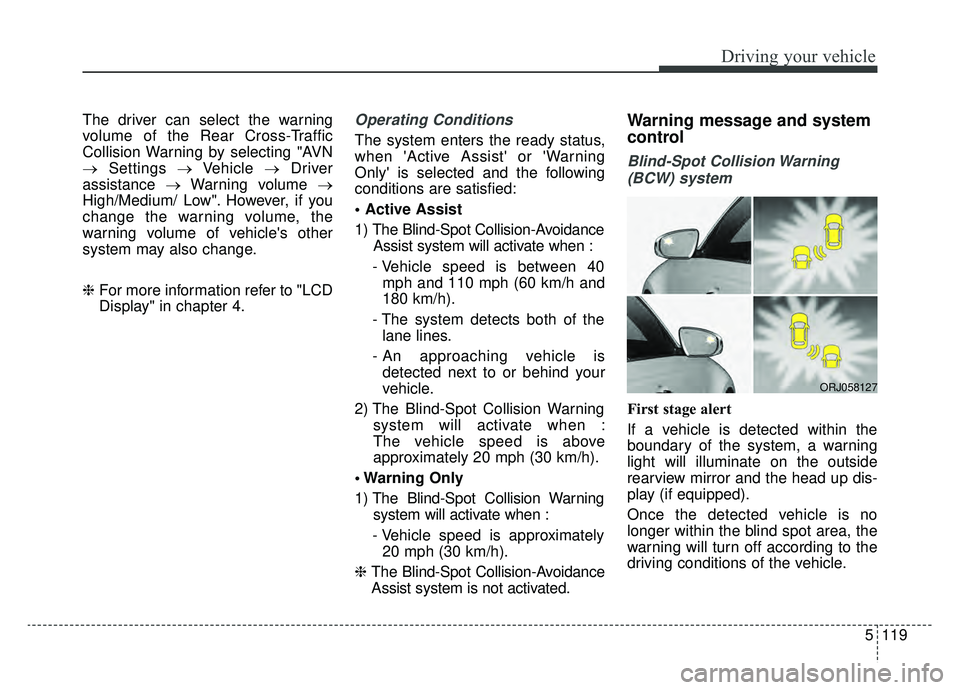
First stage alert
If a vehicle is detected within the
boundary of the system, a warning
light will illuminate on the outside
rearview mirror and the head up dis-
play (if equipped).
Once the detected vehicle is no
longer within the blind spot area, the
warning will turn off according to the
driving conditions of the vehicle.
ORJ058127
Page 385 of 580
![KIA K900 2019 Owners Manual Driving your vehicle
120
5
ORJ058128ORJ058129
[A] : Warning sound
Second stage alert
A warning chime to alert the driver will activate when:
1. A vehicle has been detected in the blind spot area by th](/manual-img/2/55057/w960_55057-384.png "KIA K900 2019 Owners Manual Driving your vehicle
120
5
ORJ058128ORJ058129
[A] : Warning sound
Second stage alert
A warning chime to alert the driver will activate when:
1. A vehicle has been detected in the blind spot area by th")
Driving your vehicle
120
5
ORJ058128ORJ058129
[A] : Warning sound
Second stage alert
A warning chime to alert the driver will activate when:
1. A vehicle has been detected in the blind spot area by the radar system AND.
2. The turn signal is applied (same side as where the vehicle is being detected).
When this alert is activated, the warning light on the outside rearview mirror and
the head up display (if equipped) will also blink. And a warning chime will sound.
If you turn off the turn signal indicator, the second stage alert will be deactivated.
Once the detected vehicle is no longer within the blind spot area, the warn-
ing will turn off according to the driving conditions of the vehicle.
WARNING
The warning light on the out- side rearview mirror will illu-
minate whenever a vehicle is
detected at the rear side by
the system.
To avoid accidents, do not
focus only on the warning
light and neglect to see the
surrounding of the vehicle.
Drive safely even though the vehicle is equipped with a
Blind-Spot Collision Warning
System (BCW). Do not solely
rely on the system but check
your surrounding before
changing lanes or backing the
vehicle up.
The system may not alert the driver in some conditions so
always check your surround-
ings while driving.
Page 386 of 580
5121
Driving your vehicle
Blind-Spot Collision-AvoidanceAssist (BCA) system
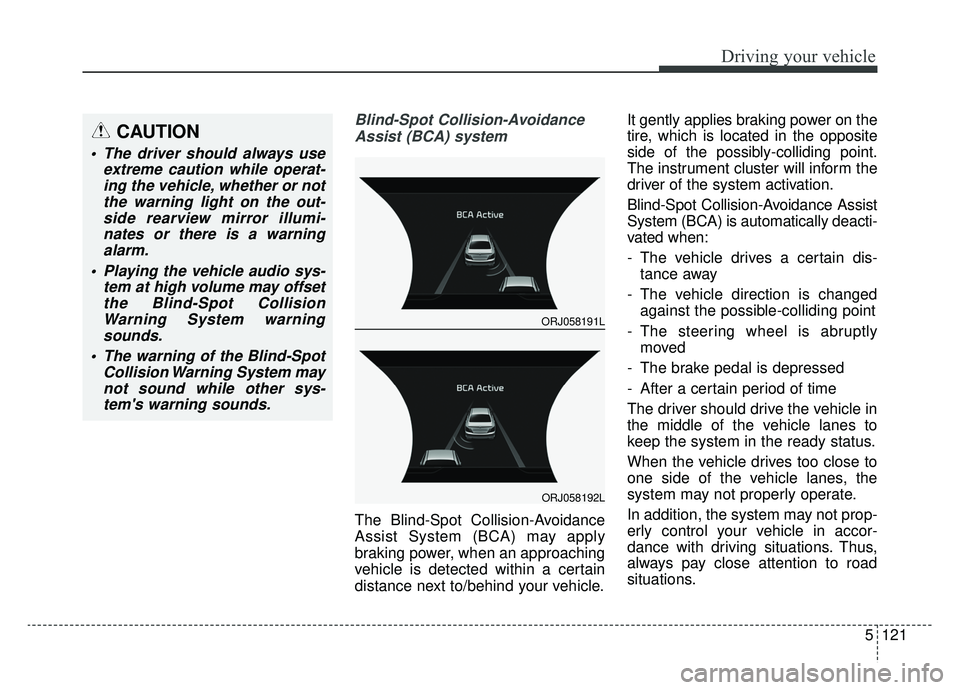
The Blind-Spot Collision-Avoidance
Assist System (BCA) may apply
braking power, when an approaching
vehicle is detected within a certain
distance next to/behind your vehicle. It gently applies braking power on the
tire, which is located in the opposite
side of the possibly-colliding point.
The instrument cluster will inform the
driver of the system activation.
Blind-Spot Collision-Avoidance Assist
System (BCA) is automatically deacti-
vated when:
- The vehicle drives a certain dis-
tance away
- The vehicle direction is changed against the possible-colliding point
- The steering wheel is abruptly moved
- The brake pedal is depressed
- After a certain period of time
The driver should drive the vehicle in
the middle of the vehicle lanes to
keep the system in the ready status.
When the vehicle drives too close to
one side of the vehicle lanes, the
system may not properly operate.
In addition, the system may not prop-
erly control your vehicle in accor-
dance with driving situations. Thus,
always pay close attention to road
situations.
CAUTION
The driver should always use extreme caution while operat-ing the vehicle, whether or notthe warning light on the out-side rearview mirror illumi-nates or there is a warningalarm.
Playing the vehicle audio sys- tem at high volume may offsetthe Blind-Spot CollisionWarning System warningsounds.
The warning of the Blind-Spot Collision Warning System maynot sound while other sys-tem's warning sounds.
ORJ058191L
ORJ058192L
Page 388 of 580
5123
Driving your vehicle
Blind-Spot Collision Warning (BCW)
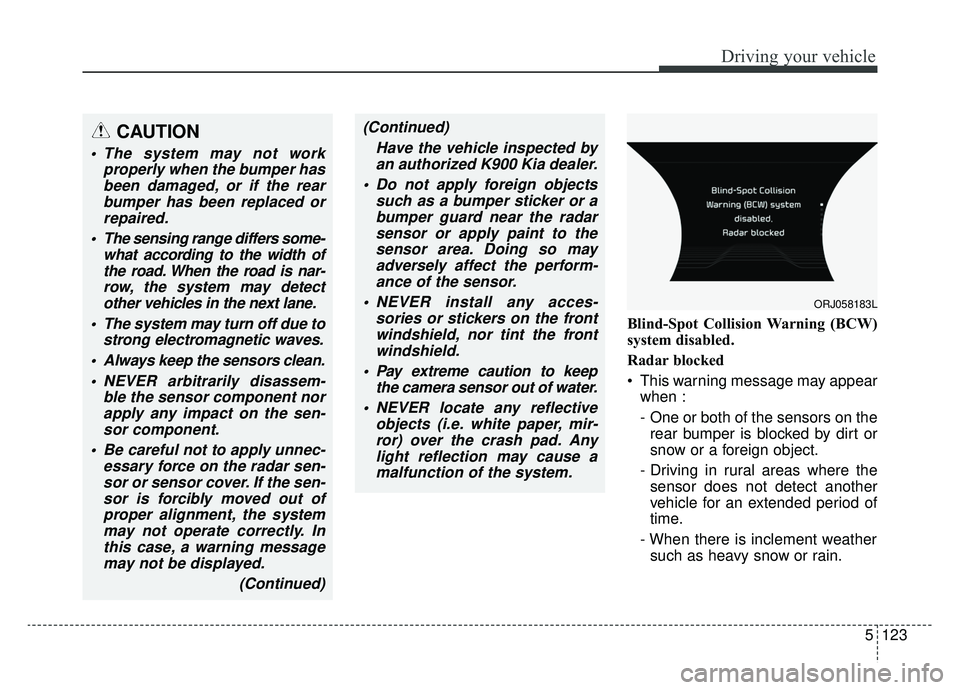
system disabled.
Radar blocked
This warning message may appearwhen :
- One or both of the sensors on therear bumper is blocked by dirt or
snow or a foreign object.
- Driving in rural areas where the sensor does not detect another
vehicle for an extended period of
time.
- When there is inclement weather such as heavy snow or rain.
CAUTION
The system may not work properly when the bumper hasbeen damaged, or if the rearbumper has been replaced orrepaired.
The sensing range differs some- what according to the width ofthe road. When the road is nar-row, the system may detectother vehicles in the next lane.
The system may turn off due to strong electromagnetic waves.
Always keep the sensors clean. NEVER arbitrarily disassem- ble the sensor component norapply any impact on the sen-sor component.
Be careful not to apply unnec- essary force on the radar sen-sor or sensor cover. If the sen-sor is forcibly moved out ofproper alignment, the systemmay not operate correctly. Inthis case, a warning messagemay not be displayed.
(Continued)
(Continued)Have the vehicle inspected byan authorized K900 Kia dealer.
Do not apply foreign objects such as a bumper sticker or abumper guard near the radarsensor or apply paint to thesensor area. Doing so mayadversely affect the perform-ance of the sensor.
NEVER install any acces- sories or stickers on the frontwindshield, nor tint the frontwindshield.
Pay extreme caution to keep the camera sensor out of water.
NEVER locate any reflective objects (i.e. white paper, mir-ror) over the crash pad. Anylight reflection may cause amalfunction of the system.
ORJ058183L
Page 389 of 580
Driving your vehicle
124
5
If any of these conditions occur, the
light on the BCW switch and the sys-
tem will turn off automatically.
Turn off the BCW, BCA and RCCW
system (if equipped) when a trailer or
carrier is installed.
- Press the BCW/BCA button (the
indicator on the button extinguish)
- Deactivate the RCCW system by deselecting
"AVN →Settings →Vehicle →
Driving Assist → Blind-spot safety
→ Rear Cross-Traffic Collision
Warning" (if equipped)
If you use BCW, BCA and RCCW
system, remove a trailer or carrier.
When the BCW canceled warning
message is displayed in the cluster,
check to make sure that the rear
bumper is free from any dirt or snow
in the areas where the sensor is
located. Remove any dirt, snow, or
foreign material that could interfere
with the radar sensors. After any dirt or debris is removed,
the BCA should operate normally
after about 10 minutes of driving the
vehicle.
If the system still does not operate
normally have your vehicle inspected
by an authorized K900 Kia dealer.
Check Blind-Spot Collision Warning
(BCW) system
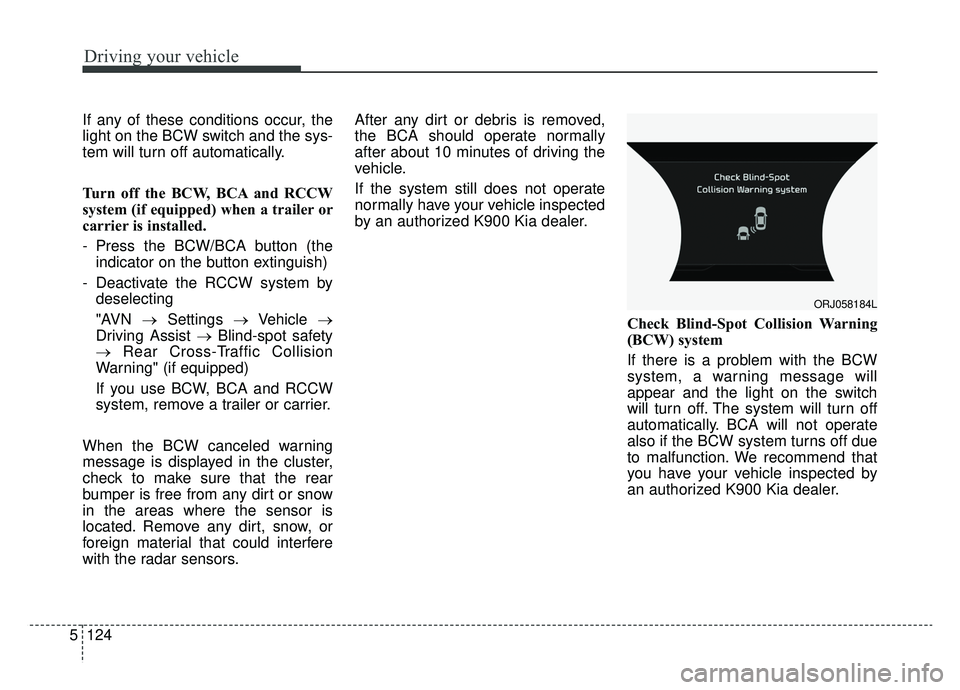
If there is a problem with the BCW
system, a warning message will
appear and the light on the switch
will turn off. The system will turn off
automatically. BCA will not operate
also if the BCW system turns off due
to malfunction. We recommend that
you have your vehicle inspected by
an authorized K900 Kia dealer.
ORJ058184L
Page 395 of 580
Driving your vehicle
130
5
System setting and activation
System setting
The driver can activate the sys-
tems by placing the ignition switch
to the ON position and by selecting
'AVN →Settings →Vehicle →
Driving Assist → Blind-spot safety
→ Rear Cross-Traffic Safety'. The
RCCA and RCCW turn on and get
ready to be activated when 'Rear
Cross-Traffic safety' is selected.
When the engine is turned off then on again, the systems always get
ready to be activated.
When the system is initially turned on and when the engine is turned
off then on again, the warning light
will illuminate for 3 seconds on the
outside side view mirror.
The driver can select the initial warn-
ing activation time in the AVN by
selecting "AVN → Settings →Vehicle
→ Driver assistance → Warning tim-
ing". The options for the initial Rear
Cross-Traffic Collision Warning
includes the following: - Normal:
When this condition is selected, the
initial Rear Cross-Traffic Collision
Warning is activated normally. If this
setting feels too sensitive change the
option to 'late'.
The warning activation time may feel
late if the side/rear vehicle abruptly
accelerates.
- Later:
Select this warning activation time
when the traffic is light and you are
driving in a low speed. However, if
you change the warning activation
time, the warning activation time of
vehicle's other system may also
change. Check the warning activa-
tion time before changing it.
The driver can select the warning
volume of the Rear Cross-Traffic
Collision Warning by selecting "AVN
→
Settings →Vehicle →Driver
assistance →Warning volume →
High/Medium/Low". However, if you
change the warning volume, the
warning volume of vehicle's other
system may also change.
Operating conditions
To operate:
Go to the 'AVN → Settings →Vehicle
→ Driving Assist → Blind-spot safety
→ Rear Cross-Traffic Safety' on the
AVN. The system will turn on and
standby to activate.
The system will activate when vehi-
cle speed is below 6 mph (10 km/h)
and with the shift lever in R
(Reverse).
* The system will not activate when the vehicle speed exceeds 10 km/h
(6 mph). The system will activate
again when the speed is below 10
km/h (6 mph).
The system's detecting range is
approximately 1 ft ~ 65 ft (0.5 m ~ 20
m). An approaching vehicle will be
detected if their vehicle speed is with-
in 5 mph ~ 22.5 mph (8 km/h ~ 36
km/h). Note that the detecting range
may vary under certain conditions.
As always, use caution and pay
close attention to your surroundings
when backing up your vehicle.
Page 396 of 580
5131
Driving your vehicle
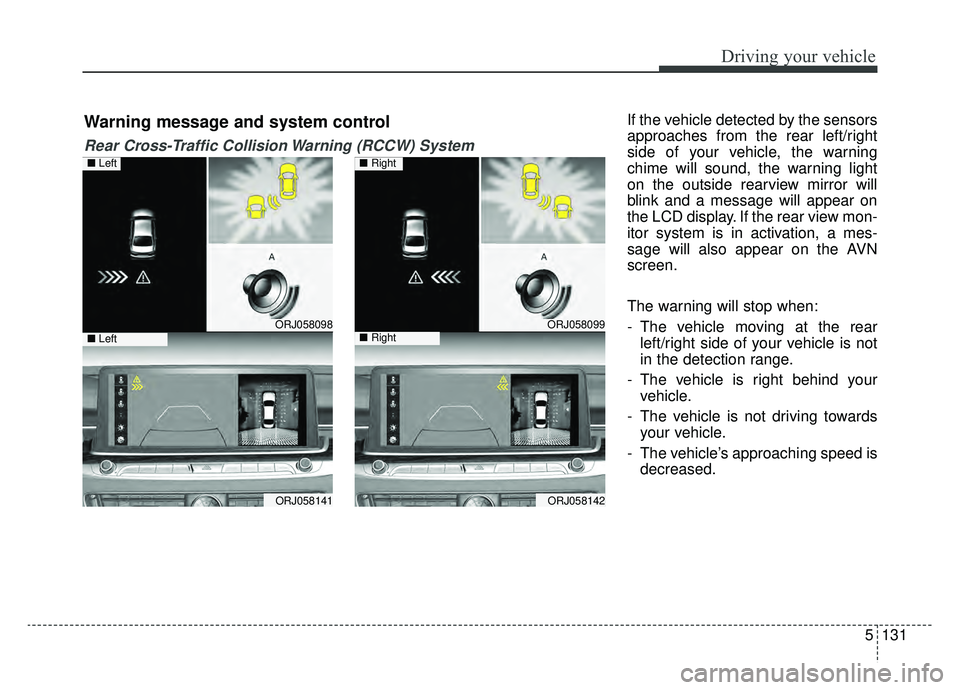
If the vehicle detected by the sensors
approaches from the rear left/right
side of your vehicle, the warning
chime will sound, the warning light
on the outside rearview mirror will
blink and a message will appear on
the LCD display. If the rear view mon-
itor system is in activation, a mes-
sage will also appear on the AVN
screen.
The warning will stop when:
- The vehicle moving at the rearleft/right side of your vehicle is not
in the detection range.
- The vehicle is right behind your vehicle.
- The vehicle is not driving towards your vehicle.
- The vehicle’s approaching speed is decreased.
ORJ058098
ORJ058141
ORJ058099
ORJ058142
Warning message and system control
Rear Cross-Traffic Collision Warning (RCCW) System
■ Left
■ Left
■ Right
■ Right