Page 323 of 550

577
Driving your vehicle
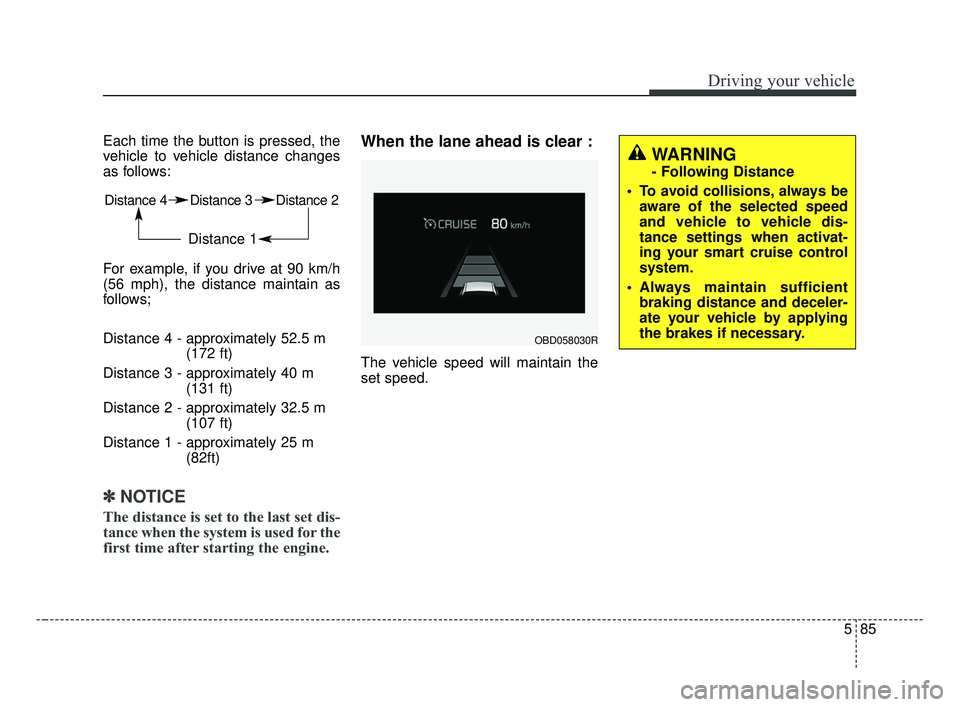
➀Cruise indicator
➁ Set speed
➂ Vehicle-to-vehicle distance
The smart cruise control system
allows you to program the vehicle to
maintain a constant speed and pre-
determined distance to the vehicle
ahead without depressing the accel-
erator or brake pedal.
✽ ✽ NOTICE
To activate smart cruise control,
depress the brake pedal at least once
after turning the ignition switch to
the ON position or starting the
engine. This is to check if the brake
switch which is important part to
cancel smart cruise control is in nor-
mal condition.
SMART CRUISE CONTROL (IF EQUIPPED)
WARNING
For your safety, please read the
owner's manual before using the
smart cruise control system.
WARNING
The Smart Cruise Control sys-
tem (SCC) is deactivated when
driving under the speed of 10
km/h (6.0 mph). In this case, the
SCC will be unable to maintain
the distance entered by the driv-
er. It is the driver's responsibility
to depress the brake to maintain
a safe distance from the vehicle
the driver is approaching.
WARNING
-
Smart cruise control sys-
tem Limitations
The smart cruise control system
is a supplemental system and is
not a substitute for safe driving
practices. It is the responsibility
of the driver to always check the
speed and distance to the vehi-
cle ahead.
OBD058023
BDm CAN (ENG) 5.QXP 7/4/2018 10:15 AM Page 77
Page 324 of 550

Driving your vehicle
78
5
(Continued)
- Parking lot
- Lanes beside guard rail on aroad
- Slippery road with rain, ice, or snow
- Abrupt curved road
- Steep hills
- Windy roads
- Off roads
- Rods under construction
- Rumble strip
- When driving near crash barriers
- When driving on a sharp curve
- When the vehicle sensing ability decreases due to
vehicle modification result-
ing level difference of the
vehicle's front and rear
- When driving in heavy traffic or when traffic conditions
make it difficult to drive at a
constant speed
(Continued)(Continued)- Limited visibility (rain, snow,smog, etc.)
Pay particular attention to the driving conditions whenever
using the smart cruise control
system.
Be careful when driving downhill using the SCC.
Cruise function should not be used when the vehicle is
being towed to prevent any
damage.
Always set the vehicle speed under the speed limit in your
country.
Always pay continuous atten- tion to road and driving condi-
tions even when the smart
cruise control system is being
operated.
The smart cruise control sys- tem cannot recognize a
stopped vehicle, pedestrians or
an oncoming vehicle. Always
look ahead cautiously to pre-
vent unexpected and sudden
situations from occurring.WARNING
If the smart cruise control sys-tem is left on, (cruise indicator
in the instrument cluster illumi-
nated) the smart cruise control
can be activated unintentional-
ly. Keep the smart cruise con-
trol system off (cruise indicator
off) when the smart cruise con-
trol system is not in use to
avoid setting a speed which
the driver is not aware of.
Use the smart cruise control system only when traveling
on open highways in good
weather.
Do not use the smart cruise control when it may not be
safe to keep the car at a con-
stant speed. For instance.
- Highway interchange andtollgate
- Road surrounded by multiple steel constructions (subway
construction, steel tunnel, etc)
(Continued)
BDm CAN (ENG) 5.QXP 7/4/2018 10:15 AM Page 78
Page 329 of 550
583
Driving your vehicle
Each of these actions will cancel the
smart cruise control operation. (the
set speed and vehicle to vehicle dis-
tance on the LCD display will go off.)
If the smart cruise control is can-
celled automatically, the smart cruise
control will not resume even though
the RES+ or SET-lever is moved.
✽ ✽NOTICE
If the smart cruise control is cancelled
by other than the reasons mentioned,
take your vehicle to an authorized
Kia dealer and have the system
checked.
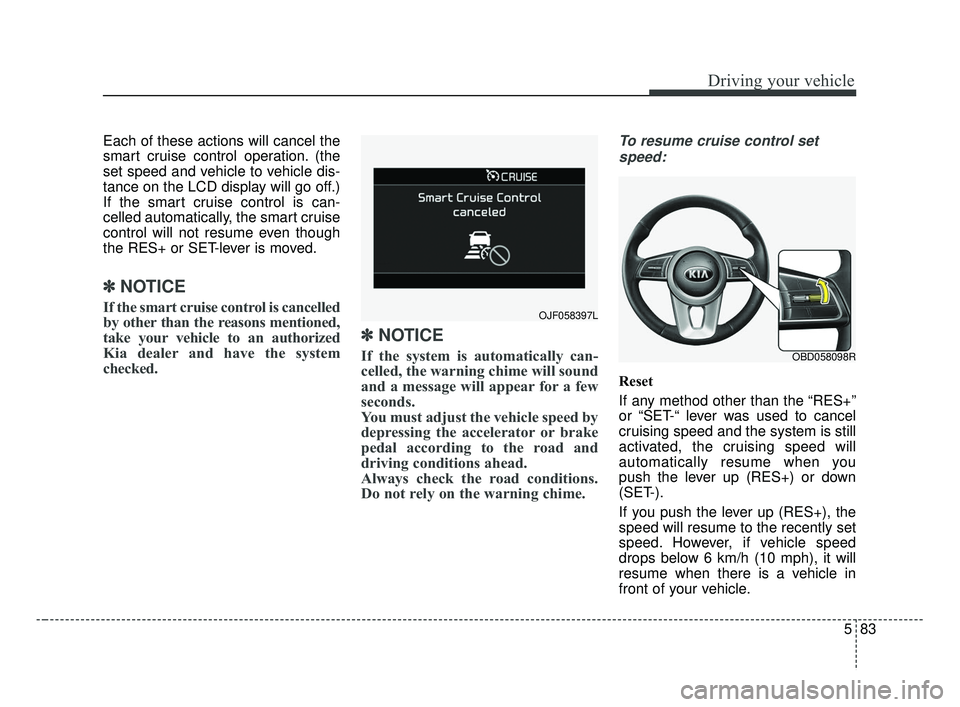
✽ ✽NOTICE
If the system is automatically can-
celled, the warning chime will sound
and a message will appear for a few
seconds.
You must adjust the vehicle speed by
depressing the accelerator or brake
pedal according to the road and
driving conditions ahead.
Always check the road conditions.
Do not rely on the warning chime.
To resume cruise control set
speed:
Reset
If any method other than the “RES+”
or “SET-“ lever was used to cancel
cruising speed and the system is still
activated, the cruising speed will
automatically resume when you
push the lever up (RES+) or down
(SET-).
If you push the lever up (RES+), the
speed will resume to the recently set
speed. However, if vehicle speed
drops below 6 km/h (10 mph), it will
resume when there is a vehicle in
front of your vehicle.
OJF058397L
OBD058098R
BDm CAN (ENG) 5.QXP 7/4/2018 10:15 AM Page 83
Page 330 of 550
Driving your vehicle
84
5
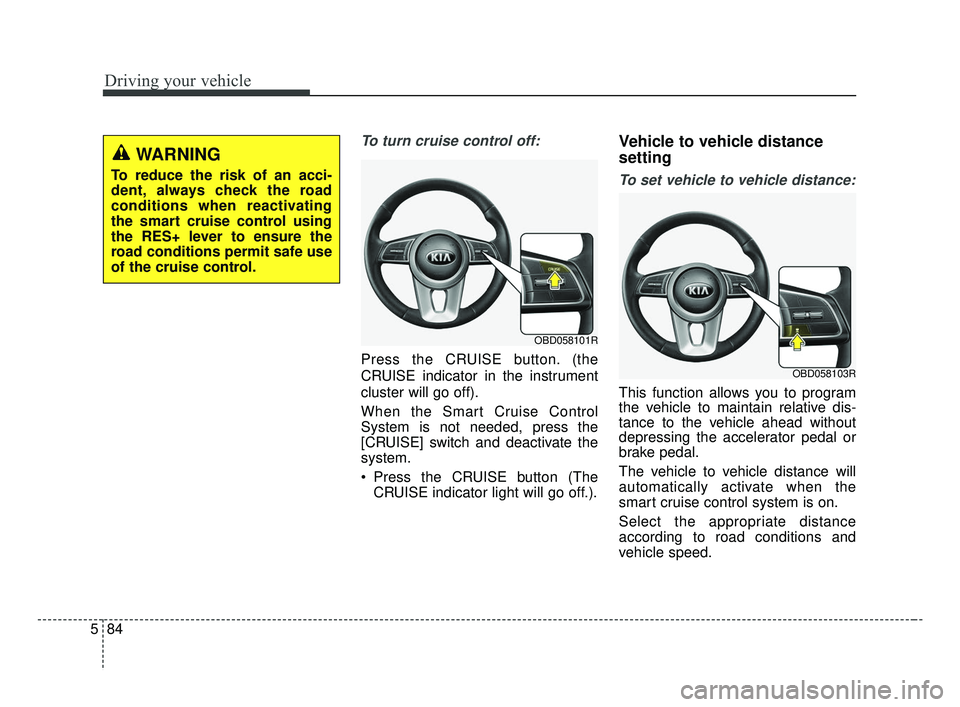
To turn cruise control off:
Press the CRUISE button. (the
CRUISE indicator in the instrument
cluster will go off).
When the Smart Cruise Control
System is not needed, press the
[CRUISE] switch and deactivate the
system.
Press the CRUISE button (The
CRUISE indicator light will go off.).
Vehicle to vehicle distance
setting
To set vehicle to vehicle distance:
This function allows you to program
the vehicle to maintain relative dis-
tance to the vehicle ahead without
depressing the accelerator pedal or
brake pedal.
The vehicle to vehicle distance will
automatically activate when the
smart cruise control system is on.
Select the appropriate distance
according to road conditions and
vehicle speed.
OBD058101R
OBD058103R
WARNING
To reduce the risk of an acci-
dent, always check the road
conditions when reactivating
the smart cruise control using
the RES+ lever to ensure the
road conditions permit safe use
of the cruise control.
BDm CAN (ENG) 5.QXP 7/4/2018 10:15 AM Page 84
Page 331 of 550
585
Driving your vehicle
Each time the button is pressed, the
vehicle to vehicle distance changes
as follows:
For example, if you drive at 90 km/h
(56 mph), the distance maintain as
follows;
Distance 4 - approximately 52.5 m(172 ft)
Distance 3 - approximately 40 m (131 ft)
Distance 2 - approximately 32.5 m (107 ft)
Distance 1 - approximately 25 m (82ft)
✽ ✽NOTICE
The distance is set to the last set dis-
tance when the system is used for the
first time after starting the engine.
When the lane ahead is clear :
The vehicle speed will maintain the
set speed.
Distance 4 Distance 3 Distance 2
Distance 1
OBD058030R
WARNING
- Following Distance
To avoid collisions, always be aware of the selected speed
and vehicle to vehicle dis-
tance settings when activat-
ing your smart cruise control
system.
Always maintain sufficient braking distance and deceler-
ate your vehicle by applying
the brakes if necessary.
BDm CAN (ENG) 5.QXP 7/4/2018 10:15 AM Page 85
Page 333 of 550

587
Driving your vehicle
If the vehicle ahead (vehicle speed:
less than 30 km/h (20 mph) disap-
pears to the next lane, the warning
chime will sound and a message will
appear. Adjust your vehicle speed for
vehicles or objects that can sudden-
ly appear in front of you by depress-
ing the brake pedal according to the
road and driving conditions ahead.
Radar to detect distance to thevehicle ahead
The sensor detects the distance to
the vehicle ahead.
If the sensor is covered with dirt or
other foreign matter, the vehicle to
vehicle distance control may not
operate correctly.
Always keep the area in front of the
sensor clean.
CAUTION
The warning chime sounds and LCD display blinks if it ishard to maintain the selecteddistance to the vehicle ahead.
If the warning chime sounds, actively adjust the vehiclespeed by depressing thebrake pedal according to theroad condition ahead anddriving condition.
Even if the warning chime is not activated, always payattention to the driving condi-tions to prevent dangeroussituations from occurring.
Be alert to road conditions as radio, sound and outside con-ditions could interrupt a warn-ing sound.
OJF058401L
OBD058014
BDm CAN (ENG) 5.QXP 7/4/2018 10:16 AM Page 87
Page 334 of 550
Driving your vehicle
88
5
Warning message When the sensor lens cover is blocked
with dirt, snow, or debris, the Smart
Cruise Control System operation may
stop temporarily. If this occurs, a warn-
ing message will appear on the LCD
display. Remove any dirt, snow, or
debris and clean the radar sensor lens
cover before operating the Smart
Cruise Control System. The Smart
Cruise Control system may not prop-
erly activate, if the radar is totally con-
taminated, or if any substance is not
detected after turning ON the engine
(e.g. in an open terrain).SCC (smart cruise control) mal-
function message
The message will appear when the
vehicle to vehicle distance control
system is not functioning normally.
OJF058403L
■Type A
■Type B
OJF058404L
OJF058405L
■Type A
■Type B
OJF058406L
BDm CAN (ENG) 5.QXP 7/4/2018 10:16 AM Page 88
Page 335 of 550

589
Driving your vehicle
In this case, take your vehicle to an
authorized Kia dealer and have the
system checked.CAUTION
Do not install accessoriesaround the sensor and do notreplace the bumper by your-self. It may interfere with thesensor performance.
Always keep the sensor and bumper clean.
Use only a soft cloth to wash the vehicle. Do not spray pres-surized water directly on thesensor or sensor cover.
Be careful not to apply unnec- essary force on the radar sen-sor or sensor cover. If the sen-sor is forcibly moved out ofproper alignment, the SmartCruise Control System maynot operate correctly. In thiscase, a warning message maynot be displayed.
Have the vehicle inspected byan authorized Kia dealer.
(Continued)
(Continued) Do not damage the sensor or sensor area by a strongimpact. If the sensor movesslightly off position, the smartcruise control system will notoperate correctly without anywarning or indicator from thecluster. If this occurs, takeyour vehicle to an authorizedKia dealer and have the sys-tem checked.
Use only a genuine Kia sensor cover for your vehicle. Do notpaint anything on the sensorcover.
If the front bumper becomes damaged in the area aroundthe radar sensor, the SmartCruise Control System maynot operate properly.
BDm CAN (ENG) 5.QXP 7/4/2018 10:16 AM Page 89