2019 KIA FORTE warning
[x] Cancel search: warningPage 290 of 550

Driving your vehicle
44
5
Hill-start assist control (HAC)
A vehicle has the tendency to roll
back on a steep hill when it starts to
go after stopping. The Hill-start
Assist Control (HAC) prevents the
vehicle from rolling back by applying
the brakes automatically for about 2
seconds. The brakes are released
when the accelerator pedal is
depressed or after about 2 seconds.
The HAC is activated only for about 2
seconds, so when the vehicle is
starting off always depress the accel-
erator pedal.
Good braking practices
Check to be sure the parking brake
is not engaged and the parking
brake indicator light is out before
driving away.
Driving through water may get the brakes wet. They can also get wet
when the vehicle is washed. Wet
brakes can be dangerous! Your
vehicle will not stop as quickly if the
brakes are wet. Wet brakes may
cause the vehicle to pull to one side.
To dry the brakes, apply the brakes
lightly until the braking action
returns to normal, taking care to
keep the vehicle under control at all
times. If the braking action does not
return to normal, stop as soon as it
is safe to do so and call an author-
ized Kia dealer for assistance.
Don't coast down hills with the vehicle out of gear. This is extreme-
ly hazardous. Keep the vehicle in
gear at all times, use the brakes to
slow down, then shift to a lower
gear so that engine braking will
help you maintain a safe speed. Don't "ride" the brake pedal.
Resting your foot on the brake
pedal while driving can be danger-
ous because the brakes might
overheat and lose their effective-
ness. It also increases the wear of
the brake components.
If a tire goes flat while you are driv- ing, apply the brakes gently and
keep the vehicle pointed straight
ahead while you slow down. When
you are moving slowly enough for it
to be safe to do so, pull off the road
and stop in a safe place.
If your vehicle is equipped with an Intelligent Variable Transmission /
Dual clutch transmission, don't let
your vehicle creep forward. To
avoid creeping forward, keep your
foot firmly on the brake pedal when
the vehicle is stopped.
Be cautious when parking on a hill. Firmly engage the parking brake
and place the shift lever in P (intel-
ligent variable transmission). If
your vehicle is facing downhill, turn
the front wheels into the curb to
help keep the vehicle from rolling.
WARNING- Maintaining
Brake Pressure on Incline
HAC does not replace the need
to apply brakes while stopped on
an incline. While stopped, make
sure you maintain brake pres-
sure sufficient to prevent your
vehicle from rolling backward
and causing an accident. Don’t
release the brake pedal until you
are ready to accelerate forward.
BDm CAN (ENG) 5.QXP 7/4/2018 10:13 AM Page 44
Page 292 of 550

Driving your vehicle
46
5
The FCA system is designed to
detect and monitor a vehicle ahead
in the roadway through camera
recognition to warn the driver that a
collision is imminent, and if neces-
sary, apply emergency braking.System setting and activation
System setting
When the ignition switch is turned
on, Forward Collision-Avoidance
Assist (FCA) automatically gets acti-
vated. The system can be deactivat-
ed if the driver cancels the system
from the instrument panel as follows
: 'User settings → Driving assist →
Forward Collision-Avoidance Assist'
FORWARD COLLISION-AVOIDANCE ASSIST (FCA) (CAMERA TYPE) (IF EQUIPPED)
WARNING
Take the following precautions
when using the Forward
Collision-Avoidance Assist
(FCA) system:
This system is only a supple-
mental system and it is not
intended to, nor does it replace
the need for extreme care and
attention of the driver. The
sensing range and objects
detectable by the sensors are
limited. Pay attention to the
road conditions at all times.
NEVER drive too fast in accor- dance with the road condi-
tions or while cornering.
Always drive cautiously to prevent unexpected and sud-
den situations from occur-
ring. FCA does not guarantee
to stop the vehicle completely
and does not guarantee to
avoid all collisions.
WARNING
Camera type FCA system does
not operate for pedestrians in
front.
BDm CAN (ENG) 5.QXP 7/4/2018 10:13 AM Page 46
Page 293 of 550

547
Driving your vehicle
The warning light illumi-
nates on the LCD display,
when you cancel the FCA
system. The driver can
monitor the FCA ON/OFF status on
the LCD display. Also, the warning
light illuminates when the ESC
(Electronic Stability Control) is
turned off. When the warning light
remains ON with the FCA activated,
have the system checked by an
authorized Kia dealer.
The driver can select the initial warn-
ing activation time in the User
Settings in the instrument cluster
LCD display. The options for the ini-
tial Forward Collision Warning
include the following:
selected, the initial
Forward Collision Warning
is activated earlier than
normal. This setting maxi-
mizes the amount of dis-
tance between the vehicle
ahead before the initial
warning occurs. If the
‘EARLY’ condition feels too
sensitive, change it into
‘NORMAL’. When the vehi-
cle ahead suddenly stops,
the warning may seem to
activate later even if the
‘EARLY’ condition was
selected.
selected, the initial
Forward Collision
Warning is activated nor-
mally. Compared to
EARLY mode, this set-
ting allows for a smaller
amount of distance
between the vehicle
ahead before the initial
warning occurs.
selected, the initial Forward
Collision Warning is activat-
ed later than normal. This
setting reduces the amount
of distance between the
vehicle ahead before the
initial warning occurs.
Select this condition only
when traffic is light, and you
are driving slowly.
BDm CAN (ENG) 5.QXP 7/4/2018 10:13 AM Page 47
Page 294 of 550

Driving your vehicle
48
5
Prerequisite for activation
The FCA gets ready to be activated,
when the FCA is selected on the
LCD display, and when the following
prerequisites are satisfied.
- The ESC is ON.
- The driving speed is over 10 km/h
(6 mph ). (However, FCA is activat-
ed within certain driving speed.)
- When recognizing a vehicle in front. (However, FCA deactivate
according to conditions in front and
vehicle systems, but it notices only
certain warnings.)
- The FCA automatically deactivates upon canceling the ESC. When the
ESC is cancelled, the FCA cannot
be activated on the LCD display. In
this situation, the FCA warning
light will illuminate.
FCA warning message and
system control
The FCA system produces warning
messages, warning alarms, and
emergency braking based on the risk
of a frontal collision, such as when a
vehicle ahead suddenly brakes.
The driver can select the initial warn-
ing activation time in the User Settings
in the LCD display. The options for the
initial Forward Collision-Avoidance
Assist include Early, Normal or Late
initial warning time.
WARNING
The FCA automatically acti-vates upon placing the igni-
tion switch to the ON position.
The driver can deactivate the
FCA by canceling the system
setting on the LCD display.
The FCA automatically deacti- vates upon canceling the
ESC. When the ESC is can-
celled, the FCA cannot be
activated on the LCD display.
The FCA warning light will
illuminate, but it does not indi-
cate a malfunction of the sys-
tem.
Set or cancel FCA with con- trolling switches on steering
wheel after stopping the vehi-
cle in the safe place for your
safety.
BDm CAN (ENG) 5.QXP 7/4/2018 10:13 AM Page 48
Page 295 of 550

549
Driving your vehicle
Collision Warning! (1st warning)
This warning message appears on
the LCD display with a warning
chime.
Additionally, some vehicle system
intervention occurs by the engine
management system to help decel-
erate the vehicle.
- Your vehicle speed may deceleratemoderately.
- The FCA system limitedly controls the brakes to preemptively mitigate
impact from a collision.
Emergency braking! (2nd warning)
This warning message appears on
the LCD display with a warning
chime.
Additionally, some vehicle system
intervention occurs by the engine
management system to help decel-
erate the vehicle.
- The FCA system limitedly controlsthe brakes to preemptively mitigate
impact from a collision. The brake
control is maximized just before a
collision.
Brake operation
In an urgent situation, the braking system enters into the ready status
for prompt reaction against the dri-
ver’s depressing the brake pedal.
The FCA system provides addi- tional braking power for optimum
braking performance, when the
driver depresses the brake pedal.
The braking control is automatical- ly deactivated, when the driver
sharply depresses accelerator
pedal or when the driver abruptly
operates the steering wheel.
The braking control is automatical- ly cancelled, when risk factors dis-
appear.
OBDM058065NOBDM058066N
CAUTION
The driver should always paygreat caution to vehicle opera-tion, even though there is nowarning message or warningalarm.
BDm CAN (ENG) 5.QXP 7/4/2018 10:14 AM Page 49
Page 296 of 550

Driving your vehicle
50
5
FCA front view camera sensor
The sensor is designed to maintain a
certain distance from the front end of
the vehicle.
However, a sensor covered or dirty
with foreign substances, such as dirt,
snow, adversely affects the sensing
performance. It may even temporari-
ly cancel the FCA. Always keep the
sensor and its external parts clean.
WARNING
The FCA system is a supple-
mental system and cannot com-
pletely stop the vehicle in all sit-
uations and avoid all collisions.
It is the responsibility of the
driver to safely drive and con-
trol the vehicle.
WARNING
The FCA system assesses the
risk of a collision by monitoring
several variables, such as the
distance to the vehicle ahead,
the speed of the vehicle ahead,
and the driver's operation of the
vehicle.
Certain conditions such as
inclement weather and road
conditions and systems limita-
tions may affect the operation
of the FCA system.OBD058015
WARNING
Never deliberately drive danger-
ously to activate the system as
such conduct increases the risk
of an accident.
BDm CAN (ENG) 5.QXP 7/4/2018 10:14 AM Page 50
Page 297 of 550
551
Driving your vehicle
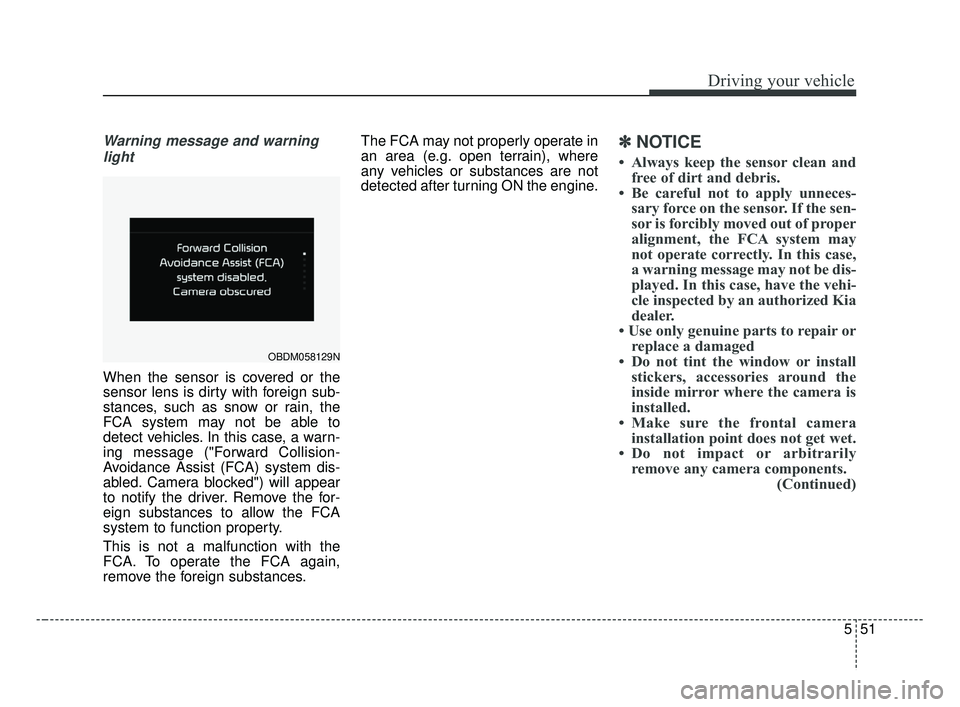
Warning message and warninglight
When the sensor is covered or the
sensor lens is dirty with foreign sub-
stances, such as snow or rain, the
FCA system may not be able to
detect vehicles. In this case, a warn-
ing message ("Forward Collision-
Avoidance Assist (FCA) system dis-
abled. Camera blocked") will appear
to notify the driver. Remove the for-
eign substances to allow the FCA
system to function property.
This is not a malfunction with the
FCA. To operate the FCA again,
remove the foreign substances. The FCA may not properly operate in
an area (e.g. open terrain), where
any vehicles or substances are not
detected after turning ON the engine.
✽ ✽
NOTICE
• Always keep the sensor clean and
free of dirt and debris.
• Be careful not to apply unneces- sary force on the sensor. If the sen-
sor is forcibly moved out of proper
alignment, the FCA system may
not operate correctly. In this case,
a warning message may not be dis-
played. In this case, have the vehi-
cle inspected by an authorized Kia
dealer.
• Use only genuine parts to repair or replace a damaged
• Do not tint the window or install stickers, accessories around the
inside mirror where the camera is
installed.
• Make sure the frontal camera installation point does not get wet.
• Do not impact or arbitrarily remove any camera components. (Continued)
OBDM058129N
BDm CAN (ENG) 5.QXP 7/4/2018 10:14 AM Page 51
Page 298 of 550

Driving your vehicle
52
5
(Continued)
• Do not place reflective
objects(white paper or mirror etc.)
on the dashboard.
The system may unnecessarily
activate or deactivate due to
reflection of the sunlight.
• Excessive audio system volume may prevent occupants from hear-
ing the FCA system warning
alarm.System malfunction
When the FCA is not working prop-
erly, the FCA warning light ( ) will
illuminate and the warning mes-
sage will appear for a few seconds.
After the message disappears, the
master warning light ( ) will illu-
minate. In this case, have the vehi-
cle inspected by an authorized Kia
dealer. The FCA system will get deactivat-
ed for the sake of driver's safety
when the ESC warning light comes
on. The FCA warning message will
appear at the same time, too. But
that doesn't necessarily mean the
malfunction of the FCA system.
Both FCA warning light and warn-
ing message will disappear once
the ESC warning light issue is
resolved.
OBDM058095N
BDm CAN (ENG) 5.QXP 7/4/2018 10:14 AM Page 52