Page 249 of 546
3-158
Convenient features of your vehicle
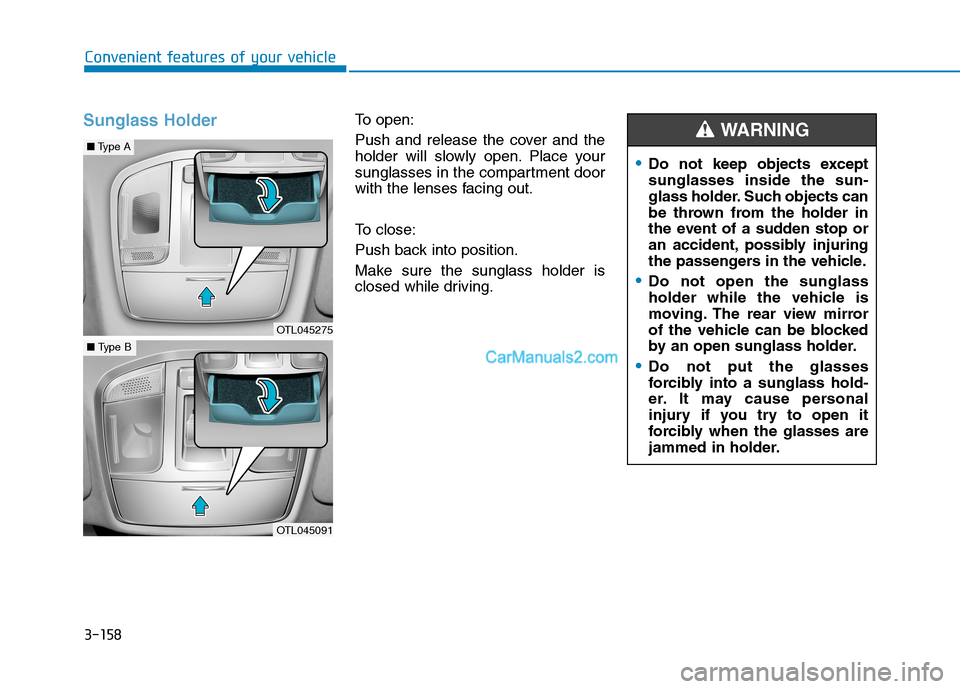
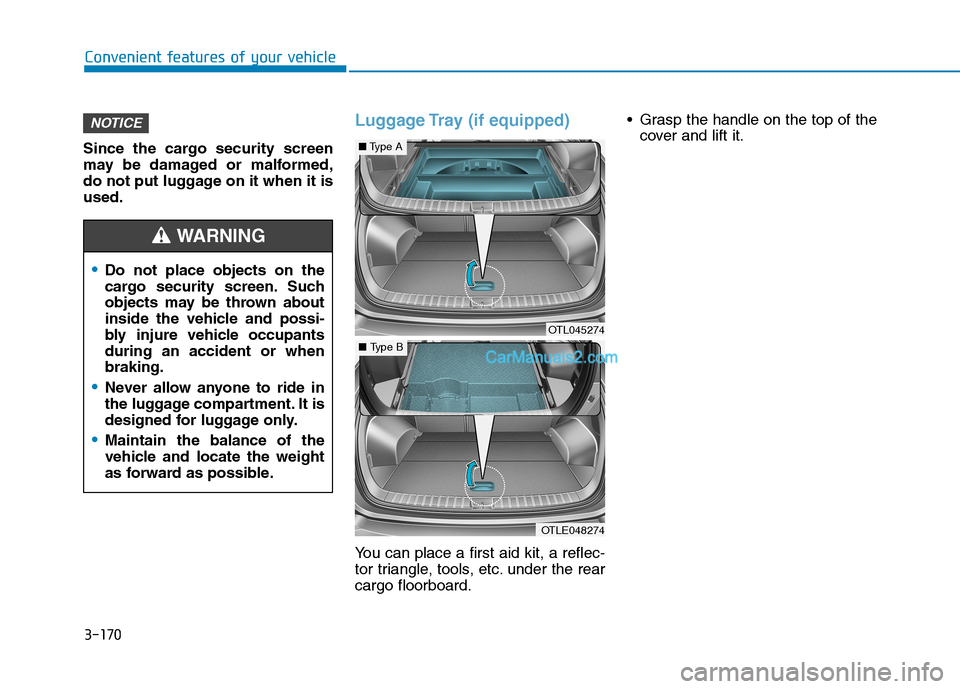
Sunglass HolderTo open:
Push and release the cover and the
holder will slowly open. Place your
sunglasses in the compartment door
with the lenses facing out.
To close:
Push back into position.
Make sure the sunglass holder is
closed while driving.
Do not keep objects except
sunglasses inside the sun-
glass holder. Such objects can
be thrown from the holder in
the event of a sudden stop or
an accident, possibly injuring
the passengers in the vehicle.
Do not open the sunglass
holder while the vehicle is
moving. The rear view mirror
of the vehicle can be blocked
by an open sunglass holder.
Do not put the glasses
forcibly into a sunglass hold-
er. It may cause personal
injury if you try to open it
forcibly when the glasses are
jammed in holder.
WARNING
OTL045275
■Type A
OTL045091
■Type B
Page 250 of 546
3-159
Convenient features of your vehicle
3
I IN
NT
TE
ER
RI
IO
OR
R
F
FE
EA
AT
TU
UR
RE
ES
S
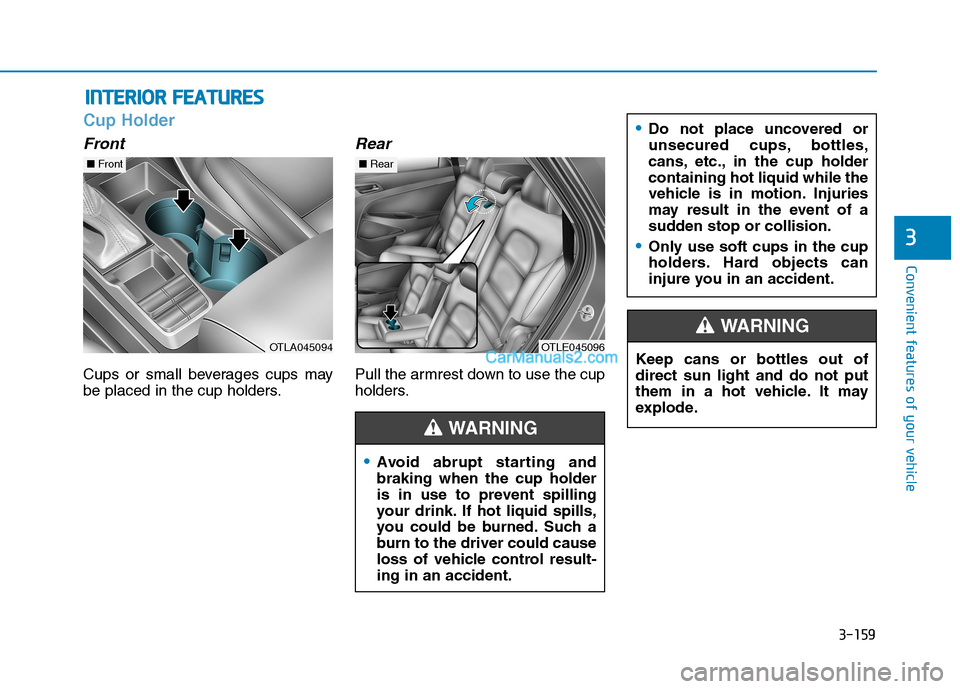
Cup Holder
Front
Cups or small beverages cups may
be placed in the cup holders.
Rear
Pull the armrest down to use the cup
holders.
Avoid abrupt starting and
braking when the cup holder
is in use to prevent spilling
your drink. If hot liquid spills,
you could be burned. Such a
burn to the driver could cause
loss of vehicle control result-
ing in an accident.
Do not place uncovered or
unsecured cups, bottles,
cans, etc., in the cup holder
containing hot liquid while the
vehicle is in motion. Injuries
may result in the event of a
sudden stop or collision.
Only use soft cups in the cup
holders. Hard objects can
injure you in an accident.
WARNING
Keep cans or bottles out of
direct sun light and do not put
them in a hot vehicle. It may
explode.
WARNING
OTLA045094
■Front
OTLE045096
■Rear
Page 251 of 546
3-160
Convenient features of your vehicle
Keep your drinks sealed while
driving to prevent spilling your
drink. If liquid spills, it may get
into the vehicle's electrical/elec-
tronic system and damage elec-
trical/electronic parts.
When cleaning spilled liquids do
not use hot air to blow out or dry
the cup holder. This may dam-
age the interior.
Sunvisor
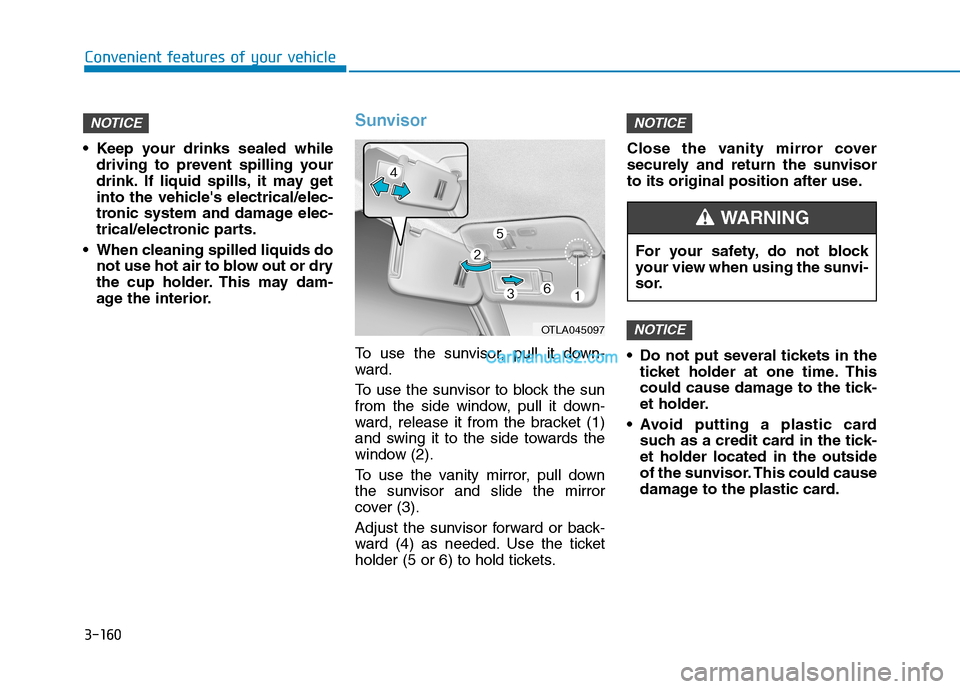
To use the sunvisor, pull it down-
ward.
To use the sunvisor to block the sun
from the side window, pull it down-
ward, release it from the bracket (1)
and swing it to the side towards the
window (2).
To use the vanity mirror, pull down
the sunvisor and slide the mirror
cover (3).
Adjust the sunvisor forward or back-
ward (4) as needed. Use the ticket
holder (5 or 6) to hold tickets.Close the vanity mirror cover
securely and return the sunvisor
to its original position after use.
Do not put several tickets in the
ticket holder at one time. This
could cause damage to the tick-
et holder.
Avoid putting a plastic card
such as a credit card in the tick-
et holder located in the outside
of the sunvisor. This could cause
damage to the plastic card.
NOTICE
NOTICENOTICE
OTLA045097
For your safety, do not block
your view when using the sunvi-
sor.
WARNING
Page 252 of 546
3-161
Convenient features of your vehicle
3
Power Outlet
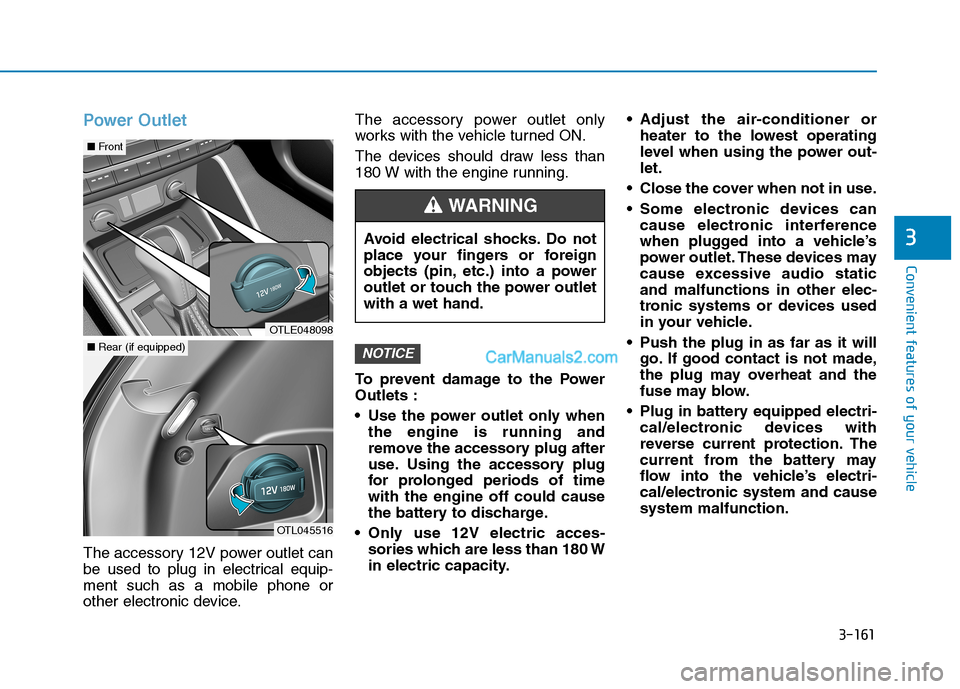
The accessory 12V power outlet can
be used to plug in electrical equip-
ment such as a mobile phone or
other electronic device.The accessory power outlet only
works with the vehicle turned ON.
The devices should draw less than
180 W with the engine running.
To prevent damage to the Power
Outlets :
• Use the power outlet only when
the engine is running and
remove the accessory plug after
use. Using the accessory plug
for prolonged periods of time
with the engine off could cause
the battery to discharge.
Only use 12V electric acces- sories which are less than 180 W
in electric capacity. Adjust the air-conditioner or
heater to the lowest operating
level when using the power out-
let.
Close the cover when not in use.
Some electronic devices can cause electronic interference
when plugged into a vehicle’s
power outlet. These devices may
cause excessive audio static
and malfunctions in other elec-
tronic systems or devices used
in your vehicle.
Push the plug in as far as it will go. If good contact is not made,
the plug may overheat and the
fuse may blow.
Plug in battery equipped electri- cal/electronic devices with
reverse current protection. The
current from the battery may
flow into the vehicle’s electri-
cal/electronic system and cause
system malfunction.
NOTICE
Avoid electrical shocks. Do not
place your fingers or foreign
objects (pin, etc.) into a power
outlet or touch the power outlet
with a wet hand.
WARNING
OTLE048098
■ Front
OTL045516
■Rear (if equipped)
Page 256 of 546
3-165
Convenient features of your vehicle
3
Clock
Set the clock on the multimedia dis-
play by pressing the SETUP button
on the side of the audio unit and
selecting Date/Time icon on the dis-
play.
For more details, refer to the
"Multimedia System" in chapter 4 or
Navigation System (AVN) Manual
that was supplied with your vehicle.
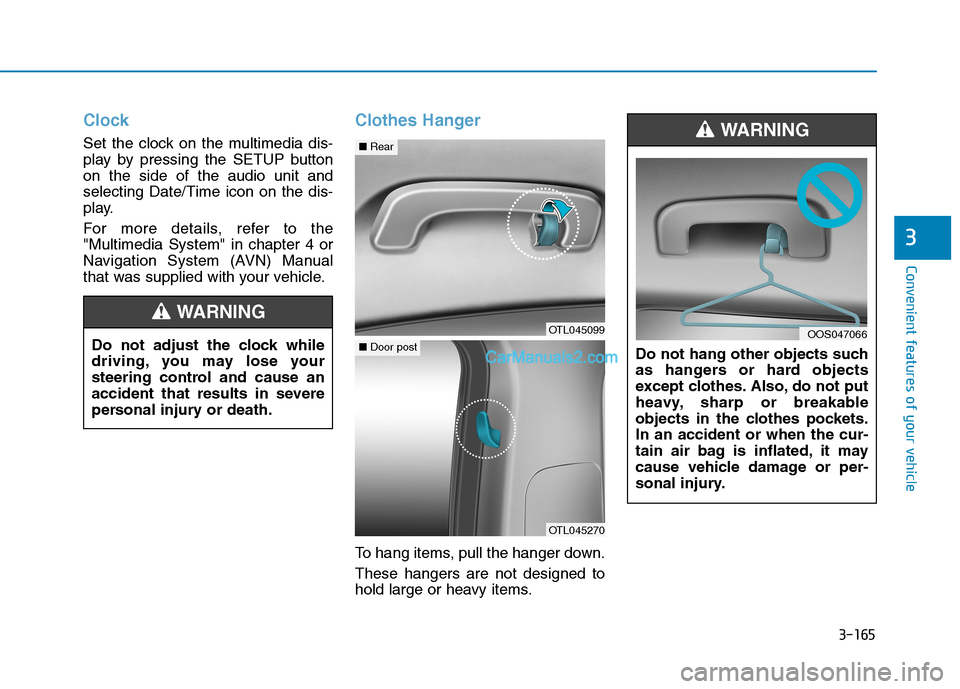
Clothes Hanger
To hang items, pull the hanger down.
These hangers are not designed to
hold large or heavy items.Do not hang other objects such
as hangers or hard objects
except clothes. Also, do not put
heavy, sharp or breakable
objects in the clothes pockets.
In an accident or when the cur-
tain air bag is inflated, it may
cause vehicle damage or per-
sonal injury.
WARNING
OOS047066Do not adjust the clock while
driving, you may lose your
steering control and cause an
accident that results in severe
personal injury or death.
WARNING
OTL045099
■Rear
OTL045270
■Door post
Page 257 of 546
3-166
Convenient features of your vehicle
Plastic Bag Hook
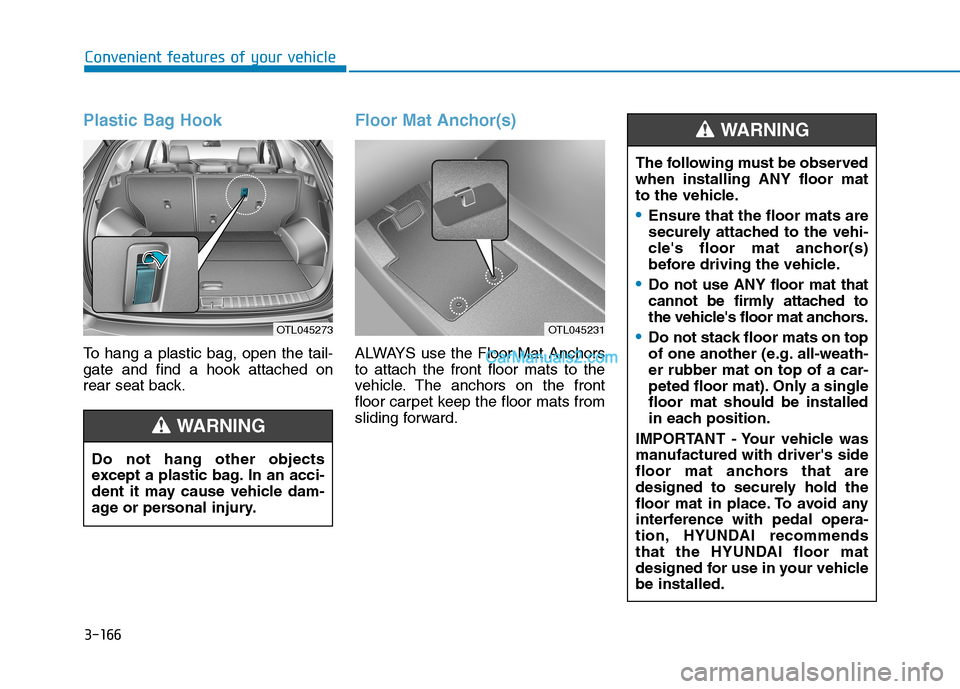
To hang a plastic bag, open the tail-
gate and find a hook attached on
rear seat back.
Floor Mat Anchor(s)
ALWAYS use the Floor Mat Anchors
to attach the front floor mats to the
vehicle. The anchors on the front
floor carpet keep the floor mats from
sliding forward.
OTL045273
Do not hang other objects
except a plastic bag. In an acci-
dent it may cause vehicle dam-
age or personal injury.
WARNING
OTL045231
The following must be observed
when installing ANY floor mat
to the vehicle.
Ensure that the floor mats are
securely attached to the vehi-
cle's floor mat anchor(s)
before driving the vehicle.
Do not use ANY floor mat that
cannot be firmly attached to
the vehicle's floor mat anchors.
Do not stack floor mats on top
of one another (e.g. all-weath-
er rubber mat on top of a car-
peted floor mat). Only a single
floor mat should be installed
in each position.
IMPORTANT - Your vehicle was
manufactured with driver's side
floor mat anchors that are
designed to securely hold the
floor mat in place. To avoid any
interference with pedal opera-
tion, HYUNDAI recommends
that the HYUNDAI floor mat
designed for use in your vehicle
be installed.
WARNING
Page 258 of 546
3-167
Convenient features of your vehicle
3
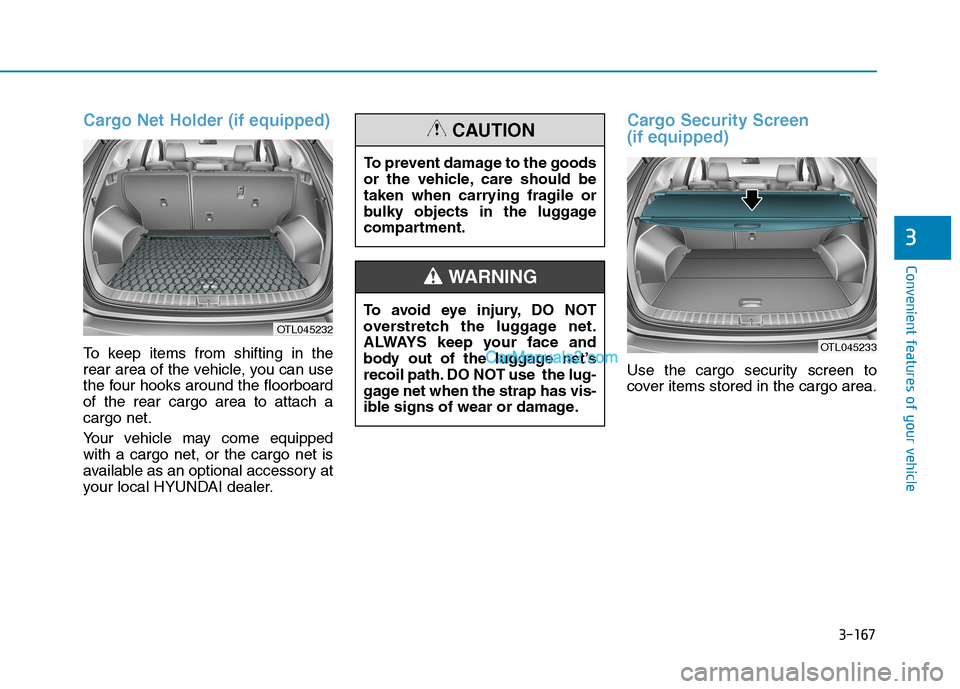
Cargo Net Holder (if equipped)
To keep items from shifting in the
rear area of the vehicle, you can use
the four hooks around the floorboard
of the rear cargo area to attach a
cargo net.
Your vehicle may come equipped
with a cargo net, or the cargo net is
available as an optional accessory at
your local HYUNDAI dealer.
Cargo Security Screen
(if equipped)
Use the cargo security screen to
cover items stored in the cargo area.
OTL045232
To avoid eye injury, DO NOT
overstretch the luggage net.
ALWAYS keep your face and
body out of the luggage net’s
recoil path. DO NOT use the lug-
gage net when the strap has vis-
ible signs of wear or damage.
WARNING
To prevent damage to the goods
or the vehicle, care should be
taken when carrying fragile or
bulky objects in the luggage
compartment.
CAUTION
OTL045233
Page 261 of 546
3-170
Convenient features of your vehicle
Since the cargo security screen
may be damaged or malformed,
do not put luggage on it when it is
used.
Luggage Tray (if equipped)
You can place a first aid kit, a reflec-
tor triangle, tools, etc. under the rear
cargo floorboard. Grasp the handle on the top of the
cover and lift it.
NOTICE
Do not place objects on the
cargo security screen. Such
objects may be thrown about
inside the vehicle and possi-
bly injure vehicle occupants
during an accident or when
braking.
Never allow anyone to ride in
the luggage compartment. It is
designed for luggage only.
Maintain the balance of the
vehicle and locate the weight
as forward as possible.
WARNING
OTL045274
■Type A
OTLE048274
■Type B