Page 114 of 685
3-22
Convenient features of your vehicle
STEERING WHEEL
Electric power steering (EPS)
The system assists you with steering
the vehicle. If the engine is off or if
the power steering system becomes
inoperative, the vehicle may still be
steered, but it will require increased
steering effort.
Also, the steering effort becomes
heavier as the vehicle’s speed
increases and becomes lighter as
the vehicle’s speed decreases for
better control of the steering wheel.
Should you notice any change in the
effort required to steer during normal
vehicle operation, we recommend
that the system be checked by a
HYUNDAI authorised repairer.If the Electric Power Steering System
does not operate normally, the warn-
ing light ( ) will illuminate on the
instrument cluster. The steering
wheel may become difficult to con-
trol or operate. We recommend to
take your vehicle to a HYUNDAI
authorised repairer and have the sys-
tem checked as soon as possible.
Information
The following symptoms may occur
during normal vehicle operation:
• The steering effort may be highimmediately after placing the igni-
tion switch in the ON position.
This happens as the system per-
forms the EPS system diagnostics.
When the diagnostics is completed,
the steering wheel will return to its
normal condition.
(Continued)(Continued)
• A click noise may be heard from the
EPS relay after the ignition switch is
placed to the ON or LOCK/OFF
position.
A click noise may be heard from the
EPS relay after the Engine Start/Stop
button is in the ON or OFF position.
(With Smart key system)
• Motor noise may be heard when the vehicle is at a stop or at a low driv-
ing speed.
• When you operate the steering wheel in low temperature, the steer-
ing effort may be high and abnor-
mal noise may occur. If temperature
rises, the noise will disappear. This
is a normal condition.
• When the vehicle is stationary, if you turn the steering wheel all the
way to the left or right continuously,
the steering wheel effort increases.
This is not a system malfunction. As
time passes, the steering wheel
effort will return to its normal con-
dition.
i
NOTICE
TLe UK 3a(~109).qxp 6/12/2018 2:21 PM Page 22
Page 115 of 685
3-23
Convenient features of your vehicle
3
Tilt steering / Telescope steeringInformation
After adjustment, sometimes the lock-
release lever may not lock the steering
wheel.
It is not a malfunction. This occurs
when two gears are not engaged cor-
rectly. In this case, adjust the steering
wheel again and then lock the steering
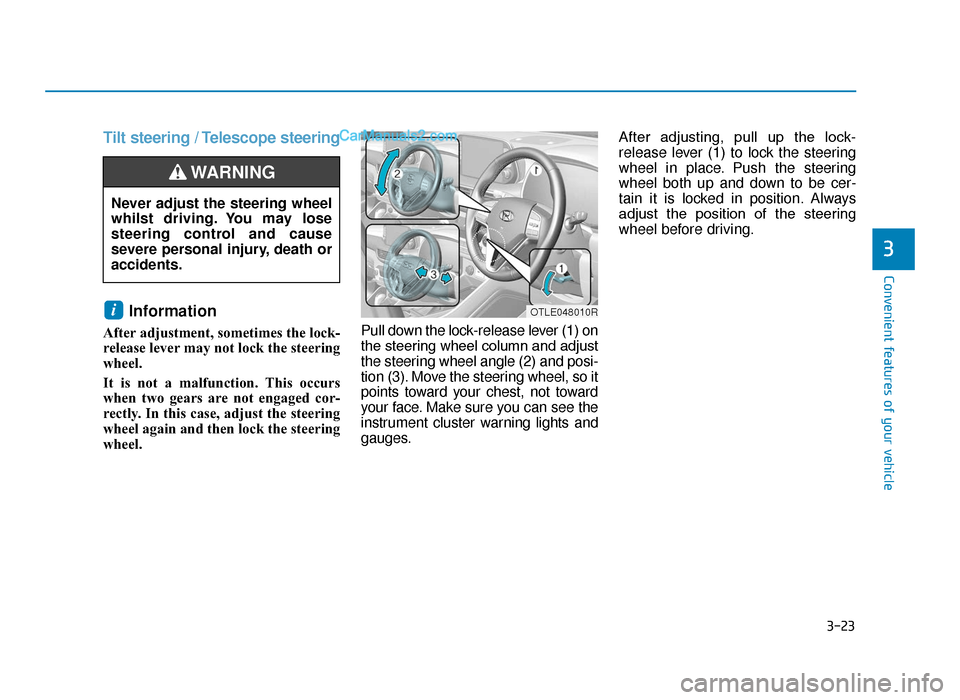
wheel. Pull down the lock-release lever (1) on
the steering wheel column and adjust
the steering wheel angle (2) and posi-
tion (3). Move the steering wheel, so it
points toward your chest, not toward
your face. Make sure you can see the
instrument cluster warning lights and
gauges.After adjusting, pull up the lock-
release lever (1) to lock the steering
wheel in place. Push the steering
wheel both up and down to be cer-
tain it is locked in position. Always
adjust the position of the steering
wheel before driving.
i
Never adjust the steering wheel
whilst driving. You may lose
steering control and cause
severe personal injury, death or
accidents.
WARNING
OTLE048010R
TLe UK 3a(~109).qxp 6/12/2018 2:21 PM Page 23
Page 116 of 685
3-24
Convenient features of your vehicle
Heated steering wheel
(if equipped)
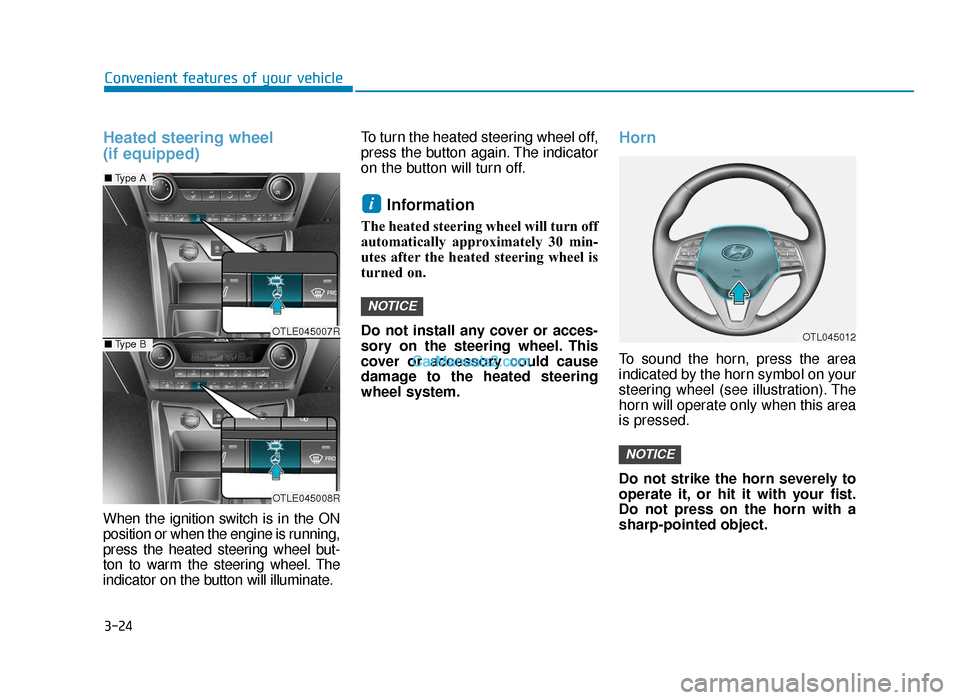
When the ignition switch is in the ON
position or when the engine is running,
press the heated steering wheel but-
ton to warm the steering wheel. The
indicator on the button will illuminate.To turn the heated steering wheel off,
press the button again. The indicator
on the button will turn off.
Information
The heated steering wheel will turn off
automatically approximately 30 min-
utes after the heated steering wheel is
turned on.
Do not install any cover or acces-
sory on the steering wheel. This
cover or accessory could cause
damage to the heated steering
wheel system.
Horn
To sound the horn, press the area
indicated by the horn symbol on your
steering wheel (see illustration). The
horn will operate only when this area
is pressed.
Do not strike the horn severely to
operate it, or hit it with your fist.
Do not press on the horn with a
sharp-pointed object.
NOTICE
NOTICE
i
OTLE045007R
OTLE045008R
■
Type A
■Type BOTL045012
TLe UK 3a(~109).qxp 6/12/2018 2:21 PM Page 24
Page 164 of 685
3-72
Convenient features of your vehicle
Driving force distribution (4WD)
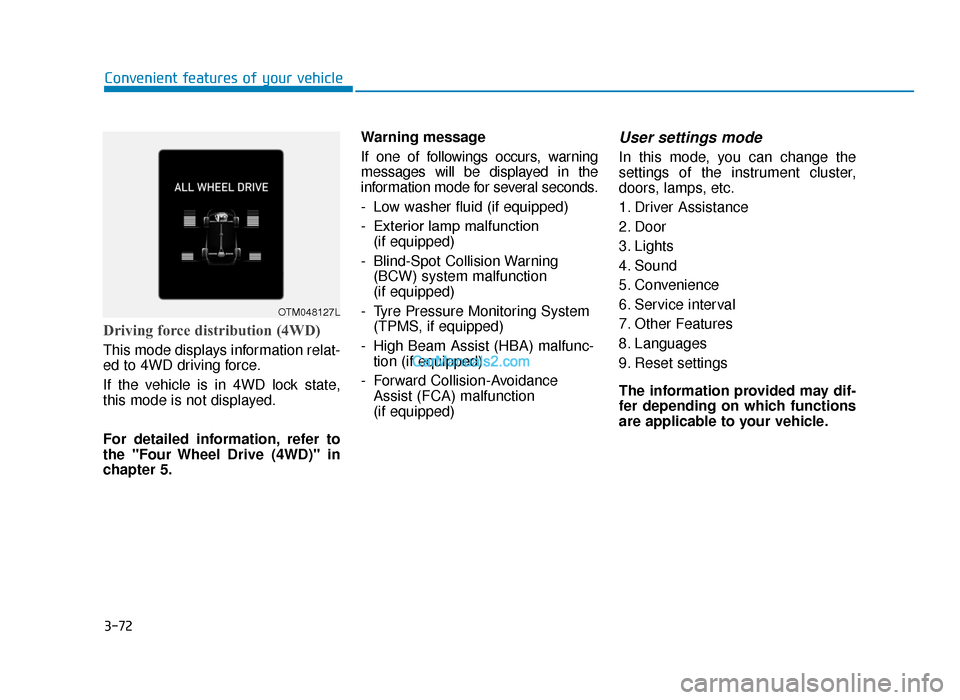
This mode displays information relat-
ed to 4WD driving force.
If the vehicle is in 4WD lock state,
this mode is not displayed.
For detailed information, refer to
the "Four Wheel Drive (4WD)" in
chapter 5.Warning message
If one of followings occurs, warning
messages will be displayed in the
information mode for several seconds.
- Low washer fluid (if equipped)
- Exterior lamp malfunction
(if equipped)
- Blind-Spot Collision Warning (BCW) system malfunction
(if equipped)
- Tyre Pressure Monitoring System (TPMS, if equipped)
- High Beam Assist (HBA) malfunc- tion (if equipped)
- Forward Collision-Avoidance Assist (FCA) malfunction
(if equipped)
User settings mode
In this mode, you can change the
settings of the instrument cluster,
doors, lamps, etc.
1. Driver Assistance
2. Door
3. Lights
4. Sound
5. Convenience
6. Service interval
7. Other Features
8. Languages
9. Reset settings
The information provided may dif-
fer depending on which functions
are applicable to your vehicle.
OTM048127L
TLe UK 3a(~109).qxp 6/12/2018 2:27 PM Page 72
Page 171 of 685
3-79
Convenient features of your vehicle
Warning messages
Shift to "P" position (for smart key system and auto-matic transaxle/dual clutchtransmission)
This warning message illuminates if
you try to turn off the engine without
the shift lever in P (Park) position.
At this time, the Engine Start/Stop
button turns to the ACC position (If
you press the Engine Start/Stop but-
ton once more, it will turn to the ON
position).
Low Key Battery (for smart key system)
This warning message illuminates if
the battery of the smart key is dis-
charged whilst changing the Engine
Start/Stop button whilst changing to
the OFF position.
Press start button whilst turn-ing wheel (for smart key sys-tem)
This warning message illuminates if
the steering wheel does not unlock
normally when the Engine Start/Stop
button is pressed.
You should press you should press the
Engine Start/Stop button whilst turning
the steering wheel right and left.
Steering wheel unlocked (for smart key system)
This warning message illuminates if
the steering wheel does not lock
whilst the Engine Start/Stop button
changes to the OFF position.
Check steering wheel lock system (for smart key system)
This warning message illuminates if
the steering wheel does not lock nor-
mally whilst the Engine Start/Stop but-
ton changes to the OFF position.
Press brake pedal to start engine(for smart key system and auto-matic transaxle)
This warning message illuminates if
the Engine Start/Stop button changes
to the ACC position twice by pressing
the button repeatedly without depress-
ing the brake pedal.
You can start the vehicle by depressing
the brake pedal.
Press clutch pedal to startengine (for smart key systemand manual transaxle)
This warning message illuminates if
the Engine Start/Stop button is in the
ACC position twice by pressing the
button repeatedly without depressing
the clutch pedal.
Depress the clutch pedal to start the
engine.
3
TLe UK 3a(~109).qxp 6/12/2018 2:27 PM Page 79
Page 174 of 685
3-82
Convenient features of your vehicle
Wiper mode
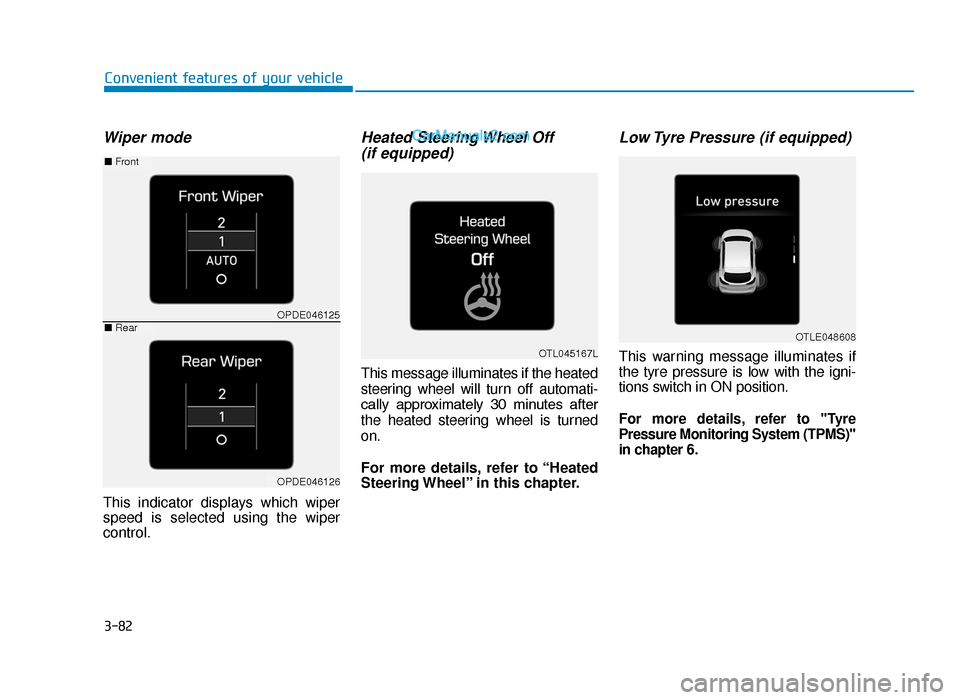
This indicator displays which wiper
speed is selected using the wiper
control.
Heated Steering Wheel Off (if equipped)
This message illuminates if the heated
steering wheel will turn off automati-
cally approximately 30 minutes after
the heated steering wheel is turned
on.
For more details, refer to “Heated
Steering Wheel” in this chapter.
Low Tyre Pressure (if equipped)
This warning message illuminates if
the tyre pressure is low with the igni-
tions switch in ON position.
For more details, refer to "Tyre
Pressure Monitoring System (TPMS)"
in chapter 6.
OTL045167L
OTLE048608
OPDE046125
OPDE046126
■ Front
■Rear
TLe UK 3a(~109).qxp 6/12/2018 2:27 PM Page 82
Page 175 of 685
3-83
Convenient features of your vehicle
3
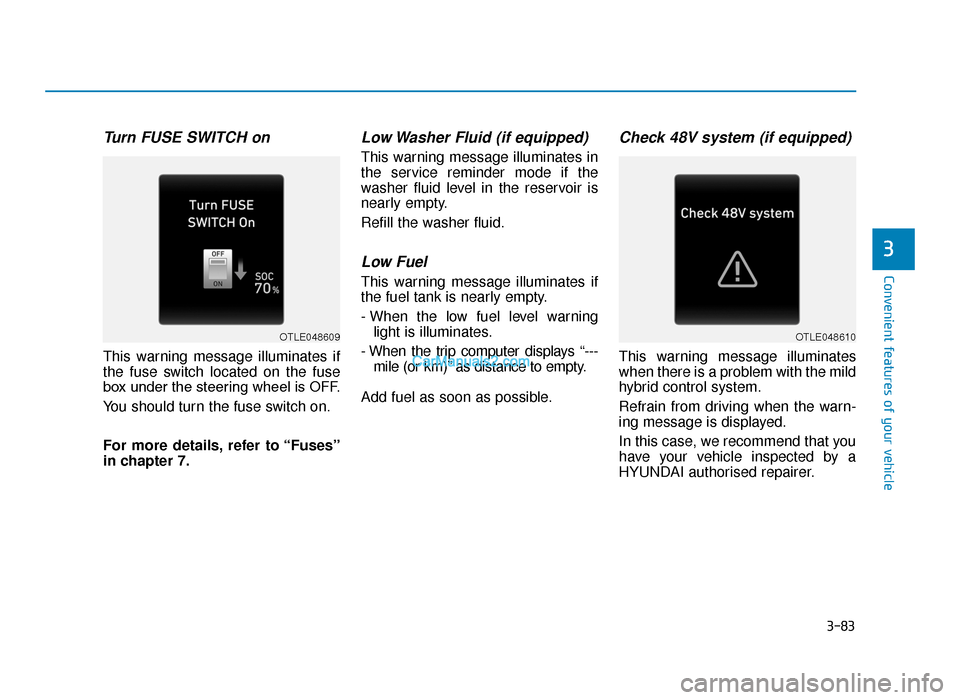
Turn FUSE SWITCH on
This warning message illuminates if
the fuse switch located on the fuse
box under the steering wheel is OFF.
You should turn the fuse switch on.
For more details, refer to “Fuses”
in chapter 7.
Low Washer Fluid (if equipped)
This warning message illuminates in
the service reminder mode if the
washer fluid level in the reservoir is
nearly empty.
Refill the washer fluid.
Low Fuel
This warning message illuminates if
the fuel tank is nearly empty.
- When the low fuel level warninglight is illuminates.
- When the trip computer displays “--- mile (or km)” as distance to empty.
Add fuel as soon as possible.
Check 48V system (if equipped)
This warning message illuminates
when there is a problem with the mild
hybrid control system.
Refrain from driving when the warn-
ing message is displayed.
In this case, we recommend that you
have your vehicle inspected by a
HYUNDAI authorised repairer.
OTLE048609OTLE048610
TLe UK 3a(~109).qxp 6/12/2018 2:27 PM Page 83
Page 179 of 685
3-87
Convenient features of your vehicle
The trip computer is a microcomput-
er-controlled driver information sys-
tem that displays information related
to driving.
Information
Some driving information stored in the
trip computer (for example Average
Vehicle Speed) resets if the battery is
disconnected.
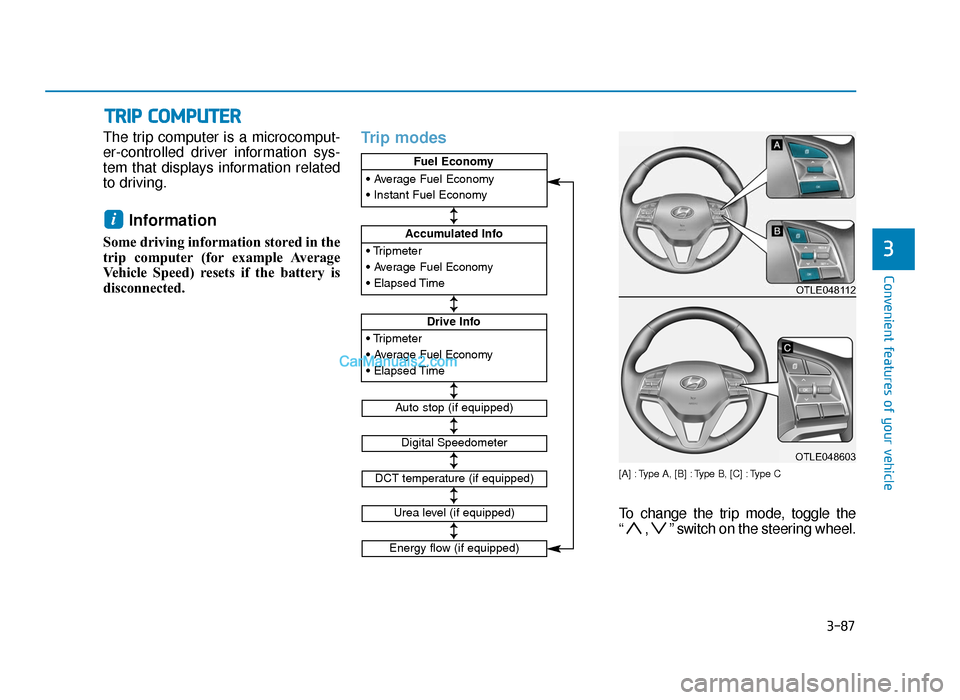
Trip modes
[A] : Type A, [B] : Type B, [C] : Type C
To change the trip mode, toggle the
“ , ” switch on the steering wheel.
i
TRIP COMPUTER
3• Tripmeter
• Average Fuel Economy
• Elapsed Time
Accumulated Info
• Tripmeter
• Average Fuel Economy
• Elapsed Time
Drive Info
• Average Fuel Economy
• Instant Fuel Economy
Fuel Economy
Digital Speedometer
Auto stop (if equipped)
DCT temperature (if equipped)
↕
↕
↕
↕
↕
↕
↕
Urea level (if equipped)
Energy flow (if equipped)
OTLE048112
OTLE048603
TLe UK 3a(~109).qxp 6/12/2018 2:27 PM Page 87