2019 Hyundai Tucson wheel
[x] Cancel search: wheelPage 180 of 685
3-88
Convenient features of your vehicle
Fuel economy
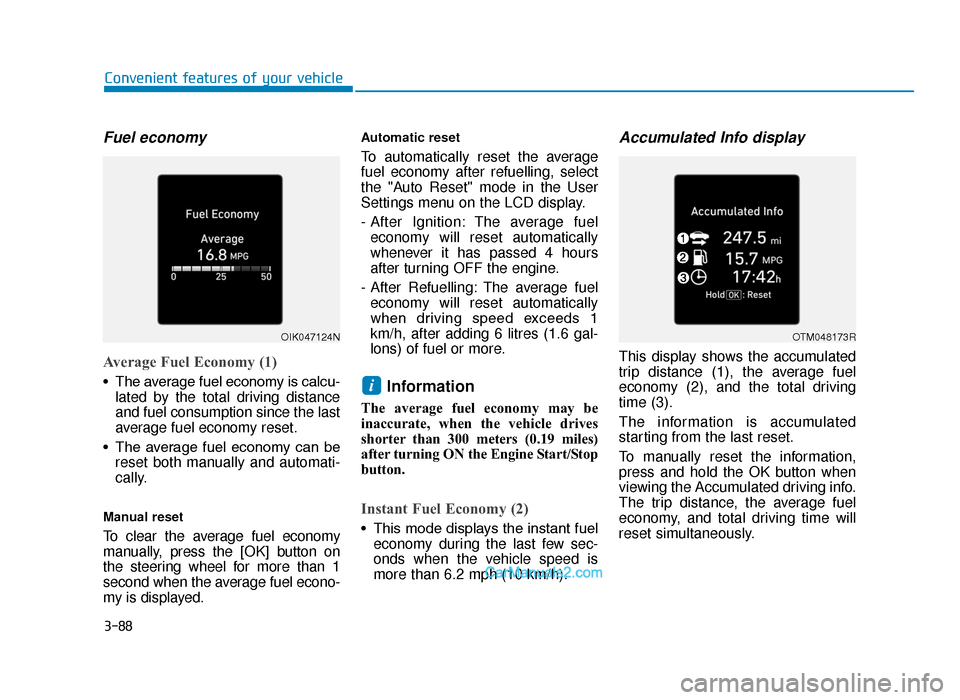
Average Fuel Economy (1)
• The average fuel economy is calcu-lated by the total driving distance
and fuel consumption since the last
average fuel economy reset.
• The average fuel economy can be reset both manually and automati-
cally.
Manual reset
To clear the average fuel economy
manually, press the [OK] button on
the steering wheel for more than 1
second when the average fuel econo-
my is displayed.
Automatic reset
To automatically reset the average
fuel economy after refuelling, select
the "Auto Reset" mode in the User
Settings menu on the LCD display.
- After Ignition: The average fueleconomy will reset automatically
whenever it has passed 4 hours
after turning OFF the engine.
- After Refuelling: The average fuel economy will reset automatically
when driving speed exceeds 1
km/h, after adding 6 litres (1.6 gal-
lons) of fuel or more.
Information
The average fuel economy may be
inaccurate, when the vehicle drives
shorter than 300 meters (0.19 miles)
after turning ON the Engine Start/Stop
button.
Instant Fuel Economy (2)
• This mode displays the instant fuel economy during the last few sec-
onds when the vehicle speed is
more than 6.2 mph (10 km/h).
Accumulated Info display
This display shows the accumulated
trip distance (1), the average fuel
economy (2), and the total driving
time (3).
The information is accumulated
starting from the last reset.
To manually reset the information,
press and hold the OK button when
viewing the Accumulated driving info.
The trip distance, the average fuel
economy, and total driving time will
reset simultaneously.
i
OIK047124NOTM048173R
TLe UK 3a(~109).qxp 6/12/2018 2:28 PM Page 88
Page 183 of 685
3-91
Convenient features of your vehicle
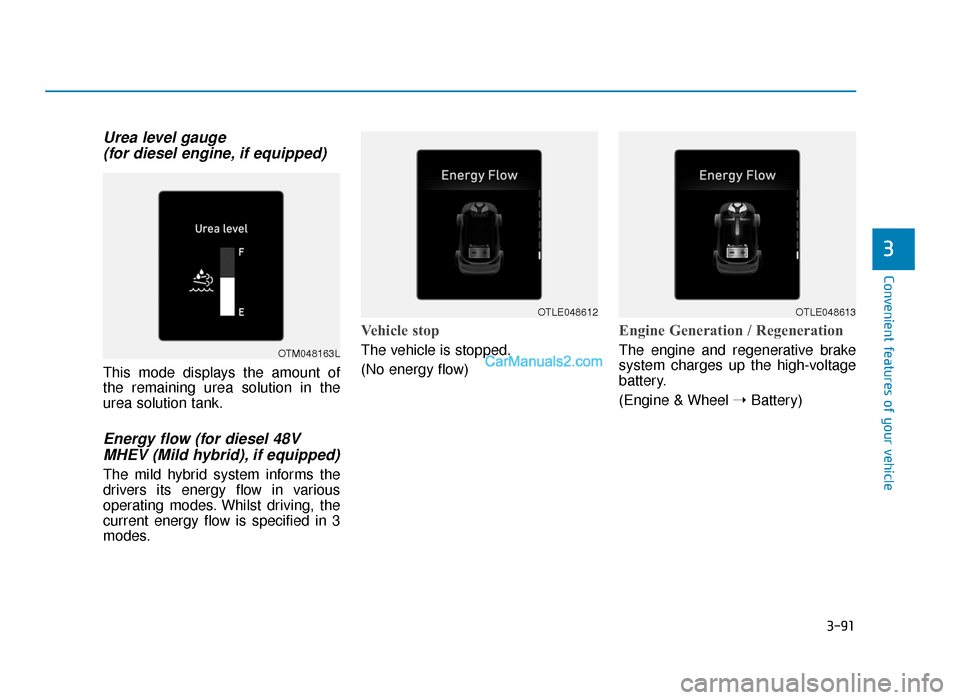
Urea level gauge (for diesel engine, if equipped)
This mode displays the amount of
the remaining urea solution in the
urea solution tank.
Energy flow (for diesel 48VMHEV (Mild hybrid), if equipped)
The mild hybrid system informs the
drivers its energy flow in various
operating modes. Whilst driving, the
current energy flow is specified in 3
modes.
Vehicle stop
The vehicle is stopped.
(No energy flow)
Engine Generation / Regeneration
The engine and regenerative brake
system charges up the high-voltage
battery.
(Engine & Wheel ➝Battery)
3
OTM048163L
OTLE048612OTLE048613
TLe UK 3a(~109).qxp 6/12/2018 2:28 PM Page 91
Page 184 of 685
3-92
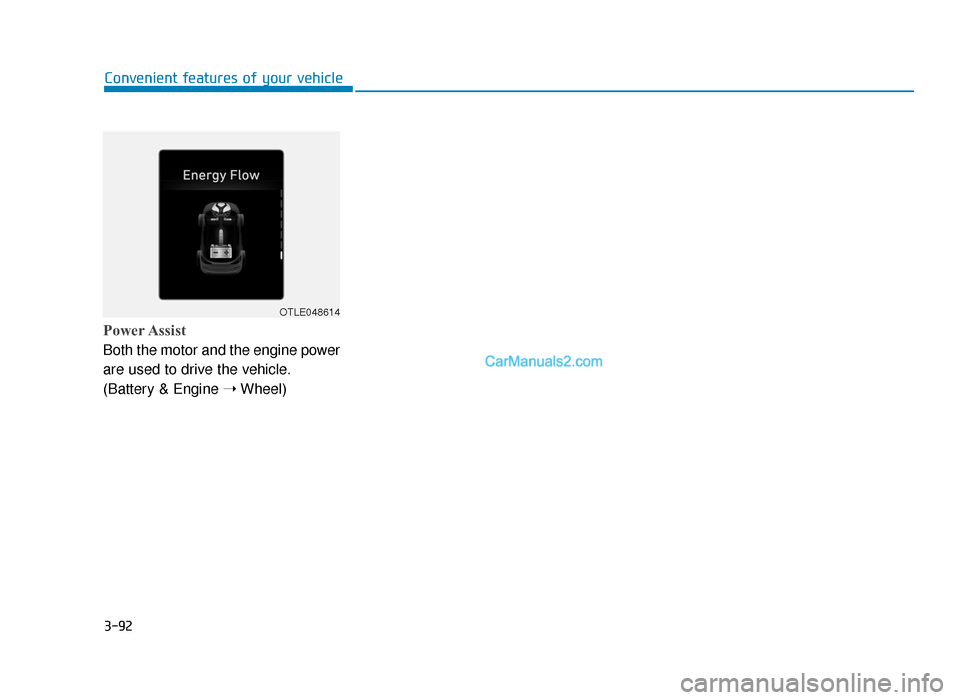
Power Assist
Both the motor and the engine power
are used to drive the vehicle.
(Battery & Engine ➝Wheel)
Convenient features of your vehicle
OTLE048614
TLe UK 3a(~109).qxp 6/12/2018 2:28 PM Page 92
Page 186 of 685
3-94
Convenient features of your vehicle
Parking Brake & BrakeFluid Warning Light
This warning light illuminates:
• Once you set the ignition switch or
the Engine Start/Stop button to the
ON position.
- It illuminates for approximately 3seconds
- It remains on if the parking brake is applied.
• When the parking brake is applied.
• When the brake fluid level in the reservoir is low.
- If the warning light illuminateswith the parking brake released, it
indicates the brake fluid level in
reservoir is low.
If the brake fluid level in the reser-
voir is low:
1. Drive carefully to the nearest safe location and stop your vehicle.
2. With the engine stopped, check the brake fluid level immediately and
add fluid as required (For more
details, refer to “Brake Fluid” in
chapter 7). Then check all brake
components for fluid leaks. If any
leak on brake system is still found,
the warning light remains on, or the
brakes do not operate properly, do
not drive the vehicle.
In this case, we recommend that
you have the vehicle towed to a
HYUNDAI authorised repairer and
inspected.
Dual-diagonal braking system
Your vehicle is equipped with dual-
diagonal braking systems. This
means you still have braking on two
wheels even if one of the dual sys-
tems should fail.
With only one of the dual systems
working, more than normal pedal
travel and greater pedal pressure are
required to stop the vehicle.
Also, the vehicle will not stop in as
short a distance with only a portion
of the brake system working.
If the brakes fail whilst you are driv-
ing, shift to a lower gear for addition-
al engine braking and stop the vehi-
cle as soon as it is safe to do so.
TLe UK 3a(~109).qxp 6/12/2018 2:28 PM Page 94
Page 194 of 685
3-102
Convenient features of your vehicle
• When the Fuel Filter Warning Light illuminates, engine power
(vehicle speed & idle speed) may
decrease.
• If you keep driving with the warn- ing light on, engine parts (injec-
tor, common rail, high pressure
fuel pump) may be damaged. If
this occurs, we recommend that
you have the vehicle inspected
by a HYUNDAI authorised repair-
er as soon as possible.
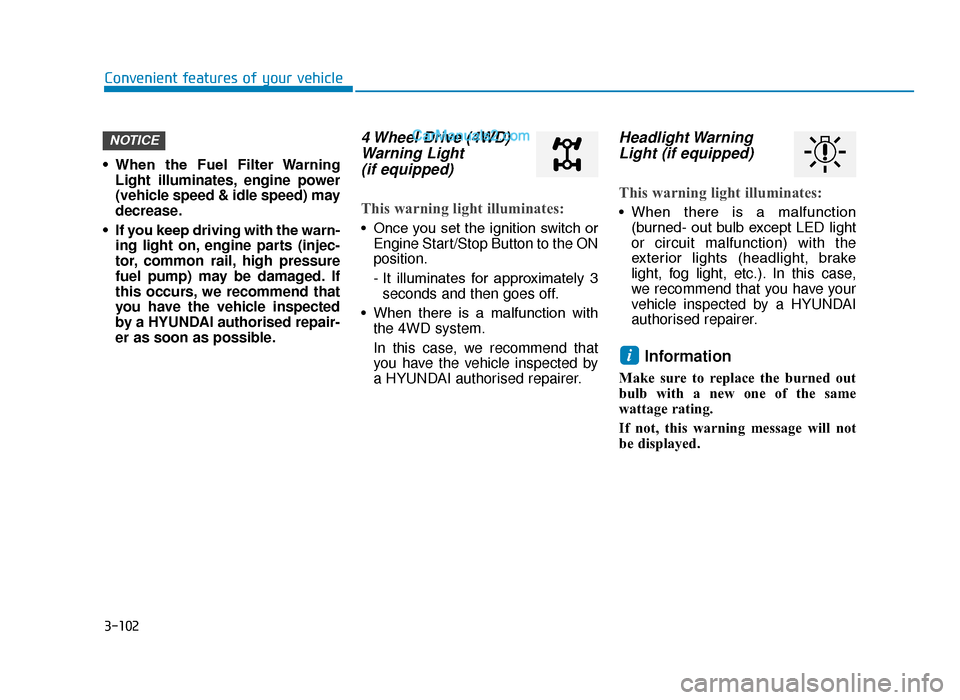
4 Wheel Drive (4WD)Warning Light (if equipped)
This warning light illuminates:
• Once you set the ignition switch or
Engine Start/Stop Button to the ON
position.
- It illuminates for approximately 3seconds and then goes off.
• When there is a malfunction with the 4WD system.
In this case, we recommend that
you have the vehicle inspected by
a HYUNDAI authorised repairer.
Headlight WarningLight (if equipped)
This warning light illuminates:
• When there is a malfunction
(burned- out bulb except LED light
or circuit malfunction) with the
exterior lights (headlight, brake
light, fog light, etc.). In this case,
we recommend that you have your
vehicle inspected by a HYUNDAI
authorised repairer.
Information
Make sure to replace the burned out
bulb with a new one of the same
wattage rating.
If not, this warning message will not
be displayed.
i
NOTICE
TLe UK 3a(~109).qxp 6/12/2018 2:29 PM Page 102
Page 200 of 685
3-108
Convenient features of your vehicle
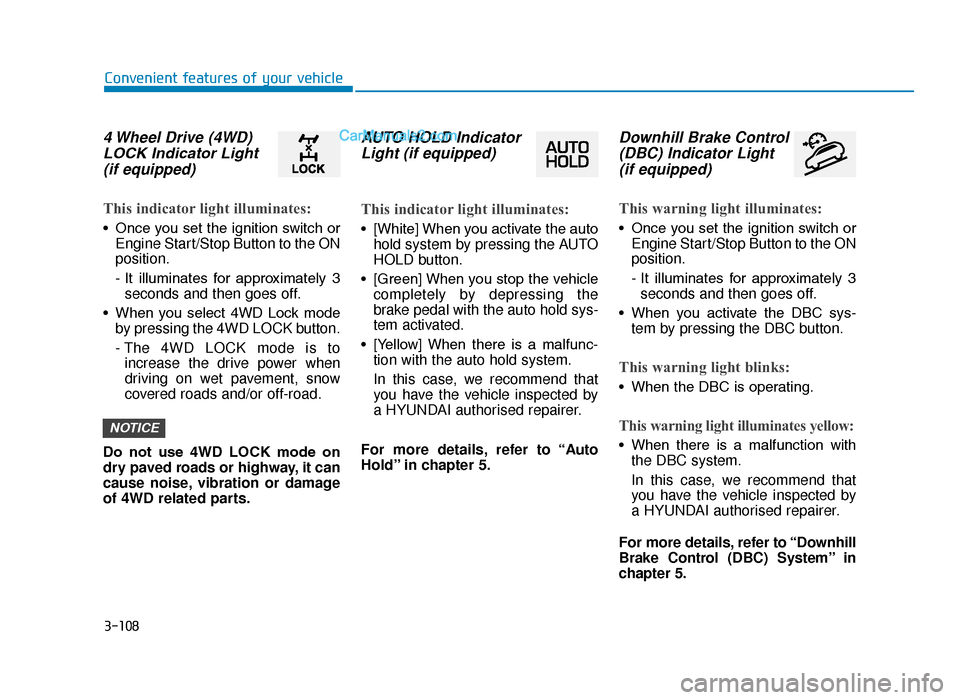
4 Wheel Drive (4WD)LOCK Indicator Light(if equipped)
This indicator light illuminates:
• Once you set the ignition switch or
Engine Start/Stop Button to the ON
position.
- It illuminates for approximately 3seconds and then goes off.
• When you select 4WD Lock mode by pressing the 4WD LOCK button.
- The 4WD LOCK mode is toincrease the drive power when
driving on wet pavement, snow
covered roads and/or off-road.
Do not use 4WD LOCK mode on
dry paved roads or highway, it can
cause noise, vibration or damage
of 4WD related parts.
AUTO HOLD Indicator Light (if equipped)
This indicator light illuminates:
• [White] When you activate the auto
hold system by pressing the AUTO
HOLD button.
• [Green] When you stop the vehicle completely by depressing the
brake pedal with the auto hold sys-
tem activated.
• [Yellow] When there is a malfunc- tion with the auto hold system.
In this case, we recommend that
you have the vehicle inspected by
a HYUNDAI authorised repairer.
For more details, refer to “Auto
Hold” in chapter 5.
Downhill Brake Control (DBC) Indicator Light (if equipped)
This warning light illuminates:
• Once you set the ignition switch or
Engine Start/Stop Button to the ON
position.
- It illuminates for approximately 3seconds and then goes off.
• When you activate the DBC sys- tem by pressing the DBC button.
This warning light blinks:
• When the DBC is operating.
This warning light illuminates yellow:
• When there is a malfunction withthe DBC system.
In this case, we recommend that
you have the vehicle inspected by
a HYUNDAI authorised repairer.
For more details, refer to “Downhill
Brake Control (DBC) System” in
chapter 5.
NOTICE
TLe UK 3a(~109).qxp 6/12/2018 2:29 PM Page 108
Page 212 of 685
3-120
Convenient features of your vehicle
Low Beam Assist-Static light
(if equipped)
Whilst driving a corner, for greater
visibility and safety, either the left or
right side Low Beam Assist-Static
light will turn on automatically. The
Low Beam Assist-Static light will turn
on when one of the following condi-
tions occur.
• Vehicle speed is less than 6 mph(10 km/h) and steering wheel angle
is turned approximately 80 degrees
with the low beam on.
• Vehicle speed is between 6 mph (10 km/h) to 56 mph (90 km/h) and
steering wheel angle is turned
approximately 35 degrees with the
low beam on.
• When the vehicle is in reverse with one of the conditions above satis-
fied, the light opposite to the direc-
tion the steering wheel is turned
will turn on.
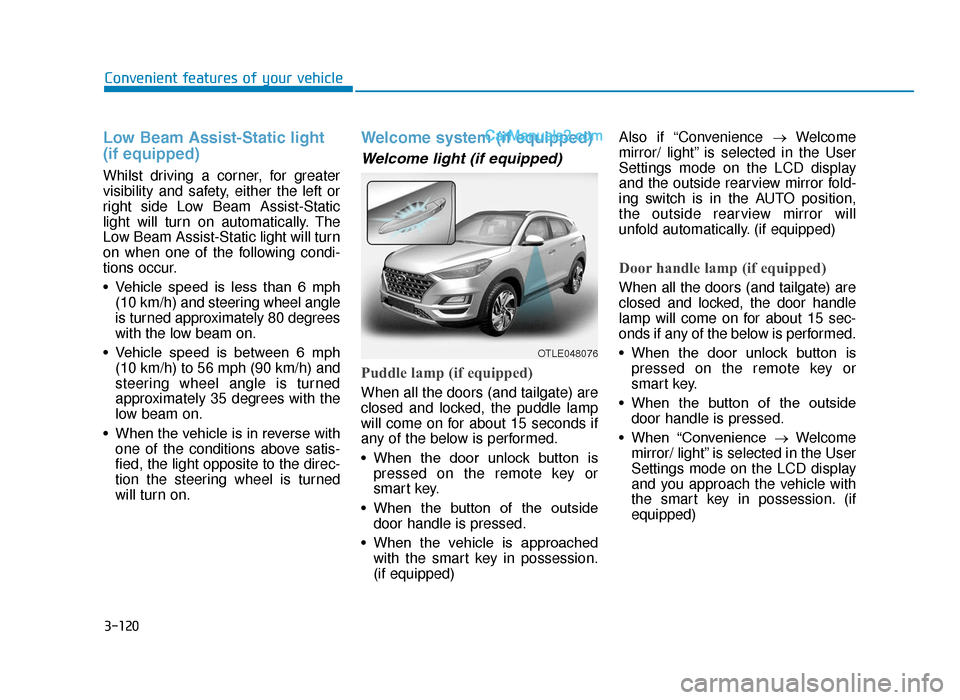
Welcome system (if equipped)
Welcome light (if equipped)
Puddle lamp (if equipped)
When all the doors (and tailgate) are
closed and locked, the puddle lamp
will come on for about 15 seconds if
any of the below is performed.
• When the door unlock button ispressed on the remote key or
smart key.
• When the button of the outside door handle is pressed.
• When the vehicle is approached with the smart key in possession.
(if equipped) Also if “Convenience
→Welcome
mirror/ light” is selected in the User
Settings mode on the LCD display
and the outside rearview mirror fold-
ing switch is in the AUTO position,
the outside rearview mirror will
unfold automatically. (if equipped)
Door handle lamp (if equipped)
When all the doors (and tailgate) are
closed and locked, the door handle
lamp will come on for about 15 sec-
onds if any of the below is performed.
• When the door unlock button is pressed on the remote key or
smart key.
• When the button of the outside door handle is pressed.
• When “Convenience →Welcome
mirror/ light” is selected in the User
Settings mode on the LCD display
and you approach the vehicle with
the smart key in possession. (if
equipped)
OTLE048076
TLe UK 3b(110~).qxp 6/12/2018 2:35 PM Page 120
Page 276 of 685
Multimedia System
Multimedia system .................................................4-2
AUX, USB and iPod®port ...............................................4-2
Antenna ........................................................................\
.......4-3
Steering wheel audio control .........................................4-4
Audio / Video / Navigation system (AVN) ..................4-5
Bluetooth®Wireless Technology hands-free ............4-5
How Vehicle Audio Works ...............................................4-6
Audio (without touch screen) ............................4-15
System layout - control panel.....................................4-15
System layout - steering wheel remote control.....4-17
Turning the system on or off ......................................4-20
Turning the display on or off ......................................4-20
Getting to know the basic operations .......................4-21
Radio ......................................................................4-\
22
Turning on the radio ......................................................4-22
Changing the radio mode ..............................................4-23
Scanning for available radio stations.........................4-23
Searching for radio stations ........................................4-24
Saving radio stations ......................................................4-24
Listening to saved radio stations ................................4-24
Media player .........................................................4-25
Using the media player..................................................4-25
Using the USB mode ......................................................4-26
Using the iPod mode ......................................................4-28
Using the AUX mode ......................................................4-31
Bluetooth...............................................................4-32
Connecting Bluetooth devices .....................................4-32
Using a Bluetooth audio device...................................4-35
Using a Bluetooth phone ..............................................4-37
Setup ......................................................................4-\
43
Display........................................................................\
........4-43
Sound ........................................................................\
.........4-43
Date/Time ........................................................................\
.4-44
Bluetooth ........................................................................\
...4-44
System ........................................................................\
.......4-44
System status icons .............................................4-45
Audio system specifications...............................4-46
USB ........................................................................\
.............4-46
Bluetooth ........................................................................\
...4-47
Trademarks ...........................................................4-48
Declaration of conformity ..................................4-49
CE RED for EU .................................................................4-49
4
TLe UK 4.qxp 5/10/2018 12:03 PM Page 1