2019 Hyundai Tucson instrument cluster
[x] Cancel search: instrument clusterPage 402 of 685
5-78
Driving your vehicle
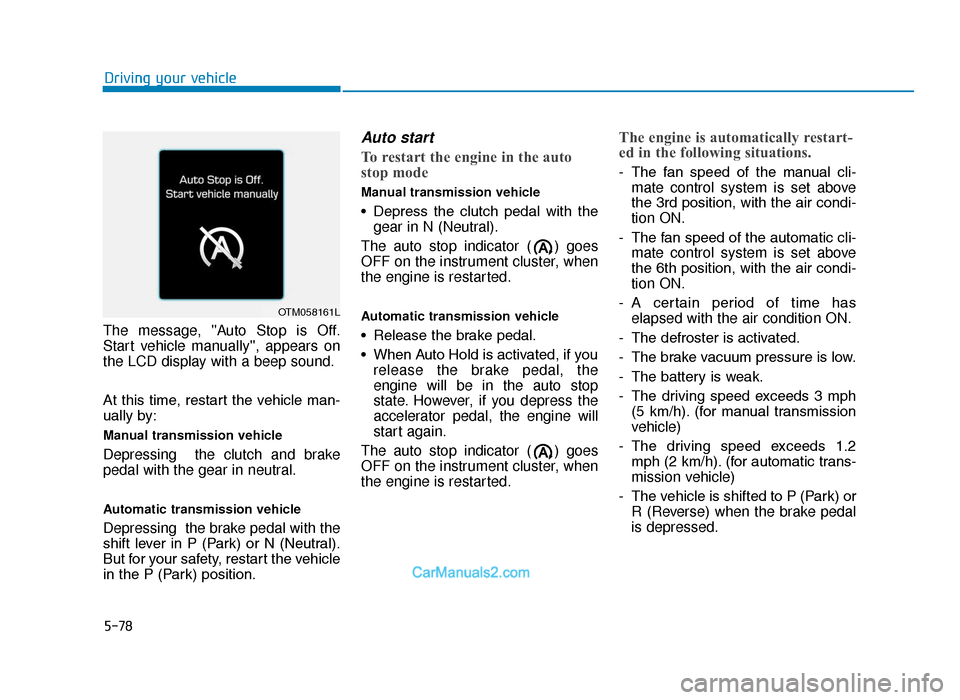
The message, ''Auto Stop is Off.
Start vehicle manually'', appears on
the LCD display with a beep sound.
At this time, restart the vehicle man-
ually by:
Manual transmission vehicle
Depressing the clutch and brake
pedal with the gear in neutral.
Automatic transmission vehicle
Depressing the brake pedal with the
shift lever in P (Park) or N (Neutral).
But for your safety, restart the vehicle
in the P (Park) position.
Auto start
To restart the engine in the auto
stop mode
Manual transmission vehicle
• Depress the clutch pedal with the gear in N (Neutral).
The auto stop indicator ( ) goes
OFF on the instrument cluster, when
the engine is restarted.
Automatic transmission vehicle
• Release the brake pedal.
• When Auto Hold is activated, if you release the brake pedal, the
engine will be in the auto stop
state. However, if you depress the
accelerator pedal, the engine will
start again.
The auto stop indicator ( ) goes
OFF on the instrument cluster, when
the engine is restarted.
The engine is automatically restart-
ed in the following situations.
- The fan speed of the manual cli- mate control system is set above
the 3rd position, with the air condi-
tion ON.
- The fan speed of the automatic cli- mate control system is set above
the 6th position, with the air condi-
tion ON.
- A certain period of time has elapsed with the air condition ON.
- The defroster is activated.
- The brake vacuum pressure is low.
- The battery is weak.
- The driving speed exceeds 3 mph (5 km/h). (for manual transmission
vehicle)
- The driving speed exceeds 1.2 mph (2 km/h). (for automatic trans-
mission vehicle)
- The vehicle is shifted to P (Park) or R (Reverse) when the brake pedal
is depressed.
OTM058161L
TLe UK 5.qxp 5/10/2018 12:23 PM Page 78
Page 404 of 685
5-80
Driving your vehicle
To deactivate the ISG system
• Press the ISG OFF button to deac-tivate the ISG system. Then, the
ISG OFF button indicator illumi-
nates, and the message "Auto
Stop System Off" appears on the
LCD display.
• Press the ISG OFF button again to reactivate the ISG system. Then,
the ISG OFF button indicator turns
OFF.
ISG system malfunction
The ISG system may not operate:
When there is a malfunction with the
ISG sensors or the ISG system.
The followings occur, when there is
a malfunction with the ISG system:
• The auto stop indicator ( ) willblink in yellow on the instrument
cluster.
• The light on the ISG OFF button will illuminate.
Information
• When you cannot turn OFF the ISGOFF button indicator by pressing the
ISG OFF button, or when the mal-
function with the ISG system per-
sists, we recommend that you contact
a HYUNDAI authorised repairer.
• You can turn off the ISG OFF but- ton indicator by driving over 50
mph (80 km/h) for up to 2 hours
with the fan speed below the 2nd
position. If the ISG OFF button
indicator remains ON, we recom-
mend that you contact a HYUNDAI
authorised repairer.
i
When the engine is in auto stop
mode, the engine may restart.
Before leaving the vehicle or
checking the engine compart-
ment, stop the engine by plac-
ing the ignition switch to the
LOCK/OFF position or remov-
ing the ignition key.
WARNING
TLe UK 5.qxp 5/10/2018 12:24 PM Page 80
Page 408 of 685
5-84
Driving your vehicle
DRIVE MODE INTEGRATED CONTROL SYSTEM (IF EQUIPPED)
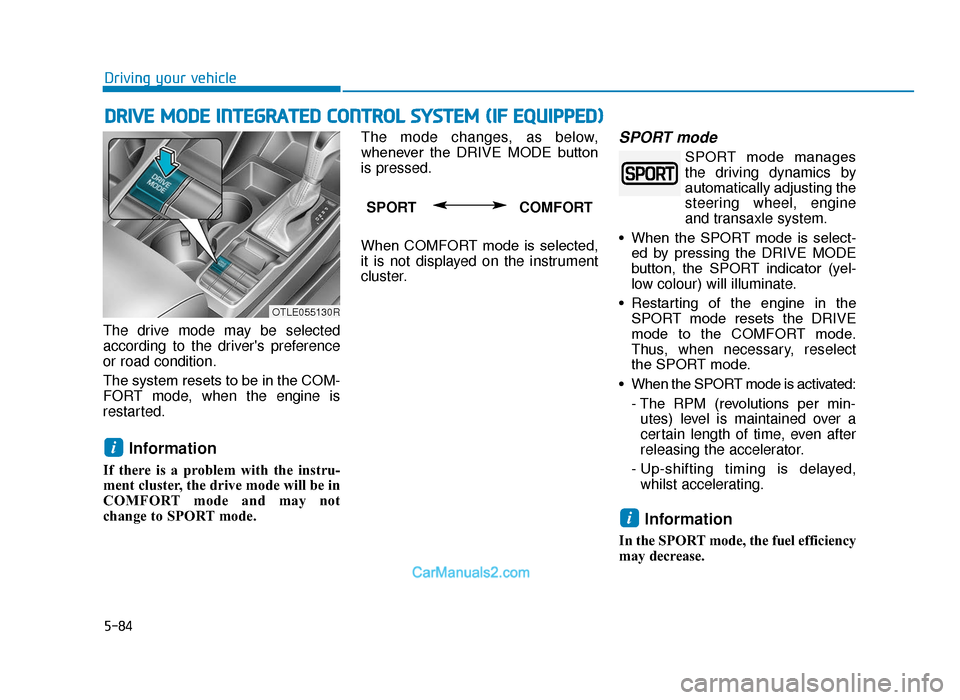
The drive mode may be selected
according to the driver's preference
or road condition.
The system resets to be in the COM-
FORT mode, when the engine is
restarted.
Information
If there is a problem with the instru-
ment cluster, the drive mode will be in
COMFORT mode and may not
change to SPORT mode. The mode changes, as below,
whenever the DRIVE MODE button
is pressed.
When COMFORT mode is selected,
it is not displayed on the instrument
cluster.
SPORT mode
SPORT mode manages
the driving dynamics by
automatically adjusting the
steering wheel, engine
and transaxle system.
• When the SPORT mode is select- ed by pressing the DRIVE MODE
button, the SPORT indicator (yel-
low colour) will illuminate.
• Restarting of the engine in the SPORT mode resets the DRIVE
mode to the COMFORT mode.
Thus, when necessary, reselect
the SPORT mode.
• When the SPORT mode is activated: - The RPM (revolutions per min-utes) level is maintained over a
certain length of time, even after
releasing the accelerator.
- Up-shifting timing is delayed, whilst accelerating.
Information
In the SPORT mode, the fuel efficiency
may decrease.
i
i
SPORT COMFORT
OTLE055130R
TLe UK 5.qxp 5/10/2018 12:24 PM Page 84
Page 433 of 685
5-109
Driving your vehicle
5
LKA operation
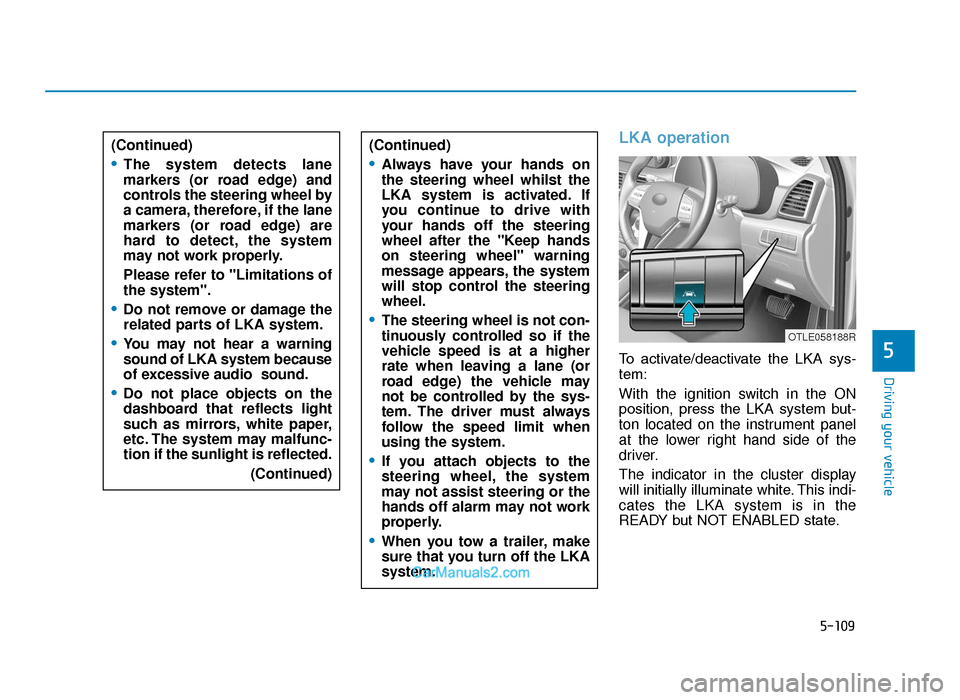
To activate/deactivate the LKA sys-
tem:
With the ignition switch in the ON
position, press the LKA system but-
ton located on the instrument panel
at the lower right hand side of the
driver.
The indicator in the cluster display
will initially illuminate white. This indi-
cates the LKA system is in the
READY but NOT ENABLED state.
(Continued)
•The system detects lane
markers (or road edge) and
controls the steering wheel by
a camera, therefore, if the lane
markers (or road edge) are
hard to detect, the system
may not work properly.
Please refer to "Limitations of
the system".
•Do not remove or damage the
related parts of LKA system.
•You may not hear a warning
sound of LKA system because
of excessive audio sound.
•Do not place objects on the
dashboard that reflects light
such as mirrors, white paper,
etc. The system may malfunc-
tion if the sunlight is reflected.
(Continued)
(Continued)
•Always have your hands on
the steering wheel whilst the
LKA system is activated. If
you continue to drive with
your hands off the steering
wheel after the "Keep hands
on steering wheel" warning
message appears, the system
will stop control the steering
wheel.
•The steering wheel is not con-
tinuously controlled so if the
vehicle speed is at a higher
rate when leaving a lane (or
road edge) the vehicle may
not be controlled by the sys-
tem. The driver must always
follow the speed limit when
using the system.
•If you attach objects to the
steering wheel, the system
may not assist steering or the
hands off alarm may not work
properly.
•When you tow a trailer, make
sure that you turn off the LKA
system.
OTLE058188R
TLe UK 5.qxp 5/10/2018 12:26 PM Page 109
Page 434 of 685
5-110
Driving your vehicleNote that the vehicle
speed must be at least
approximately 37 mph
(60 km/h) to ENABLE the
LKA system. The indicator in the
cluster display will illuminate green.
The colour of indicator will change
depending on the condition of LKA
system.
- White : Sensor does not detect
lane markers or vehicle
speed is under 37 mph (60
km/h).
- Green : Sensor detects lane mark- ers and the system is able
to control vehicle steering.
Information
The LKA automatically activates
upon placing the Engine Start/Stop
button to the ON position. The switch
indicator will be on and the indicator
in the cluster display will initially illu-
minate white. The driver can deacti-
vate the LKA by pushing LKA switch
located on the instrument panel on the
lower right hand side of the driver or
LDW selecting from the User Settings
Mode on the LCD display.
LKA activation
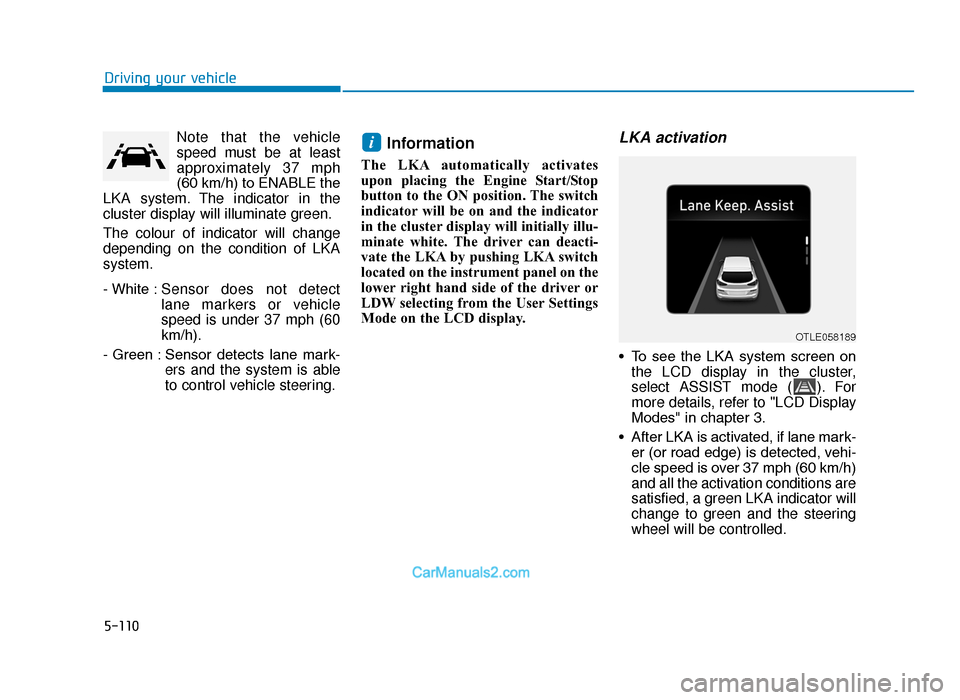
• To see the LKA system screen onthe LCD display in the cluster,
select ASSIST mode ( ). For
more details, refer to "LCD Display
Modes" in chapter 3.
• After LKA is activated, if lane mark- er (or road edge) is detected, vehi-
cle speed is over 37 mph (60 km/h)
and all the activation conditions are
satisfied, a green LKA indicator will
change to green and the steering
wheel will be controlled.
i
OTLE058189
TLe UK 5.qxp 5/10/2018 12:26 PM Page 110
Page 447 of 685
5-123
Driving your vehicle
5
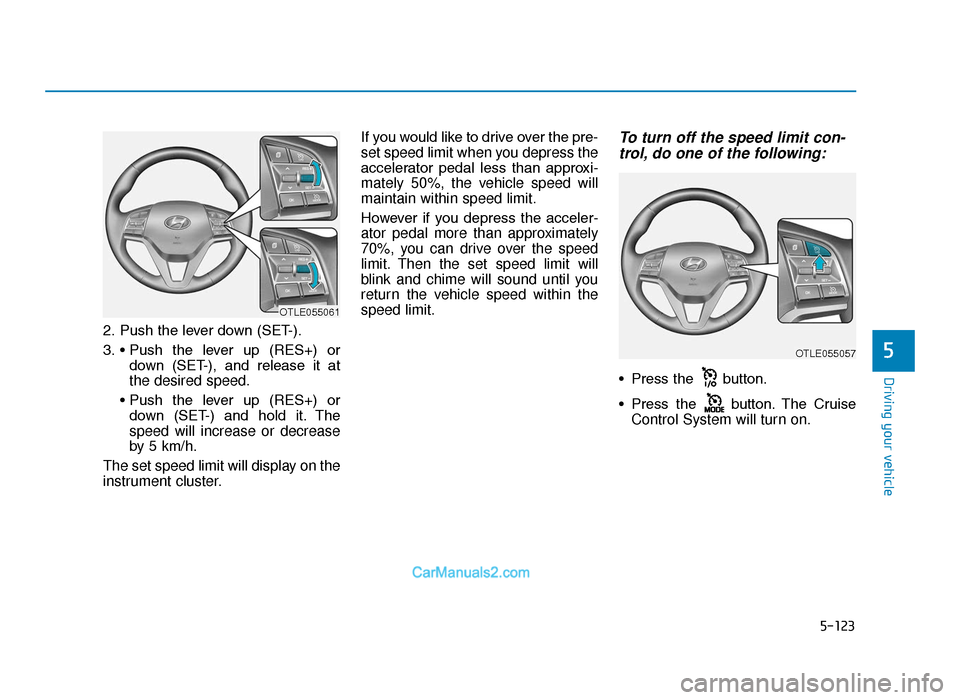
2. Push the lever down (SET-).
3. • Push the lever up (RES+) ordown (SET-), and release it at
the desired speed.
• Push the lever up (RES+) or down (SET-) and hold it. The
speed will increase or decrease
by 5 km/h.
The set speed limit will display on the
instrument cluster. If you would like to drive over the pre-
set speed limit when you depress the
accelerator pedal less than approxi-
mately 50%, the vehicle speed will
maintain within speed limit.
However if you depress the acceler-
ator pedal more than approximately
70%, you can drive over the speed
limit. Then the set speed limit will
blink and chime will sound until you
return the vehicle speed within the
speed limit.
To turn off the speed limit con-
trol, do one of the following:
• Press the button.
• Press the button. The Cruise
Control System will turn on.
OTLE055057
OTLE055061
TLe UK 5.qxp 5/10/2018 12:27 PM Page 123
Page 448 of 685
5-124
Driving your vehicle
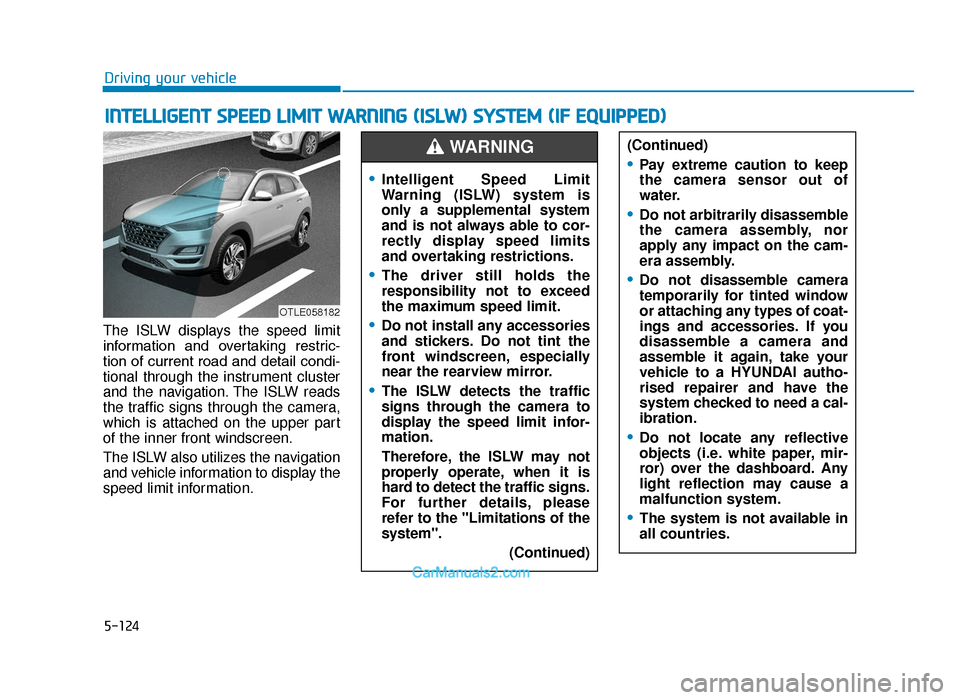
The ISLW displays the speed limit
information and overtaking restric-
tion of current road and detail condi-
tional through the instrument cluster
and the navigation. The ISLW reads
the traffic signs through the camera,
which is attached on the upper part
of the inner front windscreen.
The ISLW also utilizes the navigation
and vehicle information to display the
speed limit information.
INTELLIGENT SPEED LIMIT WARNING (ISLW) SYSTEM (IF EQUIPPED)
OTLE058182
(Continued)
•Pay extreme caution to keep
the camera sensor out of
water.
•Do not arbitrarily disassemble
the camera assembly, nor
apply any impact on the cam-
era assembly.
•Do not disassemble camera
temporarily for tinted window
or attaching any types of coat-
ings and accessories. If you
disassemble a camera and
assemble it again, take your
vehicle to a HYUNDAI autho-
rised repairer and have the
system checked to need a cal-
ibration.
•Do not locate any reflective
objects (i.e. white paper, mir-
ror) over the dashboard. Any
light reflection may cause a
malfunction system.
•The system is not available in
all countries.
•Intelligent Speed Limit
Warning (ISLW) system is
only a supplemental system
and is not always able to cor-
rectly display speed limits
and overtaking restrictions.
•The driver still holds the
responsibility not to exceed
the maximum speed limit.
•Do not install any accessories
and stickers. Do not tint the
front windscreen, especially
near the rearview mirror.
•The ISLW detects the traffic
signs through the camera to
display the speed limit infor-
mation.
Therefore, the ISLW may not
properly operate, when it is
hard to detect the traffic signs.
For further details, please
refer to the "Limitations of the
system". (Continued)
WARNING
TLe UK 5.qxp 5/10/2018 12:27 PM Page 124
Page 449 of 685
5-125
Driving your vehicle
5
Information
We recommend that you have the sys-
tem checked by a HYUNDAI autho-
rised repairer when:
• The windscreen glass is replaced.
• The camera or related parts arerepaired or removed.
System setting and activation
System setting
• The driver can activate the SpeedLimit Warning by selecting 'User
Settings →Driver Assistance →
Speed Limit Warning.
• When the ISLW is activated, the symbols appear on the instrument
cluster to display the speed limit
information and overtaking restric-
tion.
• When the ISLW is activated in the navigation setting, the above infor-
mation and the restriction are also
displayed on the navigation.
System activation
• The ISLW displays the speed limitinformation and alerts the overtak-
ing restriction, when your vehicle
passes by the relevant traffic signs.
• With the ignition switch in the ON position, the driver can activate the
ISLW by selecting 'User Settings
→ Driver assistance → Speed
Limit Warning'.
• The ISLW displays the previous speed limit information, right after
the ignition switch is placed to the
ON position.
• You may find different speed limit information for the same road. The
information is displayed depending
on the driving situations. Because,
traffic signs with additional sign
(e.g. rainy, arrow, etc.) are also
detected and compared with vehi-
cle internal data (e.g. wiper opera-
tion, turn signal, etc.).
Information
The speed limit information on the
instrument cluster may differ from
the one on the navigation. In this case,
check the speed unit setting on the
navigation.
i
i
TLe UK 5.qxp 5/10/2018 12:27 PM Page 125