2019 Hyundai Tucson AUX
[x] Cancel search: AUXPage 292 of 685
4-17
Multimedia System
4
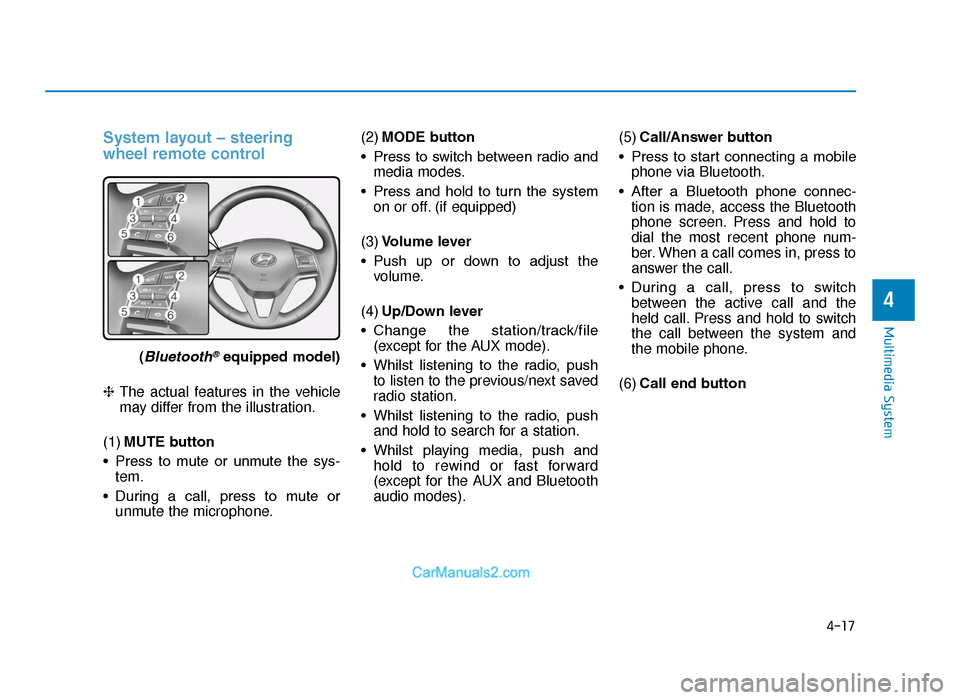
System layout – steering
wheel remote control
(Bluetooth®equipped model)
❈ The actual features in the vehicle
may differ from the illustration.
(1) MUTE button
• Press to mute or unmute the sys- tem.
• During a call, press to mute or unmute the microphone. (2)
MODE button
• Press to switch between radio and media modes.
• Press and hold to turn the system on or off. (if equipped)
(3) Volume lever
• Push up or down to adjust the volume.
(4) Up/Down lever
• Change the station/track/file (except for the AUX mode).
• Whilst listening to the radio, push to listen to the previous/next saved
radio station.
• Whilst listening to the radio, push and hold to search for a station.
• Whilst playing media, push and hold to rewind or fast forward
(except for the AUX and Bluetooth
audio modes). (5)
Call/Answer button
• Press to start connecting a mobile phone via Bluetooth.
• After a Bluetooth phone connec- tion is made, access the Bluetooth
phone screen. Press and hold to
dial the most recent phone num-
ber. When a call comes in, press to
answer the call.
• During a call, press to switch between the active call and the
held call. Press and hold to switch
the call between the system and
the mobile phone.
(6) Call end button
TLe UK 4.qxp 5/10/2018 12:04 PM Page 17
Page 300 of 685
4-25
Multimedia System
4
Using the media player
You can play music stored in various
media storage devices, such as USB
storage devices, smartphones, and
iPods.
1. Connect a device to the USB portor the AUX port in your vehicle.
• Playback may start immediatelydepending on the device that
you connect to the system.
2. On the control panel, press the [MEDIA] button.
• If you have multiple media stor-age devices, press the [MEDIA]
button again and press the cor-
responding number button to
select the desired mode. • When you connect an Apple
device, playback does not start
automatically. To start the media
player in the iPod mode, press
the [MEDIA] button on the con-
trol panel.
• You can also change the mode by press the [MODE] button
repeatedly on the steering
wheel.
• Make sure to connect or discon- nect external USB devices with
the system power turned off.
• Depending on vehicle models and specifications, available
buttons or the appearance and
layout of the USB/AUX ports in
your vehicle may vary.
• Do not connect a smartphone or an MP3 device to the system via
multiple methods such as USB,
Bluetooth, and AUX, simultane-
ously. Doing so may cause a dis-
torted noise or a system mal-
function.
(Continued)(Continued)
• When the equaliser function of
the connected device and
Equaliser (Tone) settings of the
system are both activated, the
effects may interfere with each
other and may lead to sound
degradation or distortion.
Deactivate the device’s equalis-
er function if possible.
• Noise may occur when an Apple device or AUX device is con-
nected. When such devices are
not being used, disconnect the
device for storage.
• When the Apple device or AUX device power is connected to
the power jack, playing the
external device may result in
noise. In such cases, disconnect
the power connection before
use.
NOTICE
MEDIA PLAYER
TLe UK 4.qxp 5/10/2018 12:05 PM Page 25
Page 305 of 685
4-30
Multimedia System
Notes on connecting Apple devices
• Ensure that the iOS and firmwareof your device is up-to-date before
connecting it to your system.
Outdated devices may cause a
system error.
• If your device’s battery is low, the device may not be recognised.
Check the battery level and, if nec-
essary, charge the battery before
connecting the device to your sys-
tem.
• Use an Apple-approved cable. Using an unapproved cable may
cause a distorted noise or an error
during playback.
• Use a cable shorter than 1 metre in length, such as the one originally
supplied with a new Apple device.
Longer cables may lead to the
audio system not recognising the
Apple device.
• Fully insert a USB connector into the USB port. Failure to do so may
cause a communication error. • When your device is connected to
the USB port and the AUX port
simultaneously, it is recognised in
the AUX mode. The device stays in
the AUX mode even if the AUX
cable is not connected to the sys-
tem. To play music in iPod mode,
disconnect the AUX cable from the
device or change audio output of
the device to “Dock”.
• If you connect your device to the system whilst playback is in
progress on the device, you may
hear a high pitch sound just after
the connection. Connect the device
after stopping or pausing playback.
• Connecting your device during a download or synchronizing with
iTunes may cause an error.
Connect the device after the down-
load or synchronization is com-
plete.
• If you connect an iPod nano (except for the 6th generation) or
an iPod classic, the brand logo will
be displayed on the device screen.
For an iPhone and an iPod touch,
the logo will not be displayed.
Notes on playing Apple devices
• Depending on the model, yourdevice may not be recognised due
to unsupported communication
protocols.
• The order of the songs displayed or played on the system may differ
from the order of the songs stored
in your device.
• Depending on the music player application you are using, informa-
tion displayed on the system may
differ.
• In an iPhone, the audio streaming function and iPod mode control
may conflict. If an error occurs, dis-
connect and reconnect the USB
cable.
• When using an iPhone or an iPod touch, do not control the device
whilst it is connected to your sys-
tem. An error may occur.
• If you make or receive a call during playback via an iPhone, the music
may remain paused after you end
the call. If you do not hear the
music after ending a call, check the
device to see if the music is
paused.
TLe UK 4.qxp 5/10/2018 12:05 PM Page 30
Page 306 of 685
4-31
Multimedia System
4
• Do not duplicate a song in multiplefolders. One song saved in multiple
folders may cause an error with
search and playback functions.
• If you perform a media control function, such as stop or repeat,
just before a song ends, the song
information displayed on the
screen may not match the song
currently playing. This is not a sys-
tem error. Restart the iPod mode
on the system or pause and
resume playback on your device.
• Skipping or improper operations may occur depending on the char-
acteristics of your Apple device.
• If the Apple device malfunctions due to an Apple device defect,
reset the Apple device and try
again. (To learn more, refer to your
Apple device manual.)Using the AUX mode
You can listen to audio from your
vehicle’s speakers by connecting
external devices, such as smart-
phones and MP3 players.
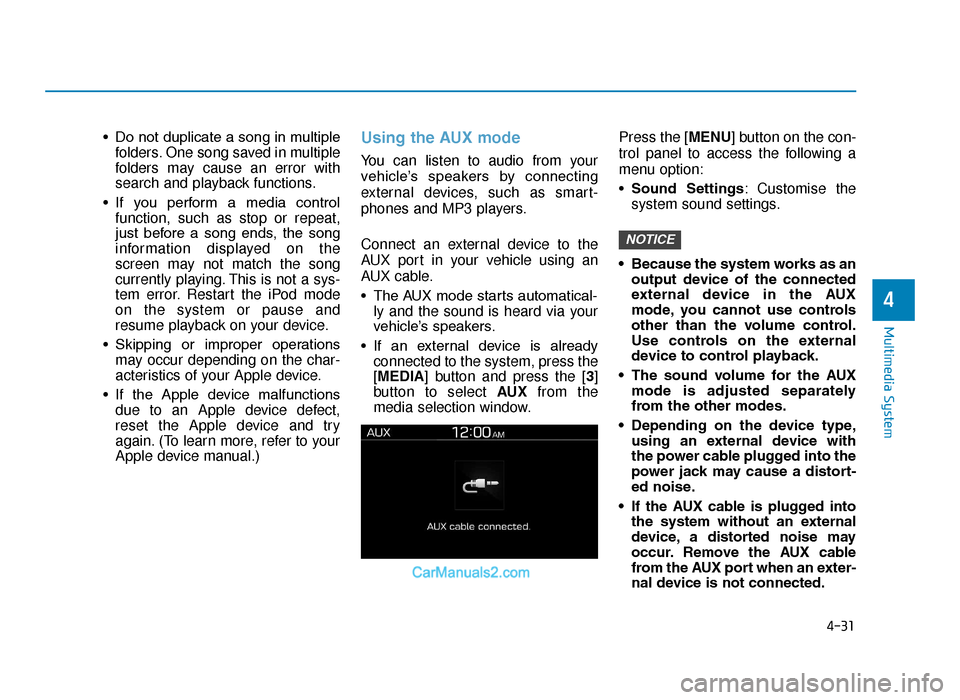
Connect an external device to the
AUX port in your vehicle using an
AUX cable.
• The AUX mode starts automatical-ly and the sound is heard via your
vehicle’s speakers.
• If an external device is already connected to the system, press the
[MEDIA] button and press the [3]
button to select AUX from the
media selection window. Press the [MENU] button on the con-
trol panel to access the following a
menu option:
•
Sound Settings : Customise the
system sound settings.
• Because the system works as an output device of the connected
external device in the AUX
mode, you cannot use controls
other than the volume control.
Use controls on the external
device to control playback.
• The sound volume for the AUX mode is adjusted separately
from the other modes.
• Depending on the device type, using an external device with
the power cable plugged into the
power jack may cause a distort-
ed noise.
• If the AUX cable is plugged into the system without an external
device, a distorted noise may
occur. Remove the AUX cable
from the AUX port when an exter-
nal device is not connected.
NOTICE
TLe UK 4.qxp 5/10/2018 12:05 PM Page 31
Page 675 of 685
I-2
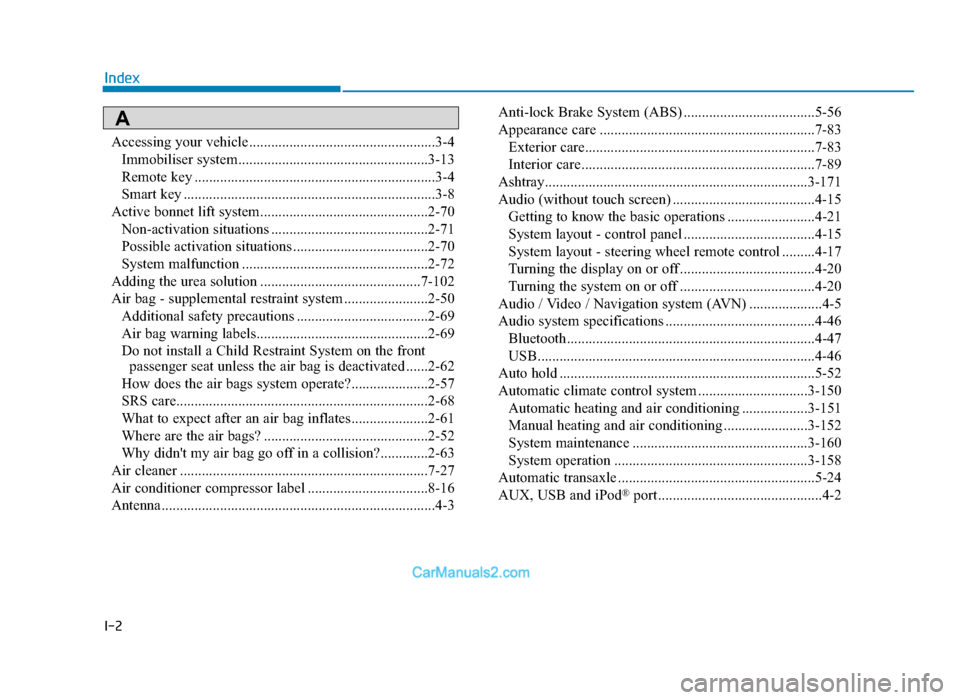
Accessing your vehicle ...................................................3-4Immobiliser system....................................................3-13
Remote key ..................................................................3-4
Smart key .....................................................................3-8\
Active bonnet lift system..............................................2-70 Non-activation situations ...........................................2-71
Possible activation situations .....................................2-70
System malfunction ...................................................2-72
Adding the urea solution ............................................7-102
Air bag - supplemental restraint system .......................2-50 Additional safety precautions ....................................2-69
Air bag warning labels...............................................2-69
Do not install a Child Restraint System on the front passenger seat unless the air bag is deactivated ......2-62
How does the air bags system operate?.....................2-57
SRS care.....................................................................2-6\
8
What to expect after an air bag inflates.....................2-61
Where are the air bags? .............................................2-52
Why didn't my air bag go off in a collision?.............2-63
Air cleaner ....................................................................7-27\
Air conditioner compressor label .................................8-16
Antenna ........................................................................\
...4-3 Anti-lock Brake System (ABS) ....................................5-56
Appearance care ...........................................................7-83
Exterior care...............................................................7-83
Interior care................................................................7-89
Ashtray........................................................................\
3-171
Audio (without touch screen) .......................................4-15 Getting to know the basic operations ........................4-21
System layout - control panel ....................................4-15
System layout - steering wheel remote control .........4-17
Turning the display on or off .....................................4-20
Turning the system on or off .....................................4-20
Audio / Video / Navigation system (AVN) ....................4-5
Audio system specifications .........................................4-46 Bluetooth....................................................................4-47\
USB........................................................................\
....4-46
Auto hold ......................................................................5-\
52
Automatic climate control system ..............................3-150 Automatic heating and air conditioning ..................3-151
Manual heating and air conditioning .......................3-152
System maintenance ................................................3-160
System operation .....................................................3-158
Automatic transaxle ......................................................5-24
AUX, USB and iPod
®port .............................................4-2
Index
A
TLe UK Index.qxp 6/12/2018 3:27 PM Page 2
Page 681 of 685
I-8
IndexKey ignition switch.........................................................5-6
Lane keeping assist(LKA) system..............................5-108
LCD display..................................................................3-68 LCD modes ................................................................3-69
Warning messages ....................................................3-79
Light ........................................................................\
....3-110 Exterior lights ..........................................................3-110
Interior lights ...........................................................3-121
Low Beam Assist-Static light ..................................3-120
Welcome system ......................................................3-120
Light bulbs ....................................................................7-68\
Front fog lamp ...........................................................7-71
Headlamp and front fog lamp aiming........................7-73
Headlamp, low beam assist - static, position lamp, turn signal lamp and fog lamp light bulb
replacement ..............................................................7-69
High mounted stop lamp replacement .......................7-80
Interior light bulb replacement ..................................7-81
License plate light bulb replacement .........................7-80
Rear combination light bulb replacement..................7-77
Side repeater lamp replacement.................................7-72 Load and speed capacity tyres........................................8-6
Low urea warning message ..........................................7-99
Luggage net (holder) ..................................................3-179
Luggage tray ...............................................................3-182
Luggage volume .............................................................8-8
Maintenance services......................................................7-6
Owner maintenance precautions ..................................7-6
Owner's responsibility .................................................7-6
Malfunction with the SCR system .............................7-100
Manual climate control system...................................3-140 Heating and air conditioning ...................................3-141
System maintenance ................................................3-148
System operation .....................................................3-145
Manual transaxle...........................................................5-20
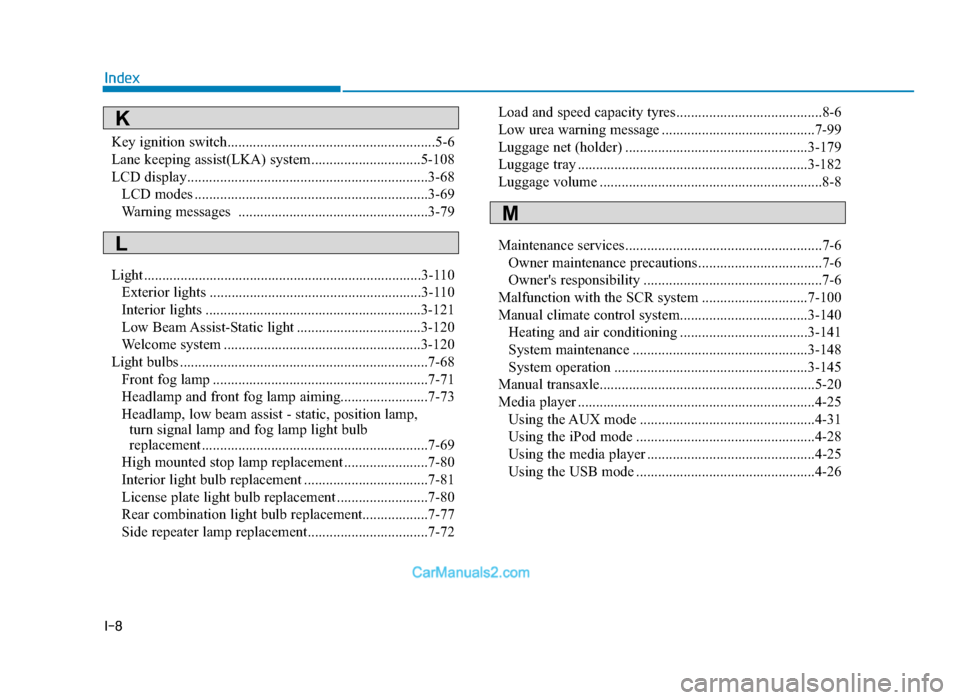
Media player .................................................................4-25 Using the AUX mode ................................................4-31
Using the iPod mode .................................................4-28
Using the media player ..............................................4-25
Using the USB mode .................................................4-26
M
K
L
TLe UK Index.qxp 6/12/2018 3:27 PM Page 8
Page 682 of 685
 I-9
I
Index
Mirrors ........................................................................\
..3-25Inside rearview mirror ...............................................3-25
Outside rearview mirror..")
I-9
I
Index
Mirrors ........................................................................\
..3-25Inside rearview mirror ...............................................3-25
Outside rearview mirror.............................................3-29
Multimedia system .........................................................4-2 Antenna ........................................................................\
4-3
Audio / Video / Navigation system (AVN) .................4-5
AUX, USB and iPod
®port ..........................................4-2
Bluetooth®Wireless Technology hands-free ...............4-5
How Vehicle Audio Works ..........................................4-6
Steering wheel audio control .......................................4-4
Outside rearview mirror ...............................................3-29
Overheats ........................................................................\
6-8
Overloading ................................................................5-179
Owner maintenance ........................................................7-8 Owner maintenance schedule ......................................7-9
Owner maintenance precautions.....................................7-6
Owner maintenance schedule .........................................7-9
Owner's responsibility ....................................................7-6 Panorama sunroof .........................................................3-37
Closing the sunroof....................................................3-39
Resetting the sunroof .................................................3-41
Sliding the sunroof.....................................................3-38
Sunroof open warning ...............................................3-41
Sunshade ....................................................................3-38\
Tilting the sunroof .....................................................3-39
Parking brake ................................................................7-25
Parking brake (hand type) ............................................5-44
Parking distance warning (reverse) system ................3-129
Parking distance warning (reverse/forward) system ..3-132
Power brakes............................................................\
.....5-43
Power outlet ................................................................3-173
Power tailgate ...............................................................3-49
Power windows...........................................................\
..3-32
Radio ........................................................................\
.....4-22
Rear seats ......................................................................2-\
12
Rear View Monitor .....................................................3-136
Rear window defroster ...............................................3-139
Rear window wiper and washer switch......................3-128
Recommended engine oil .............................................8-12
O
P
R
TLe UK Index.qxp 6/12/2018 3:27 PM Page 9