Page 234 of 546
3-98
Convenient features of your vehicleL
L IIGG HH TT
Exterior Lights
Lighting control
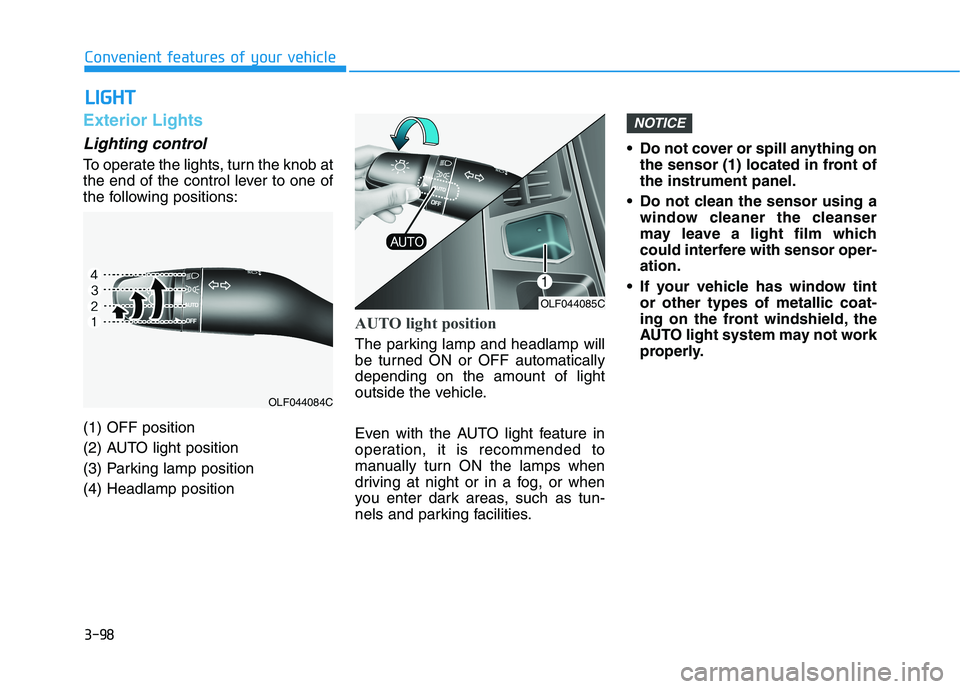
To operate the lights, turn the knob at
the end of the control lever to one of
the following positions: (1) OFF position
(2) AUTO light position
(3) Parking lamp position(4) Headlamp position
AUTO light position
The parking lamp and headlamp will
be turned ON or OFF automaticallydepending on the amount of light
outside the vehicle.
Even with the AUTO light feature in
operation, it is recommended to
manually turn ON the lamps when
driving at night or in a fog, or when
you enter dark areas, such as tun-
nels and parking facilities. Do not cover or spill anything on
the sensor (1) located in front ofthe instrument panel.
Do not clean the sensor using a window cleaner the cleanser
may leave a light film which
could interfere with sensor oper-ation.
If your vehicle has window tint or other types of metallic coat-
ing on the front windshield, the
AUTO light system may not work
properly.
NOTICE
OLF044085C
OLF044084C
Page 237 of 546
3-101
Convenient features of your vehicle
3
Operating condition
1. Place the light switch in the AUTOposition.
2. Turn on the high beam by pushing the lever away from you.
The smart high beam ( ) indica- tor will illuminate.
3. The Smart High Beam will turn on when vehicle speed is above 45km/h (28 mph).
the Smart High Beam is operat-
ing, the Smart High Beam will
turn off and the high beam will
be on continuously. The smart
high beam ( ) indicator will
turn off.
when the Smart High Beam is
operating, the Smart High Beam
will turn off.
4. If the light switch is placed to the headlamp position, the Smart
High Beam will turn off and the
low beam will be on continuously. The high beam switches to low beam
in the below conditions.
- When the Smart High Beam is off.
- When the light switch is not in the
AUTO position.
- When the headlamp is detected from the on-coming vehicle.
- When the tail lamp is detected from the front vehicle.
- When the surrounding is bright enough high beams are not need- ed.
- When streetlights or other lights are detected.
- When vehicle speed is below 35 km/h (18 mph).
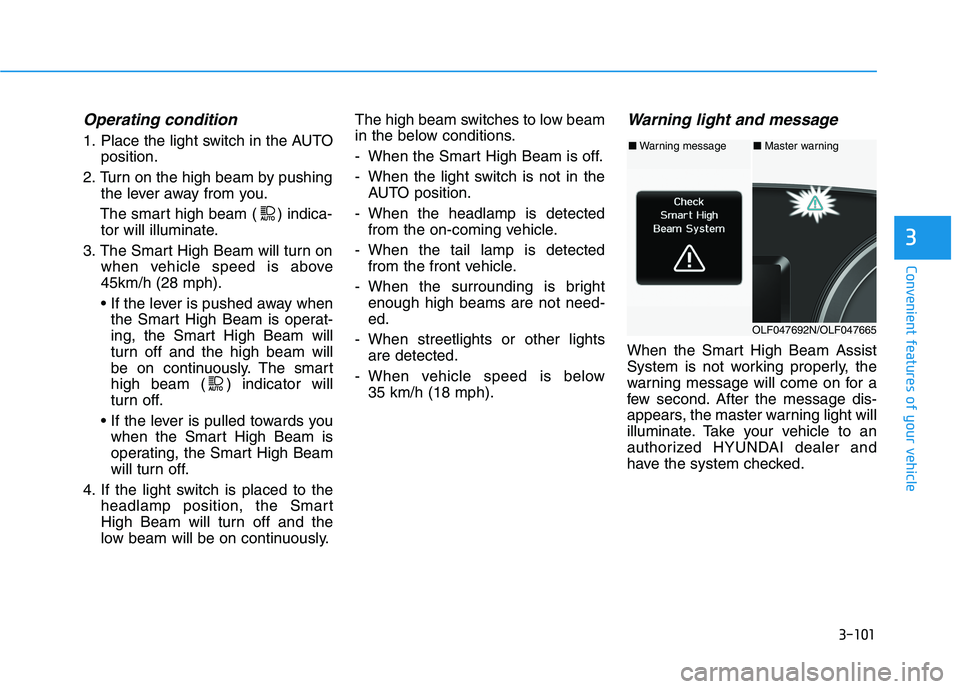
Warning light and message
When the Smart High Beam Assist
System is not working properly, the
warning message will come on for a
few second. After the message dis-
appears, the master warning light will
illuminate. Take your vehicle to an
authorized HYUNDAI dealer and
have the system checked.
■Warning message■ Master warning
OLF047692N/OLF047665
Page 241 of 546
3-105
Convenient features of your vehicle
3
AFLS (Adaptive Front LightingSystem) a.k.a. DBL (Dynamic
Bending Light) (if equipped)
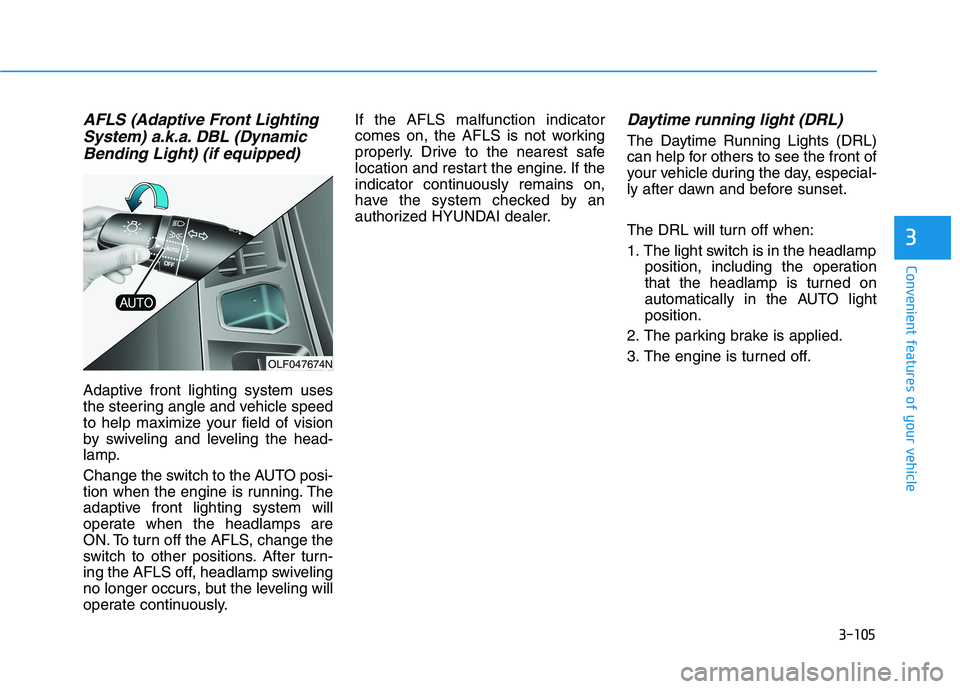
Adaptive front lighting system uses
the steering angle and vehicle speed
to help maximize your field of vision
by swiveling and leveling the head-
lamp.
Change the switch to the AUTO posi-
tion when the engine is running. The
adaptive front lighting system will
operate when the headlamps are
ON. To turn off the AFLS, change the
switch to other positions. After turn-
ing the AFLS off, headlamp swiveling
no longer occurs, but the leveling will
operate continuously. If the AFLS malfunction indicator
comes on, the AFLS is not working
properly. Drive to the nearest safe
location and restart the engine. If the
indicator continuously remains on,
have the system checked by an
authorized HYUNDAI dealer.
Daytime running light (DRL)
The Daytime Running Lights (DRL)
can help for others to see the front of
your vehicle during the day, especial-
ly after dawn and before sunset.
The DRL will turn off when:
1. The light switch is in the headlamp
position, including the operation
that the headlamp is turned on
automatically in the AUTO lightposition.
2. The parking brake is applied.
3. The engine is turned off.
OLF047674N
Page 243 of 546
3-107
Convenient features of your vehicle
3
Interior Lights
Do not use the interior lights for
extended periods when the engine
is turned off or the battery will dis-
charge.
Interior lamp AUTO cut
The interior lamps will automatically
go off approximately 20 minutes after
the engine is turned off and the
doors closed. If a door is opened, the
lamp will go off 40 minutes after the
engine is turned off. If the doors are
locked by the smart key and the vehi-
cle enters the armed stage of the
theft alarm system, the lamps will go
off five seconds later.
Front lamps
(1) Front Map Lamp
(2) Front Room Lamp
(3) Front Door Lamp
NOTICE
Do not use the interior lights
when driving in the dark. The
interior lights may obscure your
view and cause an accident.
WARNING
OTL047079L
OLF047097
■Type A
■Type B
Page 294 of 546

5-4
Driving your vehicle
Before entering the vehicle
• Be sure all windows, outside mir-ror(s), and outside lights are clean
and unobstructed.
Remove frost, snow, or ice.
Visually check the tires for uneven wear and damage.
Check under the vehicle for any sign of leaks.
Be sure there are no obstacles behind you if you intend to back up.
Before starting
Make sure the hood, the trunk, andthe doors are securely closed and
locked.
Adjust the position of the seat and steering wheel.
Adjust the inside and outside rearview mirrors.
Verify all the lights work.
Fasten your seatbelt. Check that all passengers have fastened their
seatbelts.
Check the gauges and indicators in the instrument panel and the mes-
sages on the instrument display
when the ignition switch is in theON position.
Check that any items you are car- rying are stored properly or fas-
tened down securely.
BBEEFFOO RREE DD RRIIVV IINN GG
To reduce the risk of SERIOUS
INJURY or DEATH, take the fol-
lowing precautions:
•ALWAYS wear your seat belt.
All passengers must be prop-
erly belted whenever the vehi-
cle is moving. For more infor-
mation, refer to "Seat Belts" in
chapter 2.
Always drive defensively.
Assume other drivers or
pedestrians may be carelessand make mistakes.
Stay focused on the task of
driving. Driver distraction cancause accidents.
Leave plenty of space
between you and the vehicle
in front of you.
WARNING
Page 298 of 546
5-8
Driving your vehicle
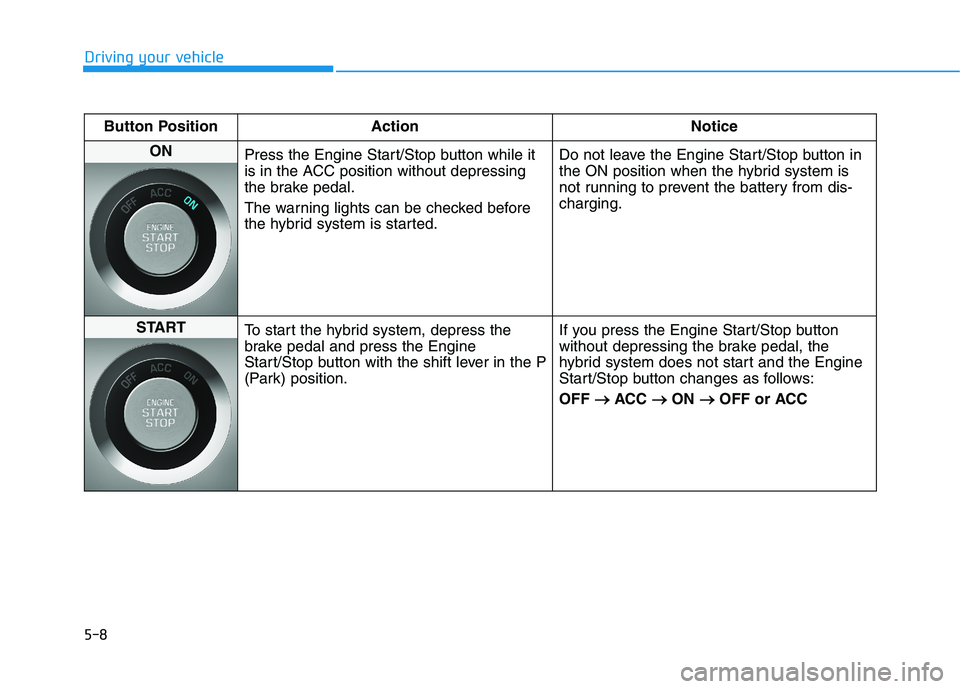
Button Position ActionNotice
ON
Press the Engine Start/Stop button while it
is in the ACC position without depressing
the brake pedal.
The warning lights can be checked before
the hybrid system is started. Do not leave the Engine Start/Stop button in
the ON position when the hybrid system is
not running to prevent the battery from dis-charging.
START
To start the hybrid system, depress the
brake pedal and press the Engine
Start/Stop button with the shift lever in the P
(Park) position. If you press the Engine Start/Stop button
without depressing the brake pedal, the
hybrid system does not start and the Engine
Start/Stop button changes as follows: OFF
ACC
ON
OFF or ACC
Page 325 of 546
5-35
Driving your vehicle
5
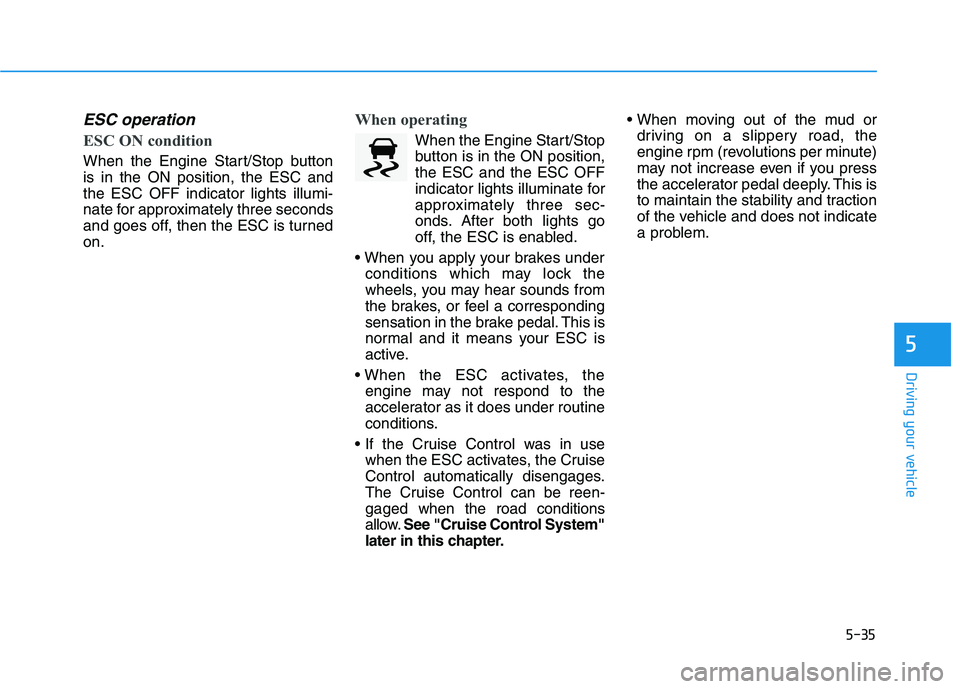
ESC operation
ESC ON condition
When the Engine Start/Stop button is in the ON position, the ESC andthe ESC OFF indicator lights illumi-
nate for approximately three seconds
and goes off, then the ESC is turnedon.
When operating
When the Engine Start/Stopbutton is in the ON position, the ESC and the ESC OFF
indicator lights illuminate for
approximately three sec-
onds. After both lights go
off, the ESC is enabled.
conditions which may lock the
wheels, you may hear sounds from
the brakes, or feel a corresponding
sensation in the brake pedal. This is
normal and it means your ESC is
active.
engine may not respond to the
accelerator as it does under routine
conditions.
when the ESC activates, the Cruise
Control automatically disengages.
The Cruise Control can be reen-
gaged when the road conditions
allow. See "Cruise Control System"
later in this chapter.
driving on a slippery road, the
engine rpm (revolutions per minute)
may not increase even if you press
the accelerator pedal deeply. This is
to maintain the stability and traction
of the vehicle and does not indicate
a problem.
Page 326 of 546
5-36
Driving your vehicle
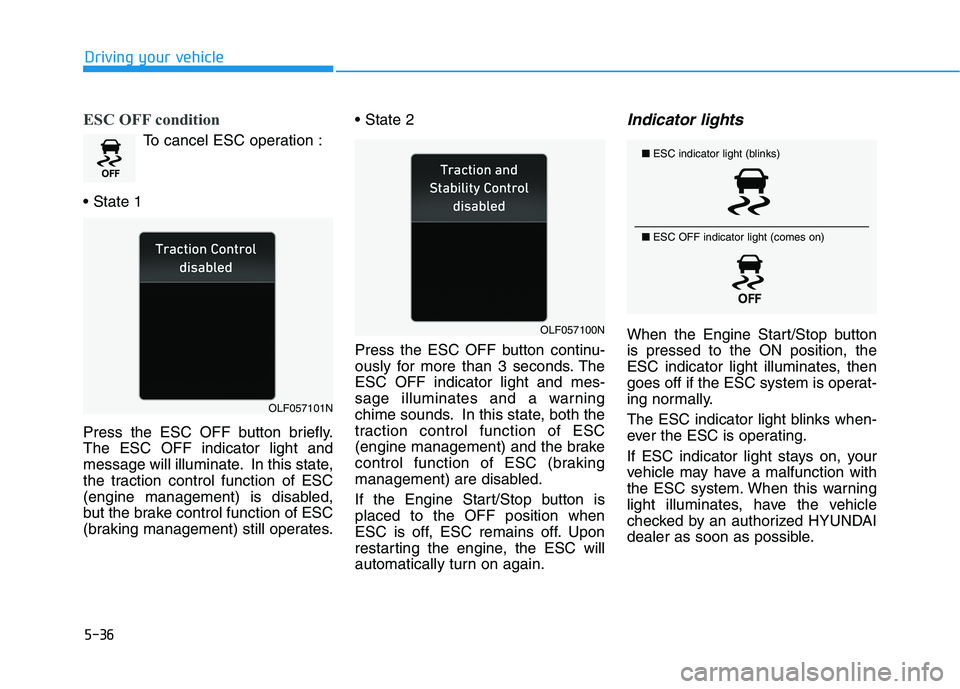
ESC OFF condition
To cancel ESC operation :
Press the ESC OFF button briefly. The ESC OFF indicator light and
message will illuminate. In this state,
the traction control function of ESC
(engine management) is disabled,
but the brake control function of ESC
(braking management) still operates.
Press the ESC OFF button continu-
ously for more than 3 seconds. TheESC OFF indicator light and mes-
sage illuminates and a warning
chime sounds. In this state, both the
traction control function of ESC
(engine management) and the brake
control function of ESC (braking
management) are disabled.
If the Engine Start/Stop button is placed to the OFF position when
ESC is off, ESC remains off. Upon
restarting the engine, the ESC will
automatically turn on again.
Indicator lights
When the Engine Start/Stop buttonis pressed to the ON position, the
ESC indicator light illuminates, then
goes off if the ESC system is operat-
ing normally.
The ESC indicator light blinks when-
ever the ESC is operating.
If ESC indicator light stays on, your
vehicle may have a malfunction with
the ESC system. When this warning
light illuminates, have the vehicle
checked by an authorized HYUNDAI
dealer as soon as possible.
■
ESC indicator light (blinks)
■ ESC OFF indicator light (comes on)
OLF057101N
OLF057100N