2019 Hyundai Santa Fe power steering
[x] Cancel search: power steeringPage 2 of 682
F2
Modification to the original vehicle specification may invalidate the manufacturers warranty
and may adversely affect the safety and durability of the vehicle.
Components which are subject to modification or are added to the original vehicle specifi-
cation without the express approval of the manufacturer and result in consequential loss or
damage are not covered by the vehicle manufacturers warranty.
Particular attention is drawn to the fitment of replacement road wheels having a different
specification to those installed in production. The electric power assisted steering system is
specifically programmed to operate only with the road wheels fitted during production. The
installation of alternative specification road wheels may result in the replacement road
wheels fouling the vehicle body resulting in tyre damage and compromised safety. The
installation of after market wheels on vehicles equipped with TPMS may result in wheel bal-
ancing difficulties or malfunction of the TPMS system.
We recommend that you contact a HYUNDAI authorised repairer before non original spec-
ification road wheels are installed.
Your vehicle is equipped with electronic fuel injection and other electronic components. It is
possible for an improperly installed/adjusted two-way radio or mobile telephone to adverse-
ly affect electronic systems. For this reason, we recommend that you carefully follow the
radio manufacturer's instructions or consult your HYUNDAI authorised repairer for precau-
tionary measures or special instructions if you choose to install one of these devices.
CAUTION: MODIFICATIONS TO YOUR HYUNDAI
TWO-WAY RADIO OR MOBILE TELEPHONE INSTALLATION
Page 17 of 682
1-4
Your vehicle at a glance
INTERIOR OVERVIEW
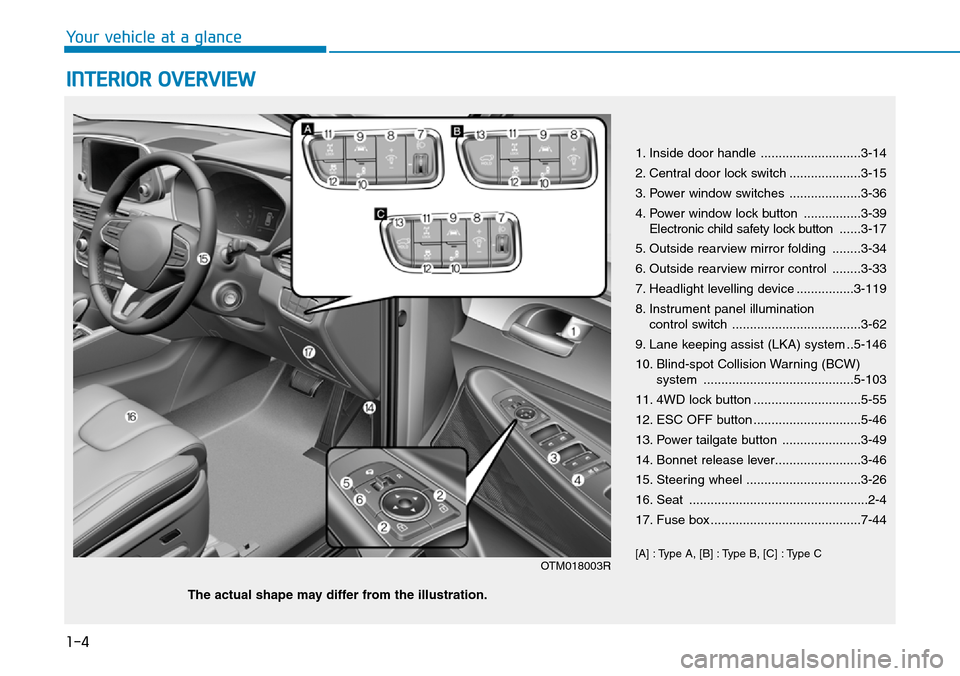
1. Inside door handle ............................3-14
2. Central door lock switch ....................3-15
3. Power window switches ....................3-36
4. Power window lock button ................3-39
Electronic child safety lock button......3-17
5. Outside rearview mirror folding ........3-34
6. Outside rearview mirror control ........3-33
7. Headlight levelling device ................3-119
8. Instrument panel illumination
control switch ....................................3-62
9. Lane keeping assist (LKA) system ..5-146
10. Blind-spot Collision Warning (BCW)
system ..........................................5-103
11. 4WD lock button ..............................5-55
12. ESC OFF button ..............................5-46
13. Power tailgate button ......................3-49
14. Bonnet release lever........................3-46
15. Steering wheel ................................3-26
16. Seat ..................................................2-4
17. Fuse box ..........................................7-44
[A] : Type A, [B] : Type B, [C] : Type C
OTM018003R
The actual shape may differ from the illustration.
Page 18 of 682
1-5
Your vehicle at a glance
1
INSTRUMENT PANEL OVERVIEW
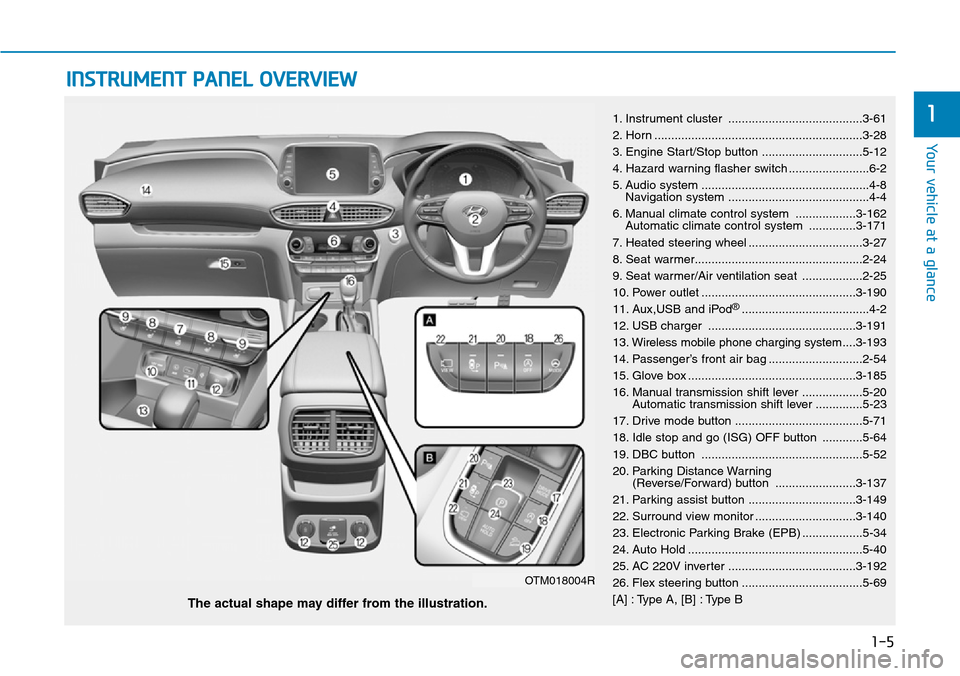
1. Instrument cluster ........................................3-61
2. Horn ..............................................................3-28
3. Engine Start/Stop button ..............................5-12
4. Hazard warning flasher switch ........................6-2
5. Audio system ..................................................4-8
Navigation system ..........................................4-4
6. Manual climate control system ..................3-162
Automatic climate control system ..............3-171
7. Heated steering wheel ..................................3-27
8. Seat warmer..................................................2-24
9. Seat warmer/Air ventilation seat ..................2-25
10. Power outlet ..............................................3-190
11. Aux,USB and iPod
®......................................4-2
12. USB charger ............................................3-191
13. Wireless mobile phone charging system....3-193
14. Passenger’s front air bag ............................2-54
15. Glove box ..................................................3-185
16. Manual transmission shift lever ..................5-20
Automatic transmission shift lever ..............5-23
17. Drive mode button ......................................5-71
18. Idle stop and go (ISG) OFF button ............5-64
19. DBC button ................................................5-52
20. Parking Distance Warning
(Reverse/Forward) button ........................3-137
21. Parking assist button ................................3-149
22. Surround view monitor ..............................3-140
23. Electronic Parking Brake (EPB) ..................5-34
24. Auto Hold ....................................................5-40
25. AC 220V inverter ......................................3-192
26. Flex steering button ....................................5-69
[A] : Type A, [B] : Type B
The actual shape may differ from the illustration.
OTM018004R
Page 92 of 682
Convenient features of your vehicle
Accessing your vehicle .........................................3-4
Remote key .........................................................................3-4
Smart key ............................................................................3-7
Immobiliser system .........................................................3-12
Door locks .............................................................3-13
Operating door locks from outside the vehicle ......3-13
Operating door locks from inside the vehicle .........3-14
Deadlocks ..........................................................................3-16
Auto door lock/unlock features..................................3-16
Child-protector rear door locks ..................................3-17
Safe Exit Assist (SEA) system .....................................3-18
Rear Occupant Alert (ROA) system ............................3-20
Theft-alarm system ...........................................3-22
Driver position memory system .........................3-23
Storing memory positions .............................................3-23
Recalling memory position............................................3-24
Easy access function .....................................................3-24
Driver position memory system reset........................3-25
Steering wheel......................................................3-26
Electric power steering (EPS) ......................................3-26
Tilt steering / Telescopic steering ..............................3-27
Heated steering wheel ...................................................3-27
Horn ....................................................................................3-28
Mirrors ...................................................................3-29
Inside rearview mirror....................................................3-29
Outside rearview mirror ................................................3-32
Reverse parking aid function.......................................3-35
Windows ................................................................3-36
Power windows ................................................................3-36
Remote window closing function ................................3-40
Panorama sunroof ...............................................3-41
Sunshade ...........................................................................3-42
Sliding the sunroof .........................................................3-42
Tilting the sunroof ..........................................................3-43
Closing the sunroof ........................................................3-43
Resetting the sunroof ....................................................3-44
Sunroof open warning ...................................................3-45
Exterior features .................................................3-46
Bonnet................................................................................3-46
Tailgate...............................................................................3-47
Power tailgate ..................................................................3-49
Smart tailgate ...................................................................3-55
Fuel filler door .................................................................3-58
3
Page 117 of 682
3-26
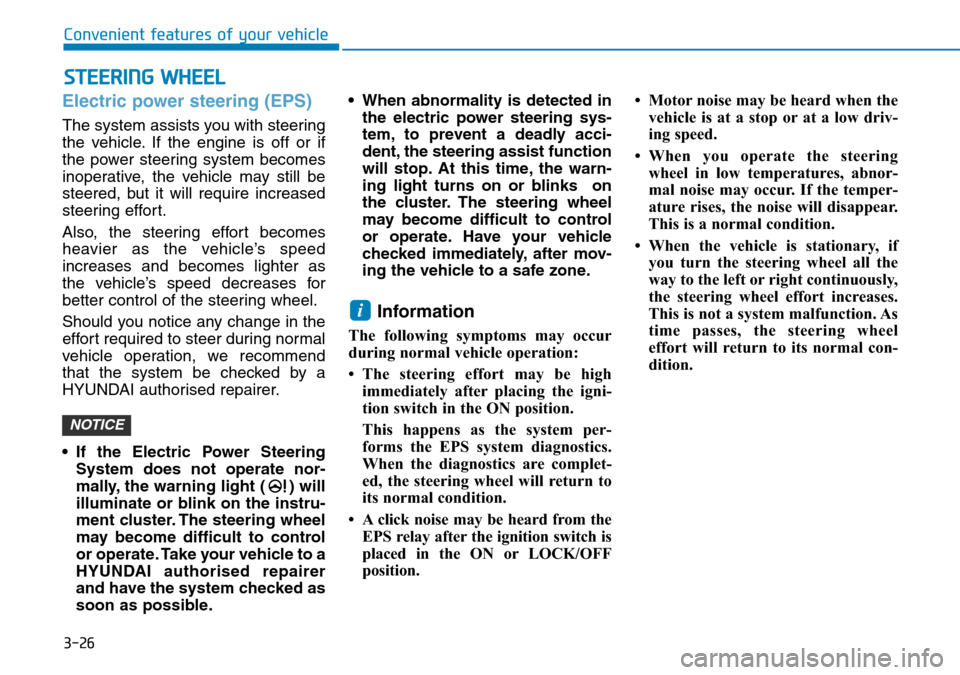
Electric power steering (EPS)
The system assists you with steering
the vehicle. If the engine is off or if
the power steering system becomes
inoperative, the vehicle may still be
steered, but it will require increased
steering effort.
Also, the steering effort becomes
heavier as the vehicle’s speed
increases and becomes lighter as
the vehicle’s speed decreases for
better control of the steering wheel.
Should you notice any change in the
effort required to steer during normal
vehicle operation, we recommend
that the system be checked by a
HYUNDAI authorised repairer.
• If the Electric Power Steering
System does not operate nor-
mally, the warning light ( ) will
illuminate or blink on the instru-
ment cluster. The steering wheel
may become difficult to control
or operate. Take your vehicle to a
HYUNDAI authorised repairer
and have the system checked as
soon as possible.• When abnormality is detected in
the electric power steering sys-
tem, to prevent a deadly acci-
dent, the steering assist function
will stop. At this time, the warn-
ing light turns on or blinks on
the cluster. The steering wheel
may become difficult to control
or operate. Have your vehicle
checked immediately, after mov-
ing the vehicle to a safe zone.
Information
The following symptoms may occur
during normal vehicle operation:
• The steering effort may be high
immediately after placing the igni-
tion switch in the ON position.
This happens as the system per-
forms the EPS system diagnostics.
When the diagnostics are complet-
ed, the steering wheel will return to
its normal condition.
• A click noise may be heard from the
EPS relay after the ignition switch is
placed in the ON or LOCK/OFF
position.• Motor noise may be heard when the
vehicle is at a stop or at a low driv-
ing speed.
• When you operate the steering
wheel in low temperatures, abnor-
mal noise may occur. If the temper-
ature rises, the noise will disappear.
This is a normal condition.
• When the vehicle is stationary, if
you turn the steering wheel all the
way to the left or right continuously,
the steering wheel effort increases.
This is not a system malfunction. As
time passes, the steering wheel
effort will return to its normal con-
dition.
i
NOTICE
STEERING WHEEL
Convenient features of your vehicle
Page 163 of 682
3-72
Convenient features of your vehicle
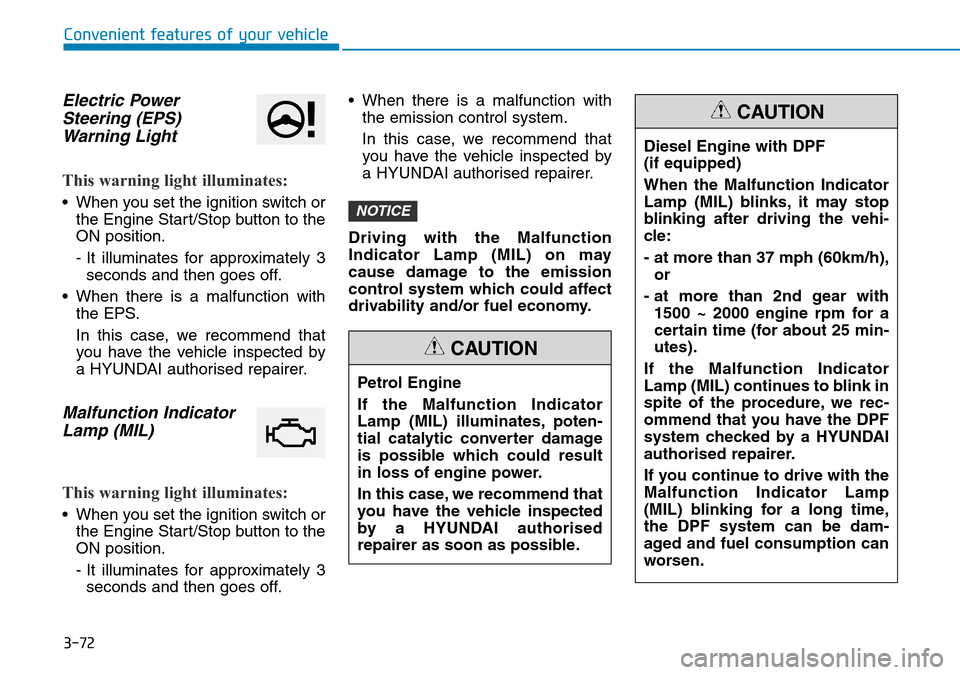
Electric Power
Steering (EPS)
Warning Light
This warning light illuminates:
• When you set the ignition switch or
the Engine Start/Stop button to the
ON position.
- It illuminates for approximately 3
seconds and then goes off.
• When there is a malfunction with
the EPS.
In this case, we recommend that
you have the vehicle inspected by
a HYUNDAI authorised repairer.
Malfunction Indicator
Lamp (MIL)
This warning light illuminates:
• When you set the ignition switch or
the Engine Start/Stop button to the
ON position.
- It illuminates for approximately 3
seconds and then goes off.• When there is a malfunction with
the emission control system.
In this case, we recommend that
you have the vehicle inspected by
a HYUNDAI authorised repairer.
Driving with the Malfunction
Indicator Lamp (MIL) on may
cause damage to the emission
control system which could affect
drivability and/or fuel economy.
NOTICE
Petrol Engine
If the Malfunction Indicator
Lamp (MIL) illuminates, poten-
tial catalytic converter damage
is possible which could result
in loss of engine power.
In this case, we recommend that
you have the vehicle inspected
by a HYUNDAI authorised
repairer as soon as possible.
CAUTION
Diesel Engine with DPF
(if equipped)
When the Malfunction Indicator
Lamp (MIL) blinks, it may stop
blinking after driving the vehi-
cle:
- at more than 37 mph (60km/h),
or
- at more than 2nd gear with
1500 ~ 2000 engine rpm for a
certain time (for about 25 min-
utes).
If the Malfunction Indicator
Lamp (MIL) continues to blink in
spite of the procedure, we rec-
ommend that you have the DPF
system checked by a HYUNDAI
authorised repairer.
If you continue to drive with the
Malfunction Indicator Lamp
(MIL) blinking for a long time,
the DPF system can be dam-
aged and fuel consumption can
worsen.
CAUTION
Page 236 of 682
3-145
Convenient features of your vehicle
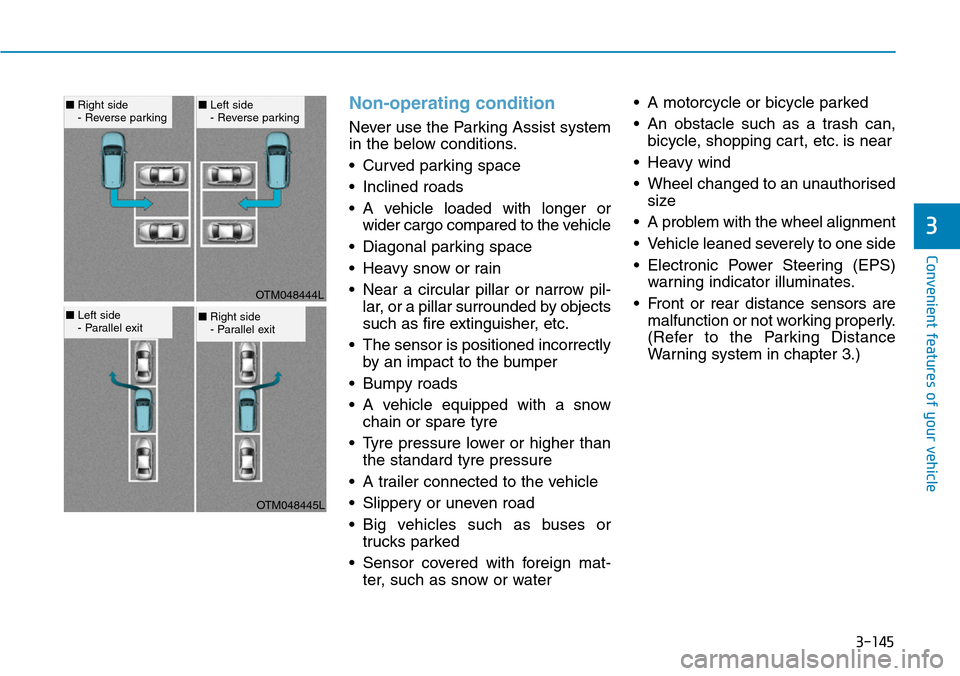
Non-operating condition
Never use the Parking Assist system
in the below conditions.
• Curved parking space
• Inclined roads
• A vehicle loaded with longer or
wider cargo compared to the vehicle
• Diagonal parking space
• Heavy snow or rain
• Near a circular pillar or narrow pil-
lar, or a pillar surrounded by objects
such as fire extinguisher, etc.
• The sensor is positioned incorrectly
by an impact to the bumper
• Bumpy roads
• A vehicle equipped with a snow
chain or spare tyre
• Tyre pressure lower or higher than
the standard tyre pressure
• A trailer connected to the vehicle
• Slippery or uneven road
• Big vehicles such as buses or
trucks parked
• Sensor covered with foreign mat-
ter, such as snow or water• A motorcycle or bicycle parked
• An obstacle such as a trash can,
bicycle, shopping cart, etc. is near
• Heavy wind
• Wheel changed to an unauthorised
size
• A problem with the wheel alignment
• Vehicle leaned severely to one side
• Electronic Power Steering (EPS)
warning indicator illuminates.
• Front or rear distance sensors are
malfunction or not working properly.
(Refer to the Parking Distance
Warning system in chapter 3.)
3
OTM048444L
OTM048445L
■Right side
- Reverse parking■Left side
- Reverse parking
■Left side
- Parallel exit■Right side
- Parallel exit
Page 308 of 682
4-17
Multimedia System
4
Using the media player
You can play music stored in various
media storage devices, such as USB
storage devices, smartphones, and
iPods.
1. Connect a device to the USB port
or the AUX port in your vehicle.
• Playback may start immediately
depending on the device that
you connect to the system.
2. On the control panel, press the
[MEDIA] button.
• If you have multiple media stor-
age devices, Press the [MEDIA]
button again and press the cor-
responding number button to
select the desired mode.
• When you connect an Apple
device, playback does not start
automatically. To start the media
player in the iPod mode, press
the [MEDIA] button on the con-
trol panel.
• You can also change the mode
by press the [MODE] button
repeatedly on the steering wheel.• Make sure to connect or discon-
nect external USB devices with
the system power turned off.
• Depending on vehicle models
and specifications, available
buttons or the appearance and
layout of the USB/AUX ports in
your vehicle may vary.
• Do not connect a smartphone or
an MP3 device to the system via
multiple methods such as USB,
Bluetooth, and AUX, simultane-
ously. Doing so may cause a dis-
torted noise or a system mal-
function.
• When the equaliser function of
the connected device and
Equaliser (Tone) settings of the
system are both activated, the
effects may interfere with each
other and may lead to sound
degradation or distortion.
Deactivate the device’s equalis-
er function if possible.
• Noise may occur when an Apple
device or AUX device is con-
nected. When such devices are
not being used, disconnect the
device for storage.• When the Apple device or AUX
device power is connected to the
power jack, playing the external
device may result in noise. In
such cases, disconnect the
power connection before use.
Using the USB mode
You can play media files stored in
portable devices, such as USB stor-
age devices and MP3 players. Check
compatible USB storage devices and
file specifications before using the
USB mode.
Connect your USB device to the
USB port in the vehicle.
• Playback starts immediately.
NOTICE
MEDIA PLAYER