Page 24 of 682
2-3
Safety system of your vehicle
• NEVER let the use of a mobile device
distract you from driving. You have a
responsibility to your passengers and
others on the road to always drive
safely, with your hands on the wheel
as well as your eyes and attention on
the road.
Control your speed
Excessive speed is a major factor in
crash injuries and deaths. Generally,
the higher the speed, the greater the
risk, but serious injuries can also
occur at lower speeds. Never drive
faster than is safe for current condi-
tions, regardless of the maximum
speed posted.
Keep your vehicle in safe condi-
tion
Having a tyre blowout or a mechanical
failure can be extremely hazardous. To
reduce the possibility of such prob-
lems, check your tyre pressures and
condition frequently, and perform all
regularly scheduled maintenance.
2
Page 165 of 682
3-74
Convenient features of your vehicle
• If the engine does not stop
immediately after the Engine Oil
Pressure Warning Light is illumi-
nated, severe damage could
result.
• If the warning light stays on
whilst the engine is running, it
indicates that there may be seri-
ous engine damage or malfunc-
tion. In this case:
1. Stop the vehicle as soon as it
is safe to do so.
2. Turn off the engine and check
the oil level. If the oil level is
low, fill the engine oil to the
proper level.
3. Start the engine again. If the
warning light stays on after the
engine is started, turn the
engine off immediately. In this
case, we recommend that you
have the vehicle inspected by
a HYUNDAI authorised repair-
er.
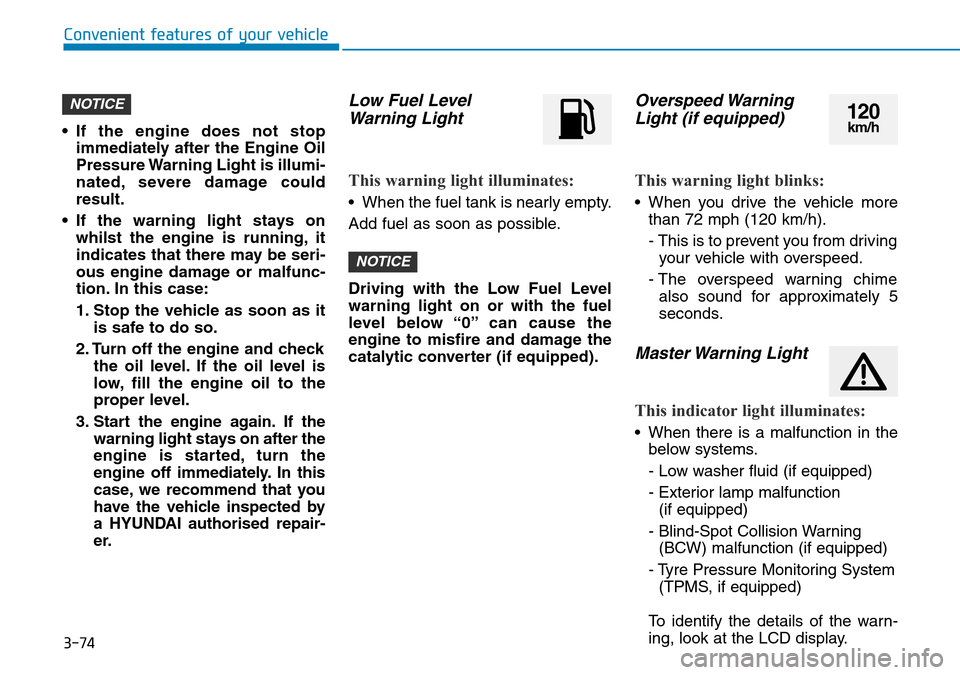
Low Fuel Level
Warning Light
This warning light illuminates:
• When the fuel tank is nearly empty.
Add fuel as soon as possible.
Driving with the Low Fuel Level
warning light on or with the fuel
level below “0” can cause the
engine to misfire and damage the
catalytic converter (if equipped).
Overspeed Warning
Light (if equipped)
This warning light blinks:
• When you drive the vehicle more
than 72 mph (120 km/h).
- This is to prevent you from driving
your vehicle with overspeed.
- The overspeed warning chime
also sound for approximately 5
seconds.
Master Warning Light
This indicator light illuminates:
• When there is a malfunction in the
below systems.
- Low washer fluid (if equipped)
- Exterior lamp malfunction
(if equipped)
- Blind-Spot Collision Warning
(BCW) malfunction (if equipped)
- Tyre Pressure Monitoring System
(TPMS, if equipped)
To identify the details of the warn-
ing, look at the LCD display.
NOTICE
NOTICE120km/h
Page 166 of 682
3-75
Convenient features of your vehicle
3
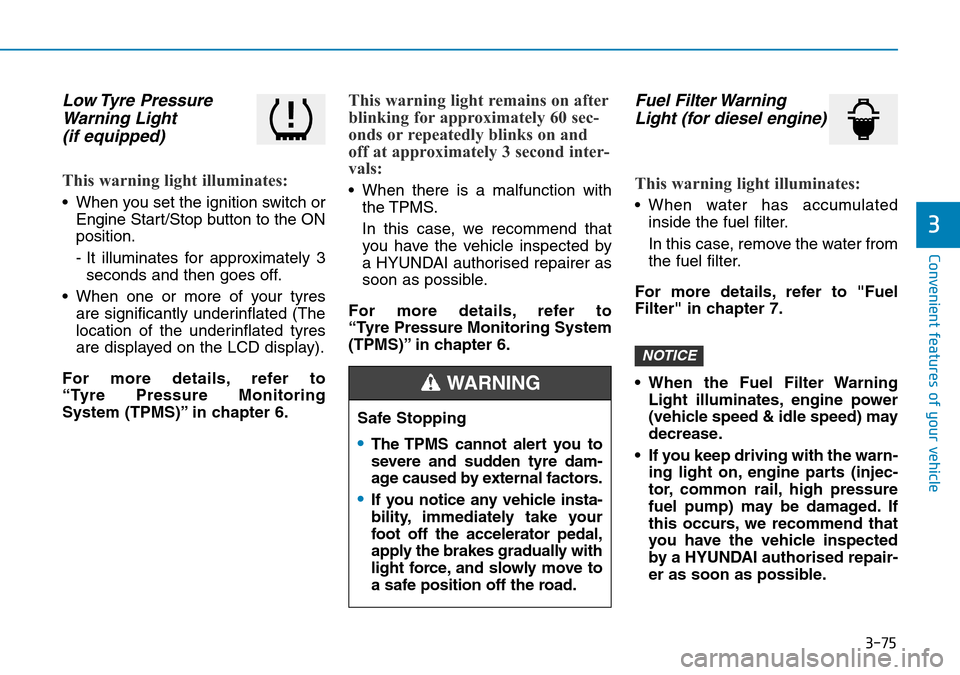
Low Tyre Pressure
Warning Light
(if equipped)
This warning light illuminates:
• When you set the ignition switch or
Engine Start/Stop button to the ON
position.
- It illuminates for approximately 3
seconds and then goes off.
• When one or more of your tyres
are significantly underinflated (The
location of the underinflated tyres
are displayed on the LCD display).
For more details, refer to
“Tyre Pressure Monitoring
System (TPMS)” in chapter 6.
This warning light remains on after
blinking for approximately 60 sec-
onds or repeatedly blinks on and
off at approximately 3 second inter-
vals:
• When there is a malfunction with
the TPMS.
In this case, we recommend that
you have the vehicle inspected by
a HYUNDAI authorised repairer as
soon as possible.
For more details, refer to
“Tyre Pressure Monitoring System
(TPMS)” in chapter 6.
Fuel Filter Warning
Light (for diesel engine)
This warning light illuminates:
• When water has accumulated
inside the fuel filter.
In this case, remove the water from
the fuel filter.
For more details, refer to "Fuel
Filter" in chapter 7.
• When the Fuel Filter Warning
Light illuminates, engine power
(vehicle speed & idle speed) may
decrease.
• If you keep driving with the warn-
ing light on, engine parts (injec-
tor, common rail, high pressure
fuel pump) may be damaged. If
this occurs, we recommend that
you have the vehicle inspected
by a HYUNDAI authorised repair-
er as soon as possible.
NOTICE
Safe Stopping
•The TPMS cannot alert you to
severe and sudden tyre dam-
age caused by external factors.
•If you notice any vehicle insta-
bility, immediately take your
foot off the accelerator pedal,
apply the brakes gradually with
light force, and slowly move to
a safe position off the road.
WARNING
Page 179 of 682
3-88
Convenient features of your vehicle
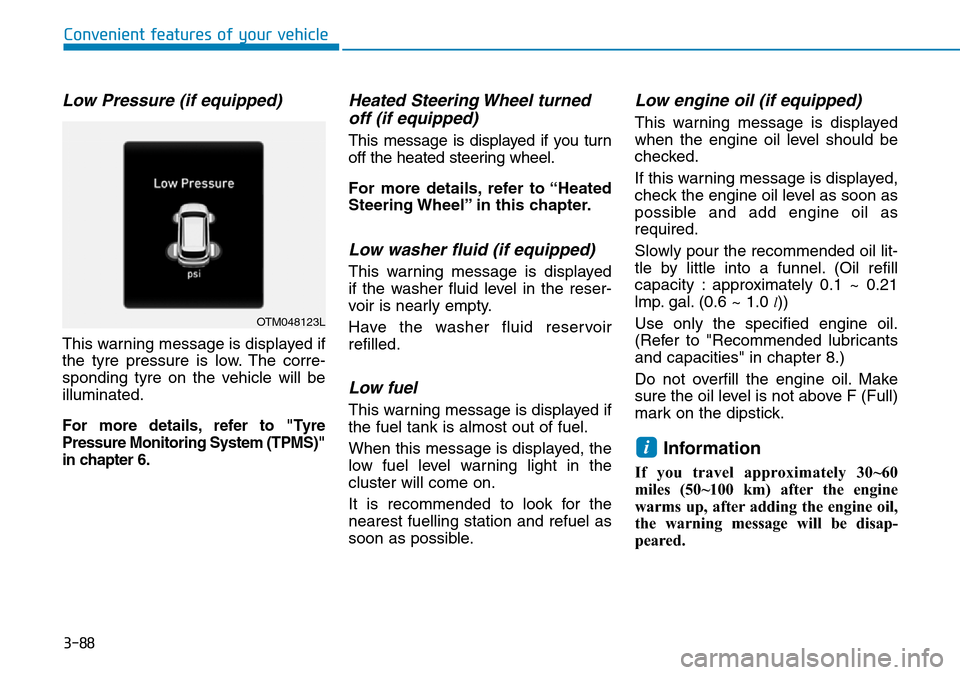
Low Pressure (if equipped)
This warning message is displayed if
the tyre pressure is low. The corre-
sponding tyre on the vehicle will be
illuminated.
For more details, refer to "Tyre
Pressure Monitoring System (TPMS)"
in chapter 6.
Heated Steering Wheel turned
off (if equipped)
This message is displayed if you turn
off the heated steering wheel.
For more details, refer to “Heated
Steering Wheel” in this chapter.
Low washer fluid (if equipped)
This warning message is displayed
if the washer fluid level in the reser-
voir is nearly empty.
Have the washer fluid reservoir
refilled.
Low fuel
This warning message is displayed if
the fuel tank is almost out of fuel.
When this message is displayed, the
low fuel level warning light in the
cluster will come on.
It is recommended to look for the
nearest fuelling station and refuel as
soon as possible.
Low engine oil (if equipped)
This warning message is displayed
when the engine oil level should be
checked.
If this warning message is displayed,
check the engine oil level as soon as
possible and add engine oil as
required.
Slowly pour the recommended oil lit-
tle by little into a funnel. (Oil refill
capacity : approximately 0.1 ~ 0.21
lmp. gal. (0.6 ~ 1.0
l))
Use only the specified engine oil.
(Refer to "Recommended lubricants
and capacities" in chapter 8.)
Do not overfill the engine oil. Make
sure the oil level is not above F (Full)
mark on the dipstick.
Information
If you travel approximately 30~60
miles (50~100 km) after the engine
warms up, after adding the engine oil,
the warning message will be disap-
peared.
i
OTM048123L
Page 183 of 682
3-92
Convenient features of your vehicle
LCD display modes
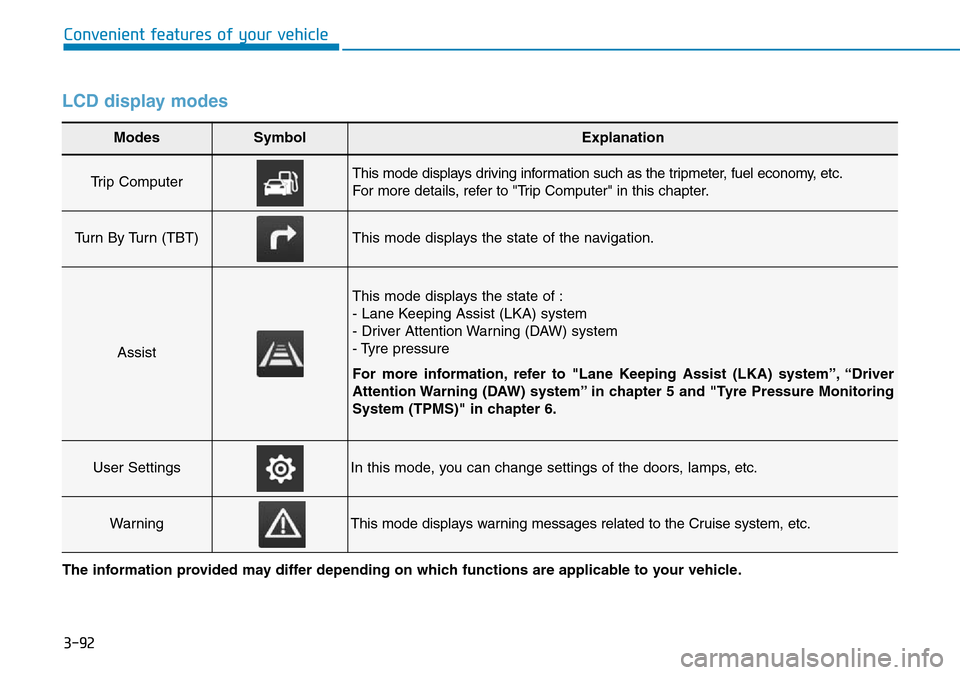
Modes SymbolExplanation
Trip Computer This mode displays driving information such as the tripmeter, fuel economy, etc.
For more details, refer to "Trip Computer" in this chapter.
Turn By Turn (TBT)This mode displays the state of the navigation.
Assist
This mode displays the state of :
- Lane Keeping Assist (LKA) system
- Driver Attention Warning (DAW) system
- Tyre pressure
For more information, refer to "Lane Keeping Assist (LKA) system”, “Driver
Attention Warning (DAW) system” in chapter 5 and "Tyre Pressure Monitoring
System (TPMS)" in chapter 6.
User SettingsIn this mode, you can change settings of the doors, lamps, etc.
WarningThis mode displays warning messages related to the Cruise system, etc.
The information provided may differ depending on which functions are applicable to your vehicle.
Page 185 of 682
3-94
Convenient features of your vehicle
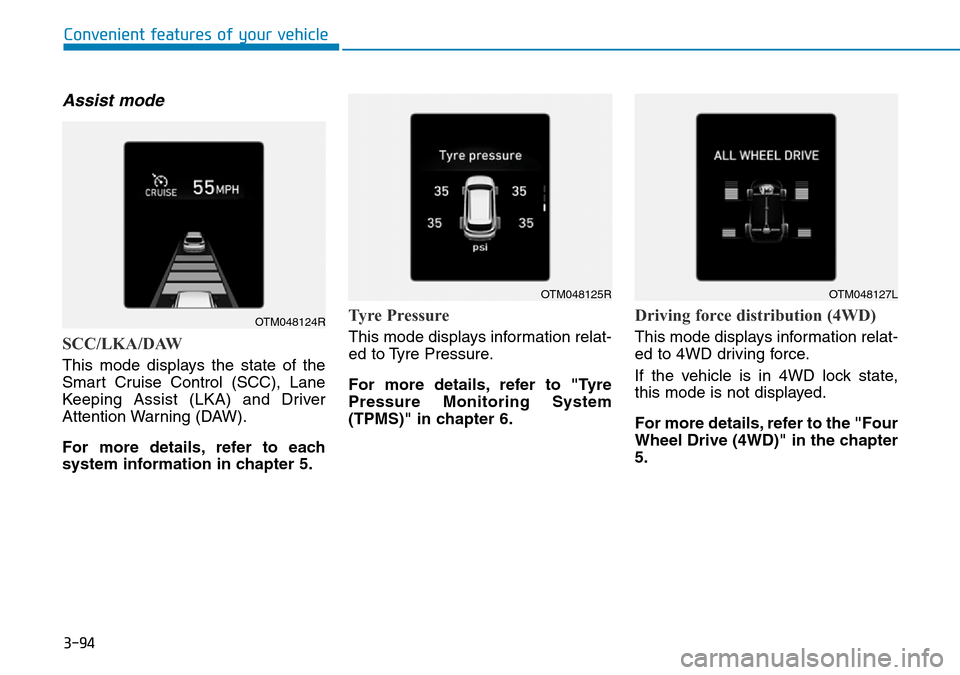
Assist mode
SCC/LKA/DAW
This mode displays the state of the
Smart Cruise Control (SCC), Lane
Keeping Assist (LKA) and Driver
Attention Warning (DAW).
For more details, refer to each
system information in chapter 5.
Tyre Pressure
This mode displays information relat-
ed to Tyre Pressure.
For more details, refer to "Tyre
Pressure Monitoring System
(TPMS)" in chapter 6.
Driving force distribution (4WD)
This mode displays information relat-
ed to 4WD driving force.
If the vehicle is in 4WD lock state,
this mode is not displayed.
For more details, refer to the "Four
Wheel Drive (4WD)" in the chapter
5.
OTM048124R
OTM048125ROTM048127L
Page 186 of 682
3-95
Convenient features of your vehicle
3
Warning message mode
If one of followings occurs, warning
messages will be displayed on the
LCD display for several seconds.
- Low washer fluid (if equipped)
- Exterior lamp malfunction
(if equipped)
- Blind-Spot Collision Warning
(BCW) system malfunction
(if equipped)
- Tyre Pressure Monitoring System
(TPMS, if equipped)
- High Beam Assist (HBA) malfunc-
tion (if equipped)
- Forward Collision-Avoidance
Assist (FCA) malfunction
(if equipped)
User settings mode
In this mode, you can change the
settings of the instrument cluster,
doors, lamps, etc.
1. Head-up display (if equipped)
2. Driver assistance
3. Door
4. Lights
5. Sound
6. Convenience
7. Service interval
8. Other features
9. Languages
10. Reset
The information provided may dif-
fer depending on which functions
are applicable to your vehicle.
Page 194 of 682
3-103
Convenient features of your vehicle
3
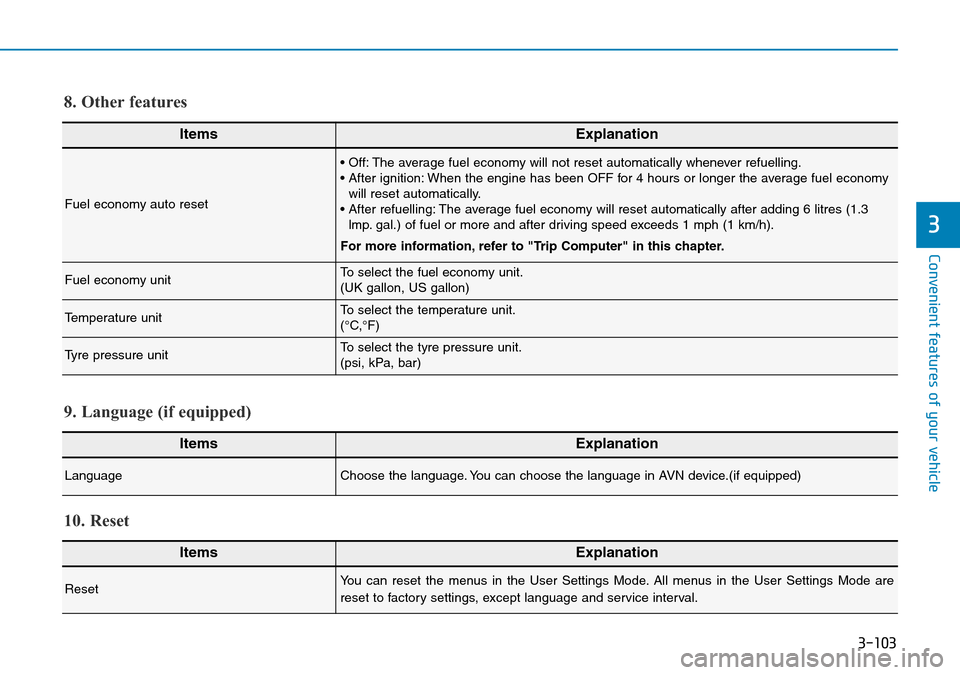
ItemsExplanation
Fuel economy auto reset
• Off: The average fuel economy will not reset automatically whenever refuelling.
• After ignition: When the engine has been OFF for 4 hours or longer the average fuel economy
will reset automatically.
• After refuelling: The average fuel economy will reset automatically after adding 6 litres (1.3
lmp. gal.) of fuel or more and after driving speed exceeds 1 mph (1 km/h).
For more information, refer to "Trip Computer" in this chapter.
Fuel economy unitTo select the fuel economy unit.
(UK gallon, US gallon)
Temperature unitTo select the temperature unit.
(°C,°F)
Tyre pressure unitTo select the tyre pressure unit.
(psi, kPa, bar)
8. Other features
ItemsExplanation
LanguageChoose the language. You can choose the language in AVN device.(if equipped)
9. Language (if equipped)
ItemsExplanation
ResetYou can reset the menus in the User Settings Mode. All menus in the User Settings Mode are
reset to factory settings, except language and service interval.
10. Reset