2019 Hyundai Santa Fe Drive info
[x] Cancel search: Drive infoPage 58 of 682
2-37
Safety system of your vehicle
2
Information
• Both the driver's and front passen-
ger's pre-tensioner seat belts may be
activated in certain frontal or side
collisions.
• When the pre-tensioner seat belts
are activated, a loud noise may be
heard and fine dust, which may
appear to be smoke, may be visible
in the passenger compartment.
These are normal operating condi-
tions and are not hazardous.
• Although it is non-toxic, the fine dust
may cause skin irritation and should
not be inhaled for prolonged periods.
Wash all exposed skin areas thor-
oughly after an accident in which the
pre-tensioner seat belts were activat-
ed.
Additional seat belt safety pre-
cautions
Seat belt use during pregnancy
The seat belt should always be used
during pregnancy. The best way to
protect your unborn child is to protect
yourself by always wearing the seat
belt.
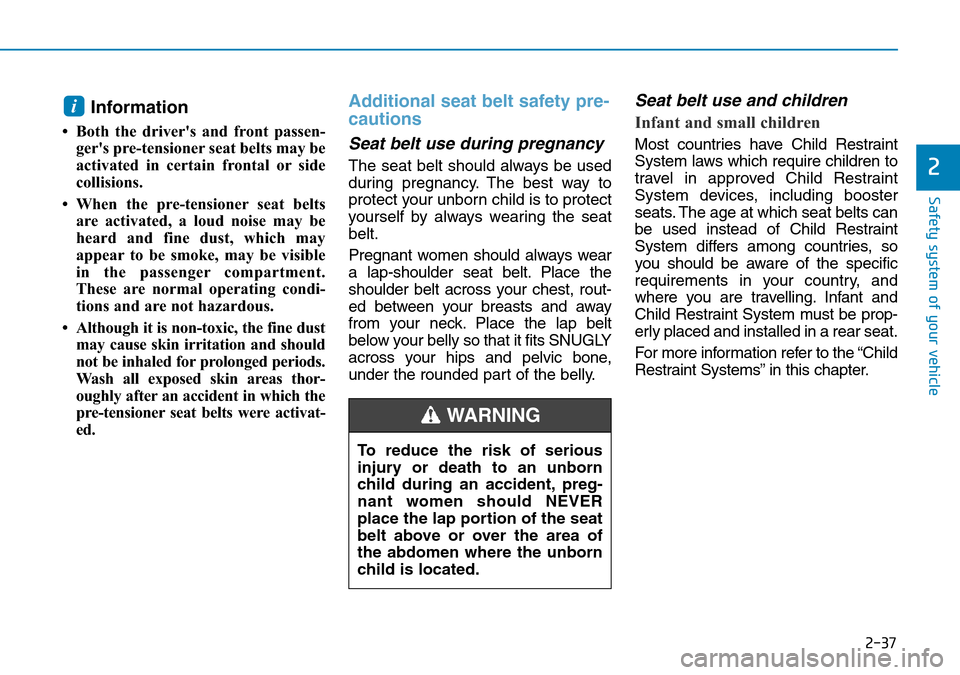
Pregnant women should always wear
a lap-shoulder seat belt. Place the
shoulder belt across your chest, rout-
ed between your breasts and away
from your neck. Place the lap belt
below your belly so that it fits SNUGLY
across your hips and pelvic bone,
under the rounded part of the belly.
Seat belt use and children
Infant and small children
Most countries have Child Restraint
System laws which require children to
travel in approved Child Restraint
System devices, including booster
seats. The age at which seat belts can
be used instead of Child Restraint
System differs among countries, so
you should be aware of the specific
requirements in your country, and
where you are travelling. Infant and
Child Restraint System must be prop-
erly placed and installed in a rear seat.
For more information refer to the “Child
Restraint Systems” in this chapter.
i
To reduce the risk of serious
injury or death to an unborn
child during an accident, preg-
nant women should NEVER
place the lap portion of the seat
belt above or over the area of
the abdomen where the unborn
child is located.
WARNING
Page 89 of 682
2-68
Safety system of your vehicle
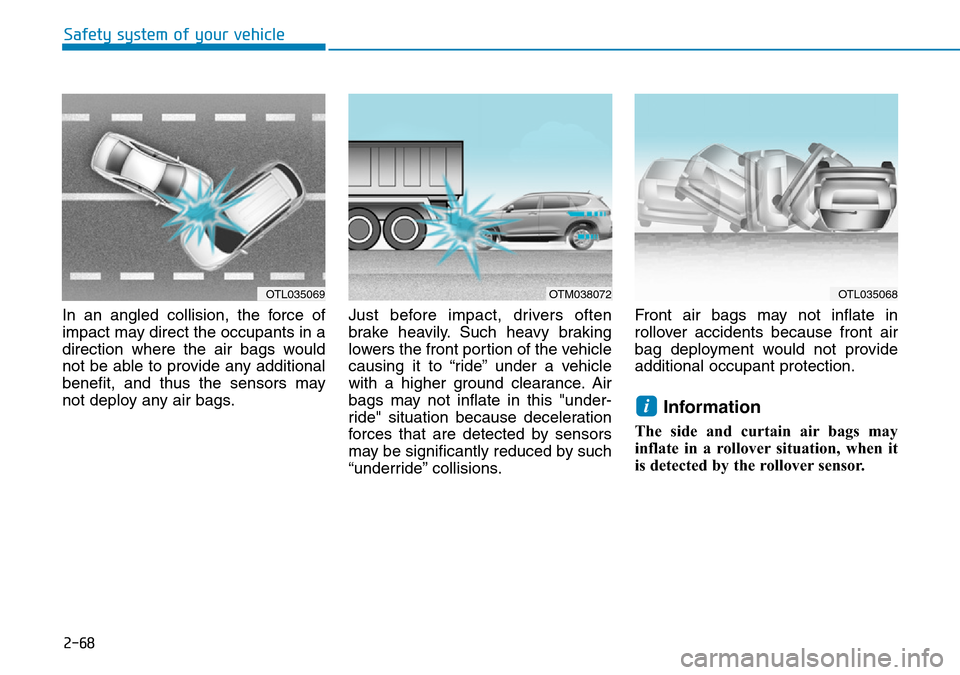
In an angled collision, the force of
impact may direct the occupants in a
direction where the air bags would
not be able to provide any additional
benefit, and thus the sensors may
not deploy any air bags.Just before impact, drivers often
brake heavily. Such heavy braking
lowers the front portion of the vehicle
causing it to “ride” under a vehicle
with a higher ground clearance. Air
bags may not inflate in this "under-
ride" situation because deceleration
forces that are detected by sensors
may be significantly reduced by such
“underride” collisions.Front air bags may not inflate in
rollover accidents because front air
bag deployment would not provide
additional occupant protection.
Information
The side and curtain air bags may
inflate in a rollover situation, when it
is detected by the rollover sensor.
i
OTL035069OTM038072OTL035068
Page 97 of 682
3-6
Convenient features of your vehicle
This is specifically relevant when the
phone is active such as making and
receiving calls, text messaging,
and/or sending/receiving emails.
Avoid placing the remote key and
your mobile phone in the same loca-
tion and always try to maintain an
adequate distance between the two
devices.
Information
Changes or modifications not express-
ly approved by the party responsible
for compliance could void the user’s
authority to operate the equipment. If
the keyless entry system is inoperative
due to changes or modifications not
expressly approved by the party
responsible for compliance, it will not
be covered by your manufacturer’s
vehicle warranty.
Keep the remote key away from
electromagnetic materials that
block electromagnetic waves to
the key surface.
Battery replacement
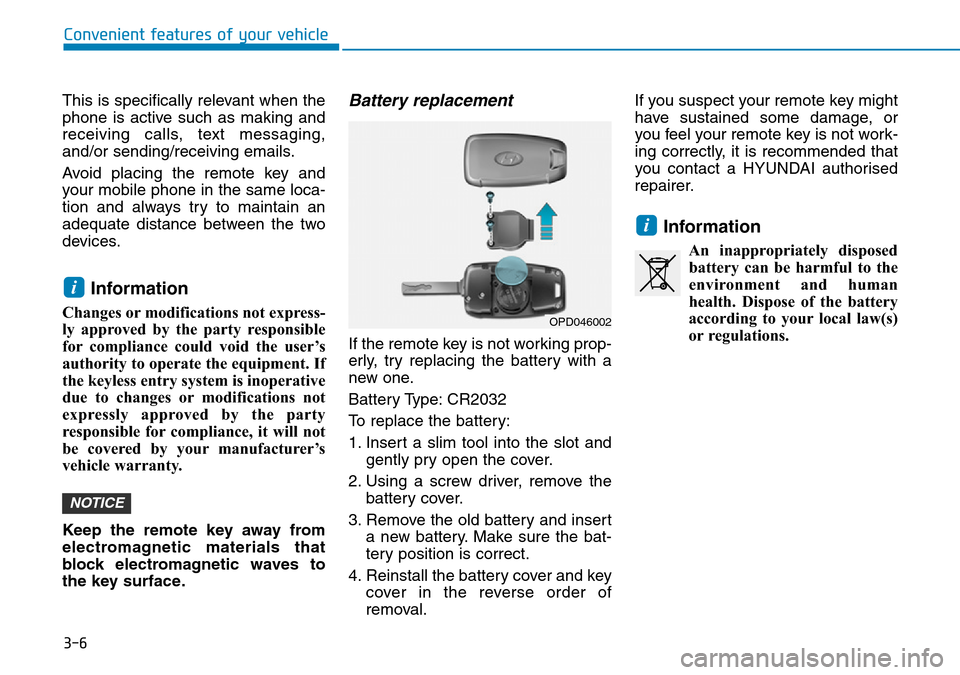
If the remote key is not working prop-
erly, try replacing the battery with a
new one.
Battery Type: CR2032
To replace the battery:
1. Insert a slim tool into the slot and
gently pry open the cover.
2. Using a screw driver, remove the
battery cover.
3. Remove the old battery and insert
a new battery. Make sure the bat-
tery position is correct.
4. Reinstall the battery cover and key
cover in the reverse order of
removal.If you suspect your remote key might
have sustained some damage, or
you feel your remote key is not work-
ing correctly, it is recommended that
you contact a HYUNDAI authorised
repairer.
Information
An inappropriately disposed
battery can be harmful to the
environment and human
health. Dispose of the battery
according to your local law(s)
or regulations.
i
NOTICE
i
OPD046002
Page 98 of 682
3-7
Convenient features of your vehicle
3
Smart key (if equipped)
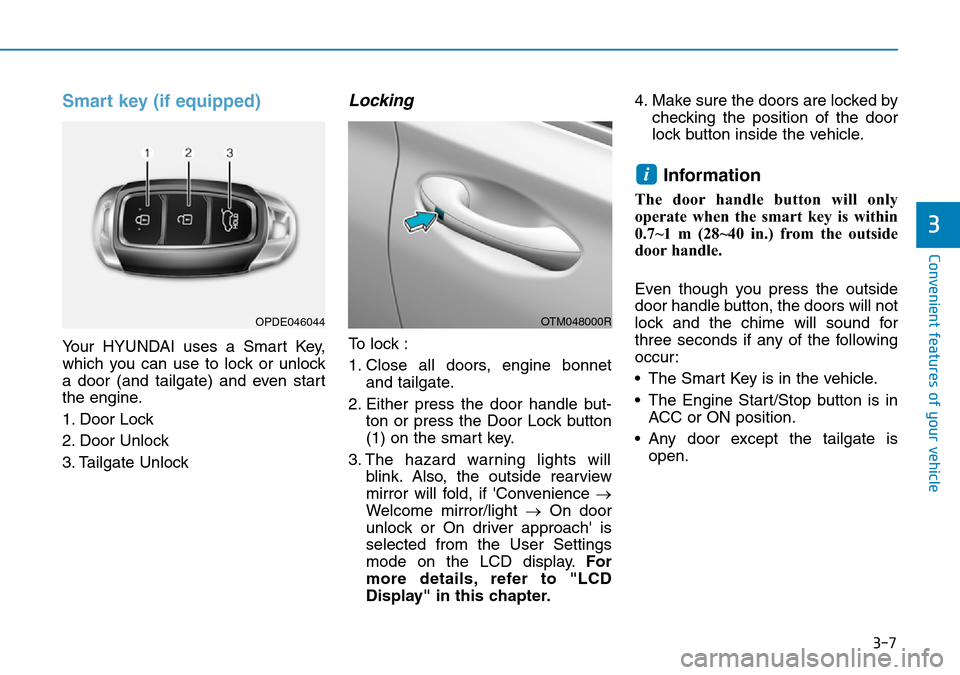
Your HYUNDAI uses a Smart Key,
which you can use to lock or unlock
a door (and tailgate) and even start
the engine.
1. Door Lock
2. Door Unlock
3. Tailgate Unlock
Locking
To lock :
1. Close all doors, engine bonnet
and tailgate.
2. Either press the door handle but-
ton or press the Door Lock button
(1) on the smart key.
3. The hazard warning lights will
blink. Also, the outside rearview
mirror will fold, if 'Convenience →
Welcome mirror/light →On door
unlock or On driver approach' is
selected from the User Settings
mode on the LCD display.For
more details, refer to "LCD
Display" in this chapter.4. Make sure the doors are locked by
checking the position of the door
lock button inside the vehicle.
Information
The door handle button will only
operate when the smart key is within
0.7~1 m (28~40 in.) from the outside
door handle.
Even though you press the outside
door handle button, the doors will not
lock and the chime will sound for
three seconds if any of the following
occur:
• The Smart Key is in the vehicle.
• The Engine Start/Stop button is in
ACC or ON position.
• Any door except the tailgate is
open.
i
OTM048000ROPDE046044
Page 99 of 682
3-8
Convenient features of your vehicle
Unlocking
To unlock:
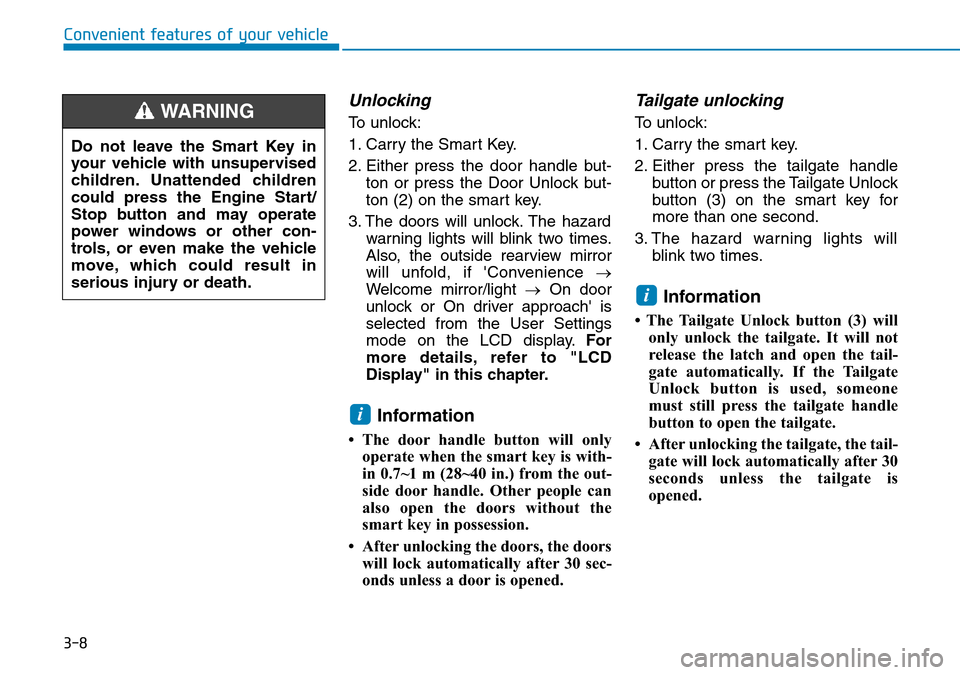
1. Carry the Smart Key.
2. Either press the door handle but-
ton or press the Door Unlock but-
ton (2) on the smart key.
3. The doors will unlock. The hazard
warning lights will blink two times.
Also, the outside rearview mirror
will unfold, if 'Convenience →
Welcome mirror/light →On door
unlock or On driver approach' is
selected from the User Settings
mode on the LCD display.For
more details, refer to "LCD
Display" in this chapter.
Information
• The door handle button will only
operate when the smart key is with-
in 0.7~1 m (28~40 in.) from the out-
side door handle. Other people can
also open the doors without the
smart key in possession.
• After unlocking the doors, the doors
will lock automatically after 30 sec-
onds unless a door is opened.
Tailgate unlocking
To unlock:
1. Carry the smart key.
2. Either press the tailgate handle
button or press the Tailgate Unlock
button (3) on the smart key for
more than one second.
3. The hazard warning lights will
blink two times.
Information
• The Tailgate Unlock button (3) will
only unlock the tailgate. It will not
release the latch and open the tail-
gate automatically. If the Tailgate
Unlock button is used, someone
must still press the tailgate handle
button to open the tailgate.
• After unlocking the tailgate, the tail-
gate will lock automatically after 30
seconds unless the tailgate is
opened.
i
i
Do not leave the Smart Key in
your vehicle with unsupervised
children. Unattended children
could press the Engine Start/
Stop button and may operate
power windows or other con-
trols, or even make the vehicle
move, which could result in
serious injury or death.
WARNING
Page 106 of 682
3-15
Convenient features of your vehicle
3
• Front doors cannot be locked if the
key is in the ignition switch and any
front door is open.
• Doors cannot be locked if the
smart key is in the vehicle and any
door is open.
Information
If a power door lock ever fails to func-
tion whilst you are in the vehicle try
one or more of the following tech-
niques to exit:
Operate the door unlock feature
repeatedly (both electronic and manu-
al) whilst simultaneously pulling on
the door handle.
Operate the other door locks and han-
dles.
Lower a front window and use the
mechanical key to unlock the door
from outside.
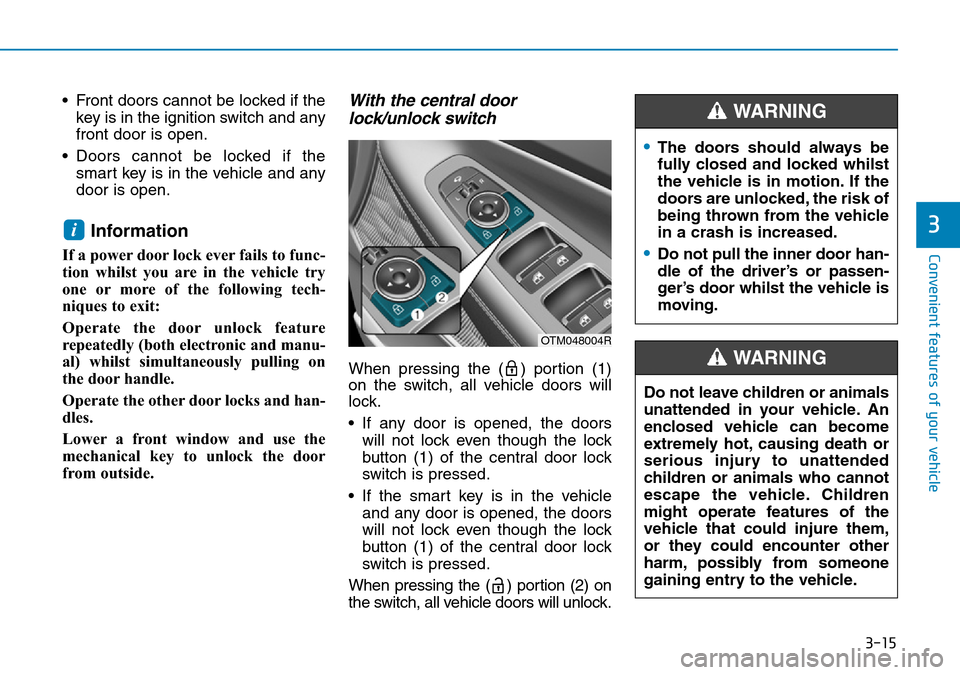
With the central door
lock/unlock switch
When pressing the ( ) portion (1)
on the switch, all vehicle doors will
lock.
• If any door is opened, the doors
will not lock even though the lock
button (1) of the central door lock
switch is pressed.
• If the smart key is in the vehicle
and any door is opened, the doors
will not lock even though the lock
button (1) of the central door lock
switch is pressed.
When pressing the ( ) portion (2) on
the switch, all vehicle doors will unlock.
i
OTM048004R
•The doors should always be
fully closed and locked whilst
the vehicle is in motion. If the
doors are unlocked, the risk of
being thrown from the vehicle
in a crash is increased.
•Do not pull the inner door han-
dle of the driver’s or passen-
ger’s door whilst the vehicle is
moving.
WARNING
Do not leave children or animals
unattended in your vehicle. An
enclosed vehicle can become
extremely hot, causing death or
serious injury to unattended
children or animals who cannot
escape the vehicle. Children
might operate features of the
vehicle that could injure them,
or they could encounter other
harm, possibly from someone
gaining entry to the vehicle.
WARNING
Page 114 of 682
3-23
Convenient features of your vehicle
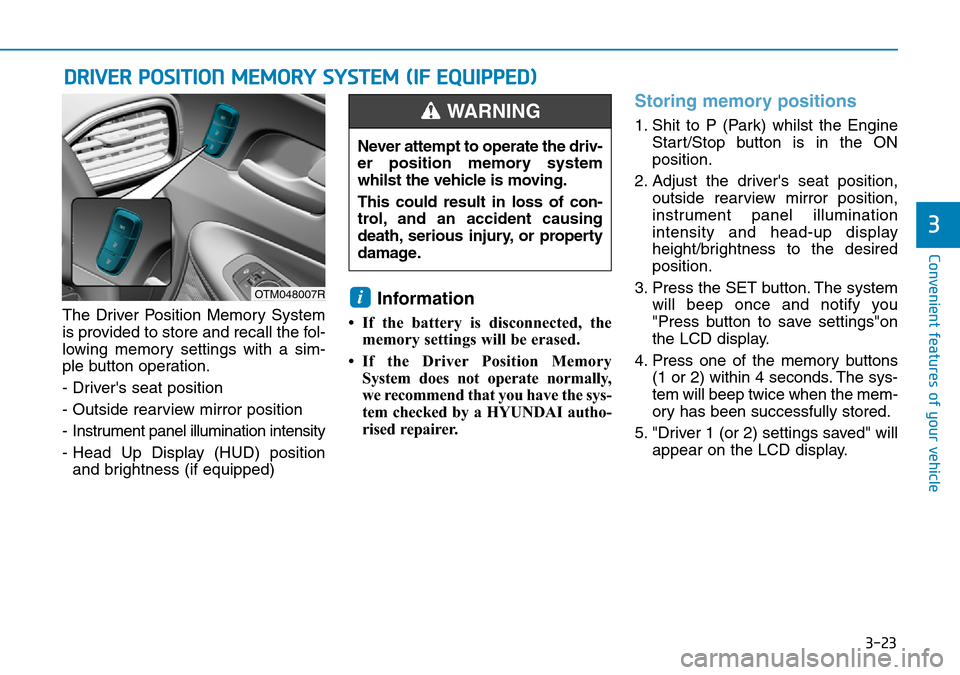
The Driver Position Memory System
is provided to store and recall the fol-
lowing memory settings with a sim-
ple button operation.
- Driver's seat position
- Outside rearview mirror position
- Instrument panel illumination intensity
- Head Up Display (HUD) position
and brightness (if equipped)Information
• If the battery is disconnected, the
memory settings will be erased.
• If the Driver Position Memory
System does not operate normally,
we recommend that you have the sys-
tem checked by a HYUNDAI autho-
rised repairer.
Storing memory positions
1. Shit to P (Park) whilst the Engine
Start/Stop button is in the ON
position.
2. Adjust the driver's seat position,
outside rearview mirror position,
instrument panel illumination
intensity and head-up display
height/brightness to the desired
position.
3. Press the SET button. The system
will beep once and notify you
"Press button to save settings"on
the LCD display.
4. Press one of the memory buttons
(1 or 2) within 4 seconds. The sys-
tem will beep twice when the mem-
ory has been successfully stored.
5. "Driver 1 (or 2) settings saved" will
appear on the LCD display.
i
DRIVER POSITION MEMORY SYSTEM (IF EQUIPPED)
3
OTM048007R
Never attempt to operate the driv-
er position memory system
whilst the vehicle is moving.
This could result in loss of con-
trol, and an accident causing
death, serious injury, or property
damage.
WARNING
Page 115 of 682
3-24
Recalling memory position
1. Shit to P (Park) whilst the Engine
Start/Stop button is in the ON
position.
2. Press the desired memory button
(1 or 2). The system will beep
once, and then the driver's seat
position, outside rearview mirror
position, instrument panel illumi-
nation intensity and head-up dis-
play height/brightness will auto-
matically adjust to the stored posi-
tions.
3. "Driver 1 (or 2) settings applied"
will appear on the LCD display.
Information
• Whilst recalling the "1" memory
position, pressing the SET or 1 but-
ton temporarily stops the adjust-
ment of the recalled memory posi-
tion. Pressing the 2 button recalls
the "2" memory position.
• Whilst recalling the "2" memory
position, pressing the SET or 2 but-
ton temporarily stops the adjust-
ment of the recalled memory posi-
tion. Pressing the 1 button recalls
the "1" memory position.
• Whilst recalling the stored positions,
pressing one of the control buttons
for the driver's seat, outside
rearview mirror, steering wheel,
instrument panel illumination or
head-up display will cause the
movement of that component to stop
and move in the direction that the
control button is pressed.
Easy access function
The system will move the driver's seat
and steering wheel automatically as
follows:
• Exiting the vehicle:
The driver’s seat will move rear-
ward and the steering wheel will
move upward when the driver’s
door is opened and the Engine
Start/Stop button is in the OFF
positon with the gear in P (Park).
However, the driver’s seat may not
move rearward if there is not
enough space between the driver’s
seat and the rear seats.
Also, on a regular basis, the steer-
ing wheel will also move forward to
adjust its location by itself.
• Entering the vehicle:
The driver’s seat and steering
wheel will move back to its original
position when the Engine Start/Stop
button is in the OFF position and
the driver’s door is closed with the
smart key in possession or when
the Engine Start/Stop button is
changed to the ACC/ON/START
position from the OFF position.
i
Convenient features of your vehicle