Page 175 of 682
3-84
Convenient features of your vehicle
Icy Road Warning Light
(if equipped)
This warning light is to warn the driver
the road may be icy.
When the temperature on the out-
side temperature gauge is approxi-
mately below 4°C (40°F), the Icy
Road Warning Light and Outside
Temperature Gauge blinks and then
illuminates. Also, the warning chime
sounds 1 time.
Information
If the icy road warning light appears
whilst driving, you should drive more
attentively and safely, refraining from
over-speeding, rapid acceleration, sud-
den braking or sharp turning, etc.
LCD display messages
Shift to P (for smart key system
and automatic transmission)
This warning message is displayed if
you try to turn off the engine without
the shift lever in P (Park) position.
At this time, the Engine Start/Stop
button turns to the ACC position (If
you press the Engine Start/Stop but-
ton once more, it will turn to the ON
position).
Low Key Battery
(for smart key system)
This warning message is displayed if
the battery of the smart key is dis-
charged whilst changing the Engine
Start/Stop button to the OFF position.
Press START button whilst turn-
ing wheel
(for smart key system)
This warning message is displayed if
the steering wheel does not unlock
normally when the Engine Start/Stop
button is pressed.
You should press the Engine Start/Stop
button whilst turning the steering wheel
right and left.
Steering wheel unlocked
(for smart key system)
This warning message is displayed if
the steering wheel is not locked
whilst the Engine Start/Stop button
changes to the OFF position.
Check steering wheel lock
system (for smart key system)
This warning message is displayed if
the steering wheel does not lock nor-
mally whilst the Engine Start/Stop but-
ton changes to the OFF position.
i
Page 181 of 682
3-90
Convenient features of your vehicle
Check DAW (Driver Attention
Warning) system (if equipped)
This warning message is displayed if
there is a problem with the Driver
Attention Warning (DAW) system. We
recommend that you have the vehicle
inspected by a HYUNDAI authorised
repairer.
For more information, refer to
"Driver Attention Warning (DAW)
system" in chapter 5.
Check FCW (Forward Collision
Warning) system (if equipped)
This warning message is displayed if
there is a problem with the Forward
Collision Warning (FCW) system. We
recommend that you have the vehicle
inspected by a HYUNDAI authorised
repairer.
For more information, refer to
"Forward Collision Warning (FCW)
System" in chapter 5.
Check LKA (Lane Keeping
Assist) system (if equipped)
This warning message is displayed if
there is a problem with the Lane
Keeping Assist (LKA) system. We
recommend that you have the vehicle
inspected by a HYUNDAI authorised
repairer.
For more information, refer to
"Lane Keeping Assist (LKA) sys-
tem" in chapter 5.
Check exhaust system
(if equipped)
This warning message illuminates if
the DPF or GPF system has a mal-
function. at this time, DPF or GPF
warning light also blinks.
In this case, we recommend that you
have the DPF or GPF system checked
by a HYUNDAI authorised repairer.
DPF : Diesel Particulate Filter
GPF : Gasoline (Petrol) Particulate
Filter
For more details, refer to "Warning
lights" in this chapter.
Low urea (for diesel engine)
This warning message illuminates if
the urea solution level in the urea
solution tank is nearly empty.
- When the SCR warning light is illu-
minates.
Refill urea solution as soon as possi-
ble.
For more details, refer to "Low
urea solution warning message"
in the chapter 7.
Check urea system
(for diesel engine)
This warning message illuminates if
the urea system has a malfunction.
In this case, we recommend that you
have the urea system checked by a
HYUNDAI authorised repairer.
For more details, refer to "Low
urea solution warning message"
in the chapter 7.
Page 183 of 682
3-92
Convenient features of your vehicle
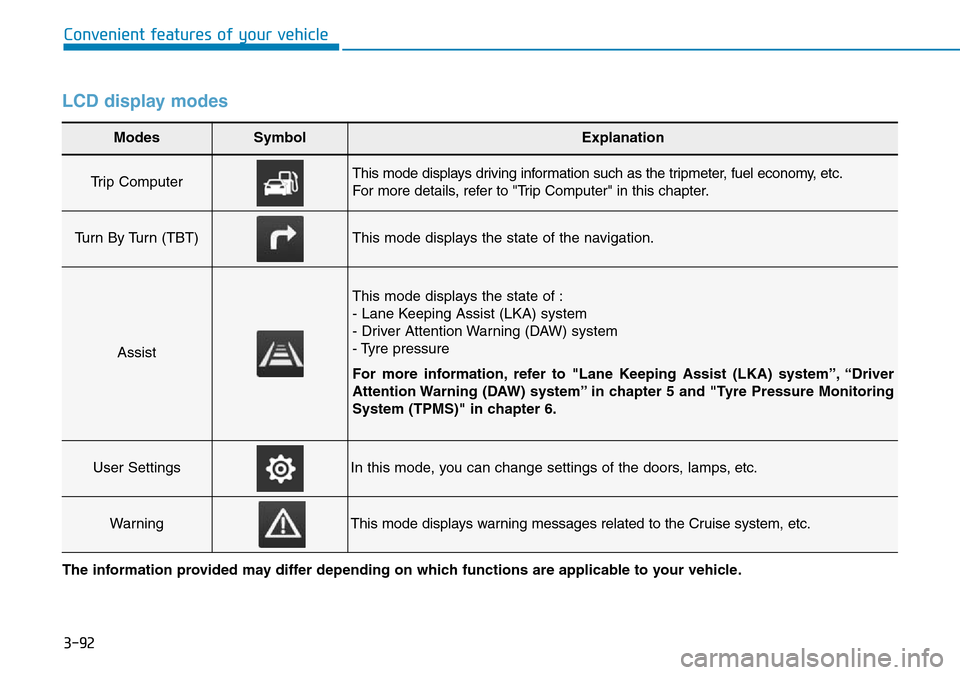
LCD display modes
Modes SymbolExplanation
Trip Computer This mode displays driving information such as the tripmeter, fuel economy, etc.
For more details, refer to "Trip Computer" in this chapter.
Turn By Turn (TBT)This mode displays the state of the navigation.
Assist
This mode displays the state of :
- Lane Keeping Assist (LKA) system
- Driver Attention Warning (DAW) system
- Tyre pressure
For more information, refer to "Lane Keeping Assist (LKA) system”, “Driver
Attention Warning (DAW) system” in chapter 5 and "Tyre Pressure Monitoring
System (TPMS)" in chapter 6.
User SettingsIn this mode, you can change settings of the doors, lamps, etc.
WarningThis mode displays warning messages related to the Cruise system, etc.
The information provided may differ depending on which functions are applicable to your vehicle.
Page 185 of 682
3-94
Convenient features of your vehicle
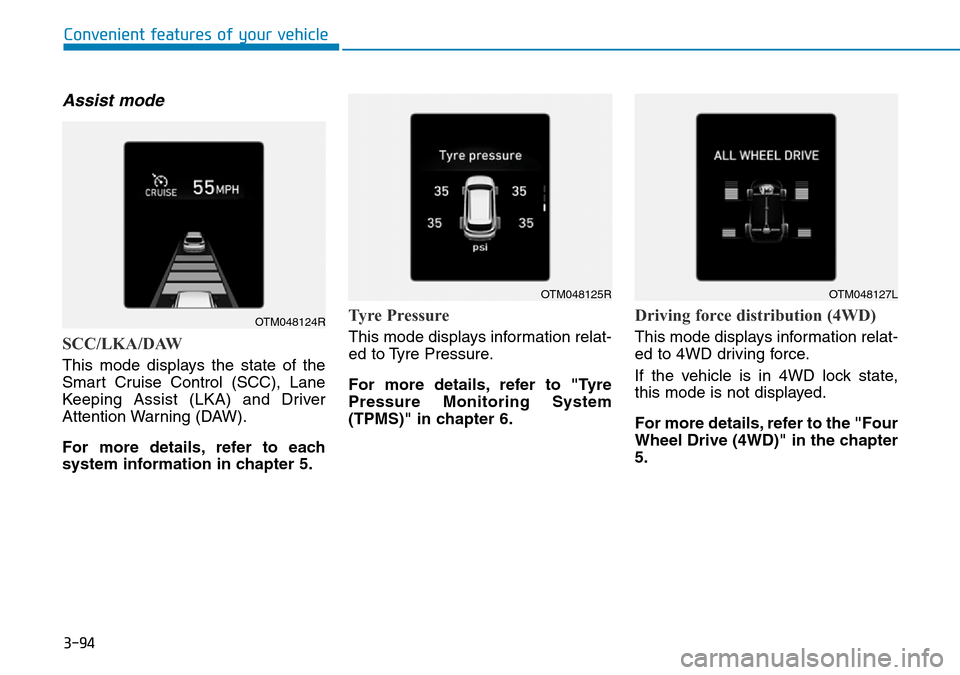
Assist mode
SCC/LKA/DAW
This mode displays the state of the
Smart Cruise Control (SCC), Lane
Keeping Assist (LKA) and Driver
Attention Warning (DAW).
For more details, refer to each
system information in chapter 5.
Tyre Pressure
This mode displays information relat-
ed to Tyre Pressure.
For more details, refer to "Tyre
Pressure Monitoring System
(TPMS)" in chapter 6.
Driving force distribution (4WD)
This mode displays information relat-
ed to 4WD driving force.
If the vehicle is in 4WD lock state,
this mode is not displayed.
For more details, refer to the "Four
Wheel Drive (4WD)" in the chapter
5.
OTM048124R
OTM048125ROTM048127L
Page 186 of 682
3-95
Convenient features of your vehicle
3
Warning message mode
If one of followings occurs, warning
messages will be displayed on the
LCD display for several seconds.
- Low washer fluid (if equipped)
- Exterior lamp malfunction
(if equipped)
- Blind-Spot Collision Warning
(BCW) system malfunction
(if equipped)
- Tyre Pressure Monitoring System
(TPMS, if equipped)
- High Beam Assist (HBA) malfunc-
tion (if equipped)
- Forward Collision-Avoidance
Assist (FCA) malfunction
(if equipped)
User settings mode
In this mode, you can change the
settings of the instrument cluster,
doors, lamps, etc.
1. Head-up display (if equipped)
2. Driver assistance
3. Door
4. Lights
5. Sound
6. Convenience
7. Service interval
8. Other features
9. Languages
10. Reset
The information provided may dif-
fer depending on which functions
are applicable to your vehicle.
Page 193 of 682
3-102
Convenient features of your vehicle
ItemsExplanation
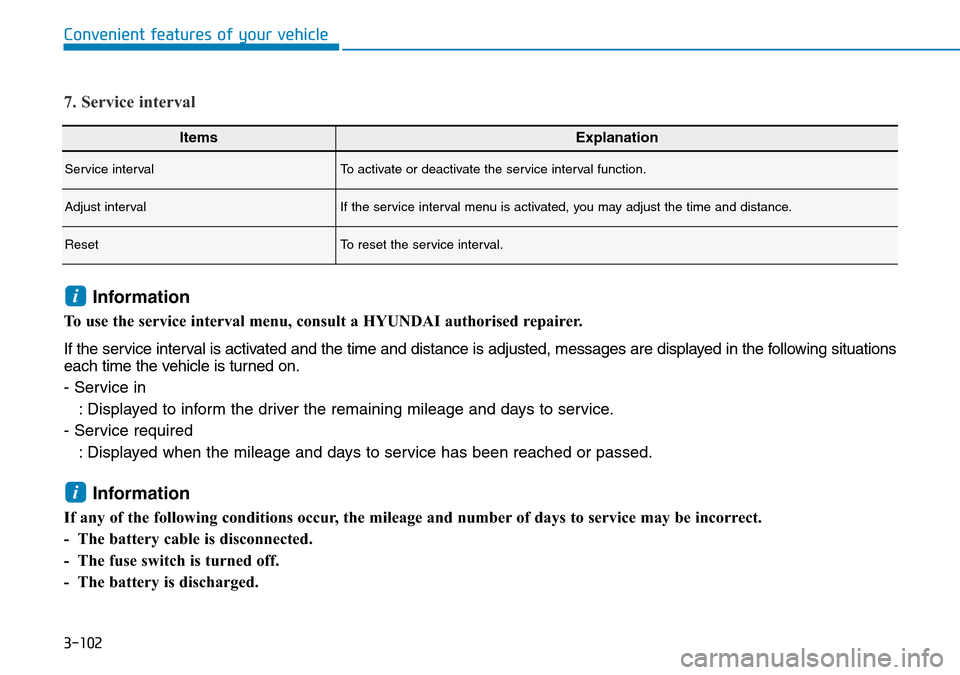
Service intervalTo activate or deactivate the service interval function.
Adjust intervalIf the service interval menu is activated, you may adjust the time and distance.
ResetTo reset the service interval.
7. Service interval
Information
To use the service interval menu, consult a HYUNDAI authorised repairer.
If the service interval is activated and the time and distance is adjusted, messages are displayed in the following situations
each time the vehicle is turned on.
- Service in
: Displayed to inform the driver the remaining mileage and days to service.
- Service required
: Displayed when the mileage and days to service has been reached or passed.
Information
If any of the following conditions occur, the mileage and number of days to service may be incorrect.
- The battery cable is disconnected.
- The fuse switch is turned off.
- The battery is discharged.
i
i
Page 195 of 682
3-104
Convenient features of your vehicle
The trip computer is a microcomput-
er-controlled driver information sys-
tem that displays information related
to driving.
Information
Some driving information stored in the
trip computer (for example Average
Vehicle Speed) resets if the battery is
disconnected.
Trip modes
To change the trip mode, toggle the
“ , ” switch on the steering wheel.
i
TRIP COMPUTER
OTM048414
• Tripmeter
• Average Fuel Economy
• Elapsed Time
Accumulated Info
• Tripmeter
• Average Fuel Economy
• Elapsed Time
Drive Info • Average Fuel Economy
• Instant Fuel Economy
Fuel Economy
Digital Speedometer
Smart Shift
Auto stop (if equipped)
↕
↕
↕
↕
↕
Urea level (if equipped)
↕
Page 196 of 682
3-105
Convenient features of your vehicle
3
Fuel economy
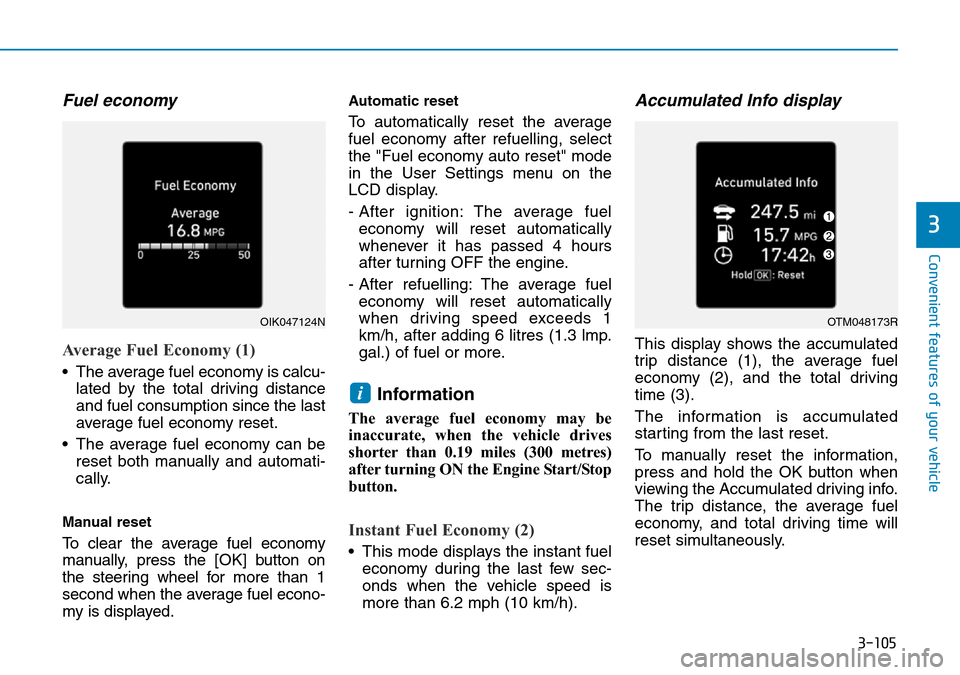
Average Fuel Economy (1)
• The average fuel economy is calcu-
lated by the total driving distance
and fuel consumption since the last
average fuel economy reset.
• The average fuel economy can be
reset both manually and automati-
cally.
Manual reset
To clear the average fuel economy
manually, press the [OK] button on
the steering wheel for more than 1
second when the average fuel econo-
my is displayed.
Automatic reset
To automatically reset the average
fuel economy after refuelling, select
the "Fuel economy auto reset" mode
in the User Settings menu on the
LCD display.
- After ignition: The average fuel
economy will reset automatically
whenever it has passed 4 hours
after turning OFF the engine.
- After refuelling: The average fuel
economy will reset automatically
when driving speed exceeds 1
km/h, after adding 6 litres (1.3 lmp.
gal.) of fuel or more.
Information
The average fuel economy may be
inaccurate, when the vehicle drives
shorter than 0.19 miles (300 metres)
after turning ON the Engine Start/Stop
button.
Instant Fuel Economy (2)
• This mode displays the instant fuel
economy during the last few sec-
onds when the vehicle speed is
more than 6.2 mph (10 km/h).
Accumulated Info display
This display shows the accumulated
trip distance (1), the average fuel
economy (2), and the total driving
time (3).
The information is accumulated
starting from the last reset.
To manually reset the information,
press and hold the OK button when
viewing the Accumulated driving info.
The trip distance, the average fuel
economy, and total driving time will
reset simultaneously.
i
OIK047124NOTM048173R