Page 307 of 500
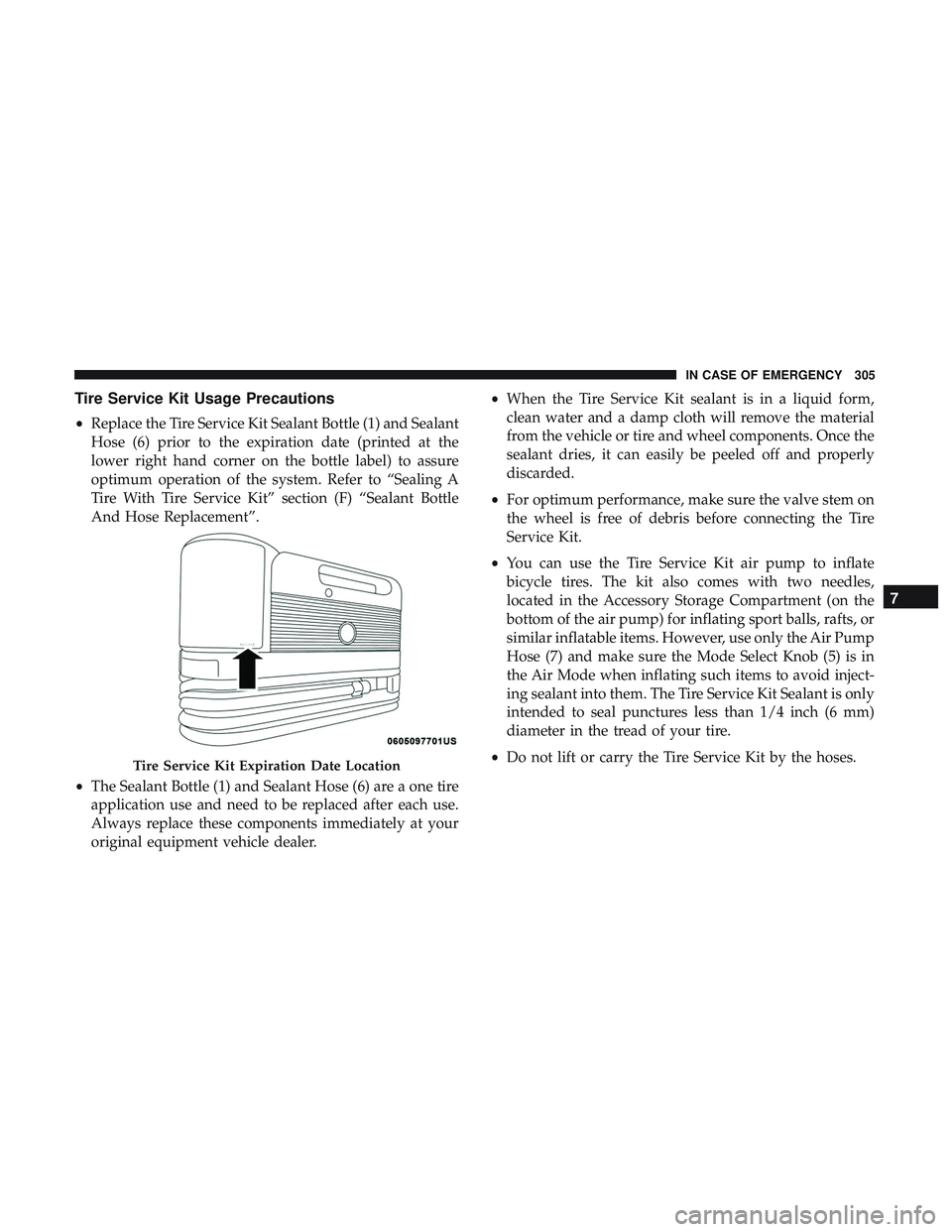
Tire Service Kit Usage Precautions
•Replace the Tire Service Kit Sealant Bottle (1) and Sealant
Hose (6) prior to the expiration date (printed at the
lower right hand corner on the bottle label) to assure
optimum operation of the system. Refer to “Sealing A
Tire With Tire Service Kit” section (F) “Sealant Bottle
And Hose Replacement”.
• The Sealant Bottle (1) and Sealant Hose (6) are a one tire
application use and need to be replaced after each use.
Always replace these components immediately at your
original equipment vehicle dealer. •
When the Tire Service Kit sealant is in a liquid form,
clean water and a damp cloth will remove the material
from the vehicle or tire and wheel components. Once the
sealant dries, it can easily be peeled off and properly
discarded.
• For optimum performance, make sure the valve stem on
the wheel is free of debris before connecting the Tire
Service Kit.
• You can use the Tire Service Kit air pump to inflate
bicycle tires. The kit also comes with two needles,
located in the Accessory Storage Compartment (on the
bottom of the air pump) for inflating sport balls, rafts, or
similar inflatable items. However, use only the Air Pump
Hose (7) and make sure the Mode Select Knob (5) is in
the Air Mode when inflating such items to avoid inject-
ing sealant into them. The Tire Service Kit Sealant is only
intended to seal punctures less than 1/4 inch (6 mm)
diameter in the tread of your tire.
• Do not lift or carry the Tire Service Kit by the hoses.
Tire Service Kit Expiration Date Location
7
IN CASE OF EMERGENCY 305
Page 315 of 500
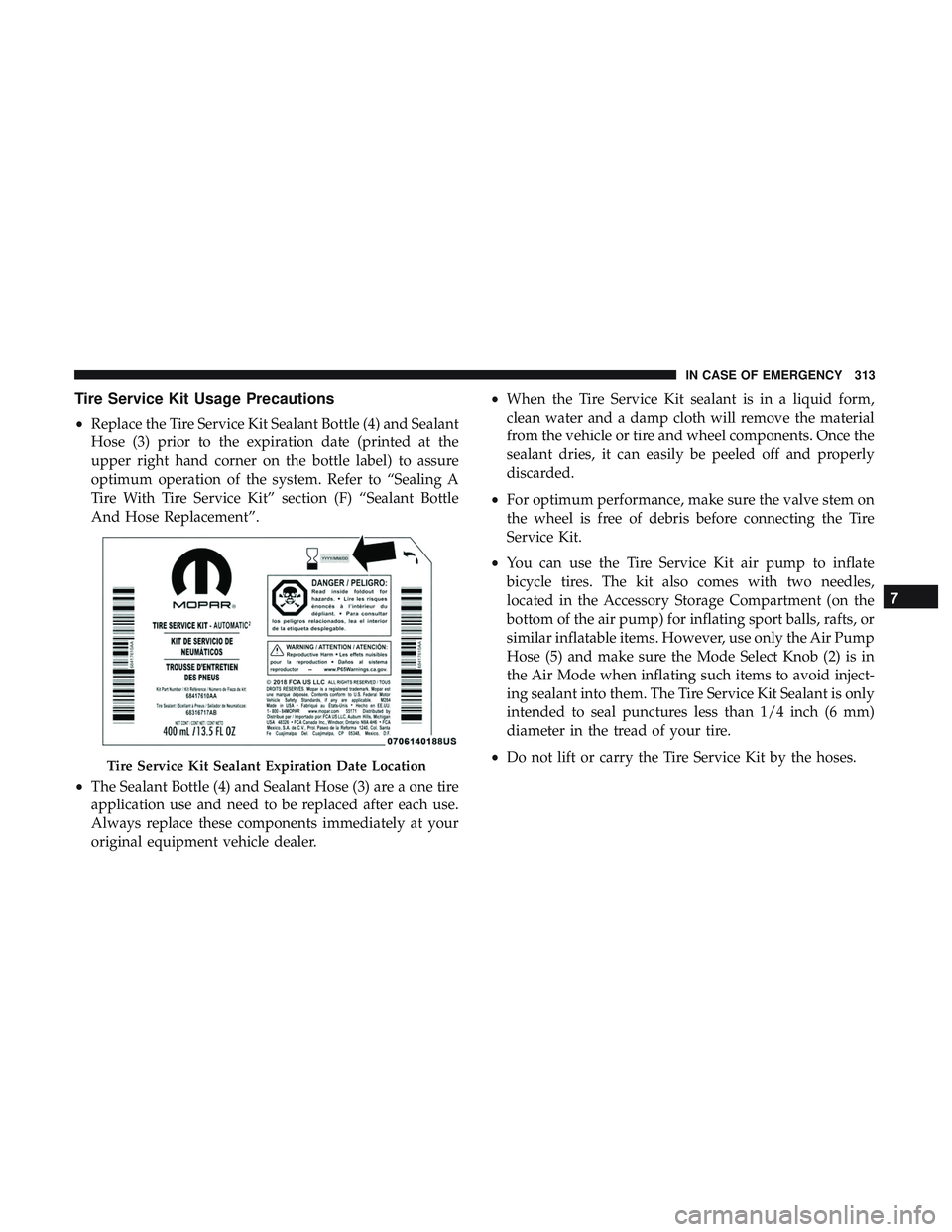
Tire Service Kit Usage Precautions
•Replace the Tire Service Kit Sealant Bottle (4) and Sealant
Hose (3) prior to the expiration date (printed at the
upper right hand corner on the bottle label) to assure
optimum operation of the system. Refer to “Sealing A
Tire With Tire Service Kit” section (F) “Sealant Bottle
And Hose Replacement”.
• The Sealant Bottle (4) and Sealant Hose (3) are a one tire
application use and need to be replaced after each use.
Always replace these components immediately at your
original equipment vehicle dealer. •
When the Tire Service Kit sealant is in a liquid form,
clean water and a damp cloth will remove the material
from the vehicle or tire and wheel components. Once the
sealant dries, it can easily be peeled off and properly
discarded.
• For optimum performance, make sure the valve stem on
the wheel is free of debris before connecting the Tire
Service Kit.
• You can use the Tire Service Kit air pump to inflate
bicycle tires. The kit also comes with two needles,
located in the Accessory Storage Compartment (on the
bottom of the air pump) for inflating sport balls, rafts, or
similar inflatable items. However, use only the Air Pump
Hose (5) and make sure the Mode Select Knob (2) is in
the Air Mode when inflating such items to avoid inject-
ing sealant into them. The Tire Service Kit Sealant is only
intended to seal punctures less than 1/4 inch (6 mm)
diameter in the tread of your tire.
• Do not lift or carry the Tire Service Kit by the hoses.
Tire Service Kit Sealant Expiration Date Location
7
IN CASE OF EMERGENCY 313
Page 334 of 500
▫Spare Tires — If Equipped ................377
▫ Wheel And Wheel Trim Care ..............380
▫ Tire Chains (Traction Devices) .............381
▫ Tire Rotation Recommendations .............381
▫ Tire Rotation—Different Tire Size On Front And
Rear Axle ............................382
� DEPARTMENT OF TRANSPORTATION UNIFORM
TIRE QUALITY GRADES ..................383
▫ Treadwear ............................383
▫ Traction Grades ........................383
▫ Temperature Grades .....................383
� VEHICLE STORAGE .....................384 ▫
Battery Storage Mode ....................384
� BODYWORK .......................... .385
▫ Protection From Atmospheric Agents ........385
▫ Body And Underbody Maintenance ..........385
▫ Preserving The Bodywork .................385
� INTERIORS ............................387
▫ Seats And Fabric Parts ...................387
▫ Plastic And Coated Parts ..................387
▫ Leather Parts ..........................388
▫ Glass Surfaces ........................ .388
332 SERVICING AND MAINTENANCE
Page 403 of 500
MULTIMEDIA
CONTENTS
�UCONNECT SYSTEMS ...................403
� DRAG & DROP MENU BAR ................403
� CYBERSECURITY .......................404
� UCONNECT SETTINGS ...................405
▫ Customer Programmable Features — Uconnect
4C/4C NAV Settings ....................406
� PERFORMANCE PAGES — IF EQUIPPED ......425
▫ Home ...............................426
▫ Timers ...............................428
▫ Gauges ............................. .430
▫ G-Force ............................. .432
▫ Engine ............................. .433
▫ Dynamometer (Dyno) ....................434
� SRT DRIVE MODES ..................... .435▫
Track Mode .......................... .439
▫ Sport Mode .......................... .439
▫ Auto Mode .......................... .440
▫ Custom Mode ........................ .440
� RACE OPTIONS ........................448
▫ Launch Control ........................448
▫ Shift Light ............................450
▫ Race Cooldown — If Equipped ............451
� VALET MODE ..........................453
� ECO MODE — IF EQUIPPED ...............455
� STEERING WHEEL AUDIO CONTROLS — IF
EQUIPPED ............................456
▫ Radio Operation ........................456
▫ Media Mode..........................456
10
Page 431 of 500
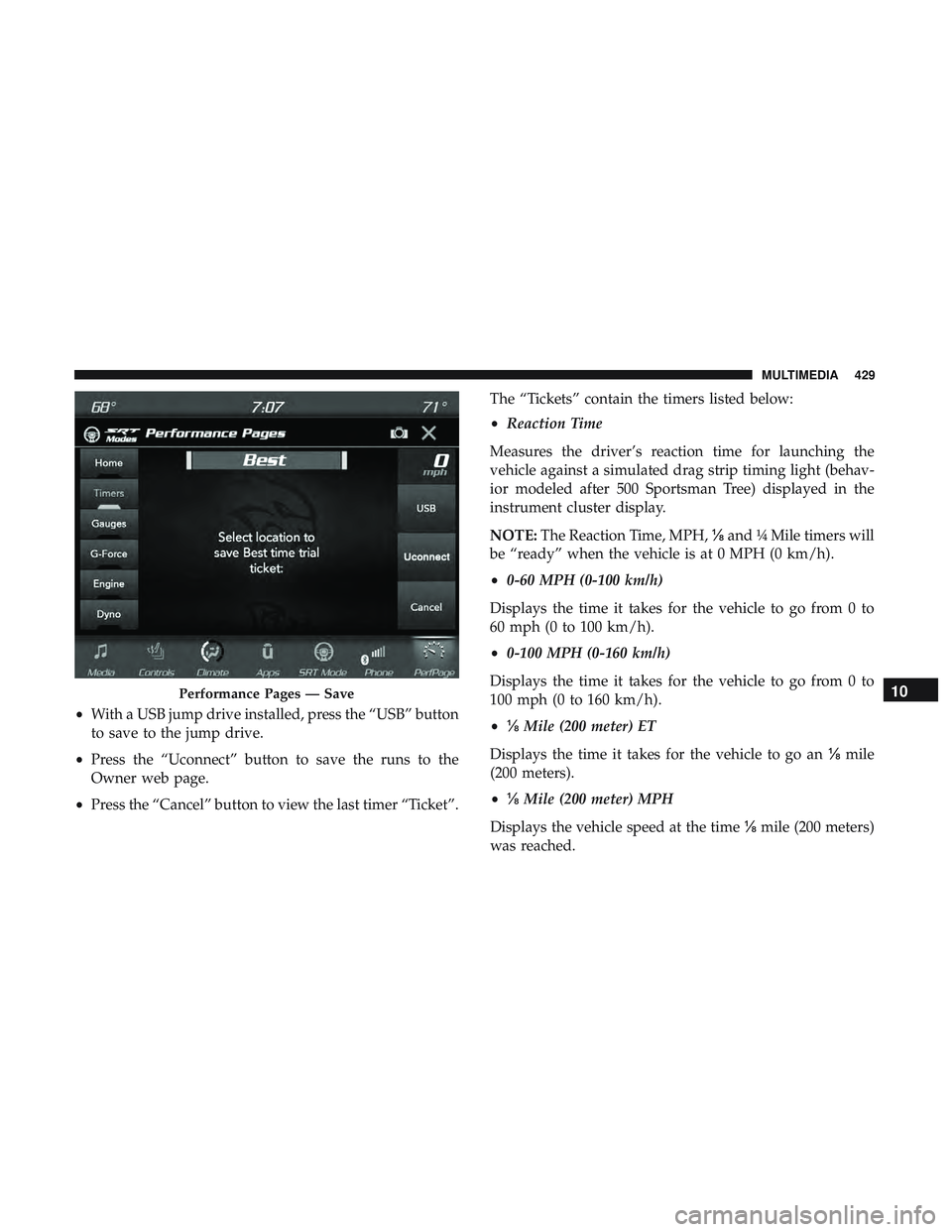
•With a USB jump drive installed, press the “USB” button
to save to the jump drive.
• Press the “Uconnect” button to save the runs to the
Owner web page.
• Press the “Cancel” button to view the last timer “Ticket”. The “Tickets” contain the timers listed below:
•
Reaction Time
Measures the driver’s reaction time for launching the
vehicle against a simulated drag strip timing light (behav-
ior modeled after 500 Sportsman Tree) displayed in the
instrument cluster display.
NOTE: The Reaction Time, MPH, ⅛and ¼ Mile timers will
be “ready” when the vehicle is at 0 MPH (0 km/h).
• 0-60 MPH (0-100 km/h)
Displays the time it takes for the vehicle to go from 0 to
60 mph (0 to 100 km/h).
• 0-100 MPH (0-160 km/h)
Displays the time it takes for the vehicle to go from 0 to
100 mph (0 to 160 km/h).
• ⅛ Mile (200 meter) ET
Displays the time it takes for the vehicle to go an ⅛mile
(200 meters).
• ⅛ Mile (200 meter) MPH
Displays the vehicle speed at the time ⅛mile (200 meters)
was reached.
Performance Pages — Save10
MULTIMEDIA 429
Page 440 of 500
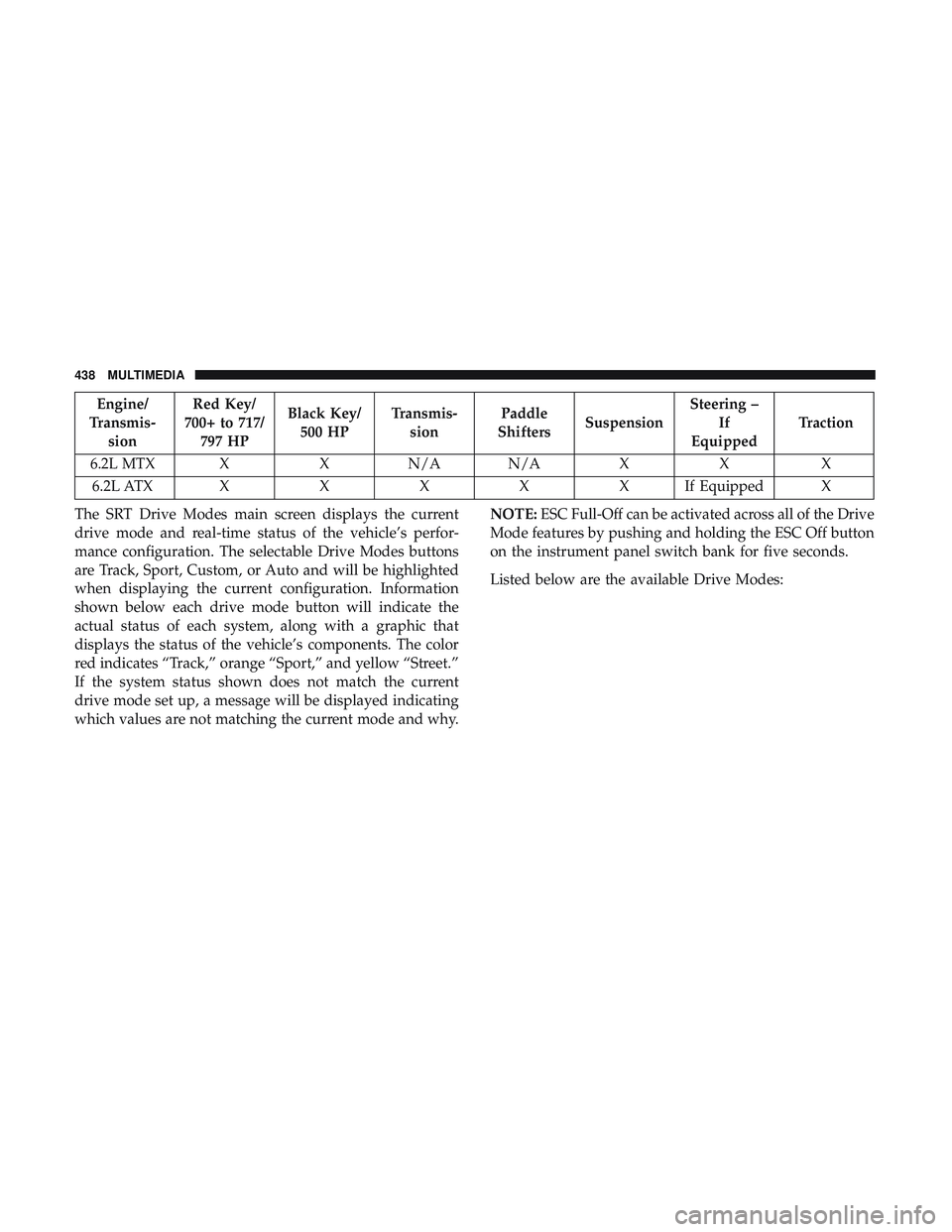
Engine/
Transmis- sion Red Key/
700+ to 717/ 797 HP Black Key/
500 HP Transmis-
sion Paddle
Shifters Suspension Steering –
If
Equipped Traction
6.2L MTX X X N/A N/A X X X 6.2L ATX XXXXXI fEquipped X
The SRT Drive Modes main screen displays the current
drive mode and real-time status of the vehicle’s perfor-
mance configuration. The selectable Drive Modes buttons
are Track, Sport, Custom, or Auto and will be highlighted
when displaying the current configuration. Information
shown below each drive mode button will indicate the
actual status of each system, along with a graphic that
displays the status of the vehicle’s components. The color
red indicates “Track,” orange “Sport,” and yellow “Street.”
If the system status shown does not match the current
drive mode set up, a message will be displayed indicating
which values are not matching the current mode and why. NOTE:
ESC Full-Off can be activated across all of the Drive
Mode features by pushing and holding the ESC Off button
on the instrument panel switch bank for five seconds.
Listed below are the available Drive Modes:
438 MULTIMEDIA
Page 441 of 500
Track Mode
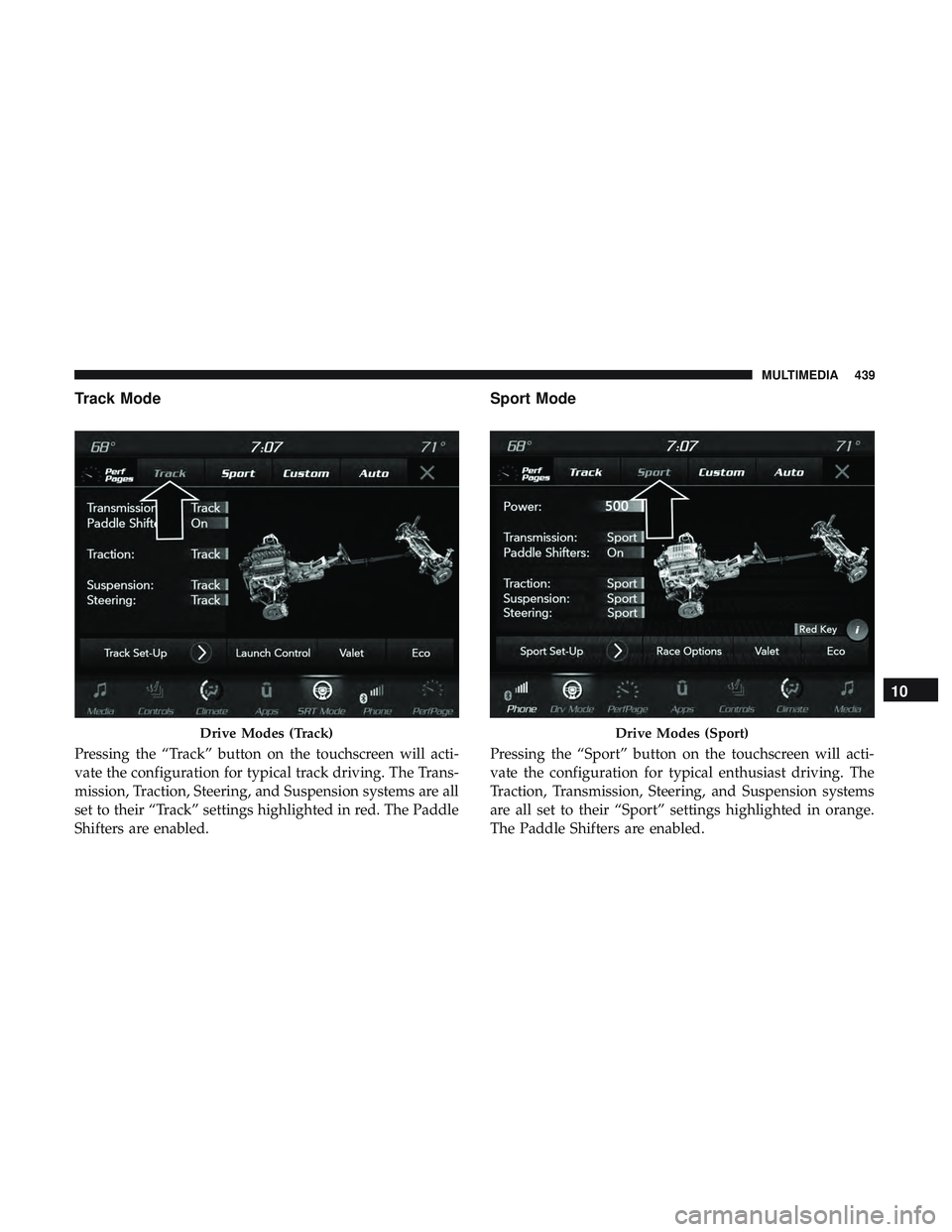
Pressing the “Track” button on the touchscreen will acti-
vate the configuration for typical track driving. The Trans-
mission, Traction, Steering, and Suspension systems are all
set to their “Track” settings highlighted in red. The Paddle
Shifters are enabled.
Sport Mode
Pressing the “Sport” button on the touchscreen will acti-
vate the configuration for typical enthusiast driving. The
Traction, Transmission, Steering, and Suspension systems
are all set to their “Sport” settings highlighted in orange.
The Paddle Shifters are enabled.
Drive Modes (Track)Drive Modes (Sport)
10
MULTIMEDIA 439
Page 442 of 500
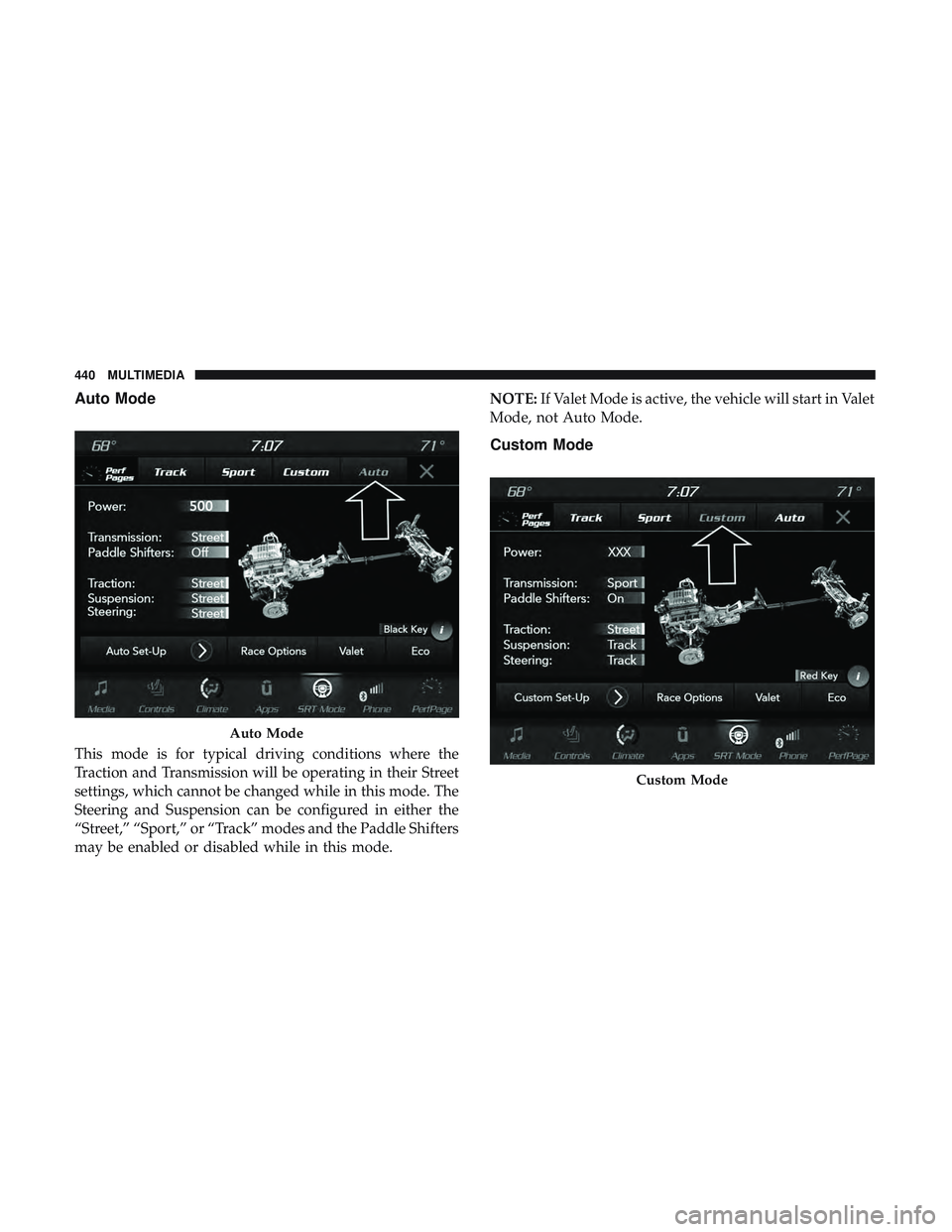
Auto Mode
This mode is for typical driving conditions where the
Traction and Transmission will be operating in their Street
settings, which cannot be changed while in this mode. The
Steering and Suspension can be configured in either the
“Street,” “Sport,” or “Track” modes and the Paddle Shifters
may be enabled or disabled while in this mode.NOTE:
If Valet Mode is active, the vehicle will start in Valet
Mode, not Auto Mode.
Custom Mode
Auto Mode
Custom Mode
440 MULTIMEDIA