2019 DODGE CHALLENGER ECU
[x] Cancel search: ECUPage 37 of 532
security alarm will arm regardless of whether you are in
the vehicle or not. If you remain in the vehicle and open a
door, the alarm will sound. If this occurs, disarm the
vehicle security alarm.
If the vehicle security alarm is armed and the battery
becomes disconnected, the vehicle security alarm will
remain armed when the battery is reconnected; the exterior
lights will flash, the horn will sound. If this occurs, disarm
the vehicle security alarm.
Rearming Of The System
If something triggers the alarm, and no action is taken to
disarm it, the vehicle security alarm will turn the horn off
after 29 seconds, five seconds between cycles, up to eight
cycles if the trigger remains active and the vehicle security
alarm will rearm itself.
Tamper Alert
If something has triggered the vehicle security alarm in
your absence, the horn will sound three times and the
exterior lights will blink three times when you disarm the
vehicle security alarm. Check the vehicle for tampering.
DOORS
Manual Door Locks
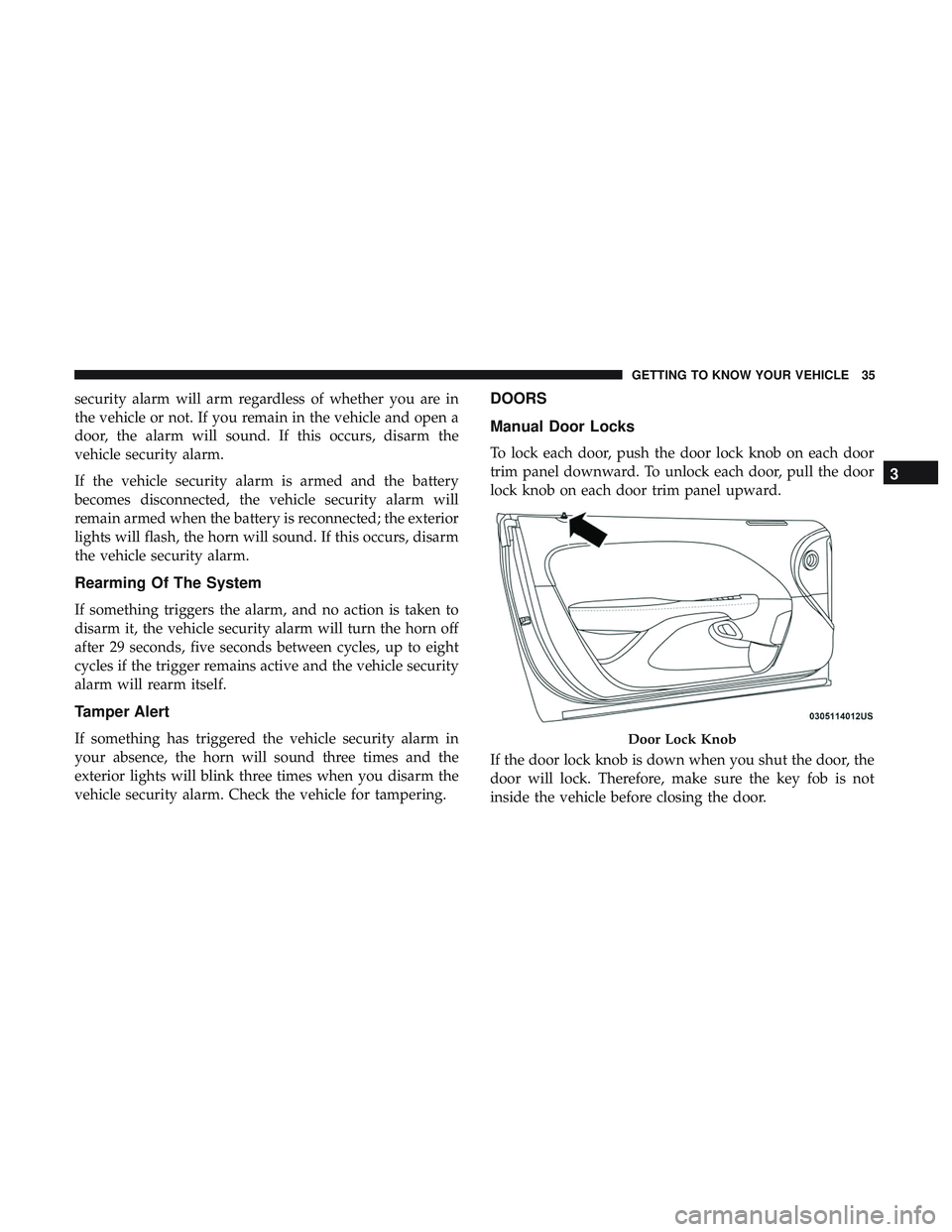
To lock each door, push the door lock knob on each door
trim panel downward. To unlock each door, pull the door
lock knob on each door trim panel upward.
If the door lock knob is down when you shut the door, the
door will lock. Therefore, make sure the key fob is not
inside the vehicle before closing the door.
Door Lock Knob
3
GETTING TO KNOW YOUR VEHICLE 35
Page 38 of 532
WARNING!
•For personal security and safety in the event of a
collision, lock the vehicle doors before you drive as
well as when you park and leave the vehicle.
• Before exiting a vehicle, always shift the automatic
transmission into PARK or the manual transmission
into FIRST gear or REVERSE, apply the parking
brake, turn the vehicle OFF, remove the key fobs
from the vehicle and lock all doors, and lock your
vehicle.
• When leaving the vehicle, always remove the key
from the ignition and lock your vehicle. Unsuper-
vised use of vehicle equipment may cause severe
personal injuries and death.
• Never leave children alone in a vehicle, or with
access to an unlocked vehicle. Allowing children to
be in a vehicle unattended is dangerous for a number
of reasons. A child or others could be seriously or
fatally injured. Children should be warned not to
touch the parking brake, brake pedal or gear selector.
• Do not leave the key fob in or near the vehicle, or in
a location accessible to children, and do not leave the
(Continued)
WARNING! (Continued)
ignition of a vehicle equipped with Keyless Enter-
N-Go in the ACC or ON/RUN mode. A child could
operate power windows, other controls, or move the
vehicle.
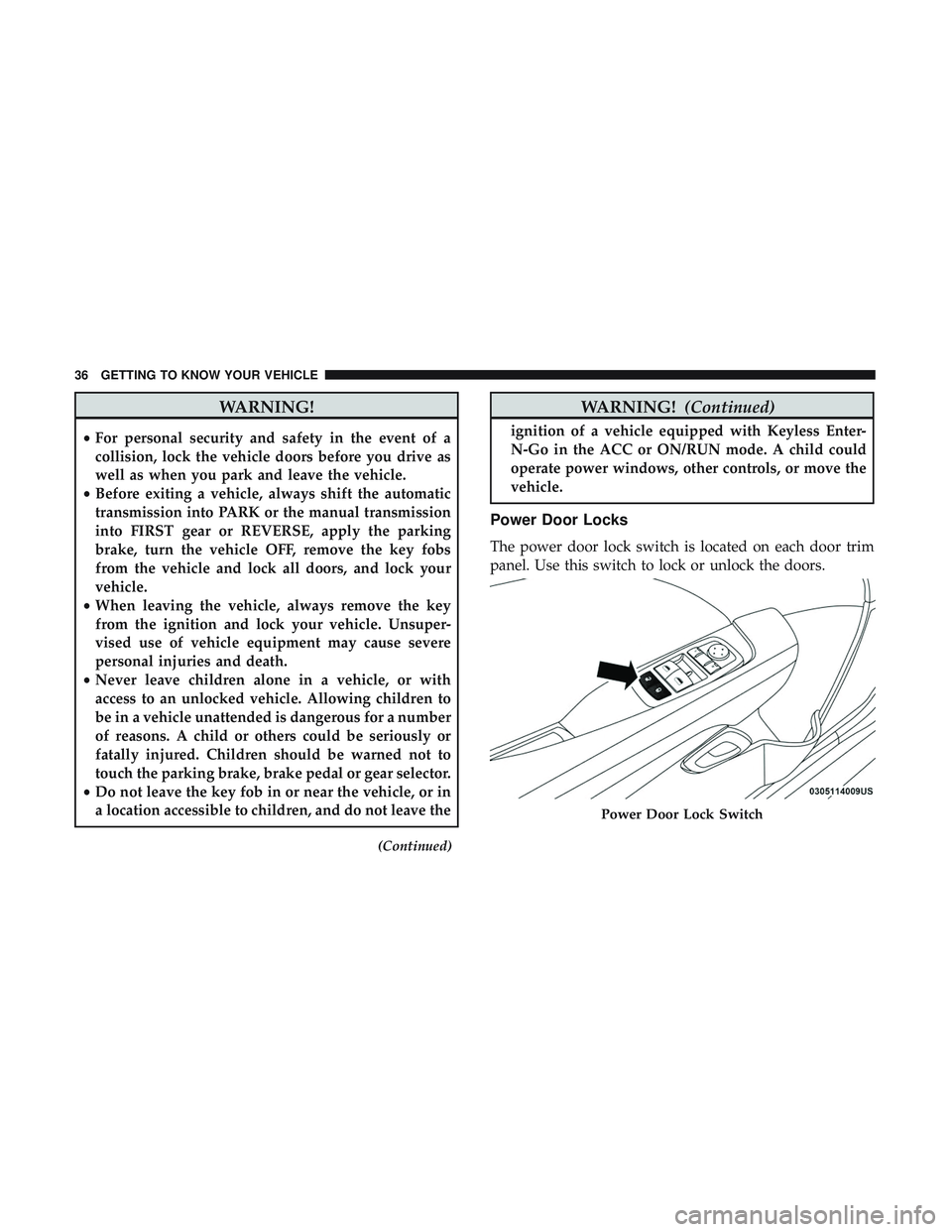
Power Door Locks
The power door lock switch is located on each door trim
panel. Use this switch to lock or unlock the doors.
Power Door Lock Switch
36 GETTING TO KNOW YOUR VEHICLE
Page 39 of 532
The doors can also be locked and unlocked with the
Keyless Enter-N-Go — Passive Entry system. Refer to
“Keyless Enter-N-Go — Passive Entry” located in “Doors”
in “Getting To Know Your Vehicle” for further information.
If you push the power door lock switch while the ignition
is on, and either door is open, the power locks will not
operate. This prevents you from accidentally locking the
key fob in the vehicle. Turning off the ignition or closing
the door will allow the locks to operate. If a door is open
with the ignition either cycled to ACC or ON/RUN (engine
not running), a chime will sound as a reminder.
Keyless Enter-N-Go — Passive Entry
The Passive Entry system is an enhancement to the vehi-
cle’s Remote Keyless Entry system and a feature of Keyless
Enter-N-Go. This feature allows you to lock and unlock the
vehicle’s door(s) without having to push the key fob lock
or unlock buttons.
NOTE:
•Passive Entry may be programmed on or off; refer to
“Uconnect Settings” in “Multimedia” in the Owner ’s
Manual for further information. •
If wearing gloves on your hands, or if it has been
raining/snowing on the Passive Entry door handle, the
unlock sensitivity can be affected, resulting in a slower
response time.
• If the vehicle is unlocked by Passive Entry and no door
is opened within 60 seconds, the vehicle will re-lock and
if equipped will arm the security alarm.
•
The key fob may not be able to be detected by the vehicle
Passive Entry system if it is located next to a mobile
phone, laptop or other electronic device; these devices
may block the key fob’s wireless signal and prevent the
Passive Entry handle from locking/unlocking the vehicle.
To Unlock From The Driver’s Side:
With a Passive Entry key fob within 5 ft (1.5 m) of the
driver door handle, grab the front driver door handle to
unlock the driver’s door automatically. The interior door
panel lock knob will raise when the door is unlocked.
Upon unlocking the door with Passive Entry, the turn
signals will flash twice, and the low beams, license plate
lamp, and position lamps can be set to illuminate for 0, 30
(default), 60, or 90 seconds.
3
GETTING TO KNOW YOUR VEHICLE 37
Page 40 of 532
NOTE:If “Unlock All Doors 1st Press” is programmed all
doors will unlock when you grab hold of the front driver ’s
door handle. To select between “Unlock Driver Door 1st
Press” and “Unlock All Doors 1st Press,” refer to
“Uconnect Settings” in “Multimedia” in the Owner ’s
Manual for further information.
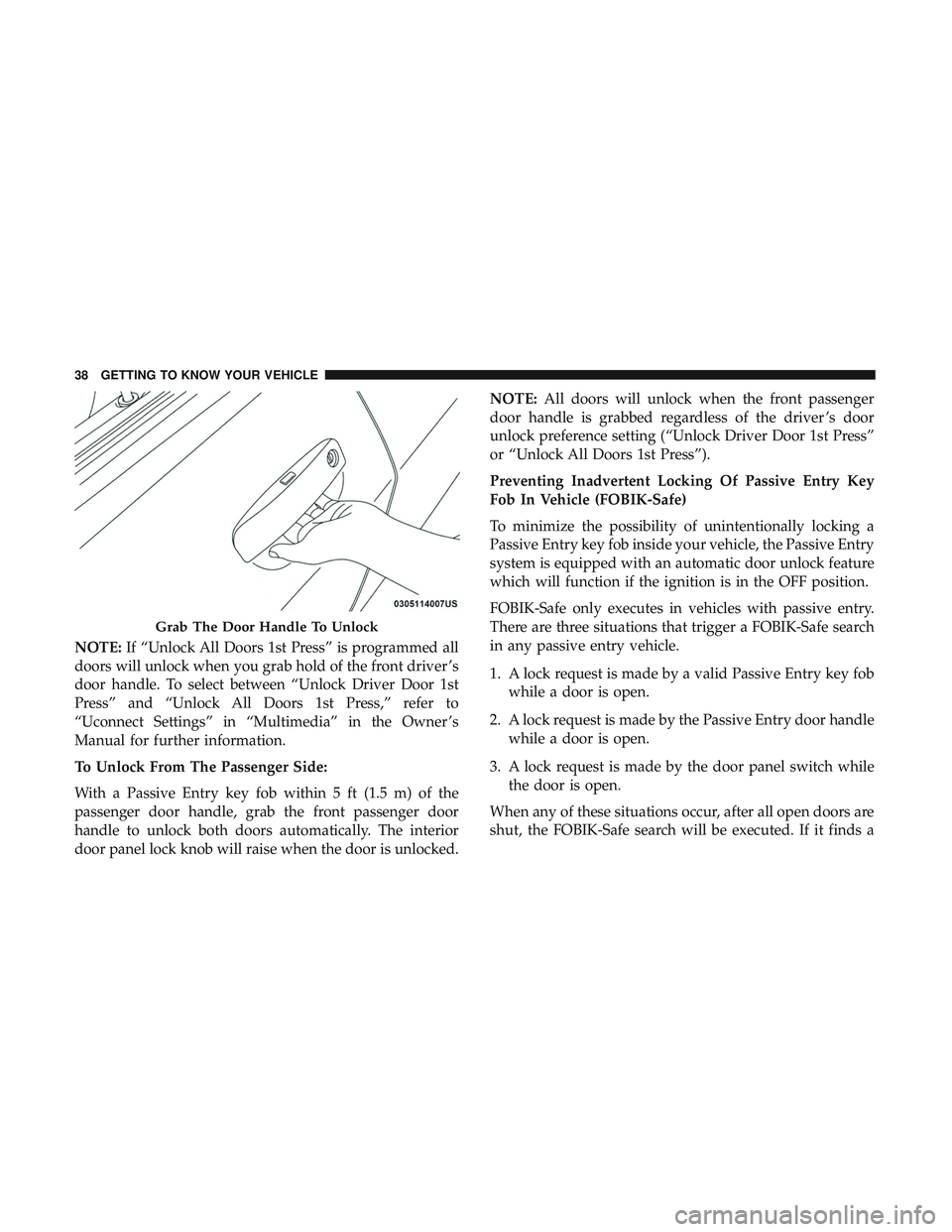
To Unlock From The Passenger Side:
With a Passive Entry key fob within 5 ft (1.5 m) of the
passenger door handle, grab the front passenger door
handle to unlock both doors automatically. The interior
door panel lock knob will raise when the door is unlocked. NOTE:
All doors will unlock when the front passenger
door handle is grabbed regardless of the driver ’s door
unlock preference setting (“Unlock Driver Door 1st Press”
or “Unlock All Doors 1st Press”).
Preventing Inadvertent Locking Of Passive Entry Key
Fob In Vehicle (FOBIK-Safe)
To minimize the possibility of unintentionally locking a
Passive Entry key fob inside your vehicle, the Passive Entry
system is equipped with an automatic door unlock feature
which will function if the ignition is in the OFF position.
FOBIK-Safe only executes in vehicles with passive entry.
There are three situations that trigger a FOBIK-Safe search
in any passive entry vehicle.
1. A lock request is made by a valid Passive Entry key fob while a door is open.
2. A lock request is made by the Passive Entry door handle while a door is open.
3. A lock request is made by the door panel switch while the door is open.
When any of these situations occur, after all open doors are
shut, the FOBIK-Safe search will be executed. If it finds a
Grab The Door Handle To Unlock
38 GETTING TO KNOW YOUR VEHICLE
Page 47 of 532
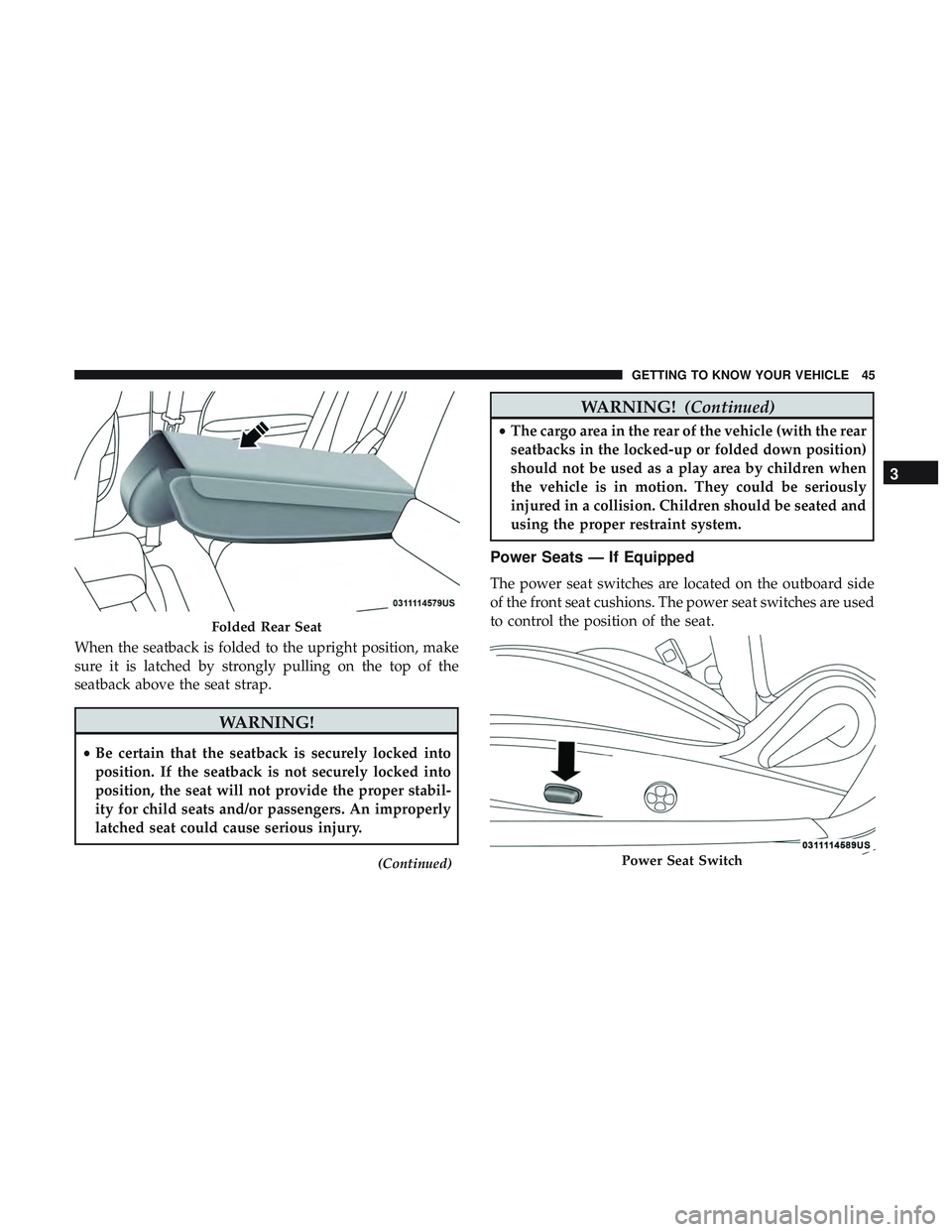
When the seatback is folded to the upright position, make
sure it is latched by strongly pulling on the top of the
seatback above the seat strap.
WARNING!
•Be certain that the seatback is securely locked into
position. If the seatback is not securely locked into
position, the seat will not provide the proper stabil-
ity for child seats and/or passengers. An improperly
latched seat could cause serious injury.
(Continued)
WARNING! (Continued)
•The cargo area in the rear of the vehicle (with the rear
seatbacks in the locked-up or folded down position)
should not be used as a play area by children when
the vehicle is in motion. They could be seriously
injured in a collision. Children should be seated and
using the proper restraint system.
Power Seats — If Equipped
The power seat switches are located on the outboard side
of the front seat cushions. The power seat switches are used
to control the position of the seat.
Folded Rear Seat
Power Seat Switch
3
GETTING TO KNOW YOUR VEHICLE 45
Page 54 of 532
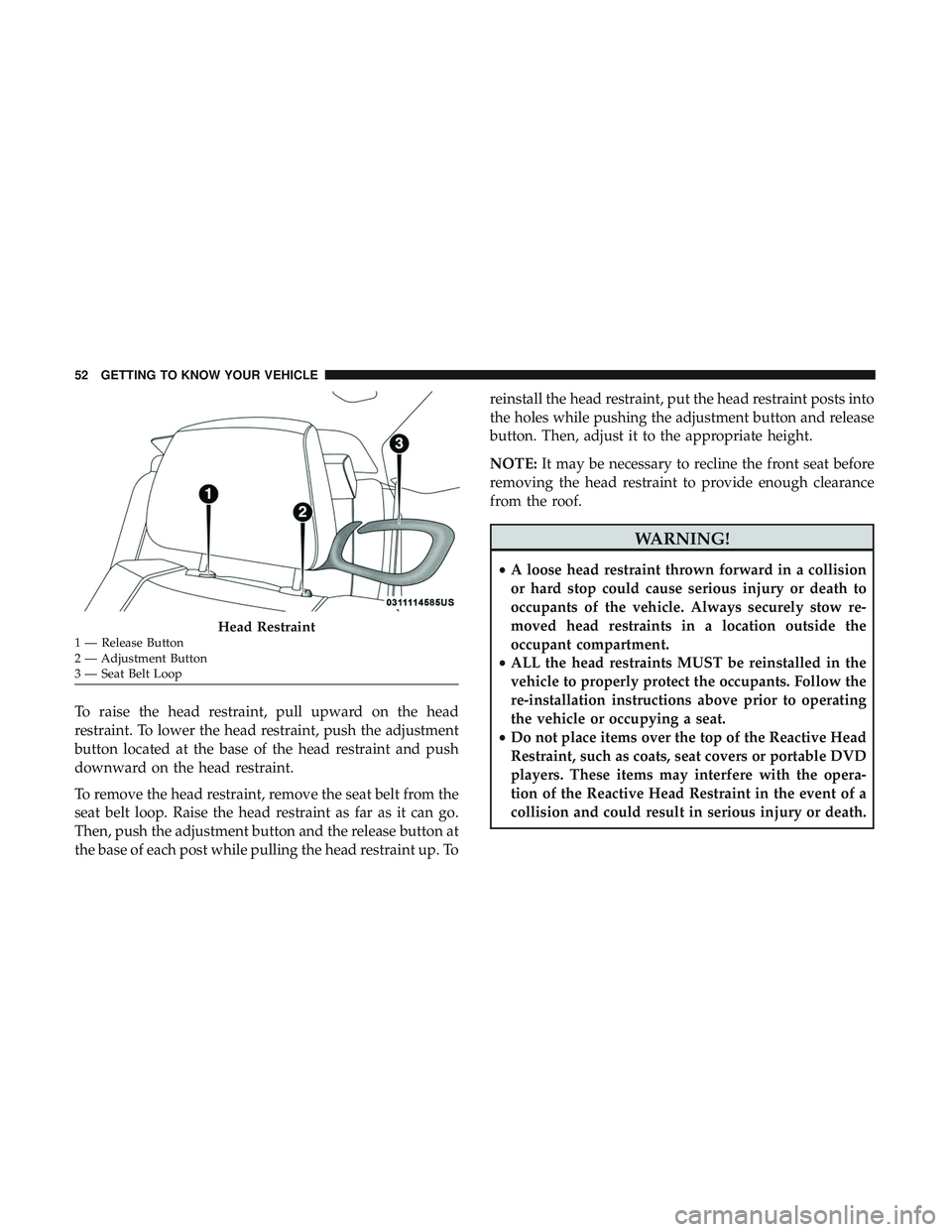
To raise the head restraint, pull upward on the head
restraint. To lower the head restraint, push the adjustment
button located at the base of the head restraint and push
downward on the head restraint.
To remove the head restraint, remove the seat belt from the
seat belt loop. Raise the head restraint as far as it can go.
Then, push the adjustment button and the release button at
the base of each post while pulling the head restraint up. Toreinstall the head restraint, put the head restraint posts into
the holes while pushing the adjustment button and release
button. Then, adjust it to the appropriate height.
NOTE:
It may be necessary to recline the front seat before
removing the head restraint to provide enough clearance
from the roof.
WARNING!
• A loose head restraint thrown forward in a collision
or hard stop could cause serious injury or death to
occupants of the vehicle. Always securely stow re-
moved head restraints in a location outside the
occupant compartment.
• ALL the head restraints MUST be reinstalled in the
vehicle to properly protect the occupants. Follow the
re-installation instructions above prior to operating
the vehicle or occupying a seat.
• Do not place items over the top of the Reactive Head
Restraint, such as coats, seat covers or portable DVD
players. These items may interfere with the opera-
tion of the Reactive Head Restraint in the event of a
collision and could result in serious injury or death.
Head Restraint1 — Release Button
2 — Adjustment Button
3 — Seat Belt Loop 52 GETTING TO KNOW YOUR VEHICLE
Page 83 of 532
WARNING!(Continued)
equipped with Keyless Enter-N-Go in the ACC or
ON/RUN mode. Occupants, particularly unattended
children, can become entrapped by the power sun-
roof while operating the power sunroof switch. Such
entrapment may result in serious injury or death.
• In a collision, there is a greater risk of being thrown
from a vehicle with an open sunroof. You could also
be seriously injured or killed. Always fasten your
seat belt properly and make sure all passengers are
also properly secured.
• Do not allow small children to operate the sunroof.
Never allow your fingers, other body parts, or any
object, to project through the sunroof opening. In-
jury may result.
Opening Sunroof
Express
Push the switch rearward and release it within one-half
second, the sunroof and sunshade will open automatically
and stop at full open position. During Express Open
operation any other actuation of the sunroof switches will
stop the sunroof in a partially open position. Manual Mode
Push and hold the switch rearward, the sunroof and
sunshade will open and automatically stop at full open
position. Releasing the switch while the sunroof is in
motion will stop the sunroof in a partially open position.
Vent Open
Push and release the Vent switch within one half second
and the sunroof will open to the vent position. During
Express Vent operation any other actuation of the sunroof
switches will stop the sunroof operation.
Closing Sunroof
Express
Push the switch forward and release it within one-half
second and the sunroof will close automatically from any
position. During Express Close operation any other actua-
tion of the sunroof switches will stop the sunroof in a
partially open position.
Manual Mode
Push and hold the switch forward and the sunroof will
close from any position and stop at a full closed position.
Releasing the switch while the sunroof is in motion will
stop the sunroof in a partially open position.
3
GETTING TO KNOW YOUR VEHICLE 81
Page 84 of 532
Wind Buffeting
Wind buffeting can be described as the perception of
pressure on the ears or a helicopter-type sound in the ears.
Your vehicle may exhibit wind buffeting with the windows
down, or the sunroof (if equipped) in certain open or
partially open positions. This is a normal occurrence and
can be minimized. If the buffeting occurs with the rear
windows open, then open the front and rear windows
together to minimize the buffeting. If the buffeting occurs
with the sunroof open, adjust the sunroof opening to
minimize the buffeting or open any window.
Sunshade Operation
The sunshade can be opened manually. However, the
sunshade will open automatically as the sunroof opens.
NOTE:The sunshade cannot be closed if the sunroof is
open.
Pinch Protect Feature
This feature will detect an obstruction in the closing of the
sunroof during the Express Close operation. If an obstruc-
tion in the path of the sunroof is detected, the sunroof will
automatically retract. Remove the obstruction if this occurs.
NOTE: If three consecutive sunroof close attempts result in
Pinch Protect reversals, Pinch Protect will disable and the
sunroof must be closed in Manual Mode.
Sunroof Maintenance
Use only a non-abrasive cleaner and a soft cloth to clean the
glass panel.
Ignition Off Operation
NOTE:
• The power sunroof switch can remain active in Acces-
sory Delay for up to approximately 10 minutes after the
vehicle’s ignition is placed to the OFF position. Opening
either front door will cancel this feature.
• This feature is programmable using the Uconnect Sys-
tem. Refer to “Uconnect Settings” in “Multimedia” for
further information.
82 GETTING TO KNOW YOUR VEHICLE