Page 304 of 492
2. The LED light located between the ASSIST and SOSbuttons on the Rearview Mirror will turn green once a
connection to a SOS operator has been made.
3. Once a connection between the vehicle and a SOS operator is made, the SOS Call system may transmit the
following important vehicle information to a SOS op-
erator:
• Indication that the occupant placed a SOS Call.
• The vehicle brand.
• The last known GPS coordinates of the vehicle.
4. You should be able to speak with the SOS operator through the vehicle audio system to determine if addi-
tional help is needed.
WARNING!
ALWAYS obey traffic laws and pay attention to the
road. ALWAYS drive safely with your hands on the
steering wheel. You have full responsibility and as-
sume all risks related to the use of the Uconnect and
SiriusXM Guardian features and applications in this
vehicle. Only use Uconnect features and SiriusXM
(Continued)
WARNING! (Continued)
Guardian services when it is safe to do so. Failure to do
so may result in an accident involving serious injury or
death.
NOTE: •Your vehicle may be transmitting data as authorized
by the subscriber.
• Once a connection is made between the vehicle’s SOS
Call system and the SOS operator, the SOS operator
may be able to open a voice connection with the
vehicle to determine if additional help is needed. Once
the SOS operator opens a voice connection with the
vehicle’s SOS Call system, the operator should be able
to speak with you or other vehicle occupants and hear
sounds occurring in the vehicle. The vehicle’s SOS Call
system will attempt to remain connected with the SOS
operator until the SOS operator terminates the connec-
tion.
5. The SOS operator may attempt to contact appropriate emergency responders and provide them with impor-
tant vehicle information and GPS coordinates.
302 IN CASE OF EMERGENCY
Page 306 of 492
•An In-Vehicle Audio message will state “Vehicle device
requires service. Please contact your dealer.”
WARNING!
• Ignoring the Rearview Mirror light could mean you
will not have SOS Call services. If the Rearview
Mirror light is illuminated, have an authorized
dealer service the SOS Call system immediately.
• The Occupant Restraint Control module turns on the
air bag Warning Light on the instrument panel if a
malfunction in any part of the system is detected. If
the Air Bag Warning Light is illuminated, have an
authorized dealer service the Occupant Restraint
Control system immediately.
Even if the SOS Call system is fully functional, factors
beyond FCA US LLC’s control may prevent or stop the SOS
Call system operation. These include, but are not limited
to, the following factors:
• Delayed accessories mode is active. •
The ignition is in the OFF position.
• The vehicle’s electrical systems are not intact.
• The SOS Call system software and/or hardware are
damaged during a crash.
• The vehicle battery loses power or becomes discon-
nected during a vehicle crash.
• LTE (voice/data) or 4G (data) network and/or Global
Positioning Satellite signals are unavailable or ob-
structed.
• Equipment malfunction at the SOS operator facility.
• Operator error by the SOS operator.
• LTE (voice/data) or 4G (data) network congestion.
• Weather.
• Buildings, structures, geographic terrain, or tunnels.
304 IN CASE OF EMERGENCY
Page 421 of 492
MULTIMEDIA
CONTENTS
�UCONNECT SYSTEMS ...................421
� DRAG & DROP MENU BAR ................421
� CYBERSECURITY ...................... .422
� UCONNECT SETTINGS ...................423
▫ Customer Programmable Features — Uconnect
4C/4C NAV Settings ....................424
� STEERING WHEEL AUDIO CONTROLS .......445
▫ Radio Operation ....................... .446
▫ Media Mode ......................... .446
� AUX/USB/MP3 CONTROL ................447
� RADIO OPERATION AND MOBILE PHONES . . .448
▫ Regulatory And Safety Information ..........448
� UCONNECT VOICE RECOGNITION QUICK
TIPS ................................ .449
▫ Introducing Uconnect ....................449 ▫
Get Started .......................... .450
▫ Basic Voice Commands ...................450
▫ Radio .............................. .451
▫ Media .............................. .452
▫ Phone .............................. .453
▫ Voice Text Reply — If Equipped ............454
▫ Climate ............................. .455
▫ Navigation (4C NAV) ....................456
▫ SiriusXM Guardian (4C/4C NAV) — If
Equipped ........................... .457
▫ Register (4C/4C NAV) ...................458
▫ Vehicle Health Report/Alert (4C/4C NAV) .....458
▫ Mobile App (4C/4C NAV) ................458
▫ SiriusXM
Travel Link (4C NAV) .............459
10
Page 426 of 492
Customer Programmable Features — Uconnect
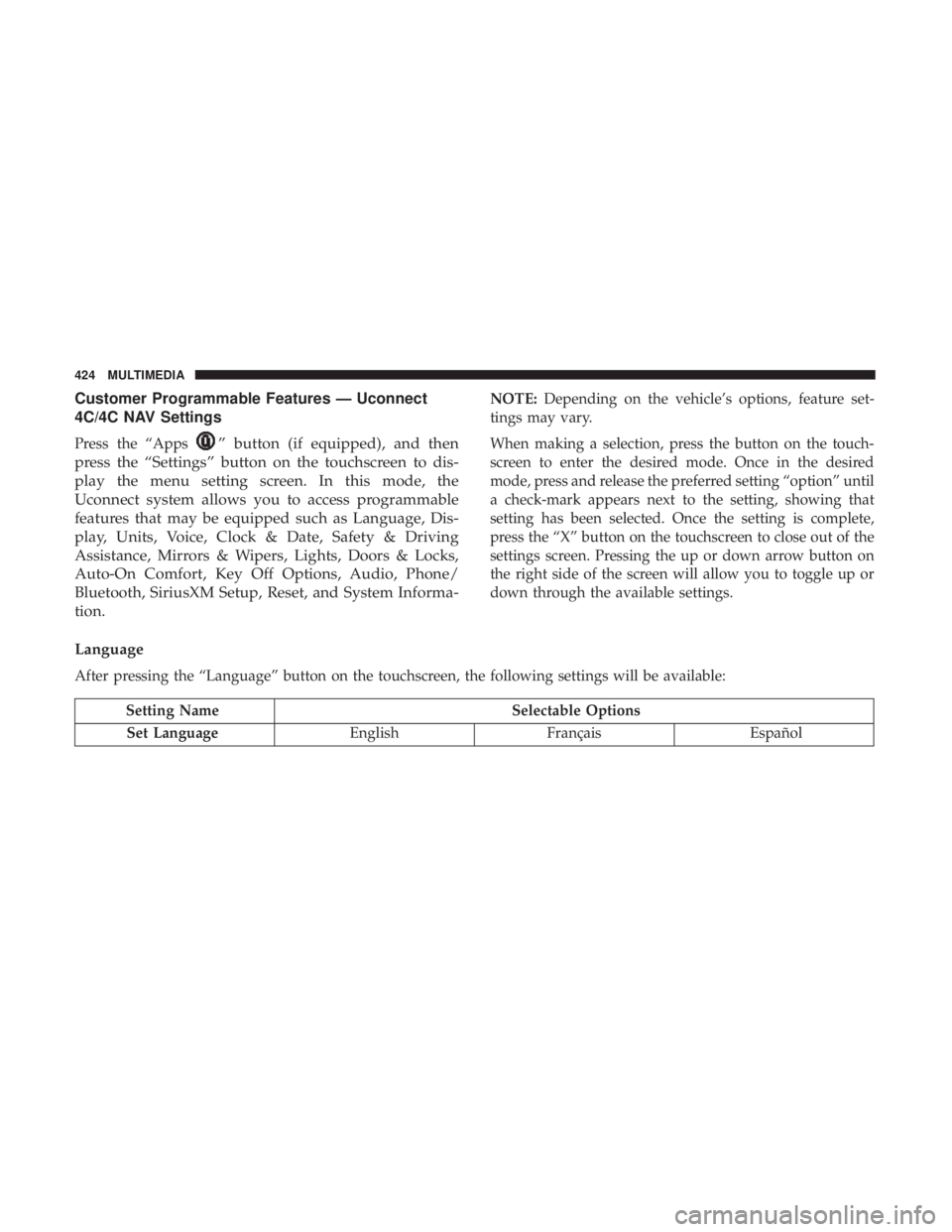
4C/4C NAV Settings
Press the “Apps” button (if equipped), and then
press the “Settings” button on the touchscreen to dis-
play the menu setting screen. In this mode, the
Uconnect system allows you to access programmable
features that may be equipped such as Language, Dis-
play, Units, Voice, Clock & Date, Safety & Driving
Assistance, Mirrors & Wipers, Lights, Doors & Locks,
Auto-On Comfort, Key Off Options, Audio, Phone/
Bluetooth, SiriusXM Setup, Reset, and System Informa-
tion.
NOTE: Depending on the vehicle’s options, feature set-
tings may vary.
When making a selection, press the button on the touch-
screen to enter the desired mode. Once in the desired
mode, press and release the preferred setting “option” until
a check-mark appears next to the setting, showing that
setting has been selected. Once the setting is complete,
press the “X” button on the touchscreen to close out of the
settings screen. Pressing the up or down arrow button on
the right side of the screen will allow you to toggle up or
down through the available settings.
Language
After pressing the “Language” button on the touchscreen, the following settings will be available:
Setting Name Selectable Options
Set Language EnglishFrançais Español
424 MULTIMEDIA
Page 442 of 492
Audio
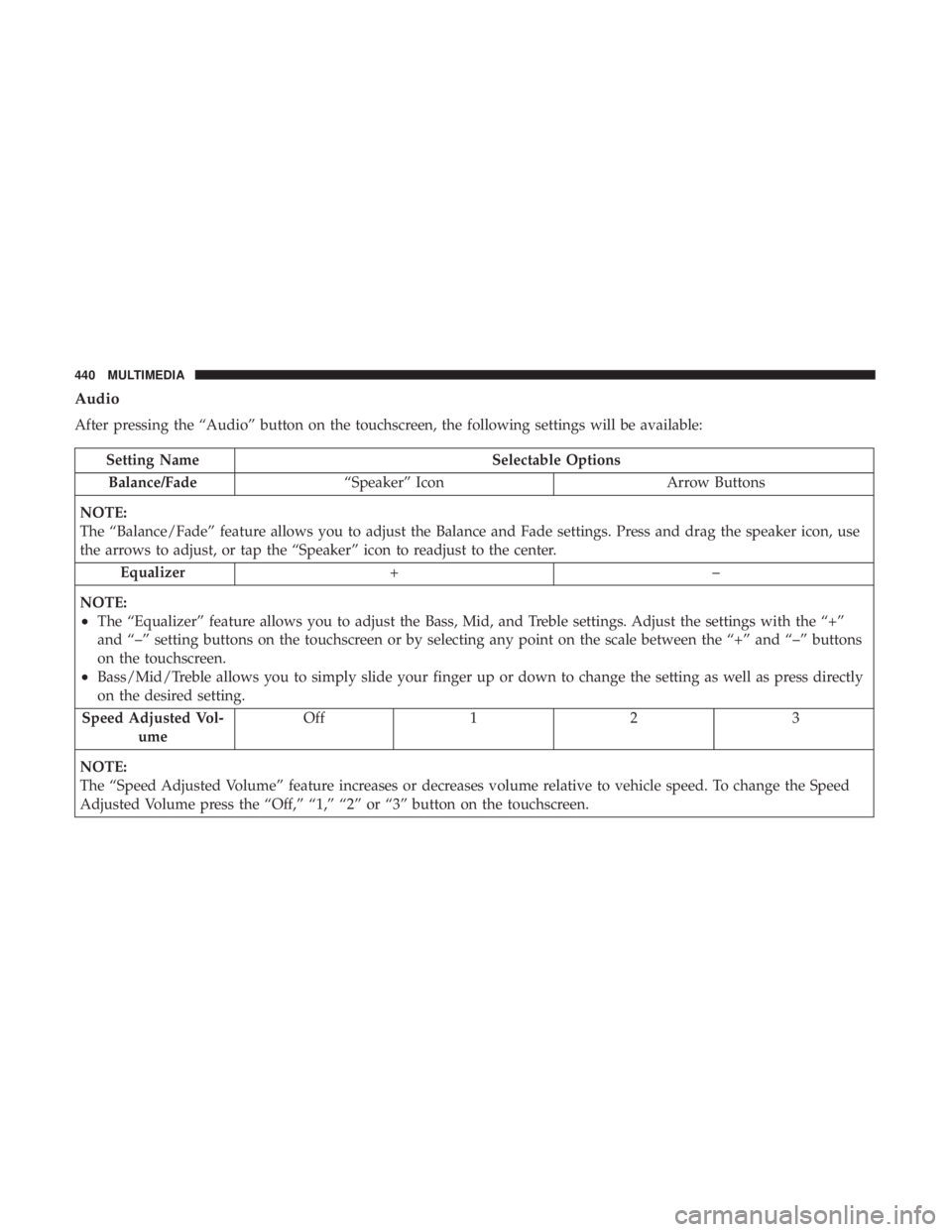
After pressing the “Audio” button on the touchscreen, the following settings will be available:
Setting NameSelectable Options
Balance/Fade “Speaker” Icon Arrow Buttons
NOTE:
The “Balance/Fade” feature allows you to adjust the Balance and Fade settings. Press and drag the speaker icon, use
the arrows to adjust, or tap the “Speaker” icon to readjust to the center. Equalizer +–
NOTE:
•The “Equalizer” feature allows you to adjust the Bass, Mid, and Treble settings. Adjust the settings with the “+”
and “–” setting buttons on the touchscreen or by selecting any point on the scale between the “+” and “–” buttons
on the touchscreen.
•Bass/Mid/Treble allows you to simply slide your finger up or down to change the setting as well as press directly
on the desired setting.
Speed Adjusted Vol- ume Off
12 3
NOTE:
The “Speed Adjusted Volume” feature increases or decreases volume relative to vehicle speed. To change the Speed
Adjusted Volume press the “Off,” “1,” “2” or “3” button on the touchscreen.
440 MULTIMEDIA
Page 443 of 492
Setting NameSelectable Options
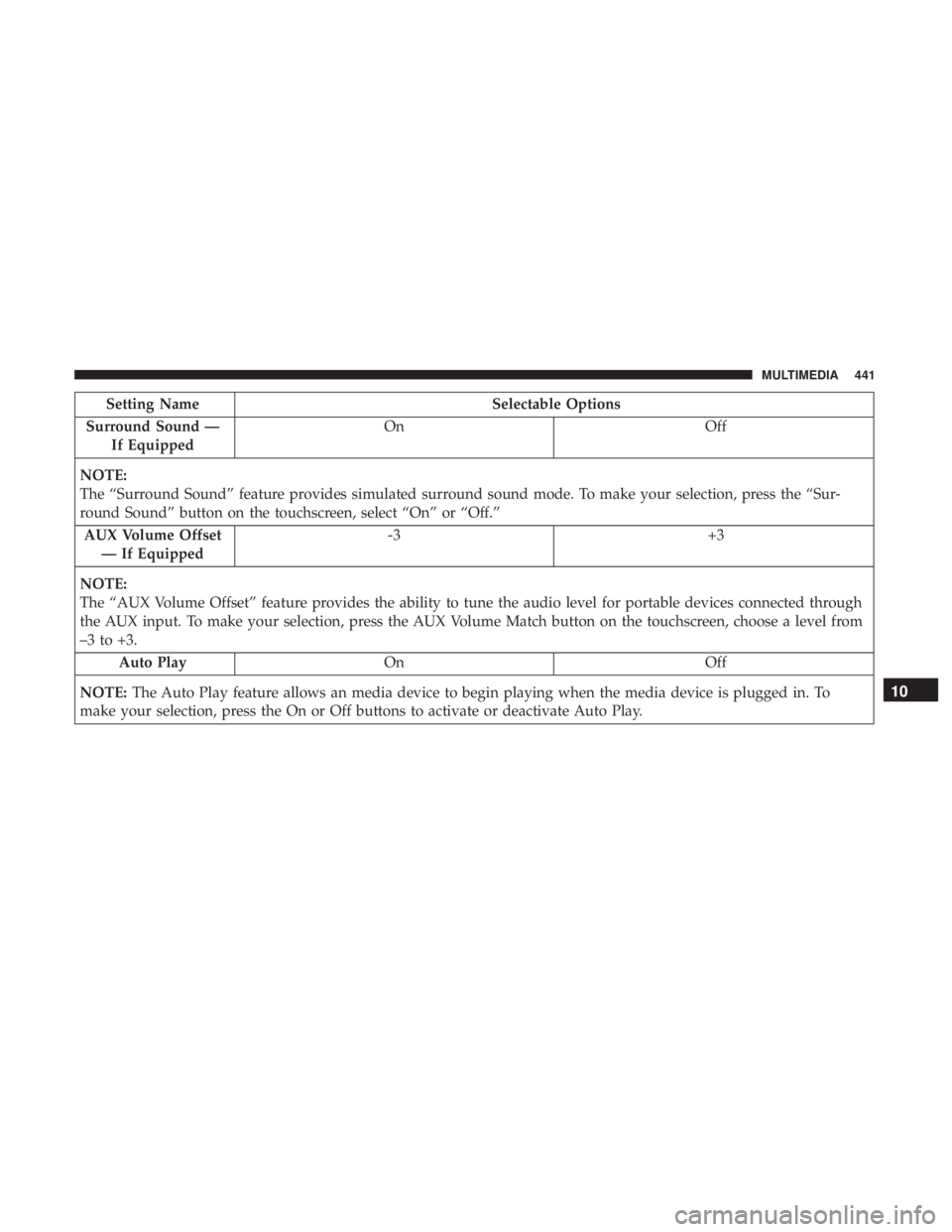
Surround Sound — If Equipped On
Off
NOTE:
The “Surround Sound” feature provides simulated surround sound mode. To make your selection, press the “Sur-
round Sound” button on the touchscreen, select “On” or “Off.” AUX Volume Offset — If Equipped -3
+3
NOTE:
The “AUX Volume Offset” feature provides the ability to tune the audio level for portable devices connected through
the AUX input. To make your selection, press the AUX Volume Match button on the touchscreen, choose a level from
–3 to +3. Auto Play On Off
NOTE: The Auto Play feature allows an media device to begin playing when the media device is plugged in. To
make your selection, press the On or Off buttons to activate or deactivate Auto Play.
10
MULTIMEDIA 441
Page 444 of 492
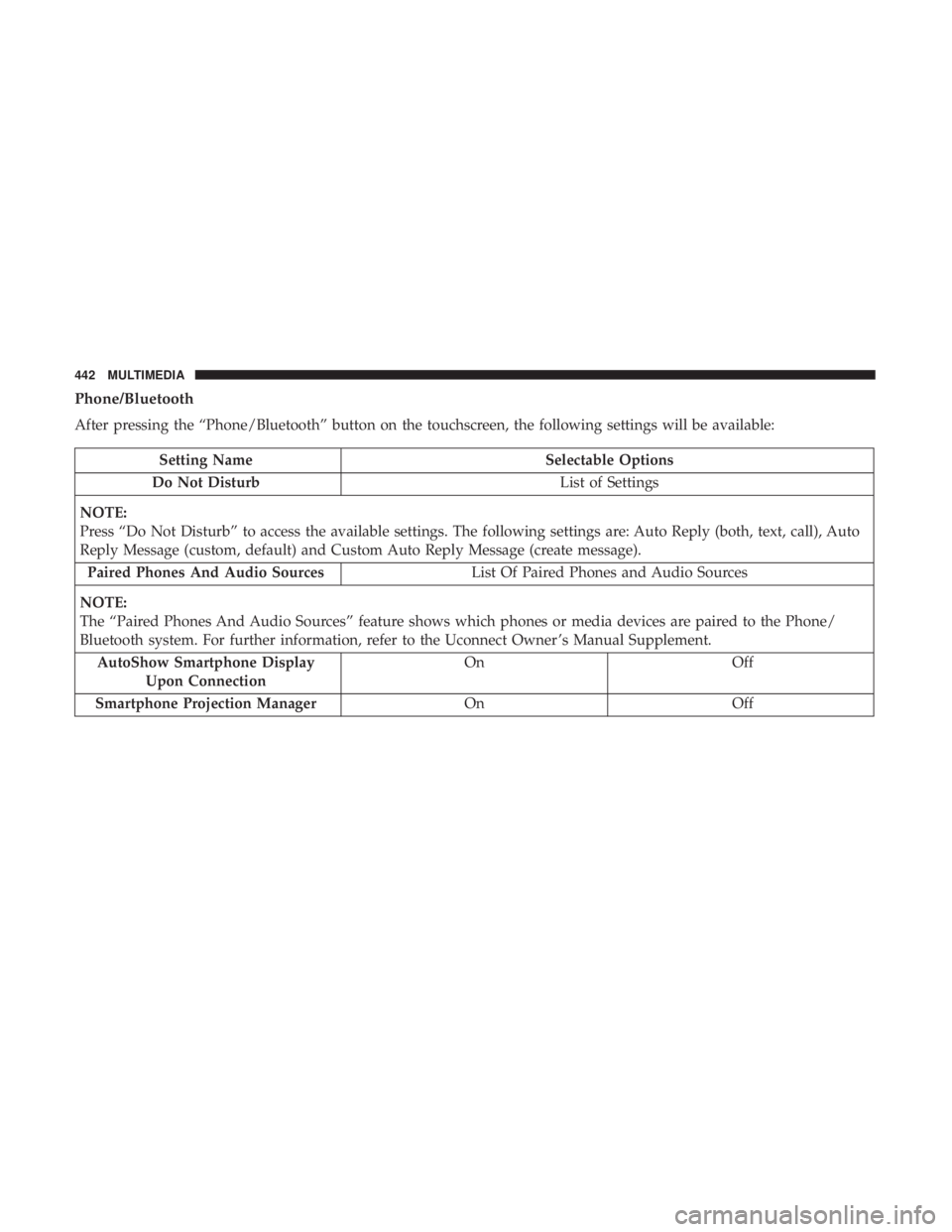
Phone/Bluetooth
After pressing the “Phone/Bluetooth” button on the touchscreen, the following settings will be available:
Setting NameSelectable Options
Do Not Disturb List of Settings
NOTE:
Press “Do Not Disturb” to access the available settings. The following settings are: Auto Reply (both, text, call), Auto
Reply Message (custom, default) and Custom Auto Reply Message (create message). Paired Phones And Audio Sources List Of Paired Phones and Audio Sources
NOTE:
The “Paired Phones And Audio Sources” feature shows which phones or media devices are paired to the Phone/
Bluetooth system. For further information, refer to the Uconnect Owner ’s Manual Supplement. AutoShow Smartphone Display Upon Connection On
Off
Smartphone Projection Manager OnOff
442 MULTIMEDIA
Page 447 of 492
System Information
After pressing the “System Information” button on the touchscreen, the following settings will be available:
Setting NameSelectable Options
Software License System Software Information Screen
NOTE:
When the “System Information” feature is selected, a “System Software Information” screen will appear, displaying
the system software version.
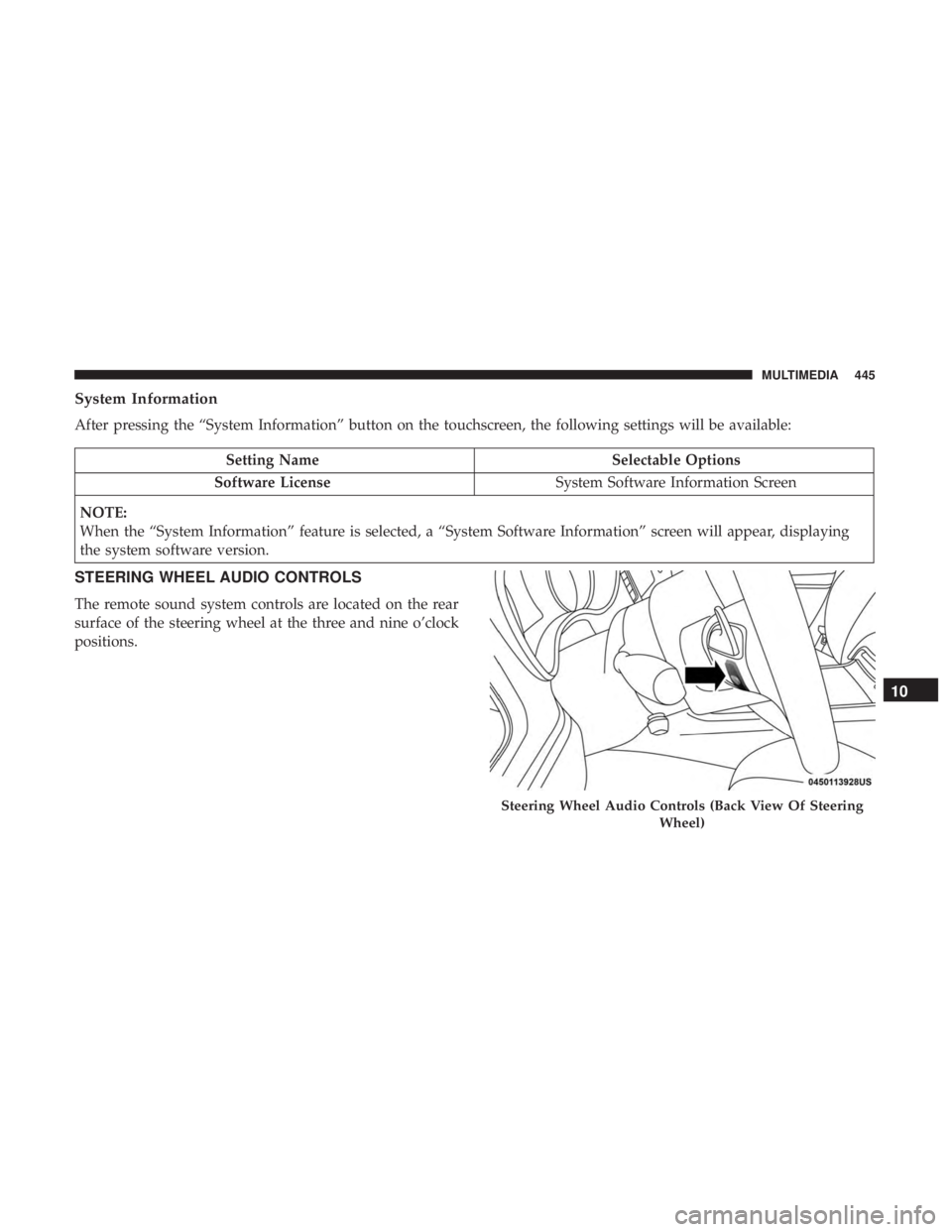
STEERING WHEEL AUDIO CONTROLS
The remote sound system controls are located on the rear
surface of the steering wheel at the three and nine o’clock
positions.
Steering Wheel Audio Controls (Back View Of Steering Wheel)
10
MULTIMEDIA 445