2019 AUDI Q5 lock
[x] Cancel search: lockPage 91 of 392

80A012721BG
Driving
—Theparkinglockwasreleasedusingtheemer-
gencyrelease>page89.Or
—Theparkinglockcannolongerbeengaged.
DrivetoanauthorizedAudidealerorauthor-
izedAudiServiceFacilityimmediatelytohave
themalfunctioncorrected.
Moveselectorlevertoautomaticposition
Thereisamalfunctioninthetiptronicmode.End
tiptronicmodebypushingtheselectorleverto
theleftintothe"D/S"position.
Parkinglockemergencyrelease
>Keepthebrakepedalpressedandengagethe
followingselectorleverpositionsoneafterthe
other:"N","D"andbackto"N".
>Turn theengineoffagain.
>Graspthe socketwrenchwithbothhandsand
carefullypullitupwardtoremove.
>Installthecover.
Iftheparkinglockisreleasedwiththeemergen-
cyrelease,thefs]indicatorlightturnsoninthe
instrumentclusterand“N”isengaged.The mes-
sageDangerofrollingaway!Pnotpossible.
Pleaseapplyparkingbrakealsoappears.
B4M-0189
@
@)
Fig.93Driver'ssidefootwell:releasingtheparkinglock
usingtheemergencyrelease
Theemergencyreleaseislocatedunderthefloor
matonthedriver'sside.Readandfollowtheim-
portantinstructionsabouttowing>page364.
Releasingtheparkinglockusingthe
emergencyrelease
>Set theparkingbraketosecureyourvehicle
fromrollingaway.Ifthisisnotpossible,secure
yourvehiclefromrollingusinganothermeth-
od.
>Prythecoveroffatoneoftheopeningsusing
thescrewdriverfromthevehicletoolkit.
>Insertthe socketwrenchfromthevehicletool
kitintotheopening>fig.93.
>Turn thesocketwrenchclockwise(4)untilit
stopsandpressitdownward(2)untilitlocksin-
toplace.
>Leavethe socketwrenchinserted.
Resettingtheparkinglock
>»Pressthebrake pedalandstarttheengine.
ZA\WARNING
—Theparkinglockmustbereleasedusingthe
emergencyreleasebeforetowingthevehi-
cley
— Theparkinglockmayonlybereleasedusing
the emergencyreleaseiftheparkingbrake
isset.Ifit isnotworking,securethevehicle
fromrollingusingthebrakepedalorother
suitablemeans,suchasblockingafrontand
arearwheel.Anunsecuredvehiclemayroll
away,whichincreasestheriskofanacci-
dent.
—Onlyactivatetheemergencyreleasewhile
onalevelsurfaceoraslightslope.
—Toreducetheriskofanaccident,youmust
notdrivewhentheemergencyreleaseisac-
tivated.
©Note
Duetotheriskofdamage,carefullyremove
the socketwrenchwhenyouresettheparking
lock.
89
Page 94 of 392

Trailertowing
@)Note
Appliesto:vehicleswithairsuspension
—Changesintemperatureorloadcanaffect
the heightofthevehicle.
—Ifthestandardvehicleheightisnotused,
thetongueweightspecificationisnolonger
applicable.
®Note
Attachmentsretrofittedonthevehiclemay
causedamage,especiallyonthetrailerhitch
ballhead.Incasesofdamage,havethefunc-
tioncheckedby anauthorizedAudidealeror
authorizedAudiServiceFacility.
G)Tips
—Blockthewheelswithchockswhenparking
oninclinesifthetrailerisloaded.
—Havingthevehicleinspectedbetweenthe
inspectionintervalsisrecommendedifyou
towatrailerfrequently.
—Avoiddrivingwithatrailerduringthevehi-
clebreak-inperiod.
Drivingwithatrailer
Drivingwithatrailerrequiresextracaution.
Speed
Adheretothelegalspeedlimits.Followthelegal
regulationsspecifictothecountry.
Asthespeedincreases,thedrivingstabilityof
thetrailerdecreases.Thereforeyoushouldnot
exceedthemaximumlegalspeedlimitwhen
thereareunfavorableroad,weather,and/orwind
conditions.Thisespeciallyapplieswhendriving
downhill.
Hill
Whenyoustartdrivinguphillordownhill,trailers
maytiltorswaysoonerthanwhendrivingona
levelsurface.Ifsmallswayingmovementshave
alreadyoccurred,youcanstabilizethetrailerby
firmlybrakingimmediately.Nevertryto
“straightenout”thetrailerbyaccelerating.
92
Downshiftbeforedrivingonhillstoutilizetheen-
ginebrakingeffect>A\.
Brakes
Whenusingatrailerwithoverrunbrakes,first
brakegentlythenquickly.Thisreducestheriskof
jerkingwhilebrakingifthetrailerwheelslockup.
Enginecoolanttemperature
Payattentionspecificallytothecoolanttempera-
ture display whentherearehighoutsidetemper-
atures,andwhendrivingonlonginclines
=>page14.Shifttoahighergearinatimelyman-
ner.
ZAWARNING
Constantbrakingcausesthebrakestoover-
heatandcansubstantiallyreducebrakingper-
formance,increasebrakingdistance,orcause
completefailureofthebrakesystem.
Page 96 of 392
![AUDI Q5 2019 Owners Manual Assistsystems
>Toswitchthesystemon,pullthelevertoward
youtoposition().
TheGgor88]indicatorlightandthecorre-
spondingmessagewillappearintheinstrument
cluster.
ZXWARNING
Ifthebrakesaremalfunctioning(f](/manual-img/6/57631/w960_57631-95.png "AUDI Q5 2019 Owners Manual Assistsystems
>Toswitchthesystemon,pullthelevertoward
youtoposition().
TheGgor88]indicatorlightandthecorre-
spondingmessagewillappearintheinstrument
cluster.
ZXWARNING
Ifthebrakesaremalfunctioning(f")
Assistsystems
>Toswitchthesystemon,pullthelevertoward
youtoposition().
TheGgor88]indicatorlightandthecorre-
spondingmessagewillappearintheinstrument
cluster.
ZXWARNING
Ifthebrakesaremalfunctioning(forexample,
overheating)whilethecruisecontrolsystem
isswitchedon,itmayshutoffautomatically.
Preselectingoractivatingacruisecontrol
Cytst-t)
Appliesto:vehicleswithcruisecontrolsystem
Whenthevehicleisstationary,youcanpreselect
thecruisecontrolspeedoractivatethespeed
whiledriving.
Requirement:thesystemmustbe switchedon.
>Topreselectacruisecontrolspeedwhentheve-
hicleisstationary,tapthelevertoward@)/G)
=>page93,fig.94.
>Toactivatethecruisecontrolspeed,pullthe
levertowardposition@whiledriving,or
>
Tosetthecurrentdrivingspeedasthecruise
controlspeed,pressthebutton(@)onthelever.
Theactivecruisecontrolspeedisindicatedwith
theCRUISE]orklindicatorlightintheinstrument
cluster.
Anadditionalindicatorappearsinthehead-up
display”.
Changingthecruisecontrolspeed
Appliesto:vehicleswithcruisecontrolsystem
>Toincrease ordecreasethecruisecontrolspeed
insmallincrements,tap theleveruptothe
firstleveltoward@/@)>page93,fig.94.
>Toincrease ordecreasethecruisecontrolspeed
inlargerincrements,taptheleveruptothe
secondleveltoward@)/G).
>Toincrease ordecreasethecruisecontrolspeed
continuously,tapandholdtheleveratthefirst
orsecondleveltoward(#)/C).
94
Overridingordeactivatingthecruise
controlspeed
Appliesto:vehicleswithcruisecontrolsystem
Youcanoverride ordeactivatethecruisecontrol
system.Whenyoudeactivatethesystem,your
cruisecontrolspeedwillbestoredand youcan
resumethatspeed.
Requirement:thesystemmustbe switchedon
andactivated.
Overriding
>Totemporarilyoverridethecruisecontrol
speed,presstheacceleratorpedal.
>Onceyoureleasetheacceleratorpedal,thesys-
temwilladjustbacktothestoredcruisecontrol
speed.
Ifyouoverridethecruisecontrolsystemfora
longperiodoftime,thecruisecontrolsystem
willbedeactivated.Thesystemindicatorlight
willturnoffandthecruisecontrolspeedwillbe
stored.
Deactivating
>Todeactivatethecruisecontrolspeed,press
thelevertoward(2)(notlockedintoplace)
=>page93,fig.94.
>Pressthebrakepedal.
Z\WARNING
Restingyourfootontheacceleratorpedal
couldoverridethecruisecontrol.Thiswillpre-
ventbrakinginterventionsby the system.
Seema
Appliesto:vehicleswithcruisecontrolsystem
Whenyouswitchthesystemoffcompletely,the
cruisecontrolspeedwillbedeleted.
Requirement:thesystemmustbe switchedon.
>Toswitchthesystemoff,pressthelevertoward
@(lockedintoplace)>page93,fig.94,or
>Switchtheignitionoff.
Page 125 of 392

80A012721BG
Assistsystems
Appliesto:vehicleswithexitwarningsystem
Fig.124Door:warninglight
Whenthevehicleisstationary,theexitwarning
system warnsthepassengersofapossiblecolli-
sionwhenopeningthedoor.Withinthelimitsof
thesystem,thesystemmonitorstheareasbe-
hindandnexttothevehicleusingtheradarsen-
sors>page121,fig.122.Movingobjectsthat
areapproachingfrombehind,suchascars,are
detected>fig.123.
Ifyouopenthedoorandacriticalsituationisde-
tected,thedoorhandleframeontheaffected
doorwillblink>fig.124andthedisplayinthe
outsidemirroronthesamesidealso appears.If
thedoorisalreadyopen andanotherroaduseris
detectedandthesituationisclassifiedascritical,
thenthecorrespondingdisplaysturnon.
ZAWARNING
—Alwayspayattentiontotrafficandtothe
areaaroundyourvehicle.Theexitwarning
systemdoesnotreplacetheattentionofthe
vehicleoccupants.Thevehicleoccupantsare
alwaysresponsibleforopeningthedoors
andexitingthevehicle.
— Theexitwarningsystemcanbeavailablefor
uptoapproximatelythreeminutesafterun-
lockingthevehicleandopeningthedooras
wellasafterswitchingofftheignition.Then
thedisplaysflashbrieflyandthesystem
switchesoff.
—Theexitwarningsystemdoesnotrespond
topeopleandcannotwarnyouaboutevery
typeofapproachingobjects,suchascyclists.
Alwaysmonitorthetrafficaswellastheve-
hicle'ssurroundingswithdirecteyecontact.
Z\WARNING
Theexitwarningsystemissubjecttolimita-
tionsandcannotwarnyoubeforeeveryim-
pendingcollision:
—Ifthevehicleistoowidefortheparking
spaceandcoveredby the neighboringvehi-
cles.
—Approachingobjectsorpeoplesuchascy-
clistsorskateboardersmaynot be detected
undercertaincircumstances.
—The systemdoesnotreacttostationaryob-
jects.
— Theviewoftheradarsensorsmaybeim-
pairedbyleaves,snow,heavysprayordirt.
Clean
theareainfrontofthesensors
=>page121,fig.122.
@)Note
Alsoreadtheinformationin>@inGeneral
informationonpage122.
@Tips
—Theexitwarningsystemisswitchedonand
offthroughthesideassist>page122.The
exitwarningindicatorsturnonduringthe
adjustmentprocess.
—Thedisplaybrightnessfortheexitwarning
systemcannotbeadjusted.
—The systemisnotavailablewhentowinga
trailer.
123
Page 135 of 392

80A012721BG
Parkingaid
—Onlyuse therearviewcameratoassistyouif
itshowsagood,clearpicture.Forexample,
theimagemaybeaffectedbythesunshin-
ingintothelens,dirtonthelens,orifthere
isamalfunction.
—Usetherearviewcameraonlyiftheluggage
compartmentlidiscompletelyclosed.Make
sureanyobjectsyoumayhavemountedon
theluggagecompartmentliddonotblock
therearviewcamera.
— Thecameralensenlargesanddistortsthe
fieldofvision.Theobjectappearsbothal-
teredandinaccurateonthescreen.
—Incertainsituations,peopleorobjectsin
thedisplayappearcloserorfartheraway:
—Forobjectsthatdonottouchtheground,
suchasthebumperofaparkedvehicle,a
trailerhitchortherearofatruck.Donot
use the
orientationlinesinthiscase.
—Ifdrivenfromalevelsurfaceontoanin-
cline,oradownwardslope.
—Ifdriventowardprotrudingobjects.
—Ifthevehicleiscarryingtoomuchloadin
therear.
—Appliesto:vehicleswithairsuspension:the
accuracyoftheorientationlinesandblue
surfacesdecreaseswhenthevehicleis
raised/lowered>page125.
@)Note
—Alwaysreadandfollowtheapplicablewarn-
ings>@inGeneralinformationon
page129.
— Theorange-coloredorientationlinesinthe
Infotainmentdisplayshowthevehiclepath
basedonthesteeringwheelangle.The
front ofthevehicleswingsoutmorethan
therearofthevehicle.Maintainplentyof
distanceso thatanexteriormirrororacor-
nerofthevehicledoesnotcollidewithany
obstacles.
@)Tips
Thereisnodistancewarningfortherearand
thesides*whentrailertowingmodeisdetect-
ed.Thefrontsensorsremainactivated.The
visualdisplayswitchestotrailermode.The
rearviewcameraimagewillnotshowtheori-
entationlinesandthebluesurfaces.Thereis
noguaranteethefunctionswillswitchoff
whenusingaretrofittedtrailerhitch.
SicaReRol
Appliesto:vehicleswithrearviewcamera
Switchingonandoff
Requirement:thevehiclespeedmustbeunder
approximately6mph(10km/h).
>PressthePvbuttoninthecenterconsole
=>page131,fig.130.Ashortconfirmation
tonesoundsandtheLEDinthebuttonturns
on.
Switchingonautomatically
Thesystemswitchesonautomaticallywhenre-
versegearisengagedwhiletheengineisrun-
ning.Abrieftonewillsound.
Switchingoffautomatically
Thesystemswitchesoffautomaticallywhendriv-
ingforwardfasterthan6mph(10km/h).
Perpendicularparking
Applies
to:vehicleswithrearviewcamera
Thisviewmaybeusedwhenparkinginagarage
orinaparkingspace.
Fig.135Infotainmentsystem:aligningthevehicle
133
Page 137 of 392

80A012721BG
Parkingaid
—Keepinmindthattheimageinthedisplayis
incorrectiftheexteriormirrorhousinghas
beenmovedoutofplace.
—Onlyuse theimagesprovidedby thecamera
ontherearofthevehiclewhentheluggage
compartmentlidiscompletelyclosed.Make
sureanyobjectsyoumayhavemountedon
theluggagecompartmentliddonotblock
therearviewcamera.
— Theareaaroundthevehicleisshownusing
thecameraimages.Thevehicleimageis
shownbythesystem.Objectsandobstacles
abovethecameraarenotdisplayed.
—Cameralensesenlargeanddistortthefield
ofvision.Theobjectsappearbothaltered
andinaccurateonthescreen.
—Appliesto:vehicleswithairsuspension:the
accuracyoftheorientationlinesandblue
surfacesdecreaseswhenthevehicleis
raised/lowered>page125.
@)Note
—Alwaysreadandfollowtheapplicablewarn-
ings>@inGeneralinformationon
page129.
— TheInfotainmentdisplayshowsthedirec-
tioninwhichtherearofthevehicleistravel-
ingbasedonthesteeringwheelangle.The
frontofthevehicleswings outmorethan
therearofthevehicle.Maintainplentyof
distanceso thatanexteriormirrororacor-
nerofthevehicledoesnotcollidewithany
obstacles.
G)Tips
—Ifthe2/&8/
grayedout,thenthepowerexteriormirrors
werefoldedinorthedriver'sdoor/front
passenger'sdoor/luggagecompartmentlid
wasopened.
—Thereisnodistancewarningfortherear
andthesides*whentrailertowingmodeis
detected.Thefrontsensorsremainactivat-
ed.Thevisualdisplayswitchestotrailer
mode.Therearviewcameraimagewillnot
showtheorientationlinesandthebluesur-
faces.Thereisnoguaranteethefunctions
willswitchoffwhenusingaretrofittedtrail-
erhitch.
ice
Appliesto:vehicleswithperipheralcameras
Fig.138Infotainmentsystem:selectthemode
Switchingonandoff
Requirement:thevehiclespeedmustbeunder
approximately6mph(10km/h).
>PressthePsbuttoninthecenterconsole
=>page131,fig.130.Ashortconfirmation
tonesoundsandtheLEDinthebuttonturns
on.
Switchingonautomatically
Thesystemswitchesonautomaticallywhenre-
versegearisengagedwhiletheengineisrun-
ning.Abrieftonewillsound.
Switchingoffautomatically
Thesystemswitchesoffautomaticallywhendriv-
ingforwardfasterthan6mph(10km/h).
Selectingthemode
>Turn thecontrolknobtothesymbolforthede-
siredmode(A)through©)>fig.138andpress
thecontrolknob.
Youmayselectfromthefollowingmodes:
@-Cornerview(front)>page136
-Front>page136
©-Area>page136
©-Rear>page136
@®-Cornerview(rear)>page136
Youcanalsoswitchtotrailerview>page134.
135
Page 146 of 392

IntelligentTechnology
IntelligentTechnology
ElectronicStabilization
Control(ESC)
ElectronicStabilizationControl(ESC)supports
driversafety.Itreducestheriskofslippingand
improvesdrivingstability.ESCdetectscriticalsit-
uations,suchasifthevehicleisoversteeringor
understeering,orifthewheelsare spinning.The
brakesareappliedortheenginetorqueisre-
ducedinordertostabilizethevehicle.Whenthe
ESCengages,theBindicatorlightblinksinthe
instrumentcluster.
ThefollowingsystemsareintegratedintheESC:
Anti-lockbrakingsystem(ABS)
ABSpreventsthewheelsfromlockingwhenbrak-
ing.Thevehiclecanstillbesteeredevenduring
hardbraking.Applysteadypressuretothebrake
pedal.Donotpumpthepedal.Apulsinginthe
brakepedalindicatesthatthesystemisacting to
stabilizethevehicle.
Brakeassistsystem
Thebrakeassistsystemcandecreasebrakingdis-
tance.Itincreasesbrakingpowerwhenthe driver
pressesthebrakepedalquicklyinemergencysit-
uations.Youmustpressandholdthebrakepedal
untilthedangeroussituationisover.Invehicles
withadaptivecruisecontrol*,thebrakeassist
systemismoresensitiveifthedistancedetected
tothevehicledrivingaheadistoosmall.
Anti-SlipRegulation(ASR)
ASRreducesdrivepowerwhenthedrivewheels
beginspinningandadaptsthepowertotheroad
conditions.Thismakesiteasiertostart,acceler-
ateanddriveuphills.
ElectronicDifferentialLock(EDL)
TheEDLappliesthe brakestowheelsthatare
slippingandtransfersthedrivepowertotheoth-
erwheels.Thisfunctionisnotavailableathigher
speeds.
144
Inextremecases,EDLautomaticallyswitchesoff
tokeepthebrakeonthebrakedwheelfromover-
heating.Thevehicleisstillfunctioningcorrectly.
EDLwillswitchonagainautomaticallywhencon-
ditionshavereturnedtonormal.
Powersteering
The ESCcanalsosupportvehiclestability
throughsteering.
Selectivewheeltorquecontrol
Selectivewheeltorquecontrolisusedwhendriv-
ingoncurves.Brakingistargetedtowardthe
wheelsontheinsideofthecurveasneeded.This
allowsmoreprecisedrivingincurves.
Automaticpost-collisionbrakingsystem
Theautomaticpost-collisionbrakingsystemcan
helptoreducetheriskofslidingandofaddition-
alcollisionsafteranaccident.Iftheairbagcon-
trolmoduledetectsacollision,thevehicleis
braked bytheESC.
Thevehicledoesnotbrakeautomaticallyifoneof
thefollowingoccurs:
—Thedriverpressestheacceleratorpedal
—TheESC,thebrakesystem,orthevehicleelec-
tricalsystemisnotfunctioning
ZAWARNING
— The ESCanditsintegratedsystemscannot
overcomethelimitsimposedbynatural
physicallaws.Thisisespeciallyimportanton
slipperyorwetroads.Ifthesystemsbegin
actingtostabilizeyourvehicle,youshould
immediatelyalteryourspeedtomatchthe
roadandtrafficconditions.Donotletthein-
creasedsafetyprovidedtemptyouintotak-
ingrisks.Thiscouldincreaseyourriskofa
collision.
—Pleasenotetheriskofacollisionincreases
whendrivingfast,especiallythroughcurves
andonslipperyorwetroads,andwhendriv-
ingtooclosetoobjectsahead.The ESC and
itsintegratedsystemscannotalwayspre-
ventcollisions-thereisstillariskofacci-
dents!
Page 148 of 392
IntelligentTechnology
ZXWARNING
Youshouldonlyswitchoffroadmodeonor
switchESC/ASRoffifyourdrivingabilitiesand
thetrafficconditionspermit.Thereisariskof
sliding.
—Thestabilizationfunctionislimitedwhen
offroadmodeisswitchedon.Thedriving
wheelscouldspinandthevehiclecould
swerve,especiallyonslickorslipperyroad
surfaces.
—Thereisnovehiclestabilizationwhen
ESC/ASRareswitchedoff.
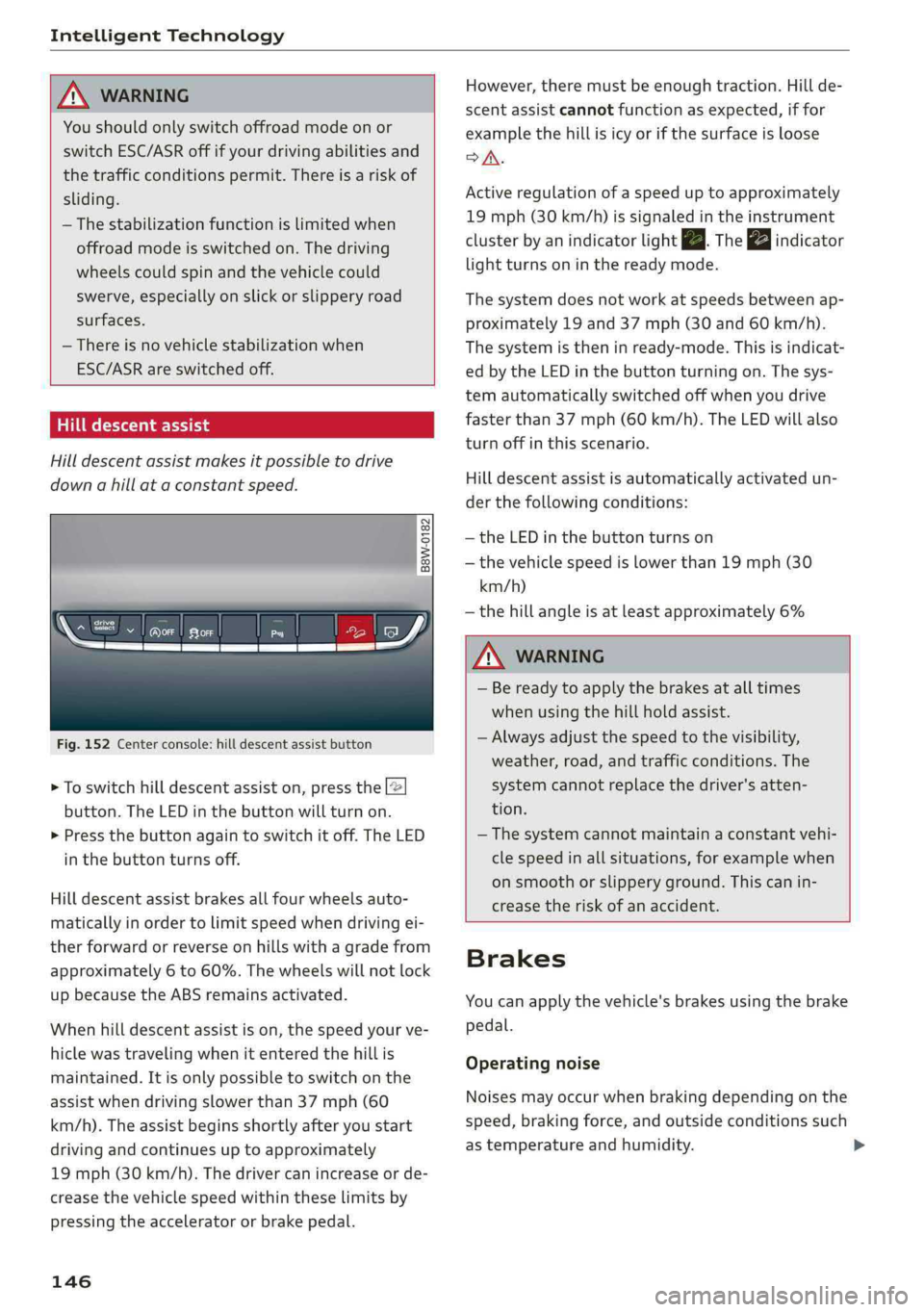
Hilldescentassist
Hilldescentassistmakesitpossibletodrive
downahillataconstantspeed.
a
2
g
= ©a
N
Fig.152Centerconsole:hilldescentassistbutton
>Toswitchhilldescentassiston,pressthe|@
button.TheLEDinthebuttonwillturnon.
>»Pressthebuttonagaintoswitchitoff.The LED
inthe buttonturnsoff.
Hilldescentassistbrakesallfourwheelsauto-
maticallyinordertolimitspeedwhendrivingei-
therforwardorreverseonhillswithagradefrom
approximately6to60%.Thewheelswillnotlock
upbecausetheABSremainsactivated.
Whenhilldescentassistison,thespeedyourve-
hiclewastravelingwhenitenteredthehillis
maintained.Itisonlypossibletoswitchonthe
assistwhendrivingslowerthan37mph(60
km/h).
Theassistbeginsshortlyafteryoustart
drivingandcontinuesuptoapproximately
19mph(30km/h).Thedrivercanincrease or de-
creasethevehiclespeedwithintheselimitsby
pressingtheacceleratororbrakepedal.
146
However,theremustbeenoughtraction.Hillde-
scentassistcannotfunctionasexpected,iffor
examplethehillisicyorifthesurfaceisloose
SA.
Activeregulationofaspeeduptoapproximately
19mph(30km/h)issignaledintheinstrument
clusterby anindicatorlightZB.Thegaindicator
lightturnsoninthereadymode.
Thesystemdoesnotworkatspeedsbetweenap-
proximately19 and 37mph(30and60km/h).
Thesystemistheninready-mode.Thisisindicat-
edbytheLEDinthebuttonturningon.Thesys-
temautomaticallyswitchedoffwhenyoudrive
fasterthan37mph(60 km/h).TheLEDwillalso
turnoffinthisscenario.
Hilldescentassistisautomaticallyactivatedun-
der thefollowingconditions:
—theLEDinthebuttonturnson
—thevehiclespeedislowerthan19mph(30
km/h)
—thehillangleisatleastapproximately6%
ZXWARNING
—Bereadytoapplythebrakesatalltimes
whenusingthehillholdassist.
—Alwaysadjustthespeedtothevisibility,
weather,road,andtrafficconditions.The
systemcannotreplacethedriver'satten-
tion.
—The systemcannotmaintainaconstantvehi-
clespeedinallsituations,forexamplewhen
onsmoothorslipperyground.Thiscanin-
creasetheriskofanaccident.
Brakes
Youcanapplythevehicle'sbrakesusingthebrake
pedal.
Operatingnoise
Noisesmayoccurwhenbrakingdependingonthe
speed,brakingforce,andoutsideconditionssuch
astemperatureandhumidity.