Page 370 of 632
3705-7. “SETUP” menu
YARIS_HV_OM_Europe_OM52J66E
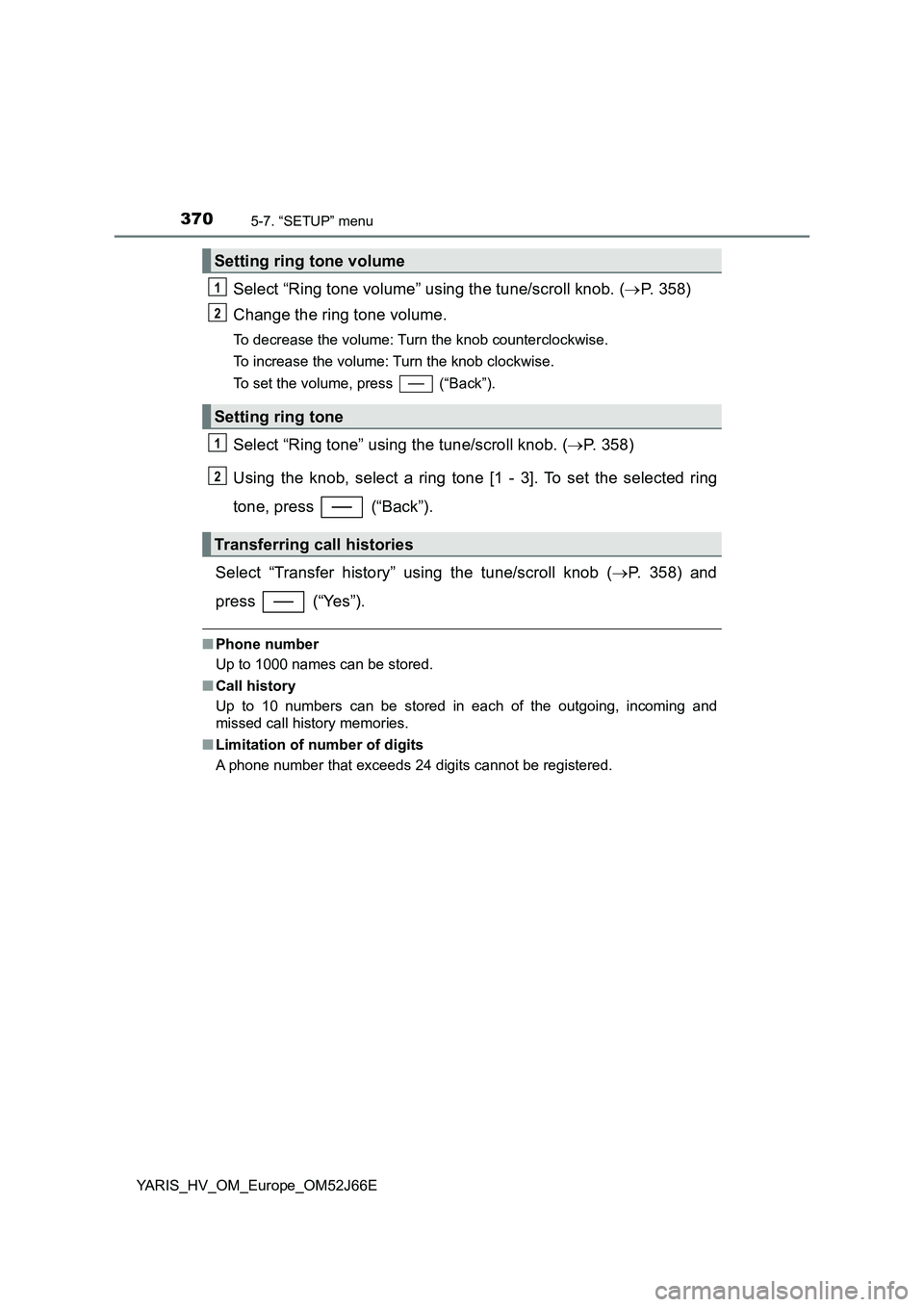
Select “Ring tone volume” using the tune/scroll knob. (P. 358)
Change the ring tone volume.
To decrease the volume: Turn the knob counterclockwise.
To increase the volume: Turn the knob clockwise.
To set the volume, press (“Back”).
Select “Ring tone” using the tune/scroll knob. ( P. 358)
Using the knob, select a ring tone [1 - 3]. To set the selected ring
tone, press (“Back”).
Select “Transfer history” using the tune/scroll knob ( P. 358) and
press (“Yes”).
■ Phone number
Up to 1000 names can be stored.
■ Call history
Up to 10 numbers can be stored in each of the outgoing, incoming and
missed call history memories.
■ Limitation of number of digits
A phone number that exceeds 24 digits cannot be registered.
Setting ring tone volume
Setting ring tone
Transferring call histories
1
2
1
2
Page 376 of 632
3765-9. Bluetooth® Phone
YARIS_HV_OM_Europe_OM52J66E
Receiving a phone call
Press the off-hook switch.
Press the on-hook switch.
Press the off-hook switch.
Pressing the off-hook switch again returns you to the previous call.
To decrease the volume: Turn the power/volume knob counterclock-
wise.
To increase the volume: Turn the power/volume knob clockwise.
: If equipped
Answering the phone
Refusing the call
Receiving a call when on another call
Adjusting the ring tone volume when receiving a call
Page 377 of 632
3775-9. Bluetooth® Phone
5
Audio system
YARIS_HV_OM_Europe_OM52J66E
Speaking on the phone
A call can be transferred between the cellular phone and system while
dialing, receiving a call, or during a call. Use one of the following
methods:
a. Operate the cellular phone.
Refer to the manual that comes with the cellular phone for the operation
of the phone.
b. Press the * (“Phone”).
*: This operation can be performed only when transferring a call from the
cellular phone to the system during a call.
Press (“Mute”).
Press [0-9] and using the tune/scroll knob input the desired
digits.
To decrease the volume: Turn the power/volume knob counterclock-
wise.
To increase the volume: Turn the power/volume knob clockwise.
: If equipped
Transferring a call
Muting your voice
Inputting digits
Setting call volume
Page 387 of 632
3876-1. Using the air conditioning system and defogger
6
Interior features
YARIS_HV_OM_Europe_OM52J66E
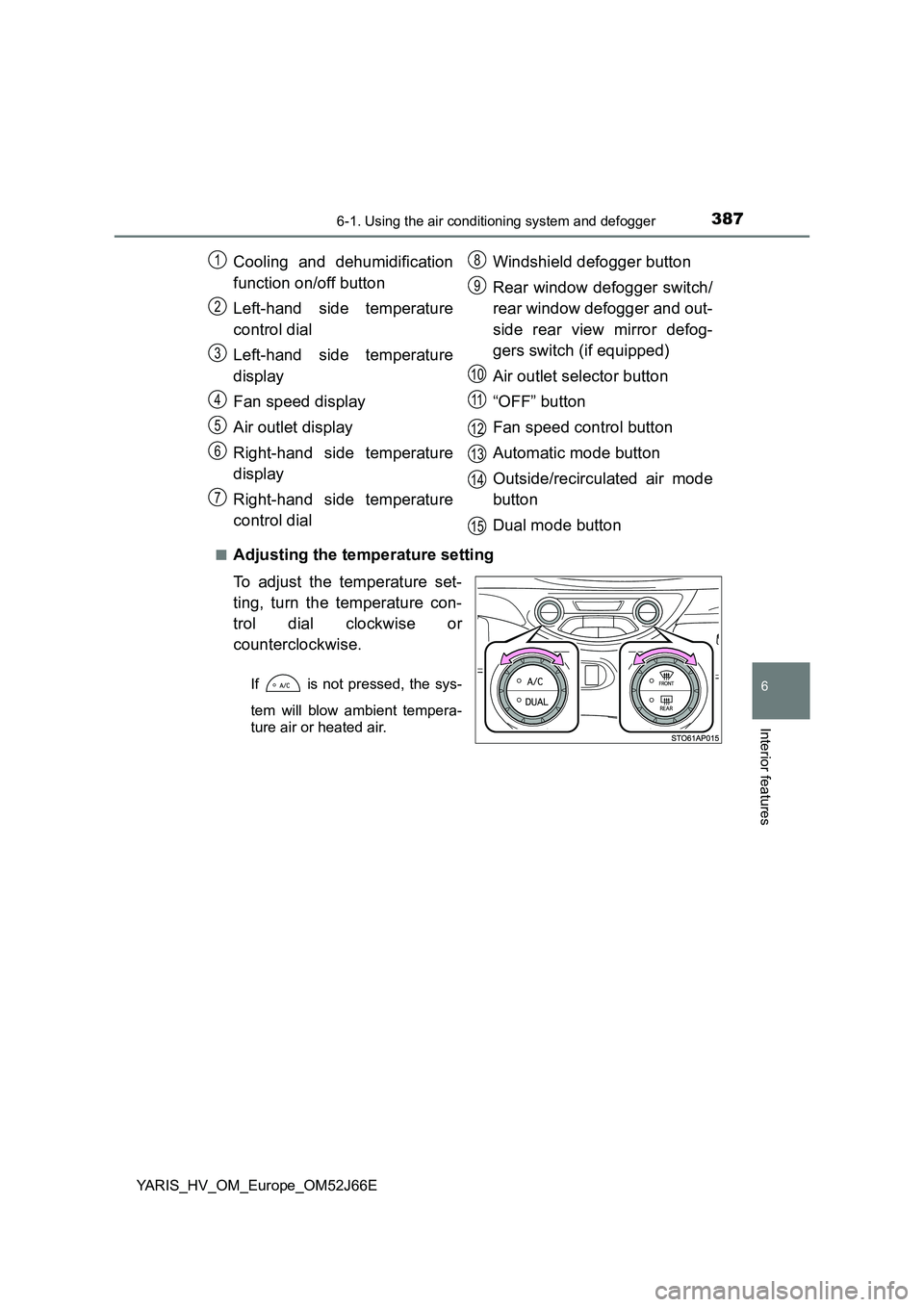
■Adjusting the temperature setting
To adjust the temperature set-
ting, turn the temperature con-
trol dial clockwise or
counterclockwise.
If is not pressed, the sys-
tem will blow ambient tempera-
ture air or heated air.
Cooling and dehumidification
function on/off button
Left-hand side temperature
control dial
Left-hand side temperature
display
Fan speed display
Air outlet display
Right-hand side temperature
display
Right-hand side temperature
control dial
Windshield defogger button
Rear window defogger switch/
rear window defogger and out-
side rear view mirror defog-
gers switch (if equipped)
Air outlet selector button
“OFF” button
Fan speed control button
Automatic mode button
Outside/recirculated air mode
button
Dual mode button
1
2
3
4
5
6
7
8
9
10
11
12
13
14
15
Page 395 of 632
3956-1. Using the air conditioning system and defogger
6
Interior features
YARIS_HV_OM_Europe_OM52J66E
WARNING
■To prevent the windshield from fogging up
● Do not use during cool air operation in extremely humid weather.
The difference between the temperature of the outside air and that of the
windshield can cause the outer surface of the windshield to fog up, block-
ing your vision.
■ To prevent burns (vehicles with outside rear view mirror defoggers)
Do not touch the outside surface of the rear view mirrors, as they can
become very hot and burn you.
NOTICE
■ To prevent 12-volt battery discharge
Do not leave the air conditioning syst em on longer than necessary when the
hybrid system is stopped.
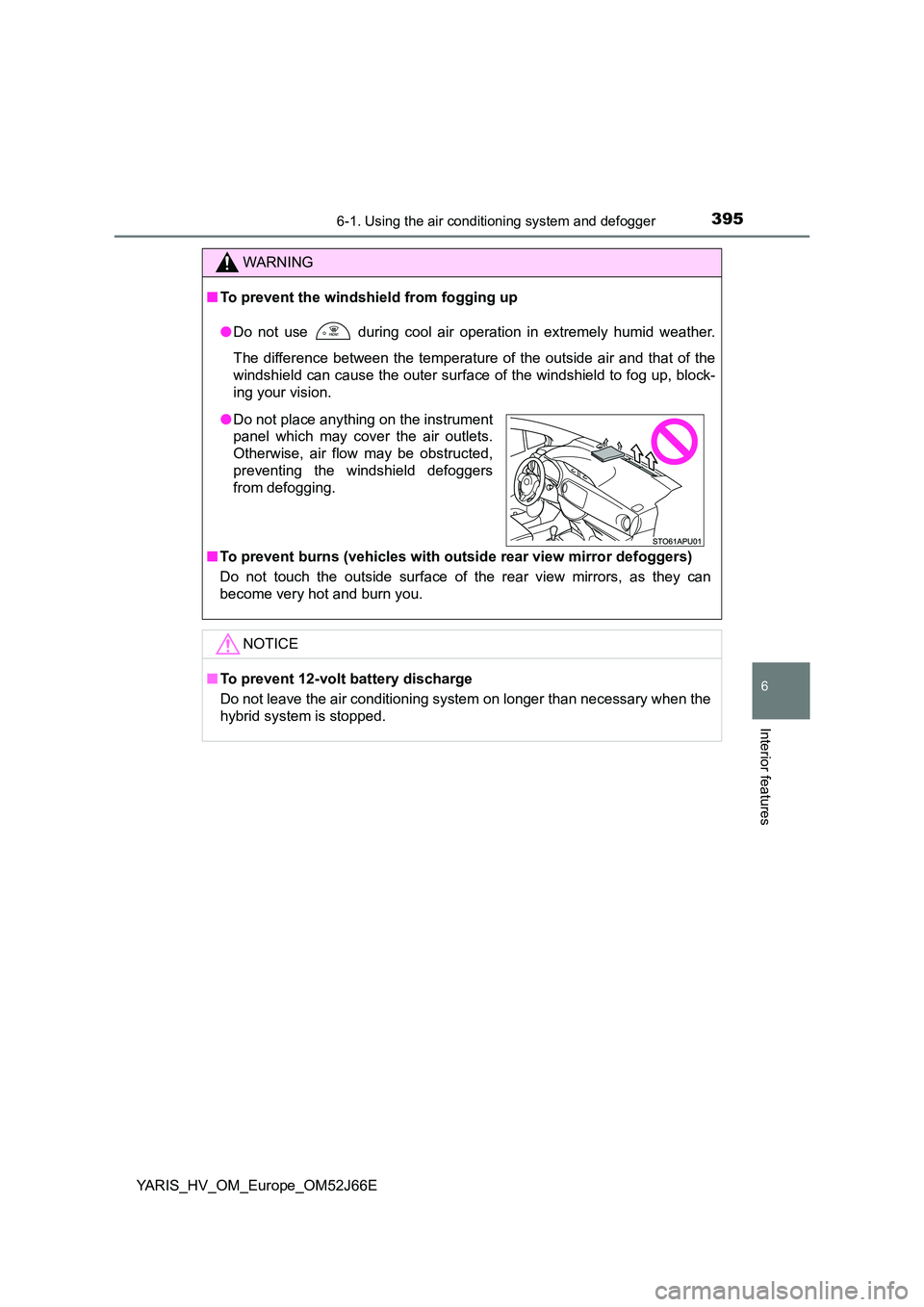
● Do not place anything on the instrument
panel which may cover the air outlets.
Otherwise, air flow may be obstructed,
preventing the windshield defoggers
from defogging.
Page 399 of 632
3996-2. Using the interior lights
6
Interior features
YARIS_HV_OM_Europe_OM52J66E
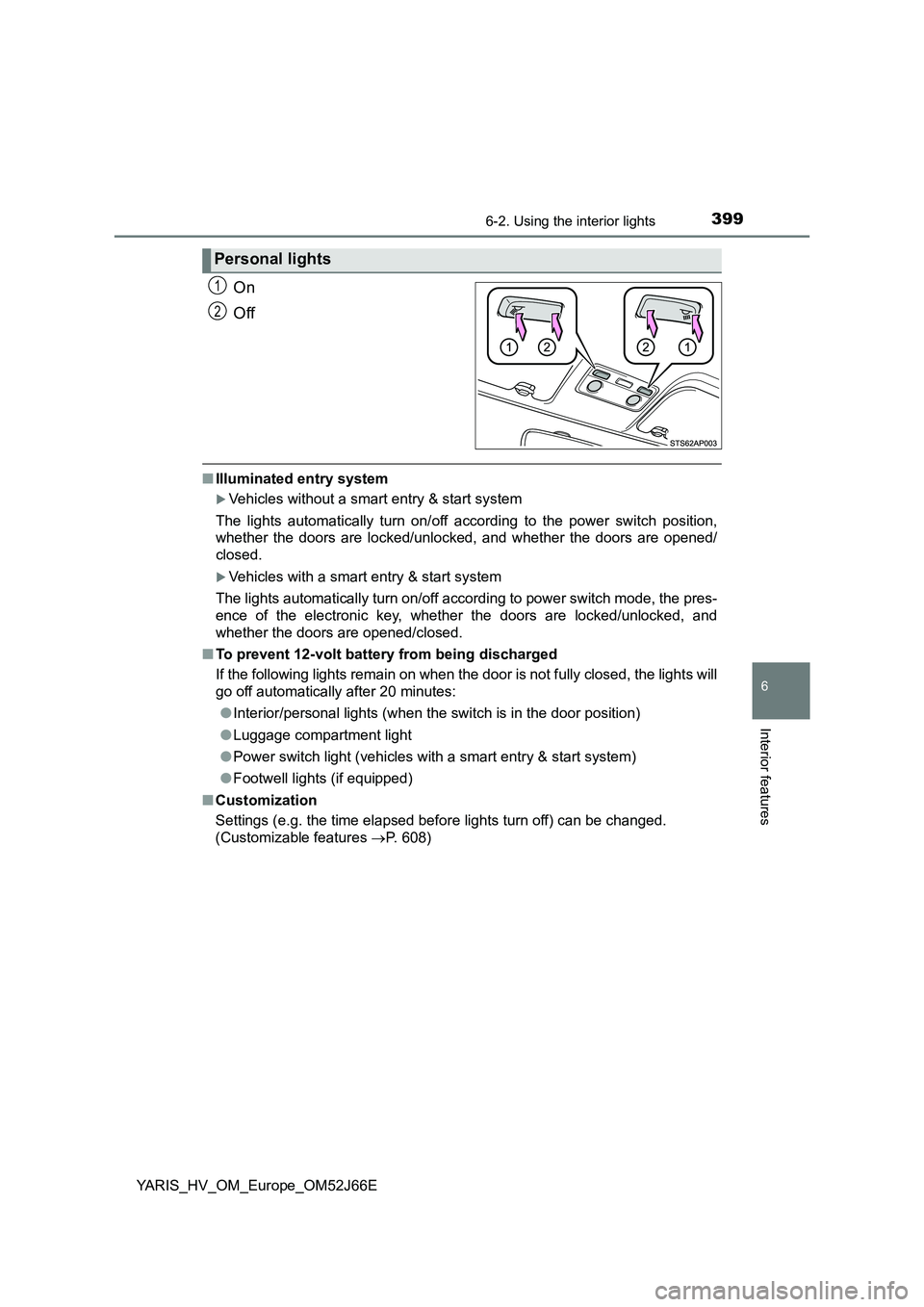
On
Off
■ Illuminated entry system
Vehicles without a smart entry & start system
The lights automatically turn on/off according to the power switch position,
whether the doors are locked/unloc ked, and whether the doors are opened/
closed.
Vehicles with a smart entry & start system
The lights automatically turn on/off according to power switch mode, the pres-
ence of the electronic key, whether the doors are locked/unlocked, and
whether the doors are opened/closed.
■ To prevent 12-volt battery from being discharged
If the following lights remain on when the door is not fully closed, the lights will
go off automatically after 20 minutes:
● Interior/personal lights (when the switch is in the door position)
● Luggage compartment light
● Power switch light (vehicles with a smart entry & start system)
● Footwell lights (if equipped)
■ Customization
Settings (e.g. the time elapsed before lights turn off) can be changed.
(Customizable features P. 608)
Personal lights
1
2
Page 411 of 632
4116-4. Using the other interior features
6
Interior features
YARIS_HV_OM_Europe_OM52J66E
Fold down the armrest for use.
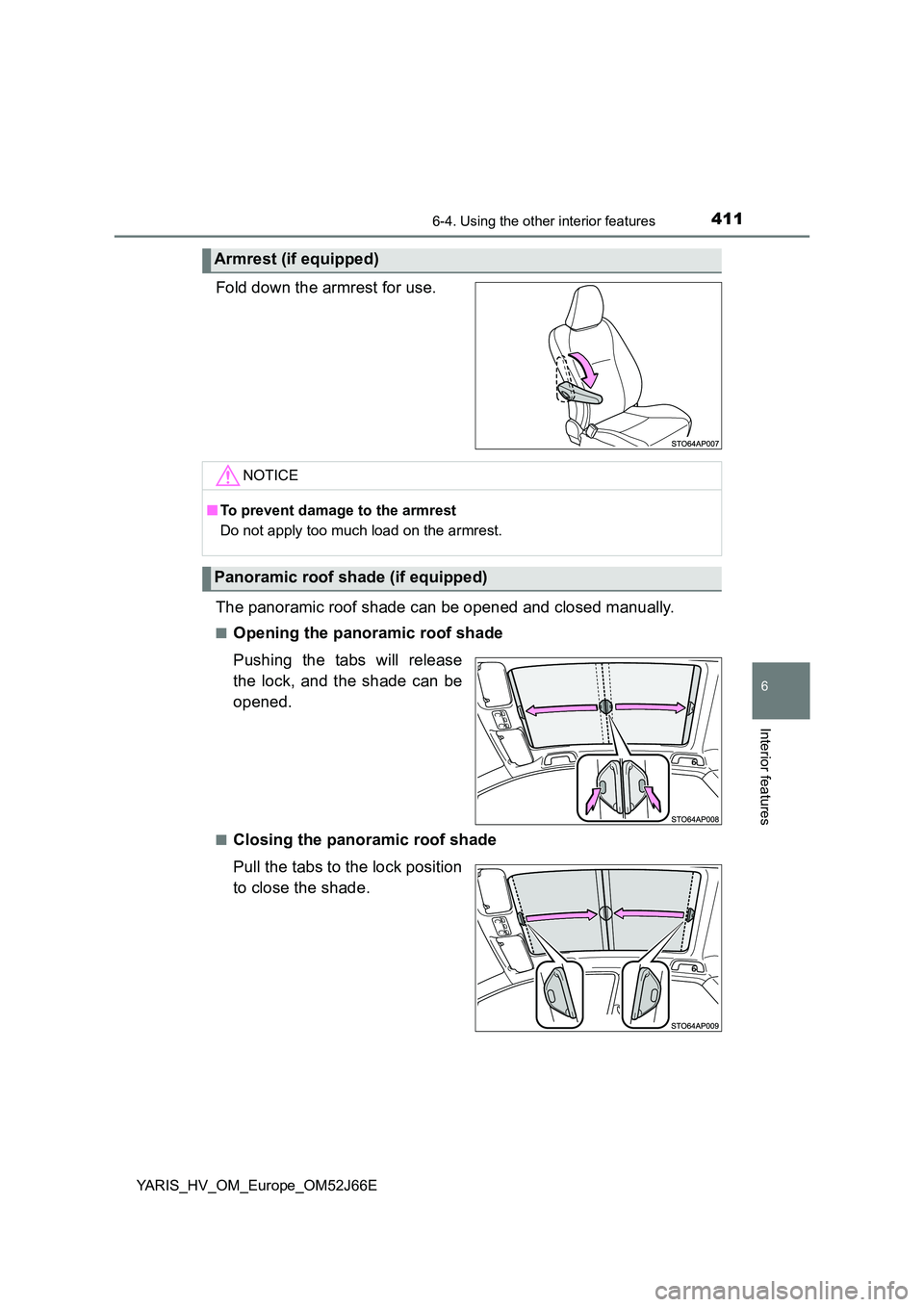
The panoramic roof shade can be opened and closed manually.
■Opening the panoramic roof shade
Pushing the tabs will release
the lock, and the shade can be
opened.
■Closing the panoramic roof shade
Pull the tabs to the lock position
to close the shade.
Armrest (if equipped)
NOTICE
■ To prevent damage to the armrest
Do not apply too much load on the armrest.
Panoramic roof shade (if equipped)
Page 415 of 632
4157-1. Maintenance and care
7
Maintenance and care
YARIS_HV_OM_Europe_OM52J66E
■Automatic car washes
● Fold the mirrors and remove the antenna before washing the vehicle. Start
washing from the front of the vehicle. Make sure to re-install the antenna
and extend the mirrors before driving.
● Brushes used in automatic car washes may scratch the vehicle surface and
harm your vehicle’s paint.
● Rear spoiler (if equipped) may not be washable in some automatic car
washes. There may also be an increased risk of damage to vehicle.
■ High pressure car washes
● Do not allow the nozzles of the car wash to come within close proximity of
the windows and door borders, and high mounted stoplight.
● Before using the car wash, check that the fuel filler door on your vehicle is
closed properly.
■ When using a car wash (vehicles with a smart entry & start system
equipped with entry function)
If the door handle becomes wet while the electronic key is within the effective
range, the door may lock and unlock repeatedly. Place the key in a position
2 m (6 ft.) or more separate from the vehicle while the vehicle is being
washed. (Take care to ensure that the key is not stolen.)
■ Aluminum wheels (if equipped)
● Remove any dirt immediately by using a neutral detergent.
● Wash detergent off with water immediately after use.
● To protect the paint from damage, make sure to observe the following pre-
cautions.
• Do not use acidic, alkaline or abrasive detergent
• Do not use hard brushes
• Do not use detergent on the wheels when they are hot, such as after driv-
ing or parking in hot weather
■ Bumpers
Do not scrub with abrasive cleaners.