2018 SUBARU CROSSTREK fuel
[x] Cancel search: fuelPage 155 of 474
(160,1)
北米Model "A1320BE-C" EDITED: 2017/ 10/ 10
the engine, there may be a malfunction in
the vacuum system. In this case, drive the
vehicle carefully and have the system
inspected by a SUBARU dealer.&Low fuel warning lightThe low fuel warning light illuminates when
the tank is nearly empty, at approximately
2.5 US gal (9.5 liters, 2.1 Imp gal). It only
operates when the ignition switch is in the
“ON”position.
CAUTION
Promptly put fuel in the tank when-
ever the low fuel warning light
illuminates. Engine misfires as a
result of an empty tank could cause
damage to the engine.&Hill start assist warning
light/Hill start assist
OFF indicator light!Hill start assist warning light
While the engine is running, if there are
any malfunctions in the Hill start assist
system, the warning light will illuminate.
WARNING
When the Hill start assist warning
light illuminates, have the vehicle
inspected at an authorized SUBARU
dealer.
!Hill start assist OFF indicator light
While the Hill start assist system is
deactivated, the Hill start assist OFF
indicator light illuminates continuously to
inform the driver that the Hill start assist
system is not operational.&Door open warning lightThe warning light illuminates if any door or
the rear gate is not fully closed. This
function is effective even if the ignition
switch is in the“LOCK”/“OFF”or“ACC”
position, or the key is removed from the
ignition switch.
For some models, only the open doors are
indicated by the warning lights.
Always make sure this light is not illumi-
nated before you start to drive.
&All-Wheel Drive warn-
ing light (CVT models)This light blinks if the vehicle is driven with
tires of differing diameters fitted on the
wheels or with an excessively low air
pressure in any of the tires.
WARNING
If the AWD warning light flashes,
promptly park in a safe location then
check whether all four tires are the
same diameter and whether any of
the tires has a puncture or has lost
air pressure for some other reason.
Continuing to drive with the AWD
warning light flashing can lead to
powertrain damage.NOTEIf the temporary spare tire is used, the
AWD warning light may flash. Use of the
temporary spare tire should therefore
be restricted to the minimum time
necessary. Replace the temporary
spare tire with a conventional tire as
soon as possible.
Instruments and controls/Warning and indicator
3-22
Page 166 of 474
(171,1)
北米Model "A1320BE-C" EDITED: 2017/ 10/ 10
Combination meter display
(color LCD) (if equipped)
WARNING
Always pay adequate attention to
safe driving when operating the
combination meter display (color
LCD) while the vehicle is in motion.
When operation of the combination
meter display (color LCD) interferes
with your ability to concentrate on
driving, stop the vehicle before
performing operations on the
screen. Also, do not concentrate on
the display while driving. Doing so
may cause you to look away from the
road and could result in an accident.
Various information will be shown on the
combination meter display (color LCD).
Also, a warning message will appear on
the display if a malfunction, etc. is
detected. In addition, several settings for
the displayed content can be performed.
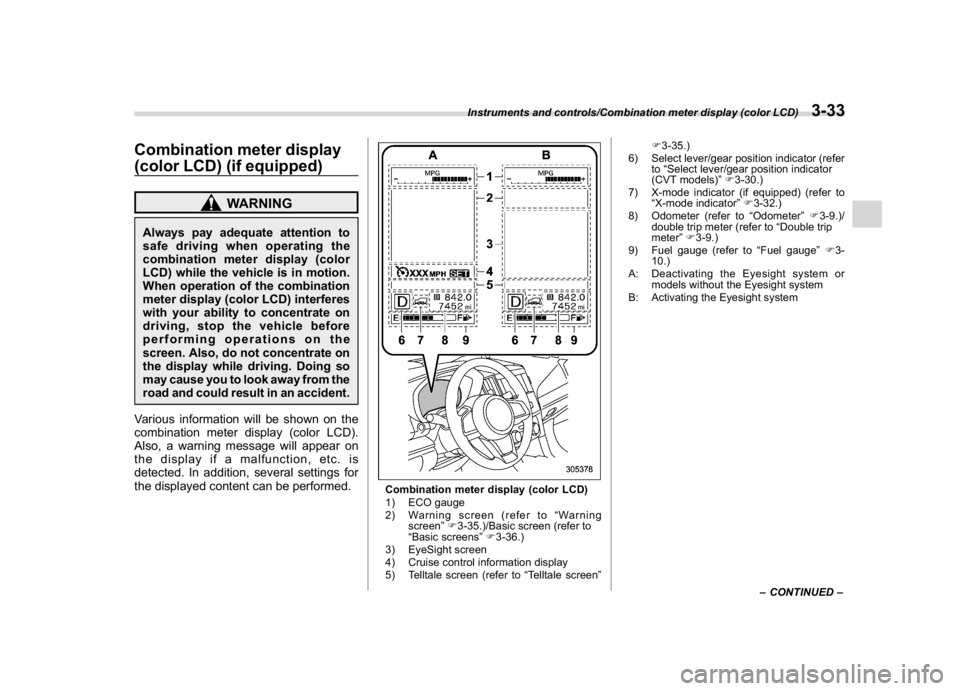
Combination meter display (color LCD)
1) ECO gauge
2) Warning screen (refer to“Warning
screen”F3-35.)/Basic screen (refer to
“Basic screens”F3-36.)
3) EyeSight screen
4) Cruise control information display
5) Telltale screen (refer to“Telltale screen”F3-35.)
6) Select lever/gear position indicator (refer
to“Select lever/gear position indicator
(CVT models)”F3-30.)
7) X-mode indicator (if equipped) (refer to
“X-mode indicator”F3-32.)
8) Odometer (refer to“Odometer”F3-9.)/
double trip meter (refer to“Double trip
meter”F3-9.)
9) Fuel gauge (refer to“Fuel gauge”F3-
10.)
A: Deactivating the Eyesight system or
models without the Eyesight system
B: Activating the Eyesight system
–CONTINUED–
Instruments and controls/Combination meter display (color LCD)
3-33
3
Page 169 of 474
(174,1)
北米Model "A1320BE-C" EDITED: 2017/ 10/ 10
Mark Name Page
Steering responsive fog
lights OFF indicator (if
equipped)3-31High beam assist warn-
ing indicator (yellow) (if
equipped)3-30Windshield washer fluid
warning indicator3-18Hill descent control in-
dicator (if equipped)3-32Icy road surface warn-
ing indicator3-32
&Basic screensBy operating the“
”or“
”switch on the
steering wheel, you can change the screen
that is always displayed.
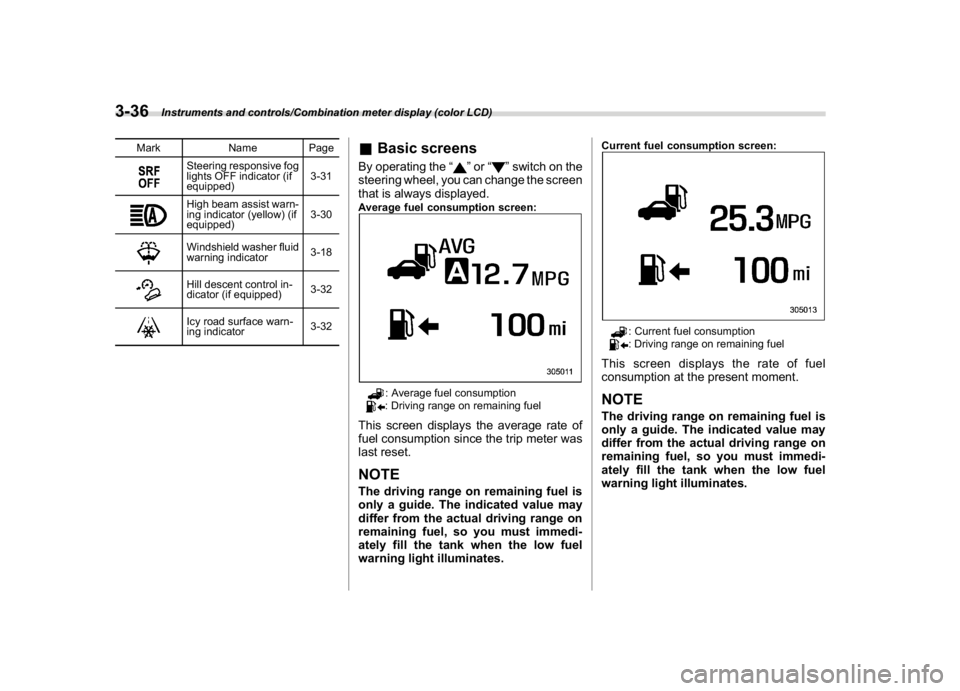
Average fuel consumption screen:
: Average fuel consumption: Driving range on remaining fuel
This screen displays the average rate of
fuel consumption since the trip meter was
last reset.NOTEThe driving range on remaining fuel is
only a guide. The indicated value may
differ from the actual driving range on
remaining fuel, so you must immedi-
ately fill the tank when the low fuel
warning light illuminates.
Current fuel consumption screen:
: Current fuel consumption: Driving range on remaining fuel
This screen displays the rate of fuel
consumption at the present moment.NOTEThe driving range on remaining fuel is
only a guide. The indicated value may
differ from the actual driving range on
remaining fuel, so you must immedi-
ately fill the tank when the low fuel
warning light illuminates.
Instruments and controls/Combination meter display (color LCD)
3-36
Page 177 of 474
(182,1)
北米Model "A1320BE-C" EDITED: 2017/ 10/ 10
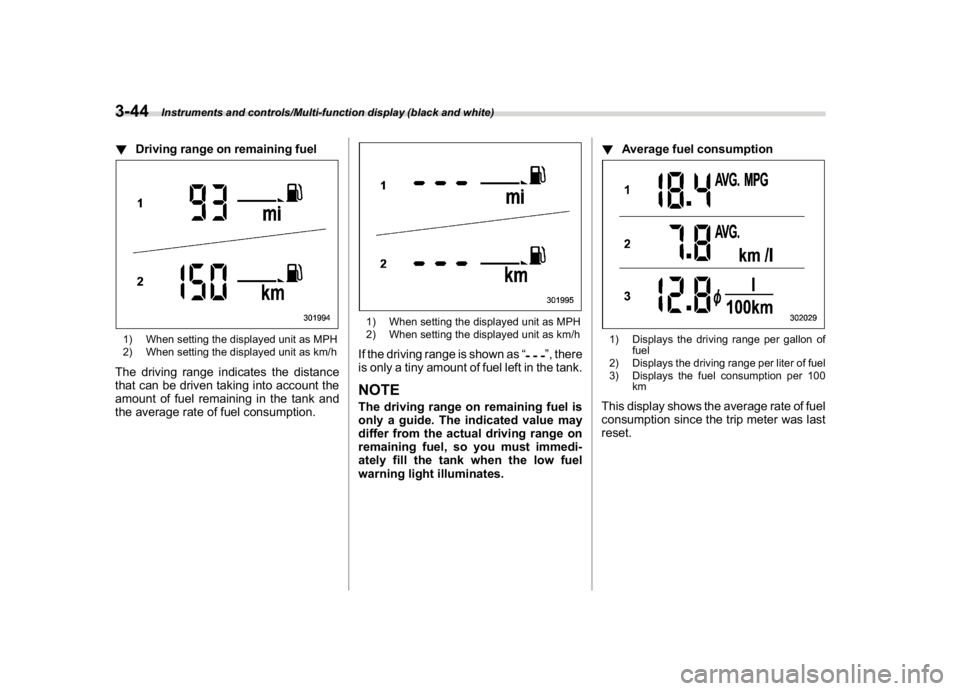
!Driving range on remaining fuel1) When setting the displayed unit as MPH
2) When setting the displayed unit as km/hThe driving range indicates the distance
that can be driven taking into account the
amount of fuel remaining in the tank and
the average rate of fuel consumption.
1) When setting the displayed unit as MPH
2) When setting the displayed unit as km/hIf the driving range is shown as“
”, there
is only a tiny amount of fuel left in the tank.
NOTEThe driving range on remaining fuel is
only a guide. The indicated value may
differ from the actual driving range on
remaining fuel, so you must immedi-
ately fill the tank when the low fuel
warning light illuminates.!Average fuel consumption
1) Displays the driving range per gallon of
fuel
2) Displays the driving range per liter of fuel
3) Displays the fuel consumption per 100
kmThis display shows the average rate of fuel
consumption since the trip meter was last
reset.
Instruments and controls/Multi-function display (black and white)
3-44
Page 178 of 474
(183,1)
北米Model "A1320BE-C" EDITED: 2017/ 10/ 10
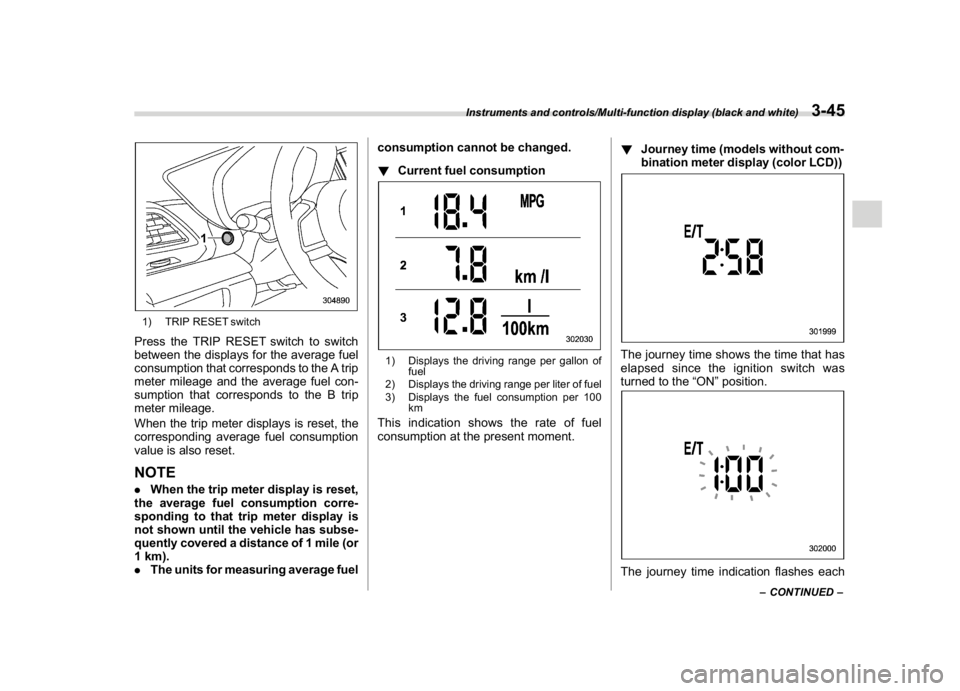
1) TRIP RESET switchPress the TRIP RESET switch to switch
between the displays for the average fuel
consumption that corresponds to the A trip
meter mileage and the average fuel con-
sumption that corresponds to the B trip
meter mileage.
When the trip meter displays is reset, the
corresponding average fuel consumption
value is also reset.NOTE.When the trip meter display is reset,
the average fuel consumption corre-
sponding to that trip meter display is
not shown until the vehicle has subse-
quently covered a distance of 1 mile (or
1 km).
.The units for measuring average fuelconsumption cannot be changed.
!Current fuel consumption
1) Displays the driving range per gallon of
fuel
2) Displays the driving range per liter of fuel
3) Displays the fuel consumption per 100
kmThis indication shows the rate of fuel
consumption at the present moment.!Journey time (models without com-
bination meter display (color LCD))
The journey time shows the time that has
elapsed since the ignition switch was
turned to the“ON”position.The journey time indication flashes each
–CONTINUED–
Instruments and controls/Multi-function display (black and white)
3-45
3
Page 179 of 474

(184,1)
北米Model "A1320BE-C" EDITED: 2017/ 10/ 10
time a complete hour has elapsed. If the
display is giving a reading other than the
journey time, the display switches to the
journey time, flashes for 5 seconds, and
returns to its original reading each time a
complete hour has elapsed.NOTEThe journey time is reset when the
ignition switch is turned to the“ACC”
or“LOCK”/“OFF”position.
!Average vehicle speed1) When units in miles is selected
2) When units in km is selectedThis display shows the average vehicle
speed since the trip meter was last reset.
Pressing the TRIP RESET switch toggles
the display between the average vehiclespeed corresponding to the A trip meter
display and the average vehicle speed
corresponding to the B trip meter display.
When either of the trip meter displays is
reset, the corresponding average vehicle
speed value is also reset.
NOTEWhen either trip meter display is reset,
the average vehicle speed correspond-
ing to that trip meter display is not
shown until the vehicle has subse-
quently covered a distance of 1 mile
(or 1 km).
!Turn off display of driving informa-
tion display
Select the blank space in the menu to exit
the driving information display selection.NOTE.The average fuel consumption and
average vehicle speed are calculated
even while the driving information dis-
play is not displayed.
.Even if you turn off the driving
information display, the display will
automatically turn on when the battery
voltage is disconnected and then re-
connected for battery replacement or
fuse replacement.
&Outside temperature indica-
tor1) U.S.-spec. models
2) Except U.S.-spec. modelsNOTE.The outside temperature indicator
shows the temperature around the
sensor. Therefore, the temperature in-
dication may differ from the actual
outside air temperature.
.The temperature unit cannot be
changed.
Instruments and controls/Multi-function display (black and white)
3-46
Page 181 of 474
(186,1)
北米Model "A1320BE-C" EDITED: 2017/ 10/ 10
&FeaturesThe multi-function display (color LCD) has
the following functions.
Description Page
Displays useful messages, such
as notification, etc.3-49
Displays basic screens (e.g. fuel
consumption screen, etc.)3-50
Sets and adjusts maintenance
notification3-61
Also, the multi-function display (color LCD)
can also be used to set and initialize the
multi-function display (color LCD) itself.NOTE.When the vehicle is in motion,
certain functions and selections may
not be available.
.You can set the language and units
for both the multi-function display
(color LCD) and the combination meter
at the same time. For details about
setting the language and units, refer to
“Menu screens”F3-38.
.The images displayed in this Own-
er’s Manual are sample images. The
actual image may vary depending on
the market and vehicle specifications.
&Welcome screenWhen the driver’s door is opened and
closed, the welcome screen will appear for
a short time.NOTE.The welcome screen will disappear
when the ignition switch is turned to the
“ON”position while the welcome
screen is displayed.
.The welcome screen can be set to on
or off. For details, refer to“Screen
Settings”F3-41.
.For a certain period of time after the
welcome screen has once appeared, it
may not appear again even when the
driver’s door is opened and closed
again. This does not indicate a mal-
function.
&Self-check screen
NOTEWhen the setting is“On”, the self check
screen appears. For details about this
setting, refer to“On/Off setting”F3-61.
When the ignition switch is turned to the
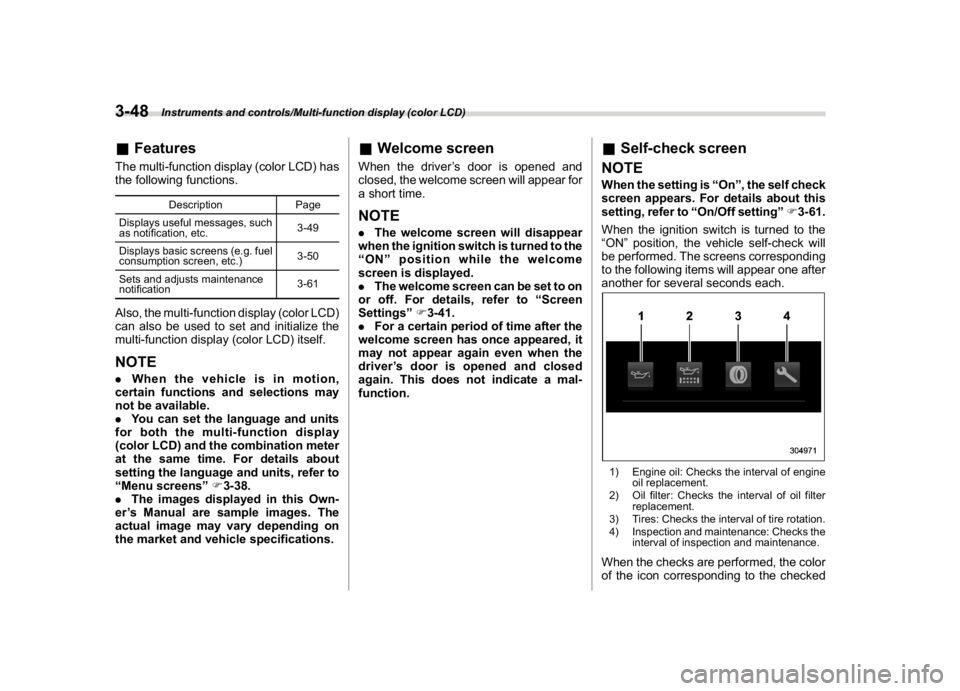
“ON”position, the vehicle self-check will
be performed. The screens corresponding
to the following items will appear one after
another for several seconds each.1) Engine oil: Checks the interval of engine
oil replacement.
2) Oil filter: Checks the interval of oil filter
replacement.
3) Tires: Checks the interval of tire rotation.
4) Inspection and maintenance: Checks the
interval of inspection and maintenance.When the checks are performed, the color
of the icon corresponding to the checked
Instruments and controls/Multi-function display (color LCD)
3-48
Page 185 of 474

(190,1)
北米Model "A1320BE-C" EDITED: 2017/ 10/ 10
!Information screen
Press the INFO button on the steering wheel to switch the item displayed on the information screen.
Content Description Page
Electric components operating status screen
Displays the operating status of the electric components and equipment. 3-53
Prevention safety screen Displays the status of your vehicle. 3-53
EyeSight screen*1
Displays the operating status of EyeSight. 3-54
Favorite screen Displays up to 3 optional items. 3-54
Weather information screen*
2
Displays weather information. 3-55
Traffic information*
2/Navigation*
3screen Displays information linked with the navigation system. 3-55
Audio screen Displays audio system information. 3-56
Fuel consumption screen Displays fuel consumption information. 3-56
Clock screen Displays the clock. 3-56
Guidance screen Moves to the setting screen.3-57
*1: Models with EyeSight system
*2: Models with SiriusXM Satellite Radio
*3: Models with navigation system
Instruments and controls/Multi-function display (color LCD)
3-52