2018 PEUGEOT EXPERT ECO mode
[x] Cancel search: ECO modePage 195 of 416
193
Stopping the vehicle
A stiff point may be noticed when moving
to position P.
If the selector is not in position P , when the
driver's door is opened or approximately
45
seconds after the ignition is switched
off, an audible signal sounds and a
message appears.
F
R
eturn the selector to position P ; the
audible signal stops and the message
disappears.
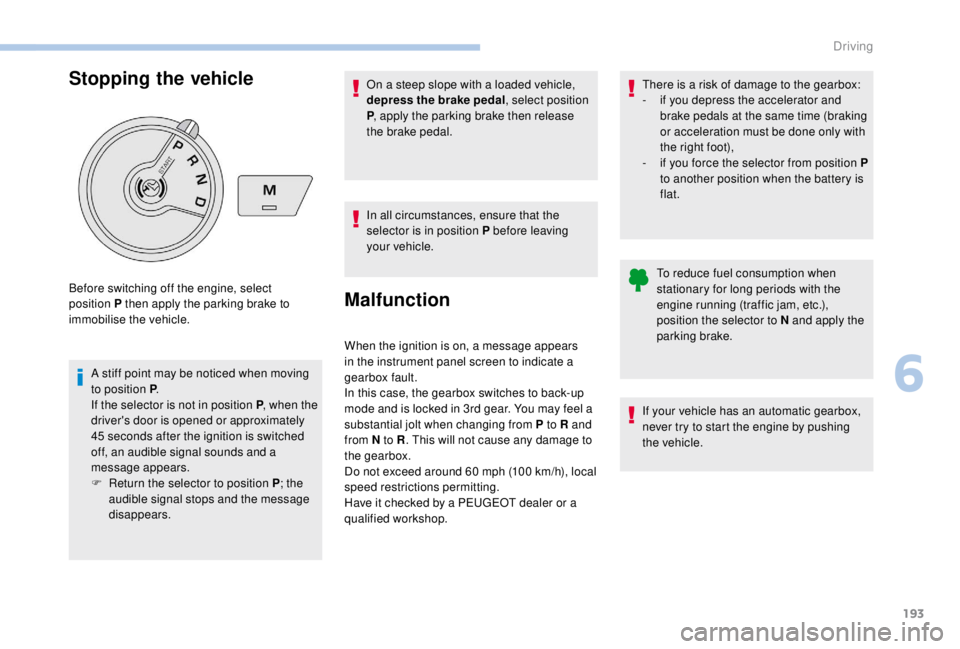
Before switching off the engine, select
position P then apply the parking brake to
immobilise the vehicle.
To reduce fuel consumption when
stationary for long periods with the
engine running (traffic jam, etc.),
position the selector to N and apply the
parking brake.
If your vehicle has an automatic gearbox,
never try to start the engine by pushing
the vehicle.
On a steep slope with a loaded vehicle,
depress the brake pedal, select position
P
, apply the parking brake then release
the brake pedal.
In all circumstances, ensure that the
selector is in position P before leaving
your vehicle.
Malfunction
When the ignition is on, a message appears
in the instrument panel screen to indicate a
gearbox fault.
In this case, the gearbox switches to back-up
mode and is locked in 3rd gear. You may feel a
substantial jolt when changing from P to R and
from N to R . This will not cause any damage to
the gearbox.
Do not exceed around 60
mph (100 km/h), local
speed restrictions permitting.
Have it checked by a PEUGEOT dealer or a
qualified workshop. There is a risk of damage to the gearbox:
-
i
f you depress the accelerator and
brake pedals at the same time (braking
or acceleration must be done only with
the right foot),
-
i
f you force the selector from position P
to another position when the battery is
flat.
6
Driving
Page 196 of 416
194
Electronic gearbox
Electronically controlled gearbox which offers
a choice between the comfort of fully automatic
operation and manual gear changing.
Two driving modes are available:
-
a
utomatic operation for automatic control
of the gears by the gearbox, without any
action on the part of the driver,
-
man
ual operation for sequential gear
changing by the driver using the steering
mounted paddles.
With automatic operation, you can temporarily
take over control of gear changing at any time.
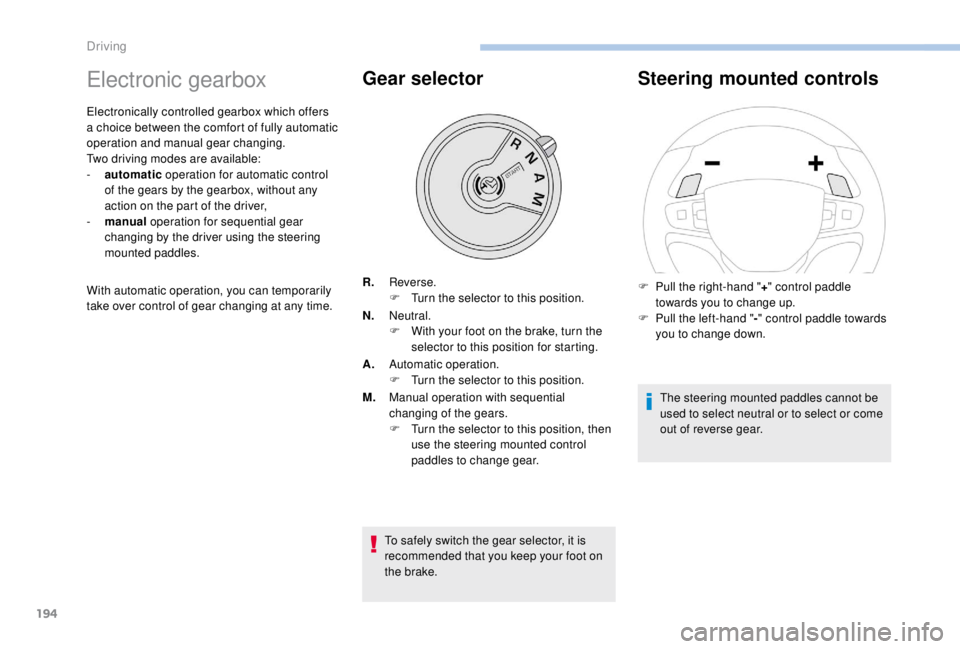
Gear selector
To safely switch the gear selector, it is
recommended that you keep your foot on
the brake.
Steering mounted controls
The steering mounted paddles cannot be
used to select neutral or to select or come
out of reverse gear.
F
P
ull the right-hand "
+" control paddle
towards you to change up.
F
P
ull the left-hand "
-" control paddle towards
you to change down.
R.
Reverse.
F
T
urn the selector to this position.
N. Neutral.
F
W
ith your foot on the brake, turn the
selector to this position for starting.
A. Automatic operation.
F
T
urn the selector to this position.
M. Manual operation with sequential
changing of the gears.
F
T
urn the selector to this position, then
use the steering mounted control
paddles to change gear.
Driving
Page 200 of 416
198
Stop & Start
The Stop & Start system puts the engine
temporarily into standby – STOP mode – during
stops in traffic (red lights, traffic jams, etc.). The
engine restarts automatically – START mode –
as soon as you want to move off.
The restart takes place instantly, quickly and
silently.
Per fect for urban use, the Stop & Start system
reduces fuel consumption and exhaust
emissions as well as the noise level when
stationary.
Going into engine
STOP mode
For your convenience during parking
manoeuvres, STOP mode is not available
for a few seconds after coming out of
reverse gear.
The Stop & Start does not affect the
functionality of the vehicle, such as for
example, braking, power steering, etc.
A slight delay between the vehicle
stopping and the engine cutting out may
be noticed.Never refuel with the engine in STOP
mode; you must switch off the ignition.
With a manual gearbox , when vehicle speed
is below 12 mph (20 km/h) or the vehicle is
stationary (depending on engine), the Stop &
Start warning lamp comes on in the instrument
panel and the engine goes into standby
automatically when you place the gear lever in
neutral and you release the clutch pedal.
With an automatic gearbox , vehicle
stationary, the Stop & Start warning lamp
on the instrument panel comes on and the
engine goes into standby automatically when
you press the brake pedal or place the gear
selector in position N .
With an electronic gearbox , vehicle speed
below 5 mph (8 km/h), the Stop & Start warning
lamp on the instrument panel comes on and the
engine goes into standby automatically when
you press the brake pedal or place the gear
selector in position N .
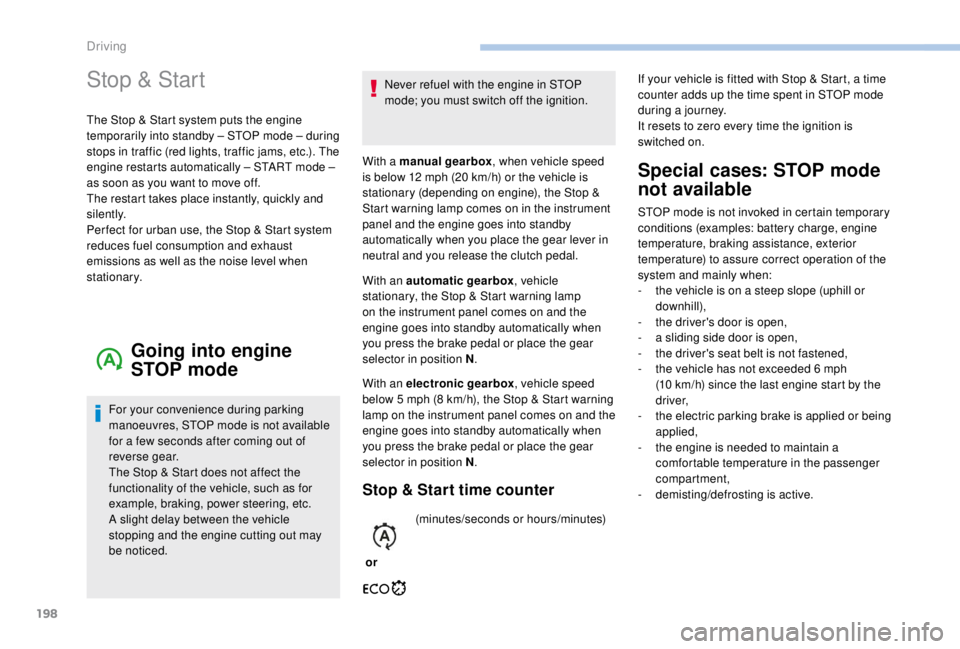
Stop & Start time counter
or(minutes/seconds or hours/minutes)
Special cases: STOP mode
not available
STOP mode is not invoked in certain temporary
conditions (examples: battery charge, engine
temperature, braking assistance, exterior
temperature) to assure correct operation of the
system and mainly when:
-
t
he vehicle is on a steep slope (uphill or
downhill),
-
t
he driver's door is open,
-
a s
liding side door is open,
-
t
he driver's seat belt is not fastened,
-
t
he vehicle has not exceeded 6 mph
(10
km/h) since the last engine start by the
driver,
-
t
he electric parking brake is applied or being
applied,
-
t
he engine is needed to maintain a
comfortable temperature in the passenger
compartment,
-
d
emisting/defrosting is active.
If your vehicle is fitted with Stop & Start, a time
counter adds up the time spent in STOP mode
during a journey.
It resets to zero every time the ignition is
switched on.
Driving
Page 201 of 416
199
In this case, this warning lamp
flashes for a few seconds then goes
of f.
Going into engine
START mode
With a manual gearbox, the Stop & Start
warning lamp goes off on the instrument panel
and the engine restarts automatically when you
press the clutch pedal fully down to the floor.
With an automatic gearbox , the Stop & Start
warning lamp on the instrument panel goes off
and the engine restarts automatically when:
-
y
ou release the brake pedal with the gear
selector in position D or M ,
-
y
ou are in position N with the brake pedal
released and you move the gear selector to
position D or M,
-
y
ou engage reverse.
This operation is perfectly normal.
With an electronic gearbox
, the Stop & Start
warning lamp on the instrument panel goes off
and the engine restarts automatically when:
-
y
ou release the brake pedal with the gear
selector in position A or M ,
-
y
ou are in position N with the brake pedal
released and you move the gear selector to
position A or M,
-
y
ou engage reverse.
Special cases: START mode
activated automatically
START mode is invoked automatically in
certain temporary conditions (examples:
battery charge, engine temperature, braking
assistance, air conditioning setting) to assure
correct operation of the system and mainly
when:
-
y
ou open the driver's door,
-
y
ou open a sliding side door,
-
y
ou unfasten the driver's seat belt,
-
t
he speed of the vehicle exceeds 16 mph
(25
km/h) or 2 mph (3 km/h) (depending on
the engine) with a manual gearbox,
-
t
he speed of the vehicle exceeds 2 mph
(3
km/h) with an automatic gearbox.In this case, this warning lamp
flashes for a few seconds then goes
of f.
Deactivation/Activation
With/Without audio system
This operation is perfectly normal.
With touch screen
In the " Driving/Vehicle " menu,
activate/deactivate " Stop & Star t
system".
If the system has been deactivated
in STOP mode, the engine restarts
immediately.
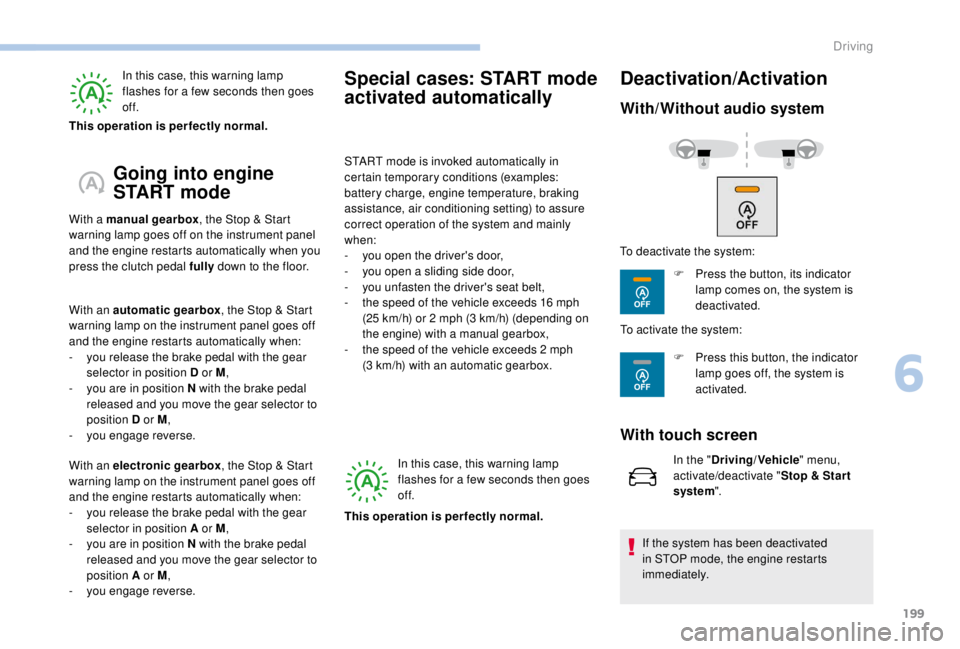
To deactivate the system:
F
P
ress the button, its indicator
lamp comes on, the system is
deactivated.
To activate the system:
F
P
ress this button, the indicator
lamp goes off, the system is
activated.
6
Driving
Page 202 of 416
200
The system reactivates automatically
every time the engine is started by the
driver.
Opening the bonnet
Driving on flooded roadsOperating fault
Depending on your vehicle's equipment:In the event of a fault with the
system, this warning lamp flashes in
the instrument panel.
The indicator lamp in this button
flashes and a message appears,
accompanied by an audible signal.
Have it checked by a PEUGEOT dealer or a
qualified workshop.
If a fault occurs in STOP mode, the vehicle may
stall.
All of the instrument panel warning lamps come
on.
Depending on version, an alert message may
also be displayed, asking you to place the gear
lever in position N and put your foot on the
brake pedal.
With the vehicle stationary, you must switch off
the ignition and then start the engine again.
Head-up display
System which projects various information onto
a blade in the driver's field of vision so that they
do not have to take their eyes off the road.
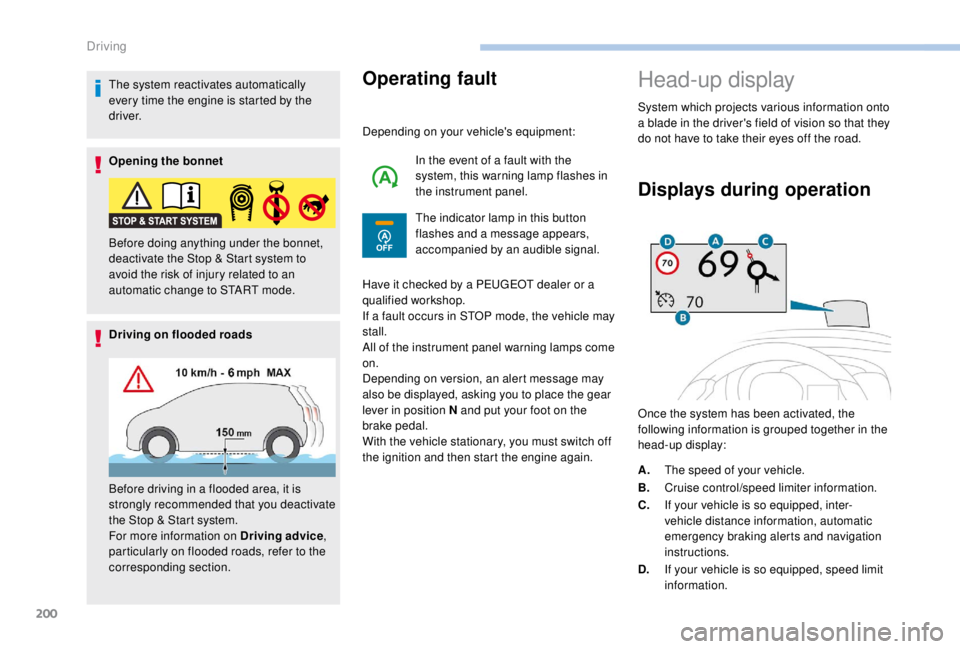
Displays during operation
Once the system has been activated, the
following information is grouped together in the
head-up display:
Before doing anything under the bonnet,
deactivate the Stop & Start system to
avoid the risk of injury related to an
automatic change to START mode.
Before driving in a flooded area, it is
strongly recommended that you deactivate
the Stop & Start system.
For more information on Driving advice
,
particularly on flooded roads, refer to the
corresponding section. A.
The speed of your vehicle.
B. Cruise control/speed limiter information.
C. If your vehicle is so equipped, inter-
vehicle distance information, automatic
emergency braking alerts and navigation
instructions.
D. If your vehicle is so equipped, speed limit
information.
Driving
Page 207 of 416
205
Display on the instrument panelHead-up display
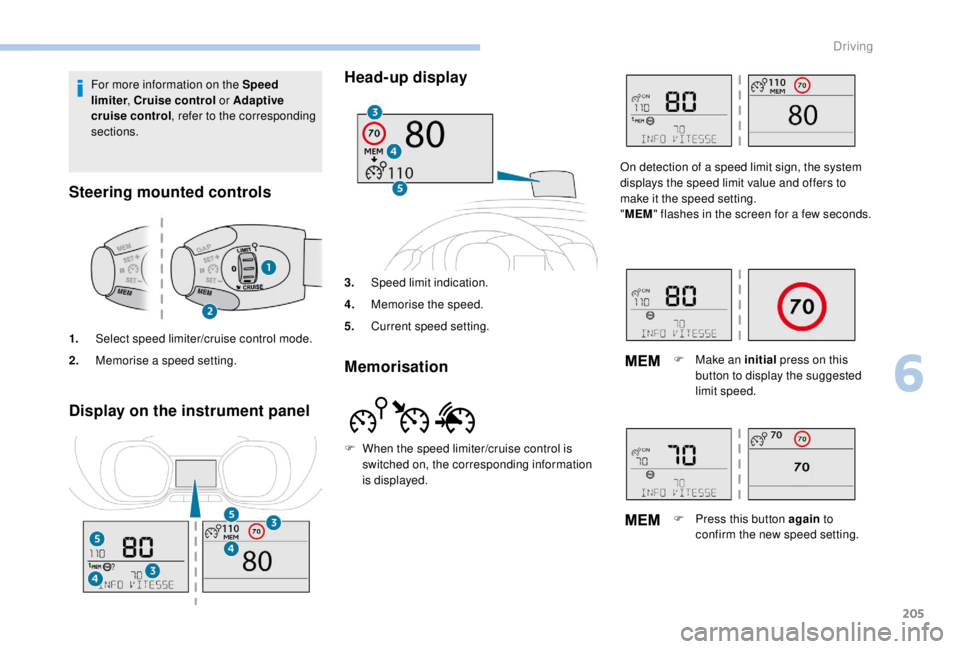
3.
Speed limit indication.
4. Memorise the speed.
5. Current speed setting.
Memorisation
For more information on the Speed
limiter , Cruise control or Adaptive
cruise control , refer to the corresponding
sections.
Steering mounted controls
1. Select speed limiter/cruise control mode.
2. Memorise a speed setting.
F
W
hen the speed limiter/cruise control is
switched on, the corresponding information
is displayed. On detection of a speed limit sign, the system
displays the speed limit value and offers to
make it the speed setting.
"
MEM " flashes in the screen for a few seconds.
F
M
ake an initial press on this
button to display the suggested
limit speed.
F
P
ress this button again to
confirm the new speed setting.
6
Driving
Page 208 of 416
206
Speed limiter ("LIMIT")
System which prevents the
vehicle from exceeding the speed
programmed by the driver.
Once the programmed speed limit is reached,
additional pressure on the accelerator pedal
has no effect.
The speed setting value is stored when
the ignition is switched off.
For more information on this
button and the Dynamic
cruise control , refer to the
corresponding section.
For more information on
Memorising speeds , refer to the
corresponding section.
For more information on Speed limit
recognition and memorising them in
particular, refer to the corresponding
section.
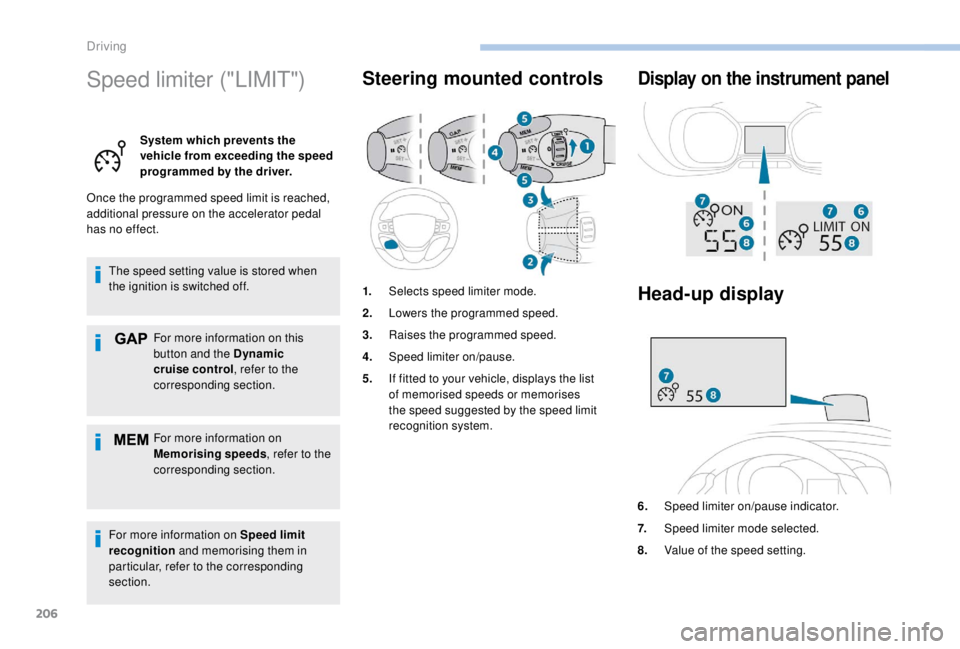
Steering mounted controls Display on the instrument panel
Head-up display
6. Speed limiter on/pause indicator.
7. Speed limiter mode selected.
8. Value of the speed setting.
1.
Selects speed limiter mode.
2. Lowers the programmed speed.
3. Raises the programmed speed.
4. Speed limiter on/pause.
5. If fitted to your vehicle, displays the list
of memorised speeds or memorises
the speed suggested by the speed limit
recognition system.
Driving
Page 211 of 416

209
Cruise control ("CRUISE")
System which automatically
maintains the speed of the
vehicle at the value programmed
by the driver, without any action
on the accelerator pedal.
Switching off the ignition cancels any
programmed speed setting.
For more information on
Memorising speeds , refer to the
corresponding section.
For more information on Speed
limit recognition , refer to the
corresponding section.
Steering mounted controls Display on the instrument
panel
Head-up display
1. Selects cruise control mode.
2. Programme a speed/Decrease the value.
3. Programme a speed/Increase the value.
4. Pause/resume cruise control.
5. If fitted to your vehicle, display the list
of memorised speeds or memorise the
speed suggested by the speed limit
recognition system.
6.Cruise control pause/resume indication.
7. Cruise control selection indication.
8. Value of the speed setting.
6
Driving