2018 PEUGEOT 5008 remote control
[x] Cancel search: remote controlPage 101 of 364
99
Reinitialising the remote control
If the battery is disconnected or when changing
the battery, the remote control must be
reinitialised.
F
A
fter turning on the power, within the next
5
seconds, press button 4 for 1 second.
If the operation is successful, the message
" OK " will be displayed on the remote
control's screen.
If there is a
fault, the message " FA I L" will
appear.
F
St
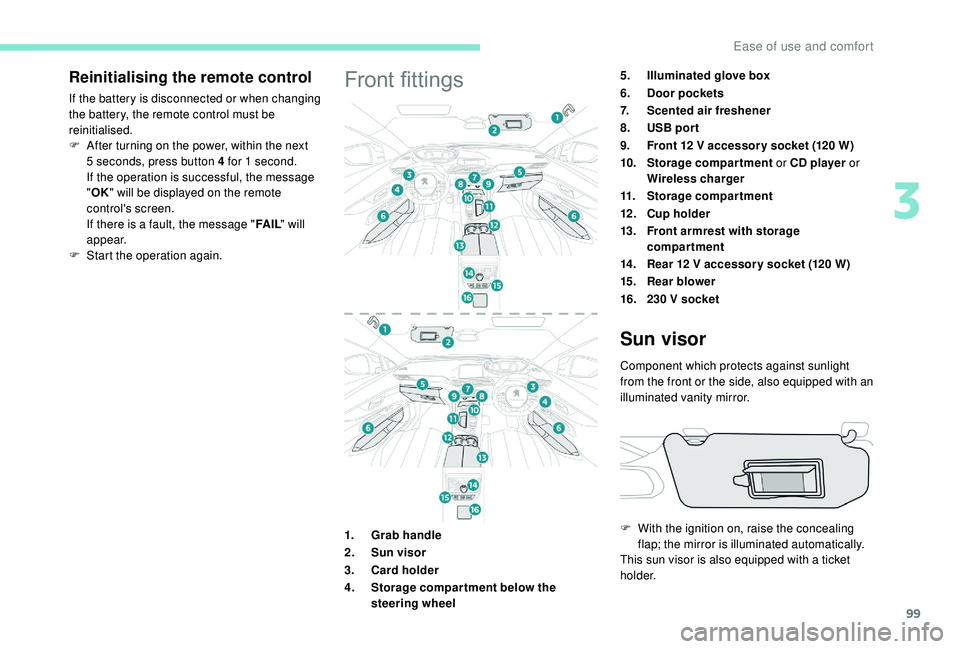
art the operation again.Front fittings5.Illuminated glove box
6. Door pockets
7. Scented air freshener
8. USB por t
9. Front 12
V accessor y socket (120 W)
10. Storage compartment or CD player or
Wireless charger
11. Storage compartment
12 . Cup holder
13. Front armrest with storage
compartment
14 . Rear 12
V accessor y socket (120 W)
15. Rear blower
16. 230
V socket
1. Grab handle
2. Sun visor
3. Card holder
4. Storage compar tment below the
steering wheel
Sun visor
Component which protects against sunlight
from the front or the side, also equipped with an
illuminated vanity mirror.
F
W
ith the ignition on, raise the concealing
flap; the mirror is illuminated automatically.
This sun visor is also equipped with a
ticket
h o l d e r.
3
Ease of use and comfort
Page 104 of 364
102
Checking operation
The state of the charge indicator lamp allows
the operation of the charger to be monitored.If the indicator lamp is lit orange:
Front armrest
Comfort device for the driver and front
passenger.
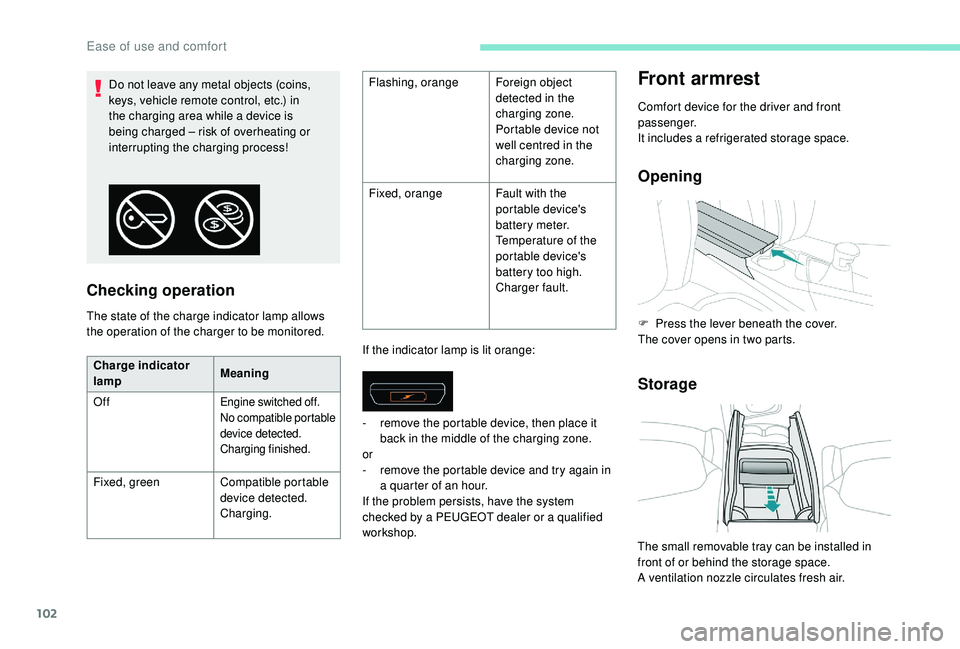
It includes a
refrigerated storage space.
Opening
Storage
Do not leave any metal objects (coins,
keys, vehicle remote control, etc.) in
the charging area while a device is
being charged – risk of overheating or
interrupting the charging process! Flashing, orange
Foreign object
detected in the
charging zone.
Portable device not
well centred in the
charging zone.
Fixed, orange Fault with the
portable device's
battery meter.
Temperature of the
portable device's
battery too high.
Charger fault.
Charge indicator
lamp Meaning
Off
Engine switched off.
No compatible portable
device detected.
Charging finished.
Fixed, green Compatible portable
device detected.
Charging. -
r
emove the portable device, then place it
back in the middle of the charging zone.
or
- r emove the portable device and try again in
a quarter of an hour.
If the problem persists, have the system
checked by a
PEUGEOT dealer or a qualified
workshop. F
P
ress the lever beneath the cover.
The cover opens in two parts.
The small removable tray can be installed in
front of or behind the storage space.
A ventilation nozzle circulates fresh air.
Ease of use and comfort
Page 107 of 364
105
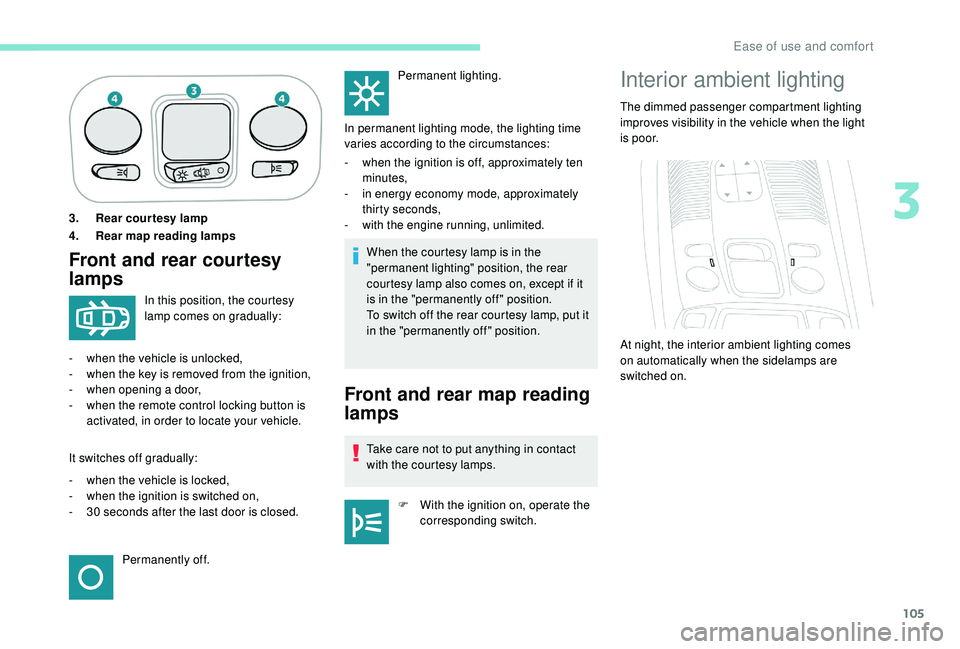
3. Rear courtesy lamp
4. Rear map reading lamps
Front and rear courtesy
lampsWhen the courtesy lamp is in the
"permanent lighting" position, the rear
courtesy lamp also comes on, except if it
is in the "permanently off " position.
To switch off the rear courtesy lamp, put it
in the "permanently off " position.
In this position, the courtesy
lamp comes on gradually:
-
w
hen the vehicle is unlocked,
-
w
hen the key is removed from the ignition,
-
w
hen opening a
door,
-
w
hen the remote control locking button is
activated, in order to locate your vehicle.
It switches off gradually:
-
w
hen the vehicle is locked,
-
w
hen the ignition is switched on,
-
3
0
seconds after the last door is closed. Permanently off. Permanent lighting.
In permanent lighting mode, the lighting time
varies according to the circumstances:
-
w
hen the ignition is off, approximately ten
minutes,
-
i
n energy economy mode, approximately
thirty seconds,
-
w
ith the engine running, unlimited.
Front and rear map reading
lamps
Take care not to put anything in contact
with the courtesy lamps.
F
W
ith the ignition on, operate the
corresponding switch.
Interior ambient lighting
The dimmed passenger compartment lighting
improves visibility in the vehicle when the light
i s p o o r.
At night, the interior ambient lighting comes
on automatically when the sidelamps are
switched on.
3
Ease of use and comfort
Page 118 of 364
116
Welcome lighting
Availability of this function depends on version.F
M
ake a short press on this
remote control button.
Pressing again before the end of the timed
period switches off the lighting immediately.
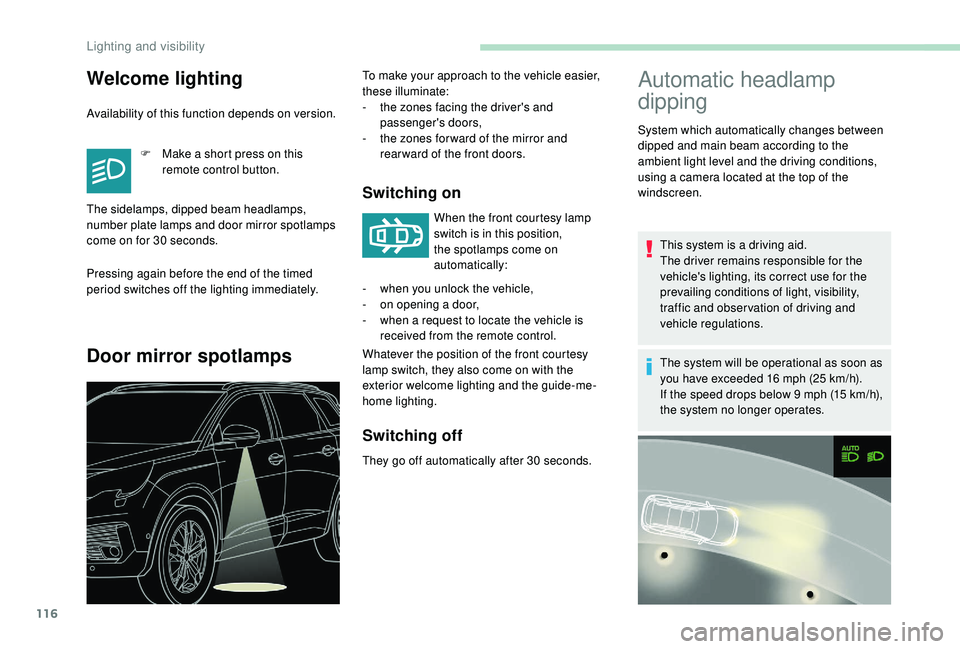
Door mirror spotlamps
Switching on
When the front courtesy lamp
switch is in this position,
the spotlamps come on
automatically:
Whatever the position of the front courtesy
lamp switch, they also come on with the
exterior welcome lighting and the guide-me-
home lighting.
Switching off
They go off automatically after 30 seconds.
Automatic headlamp
dipping
This system is a driving aid.
T he driver remains responsible for the
vehicle's lighting, its correct use for the
prevailing conditions of light, visibility,
traffic and obser vation of driving and
vehicle regulations.
The system will be operational as soon as
you have exceeded 16
mph (25 km/h).
If the speed drops below 9
mph (15 km/h),
the system no longer operates.
The sidelamps, dipped beam headlamps,
number plate lamps and door mirror spotlamps
come on for 30
seconds. To make your approach to the vehicle easier,
these illuminate:
-
t
he zones facing the driver's and
passenger's doors,
-
t
he zones for ward of the mirror and
rear ward of the front doors.
-
w
hen you unlock the vehicle,
-
o
n opening a
door,
-
w
hen a
request to locate the vehicle is
received from the remote control. System which automatically changes between
dipped and main beam according to the
ambient light level and the driving conditions,
using a
camera located at the top of the
windscreen.
Lighting and visibility
Page 155 of 364
153
Manual child lock
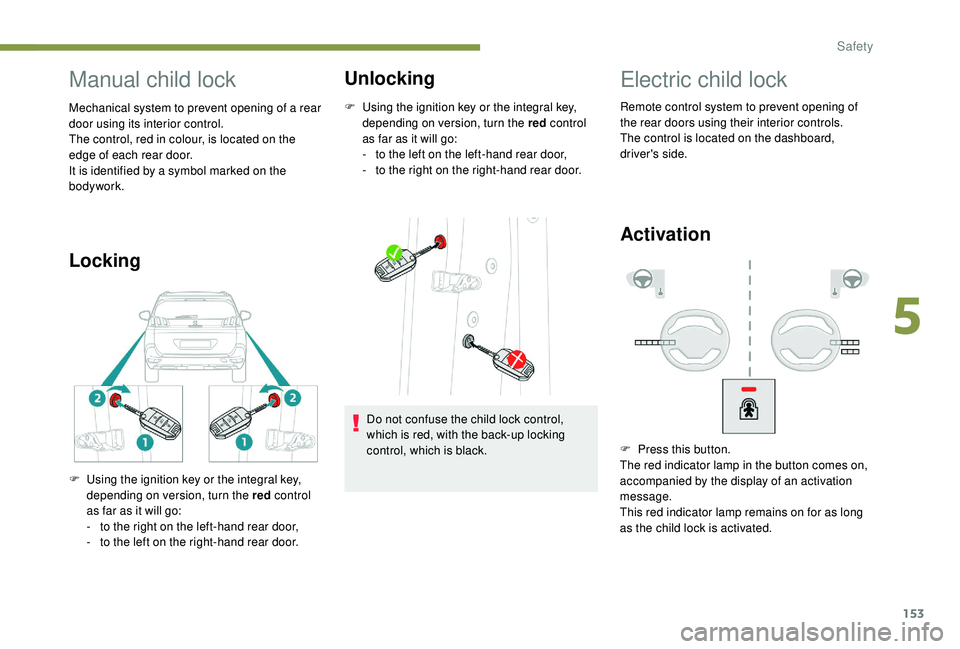
Mechanical system to prevent opening of a rear
d oor using its interior control.
The control, red in colour, is located on the
edge of each rear door.
It is identified by a
symbol marked on the
bodywork.
Locking Unlocking
F Using the ignition key or the integral key,
depending on version, turn the red control
as far as it will go:
-
t
o the left on the left-hand rear door,
-
t
o the right on the right-hand rear door.
F
U
sing the ignition key or the integral key,
depending on version, turn the red control
as far as it will go:
-
t
o the right on the left-hand rear door,
-
t
o the left on the right-hand rear door. Do not confuse the child lock control,
which is red, with the back-up locking
control, which is black.
Electric child lock
Remote control system to prevent opening of
the rear doors using their interior controls.
The control is located on the dashboard,
driver's side.
Activation
F Press this button.
The red indicator lamp in the button comes on,
accompanied by the display of an activation
message.
This red indicator lamp remains on for as long
as the child lock is activated.
5
Safety
Page 159 of 364
157
Once the state of charge of the battery drops
to the reser ve level, the system switches to
energy economy mode: the power supply is
cut off automatically to preser ve the remaining
battery charge.Switching off the engine leads to a
loss of
braking assistance.
Avoid attaching heavy objects to the key
or the remote control, which would weigh
down on its blade in the ignition switch
and could cause a
malfunction.
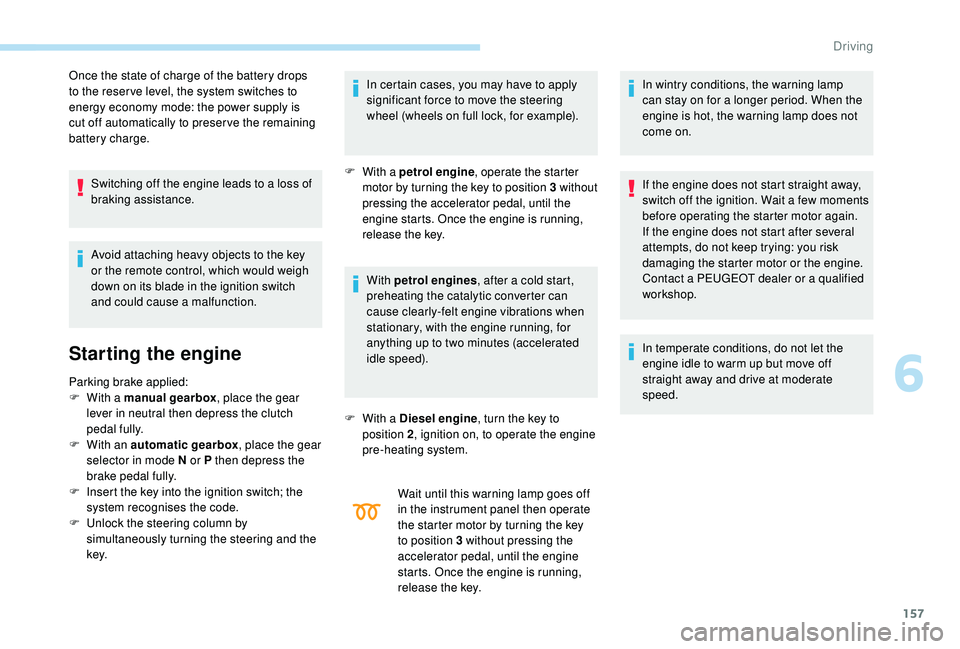
Starting the engine
Parking brake applied:
F W ith a manual gearbox , place the gear
lever in neutral then depress the clutch
pedal fully.
F
W
ith an automatic gearbox , place the gear
selector in mode N or P then depress the
brake pedal fully.
F
I
nsert the key into the ignition switch; the
system recognises the code.
F
U
nlock the steering column by
simultaneously turning the steering and the
key. In certain cases, you may have to apply
significant force to move the steering
wheel (wheels on full lock, for example).
F
With a petrol engine
, o perate the starter
motor by turning the key to position 3 without
pressing the accelerator pedal, until the
engine starts. Once the engine is running,
release the key.
With petrol engines , after a cold start,
preheating the catalytic converter can
cause clearly-felt engine vibrations when
stationary, with the engine running, for
anything up to two minutes (accelerated
idle speed).
F
W
ith a Diesel engine , turn the key to
position 2 , ignition on, to operate the engine
pre-heating system.
Wait until this warning lamp goes off
in the instrument panel then operate
the starter motor by turning the key
to position 3
without pressing the
accelerator pedal, until the engine
starts. Once the engine is running,
release the key. In wintry conditions, the warning lamp
can stay on for a
longer period. When the
engine is hot, the warning lamp does not
come on.
If the engine does not start straight away,
switch off the ignition. Wait a few moments
before operating the starter motor again.
If the engine does not start after several
attempts, do not keep trying: you risk
damaging the starter motor or the engine.
Contact a PEUGEOT dealer or a qualified
workshop.
In temperate conditions, do not let the
engine idle to warm up but move off
straight away and drive at moderate
speed.
6
Driving
Page 162 of 364
160
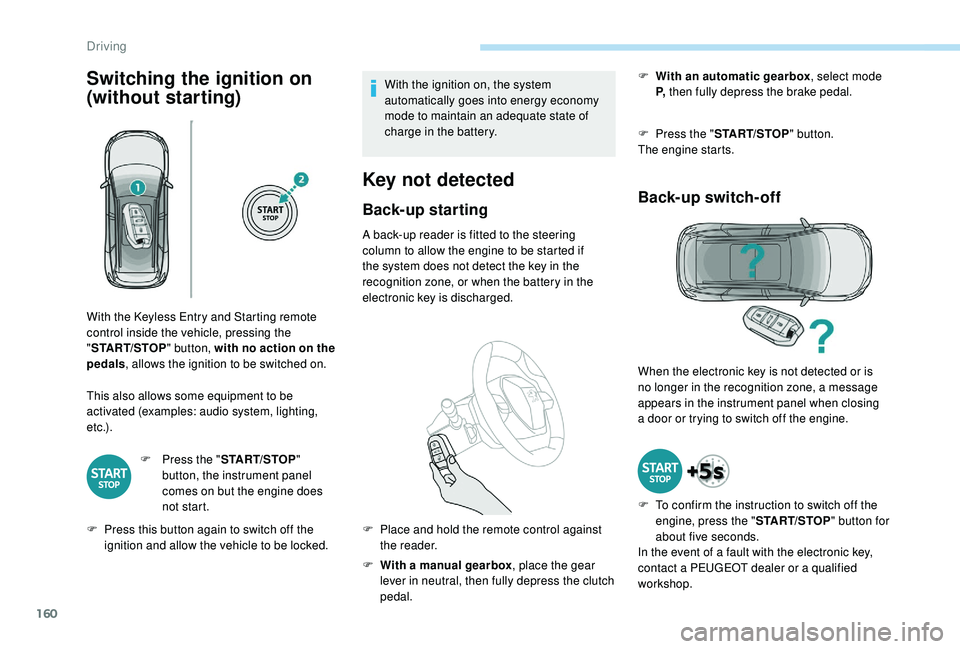
Switching the ignition on
(without starting)
This also allows some equipment to be
activated (examples: audio system, lighting,
e t c .) .F
P
ress the "START/STOP "
button, the instrument panel
comes on but the engine does
not start.
F
P
ress this button again to switch off the
ignition and allow the vehicle to be locked. With the ignition on, the system
automatically goes into energy economy
mode to maintain an adequate state of
charge in the battery.
Key not detected
Back-up starting
A back-up reader is fitted to the steering
column to allow the engine to be started if
the system does not detect the key in the
recognition zone, or when the battery in the
electronic key is discharged.
F
W
ith a manual gearbox , place the gear
lever in neutral, then fully depress the clutch
pedal. F
W
ith an automatic gearbox
, select mode
P, then fully depress the brake pedal.
F
P
ress the "
START/STOP " button.
The engine starts.
Back-up switch-off
With the Keyless Entry and Starting remote
control inside the vehicle, pressing the
" START/STOP " button, with no action on the
pedals , allows the ignition to be switched on.
F
P
lace and hold the remote control against
the reader. When the electronic key is not detected or is
no longer in the recognition zone, a message
appears in the instrument panel when closing
a
door or trying to switch off the engine.
F
T
o confirm the instruction to switch off the
engine, press the " START/STOP" button for
about five seconds.
In the event of a
fault with the electronic key,
contact a
PEUGEOT dealer or a qualified
workshop.
Driving
Page 264 of 364
262
12 V battery
Procedure for starting the engine using another
battery or charging a
discharged battery.
General points
Lead-acid starter batteries
Batteries contain harmful substances
such as sulphuric acid and lead.
They must be disposed of in accordance
with regulations and must not, in any
circumstances, be discarded with
household waste.
Take used remote control batteries and
vehicle batteries to a
special collection
point.
Protect your eyes and face before
handling the battery.
All operations on the battery must be
carried out in a
well ventilated area and
away from naked flames and sources of
sparks, so as to avoid the risk of explosion
or fire.
Wash your hands afterwards.
Access to the battery
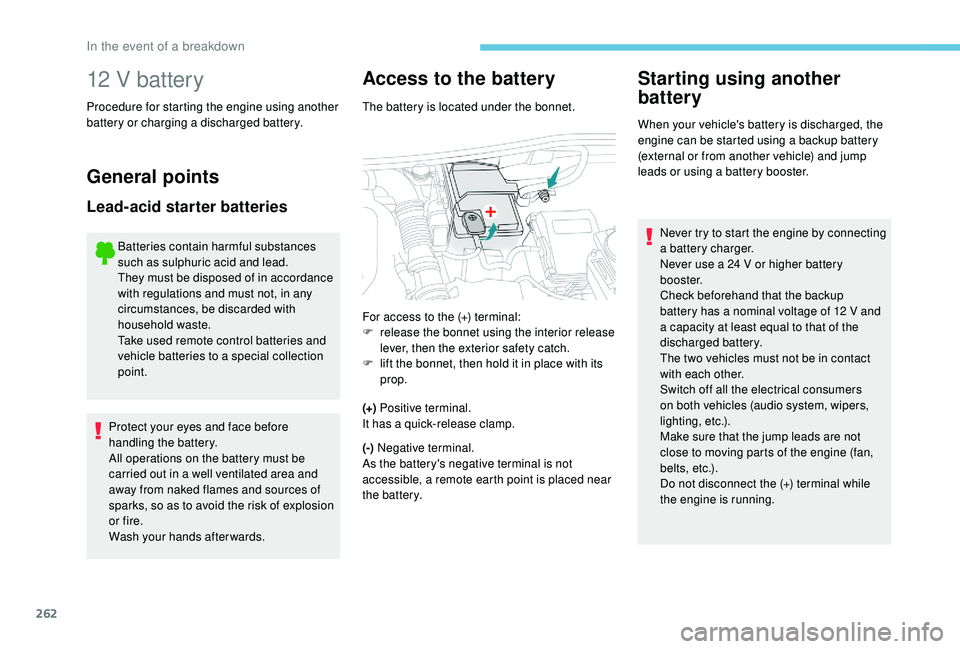
The battery is located under the bonnet.
(+) Positive terminal.
It has a
quick-release clamp.
(-) Negative terminal.
As the battery's negative terminal is not
accessible, a remote earth point is placed near
the battery.
Starting using another
battery
When your vehicle's battery is discharged, the
engine can be started using a backup battery
(external or from another vehicle) and jump
leads or using a
battery booster.
For access to the (+) terminal:
F
r
elease the bonnet using the interior release
lever, then the exterior safety catch.
F
l
ift the bonnet, then hold it in place with its
prop. Never try to start the engine by connecting
a
battery charger.
Never use a
24 V or higher battery
b o o s t e r.
Check beforehand that the backup
battery has a
nominal voltage of 12 V and
a
capacity at least equal to that of the
discharged battery.
The two vehicles must not be in contact
with each other.
Switch off all the electrical consumers
on both vehicles (audio system, wipers,
lighting, etc.).
Make sure that the jump leads are not
close to moving parts of the engine (fan,
belts, etc.).
Do not disconnect the (+) terminal while
the engine is running.
In the event of a breakdown