2018 PEUGEOT 5008 reset
[x] Cancel search: resetPage 178 of 364
176
Memorising speeds
This function can be accessed in the
Vehicle/Driving menu of the touch
screen.
F
P
ress " ON" to activate the function.
F
T
ick the speed settings 1 to 5 that you want
to use.
F
S
elect the speed setting you want to
change.
" MEM " button
For more information on the Speed limiter or
Cruise control , refer to the associated section.
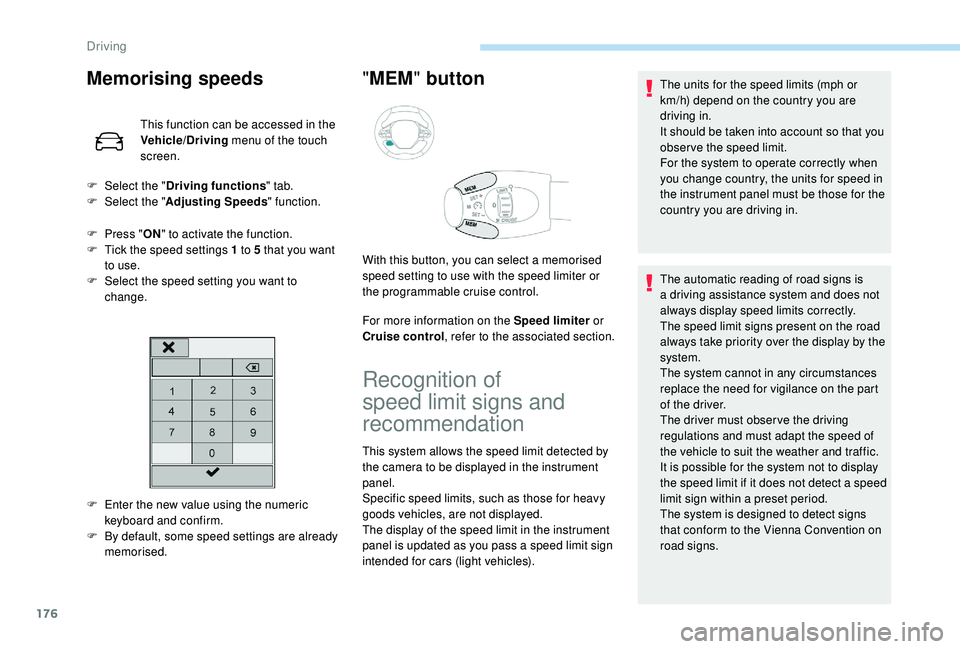
F
E
nter the new value using the numeric
keyboard and confirm.
F
B
y default, some speed settings are already
memorised.
F
Sel
ect the "
Driving functions " tab.
F
Sel
ect the "
Adjusting Speeds " function.
With this button, you can select a memorised
speed setting to use with the speed limiter or
the programmable cruise control.
Recognition of
speed limit signs and
recommendation
This system allows the speed limit detected by
the camera to be displayed in the instrument
panel.
Specific speed limits, such as those for heavy
goods vehicles, are not displayed.
The display of the speed limit in the instrument
panel is updated as you pass a
speed limit sign
intended for cars (light vehicles). The units for the speed limits (mph or
km/h) depend on the country you are
driving in.
It should be taken into account so that you
obser ve the speed limit.
For the system to operate correctly when
you change country, the units for speed in
the instrument panel must be those for the
country you are driving in.
The automatic reading of road signs is
a
driving assistance system and does not
always display speed limits correctly.
The speed limit signs present on the road
always take priority over the display by the
system.
The system cannot in any circumstances
replace the need for vigilance on the part
of the driver.
The driver must observe the driving
regulations and must adapt the speed of
the vehicle to suit the weather and traffic.
It is possible for the system not to display
the speed limit if it does not detect a
speed
limit sign within a
preset period.
The system is designed to detect signs
that conform to the Vienna Convention on
road signs.
Driving
Page 198 of 364
196
Clean the windscreen regularly,
particularly the area in front of the camera.
The internal sur face of the windscreen can
also become misted around the camera.
In humid and cold weather, demist the
windscreen regularly.
Do not allow snow to accumulate on the
bonnet or roof of the vehicle as this could
conceal the detection camera.
Clean the front bumper, especially around
the radar, removing mud, snow, etc.
If the front bumper is to be repainted or
touched up, contact a PEUGEOT dealer
or a
qualified workshop. Certain types of
paint could inter fere with the operation of
the radar.
The system is automatically deactivated
after the use of the "space-saver" type
spare wheel is detected, or if a
fault with
the side brake lamps is detected.Malfunction
In the event of a fault with the
s ystem, you are alerted by the
illumination of this warning lamp,
accompanied by the display of
a
message and an audible signal.
Contact a
PEUGEOT dealer or a qualified
workshop to have the system checked.
Fatigue detection system
It is recommended that you take a break as
s oon as you feel tired or at least every two
hours.
Depending on version, the function either
has the "Driving time warning" only, or this
combined with the "Driver inattention alert".
The system cannot in any circumstances
replace the need for vigilance on the part
of the driver.
Do not take the wheel if you are tired.
Activation/Deactivation
The system is activated or deactivated via the
vehicle configuration menu.
For more information on the menu, refer
to the section covering your screen in the
"Instruments" section. The state of the system stays in memory when
the ignition is switched off.
Driving time warning
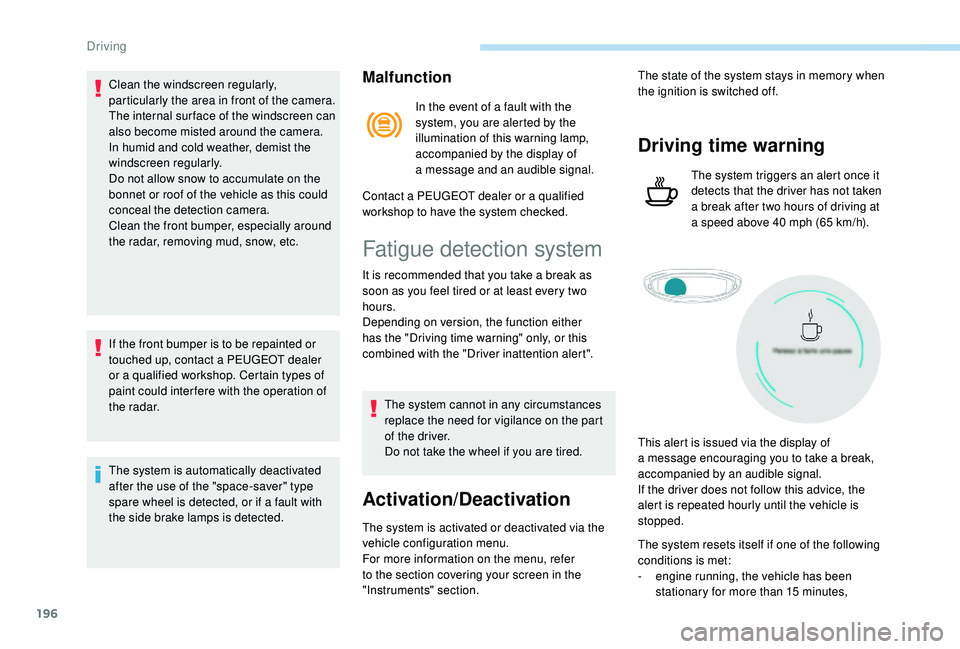
The system triggers an alert once it
detects that the driver has not taken
a
break after two hours of driving at
a
speed above 40 mph (65 km/h).
This alert is issued via the display of
a
message encouraging you to take a break,
accompanied by an audible signal.
If the driver does not follow this advice, the
alert is repeated hourly until the vehicle is
stopped.
The system resets itself if one of the following
conditions is met:
-
e
ngine running, the vehicle has been
stationary for more than 15
minutes,
Driving
Page 267 of 364
265
For right-hand drive vehicles, when the
total distance recorder has reached
62 miles (100 km), it is necessary to wait
approx. 15
minutes before starting the
engine.
However, if minor problems persist following
this operation, contact a
PEUGEOT dealer or
a
qualified workshop.
Referring to the corresponding section, you
must yourself reinitialise or reset certain
systems, such as:
-
t
he key with remote control or electronic key
(depending on version),
-
t
he sunroof and its electric blind,
-
t
he electric windows,
-
t
he date and time,
-
t
he preset radio stations. The Stop & Start system may not be
operational during the trip following the
first engine start.
In this case, the system will only be
available again after a
continuous
period of immobilisation of the vehicle,
a period which depends on the exterior
temperature and the state of charge of the
battery (up to about 8 hours).
Do not force the lever as locking will not
be possible if the clamp is not positioned
correctly; start the procedure again.
Following reconnection of the
battery
After reconnecting the battery, turn on the
ignition and wait 1
minute before starting
the engine, in order to enable the electronic
systems to initialise.
Towing the vehicle
Procedure for having your vehicle towed or
for towing another vehicle using a removable
towing eye.
Access to the tools
Depending on version, the towing eye is stored
either in the interior trim of the boot sill, left
hand side, or in a
bag behind the left rear seat.
For more information on Access to the tools ,
refer to the corresponding section.
Towing your vehicle
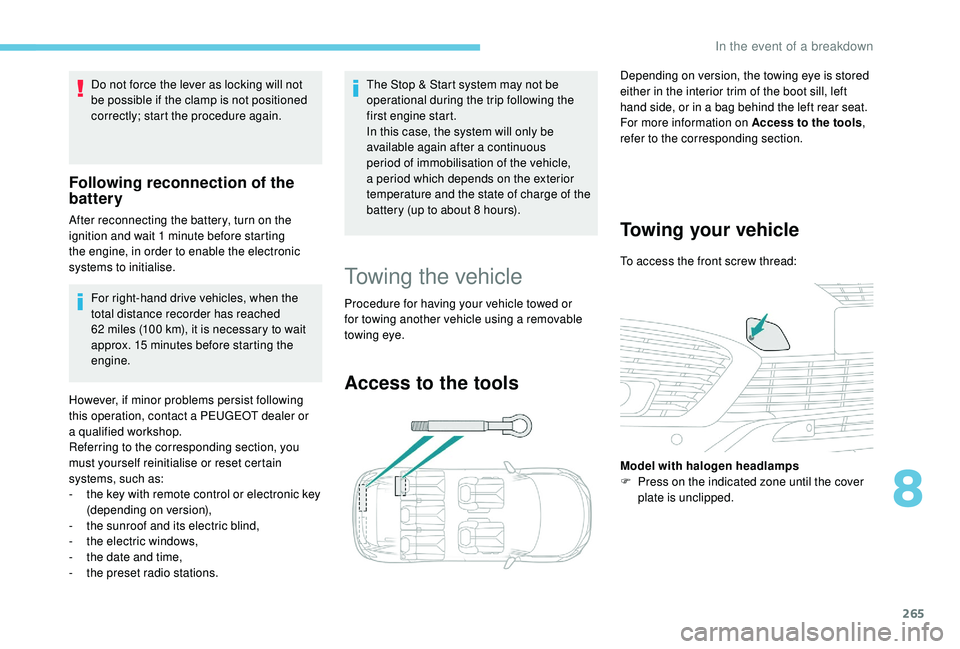
To access the front screw thread:
Model with halogen headlamps
F
P
ress on the indicated zone until the cover
plate is unclipped.
8
In the event of a breakdown
Page 279 of 364
3
21,518,5
12:1323 °C
In the "Settings" menu you can create
a profile for just one person or a group
of people with shared interests, with
the possibility of entering multiple
settings (radio presets, audio settings,
navigation history, contact favourites,
etc.); these settings are taken into account
automatically.
In very hot conditions, the volume may
be limited to protect the system. It may go
into standby (screen and sound off) for at
least 5
minutes.
The return to normal takes place after
the temperature in the passenger
compartment drops.
Steering mounted controls
Depending on model.
Voice commands :
This control is located on the
steering wheel or at the end of the
lighting control stalk (depending on
model).
Short press, system voice
commands.
Long press, smartphone voice
commands via the system. or
Increase volume.
or Mute/Restore the sound.
Or
Mute by pressing the volume
increase and decrease buttons
simultaneously.
Restore the sound by pressing one
of the two volume buttons.
or Decrease volume.
or Media
(short press): change the
multimedia source.
Telephone (short press): start
telephone call.
Call in progress (short press):
access telephone menu.
Telephone (long press): reject an
incoming call, end call; when no call
is in progress, access telephone
menu. or
Radio
(rotate): automatic search for
the previous/next station.
Media (rotate): previous/next track,
move in a list.
Short press : confirm a selection; if
nothing selected, access to presets.
Radio : display the list of stations.
Media : display the list of tracks.
Radio (press and hold): update the
list of stations received.
Menus
Depending on model/Depending on version
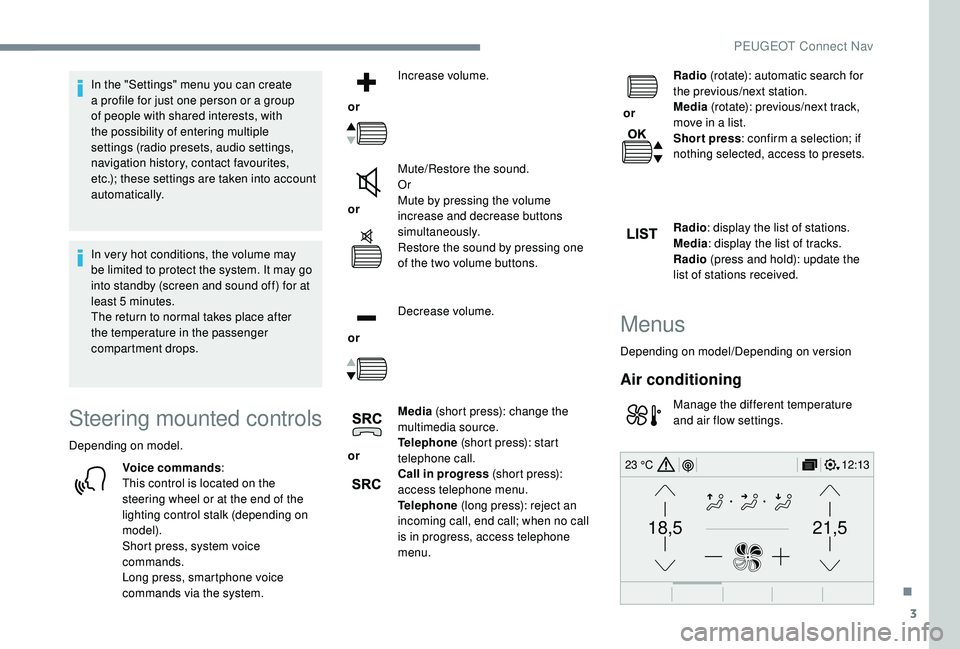
Air conditioning
Manage the different temperature
and air flow settings.
.
PEUGEOT Connect Nav
Page 284 of 364
8
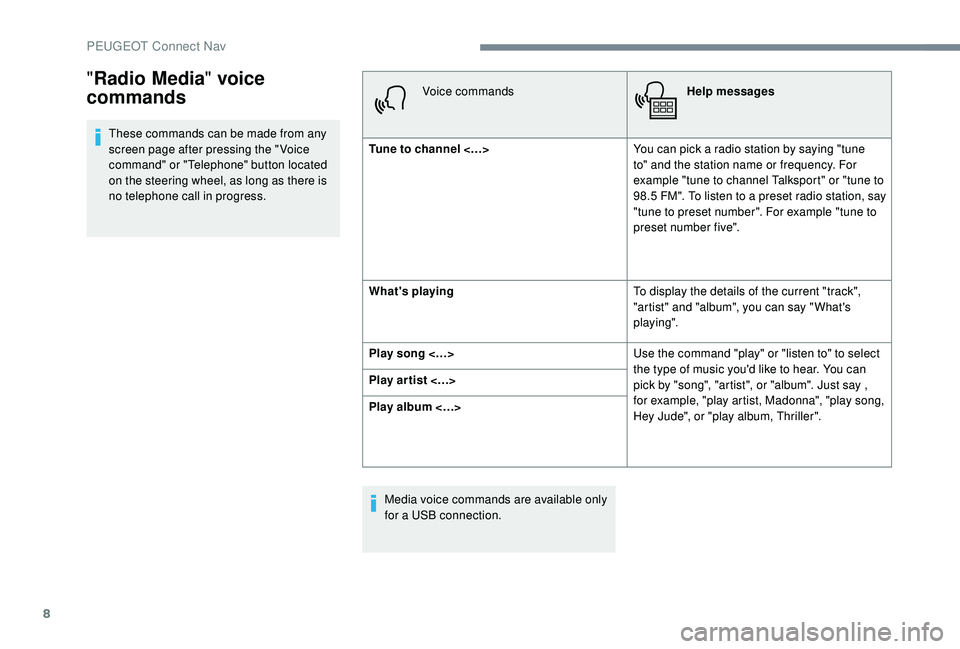
These commands can be made from any
screen page after pressing the " Voice
command" or "Telephone" button located
on the steering wheel, as long as there is
no telephone call in progress.Voice commands
Help messages
Tune to channel <…> You can pick a
radio station by saying "tune
to" and the station name or frequency. For
example "tune to channel Talksport" or "tune to
98.5
FM". To listen to a preset radio station, say
"tune to preset number". For example "tune to
preset number five".
What's playing To display the details of the current "track",
"artist" and "album", you can say " What's
playing".
Play song <…> Use the command "play" or "listen to" to select
the type of music you'd like to hear. You can
pick by "song", "artist", or "album". Just say ,
for example, "play artist, Madonna", "play song,
Hey Jude", or "play album, Thriller".
Play ar tist <…>
Play album <…>
Media voice commands are available only
for a
USB connection.
"Radio Media " voice
commands
PEUGEOT Connect Nav
Page 287 of 364
11
Navigation
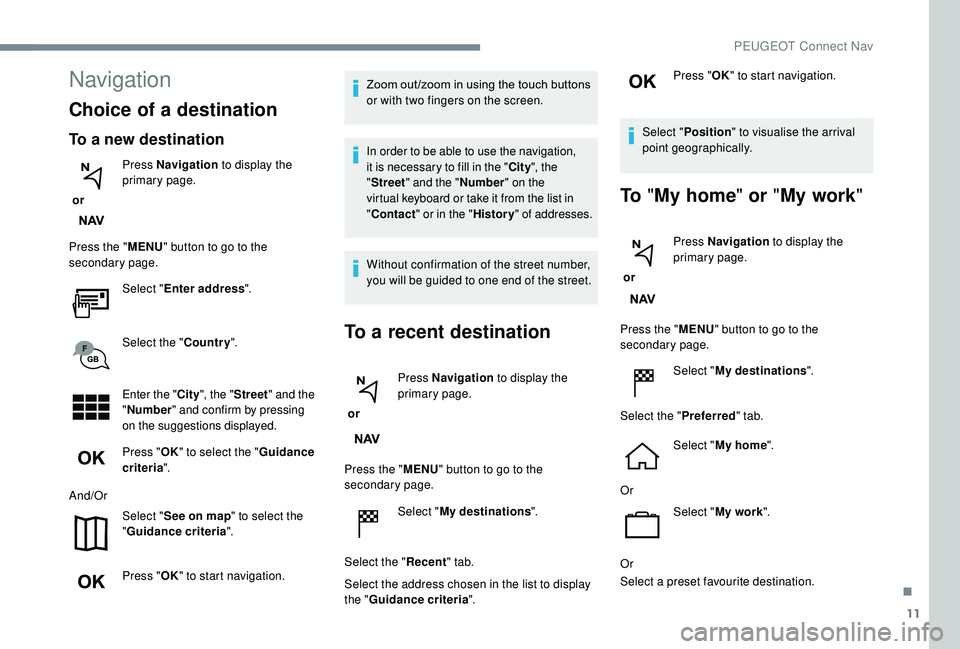
Choice of a destination
To a new destination
or Press Navigation
to display the
primary page.
Press the " MENU" button to go to the
secondary page.
Select "Enter address ".
Select the " Country".
Enter the " City", the " Street " and the
" Number " and confirm by pressing
on the suggestions displayed.
Press " OK" to select the " Guidance
criteria ".
And/Or Select "See on map " to select the
" Guidance criteria ".
Press " OK" to start navigation. Zoom out /zoom in using the touch buttons
or with two fingers on the screen.
In order to be able to use the navigation,
it is necessary to fill in the "
City", the
" Street " and the " Number" on the
virtual keyboard or take it from the list in
" Contact " or in the " History" of addresses.
Without confirmation of the street number,
you will be guided to one end of the street.
To a recent destination
or Press Navigation
to display the
primary page.
Press the " MENU" button to go to the
secondary page.
Select "My destinations ".
Select the " Recent" tab.
Select the address chosen in the list to display
the " Guidance criteria ". Press "
OK" to start navigation.
Select " Position " to visualise the arrival
point geographically.
To "My home " or "My work "
or Press Navigation
to display the
primary page.
Press the " MENU" button to go to the
secondary page.
Select "My destinations ".
Select the " Preferred" tab.
Select " My home ".
Or Select "My work ".
Or
Select a
preset favourite destination.
.
PEUGEOT Connect Nav
Page 290 of 364
14
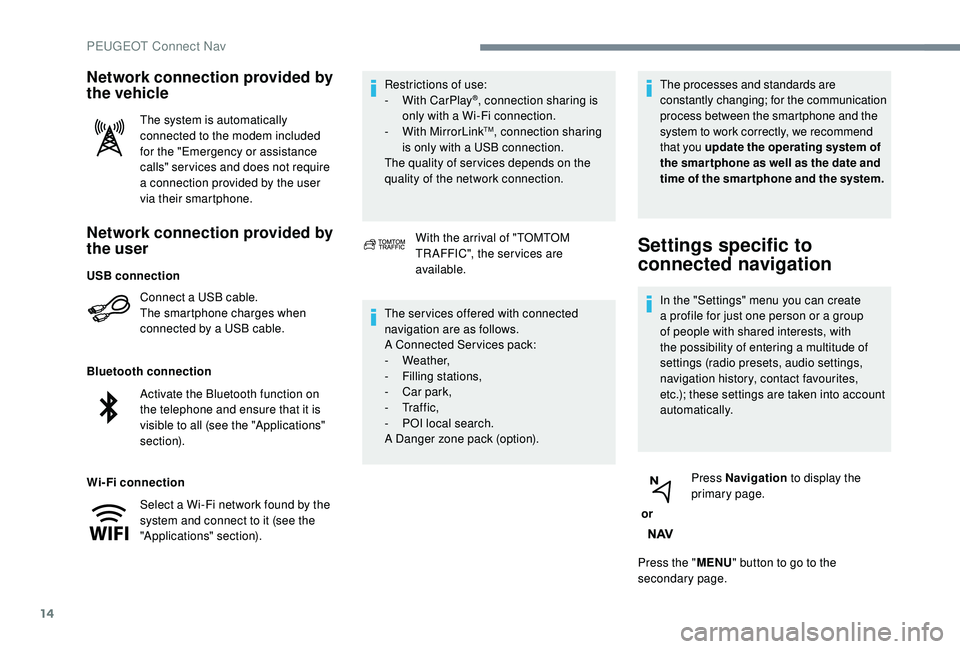
Network connection provided by
the user
Connect a USB cable.
T he smartphone charges when
connected by a
USB cable.
Bluetooth connection
Wi-Fi connection Restrictions of use:
-
W
ith CarPlay
®, connection sharing is
only with a
Wi-Fi connection.
-
W
ith MirrorLink
TM, connection sharing
is only with a
USB connection.
The quality of ser vices depends on the
quality of the network connection.
Network connection provided by
the vehicle
The system is automatically
connected to the modem included
for the "Emergency or assistance
calls" ser vices and does not require
a
connection provided by the user
via their smartphone.
With the arrival of "TOMTOM
TR AFFIC", the ser vices are
available.
The ser vices offered with connected
navigation are as follows.
A Connected Services pack:
-
Weather,
-
F
illing stations,
-
C
ar park,
-
Tr a f f i c ,
-
P
OI local search.
A Danger zone pack (option). The processes and standards are
constantly changing; for the communication
process between the smartphone and the
system to work correctly, we recommend
that you update the operating system of
the smar tphone as well as the date and
time of the smar tphone and the system.
Settings specific to
connected navigation
In the "Settings" menu you can create
a
profile for just one person or a group
of people with shared interests, with
the possibility of entering a
multitude of
settings (radio presets, audio settings,
navigation history, contact favourites,
etc.); these settings are taken into account
automatically.
or Press Navigation
to display the
primary page.
Press the " MENU" button to go to the
secondary page.
USB connection
Activate the Bluetooth function on
the telephone and ensure that it is
visible to all (see the "Applications"
section).
Select a
Wi-Fi network found by the
system and connect to it (see the
"Applications" section).
PEUGEOT Connect Nav
Page 297 of 364
21
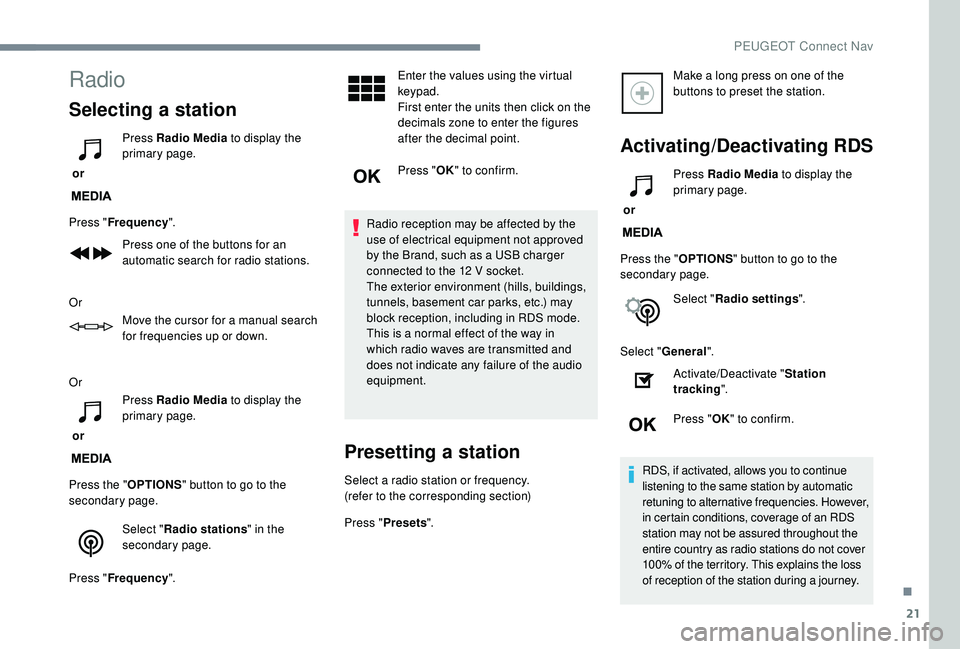
Radio
Selecting a station
or Press Radio Media
to display the
primary page.
Press " Frequency ".
Press one of the buttons for an
automatic search for radio stations.
Or Move the cursor for a
manual search
for frequencies up or down.
Or
or Press Radio Media
to display the
primary page.
Press the " OPTIONS" button to go to the
secondary page.
Select "Radio stations " in the
secondary page.
Press " Frequency ". Enter the values using the virtual
keypad.
First enter the units then click on the
decimals zone to enter the figures
after the decimal point.
Press "
OK" to confirm.
Radio reception may be affected by the
use of electrical equipment not approved
by the Brand, such as a
USB charger
connected to the 12
V socket.
The exterior environment (hills, buildings,
tunnels, basement car parks, etc.) may
block reception, including in RDS mode.
This is a
normal effect of the way in
which radio waves are transmitted and
does not indicate any failure of the audio
equipment.
Presetting a station
Select a radio station or frequency.
(refer to the corresponding section)
Press " Presets ". Make a
long press on one of the
buttons to preset the station.
Activating/Deactivating RDS
or Press Radio Media
to display the
primary page.
Press the " OPTIONS" button to go to the
secondary page.
Select "Radio settings ".
Select " General ".
Activate/Deactivate " Station
tracking ".
Press " OK" to confirm.
RDS, if activated, allows you to continue
listening to the same station by automatic
retuning to alternative frequencies. However,
in certain conditions, coverage of an RDS
station may not be assured throughout the
entire country as radio stations do not cover
100% of the territory. This explains the loss
of reception of the station during a
journey.
.
PEUGEOT Connect Nav