Page 292 of 486
Connecting USB devices* NO
TEDama gecaused byhigh temp era‐
tures
High temp eratures can damage USB devices.
#Remo vethe USB device af ter use and
ta ke it out of theve hicle.
The multimedia connection unit is found inthe
stow age compartment under the armrest and
has two USB ports. Depending on theve hicle's
equipment, additional USB ports may be found
in thestow age compartment of the center con‐
sole or there ar folding compartment.
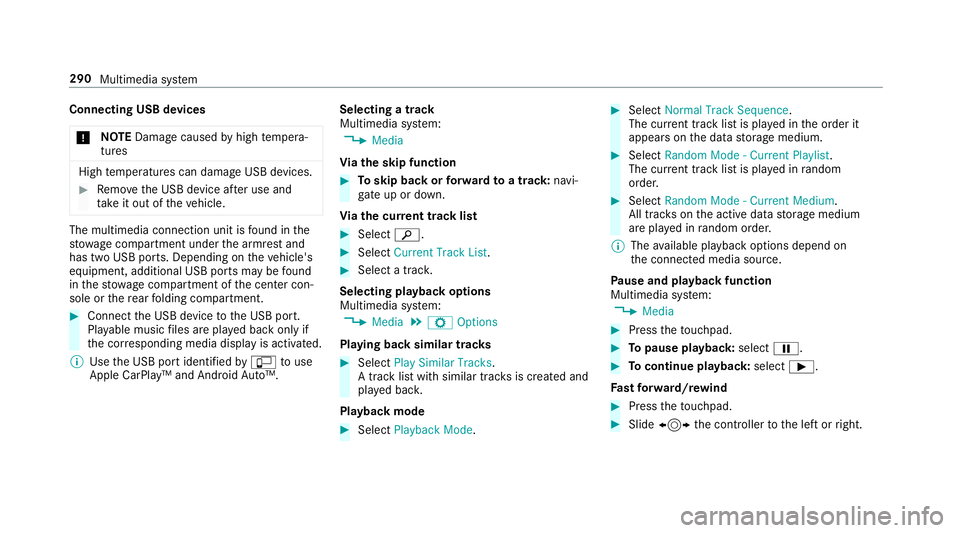
#Connect the USB device tothe USB port.
Pla yable music files are pla yed back only if
th e cor responding media display is activated.
% Use the USB port identified byç touse
Ap ple CarPlay™ and An droid Auto™. Selecting a track
Multimedia sy
stem:
,0HGLD
Vi ath e skip function
#To skip back or forw ard toa track: navi‐
ga te up or down.
Vi ath e cur rent track list
#Select è.
#Select&XUUHQW 7UDFN /LVW .
#Select a track.
Selecting playback options
Multimedia sy stem:
,0HGLD.Z 2SWLRQV
Playing back similar trac ks
#Select3OD\ 6LPLODU 7UDFNV.
A track li stwith similar trac ksis created and
pla yed bac k.
Playback mode
#Select 3OD\EDFN 0RGH.
#Select1RUPDO 7UDFN 6HTXHQFH.
The cur rent track li stis pla yed in the order it
appears on the data storage medium.
#Select 5DQGRP 0RGH � &XUUHQW 3OD\OLVW .
The cur rent track li stis pla yed in random
orde r.
#Select 5DQGRP 0RGH � &XUUHQW 0HGLXP.
All trac kson the active data storage medium
are pla yed in random orde r.
% The available playback options depend on
th e connected media source.
Pa use and playback function
Multimedia sy stem:
,0HGLD
#Press theto uchpad.
#To pause playback: selectË.
#Tocontinue playback :select Ì.
Fa st forw ard/r ewind
#Press theto uchpad.
#Slide 1 the controller tothe left or right.
290
Multimedia sy stem
Page 295 of 486
Activating/deactivating full-screen mode
Multimedia sy stem:
,0HGLD.à 'HYLFHV
#Select a data storage medium.
Pla yable video files are pla yed bac k.
#Toactivate full-screen mode: select#
)XOO 6FUHHQ.
#To deactivate full-scre en mode:pressthe
to uchpad.
Changing video settings
Multimed iasystem:
,0HGLD.Z 2SWLRQV.9LGHR 6HW�
WLQJV
The following picture form ats are available:
R$XWRPDWLF
R����
R���
R=RRP
#Select the picture form at. Ad
justing the brightness manually
#Select %ULJKWQHVV .
#Adjust the brightness.
Media sear ch
Starting the media sear ch
Multimedia sy stem:
,0HGLD.ª 6HDUFK
Depending on the connected media sources and
fi les, thefo llowing categories are lis ted:
R&XUUHQW 7UDFN /LVW
R.H\ZRUG 6HDUFK
R3OD\OLVWV
R$UWLVWV
R$OEXPV
R7UDFNV
R)ROGHU
R0XVLF *HQUHV
R
R&RPSRVHUV
R9LGHRV
R3RGFDVWV (Apple®devices)
R$XGLRERRNV (Apple®devices)
#Select a categor y.
% The categories are available as soon as the
entire media conte nt has beenread and ana‐
lyzed .
Medi a Inter face
Information about the Media Inter face
Media Inte rface is a universal inter face forth e
connection of mobile audio equipment. The mul‐
timedia sy stem has two USB ports. The USB
ports are located in thestow age compartment
under the armrest.
Suppor ted devices
The Media Inter face allo wsyouto connect the
fo llowing data storage media:
RiPod®
RiPhone®
RMP3 pla yer
Multimedia sy stem 293
Page 296 of 486
RUSB devices
Fo r de tails and a list of suppor ted devices, visit
our website at http://www.mercedes-
benz.com/connect. Follow the instructions in
th e "Media Inter face" section. Switching
toMedia Inter face
Multimedia sy stem:
,0HGLD.à 'HYLFHV
#Connect the data storage medium with the
USB port (→page 290).
#Select the media device.
Pla yable music files are pla yed bac k.
294
Multimedia sy stem
Page 481 of 486
Traf fic Sign Assist .................................. .196
Fu nction/no tes ................................... 196
Setting ................................................. 198
Sy stem limits ....................................... 196
Tr ansfer redve hicle data
Android Auto ........................................ 276
Apple CarPlay ™ ................................... 276
Tr ansmission position display ................136
Tr ansport ing
Ve hicle ................................................ 336
Tr ead weargrade ..................................... 354
Tr im element (Care) .................................319
Tr ip
Menu (on-board computer) .................. 210
Tr ip computer
Displaying ............................................ 210
Re setting ..............................................2 11
Tr ip distance
Displaying ............................................ 210
Re setting ..............................................2 11
Tr ip distance
see Dis tance recorder
see Trip me ter Tr
ip me ter ................................................. 210
Tr unk lid ..................................................... 63
Ac tivating/deactivating the trunk lid
opening height restriction ..................... 69
Closing .................................................. 64
Emergency release (from inside) .......... .68
HANDS-FREE ACCESS .......................... .66
Loc ked separatel y .
................................6
8
Opening .................................................6 3
Opening dimensions ............................3 82
Tr unk lid
see Locking/unlo cking
see Trunk lid
Tu rn signal indicator
see Turn signal light
Tu rn signal light ....................................... 109
Ac tivating/deactivating .......................1 09
Tw o-w ayradios ........................................ 372
Fr equencies ......................................... 373
No tes on ins tallation ............................ 372
Tr ansmission output (maximum) .......... 373
Ty pes of voice commands (Voice Con‐
trol Sy stem) .............................................. 218
U
Un its of measurement
Setting ................................................ .241
Un locking setting ...................................... 56
USB devices Connecting .......................................... 290
User profile .............................................. 242
Cr eating .............................................. .242
Options ................................................ 242
Selecting ............................................. 242
Using thete lephone
see Calls
V
Ve hicle .............................................. 129, 130
Ac tivating/deactivating standby
mode .................................................. .150
Cor rect use ........................................... 25
Data acquisition .................................... 26
Diagnostics connection ......................... 24
Equipment ............................................. 20
Limited Warranty .................................. .26
Locking (auto matically) ......................... 62
Index47
9