2018 LINCOLN CONTINENTAL air condition
[x] Cancel search: air conditionPage 427 of 615
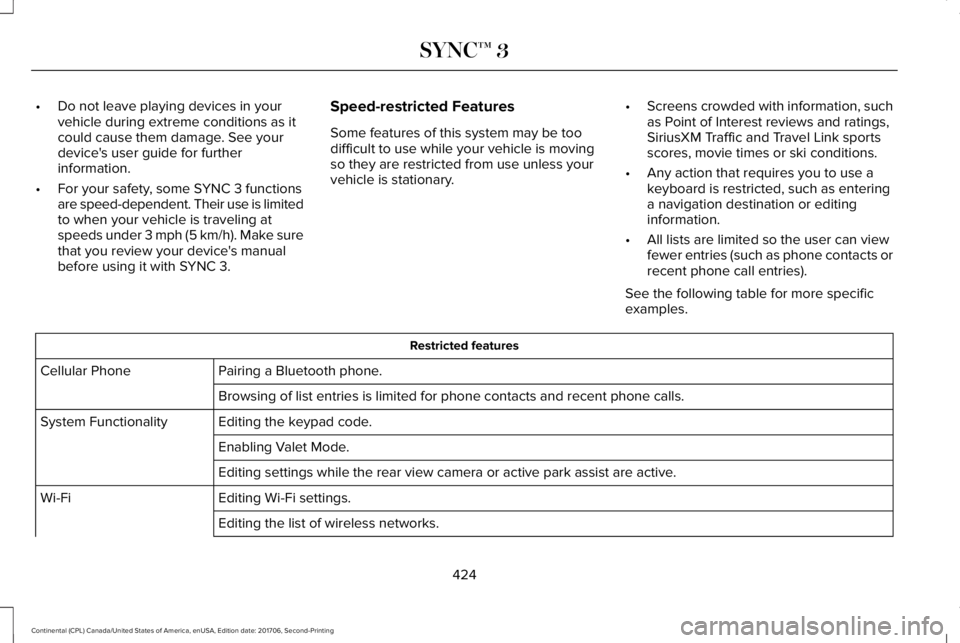
•Do not leave playing devices in yourvehicle during extreme conditions as itcould cause them damage. See yourdevice's user guide for furtherinformation.
•For your safety, some SYNC 3 functionsare speed-dependent. Their use is limitedto when your vehicle is traveling atspeeds under 3 mph (5 km/h). Make surethat you review your device's manualbefore using it with SYNC 3.
Speed-restricted Features
Some features of this system may be toodifficult to use while your vehicle is movingso they are restricted from use unless yourvehicle is stationary.
•Screens crowded with information, suchas Point of Interest reviews and ratings,SiriusXM Traffic and Travel Link sportsscores, movie times or ski conditions.
•Any action that requires you to use akeyboard is restricted, such as enteringa navigation destination or editinginformation.
•All lists are limited so the user can viewfewer entries (such as phone contacts orrecent phone call entries).
See the following table for more specificexamples.
Restricted features
Pairing a Bluetooth phone.Cellular Phone
Browsing of list entries is limited for phone contacts and recent phone calls.
Editing the keypad code.System Functionality
Enabling Valet Mode.
Editing settings while the rear view camera or active park assist are active.
Editing Wi-Fi settings.Wi-Fi
Editing the list of wireless networks.
424
Continental (CPL) Canada/United States of America, enUSA, Edition date: 201706, Second-Printing
SYNC™ 3
Page 459 of 615
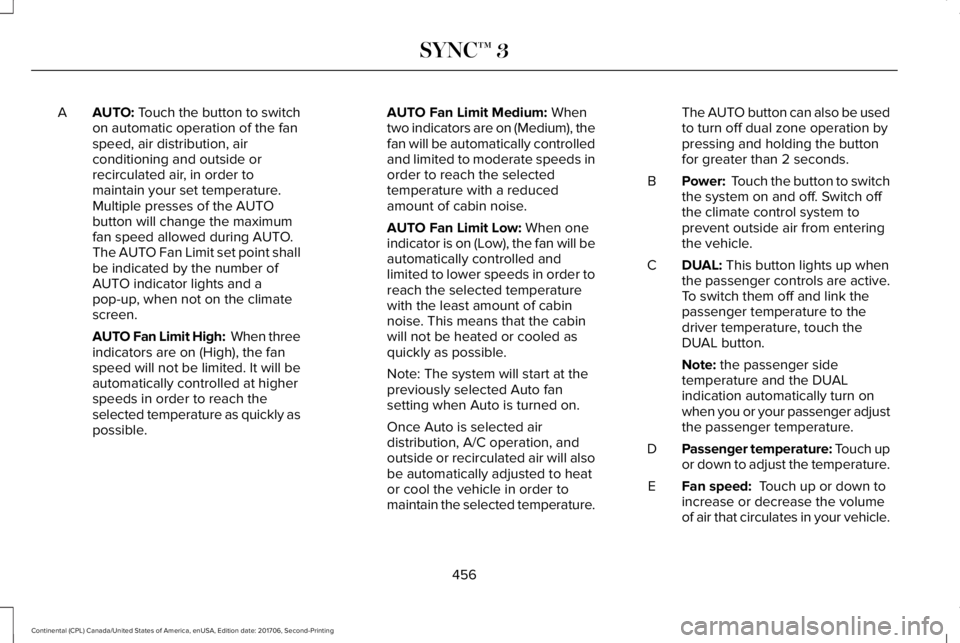
AUTO: Touch the button to switchon automatic operation of the fanspeed, air distribution, airconditioning and outside orrecirculated air, in order tomaintain your set temperature.
A
Multiple presses of the AUTObutton will change the maximumfan speed allowed during AUTO.The AUTO Fan Limit set point shallbe indicated by the number ofAUTO indicator lights and apop-up, when not on the climatescreen.
AUTO Fan Limit High: When threeindicators are on (High), the fanspeed will not be limited. It will beautomatically controlled at higherspeeds in order to reach theselected temperature as quickly aspossible.
AUTO Fan Limit Medium: Whentwo indicators are on (Medium), thefan will be automatically controlledand limited to moderate speeds inorder to reach the selectedtemperature with a reducedamount of cabin noise.
AUTO Fan Limit Low: When oneindicator is on (Low), the fan will beautomatically controlled andlimited to lower speeds in order toreach the selected temperaturewith the least amount of cabinnoise. This means that the cabinwill not be heated or cooled asquickly as possible.
Note: The system will start at thepreviously selected Auto fansetting when Auto is turned on.
Once Auto is selected airdistribution, A/C operation, andoutside or recirculated air will alsobe automatically adjusted to heator cool the vehicle in order tomaintain the selected temperature.
The AUTO button can also be usedto turn off dual zone operation bypressing and holding the buttonfor greater than 2 seconds.
Power: Touch the button to switchthe system on and off. Switch offthe climate control system toprevent outside air from enteringthe vehicle.
B
DUAL: This button lights up whenthe passenger controls are active.To switch them off and link thepassenger temperature to thedriver temperature, touch theDUAL button.
C
Note: the passenger sidetemperature and the DUALindication automatically turn onwhen you or your passenger adjustthe passenger temperature.
Passenger temperature: Touch upor down to adjust the temperature.D
Fan speed: Touch up or down toincrease or decrease the volumeof air that circulates in your vehicle.
E
456
Continental (CPL) Canada/United States of America, enUSA, Edition date: 201706, Second-Printing
SYNC™ 3
Page 460 of 615
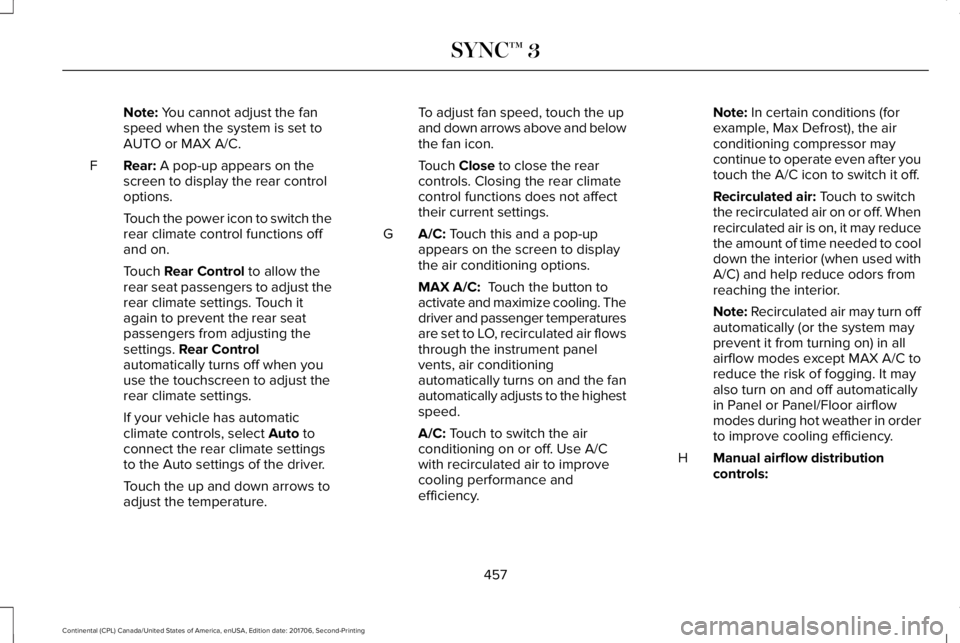
Note: You cannot adjust the fanspeed when the system is set toAUTO or MAX A/C.
Rear: A pop-up appears on thescreen to display the rear controloptions.
F
Touch the power icon to switch therear climate control functions offand on.
Touch Rear Control to allow therear seat passengers to adjust therear climate settings. Touch itagain to prevent the rear seatpassengers from adjusting thesettings. Rear Controlautomatically turns off when youuse the touchscreen to adjust therear climate settings.
If your vehicle has automaticclimate controls, select Auto toconnect the rear climate settingsto the Auto settings of the driver.
Touch the up and down arrows toadjust the temperature.
To adjust fan speed, touch the upand down arrows above and belowthe fan icon.
Touch Close to close the rearcontrols. Closing the rear climatecontrol functions does not affecttheir current settings.
A/C: Touch this and a pop-upappears on the screen to displaythe air conditioning options.
G
MAX A/C: Touch the button toactivate and maximize cooling. Thedriver and passenger temperaturesare set to LO, recirculated air flowsthrough the instrument panelvents, air conditioningautomatically turns on and the fanautomatically adjusts to the highestspeed.
A/C: Touch to switch the airconditioning on or off. Use A/Cwith recirculated air to improvecooling performance andefficiency.
Note: In certain conditions (forexample, Max Defrost), the airconditioning compressor maycontinue to operate even after youtouch the A/C icon to switch it off.
Recirculated air: Touch to switchthe recirculated air on or off. Whenrecirculated air is on, it may reducethe amount of time needed to cooldown the interior (when used withA/C) and help reduce odors fromreaching the interior.
Note: Recirculated air may turn offautomatically (or the system mayprevent it from turning on) in allairflow modes except MAX A/C toreduce the risk of fogging. It mayalso turn on and off automaticallyin Panel or Panel/Floor airflowmodes during hot weather in orderto improve cooling efficiency.
Manual airflow distributioncontrols:H
457
Continental (CPL) Canada/United States of America, enUSA, Edition date: 201706, Second-Printing
SYNC™ 3
Page 529 of 615
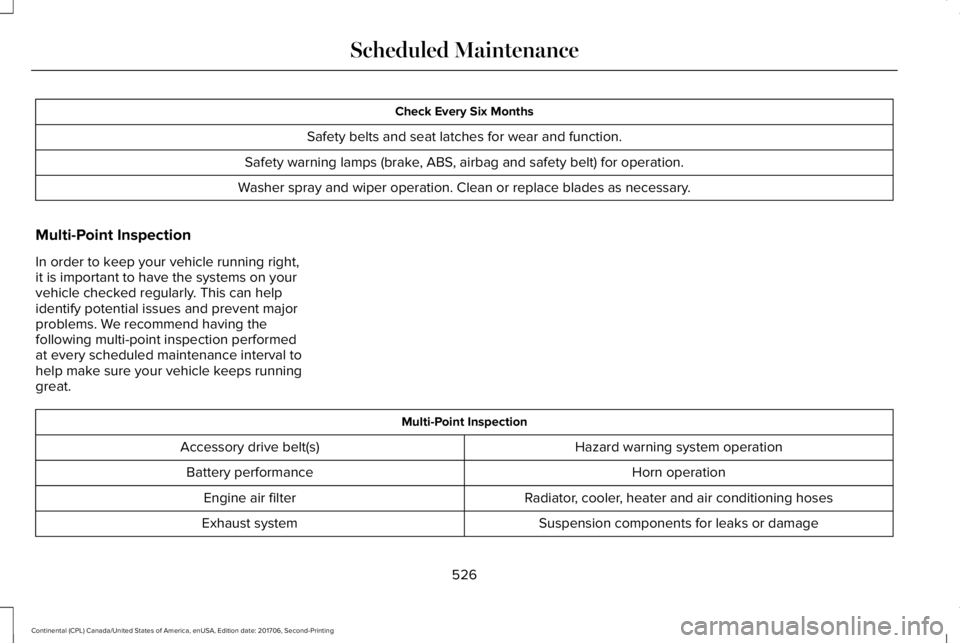
Check Every Six Months
Safety belts and seat latches for wear and function.
Safety warning lamps (brake, ABS, airbag and safety belt) for operation.
Washer spray and wiper operation. Clean or replace blades as necessary.
Multi-Point Inspection
In order to keep your vehicle running right,it is important to have the systems on yourvehicle checked regularly. This can helpidentify potential issues and prevent majorproblems. We recommend having thefollowing multi-point inspection performedat every scheduled maintenance interval tohelp make sure your vehicle keeps runninggreat.
Multi-Point Inspection
Hazard warning system operationAccessory drive belt(s)
Horn operationBattery performance
Radiator, cooler, heater and air conditioning hosesEngine air filter
Suspension components for leaks or damageExhaust system
526
Continental (CPL) Canada/United States of America, enUSA, Edition date: 201706, Second-Printing
Scheduled Maintenance
Page 536 of 615

Extensive Idling or Low-speed Driving for Long Distances, as in Heavy Commercial Use Such as Delivery, Taxi, Patrol Car or Livery
Change engine oil and filter as indicated by information display and perform services listed in the NormalScheduled Maintenance chart.As required
Replace cabin air filter.Inspect frequently, serviceas requiredReplace engine air filter.
Change automatic transmission fluid.Every 30,000 mi(48,000 km)
Replace spark plugs.Every 60,000 mi(96,000 km)
Operating in Dusty or Sandy Conditions Such as Unpaved or Dusty Roads
Replace cabin air filter.Inspect frequently, serviceas requiredReplace engine air filter.
Inspect the wheels and related components for abnormal noise, wear, looseness or drag.Every 5,000 mi (8,000 km)
Rotate tires, inspect tires for wear and measure tread depth.
Change engine oil and filter.1Every 5,000 mi (8,000 km)or six months
533
Continental (CPL) Canada/United States of America, enUSA, Edition date: 201706, Second-Printing
Scheduled Maintenance
Page 537 of 615

Operating in Dusty or Sandy Conditions Such as Unpaved or Dusty Roads
Perform multi-point inspection.
Change automatic transmission fluid.Every 30,000 mi(48,000 km)
1Reset your Intelligent Oil-Life Monitor after engine oil and filter changes. See Oil Change Indicator Reset (page 318).
Exceptions
There are several exceptions to the NormalSchedule:
Axle and PTU Maintenance
The Power Transfer Unit (PTU) and rear axle(AWD only) in your vehicle does not requireany normal scheduled maintenance.Changing or checking the PTU lubricant isnot necessary unless the unit has beensubmerged in water or shows signs ofleakage. Contact your authorized dealer forservice.
California Fuel Filter Replacement
If you register your vehicle in California, theCalifornia Air Resources Board hasdetermined that the failure to perform thismaintenance item does not nullify theemission warranty or limit recall liabilitybefore the completion of your vehicle'suseful life. Ford Motor Company, however,urges you to have all recommendedmaintenance services performed at thespecified intervals and to record all vehicleservice.
Hot Climate Oil Change Intervals
Vehicles operating in the Middle East, NorthAfrica, Sub-Saharan Africa or locations withsimilar climates using an American PetroleumInstitute (API) Certified for Gasoline Engines(Certification mark) oil of SM or SN quality,the normal oil change interval is 5,000 mi(8,000 km).
If the available API SM or SN oils are notavailable, then the oil change interval is3,000 mi (4,800 km).
534
Continental (CPL) Canada/United States of America, enUSA, Edition date: 201706, Second-Printing
Scheduled Maintenance
Page 538 of 615
Engine Air Filter and Cabin Air FilterReplacement
The life of the engine air filter and cabin airfilter is dependent on exposure to dusty and
dirty conditions. Vehicles operated in theseconditions require frequent inspection andreplacement of the engine air filter and cabinair filter.
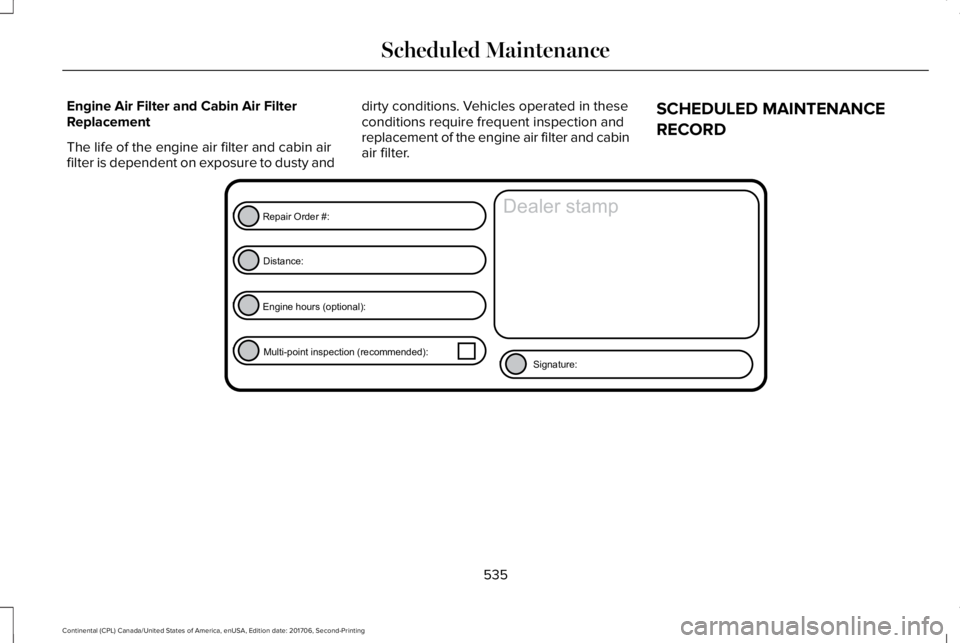
SCHEDULED MAINTENANCE
RECORD
535
Continental (CPL) Canada/United States of America, enUSA, Edition date: 201706, Second-Printing
Scheduled MaintenanceE146852
Repair Order #:Distance:
Engine hours (optional): Multi-point inspection (recommended): Signature:
Dealer stamp
Page 558 of 615

ELECTROMAGNETIC
COMPATIBILITY
WARNING: Do not place objects ormount equipment on or near the airbagcover, on the side of the seatbacks (of thefront seats), or in front seat areas that maycome into contact with a deploying airbag.Failure to follow these instructions mayincrease the risk of personal injury in theevent of a crash.
WARNING: Do not fasten antennacables to original vehicle wiring, fuel pipesand brake pipes.
WARNING: Keep antenna and powercables at least 4 in (10 cm) from anyelectronic modules and airbags.
Note:We test and certify your vehicle tomeet electromagnetic compatibilitylegislation (UNECE Regulation 10 or otherapplicable local requirements). It is yourresponsibility to make sure that anyequipment an authorized dealer installs onyour vehicle complies with applicable locallegislation and other requirements.
Note:Any radio frequency transmitterequipment in your vehicle (such as cellulartelephones and amateur radio transmitters)must keep to the parameters in the followingtable. We do not provide special provisionsor conditions for installations or use.
555
Continental (CPL) Canada/United States of America, enUSA, Edition date: 201706, Second-Printing
Appendices