2018 LINCOLN CONTINENTAL lights
[x] Cancel search: lightsPage 237 of 615

The system uses red, yellow and greenhighlights that appear on top of the videoimage when any of the sensing systemsdetect an object.
Manual Zoom
WARNING: When manual zoom is on,the full area behind your vehicle may notshow. Be aware of your surroundings whenusing the manual zoom feature.
Note:Manual zoom is only available whenthe transmission is in reverse (R).
Note:When you enable manual zoom, onlythe centerline is shown.
Selectable settings for this feature are zoomin (+) and zoom out (-). Press the symbol inthe camera screen to change the view. Thedefault setting is zoom off.
This allows you to get a closer view of anobject behind your vehicle. The zoomedimage keeps the bumper in the image toprovide a reference. The zoom is only activewhile the transmission is in reverse (R).
Rear Camera Delay
Selectable settings for this feature are onand off.
The default setting for the rear camera delayis off.
When shifting the transmission out of reverse(R) and into any gear other than park (P), thecamera image remains in the display until:
•Your vehicle speed sufficiently increases.
•You shift your vehicle into park (P).
360 DEGREE CAMERA (If Equipped)
WARNING: The 360 degree camerasystem still requires the driver to use it inconjunction with looking out of the windows,and checking the interior and exterior mirrorsfor maximum coverage.
WARNING: You may not see objectsthat are close to either corner of the bumperor under the bumper due to the limitedcoverage of the camera system.
WARNING: Use caution when turningcamera features on or off when thetransmission is not in park (P). Make sureyour vehicle is not moving.
WARNING: At all times, you areresponsible for controlling your vehicle,supervising the system and intervening, ifrequired. Failure to take care may result inthe loss of control of your vehicle, seriouspersonal injury or death.
Note:Use caution using the 360 view whenany of the doors are ajar. If a door is ajar,the camera will be out of position and thevideo image may be incorrect.
The 360 degree camera system consists offront, side and rear cameras. The system:
•Allows you to see what is directly in frontor behind your vehicle.
•Provides cross traffic view in front andbehind your vehicle.
234
Continental (CPL) Canada/United States of America, enUSA, Edition date: 201706, Second-Printing
Parking Aids
Page 257 of 615

System Lights and Messages
When the system detects a vehicle, an alertindicator illuminates in the exterior mirror onthe side the approaching vehicle is comingfrom. If you turn the direction indicator on forthat side of your vehicle, the alert indicatorflashes.
Note:The system may not alert you if avehicle quickly passes through the detectionzone.
Blocked Sensors
The sensors are behind the rear bumper onboth sides of your vehicle.
Note:Keep the sensors free from snow, iceand large accumulations of dirt.
Note:Do not cover the sensors with bumperstickers, repair compound or other objects.
Note:Blocked sensors could affect systemperformance.
If the sensors are blocked, a message mayappear in the information display. SeeInformation Messages (page 123). The alertindicators remain illuminated but the systemdoes not alert you.
System Errors
If the system detects a fault, a warning lampilluminates and a message displays. SeeInformation Messages (page 123).
Switching the System Off and On
You can switch the system off using theinformation display. See GeneralInformation (page 115). When you switch thesystem off, a warning lamp illuminates anda message displays. When you switch thesystem on or off, the alert indicators flashtwice.
Note:The system remembers the last settingwhen you start your vehicle.
Note:The system may not correctly operatewhen towing a trailer. For vehicles with atrailer tow module and tow bar approved byus, the system turns off when you attach atrailer. For vehicles with an aftermarkettrailer tow module or tow bar, werecommend that you switch the system offwhen you attach a trailer.
To permanently switch the system off,contact an authorized dealer.
254
Continental (CPL) Canada/United States of America, enUSA, Edition date: 201706, Second-Printing
Driving AidsE142442 E205199
Page 261 of 615
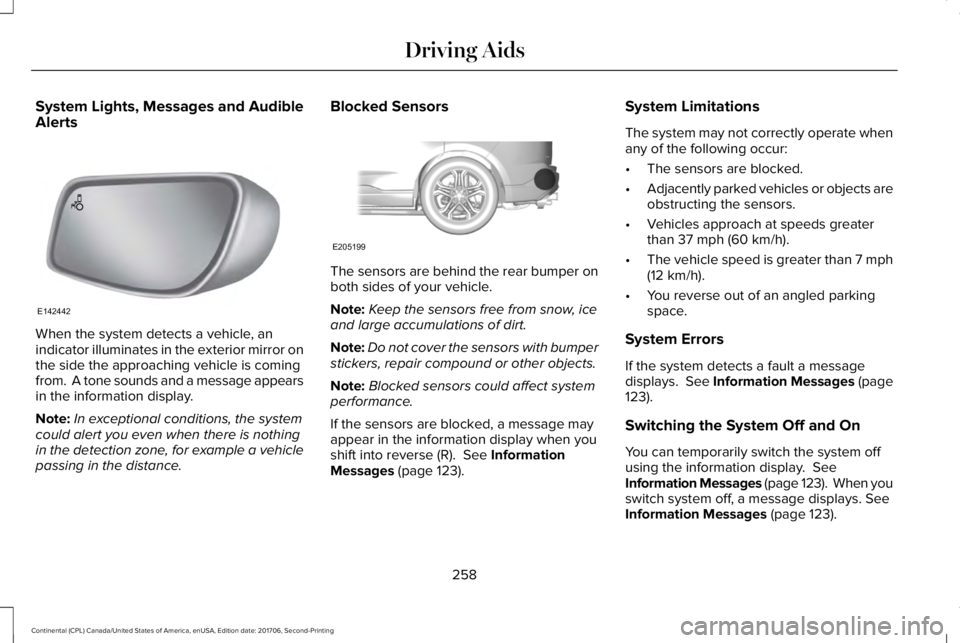
System Lights, Messages and AudibleAlerts
When the system detects a vehicle, anindicator illuminates in the exterior mirror onthe side the approaching vehicle is comingfrom. A tone sounds and a message appearsin the information display.
Note:In exceptional conditions, the systemcould alert you even when there is nothingin the detection zone, for example a vehiclepassing in the distance.
Blocked Sensors
The sensors are behind the rear bumper onboth sides of your vehicle.
Note:Keep the sensors free from snow, iceand large accumulations of dirt.
Note:Do not cover the sensors with bumperstickers, repair compound or other objects.
Note:Blocked sensors could affect systemperformance.
If the sensors are blocked, a message mayappear in the information display when youshift into reverse (R). See InformationMessages (page 123).
System Limitations
The system may not correctly operate whenany of the following occur:
•The sensors are blocked.
•Adjacently parked vehicles or objects areobstructing the sensors.
•Vehicles approach at speeds greaterthan 37 mph (60 km/h).
•The vehicle speed is greater than 7 mph(12 km/h).
•You reverse out of an angled parkingspace.
System Errors
If the system detects a fault a messagedisplays. See Information Messages (page123).
Switching the System Off and On
You can temporarily switch the system offusing the information display. SeeInformation Messages (page 123). When youswitch system off, a message displays. SeeInformation Messages (page 123).
258
Continental (CPL) Canada/United States of America, enUSA, Edition date: 201706, Second-Printing
Driving AidsE142442 E205199
Page 264 of 615
WARNING: The system may fail oroperate with reduced function during coldand severe weather conditions. Snow, ice,rain, spray and fog can adversely affect thesystem. Keep the front camera and radar freeof snow and ice. Failure to take care mayresult in the loss of control of your vehicle,serious personal injury or death.
WARNING: In situations where thevehicle camera has limited detectioncapability, this may reduce systemperformance. These situations include butare not limited to direct or low sunlight,vehicles at night without tail lights,unconventional vehicle types, pedestrianswith complex backgrounds, runningpedestrians, partly obscured pedestrians, orpedestrians that the system cannotdistinguish from a group. Failure to take caremay result in the loss of control of yourvehicle, serious personal injury or death.
WARNING: The system cannot helpprevent all crashes. Do not rely on thissystem to replace driver judgment and theneed to maintain a safe distance and speed.
Using the Pre-Collision Assist System
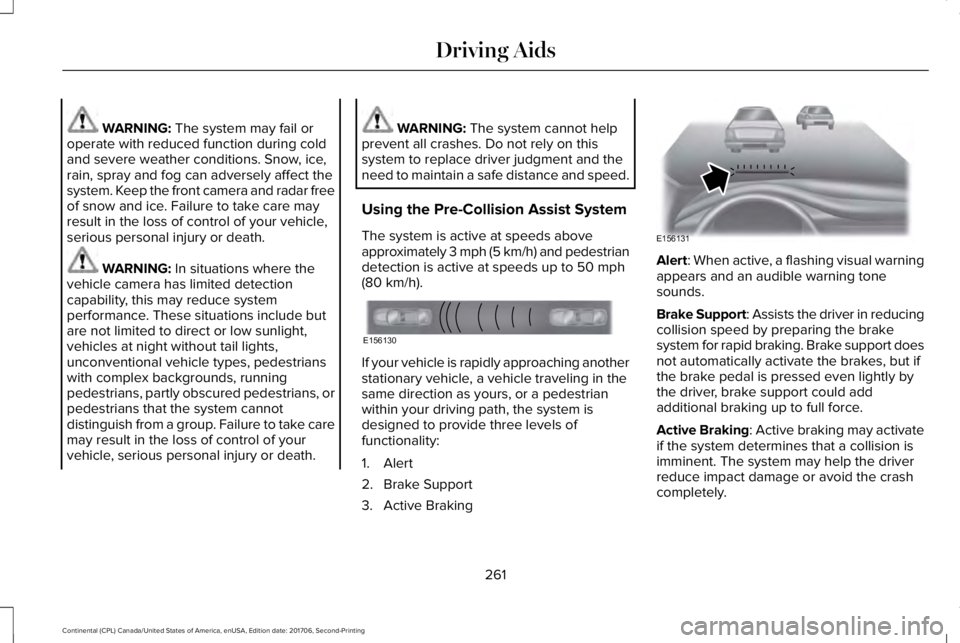
The system is active at speeds aboveapproximately 3 mph (5 km/h) and pedestriandetection is active at speeds up to 50 mph(80 km/h).
If your vehicle is rapidly approaching anotherstationary vehicle, a vehicle traveling in thesame direction as yours, or a pedestrianwithin your driving path, the system isdesigned to provide three levels offunctionality:
1. Alert
2. Brake Support
3. Active Braking
Alert: When active, a flashing visual warningappears and an audible warning tonesounds.
Brake Support: Assists the driver in reducingcollision speed by preparing the brakesystem for rapid braking. Brake support doesnot automatically activate the brakes, but ifthe brake pedal is pressed even lightly bythe driver, brake support could addadditional braking up to full force.
Active Braking: Active braking may activateif the system determines that a collision isimminent. The system may help the driverreduce impact damage or avoid the crashcompletely.
261
Continental (CPL) Canada/United States of America, enUSA, Edition date: 201706, Second-Printing
Driving AidsE156130 E156131
Page 277 of 615
Trailer lamps are required on most towedvehicles. Make sure all running lights, brakelights, turn signals and hazard lights areworking.
Before Towing a Trailer
Practice turning, stopping and backing up toget the feel of your vehicle-trailercombination before starting on a trip. Whenturning, make wider turns so the trailerwheels clear curbs and other obstacles.
When Towing a Trailer
•Do not drive faster than 70 mph(113 km/h) during the first 500 mi(800 km).
•Do not make full-throttle starts.
•Check your hitch, electrical connectionsand trailer wheel lug nuts thoroughly afteryou have traveled 50 mi (80 km).
•When stopped in congested or heavytraffic during hot weather, place thetransmission in park (P) to aid engine andtransmission cooling and to help A/Cperformance.
•Turn off the speed control with heavyloads or in hilly terrain. The speed controlmay turn off automatically when you aretowing on long, steep grades.
•Shift to a lower gear when driving downa long or steep hill. Do not apply thebrakes continuously, as they mayoverheat and become less effective.
•If your transmission is equipped with aGrade Assist or Tow/Haul feature, usethis feature when towing. This providesengine braking and helps eliminateexcessive transmission shifting foroptimum fuel economy and transmissioncooling.
•Allow more distance for stopping with atrailer attached. Anticipate stops andbrake gradually.
•Avoid parking on a grade. However, ifyou must park on a grade:
1. Turn the steering wheel to point yourvehicle tires away from traffic flow.
2. Set your vehicle parking brake.
3. Place the transmission in park (P).
4. Place wheel chocks in front and back ofthe trailer wheels. Chocks are notincluded with your vehicle.
Launching or Retrieving a Boat orPersonal Watercraft (PWC)
Note:Disconnect the wiring to the trailerbefore backing the trailer into the water.
Note:Reconnect the wiring to the trailerafter removing the trailer from the water.
When backing down a ramp during boatlaunching or retrieval:
•Do not allow the static water level to riseabove the bottom edge of the rearbumper.
•Do not allow waves to break higher than6 in (15 cm) above the bottom edge ofthe rear bumper.
Exceeding these limits may allow water toenter vehicle components:
•Causing internal damage to thecomponents.
•Affecting driveability, emissions, andreliability.
274
Continental (CPL) Canada/United States of America, enUSA, Edition date: 201706, Second-Printing
Towing
Page 280 of 615
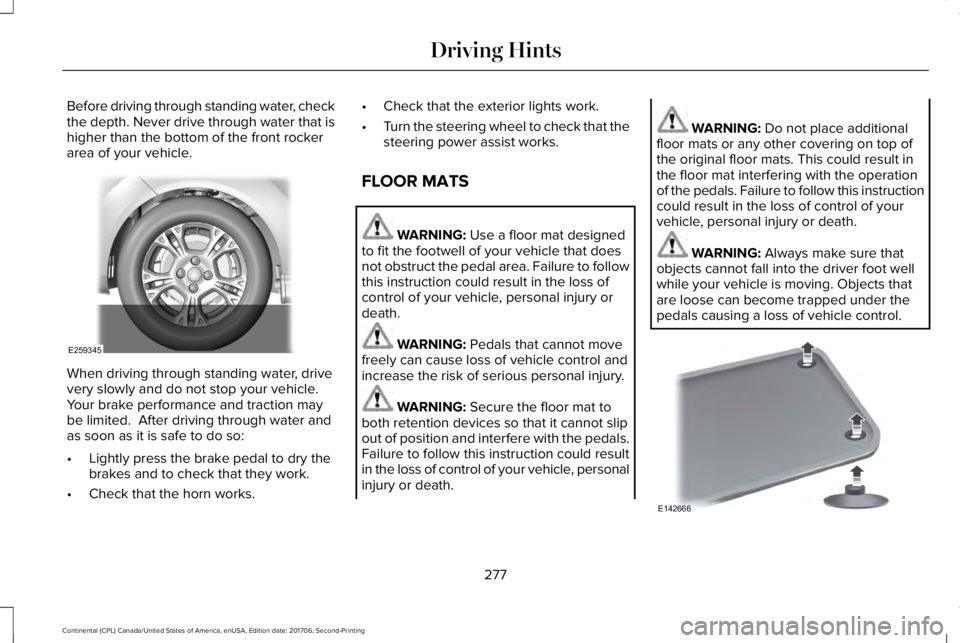
Before driving through standing water, checkthe depth. Never drive through water that ishigher than the bottom of the front rockerarea of your vehicle.
When driving through standing water, drivevery slowly and do not stop your vehicle. Your brake performance and traction maybe limited. After driving through water andas soon as it is safe to do so:
•Lightly press the brake pedal to dry thebrakes and to check that they work.
•Check that the horn works.
•Check that the exterior lights work.
•Turn the steering wheel to check that thesteering power assist works.
FLOOR MATS
WARNING: Use a floor mat designedto fit the footwell of your vehicle that doesnot obstruct the pedal area. Failure to followthis instruction could result in the loss ofcontrol of your vehicle, personal injury ordeath.
WARNING: Pedals that cannot movefreely can cause loss of vehicle control andincrease the risk of serious personal injury.
WARNING: Secure the floor mat toboth retention devices so that it cannot slipout of position and interfere with the pedals.Failure to follow this instruction could resultin the loss of control of your vehicle, personalinjury or death.
WARNING: Do not place additionalfloor mats or any other covering on top ofthe original floor mats. This could result inthe floor mat interfering with the operationof the pedals. Failure to follow this instructioncould result in the loss of control of yourvehicle, personal injury or death.
WARNING: Always make sure thatobjects cannot fall into the driver foot wellwhile your vehicle is moving. Objects thatare loose can become trapped under thepedals causing a loss of vehicle control.
277
Continental (CPL) Canada/United States of America, enUSA, Edition date: 201706, Second-Printing
Driving HintsE259345 E142666
Page 334 of 615

Trade numberFunction
LEDApproach lamp
LED* Tail and brake lamp
LED* Turn lamp - rear
LED* Backup lamp
LEDLicense plate lamp
LED* High-mount brake lamp
LED* Interior lamps
* To replace these lamps, see an authorized dealer.
To replace instrument panel lights, see an authorized dealer.
331
Continental (CPL) Canada/United States of America, enUSA, Edition date: 201706, Second-Printing
Maintenance
Page 459 of 615
AUTO: Touch the button to switchon automatic operation of the fanspeed, air distribution, airconditioning and outside orrecirculated air, in order tomaintain your set temperature.
A
Multiple presses of the AUTObutton will change the maximumfan speed allowed during AUTO.The AUTO Fan Limit set point shallbe indicated by the number ofAUTO indicator lights and apop-up, when not on the climatescreen.
AUTO Fan Limit High: When threeindicators are on (High), the fanspeed will not be limited. It will beautomatically controlled at higherspeeds in order to reach theselected temperature as quickly aspossible.
AUTO Fan Limit Medium: Whentwo indicators are on (Medium), thefan will be automatically controlledand limited to moderate speeds inorder to reach the selectedtemperature with a reducedamount of cabin noise.
AUTO Fan Limit Low: When oneindicator is on (Low), the fan will beautomatically controlled andlimited to lower speeds in order toreach the selected temperaturewith the least amount of cabinnoise. This means that the cabinwill not be heated or cooled asquickly as possible.
Note: The system will start at thepreviously selected Auto fansetting when Auto is turned on.
Once Auto is selected airdistribution, A/C operation, andoutside or recirculated air will alsobe automatically adjusted to heator cool the vehicle in order tomaintain the selected temperature.
The AUTO button can also be usedto turn off dual zone operation bypressing and holding the buttonfor greater than 2 seconds.
Power: Touch the button to switchthe system on and off. Switch offthe climate control system toprevent outside air from enteringthe vehicle.
B
DUAL: This button lights up whenthe passenger controls are active.To switch them off and link thepassenger temperature to thedriver temperature, touch theDUAL button.
C
Note: the passenger sidetemperature and the DUALindication automatically turn onwhen you or your passenger adjustthe passenger temperature.
Passenger temperature: Touch upor down to adjust the temperature.D
Fan speed: Touch up or down toincrease or decrease the volumeof air that circulates in your vehicle.
E
456
Continental (CPL) Canada/United States of America, enUSA, Edition date: 201706, Second-Printing
SYNC™ 3