Page 283 of 551
Driving your vehicle
30
5
NEUTRAL engaged
The message appears on the LCD
display, when the N (Neutral) posi-
tion is engaged.
Good driving practices
Never move the shift lever from P
(Park) or N (Neutral) to any other
position with the accelerator pedal
depressed.
Never move the shift lever into P (Park) when the vehicle is in
motion.
Be sure the vehicle is completely
stopped before you attempt to shift
into R (Reverse) or D (Drive).
Do not move the shift lever to N (Neutral) when driving. Doing so
may result in an accident because
of a loss of engine braking and the
transmission could be damaged.
Do not drive with your foot resting on the brake pedal. Even light, but
consistent pedal pressure can
result in the brakes overheating,
brake wear and possibly even
brake failure. Depressing both accelerator and
brake pedals at the same time can
trigger logic for engine power
reduction to assure vehicle decel-
eration. Vehicle acceleration will
resume after the brake pedal is
released.
When driving in Sports Mode, slow down before shifting to a lower
gear. Otherwise, the lower gear
may not be engaged if the engine
rpms are outside of the allowable
range.
Always apply the parking brake when leaving the vehicle. Do not
depend on placing the transmis-
sion in P (Park) to keep the vehicle
from moving.
Page 285 of 551
Driving your vehicle
32
5
✽ ✽
NOTICE
- Kickdown Mechanism
Use the kickdown mechanism for
maximum acceleration. Depress the
accelerator pedal beyond the pres-
sure point. The automatic transmis-
sion will shift to a lower gear
depending on the engine speed.
Launch Control
Launch Control Operation
When using Launch Control with
an engine that is not warmed up
enough, a driver should always
make sure that the engine’s cool-
ing water is warmed up and reach-
es a recommended temperature.
To operate ESC Off state 2, Press and hold ESC button for more than
3 seconds in Sports mode. (Status
Display on Cluster Screen)
For launching, stop the vehicle and keep a steering wheel straight.
Footbrakes, EPB and Auto Hold must be released for smooth
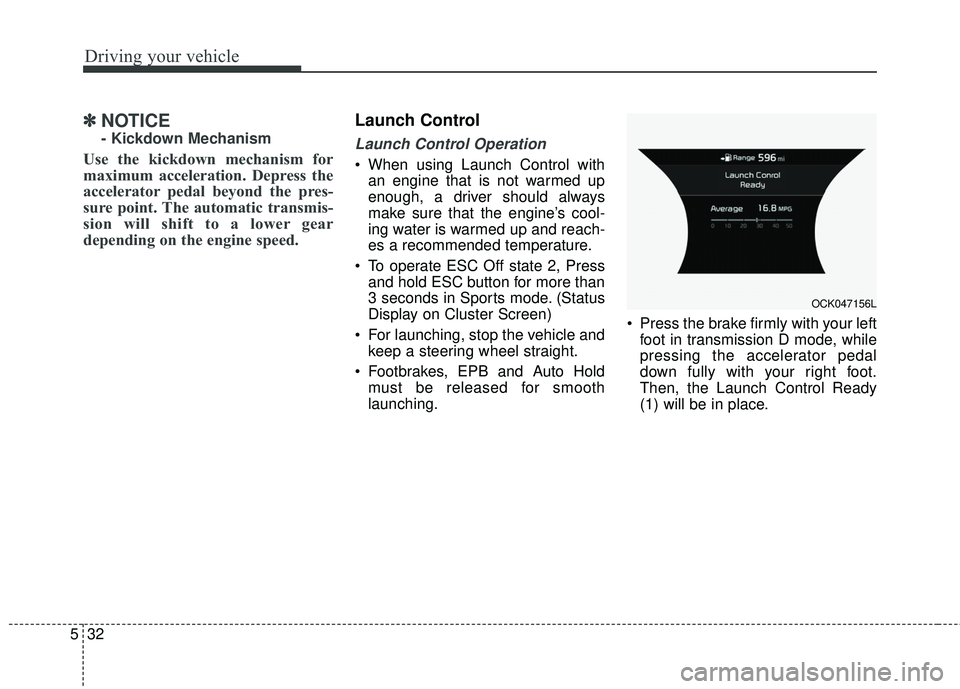
launching. Press the brake firmly with your left
foot in transmission D mode, while
pressing the accelerator pedal
down fully with your right foot.
Then, the Launch Control Ready
(1) will be in place.
OCK047156L
Page 286 of 551
533
Driving your vehicle
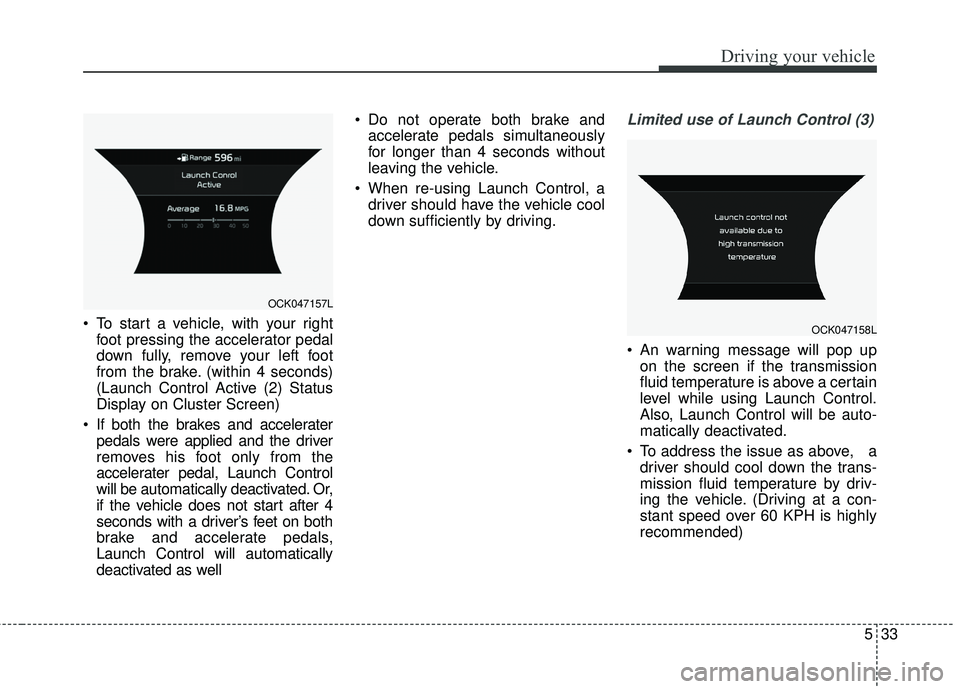
To start a vehicle, with your rightfoot pressing the accelerator pedal
down fully, remove your left foot
from the brake. (within 4 seconds)
(Launch Control Active (2) Status
Display on Cluster Screen)
If both the brakes and accelerater pedals were applied and the driver
removes his foot only from the
accelerater pedal, Launch Control
will be automatically deactivated. Or,
if the vehicle does not start after 4
seconds with a driver’s feet on both
brake and accelerate pedals,
Launch Control will automatically
deactivated as well Do not operate both brake and
accelerate pedals simultaneously
for longer than 4 seconds without
leaving the vehicle.
When re-using Launch Control, a driver should have the vehicle cool
down sufficiently by driving.
Limited use of Launch Control (3)
An warning message will pop upon the screen if the transmission
fluid temperature is above a certain
level while using Launch Control.
Also, Launch Control will be auto-
matically deactivated.
To address the issue as above, a driver should cool down the trans-
mission fluid temperature by driv-
ing the vehicle. (Driving at a con-
stant speed over 60 KPH is highly
recommended)
OCK047157L
OCK047158L
Page 306 of 551
553
Driving your vehicle
Warning messages
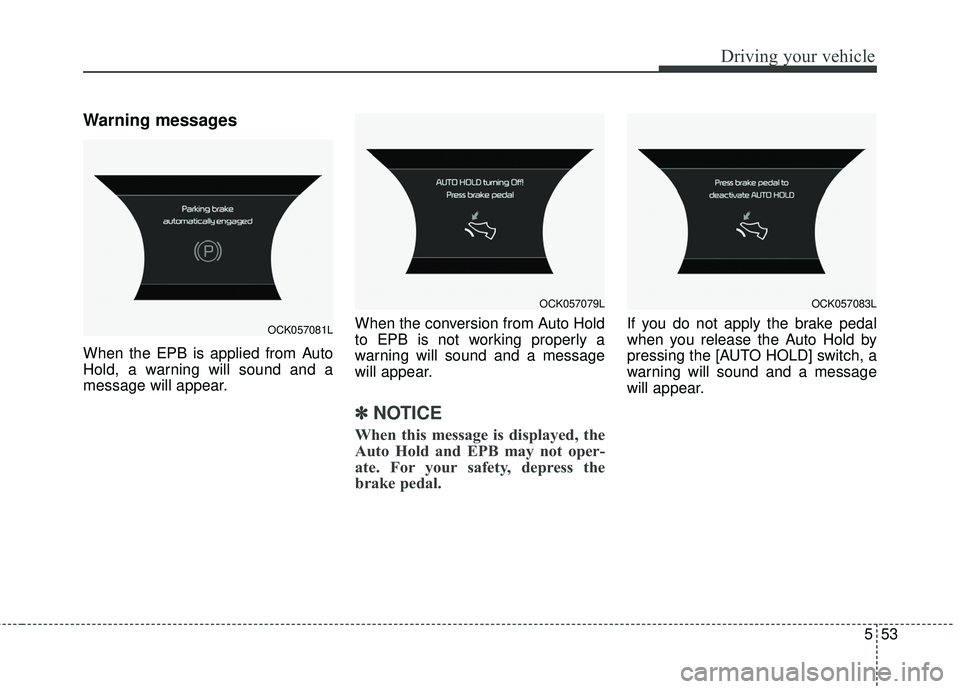
When the EPB is applied from Auto
Hold, a warning will sound and a
message will appear.When the conversion from Auto Hold
to EPB is not working properly a
warning will sound and a message
will appear.
✽ ✽
NOTICE
When this message is displayed, the
Auto Hold and EPB may not oper-
ate. For your safety, depress the
brake pedal.
If you do not apply the brake pedal
when you release the Auto Hold by
pressing the [AUTO HOLD] switch, a
warning will sound and a message
will appear.OCK057081L
OCK057079LOCK057083L
Page 307 of 551
![KIA STINGER 2018 Owners Manual Driving your vehicle
54
5
When you press the [AUTO HOLD]
switch, if the driver’s door, engine
hood are not closed or the driver’s
seat belt is unfastened, a warning
will sound and a message will
a](/manual-img/2/40391/w960_40391-306.png "KIA STINGER 2018 Owners Manual Driving your vehicle
54
5
When you press the [AUTO HOLD]
switch, if the driver’s door, engine
hood are not closed or the driver’s
seat belt is unfastened, a warning
will sound and a message will
a")
Driving your vehicle
54
5
When you press the [AUTO HOLD]
switch, if the driver’s door, engine
hood are not closed or the driver’s
seat belt is unfastened, a warning
will sound and a message will
appear on the LCD display. At this
moment, press the [AUTO HOLD]
button after closing the driver’s door,
engine hood and fastening the seat
belt.
Anti-lock brake system (ABS)
ABS (or ESC) will not prevent acci-
dents due to improper or dangerous
driving maneuvers. Even though
vehicle control is improved during
emergency braking, always maintain
a safe distance between you and
objects ahead. Vehicle speeds
should always be reduced during
extreme road conditions. The vehicle
should be driven at reduced speeds
in the following circumstances:
When driving on rough, gravel or
snow-covered roads
When driving on roads where the road surface is pitted or has differ-
ent surface heights.
Driving in these conditions increases
the stopping distance for your vehicle. The ABS continuously senses the
speed of the wheels. If the wheels
are going to lock, the ABS system
repeatedly modulates the hydraulic
brake pressure to the wheels.
When you apply your brakes under
conditions which may lock the
wheels, you may hear a “tik-tik’’
sound from the brakes, or feel a cor-
responding sensation in the brake
pedal. This is normal and it means
your ABS is active.
In order to obtain the maximum benefit
from your ABS in an emergency situa-
tion, do not attempt to modulate your
brake pressure and do not try to pump
your brakes. Press your brake pedal as
hard as possible or as hard as the sit-
uation allows the ABS to control the
force being delivered to the brakes.
✽ ✽
NOTICE
A click sound may be heard in the
engine compartment when the vehi-
cle begins to move after the engine is
started. These conditions are normal
and indicate that the anti-lock brake
system is functioning properly.
OCK057084L
Page 318 of 551
565
Driving your vehicle
The warning light illumi-
nates on the LCD display,
when you cancel the FCA
system. The driver can
monitor the FCA ON/OFF status on
the LCD display. Also, the warning
light illuminates when the
ESC(Electronic Stability Control) is
turned off (Traction & Stability control
disabled.). When the warning light
remains ON with the FCA activated,
have the system checked by an
authorized Kia dealer.
The driver can select the initial warn-
ing activation time in the User
Settings in the instrument cluster
LCD display. The options for the ini-
tial Forward Collision Warning
include the following:
selected, the initial
Forward Collision Warning
is activated earlier than
normal. This setting maxi-
mizes the amount of dis-
tance between the vehicle
or pedestrian ahead before
the initial warning occurs. If
the ‘EARLY’ condition feels
too sensitive, change it into
‘NORMAL’. When the vehi-
cle ahead suddenly stops,
the warning may seem to
activate later even if the
‘EARLY’ condition was
selected.
selected, the initial
Forward Collision
Warning is activated nor-
mally. This setting allows
for a nominal amount of
distance between the
vehicle or pedestrian
ahead before the initial
warning occurs.
selected, the initial Forward
Collision Warning is activat-
ed later than normal. This
setting reduces the amount
of distance between the
vehicle or pedestrian ahead
before the initial warning
occurs. Select this condition
only when traffic is light,
and you are driving slowly.
Page 319 of 551
Driving your vehicle
66
5
Prerequisite for activation
The FCA will activate when the FCA
is selected on the LCD display, and
when the following prerequisites are
satisfied:
- The ESC (Electronic Stability
Control) is activated.
- The driving speed is over 10km / 6 mph. (The FCA only works within a
certain range of vehicle speeds)
- When the FCA recognizes a vehi- cle or the pedestrian in front. (The
FCA may not recognize every
obstacle or provide warnings and
braking in every situation, so do
not rely on the FCA to stop the
vehicle in instances where the driv-
er sees an obstacle and has the
ability to apply the brakes) The FCA automatically activates
upon placing the ignition switch to
the ON position. The driver can
deactivate the FCA by canceling the
swstem setting on the LCD display.
The FCA automatically deactivates upon canceling the ESC. When the
ESC is cancelind, the FCA cannot
be activated on the LCD display.
The FCA warning light will illumi-
nate, but it does not indicate a mal-
function of the system.
Set or cancel FCA with controlling switches on steering wheel after
stopping the vehicle in the safe
place for your safety.WARNING
To avoid driver distractions, do
not attempt to set or cancel the
FCA while operating the vehicle.
Page 320 of 551
567
Driving your vehicle
FCA warning message and
system control
The FCA produces warning mes-
sages and warning alarms in accor-
dance with the collision risk levels of
followings like vehicle’s sudden brak-
ing in front or lack of vehicle to vehicle
distance or collision to pedestrians.
Also, it controls the brakes in accor-
dance with the collision risk levels.
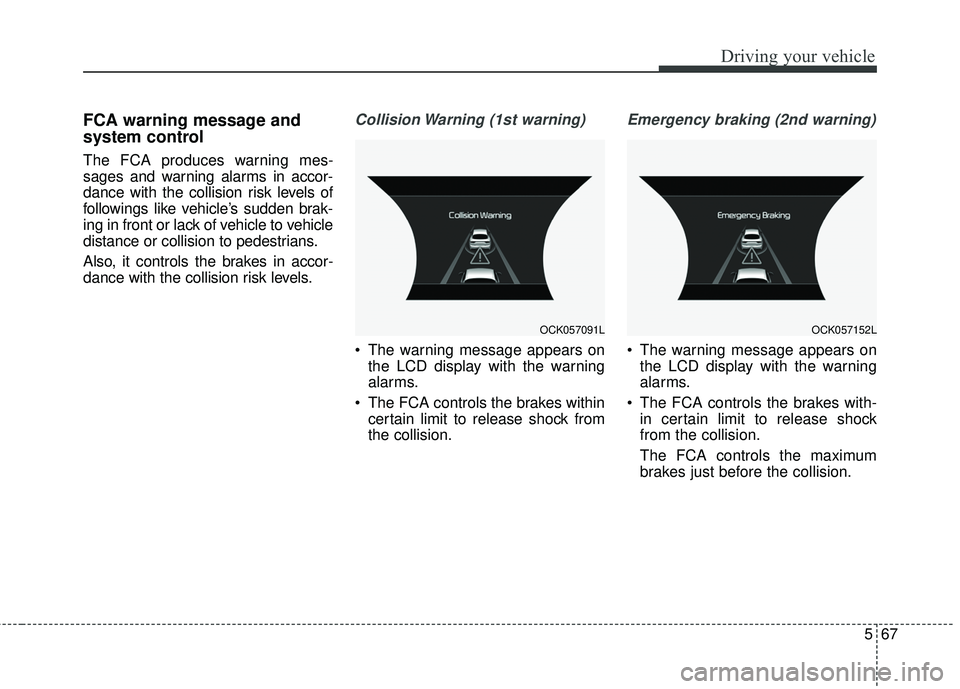
Collision Warning (1st warning)
The warning message appears onthe LCD display with the warning
alarms.
The FCA controls the brakes within certain limit to release shock from
the collision.
Emergency braking (2nd warning)
The warning message appears onthe LCD display with the warning
alarms.
The FCA controls the brakes with- in certain limit to release shock
from the collision.
The FCA controls the maximum
brakes just before the collision.
OCK057091LOCK057152L