2018 KIA STINGER display
[x] Cancel search: displayPage 199 of 551

Features of your vehicle
112
4
The rearview camera will activate
with the ignition switch ON, engine
ON and the shift lever in the R
(Reverse) position. This system is a supplemental sys-
tem that shows behind the vehicle
through the audio screen while back-
ing up unless equipped with a navi-
gation system, then will display on
the navigation screen.
Also, it displays rear view image
when there is driver’s request even in
N/D gear. It provides image opti-
mized for driving mode unlike park-
ing mode image. All three conditions
must be met to operate driving assist
mode.
- IGN Status : ON
- Engine Status : ON
- Gearshift Status : D or N
- Rear view camera switch : ON
This system is a supplementary
function only. It is the responsibility
of the driver to always check the
inside/outside rearview mirrors and
the area behind the vehicle before
and while backing up because
there is a dead zone that can't be
seen by the camera. Always keep the camera lens
clean. If lens is covered with for-
eign matter, the camera may not
operate normally.
REARVIEW CAMERA
OCK047403L
OCK047406L
WARNING - Backing &
using camera
Never rely solely on the rear view
camera when backing. You must
always use methods of viewing
the area behind you including
looking over both shoulders as
well as continuously checking all
three rear view mirrors. Due to
the difficulty of ensuring that the
area behind you remains clear,
always back slowly and stop
immediately if you even suspect
that a person, and especially a
child, might be behind you.
Page 207 of 551
Features of your vehicle
120
4
One-touch lane change function
(if equipped)
To activate an one-touch lane
change function, move the turn sig-
nal lever slightly and then release it.
The lane change signals will blink 3,
5 or 7 times.
You can choose one-touch lane
change blinking function in “One
touch turn lamp” of “User setting”.
Refer to “User setting” in chapter 4
✽ ✽
NOTICE
If the turn signal indicator stays on
and does not flash, or if it flashes
abnormally, a bulb may be burned
out or have a poor electrical connec-
tion in the circuit. The bulb may
require replacement.
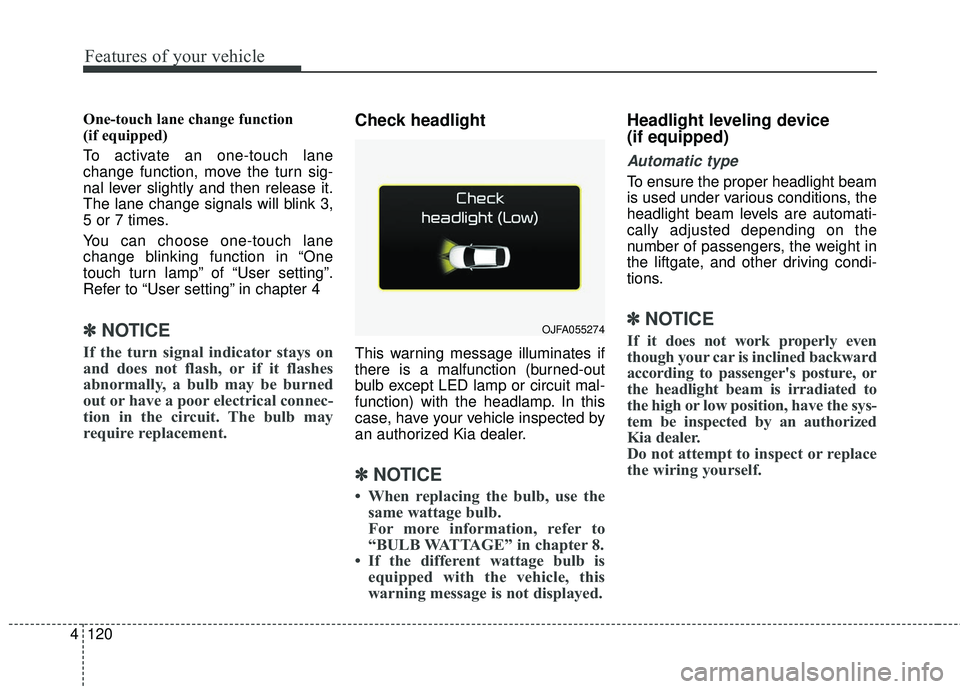
Check headlight
This warning message illuminates if
there is a malfunction (burned-out
bulb except LED lamp or circuit mal-
function) with the headlamp. In this
case, have your vehicle inspected by
an authorized Kia dealer.
✽ ✽NOTICE
• When replacing the bulb, use the
same wattage bulb.
For more information, refer to
“BULB WATTAGE” in chapter 8.
• If the different wattage bulb is equipped with the vehicle, this
warning message is not displayed.
Headlight leveling device
(if equipped)
Automatic type
To ensure the proper headlight beam
is used under various conditions, the
headlight beam levels are automati-
cally adjusted depending on the
number of passengers, the weight in
the liftgate, and other driving condi-
tions.
✽ ✽ NOTICE
If it does not work properly even
though your car is inclined backward
according to passenger's posture, or
the headlight beam is irradiated to
the high or low position, have the sys-
tem be inspected by an authorized
Kia dealer.
Do not attempt to inspect or replace
the wiring yourself.OJFA055274
Page 219 of 551
Features of your vehicle
132
4
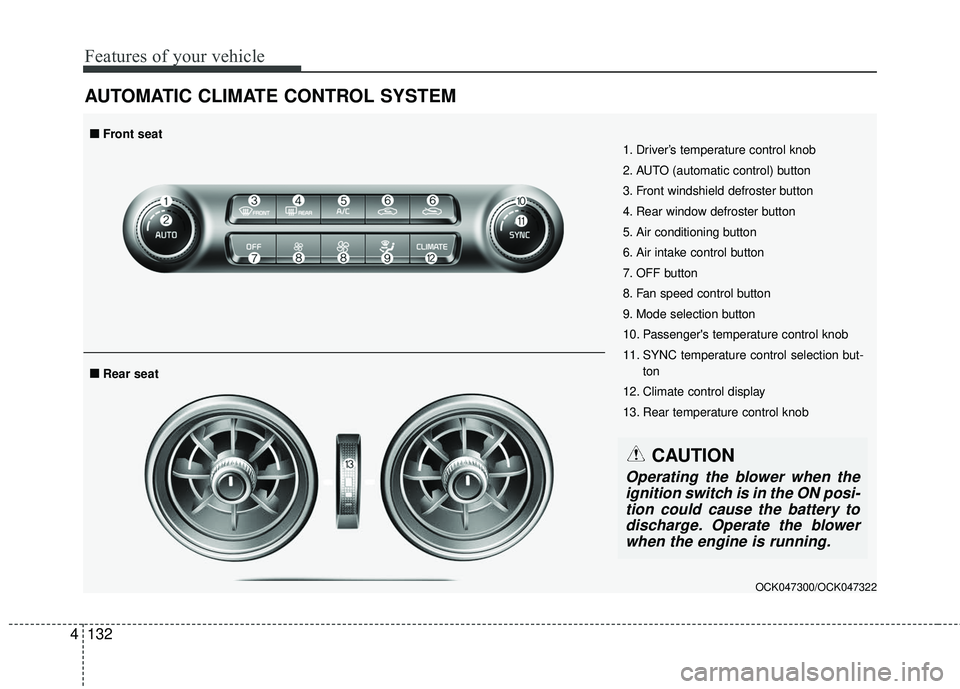
AUTOMATIC CLIMATE CONTROL SYSTEM
OCK047300/OCK047322
1. Driver’s temperature control knob
2. AUTO (automatic control) button
3. Front windshield defroster button
4. Rear window defroster button
5. Air conditioning button
6. Air intake control button
7. OFF button
8. Fan speed control button
9. Mode selection button
10. Passenger's temperature control knob
11. SYNC temperature control selection but-
ton
12. Climate control display
13. Rear temperature control knob
■ ■ Rear seat
■ ■Front seat
CAUTION
Operating the blower when the
ignition switch is in the ON posi-tion could cause the battery todischarge. Operate the blowerwhen the engine is running.
Page 220 of 551
4133
Features of your vehicle
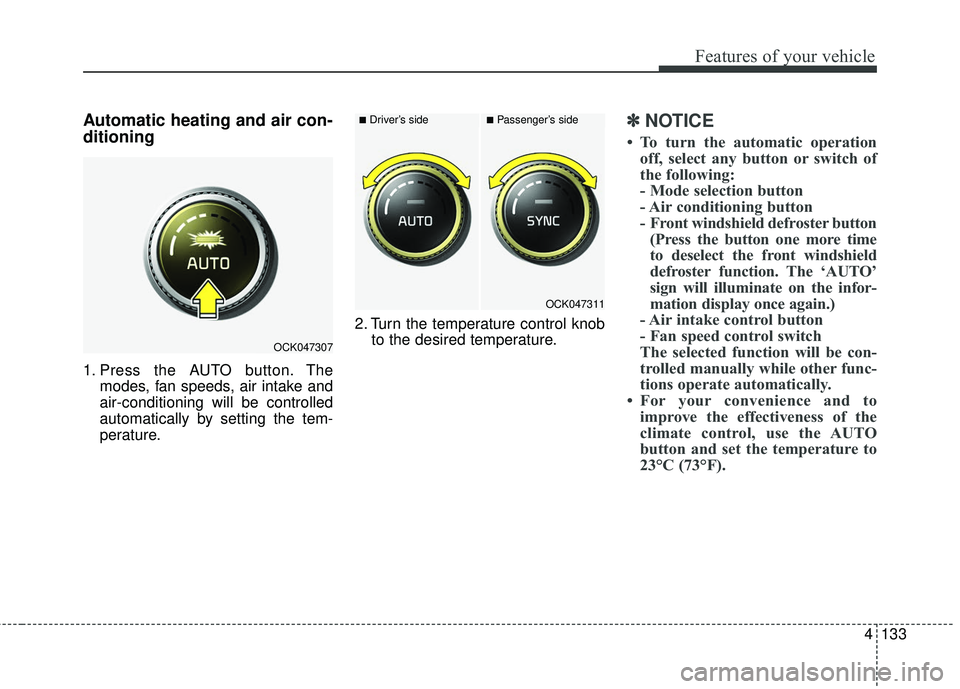
Automatic heating and air con-
ditioning
1. Press the AUTO button. Themodes, fan speeds, air intake and
air-conditioning will be controlled
automatically by setting the tem-
perature. 2. Turn the temperature control knob
to the desired temperature.
✽ ✽NOTICE
• To turn the automatic operation
off, select any button or switch of
the following:
- Mode selection button
- Air conditioning button
- Front windshield defroster button(Press the button one more time
to deselect the front windshield
defroster function. The ‘AUTO’
sign will illuminate on the infor-
mation display once again.)
- Air intake control button
- Fan speed control switch
The selected function will be con-
trolled manually while other func-
tions operate automatically.
• For your convenience and to improve the effectiveness of the
climate control, use the AUTO
button and set the temperature to
23°C (73°F).
OCK047307
■Driver’s side■Passenger’s side
OCK047311
Page 225 of 551
Features of your vehicle
138
4
The temperature will decrease to the
minimum (Lo) by turning the knob to
the extreme left.
When turning the knob, the tempera-
ture will increase or decrease by
0.5°C/1°F. When set to the lowest
temperature setting, the air condi-
tioning will operate continuously.
Turn the rear seat temperature con-
trol knob to adjust temperature.
The front and rear seat side temper-
ature is adjusted individually. Adjusting the driver and passenger
side temperature equally
Press the “SYNC” button to adjust
the driver and passenger side tem-
perature equally.
The passenger side temperature
will be set to the same temperature
as the driver side temperature.
Turn the driver side temperature control knob. The driver and pas-
senger side temperature will be
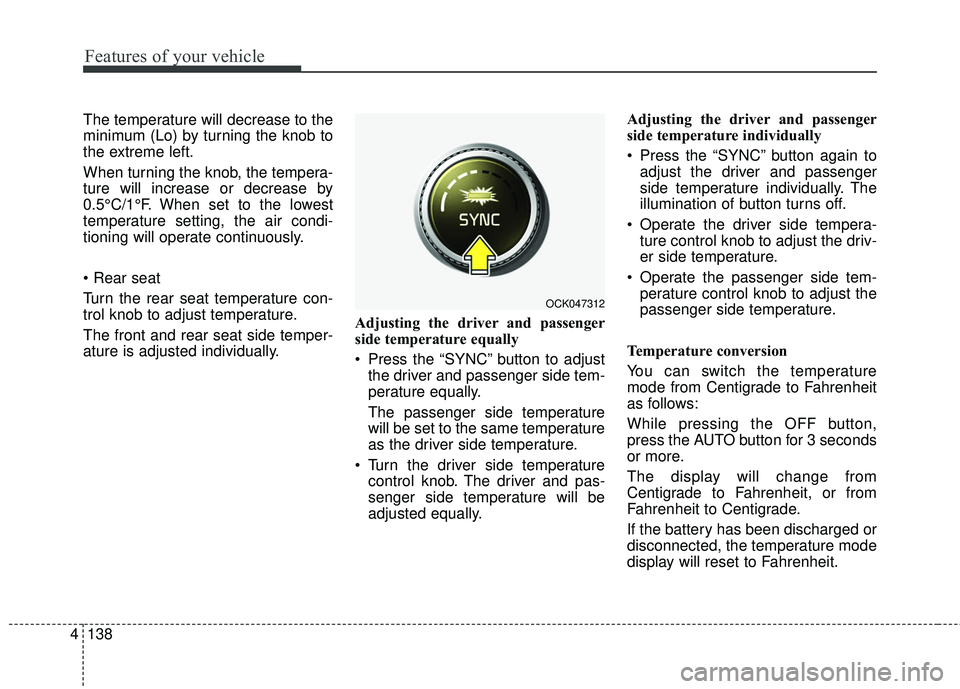
adjusted equally. Adjusting the driver and passenger
side temperature individually
Press the “SYNC” button again to
adjust the driver and passenger
side temperature individually. The
illumination of button turns off.
Operate the driver side tempera- ture control knob to adjust the driv-
er side temperature.
Operate the passenger side tem- perature control knob to adjust the
passenger side temperature.
Temperature conversion
You can switch the temperature
mode from Centigrade to Fahrenheit
as follows:
While pressing the OFF button,
press the AUTO button for 3 seconds
or more.
The display will change from
Centigrade to Fahrenheit, or from
Fahrenheit to Centigrade.
If the battery has been discharged or
disconnected, the temperature mode
display will reset to Fahrenheit.
OCK047312
Page 228 of 551
4141
Features of your vehicle
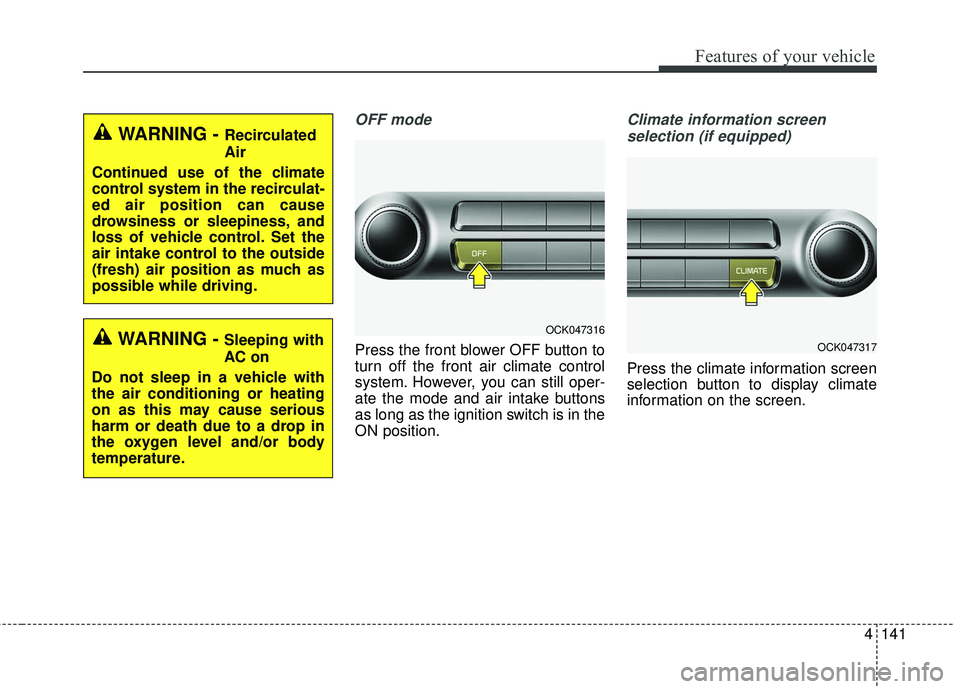
OFF mode
Press the front blower OFF button to
turn off the front air climate control
system. However, you can still oper-
ate the mode and air intake buttons
as long as the ignition switch is in the
ON position.
Climate information screen selection (if equipped)
Press the climate information screen
selection button to display climate
information on the screen.
OCK047317
WARNING - Recirculated
Air
Continued use of the climate
control system in the recirculat-
ed air position can cause
drowsiness or sleepiness, and
loss of vehicle control. Set the
air intake control to the outside
(fresh) air position as much as
possible while driving.
WARNING - Sleeping with
AC on
Do not sleep in a vehicle with
the air conditioning or heating
on as this may cause serious
harm or death due to a drop in
the oxygen level and/or body
temperature.OCK047316
Page 236 of 551

4149
Features of your vehicle
To cancel or reset the Auto Defogging
System
Press the front windshield defroster
button for 3 seconds when the igni-
tion switch is in the ON position.
When the ADS system is canceled,
Indicator on the button will blink 3
times per 0.5 sec and the position
“ADS OFF” will be displayed on the
climate control information screen.
When the ADS system is reset,
Indicator on the button will blink 6
times per 0.25sec and the position
“ADS OFF” will be disappeared on
the climate control information
screen.
You can set or release the Auto
Defogging System on the AVN
Climate Information selection screen.
If the battery is discharged or
detached, the auto defogging system
will be reset. Adjust the feature
accordingly.
Do not remove the sensor cover locat-
ed on the upper end of the passenger
side windshield glass. Damage to the
system parts could occur and may not
be covered by your vehicle warranty.Automatic ventilation
(if equipped)
The system automatically selects the
outside (fresh) air position when the
climate control system operates over
a certain period of time (approxi-
mately 30 minutes) in low tempera-
ture with the recirculated air position
selected.
To cancel or reset the AutomaticVentilation
When the air conditioning system is
on, select Face Level mode and
while pressing the A/C button, press
the recirculated air position button
five times within three seconds.
When the automatic ventilation is
canceled, the indicator blinks 3
times. When the automatic ventila-
tion is activated, the indicator blinks
6 times.
If the battery is discharged or
detached, the automatic ventilation
will be reset. Adjust the feature
accordingly.
Smart ventilation (if equipped)
The smart ventilation system main-
tains pleasant/fresh air condition
inside the passenger compartment
by automatically detecting/controlling
the temperature, humidity, when you
drive the vehicle with the climate
control system in the OFF position.
When the smart ventilation system
starts to operate, the message,
“SMART VENTILATION ON”
appears for 5 seconds.
The smart ventilation system stops operating, when the OFF button of
the climate control system is
selected.
The smart ventilation system stops operating, when any button of the
climate control system is selected
for operation.
The smart ventilation system may not operate, when the vehicle is
driven at low speed.
Page 247 of 551
Features of your vehicle
160
4
(Continued)
The wireless charging may not function properly whenthere is a heavy accessorycover on the smart phone.
The wireless charging will stop when the smart key ismoved out of the vehicle withthe ignition in ON.
Charging may be temporarily interrupted when smart keydetection is activated. (whenturning on ignition, opening orclosing the doors)
The wireless charging will stop when the vehicle isturned OFF.
The wireless charging will stop when the smart phone isnot in complete contact withthe wireless charging pad.
Items equipped with magnetic components such as creditcard, telephone card, bank-book, any transportation ticketand such may become dam-aged during wireless charging.
(Continued)(Continued) Place the smart phone on the center of the charge pad forbest results. The smart phonemay not charge when placednear the rim of the chargingpad. When the smart phonedoes get charged, it may heatup excessively.
For smart phones without built-in wireless charging sys-tem, an appropriate accessoryhas to be equipped.
Cellphones that are not certi- fied for wireless smart phonecharging standards (QI) maynot be able to charge.
Self-protection features in some smart phones couldslow down or stop charging.
In some cases, the wireless charging indicator could notturn green even when thephone is fully charged.
(Continued)(Continued) Smart phones of some manu- facturers may display mes-sages on weak current. This isdue to the particular charac-teristic of the smart phoneand does not imply a malfunc-tion on wireless chargingfunction.
The indicator light of some manufacturers’ smart phonesmay still be yellow after thesmart phone is fully charged.This is due to the particularcharacteristic of the smartphone and not a malfunctionof the wireless charging.
When any smart phone with- out a wireless charging func-tion or a metallic object isplaced on the charging pad, asmall noise may sound. Thissmall sound is due to the vehi-cle discerning compatibility ofthe object placed on thecharging pad. It does notaffect your vehicle or thesmart phone in any way.