2018 HYUNDAI ELANTRA SPORT mirror
[x] Cancel search: mirrorPage 299 of 534
![HYUNDAI ELANTRA SPORT 2018 Owners Manual 5-58
Driving your vehicle
OAD055029
■ Left side
OAD055030
■ Right side
[A] : Warning sound
Second stage alert
A warning chime to alert the driver will activate when:
1. A vehicle has been detecte](/manual-img/35/56087/w960_56087-298.png "HYUNDAI ELANTRA SPORT 2018 Owners Manual 5-58
Driving your vehicle
OAD055029
■ Left side
OAD055030
■ Right side
[A] : Warning sound
Second stage alert
A warning chime to alert the driver will activate when:
1. A vehicle has been detecte")
5-58
Driving your vehicle
OAD055029
■ Left side
OAD055030
■ Right side
[A] : Warning sound
Second stage alert
A warning chime to alert the driver will activate when:
1. A vehicle has been detected in the blind spot area by the radar system AND.
2. The turn signal is applied (same side as where the vehicle is being detect- ed).
When this alert is activated, the warning light on the outer side view mir-
ror will also blink. And a warning chime will sound.
If you turn off the turn signal indicator, the second stage alert will be deac-
tivated.
Once the detected vehicle is no longer within the blind spot area, the warn-
ing will turn off according to the driving conditions of the vehicle.
The warning light on the
outer side view mirror will illu-
minate whenever a vehicle is
detected at the rear side bythe system.
To avoid accidents, do not
focus only on the warninglight and neglect to see the
surrounding of the vehicle.
Drive safely even though the
vehicle is equipped with a
Blind-Spot Collision Warning
(BCW) system. Do not solely
rely on the system but check
your surrounding before
changing lanes or backing the
vehicle up.
The system may not alert the driver in some conditions so
always check your surround-ings while driving.
WARNING
Page 300 of 534
5-59
Driving your vehicle
5
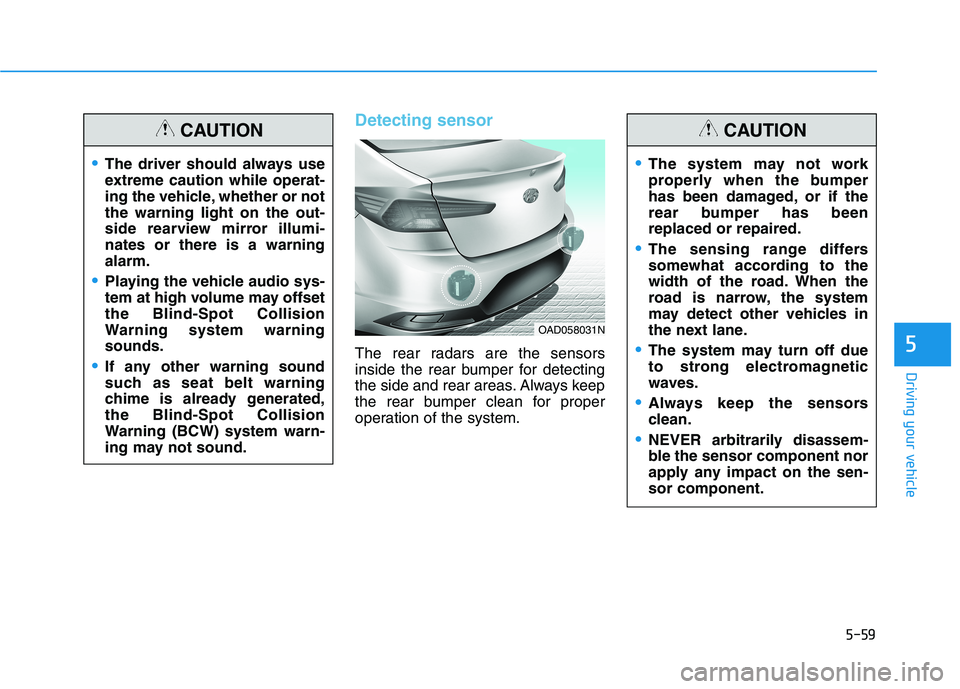
Detecting sensor
The rear radars are the sensors
inside the rear bumper for detecting
the side and rear areas. Always keep
the rear bumper clean for proper
operation of the system.
The driver should always use
extreme caution while operat-
ing the vehicle, whether or notthe warning light on the out-
side rearview mirror illumi-nates or there is a warningalarm.
Playing the vehicle audio sys-
tem at high volume may offsetthe Blind-Spot Collision
Warning system warningsounds.
If any other warning sound
such as seat belt warning
chime is already generated,the Blind-Spot Collision
Warning (BCW) system warn-
ing may not sound.
CAUTION
OAD058031N
The system may not work
properly when the bumper
has been damaged, or if the
rear bumper has beenreplaced or repaired.
The sensing range differs
somewhat according to the
width of the road. When the
road is narrow, the system
may detect other vehicles in
the next lane.
The system may turn off due
to strong electromagnetic
waves.
Always keep the sensors
clean.
NEVER arbitrarily disassem-
ble the sensor component nor
apply any impact on the sen-sor component.
CAUTION
Page 307 of 534
5-66
Driving your vehicle
When the system is initially turnedon and when the engine is turned
off then on again, the warning light
will illuminate for 3 seconds on the
outside rearview mirror.
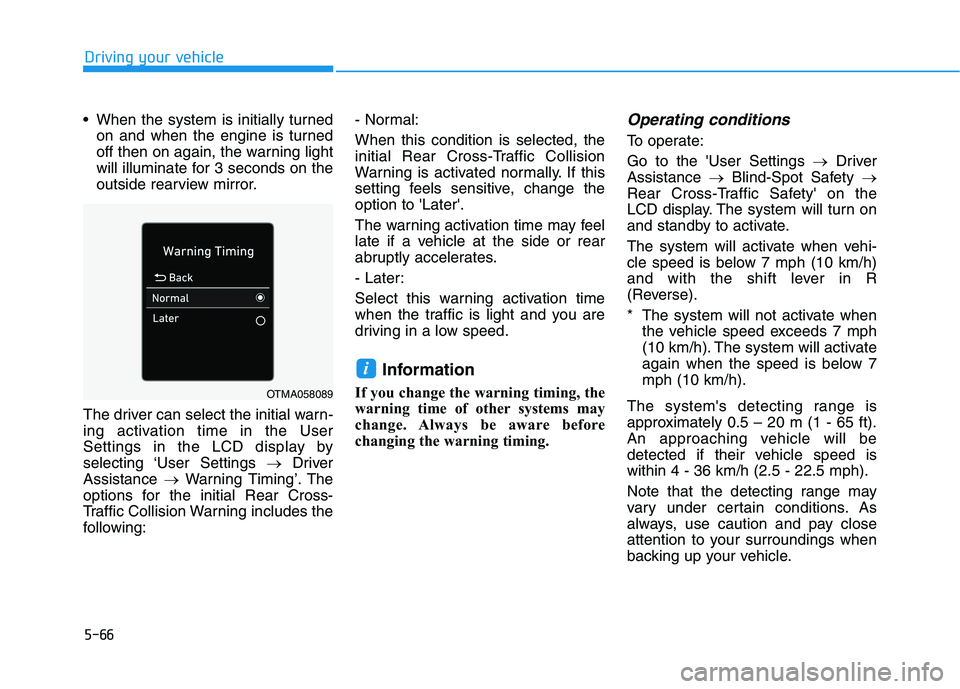
The driver can select the initial warn-
ing activation time in the User
Settings in the LCD display by
selecting ‘User Settings Driver
Assistance Warning Timing’. The
options for the initial Rear Cross-
Traffic Collision Warning includes the
following: - Normal: When this condition is selected, the
initial Rear Cross-Traffic Collision
Warning is activated normally. If this
setting feels sensitive, change theoption to 'Later'.
The warning activation time may feel
late if a vehicle at the side or rear
abruptly accelerates.
- Later:
Select this warning activation time
when the traffic is light and you are
driving in a low speed.
Information
If you change the warning timing, the
warning time of other systems may
change. Always be aware before
changing the warning timing.Operating conditions
To operate: Go to the 'User Settings Driver
Assistance Blind-Spot Safety
Rear Cross-Traffic Safety' on the
LCD display. The system will turn on
and standby to activate.
The system will activate when vehi-
cle speed is below 7 mph (10 km/h)
and with the shift lever in R
(Reverse).
* The system will not activate when the vehicle speed exceeds 7 mph
(10 km/h). The system will activate
again when the speed is below 7mph (10 km/h).
The system's detecting range is
approximately 0.5 – 20 m (1 - 65 ft).
An approaching vehicle will be
detected if their vehicle speed iswithin 4 - 36 km/h (2.5 - 22.5 mph).
Note that the detecting range may
vary under certain conditions. As
always, use caution and pay close
attention to your surroundings when
backing up your vehicle.
i
OTMA058089
Page 308 of 534
5-67
Driving your vehicle
5
Warning and system control
Rear Cross-Traffic CollisionWarning (RCCW) system
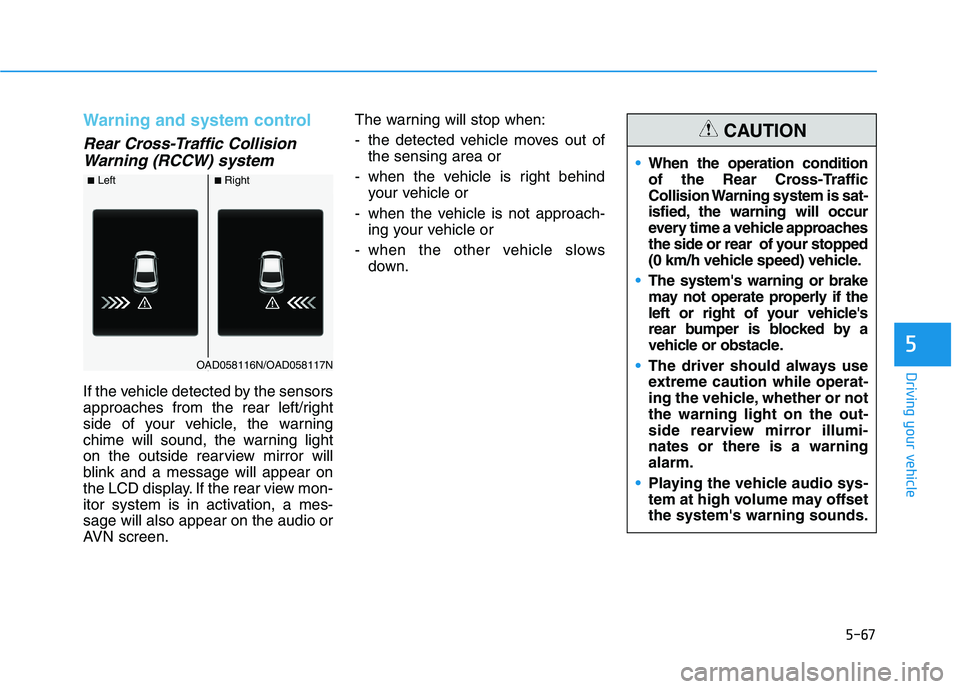
If the vehicle detected by the sensors
approaches from the rear left/right
side of your vehicle, the warning
chime will sound, the warning light
on the outside rearview mirror will
blink and a message will appear on
the LCD display. If the rear view mon-
itor system is in activation, a mes-sage will also appear on the audio or
AVN screen. The warning will stop when:
- the detected vehicle moves out of
the sensing area or
- when the vehicle is right behind your vehicle or
- when the vehicle is not approach- ing your vehicle or
- when the other vehicle slows down.
■Left■Right
OAD058116N/OAD058117N
When the operation condition
of the Rear Cross-Traffic
Collision Warning system is sat-
isfied, the warning will occur
every time a vehicle approaches
the side or rear of your stopped
(0 km/h vehicle speed) vehicle.
The system's warning or brake
may not operate properly if the
left or right of your vehicle's
rear bumper is blocked by a
vehicle or obstacle.
The driver should always use
extreme caution while operat-
ing the vehicle, whether or notthe warning light on the out-
side rearview mirror illumi-nates or there is a warningalarm.
Playing the vehicle audio sys-
tem at high volume may offsetthe system's warning sounds.
CAUTION
Page 320 of 534
5-79
Driving your vehicle
5
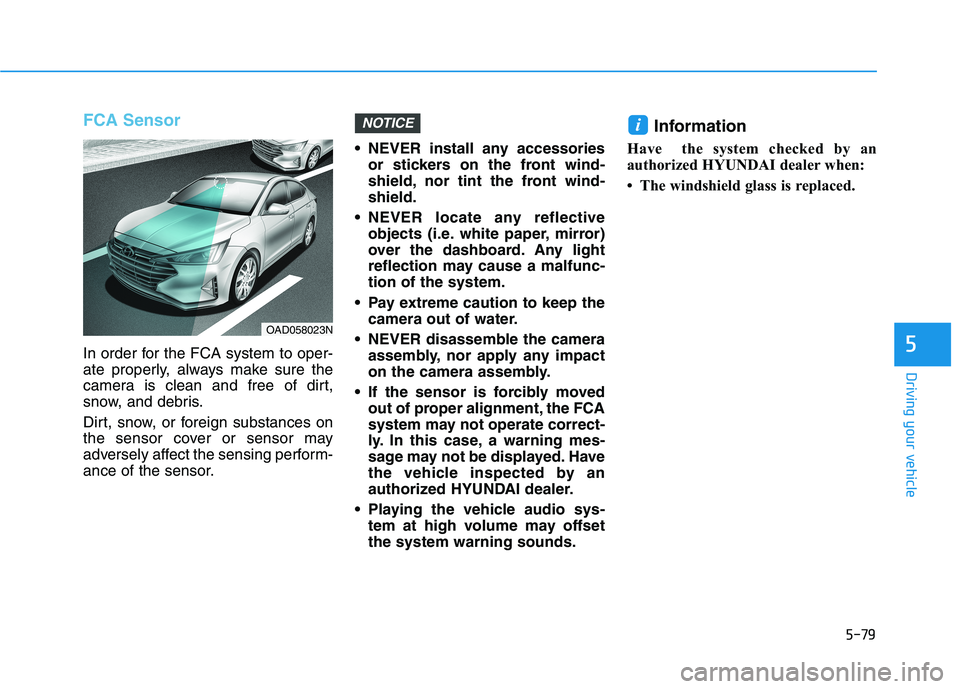
FCA Sensor
In order for the FCA system to oper-
ate properly, always make sure the
camera is clean and free of dirt,
snow, and debris.
Dirt, snow, or foreign substances on
the sensor cover or sensor may
adversely affect the sensing perform-
ance of the sensor. NEVER install any accessories
or stickers on the front wind-
shield, nor tint the front wind-shield.
NEVER locate any reflective objects (i.e. white paper, mirror)
over the dashboard. Any light
reflection may cause a malfunc-tion of the system.
Pay extreme caution to keep the camera out of water.
NEVER disassemble the camera assembly, nor apply any impact
on the camera assembly.
If the sensor is forcibly moved out of proper alignment, the FCA
system may not operate correct-
ly. In this case, a warning mes-
sage may not be displayed. Have
the vehicle inspected by an
authorized HYUNDAI dealer.
Playing the vehicle audio sys- tem at high volume may offsetthe system warning sounds. Information
Have the system checked by an
authorized HYUNDAI dealer when:
The windshield glass is replaced.
iNOTICE
OAD058023N
Page 334 of 534
5-93
Driving your vehicle
5
NEVER install any accessoriesor stickers on the front wind-
shield, nor tint the front wind-shield.
NEVER locate any reflective objects (i.e. white paper, mirror)
over the dashboard. Any light
reflection may cause a malfunc-tion of the system.
Pay extreme caution to keep the camera out of water.
NEVER disassemble the camera assembly, nor apply any impact
on the camera assembly.
Playing the vehicle audio sys- tem at high volume may offsetthe system warning sounds.
Information
Have the system checked by an
authorized HYUNDAI dealer when:
The windshield glass is replaced.
The radar sensor or cover gets dam- aged or replaced.
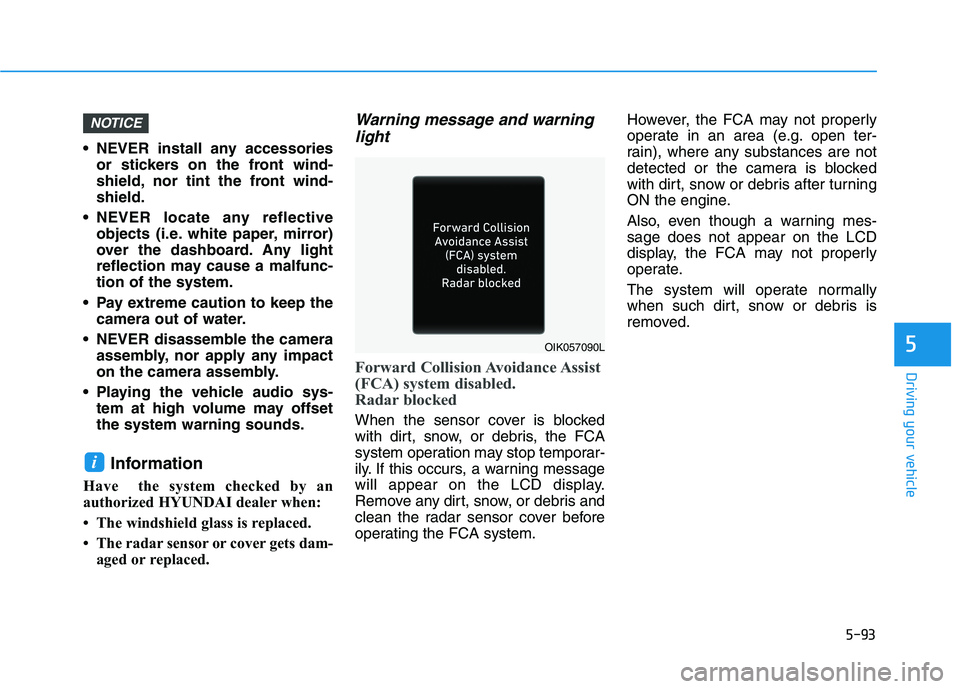
Warning message and warning
light
Forward Collision Avoidance Assist
(FCA) system disabled.
Radar blocked
When the sensor cover is blocked
with dirt, snow, or debris, the FCA
system operation may stop temporar-
ily. If this occurs, a warning message
will appear on the LCD display.
Remove any dirt, snow, or debris and
clean the radar sensor cover before
operating the FCA system. However, the FCA may not properly
operate in an area (e.g. open ter-
rain), where any substances are not
detected or the camera is blocked
with dirt, snow or debris after turning
ON the engine.
Also, even though a warning mes- sage does not appear on the LCD
display, the FCA may not properly
operate.
The system will operate normally
when such dirt, snow or debris is
removed.
i
NOTICE
OIK057090L
Page 343 of 534
5-102
Driving your vehicle
LKA System Operation
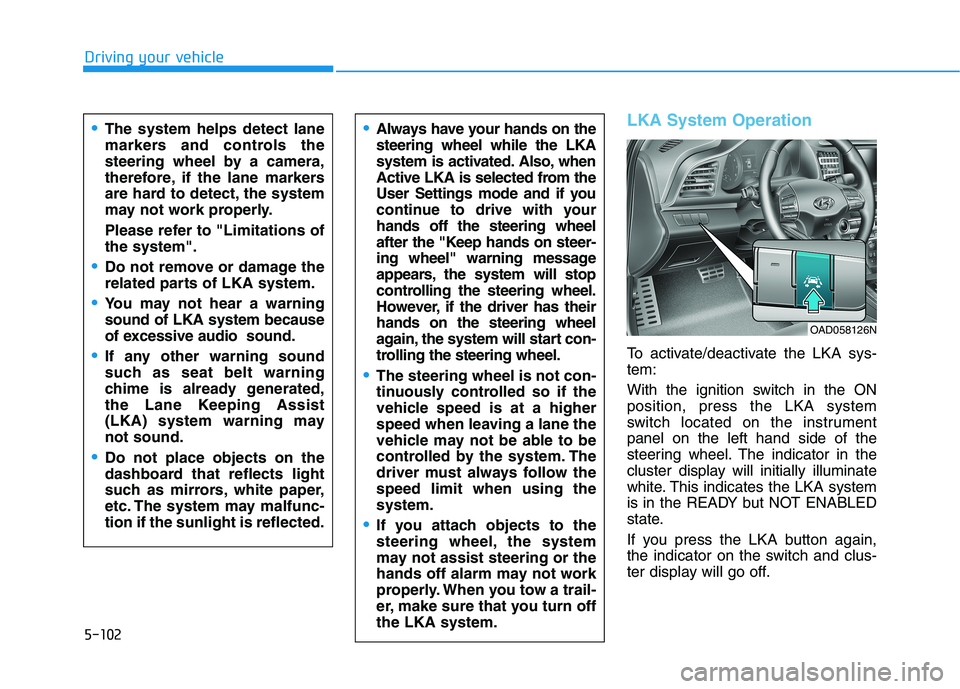
To activate/deactivate the LKA sys- tem:
With the ignition switch in the ON position, press the LKA system
switch located on the instrumentpanel on the left hand side of the
steering wheel. The indicator in the
cluster display will initially illuminate
white. This indicates the LKA system
is in the READY but NOT ENABLED
state.
If you press the LKA button again,
the indicator on the switch and clus-
ter display will go off.
Always have your hands on the steering wheel while the LKA
system is activated. Also, when
Active LKA is selected from the
User Settings mode and if you
continue to drive with yourhands off the steering wheel
after the "Keep hands on steer-
ing wheel" warning message
appears, the system will stop
controlling the steering wheel.
However, if the driver has theirhands on the steering wheel
again, the system will start con-
trolling the steering wheel.
The steering wheel is not con-
tinuously controlled so if the
vehicle speed is at a higher
speed when leaving a lane the
vehicle may not be able to be
controlled by the system. The
driver must always follow thespeed limit when using thesystem.
If you attach objects to the
steering wheel, the system
may not assist steering or the
hands off alarm may not work
properly. When you tow a trail-
er, make sure that you turn offthe LKA system.
The system helps detect lane
markers and controls the
steering wheel by a camera,
therefore, if the lane markers
are hard to detect, the system
may not work properly.
Please refer to "Limitations of the system".
Do not remove or damage the
related parts of LKA system.
You may not hear a warning sound of LKA system because
of excessive audio sound.
If any other warning sound
such as seat belt warning
chime is already generated,
the Lane Keeping Assist
(LKA) system warning maynot sound.
Do not place objects on the
dashboard that reflects light
such as mirrors, white paper,
etc. The system may malfunc-tion if the sunlight is reflected.
OAD058126N
Page 349 of 534
5-108
Driving your vehicle
There are more than two lanemarkers on the road in front of you.
The lane marker is very thick or thin.
The lane is very wide or narrow.
The lane marker ahead is not visi- ble due to rain, snow, water on the road, damaged or stained road
surface, or other factors.
The shadow is on the lane marker by a median strip, trees, guardrail,
noise barriers, etc.
The lane markers are complicated or a structure substitutes for the
lines such as a construction area.
There are crosswalk signs or other symbols on the road.
The lane marker in a tunnel is stained with oil, etc.
The lane suddenly disappears such as at the intersection. When external condition is inter-vened
The brightness outside changes
suddenly such as when entering or
exiting a tunnel, or when passing
under a bridge.
The brightness outside is too low such as when the headlamps are
not on at night or the vehicle isgoing through a tunnel.
There is a boundary structure in the roadway such as a concrete
barrier, guardrail and reflector post
that is inadvertently being detected
by the camera.
When light coming from a street light or an oncoming vehicle is
reflected on a wet road surfacesuch as a puddle in the road.
The field of view in front is obstructed by sun glare.
There is not enough distance between you and the vehicle in
front to be able to detect the lane
marker or the vehicle ahead is driv-
ing on the lane marker. Driving on a steep grade, over a
hill, or when driving on a curvedroad.
The adverse road conditions cause excessive vehicle vibrations while
driving.
The surrounding of the inside rear view mirror temperature is highdue to direct sunlight, etc.