2018 FORD FOCUS page 39
[x] Cancel search: page 39Page 74 of 473

ADJUSTING THE STEERING
WHEEL
WARNING
Do not adjust the steering wheelwhen your vehicle is moving.
Note:Make sure that you are sitting in thecorrect position. See Sitting in the CorrectPosition (page 111).
1.Unlock the steering column.
2.Adjust the steering wheel to the desiredposition.
3.Lock the steering column.
AUDIO CONTROL
Select the required source on the audiounit.
You can operate the following functionswith the control:
Volume up.A
Seek up or next.B
712018 Focus (CDH) Canada/United States of America, JM5J 19A321 AA enUSA, Edition date: 201706, Second PrintingSteering Wheel122E95178 3E95179 E187452
Page 75 of 473

Volume down.C
Seek down or previous.D
Seek, Next or Previous
Press the seek button to:
•Tune the radio to the next or previousstored preset.
•Play the next or the previous track.
Press and hold the seek button to:
•Tune the radio to the next station upor down the frequency band.
•Seek through a track.
VOICE CONTROL
Press the button to select or deselect voicecontrol. See Using Voice Recognition(page 347).
CRUISE CONTROL
See Principle of Operation (page 162).
INFORMATION DISPLAY
CONTROL
See General Information (page 92).
722018 Focus (CDH) Canada/United States of America, JM5J 19A321 AA enUSA, Edition date: 201706, Second PrintingSteering WheelE186744 E144500 E188902
Page 77 of 473
WINDSHIELD WIPERS
Note:Fully defrost the windshield beforeyou switch the windshield wipers on.
Note:Make sure you switch the windshieldwipers and vehicle power off before usingan automatic car wash.
Note: If streaks or smears appear on thewindshield, clean the windshield and thewiper blades. See Checking the WiperBlades (page 223). If that does not resolvethe issue, install new wiper blades. SeeChanging the Front Wiper Blades (page223).
Note:Do not operate the wipers on a drywindshield. This may scratch the glass,damage the wiper blades or cause the wipermotor to burn out. Always use thewindshield washers before wiping a drywindshield.
Note:When wiping on dry glass, the wipersmay switch to the next lower operatingmode (low-speed or intermittent). Theprevious operation mode may resume afterthe windshield becomes wet again.
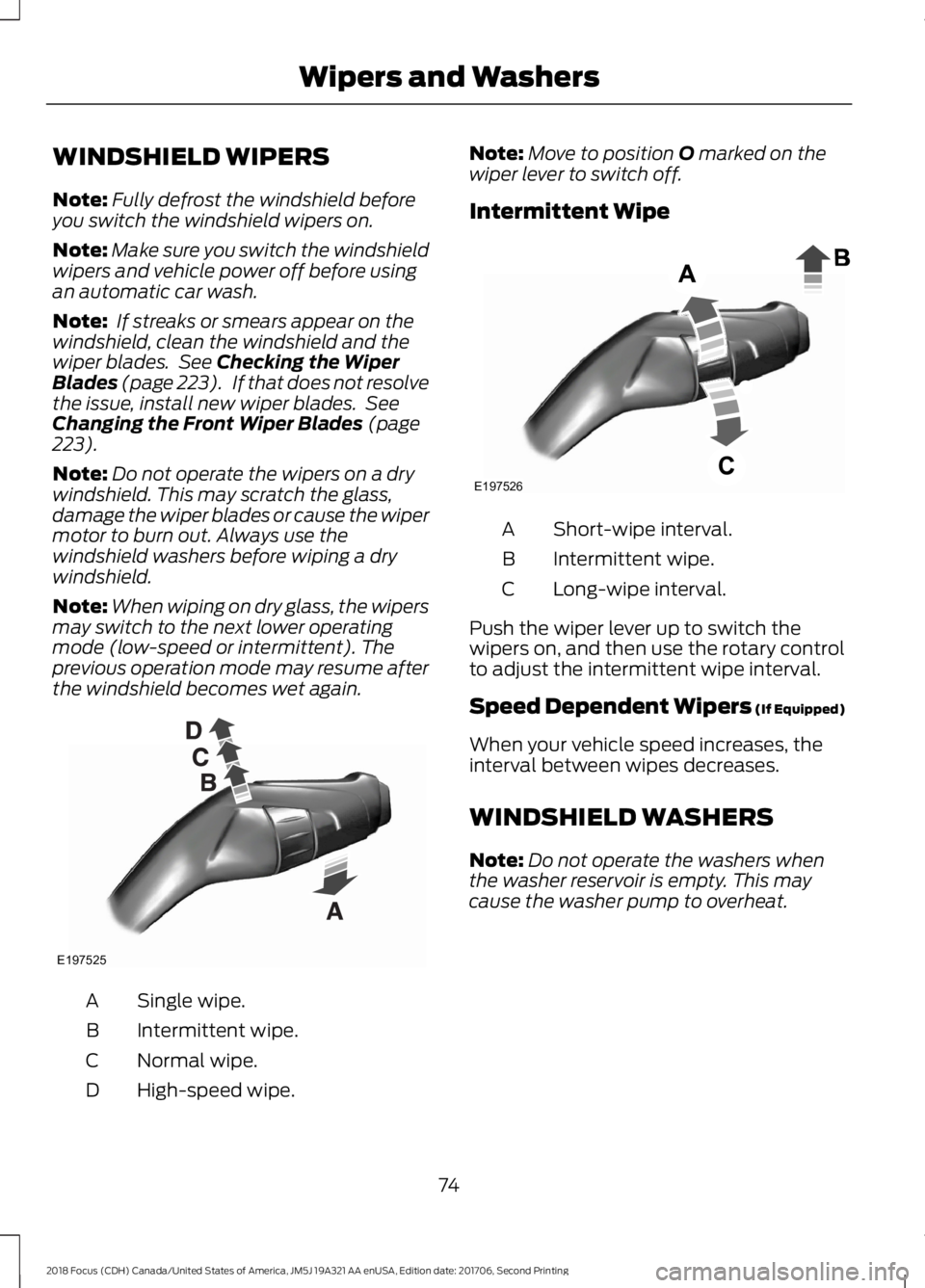
Single wipe.A
Intermittent wipe.B
Normal wipe.C
High-speed wipe.D
Note:Move to position O marked on thewiper lever to switch off.
Intermittent Wipe
Short-wipe interval.A
Intermittent wipe.B
Long-wipe interval.C
Push the wiper lever up to switch thewipers on, and then use the rotary controlto adjust the intermittent wipe interval.
Speed Dependent Wipers (If Equipped)
When your vehicle speed increases, theinterval between wipes decreases.
WINDSHIELD WASHERS
Note:Do not operate the washers whenthe washer reservoir is empty. This maycause the washer pump to overheat.
742018 Focus (CDH) Canada/United States of America, JM5J 19A321 AA enUSA, Edition date: 201706, Second PrintingWipers and WashersE197525 E197526
Page 80 of 473
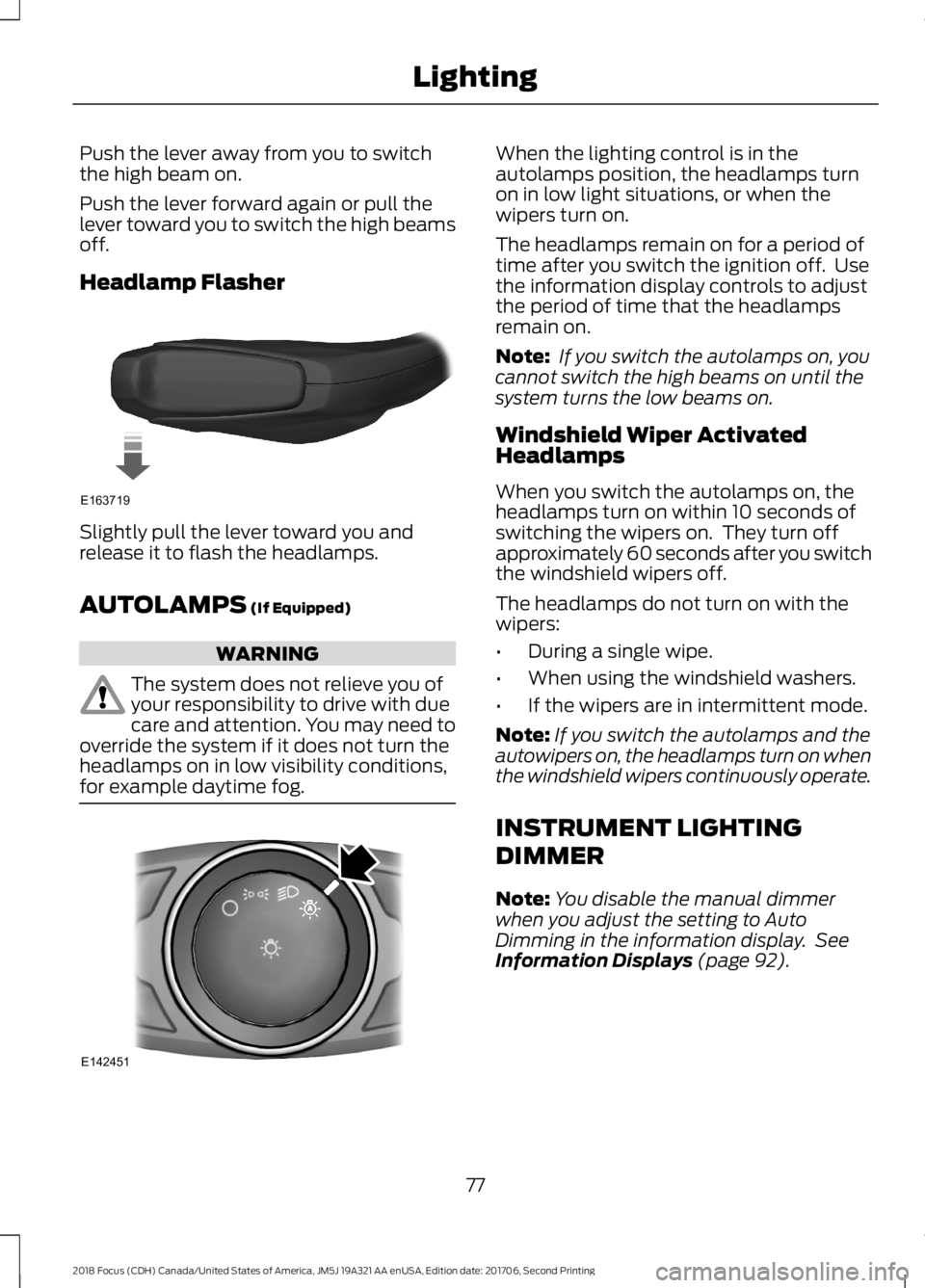
Push the lever away from you to switchthe high beam on.
Push the lever forward again or pull thelever toward you to switch the high beamsoff.
Headlamp Flasher
Slightly pull the lever toward you andrelease it to flash the headlamps.
AUTOLAMPS (If Equipped)
WARNING
The system does not relieve you ofyour responsibility to drive with duecare and attention. You may need tooverride the system if it does not turn theheadlamps on in low visibility conditions,for example daytime fog.
When the lighting control is in theautolamps position, the headlamps turnon in low light situations, or when thewipers turn on.
The headlamps remain on for a period oftime after you switch the ignition off. Usethe information display controls to adjustthe period of time that the headlampsremain on.
Note: If you switch the autolamps on, youcannot switch the high beams on until thesystem turns the low beams on.
Windshield Wiper ActivatedHeadlamps
When you switch the autolamps on, theheadlamps turn on within 10 seconds ofswitching the wipers on. They turn offapproximately 60 seconds after you switchthe windshield wipers off.
The headlamps do not turn on with thewipers:
•During a single wipe.
•When using the windshield washers.
•If the wipers are in intermittent mode.
Note:If you switch the autolamps and theautowipers on, the headlamps turn on whenthe windshield wipers continuously operate.
INSTRUMENT LIGHTING
DIMMER
Note:You disable the manual dimmerwhen you adjust the setting to AutoDimming in the information display. SeeInformation Displays (page 92).
772018 Focus (CDH) Canada/United States of America, JM5J 19A321 AA enUSA, Edition date: 201706, Second PrintingLightingE163719 E142451
Page 81 of 473
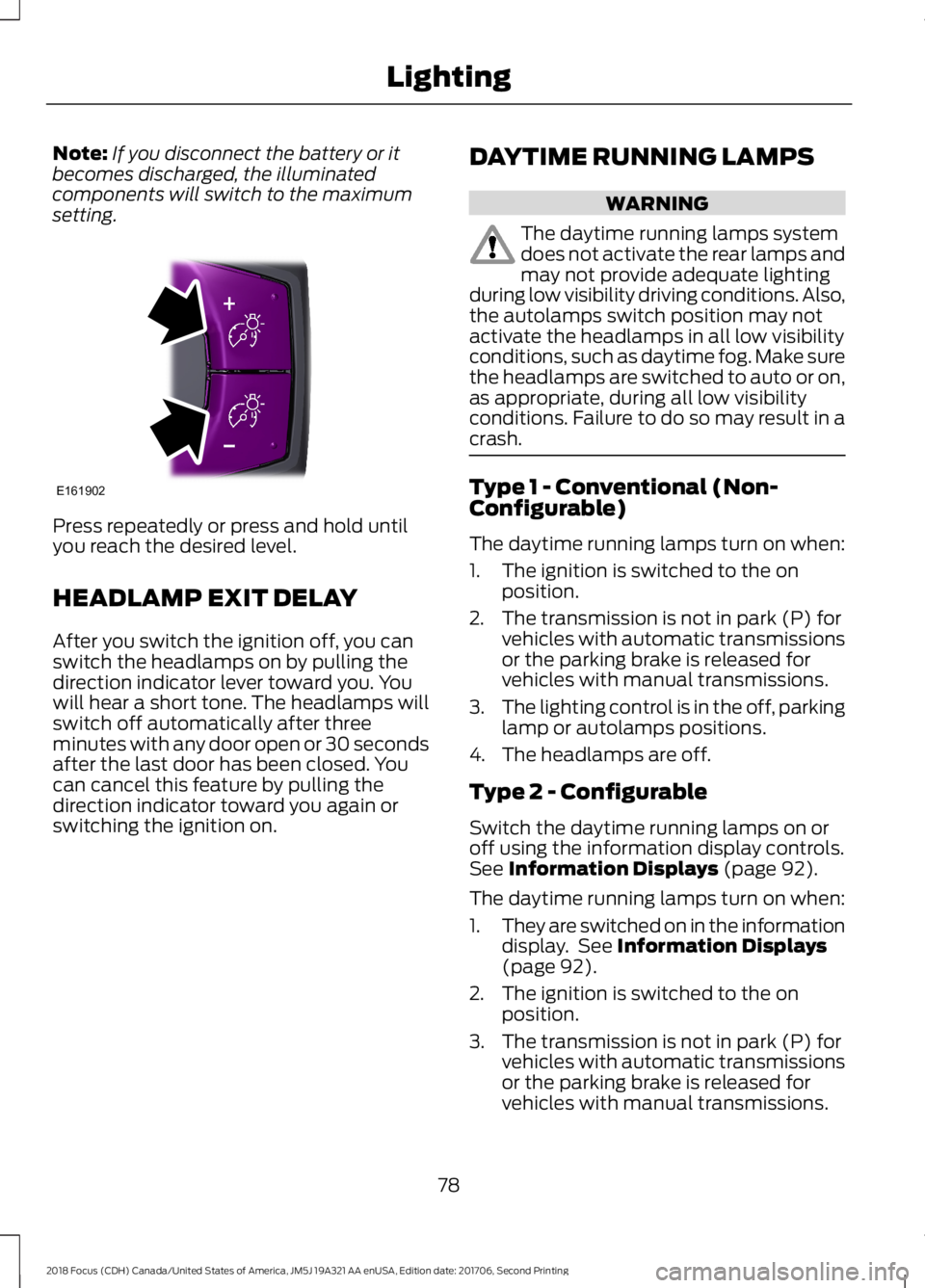
Note:If you disconnect the battery or itbecomes discharged, the illuminatedcomponents will switch to the maximumsetting.
Press repeatedly or press and hold untilyou reach the desired level.
HEADLAMP EXIT DELAY
After you switch the ignition off, you canswitch the headlamps on by pulling thedirection indicator lever toward you. Youwill hear a short tone. The headlamps willswitch off automatically after threeminutes with any door open or 30 secondsafter the last door has been closed. Youcan cancel this feature by pulling thedirection indicator toward you again orswitching the ignition on.
DAYTIME RUNNING LAMPS
WARNING
The daytime running lamps systemdoes not activate the rear lamps andmay not provide adequate lightingduring low visibility driving conditions. Also,the autolamps switch position may notactivate the headlamps in all low visibilityconditions, such as daytime fog. Make surethe headlamps are switched to auto or on,as appropriate, during all low visibilityconditions. Failure to do so may result in acrash.
Type 1 - Conventional (Non-Configurable)
The daytime running lamps turn on when:
1.The ignition is switched to the onposition.
2.The transmission is not in park (P) forvehicles with automatic transmissionsor the parking brake is released forvehicles with manual transmissions.
3.The lighting control is in the off, parkinglamp or autolamps positions.
4.The headlamps are off.
Type 2 - Configurable
Switch the daytime running lamps on oroff using the information display controls.See Information Displays (page 92).
The daytime running lamps turn on when:
1.They are switched on in the informationdisplay. See Information Displays(page 92).
2.The ignition is switched to the onposition.
3.The transmission is not in park (P) forvehicles with automatic transmissionsor the parking brake is released forvehicles with manual transmissions.
782018 Focus (CDH) Canada/United States of America, JM5J 19A321 AA enUSA, Edition date: 201706, Second PrintingLightingE161902
Page 82 of 473
4.The lighting control is in the autolampsposition.
5.The headlamps are off.
The other lighting control switch positionsdo not activate the daytime running lamps,and you can use them to temporarilyoverride autolamp control.
When switched off in the informationdisplay, the daytime running lamps are offin all lighting control switch positions.
AUTOMATIC HIGH BEAM
CONTROL
WARNING
The system does not relieve you ofyour responsibility to drive with duecare and attention. You may need tooverride the system if it does not turn thehigh beams on or off.
The system turns on high beams if it is darkenough and no other traffic is present. If itdetects an approaching vehicle’sheadlamps or tail lamps, or street lightingahead, the system turns off high beamsbefore they can distract other road users.Low beams remain on.
Note:The system may not operate properlyif the sensor is blocked. Keep the windshieldfree from obstruction or damage.
Note:The system may not operate properlyin cold or inclement conditions. You canswitch on the high beams by overriding thesystem.
Note:If the system detects a blockage, forexample bird droppings, bug splatter, snowor ice, the system goes into low beam modeuntil you clear the blockage. A message mayappear in the information display if thecamera is blocked.
Note:Using much larger tires or equippingvehicle accessories such as snowplows canmodify your vehicle's ride height anddegrade automatic high beam controlperformance.
A camera sensor, centrally mountedbehind the windshield of your vehicle,continuously monitors conditions to turnthe high beams on and off.
Once the system is active, the high beamsturn on if:
•The ambient light level is low enough.
•There is no traffic in front of yourvehicle.
•The vehicle speed is greater thanapproximately 32 mph (51 km/h).
The system turns the high beams off if:
•The ambient light level is high enoughthat high beams are not required.
•The system detects an approachingvehicle's headlamps or tail lamps.
•The vehicle speed falls belowapproximately 27 mph (44 km/h).
•The system detects severe rain, snowor fog.
•The camera is blocked.
Switching the System On and Off
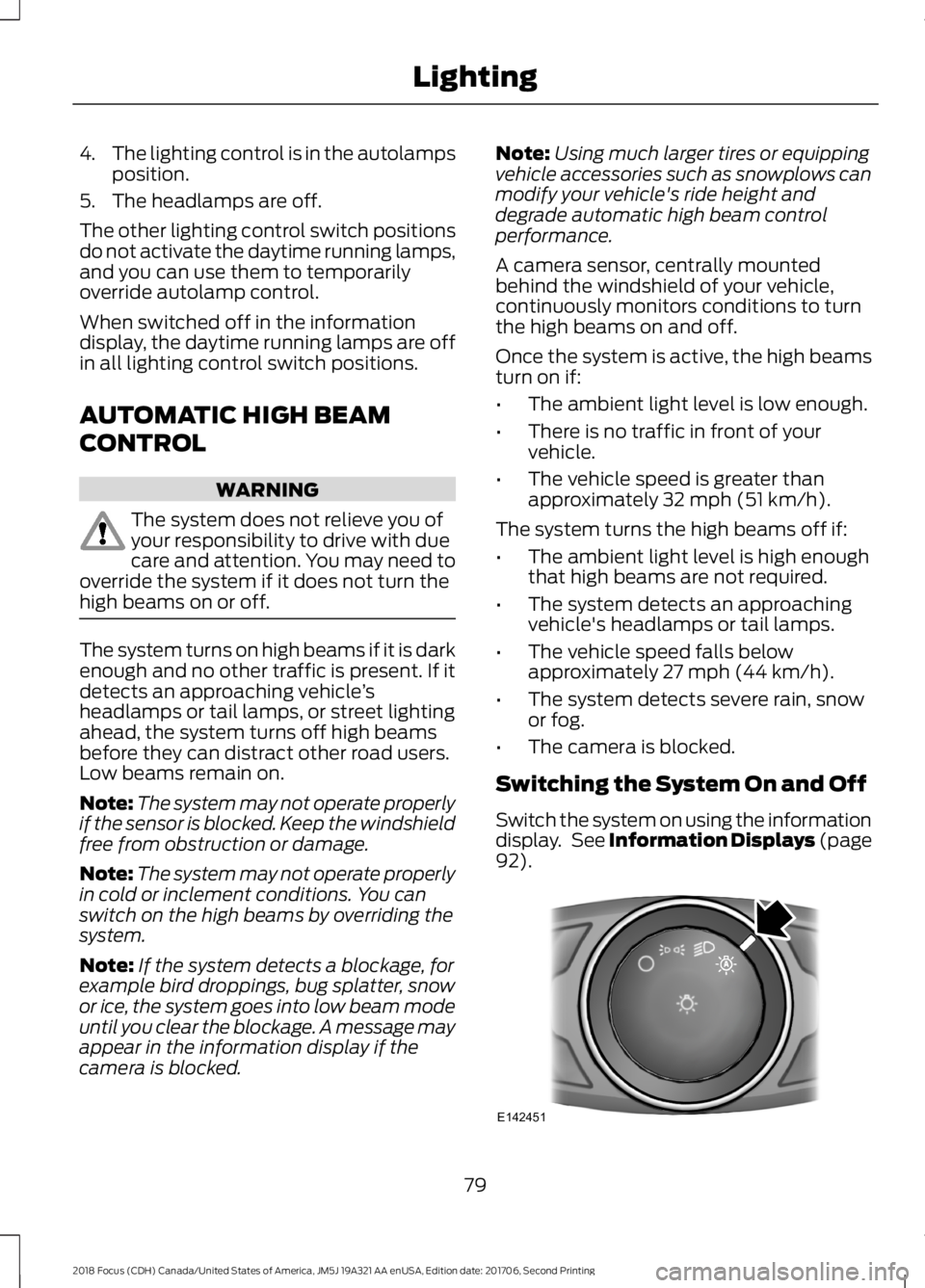
Switch the system on using the informationdisplay. See Information Displays (page92).
792018 Focus (CDH) Canada/United States of America, JM5J 19A321 AA enUSA, Edition date: 201706, Second PrintingLightingE142451
Page 83 of 473
Switch the lighting control to theautolamps position. See Autolamps(page 77).
Overriding the System
Push the lever away from you to switchbetween high beam and low beam.
Automatic High Beam Indicator (If
Equipped)
The indicator illuminates toconfirm when the system isready to assist.
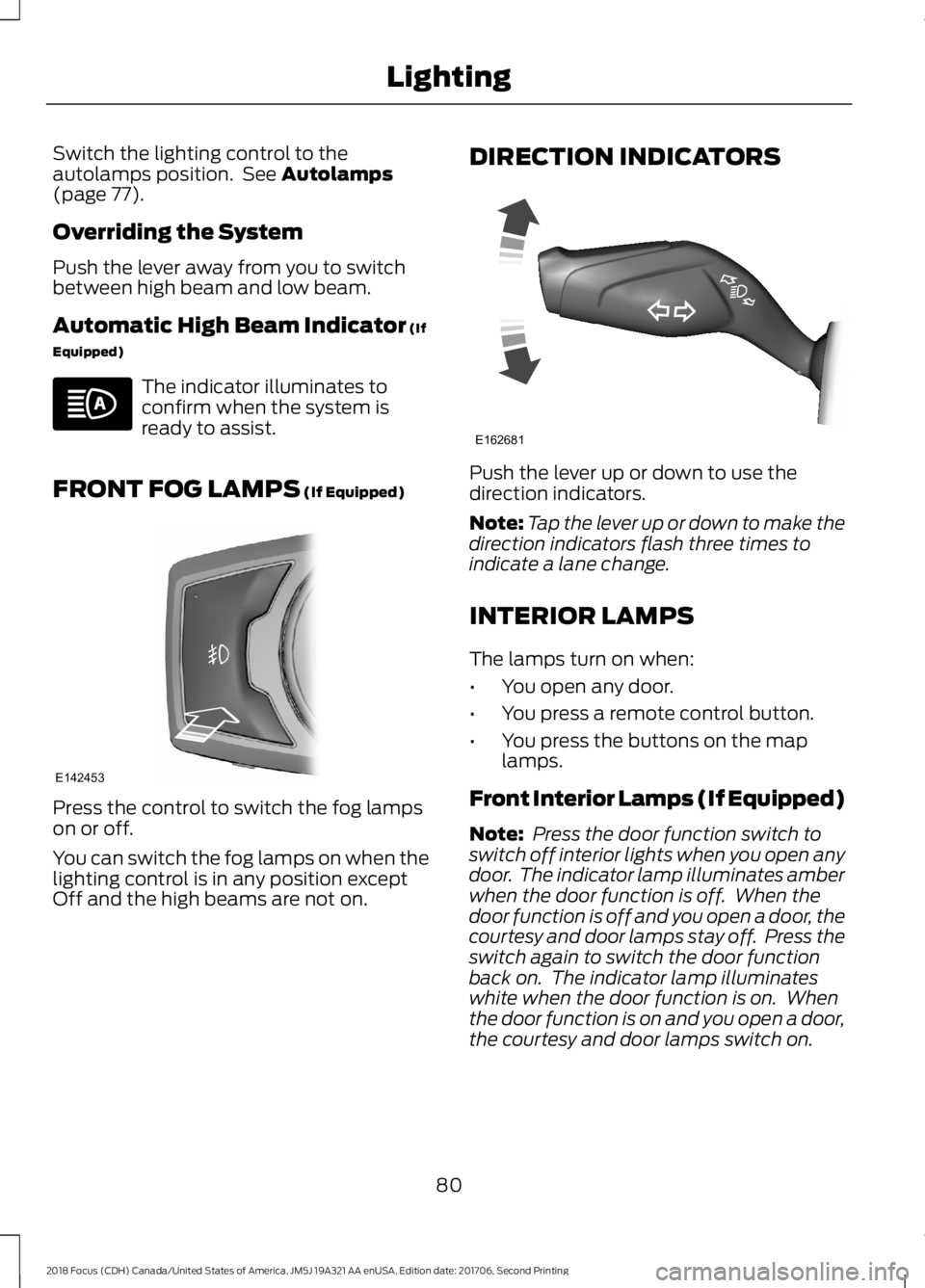
FRONT FOG LAMPS (If Equipped)
Press the control to switch the fog lampson or off.
You can switch the fog lamps on when thelighting control is in any position exceptOff and the high beams are not on.
DIRECTION INDICATORS
Push the lever up or down to use thedirection indicators.
Note:Tap the lever up or down to make thedirection indicators flash three times toindicate a lane change.
INTERIOR LAMPS
The lamps turn on when:
•You open any door.
•You press a remote control button.
•You press the buttons on the maplamps.
Front Interior Lamps (If Equipped)
Note: Press the door function switch toswitch off interior lights when you open anydoor. The indicator lamp illuminates amberwhen the door function is off. When thedoor function is off and you open a door, thecourtesy and door lamps stay off. Press theswitch again to switch the door functionback on. The indicator lamp illuminateswhite when the door function is on. Whenthe door function is on and you open a door,the courtesy and door lamps switch on.
802018 Focus (CDH) Canada/United States of America, JM5J 19A321 AA enUSA, Edition date: 201706, Second PrintingLighting E142453 E162681
Page 86 of 473
6.Release the switch.
7.Press and hold the switch until thewindow is fully open.
8.Lift and hold the switch until thewindow is fully closed.
9.Release the switch.
10.Open the window and then try toclose it using one-touch close.
Note:Repeat the procedure if the windowdoes not close when you use one-touch.
Accessory Delay
You can use the window controls forseveral minutes after switching off theignition or until opening either front door.
EXTERIOR MIRRORS
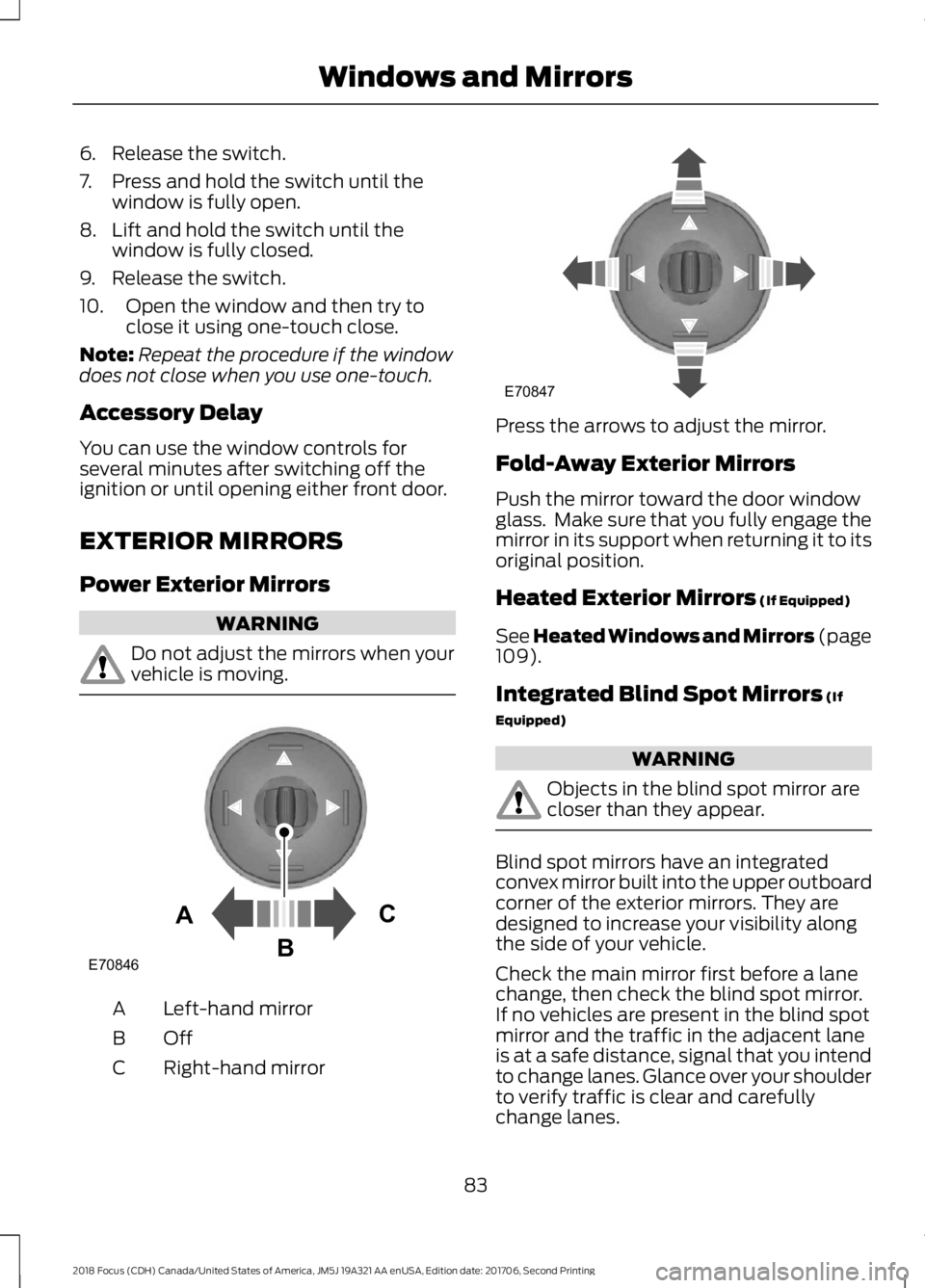
Power Exterior Mirrors
WARNING
Do not adjust the mirrors when yourvehicle is moving.
Left-hand mirrorA
OffB
Right-hand mirrorC
Press the arrows to adjust the mirror.
Fold-Away Exterior Mirrors
Push the mirror toward the door windowglass. Make sure that you fully engage themirror in its support when returning it to itsoriginal position.
Heated Exterior Mirrors (If Equipped)
See Heated Windows and Mirrors (page109).
Integrated Blind Spot Mirrors (If
Equipped)
WARNING
Objects in the blind spot mirror arecloser than they appear.
Blind spot mirrors have an integratedconvex mirror built into the upper outboardcorner of the exterior mirrors. They aredesigned to increase your visibility alongthe side of your vehicle.
Check the main mirror first before a lanechange, then check the blind spot mirror.If no vehicles are present in the blind spotmirror and the traffic in the adjacent laneis at a safe distance, signal that you intendto change lanes. Glance over your shoulderto verify traffic is clear and carefullychange lanes.
832018 Focus (CDH) Canada/United States of America, JM5J 19A321 AA enUSA, Edition date: 201706, Second PrintingWindows and MirrorsE70846ACB E70847