Page 94 of 696
Left and Right side power mirror preselected positions can
be controlled by the optional Driver Memory Seat Feature.
Refer to “Driver Memory Seat” in “Seats” for further
information.
Outside Mirrors Folding Feature
All outside mirrors are hinged and may be moved either
forward or rearward to resist damage. The hinges have
three detent positions:
•Full forward position
• Full rearward position
• Normal position
Heated Mirrors — If Equipped
These mirrors are heated to melt frost or ice. This
feature will be activated whenever you turn on the
rear window defroster (if equipped). Refer to “Climate
Controls” in this section for further information.
Tilt Side Mirrors In Reverse (Available With
Memory Seat Only) — If Equipped
Tilt Side Mirrors In Reverse provides automatic outside
mirror positioning which will aid the driver ’s view of the
ground rearward of the front doors. The driver’s outside
mirror will move slightly downward from the present
position when the vehicle is shifted into REVERSE. The
driver’s outside mirror will then return to the original
position when the vehicle is shifted out of the REVERSE
position. Each stored memory setting will have an associ-
ated Tilt Side Mirrors In Reverse position.
NOTE: The Tilt Side Mirrors In Reverse feature is not
enabled when delivered from the factory. The Tilt Side
Mirrors In Reverse feature can be enabled or disabled in
the instrument cluster display. Refer to “Uconnect Set-
tings” in “Multimedia” for further information.
Power Folding Mirrors — If Equipped
The switch for the power folding mirrors is located be-
tween the power mirror switches L (left) and R (right).
Push the switch once and the mirrors will fold in, pushing
the switch a second time will return the mirrors to the
normal driving position.
92 GETTING TO KNOW YOUR VEHICLE
Page 97 of 696

Rotate the headlight switch to the third detent for head-
light, parking light and instrument panel operation.
Daytime Running Lights — If Equipped
The headlights or LED light bars on your vehicle will
illuminate when the engine is started. This provides a
constant lights on condition until the ignition is turned
OFF. If the parking brake is applied, the Daytime Running
Lights (DRL) will turn off. Also, if a turn signal is activated,
the DRL lamp on the same side of the vehicle will turn off
for the duration of the turn signal activation. Once the turn
signal is no longer active, the DRL lamp will illuminate.
High/Low Beam Switch
When the headlights are turned on, pushing the multifunc-
tion lever toward the instrument panel will switch from
low beams to high beams. Pulling back to the neutral
position returns the headlights to the low beam operation.
Automatic High Beam — If Equipped
The Automatic High Beam system provides increased
forward lighting at night by automating high beam control
through the use of a digital camera mounted on the
windshield. This camera detects vehicle specific light and
automatically switches from high beams to low beams
until the approaching vehicle is out of view.NOTE:
Broken, muddy, or obstructed headlights and tail-
lights of vehicles in the field of view will cause headlights
to remain on longer (closer to the vehicle). Also, dirt, film
and other obstructions on the windshield or camera lens
will cause the system to function improperly.
To Activate
1. Select “Automatic High Beams — ON” through the Uconnect system. Refer to �Uconnect Settings” in “Mul-
timedia” for further information.
2. Rotate the headlight switch clockwise to the AUTO position.
3. Push the multifunction lever away from you to switch the headlights to the high beam position. Refer to
“Multifunction Lever” for further information.
NOTE: This system will not activate until the vehicle is at,
or above 16 mph (25 km/h).
To Deactivate
Perform either of the following steps to deactivate the
Automatic High Beam system.
1. Select “Automatic High Beams — OFF” through the Uconnect System. Refer to “Uconnect Settings” in “Mul-
timedia” for further information.
3
GETTING TO KNOW YOUR VEHICLE 95
Page 98 of 696

2. Pull the multifunction lever toward you to switch theheadlights from the high beam to the low beam position.
3. Rotate the headlight switch counterclockwise from the AUTO to the on position.
NOTE: Once active, the Automatic High Beam system will
stop functioning below 12 mph (20 km/h).
Flash-To-Pass
You can signal another vehicle with your headlights by
lightly pulling the multifunction lever toward you. This
will cause the high beam headlights to turn on, and remain
on, until the lever is released.
Automatic Headlights — If Equipped
This system automatically turns your headlights on or off
based on ambient light levels. To turn the system on, turn
the headlight switch to the extreme clockwise position
aligning the indicator with the AUTO on the headlight
switch. When the system is on, the Headlight Time Delay
feature is also on. This means your headlights will stay on
for up to 90 seconds after you turn the ignition switch OFF.
To turn the Automatic System off, turn the headlight switch
counterclockwise to the O (off) position. NOTE:
The engine must be running before the headlights
will come on in the Automatic mode.
Headlights On With Wipers — If Equipped
When your headlights are in the AUTO mode and the
engine is running, the headlights will automatically turn
on when the wiper system is also turned on. Headlights on
when windshield wipers are on may be found on vehicles
equipped with an automatic headlight system.
NOTE: The Headlights with Wipers feature can be turned
on or off through the Uconnect system. Refer to “Uconnect
Settings” in “Multimedia” for further information.
Headlight Delay — If Equipped
This feature provides the safety of headlight illumination
for up to 90 seconds after exiting your vehicle.
To activate the delay feature, turn the ignition OFF while
the headlights are still on. The 90 second delay interval
begins when headlight switch is turned off. If the head-
lights or parking lights are turned back on or the ignition
switch is turned ON, the delay will be cancelled.
96 GETTING TO KNOW YOUR VEHICLE
Page 99 of 696
When exiting the vehicle the driver can choose to have the
headlights remain on for 30, 60, or 90 seconds or not remain
on. To change the timer setting, select the proper setting
through the Uconnect System.
Refer to “Uconnect Settings” in “Multimedia” for further
information.
If the headlights are turned off before the ignition, they will
turn off in the normal manner.
NOTE:The headlights must be turned off within 45 sec-
onds of turning the ignition OFF to activate this feature.
Lights-On Reminder
If the headlights or the parking lights are left on after the
ignition switch is turned OFF, a chime will sound when the
driver’s door is opened.
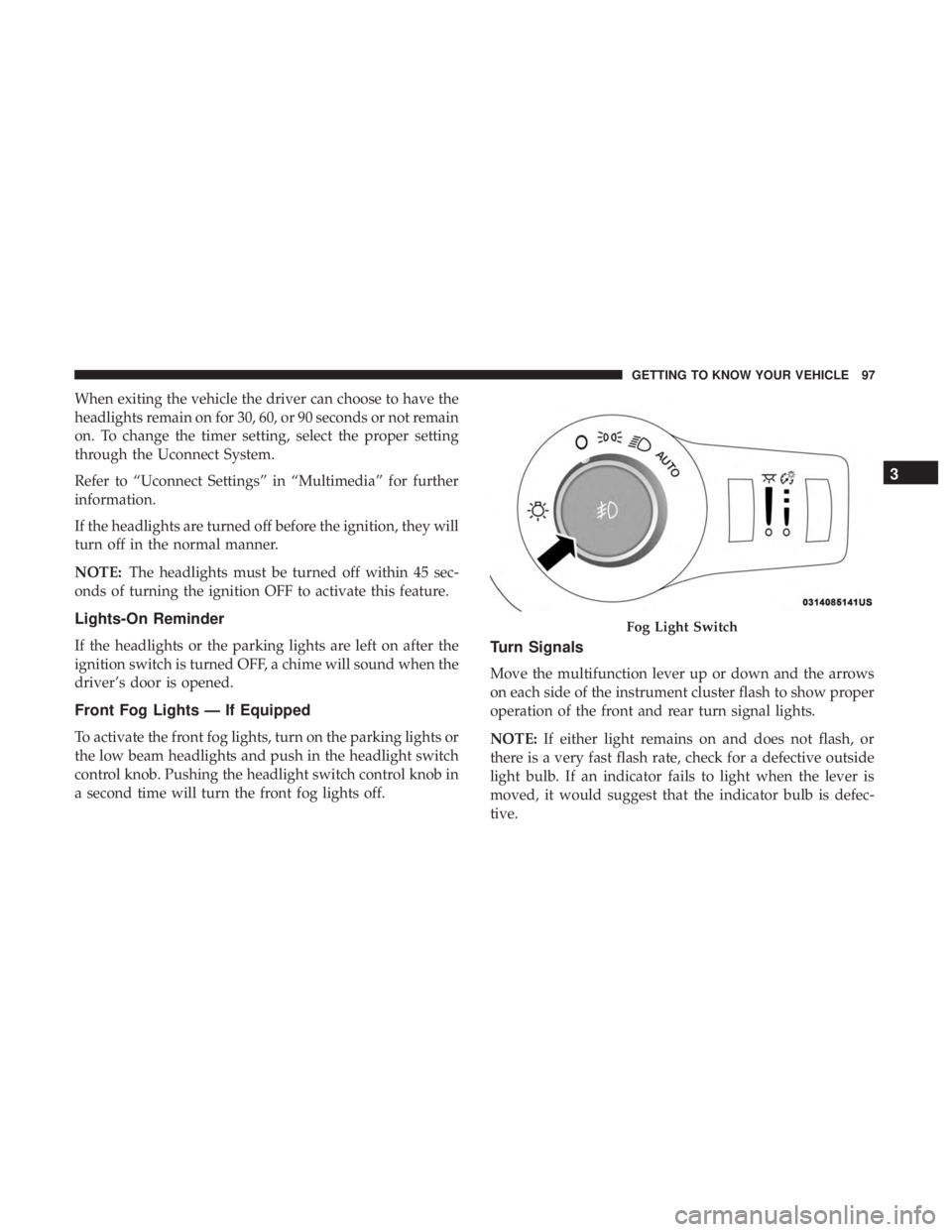
Front Fog Lights — If Equipped
To activate the front fog lights, turn on the parking lights or
the low beam headlights and push in the headlight switch
control knob. Pushing the headlight switch control knob in
a second time will turn the front fog lights off.
Turn Signals
Move the multifunction lever up or down and the arrows
on each side of the instrument cluster flash to show proper
operation of the front and rear turn signal lights.
NOTE: If either light remains on and does not flash, or
there is a very fast flash rate, check for a defective outside
light bulb. If an indicator fails to light when the lever is
moved, it would suggest that the indicator bulb is defec-
tive.
Fog Light Switch
3
GETTING TO KNOW YOUR VEHICLE 97
Page 105 of 696

•Use of Rain-X or products containing wax or silicone
may reduce rain sensor performance.
• The Rain Sensing feature can be turned on and off
through the Uconnect System. Refer to “Uconnect Set-
tings” in “Multimedia” for further information.
The Rain Sensing system has protective features for the
wiper blades and arms. It will not operate under the
following conditions:
• Low Temperature Wipe Inhibit — The Rain Sensing
feature will not operate when the ignition is first
switched ON, when the vehicle is stationary and the
outside temperature is below 32°F (0°C), unless the
wiper control on the multifunction lever is moved, the
vehicle speed becomes greater than 3 mph (5 km/h) or
the outside temperature rises above freezing.
• Neutral Wipe Inhibit — The Rain Sensing feature will
not operate when the ignition is ON, when the transmis-
sion gear selector is in the NEUTRAL position and the
vehicle speed is less than 3 mph (5 km/h), unless the
wiper control on the multifunction lever is moved, the
vehicle speed is greater than 3 mph (5 km/h) or the gear
selector is moved out of the NEUTRAL position. •
Remote Start Mode Inhibit — On vehicles equipped
with Remote Starting system, Rain Sensing wipers are
not operational when the vehicle is in the remote start
mode. Once the operator is in the vehicle and has placed
the ignition switch in the RUN position, rain sensing
wiper operation can resume, if it has been selected, and
no other inhibit conditions (mentioned previously) exist.
Rear Wiper And Washer
Rear Windshield Wiper Operation
Rotate the windshield wiper lever center ring upwards to
operate one of two modes for the rear window wiper:
• First detent — intermittent mode.
• Second detent — continuous mode.
Rear Windshield Washer Operation
Pushing the windshield wiper lever forward activates the
rear window washer. If the lever is pushed while on the
intermittent setting, the wipers will turn on and operate for
several wipe cycles after the lever is released, and then
resume the intermittent interval previously selected. If the
lever is pushed while the wipers are in the off position, the
wipers will operate several wipe cycles, then turn off.
3
GETTING TO KNOW YOUR VEHICLE 103
Page 106 of 696
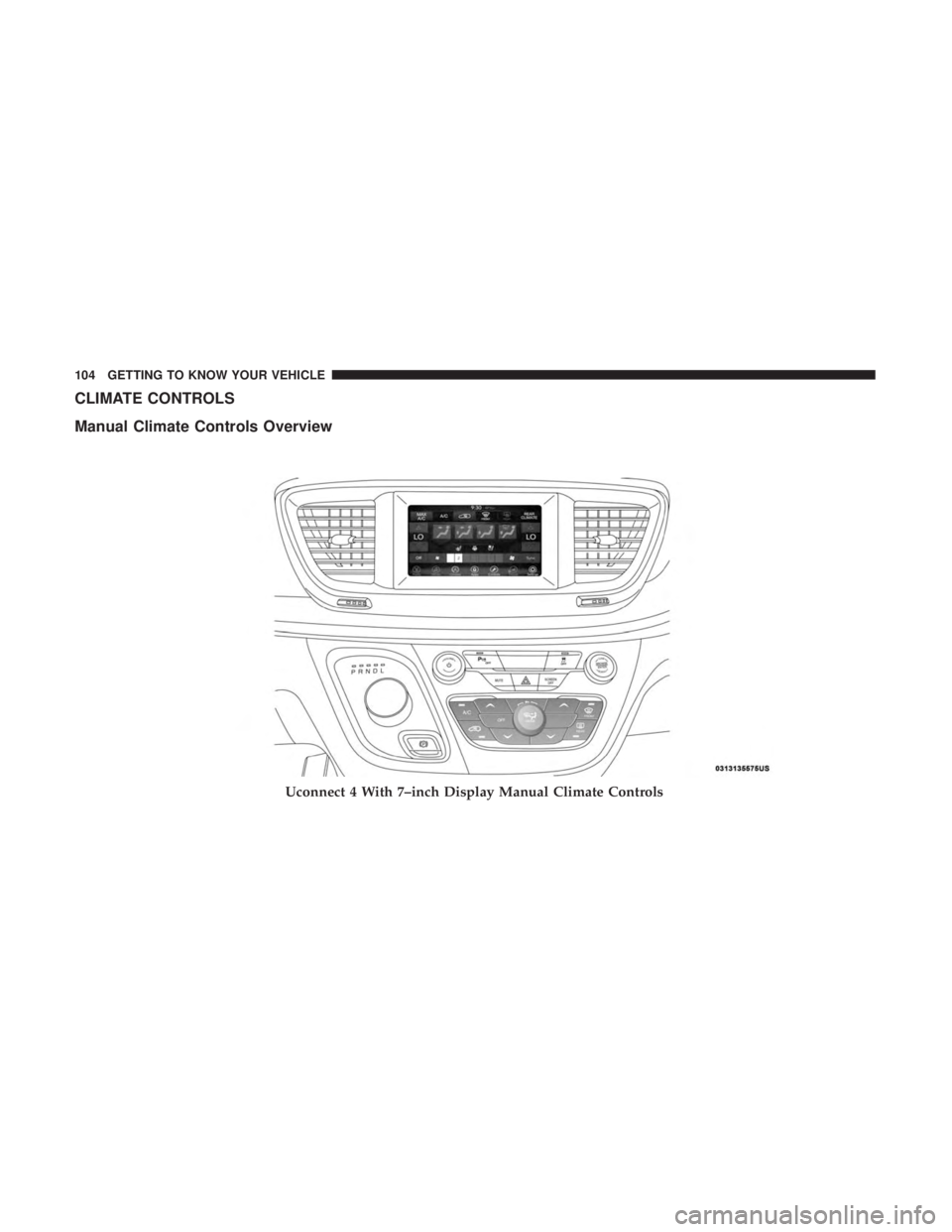
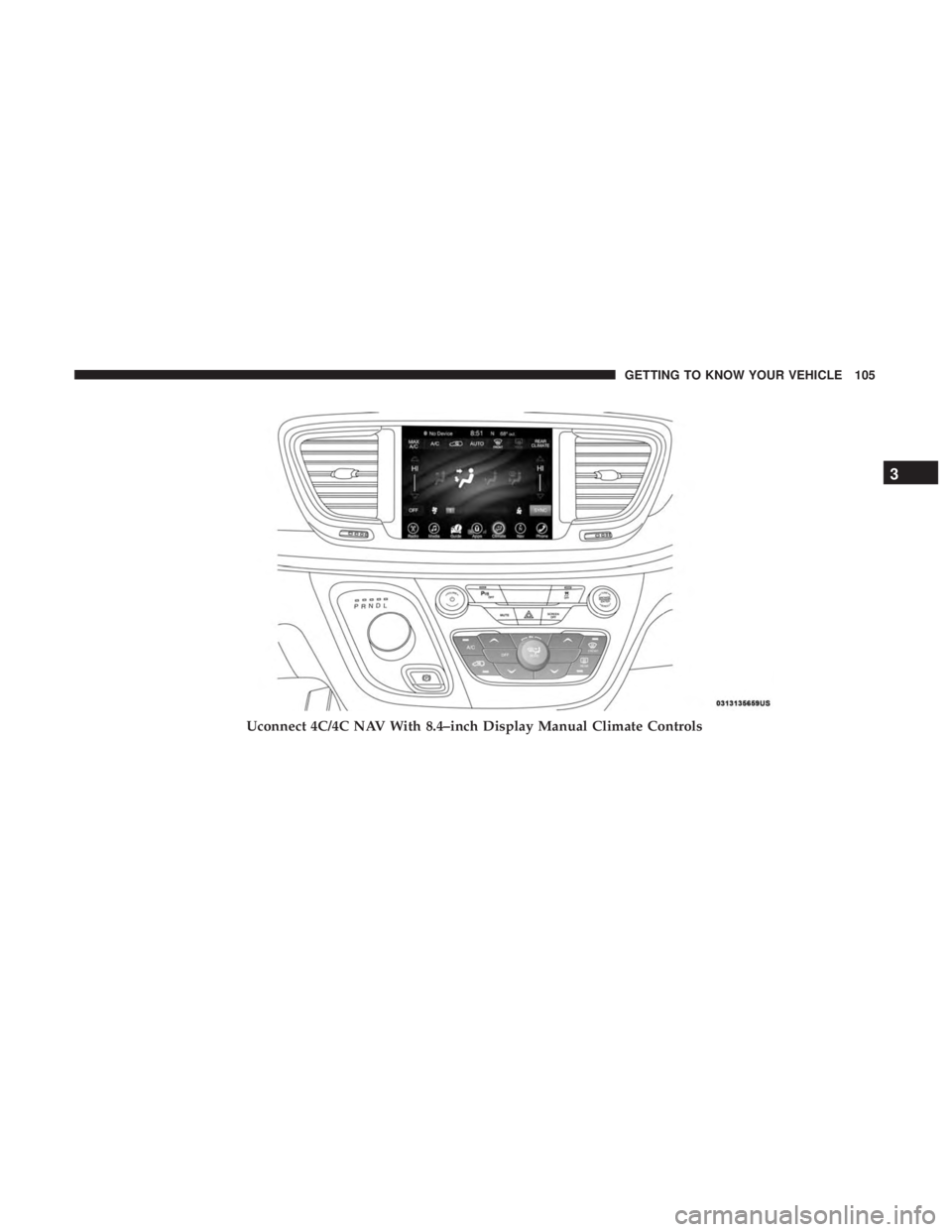
CLIMATE CONTROLS
Manual Climate Controls Overview
Uconnect 4 With 7–inch Display Manual Climate Controls
104 GETTING TO KNOW YOUR VEHICLE
Page 107 of 696
Uconnect 4C/4C NAV With 8.4–inch Display Manual Climate Controls
3
GETTING TO KNOW YOUR VEHICLE 105
Page 112 of 696
IconDescription
Mix Mode
Mix Mode
Air is directed through the floor, defrost, and side window demister outlets. This setting works
best in cold or snowy conditions that require extra heat to the windshield. This setting is good
for maintaining comfort while reducing moisture on the windshield.
Climate Control OFF Button
Press and release this button to turn the Climate Control ON/OFF.
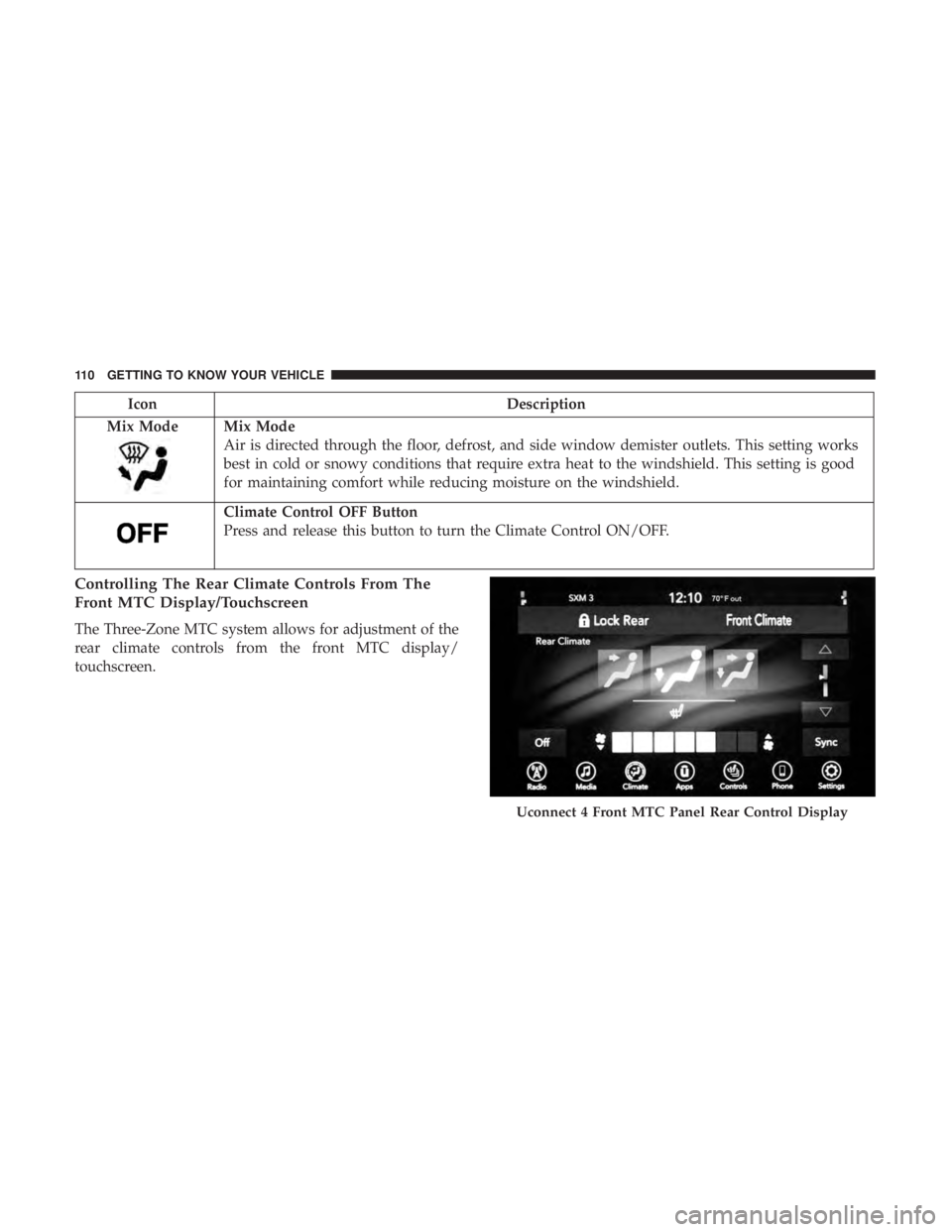
Controlling The Rear Climate Controls From The
Front MTC Display/Touchscreen
The Three-Zone MTC system allows for adjustment of the
rear climate controls from the front MTC display/
touchscreen.
Uconnect 4 Front MTC Panel Rear Control Display
110 GETTING TO KNOW YOUR VEHICLE