Page 561 of 614

IconDescription
Floor
Mode
Floor Mode
Air comes from the floor outlets.
Blower Control
Blower Control is used to regulate the amount of air forced through the climate system. There are seven
blower speeds available. Adjusting the blower will cause automatic mode to switch to manual operation.
Accessibility — If Equipped
Accessibility is a feature of the DVD/Blu-ray/USB Video
system that announces a function prior to performing the
action. For further information refer to “Uconnect Settings”
in “Multimedia.”
Wireless Streaming — If Equipped
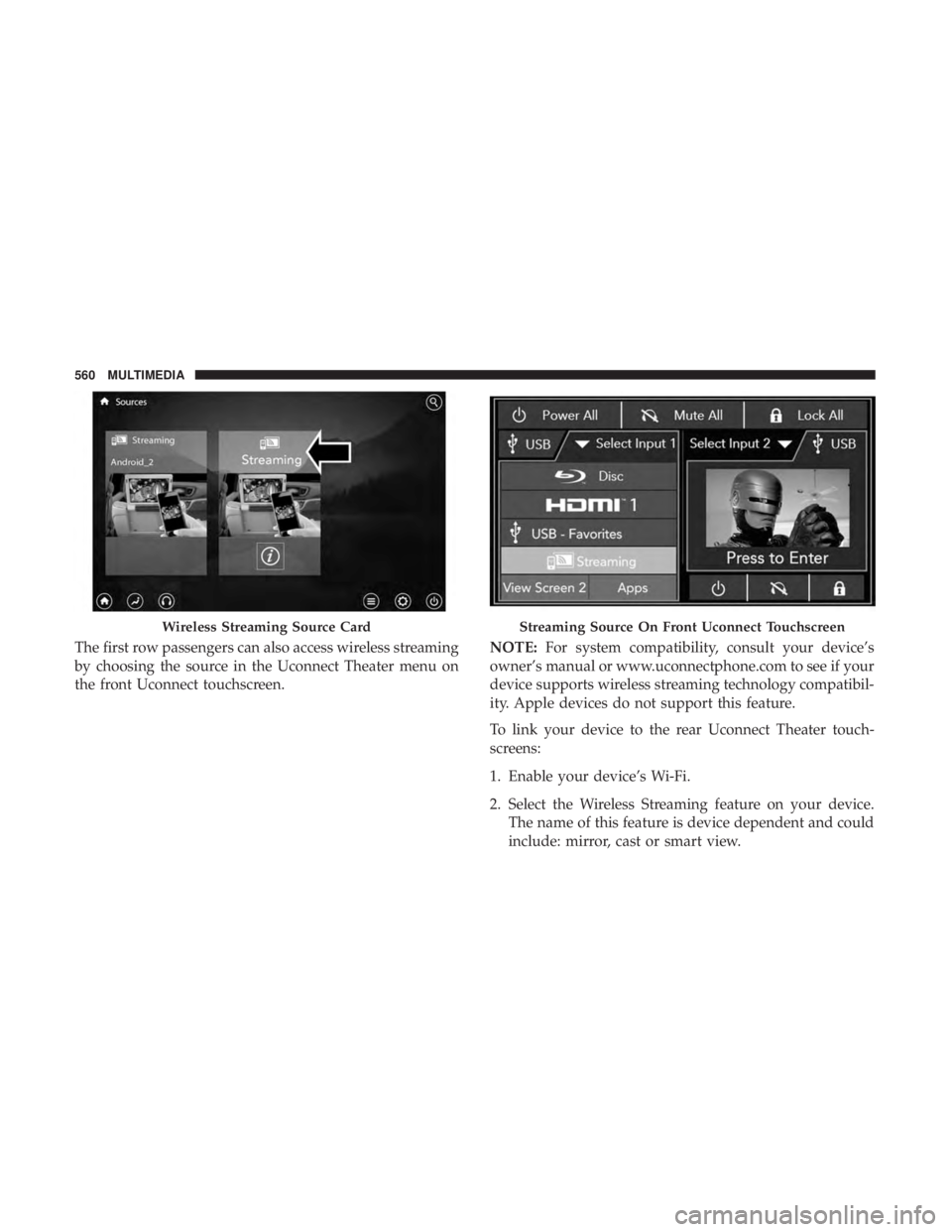
Your Uconnect Theater System may be equipped with
Wireless Streaming functionality that allows you to project
your smartphone or tablet onto your rear Uconnect Theater
touchscreens. This Source Card will allow you to wirelessly
link your compatible Android devices to your Uconnect
Theater system and stream your device onto the touch-
screens. Choose the Wireless Streaming Source Card on your rear
Uconnect Theater touchscreen.
10
MULTIMEDIA 559
Page 562 of 614
The first row passengers can also access wireless streaming
by choosing the source in the Uconnect Theater menu on
the front Uconnect touchscreen.NOTE:
For system compatibility, consult your device’s
owner’s manual or www.uconnectphone.com to see if your
device supports wireless streaming technology compatibil-
ity. Apple devices do not support this feature.
To link your device to the rear Uconnect Theater touch-
screens:
1. Enable your device’s Wi-Fi.
2. Select the Wireless Streaming feature on your device. The name of this feature is device dependent and could
include: mirror, cast or smart view.
Wireless Streaming Source CardStreaming Source On Front Uconnect Touchscreen
560 MULTIMEDIA
Page 563 of 614
NOTE:Refer to your device’s user manual or www.ucon-
nectphone.com for further information.
3. Select the Pacifica Wireless Network from the list of available networks on your device.
4. When prompted by an Authentication Screen, press Accept on the touchscreen to begin wireless streaming
on your device. If prompted, verify that the code on the
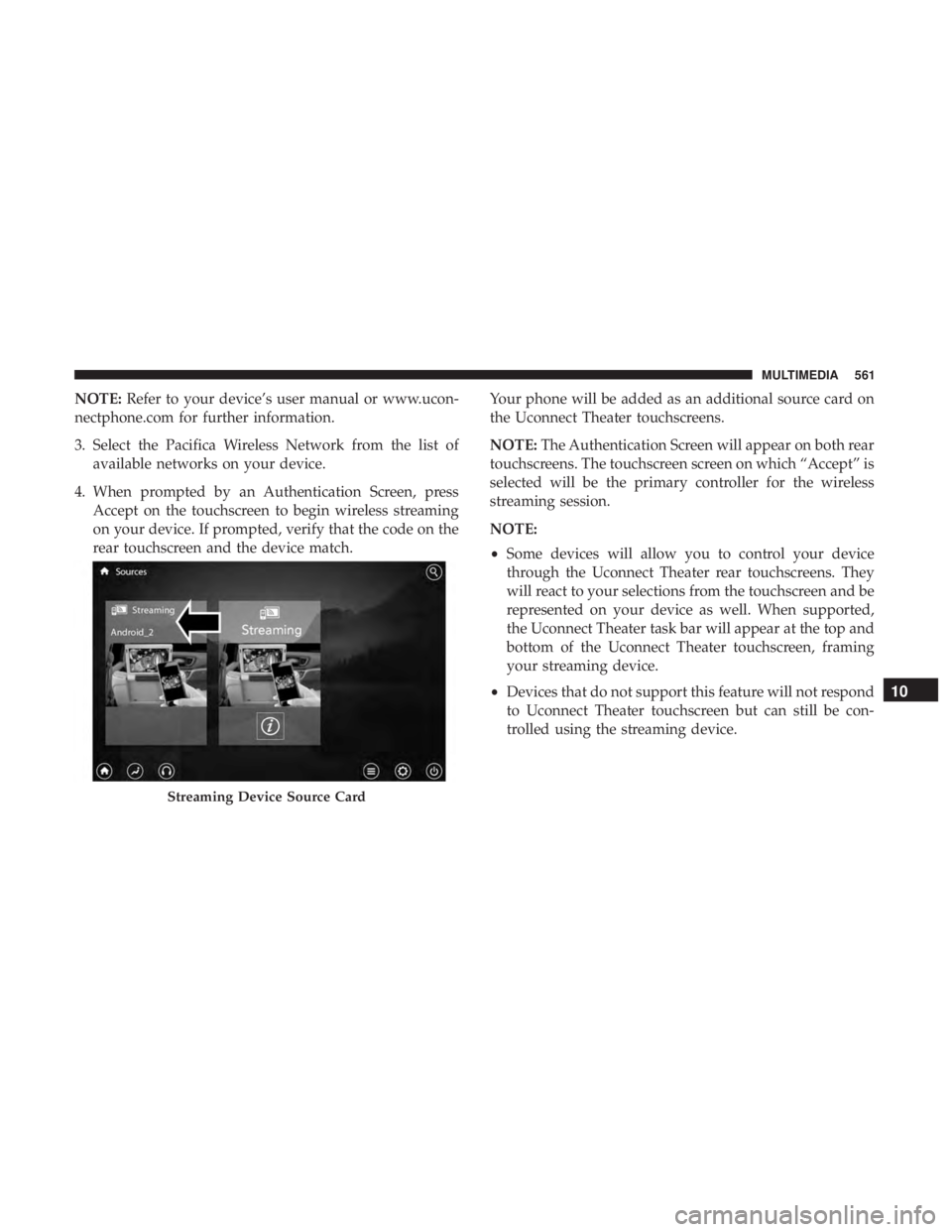
rear touchscreen and the device match. Your phone will be added as an additional source card on
the Uconnect Theater touchscreens.
NOTE:
The Authentication Screen will appear on both rear
touchscreens. The touchscreen screen on which “Accept” is
selected will be the primary controller for the wireless
streaming session.
NOTE:
• Some devices will allow you to control your device
through the Uconnect Theater rear touchscreens. They
will react to your selections from the touchscreen and be
represented on your device as well. When supported,
the Uconnect Theater task bar will appear at the top and
bottom of the Uconnect Theater touchscreen, framing
your streaming device.
• Devices that do not support this feature will not respond
to Uconnect Theater touchscreen but can still be con-
trolled using the streaming device.
Streaming Device Source Card
10
MULTIMEDIA 561
Page 564 of 614

Settings
Below is a list of the settings available for the Wireless
Streaming feature of your Uconnect Theater system:
•Wireless: ON/OFF – Turn on and off the wireless feature
of the Uconnect Theater system.
• Manage Devices – Allows the user to delete the paired
devices.
• Local Network Name – Allows the user to rename the
Pacifica Wireless Network. Refer to the Wireless Streaming video on the Uconnect
YouTube Channel at www.youtube.com/DriveUconnect
for tips and additional information on the Wireless Stream-
ing function.
BD And DVD Region Codes
Many BD and DVD discs are coded by geographic region.
These region codes must match in order for the disc to play.
If the region code for the BD or DVD disc does not match
the region code for the Blu-ray Disc player, the disc will not
play. USA and Canada are set for BD : code A / DVD : code
1.
Recorded Discs
The Blu-ray Disc player will play CD-R and CD-RW discs
recorded in CD-Audio or Video-CD format, or as a CD-
ROM containing MP3, AAC or WMA files. The player will
also play DVD-Video content recorded to a DVD-R or
DVD-RW disc. DVD-ROM discs (either pressed or re-
corded) are not supported. Compressed audio and DivX
recorded on DVD is playable.
If you record a disc using a personal computer, there may
be cases where the Blu-ray Disc player may not be able to
play some or the entire disc, even if it is recorded in a
Wireless Streaming Settings
562 MULTIMEDIA