2018 AUDI A3 SEDAN belt
[x] Cancel search: beltPage 96 of 404

e-tron
for the high voltage battery can lead to seri
ous damage and/or a decrease of the capacity
void coverage under the New Vehicle Limited
Warranty.
Starting/driving the vehicle
A pp lies to: ve hicles w ith plug- in hybrid drive
The vehicle is started and stopped with the
IS TAR T ENGINE STOP I button . Please also read
the information under
Q page 76, Starting the
engine.
Establishing drive ready mode
See Q .& in Introduction on page 92.
Requirement: a charging cable must not be con
nected to the vehicle
Qpage 115 and the selec
tor lever must be in the "P" or
"N" position.
- Press the brake peda l.
- Press th e
I START ENGINE STOPI button .
When the veh icle enters drive ready mode, the
status message
e-tron READY appears briefly in
the instrument cluster display and the needle in
the powe r meter points to
READY Q page 95.
Driving
The vehicle starts with the electr ic motor after
establishing the dr ive ready mode and if the con
ditions for electric drive mode have been met
Qpage98.
The cond itions to drive are essentially the same
as for the automat ic transmission
Q page 83 .
You and your passengers should anticipate the
possibility of a sporty acceleration.
Ending drive ready mode
- Place the selector lever in the P position.
- Switch the ign ition off with the
I START ENGINE STOP ! button.
Vehicle sound1>
The vehicle generates an electronic engine sound
so that you r vehicle can be heard from the out
side when in electr ic drive mode. The veh icle
l) Not available in all markets.
94
sound automatically fades out at higher speeds
when the sounds from the tires and wind start in
creasing .
Switching the ignition on/off
You can switch the ignition on without establish
in g drive ready mode.
- To switch the ign ition on or off, press the
!START ENGINE STOPI button. Do not press the
brake pedal while do ing this.
When the ignition is switched on, the needle
stays pointed at
OFF CD Q page 95, fig. 98 or
OFF is displayed CD~ page 95, fig. 98.
No indicator lights stay turned on when the igni
tion is switched off.
Ignition is switched off automatically
To prevent the vehicle battery from draining, the
i gnition will switch off automatically under the
follow ing cond it ions:
- The vehicle has already been driven.
- The vehicle is stationary.
- The gasoline engine is not runn ing.
- The driver's door is opened.
- The driver's safety belt is unbuckled .
- The brake pedal is not pressed.
In this case, the activated low beam is replaced
by the parking light. The message
Side marker
lights will switch off automatically in 30 mi
nutes. See owner 's manual
appears in the instru
ment cluster display . The parking lights will
switch off after approximately 30 minutes or
when you lock the veh icle.
If the gasoline engine was not stopped, the mo
tor continues running and the ignition does not
automat ically switch off
Q & .
A WARNING
To reduce the risk of poisoning, never allow
the engine to run in confined spaces .
-
Page 129 of 404

LL co .... N
" N .... 0 N > co
Driving in stop-and-go traffic
A pplies to: ve hicles with Audi adaptive cruise co ntro l
Fig. 12 9 In str ument clust er: s afe star t mo nito r
The adaptive cruise control system assists you in
stop -and -go traffic . If a vehicle that is detected
ahead stops, your vehicle will brake and stay at a
stop , within the lim its of the system.
.,. To resume driving w ith adapt ive cruise control,
tap the accelerator pedal or
.,. P ull the lever toward you into position @
¢page 127 , fig. 130.
Starting to drive with adapti ve cruise
controt
1>
As long as the message ACC: a utomatic go is dis
p layed and the objec t detected ahead starts to
move, your veh icle w ill contin ue
d riving ~.&. . You
can act iva te
A CC: automatic go again for a sho rt
time by pu lling the lever to position @.
The
AC C: autom ati c go sta rt mode ends whe n
the brake pedal is pressed.
For safety reasons, your vehicle will o nly start to
d rive automatically if:
- the driver 's safety belt is fastened
- all doors and the hood are closed
-your vehicle is no t stationary for mo re than
t h ree m inutes
Safe start monitor
I f an obstacle is detec ted when you sta rt drivi ng,
you will be a le rted to the danger by
the . indi
cator ligh t and the image in the instr ument clus
ter
d isp lay ~ fig. 129 ¢.&. .An aud io signal will
also sound . Your veh icle wi ll drive more s lowly
l) Th is is no t av aila ble in so m e co untries.
A ssi st a nce systems
when starting . This may also happen in some sit
uations when there is no apparent obstacle.
- Press the br ake pedal to slow yo ur vehicle
down.
_& WARNING ~
If the message ACC: automatic go1> appears,
your vehicle w ill start driving even if there is
an obstacle between your vehicle and the ve
hicle driving ahead. This increases the risk of
an accident.
(D Tips
If adaptive cruise control is active and your
vehicle does not start dr iving even though the
message
ACC: automatic go1> appears, yo u
can start driving by tapping the accelerator
pedal.
Interrupting cruise control
Applies to : vehicles wit h Audi ada ptive cr uise control
Fig . 130 Opera ting leve r
Requirement: adaptive cruise control must be
switched on.
Overr iding cruise control
.,. To accelerate man ua lly, pull the lever toward
you into position @and hold it there, or press
the acce lerator pedal. The message
A CC: over
ride
appears.
.,. To resume cruise contro l, re lease the lever or
take your foot off the accelerator pedal.
.,..
127
Page 132 of 404

Assistance systems
fal l below the warn ing th reshold for an ex
tende d pe rio d of time .
Messages
Applies to: veh icles w ith Audi adaptive cruise control
II ACC: unavailable
T he system cannot guar antee that it w ill detec t
ve hicl es co rrectly and it has switched
off. T he
sensor was moved or is fau lty . D rive to an aut hor
ized A udi dealer or autho rized Au di Service Faci li
ty immediately to have the malfunct ion correct
ed .
IIJ ACC: currently unavailable. No sensor view
II ACC: currently unavailable . Sensor vision re
stricted due to surroundings. See owner's man
ual
T his message appea rs if the sensor view is ob
s truc ted, fo r ex am ple by le aves, snow, he avy
sp ray o r dir t. C le a n the sensor
q page 12 4,
fig. 123 .
II ACC: currently unavailable . Incline too steep
The road exceeds the ma ximum possib le ang le
for safe a dapt ive cr uise control o peration . T he
a d ap tive cr uise con trol cannot be switched on .
II ACC: only available in D, Sor M
Select the "D/S" o r "M" selector leve r position .
II ACC: parking brake applied
The adaptive c ruise contro l sys tem swi tches off
automatically if the park ing bra ke is set . Th e
a da pti ve cr uise co ntrol is av ailab le ag ain a fter re
le asi ng t he p arki ng brak e.
II ACC: currently unavailable . Stabilization
control input
This message appea rs if the elect ronic stab iliza
tion contro l (ESC) is taki ng action to stab ilize t he
ve hicle. In this case, a dap tive cr uise control
sw itch es off au toma tically.
II ACC: Please take over!
This message appea rs if the veh icle rolls bac k
when sta rting on a slight incl ine, even thoug h
130
ACC i s active. Press t he b rake pedal to preven t
t h e ve hicle from rol ling o r start ing to move.
Distance warning: malfunction! Please contact
Service
The sys tem canno t gua ran tee that it will detect
vehicles corre ctly an d it h as sw itched off . T he ra
d ar sen sor w as mo ved or is faulty . D rive to a n au
th ori ze d Aud i de aler o r aut horized Audi Se rvice
F aci lity imme diate ly to h ave the mal function co r
r ected .
Distance warning: currently unavailable. Sensor
view limited due to surroundings .
This message appears if the sensor v iew is ob
str uct ed , for e xam ple by leaves, s now , heavy
s pra y or dirt. C lean t he se nsor
q poge 124 ,
fig. 12 3 .
Distance warning: currently unavailable. See
owner's manual
This message appears if the system has a tempo
r ary fa ilure. If this occurs m ultip le times, drive to
an a uthorized Au di dea le r or a uthor ized Audi
Se rvice Fa cility i mmediat ely to ha ve the malf unc
t ion co rre cted.
Fasten seat belt
The system is not com plete ly ava ila bl e if the dr iv
e r's seat belt is unfastened .
Stat. obj. ahead
T his mes sage app ears if yo u w ould like to swi tch
th e sys tem on a nd th ere is a station ary objec t di
r ec tly in front o f yo ur vehicle .
Door open
The system is not available whe n the vehicle is
stationary a nd the driver's door is open .
Audi pre sense
Introduction
Applies to: vehicles with Aud i pre sense
Wit hin t he limits o f th e system , th e pr e sense
funct ions can initiate measures i n pa rtic ularly
dange rous situations to p rotect the vehicle pas-
sengers and other road users.
IJIJ,
Page 133 of 404
u. 00 .-< N l' N .-< 0 N > 00
-Due to t he interlinking o f various vehicle sys
tems, critica l driving situations can be detected
by
pre sense ba sic and meas ures for preventa
t ive occ upant protection are can be initiated.
- The
pre sense front uses the data from the ra
dar sensors and calc ulates the probab ility of an
acc ident
c::> page 124. An impending collision
with vehicles ca n be detected within the limits
of the system . In this case, the system warns
the driver v isually, acoustically and with a je rk
on the brakes if necessary. If needed, it ca n ini
tiate a part ia l o r full dece le ra tion to reduce the
co llision speed o r to avo id t he coll is io n unde r
ce rtain c ircumstances. In conjunc tion wi th pre
sense basic, the front safety belts are a lso re
versib ly tensioned w hen needed . The pre sense
front is a lso active when adaptive cruise con
trol* is sw itched off.
A WARNING
Also follow the genera l instructions fo und in
c::> .&. in G eneral information on page 124.
(D Tips
- Certain pre sense f unctions switch off when
d riving in reverse.
- The pre sense functions may not be avai la
b le if there is a ma lfunction in the ESC sys
tem or the airbag contro l modu le.
- Note t hat the revers ible belt tensioner on
t h e front passe nger's side deactivates w hen
the front passe nger's a irbag is deact ivated .
- Switch the pre sense off when you are not
us ing public streets or whe n loadi ng the ve
h icle onto a veh icle carrier, train, ship or
othe r type of t ransportation . T his can pre
vent a n un des ired intervent ion from the pre
sense sys te m .
Audi pre sense basic
App lies to: ve hicles with Audi pre sense basic
The pre sense basic funct io ns are activ ated a t a
speed of approximate ly 20 mph (30 km/h) or
h igher .
The fo llow ing funct io ns can be t rigge red unde r
cert ain cond itions withi n the limi ts of the sys
tem :
Ass istance systems
- Tensioning o f the safety belts (for examp le,
during heavy braking) : the front safety belts
have revers ib le be lt tens ione rs . If a collision
does not occu r, the safety belts loosen slig htly
and are ready to tr igger aga in.
- Initiat ing the clos ing of the w indows and the
panorama g lass roof* (for examp le when un
der- or oversteering).
Audi drive select*: the trigger times are adjusted depending on the mode selected .
Audi pre sense front
Applies to : vehicles wi th Audi pre sense fro nt
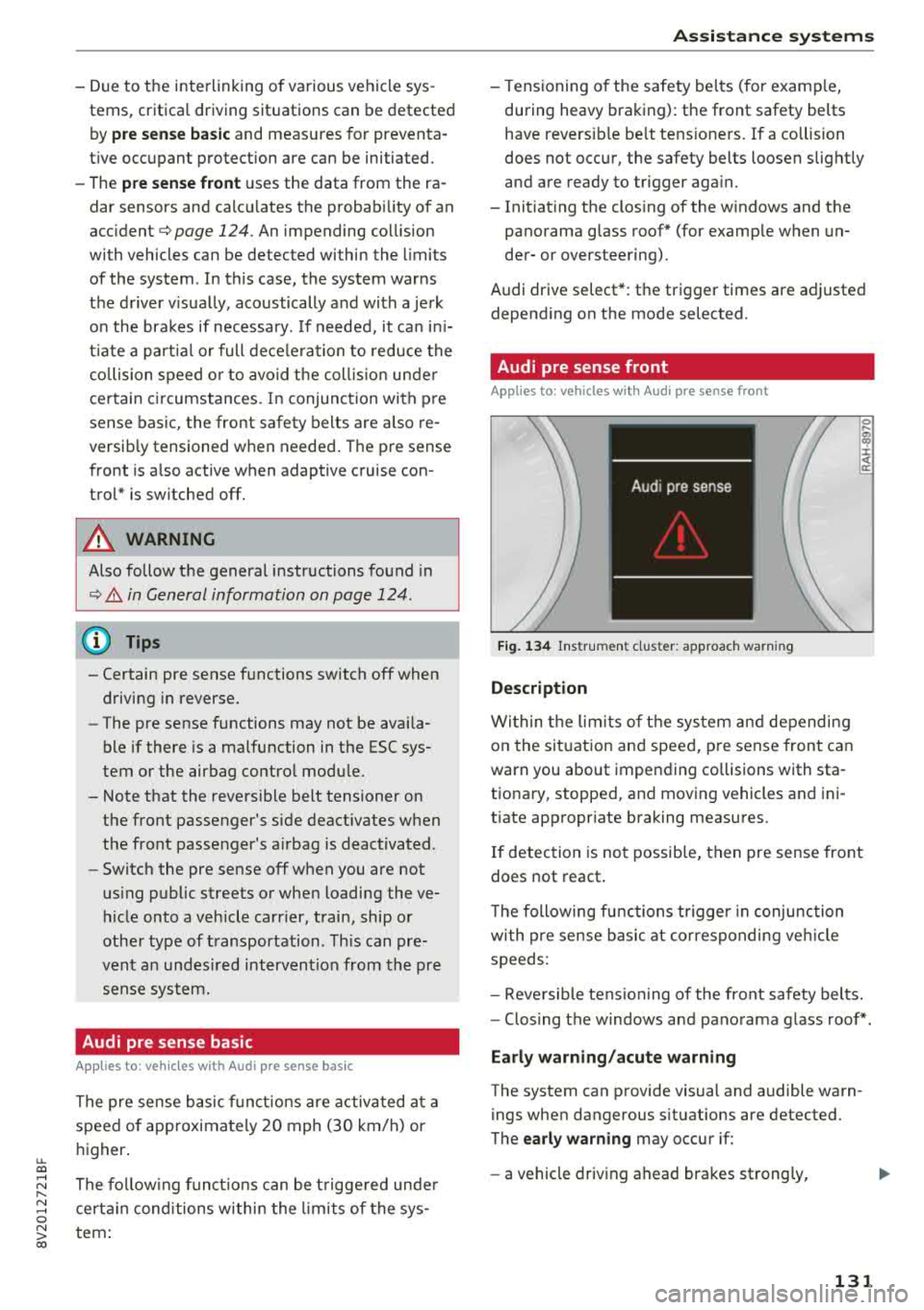
Fig. 134 In str u men t cluster : approac h warni ng
Description
Wi thin the lim its of t he sys tem and depending
on the sit uat ion and spee d, p re sense front can
warn you about impending collisions with sta
t iona ry, stopped, and moving vehicles and ini
tiate app ropr iate braking measu res.
0 .... a, "? :i:: ~ a:
If detection is not possib le, then pre sense front
does not react.
T he following fu nctions t rigge r in conjunction
wi th pre sense basic at co rresponding ve hicle
speeds :
- Reve rsible tens ion ing of the front safety belts.
- Clos ing the windows and pano rama g lass roof* .
Early warning /acute warning
The system can provide visual and audible warn
ings when dangerous situations are detected.
The
early warning may occur if:
- a vehicle driving ahead brakes st rong ly,
131
Page 155 of 404

u. 00 .-< N l' N .-< 0 N > 00
record, in certain crash or near crash -like situa
tions, such as an airbag deployment or hitting a
road obstacle, data that will assist in understand
ing how a vehicle's systems performed. The EDR
is designed to record data re lated to vehicle dy
namics and safety systems for a short period of
time, typically 30 seconds or less . The EDR in this
veh icle is designed to record such data as:
- How various systems in your vehicle were oper
ating;
- Whether or not the driver and passenger safety
belts were buckled/fastened;
- How far (if at all) the driver was depressing the accelerator and/or brake pedal; and,
- How fast the vehicle was traveling.
These data can help provide a better understand
ing of the circumstances in which crashes and in
juries occur. NOTE: EDR data are recorded by your
vehicle only if a non-trivia l crash situation occurs;
no data are recorded by the EDR under normal
driving conditions and no personal data (e.g.,
name, gender, age, and crash location) are re
corded . H owever, other parties, such as law en
forcement, could combine the EDR data with the
type of personally identifying data routinely ac
quired during a crash invest igation .
To read data recorded by an EDR, special equip
ment is required, and access to the vehicle or the
E DR is needed. In addition to the vehicle manu
facturer, other parties, such as law enforcement,
that have the specia l equipment, can read the in
formation if they have access to the vehicle or the
EDR.
Aud i w ill only access the EDR and/or sim ilar data
or give it to others with the consent of the owner
or lessee or in accordance with applicable law.
States vary in their access/disclosure restrictions
for EDR data, but typically such data can be ac
cessed/disclosed in the following c ircumstances :
- when the vehicle owner (or lessee if the vehicle
has been leased) agrees; or
- upon the officia l request by the police; or
- up on the order of a court of law or a govern-
ment agency; or
- for the defense of a lawsu it through the judicial
dis covery process.
Intelligent Technology
-Audi may also use the data, once retrieved from
the vehicle under permissib le circumstances, in
an anonymous format.
- for research about vehicle operation and safety
performance or provide the data to a third par
ty for such research purposes.
Vehicle control modules
Your vehicle is also equipp ed w ith a number of
electronic control modules for various vehicle
systems, such as engine management, emission
control, airbags, and safety belts.
Th ese elect ronic control modules record data
during norma l vehicle operation that may be
needed by trained technicians for diagnostic and
repair purposes. The recording capabi lity of these
modules is limited to data (no sound is record
ed) . Only a small amount of data is actually re
corded over a very limited period of time, or stor
ed when a system fault is detected by a control
module . Some of the data stored may relate to
vehicle speed, direction, or braking, as well as re
straint system use and performance in the event
of a crash. Stored data can also only be read and
down loaded with specia l equipment that is di
rectly connected to the vehicle .
(D Tips
Your vehicle may be equipped w ith Audi con
nect. Your use of certain Audi connect fea
tures requires wire less services that are pro
vided by a third party wireless telecommuni
cations provider . For details regarding how in
formation obtained through Aud i connect is
collected, processed, transmitted, used, and
shared, please see your contract with the
wireless telecommunications provider.
153
Page 251 of 404
u. 00 .-< N l' N .-< 0 N > 00
Driving safety
Basics
Safe driving habits
Please remember -safety first!
The individual safety features of your vehicle can
work together as a system to help protect you
and your passengers in a wide range of accidents.
These features cannot work as a system if they
are not always correctly adjusted and correctly
used .
This chapter contains important informat ion,
tips, instructions and warnings that you need to
read and observe for your own safety, the safety
of your passengers and others . We have summar
iz ed here what you need to know about safety
belts, airbags, child restraints as well as child
safety. Your safety is for us
priority number 1. Al
ways observe the information and warnings in
this section -for your own safety as well as that
of your passengers.
The informa tion in t his section applies to all
model versions of your vehicle. Some of the fea
tures described in this sections may be standard
eq uip ment on some models, or may be optional
equ ipment on others. If you are not sure, ask
your author ized Audi dealer.
A WARNING
-Always make sure that you follow the in
struct ions and heed the WARNINGS in this
Manual. It is in your interest and in the in
terest of your passengers .
-
-Always keep the complete Owner's Litera
ture in your Audi when you lend or sell yo ur
vehicle so that this important information
w ill always be available to the driver and
passengers.
-Always keep the Owner's literature handy so
that you can find it easily if you have ques
tions .
Driving safety
Important things to do before driving
Safety is everybody 's job ! Vehicle and occupant
safety always depends on the informed and care
ful driver .
For your safety and the safety of your passen
gers,
before driving always:
.. Make sure that a ll lights and signals are operat
ing correctly.
.. Make sure tha t the tire pressure is correct .
.. Make sure that all w indows are clean and afford
good vis ibility to the outs ide.
.. Secure all luggage and othe r items ca refully
c::> page 63, c::> page 63 .
.. Make sure that nothing can interfere with the
peda ls .
.. Adjust front seat, head restraint and mirrors
correct ly for your height.
.. Instruct passengers to adjust the head re
straints according to their height.
.. Make sure to use the right child restraint cor
rectly to protect children
c::> page 294, Child
safety .
.. Sit properly in your seat and make sure t hat
your passengers do the same
c::> page 59, Front
seats .
.. Fasten your safety belt and wear it properly. Al
so instruct your passengers to fasten their safe
ty belts properly
c::> page 260.
What impairs driving safety?
Safe driving is directly related to the condition of
the vehicle , the driver as well as the driver 's abili
ty to concentrate on the road without being dis
tracted.
The driver is responsible for the safety of the ve
hicle and a ll of its occupants. If your ability to
drive is impa ired, safety risks for everybody in the
vehicle increase and you a lso become a hazard to
everyone else on the road
c::> &_ . Therefore:
.. Do not let yourse lf be distracted by passengers
or by using a cellular telephone .
.. NEVER drive when your driving abi lity is im
pa ired (by med ications, alcohol, drugs, etc .) .
.. Observe all traffic laws, rules of the road and
speed lim its and plain common sense .
.,.
249
Page 252 of 404

Driving sa fety
,.. ALWAYS adjust your speed to road, traffic and
weather conditions.
,.. Take frequent breaks on long trips. Do not drive
for more than two hours at a stretch.
,.. Do NOT drive when you are tired, under pres
sure or whe n you are stressed .
A WARNING
Impaired driv ing safety inc reases the risk of
ser ious persona l inju ry and death whenever a
vehicle is being used.
Correct passenger
seating positions
Proper seating position for the driver
The proper driver sea ting po sition is impor tan t
for safe, relaxed driving .
Fig. 217 Correc t seat ing posit ion
F or your own safety and to reduce the risk of in
jury in the event of an accident, we recommend
that you adjust the driver 's seat to the following
position :
,.. Adjust the dr iver's seat so tha t you can easily
push the pedals all the way to the floor whi le
keeping your knee(s) s light ly
bent ¢ ,A.
,.. Adjust the angle of the seatback so that it is in
an upright position so that your back comes in
full contact with it when you drive.
,.. Adjust the steering wheel so that there is a dis
tance of at least 10 inches (25 cm ) between the
stee ring wheel and your breast bone
<=;> fig . 217 .
If not possib le, see you r autho rized Aud i dea l
ersh ip about adaptive equipment .
250
,.. Adjust the steering wheel so that the steering
wh eel and airbag cover points at your chest and
not at your face.
,.. Grasp the top of the steering wheel with your
elbow(s) slightly bent.
,.. F or ad justab le head rest raints: Adjust the head
restraint so t he upper edge is as even as possi
ble with the top of your head . If that is not pos
sible, t ry to adjust the head restraint so tha t it
is a s close to this pos it ion as poss ible . M ove the
he ad restraint so tha t it is as close to the back
o f the head as possible.
,.. Fasten and wear safety belts correctly
q page264 .
,.. Always keep both feet in the footwell so that
you are in contro l of the veh icle at all times .
Fo r detail ed information on how to adjust the
dr iver's seat,
see ¢ page 59.
A WARNING
Drivers who are unbelted , out of position or
too close to the airbag can be seriously in-
jured by an airbag as it unfo lds . To help re-
duce the risk of serio us pe rsonal i njury:
-Always adjust the driver's seat and the steer ing whee l so that there are at least
10 inches (25 cm) between you r breastbone
and the steering wheel.
- Always ad just the driver's seat and the
steer ing whee l so that the re are at least
4 inch es (10 cm) between the knees a nd the
lower part of the ins trumen t panel.
-Always hold t he s teering wheel on the out
side of t he steering wheel r im with yo ur
hands at the 9 o'clock and 3 o'clock posi
tions to help reduce the risk of personal in
jury if the dr iver 's airbag inflates.
-Never hold the stee ring wheel at the
12 o'clock position or with you r hands at
other positions inside the steer ing whee l
rim o r on the steering wheel hub. Holding
the steering wheel the wrong way can cause
serious injuries to the hands, arms and head
-
if the driver's airbag inflates . .,_
Page 253 of 404

u. 00 .-< N l' N .-< 0 N > 00
-Pointing the steering wheel toward your
face decreases the ability of the supplemen
tal driver's airbag to protect you in a colli sion.
- Always sit in an upright position and never
lean against or place any part of your body
too close to the area where the airbags are
located.
- Before driving, always adjust the front seats
properly and make sure that all passengers
are properly restrained.
- For adjustable head restraints : before driv
ing, always also adjust the head restraints
properly.
- Never adjust the seats while the vehicle is moving . Your seat may move unexpectedly
and you could lose control of the vehicle.
- Never drive with the backrest reclined or
tilted far back! The farther the backrests are
tilted back, the greater the risk of injury due
to incorrect positioning of the safety belt
and improper seating position.
- Children must always ride in child seats
~ page 294. Special precautions apply
when installing a child seat on the front
passenger seat
i::> page 269 .
Proper seating position for the front
passenger
The proper front passenger seating position is
important for safe, relaxed driving.
For your own safety and to reduce the risk of in
jury in the event of an accident, we recommend that you adjust the seat for the front passenger
to the following position:
.. Adjust the angle of the seatback so that it is in
an upright position and your back comes in full
contact with it whenever the vehicle is moving.
.. For adjustable head restraints: adjust the head
restraint so the upper edge is as even as possi
ble with the top of your head. If that is not pos
sible, try to adjust the head restraint so that it
is as close to this position as possible
~ page 61. Move the head restraint so that it is
as close to the back of the head as possible.
Driving safety
.. Keep both feet flat on the floor in front of the
front passenger seat.
.. Fasten and wear safety belts correctly
<=:>page 264.
For detailed information on how to adjust the
front passenger's seat, see
<=:>page 59.
A WARNING
= -
Front seat passengers who are unbelted, out
of position or too close to the airbag can be
seriously injured or killed by the airbag as it
unfolds . To help reduce the risk of serious
personal injury:
- Passengers must always sit in an upright po
sition and never lean against or place any part of their body too close to the area
where the airbags are located.
- Passengers who are unbelted, out of posi
tion or too close to the airbag can be seri
ously injured by an airbag as it unfolds with
g reat force in the blink of an eye.
- Always make sure that there are at least
10 inches (25 cm) between the front pas
senger's breastbone and the instrument panel.
- Always make sure that there are at least
4 inches (10 cm) between the front passen
ger's knees and the lower part of the instru
ment panel.
- Each passenger must always sit on a seat of
their own and properly fasten and wear the
safety belt belonging to that seat.
- Before driving, always adjust the front pas
senger seat properly.
- For adjustable head restraints: before driv
ing, always also adjust the head restraints
properly .
- Always keep your feet on the floor in front
of the seat. Never rest them on the seat, in
strument panel, out of the window, etc. The
airbag system and safety belt will not be
able to protect you properly and can even in
crease the risk of injury in a crash .
- Never drive with the backrest reclined or
tilted far back! The farther the backrests are
tilted back, the greater the risk of injury due
~
251