2017 VOLVO V90 ECO mode
[x] Cancel search: ECO modePage 274 of 594

DRIVER SUPPORT
* Option/accessory.
272
Speed-dependent steering force Speed related power steering causes the steer- ing wheel force to increase with the speed of thecar in order to give the driver enhanced sensitiv-ity.
On motorways the steering feels firmer. When parking and at low speed steering is light andrequires only a slight effort.
NOTE
In certain situations the power steering may become too hot and then needs to be tempo-rarily cooled - during this time the powersteering operates with reduced power andturning the steering wheel may then be per-ceived to be slightly heavier. In parallel with the temporarily reduced steer- ing assistance, the driver display shows amessage.
Change the steering force level *To select the steering force level, go to the "Drive modes" section and see the description at thealternative INDIVIDUAL under the heading"Selectable drive modes". For the car models without a drive mode control with its INDIVIDUAL option, the selection ofsteering force is instead made via the centre dis-play's top view and the following search path:
SettingsMy CarDrive ModesSteering force
Selection of steering force is not accessible while turning is in progress.
Related information
•Drive modes
* (p. 400)
Roll Stability Control Roll Stability Control (RSC) is a stabiliser sys- tem that minimises the risk of overturning, forexample during sudden evasive manoeuvres or ifthe car skids.
The RSC system registers if and how much the car's lateral inclination changes. This informationis used to calculate the risk of the car overturn-ing. If the car is at risk, its electronic stability con-trol system engages, the engine torque isreduced and one or more wheels are braked untilthe car has regained its stability.
WARNING
Under normal driving conditions, the RSC sys- tem improves the car's road safety, but thismust not be taken as a reason to increasespeed. Always follow the normal precautionsfor safe driving.
Related information
• Electronic stability control (p. 273)
• Safety (p. 56)
Page 277 of 594

DRIVER SUPPORT
}}
275
Symbols and messages for electronic stability control
A number of symbols and messages regarding electronic stability control (Electronic Stability Control -ESC) can be shown on the driver dis-play.
The following table shows some examples.
Symbol
Message Specification
Constant glow for approx. 2 seconds. System check when the engine is started.
Flashing light. ESC system is being activated.
Constant glow. Sport mode is selected.
NOTE: The ESC system is not deactivated in this mode — it is partly reduced.
ESC Temporarily offESC system has been temporarily reduced due to excessive brake temperature - the function is reactiva- ted automatically when the brakes have cooled.
ESC Service requiredESC system disengaged.
• Stop the car in a safe place, switch off the engine and start it again.
• Visit a workshop if the message remains - an authorised Volvo workshop is recommended.
Page 283 of 594

DRIVER SUPPORT
}}
* Option/accessory.281
Automatic speed limiter *
The automatic speed limiter (Automatic Speed
Limiter - ASL) function helps the driver to adaptthe car's maximum speed to the speed shownon the road signs.
The speed limiter function (Speed Limiter — SL) can be changed to automatic speed limiter. The automatic speed limiter uses speed informa- tion from the Road Sign Information 3
function to
automatically adapt the car's maximum speed.
WARNING
The automatic speed limiter function is an aid, and does not work in all driving situations,traffic, weather and road conditions. The driveralways bears responsibility for maintaining thecorrect distance and speed, as well as whenthe automatic speed limiter is being used. Even if the driver clearly sees the speed-rela- ted road sign, the speed from the Road signinformation function many be incorrect - insuch cases the driver must intervene him/herself and accelerate or brake to a suitablespeed. See also the heading "Limitations for Road sign information".
Is SL or ASL active?Symbols in the driver display show which speed limiter function is active:
Symbol SLASL
A✓ ✓
Sign symbol B
after "70" = ASL is acti-
vated.
✓
AWHITE symbol: Function active, GREY symbol: Standby mode.
B See the following heading "ASL symbol" regarding the mean- ing of the symbol's colour.
The ASL symbol
The sign symbol (displayed alongside the stored speed, "70", in the centre ofthe speedometer) can be shown inthree colours with the following mean-
ings:
Colour of sign
symbol Meaning
Greenish yellow ASL is active Grey ASL has been set in standby mode
Amber/Orange ASL is in temporary standby modeA
A
For example, scanning of a sign failed.
Limitations of ASLAutomatic speed limitation takes place using speed information from the RSI 3
function - not
from the speed limit road signs that the car passes. If RSI 3
cannot interpret and provide speed infor-
mation to the ASL, then the ASL is set in standby mode and changes over to SL. In such cases thedriver must intervene and brake to a suitablespeed. The ASL will be reactivated when the RSI 3
func-
tion can once again interpret and provide speed information to the ASL. See also the heading "Limitations for Road Sign Information".
3 Road Sign Information – RSI
Page 287 of 594

DRIVER SUPPORT
}}
285
–With the symbol/function displayed,
press the steering wheel button
(2).
> Cruise Control starts and the current speed becomes the stored speed.
NOTE
Cruise Control cannot be enabled at speeds below 30 km/h (20 mph).
Related information
• Cruise control (p. 284)
• Managing speed for the Cruise control (p. 285)
• Deactivating/reactivating the cruise control(p. 286)
• Deactivating Cruise Control (p. 287)
Managing speed for the Cruise control The cruise control (Cruise Control - CC) can be set to different speeds.
NOTE: The illustration is schematic - details may vary depending on car model.
–Change the stored speed with short or long presses on steering wheel button
(1) or
- (3):
• Use
short presses to adjust +/- 5 km/h
(+/- 5 mph) with each press.
• Hold the button depressed
to adjust
+/- 1 km/h (+/- 1 mph) and release
when the driver display's marking (4)/(6) is at the desired speed .
> The speed set after the last press is stored in the memory. If the driver increases the car
Page 290 of 594

DRIVER SUPPORT
* Option/accessory.
288
Distance Warning *
The Distance Warning function (Distance Alert) warns the driver if the time interval to the vehicleahead becomes too short.
Distance warning is active at speeds
above 30 km/h (20 mph) and only reacts to thevehicle ahead travelling in the same direction. Nodistance information is provided for oncoming,slow or stationary vehicles.
NOTE
Distance warning is deactivated during the time the adaptive cruise control is active.
WARNING
Distance warning only reacts if the distance to the vehicle ahead is shorter than the presetvalue - the speed of the driver's vehicle is notaffected.
Head-up display *
Symbol for Distance Warning on the windscreen 4
.
In cars equipped with head-up display, a symbol is shown on the windscreen for as long as thetime interval to the vehicle ahead is shorter thanthe preset value. However, this presupposes that the
Show Driver Support function is activated
via settings in the car's menu system; see the heading "Head-up display" for how this works.
NOTE
Information on the windscreen may be diffi- cult to see in strong sunlight and when wear-ing sunglasses.
Related information
• Activating and setting the time interval for Distance warning
* (p. 289)
• Limitations of Distance Warning
* (p. 290)
• Head-up display
* (p. 112)
• Adaptive cruise control
* (p. 290)
4
NOTE: The illustration is schematic - details may vary depending on car model.
Page 294 of 594

||
DRIVER SUPPORT
292
Overview
Controls
Buttons and symbols for functions5
.
Increases stored speed or reactivates the adaptive cruise control and resumes storedspeed and time interval
Activate the adaptive cruise control and store the current speed or deactivate the adaptivecruise control
Reduces stored speed
Increases the time interval to vehicles ahead
Reduces the time interval to vehicles ahead
Target vehicle indicator: ACC has detected and is following a target vehicle at the presettime interval
Symbol for time interval to vehicles ahead
In cars equipped with the adaptive cruise control option, the driver can change between CC andACC - see "Change between Cruise control andadaptive cruise control".
Driver display
Indication of speeds 5
.
Stored speed
Speed of vehicle ahead.
Current speed of your car.
To see different combinations of symbols depending on traffic situation - see the heading "Symbols and messages for the adaptive cruisecontrol".
Collision risk warning
Audio and symbol for collision warning
5
Acoustic warning signal in the event of a risk of collision
Warning signal in the event of a risk of colli- sion
Distance measurement with the camera and radar unit
Adaptive Cruise Control uses approx. 40% of thecapacity of the foot brake. If the car needs to bebraked more heavily than the adaptive cruisecontrol is capable of and the driver does notbrake, the warning lamp and acoustic warning are
5 NOTE: The illustration is schematic - details may vary depending on car model.
Page 295 of 594
DRIVER SUPPORT
* Option/accessory.293
activated to alert the driver that immediate inter- vention is required.
WARNING
The adaptive cruise control only warns of vehicles which its radar unit has detected -hence a warning may not be given, or it maybe given with a certain delay. Do not wait for awarning without braking when so required.
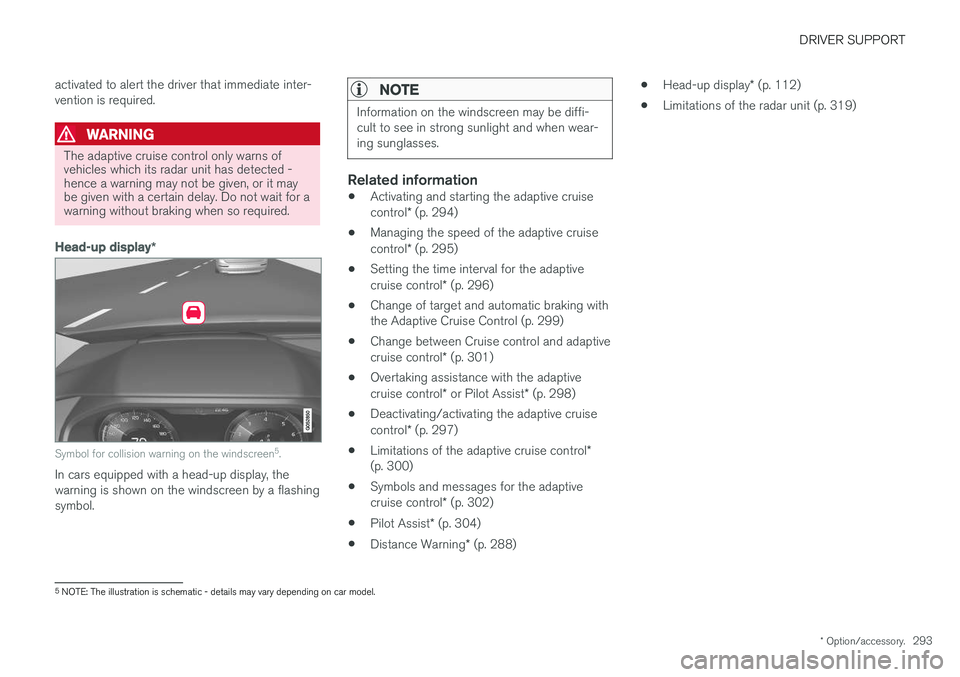
Head-up display
*
Symbol for collision warning on the windscreen 5
.
In cars equipped with a head-up display, the warning is shown on the windscreen by a flashingsymbol.
NOTE
Information on the windscreen may be diffi- cult to see in strong sunlight and when wear-ing sunglasses.
Related information
• Activating and starting the adaptive cruise control
* (p. 294)
• Managing the speed of the adaptive cruisecontrol
* (p. 295)
• Setting the time interval for the adaptivecruise control
* (p. 296)
• Change of target and automatic braking with the Adaptive Cruise Control (p. 299)
• Change between Cruise control and adaptive cruise control
* (p. 301)
• Overtaking assistance with the adaptivecruise control
* or Pilot Assist * (p. 298)
• Deactivating/activating the adaptive cruisecontrol
* (p. 297)
• Limitations of the adaptive cruise control
*
(p. 300)
• Symbols and messages for the adaptivecruise control
* (p. 302)
• Pilot Assist
* (p. 304)
• Distance Warning
* (p. 288) •
Head-up display
* (p. 112)
• Limitations of the radar unit (p. 319)
5
NOTE: The illustration is schematic - details may vary depending on car model.
Page 299 of 594

DRIVER SUPPORT
}}
* Option/accessory.297
Deactivating/activating the adaptive cruise control *
The adaptive cruise control (Adaptive Cruise Control - ACC) can be temporarily deactivatedso that it is set in the standby mode and canlater be reactivated.
Deactivate Adaptive Cruise Control and set it in standby mode
NOTE: The illustration is schematic - details may vary depending on car model.
To temporarily switch off Adaptive Cruise Control and set it in standby mode:
–Press the steering wheel button (2).
> The
symbol on the driver display
changes colour from WHITE to GREY and the stored speed in the centre of thespeedometer changes from BEIGE toGREY. In standby mode, the driver must him/herselfcontrol both speed and distance. When the adaptive cruise control is in standby mode and the car drives too close to a vehicleahead, the driver is warned about the short dis-tance by the Distance Warning function instead(see reference to the heading "Distance Warn-ing" at the end of this section).
Standby mode on driver intervention
The adaptive cruise control is temporarily deacti- vated and set in standby mode if:
• the foot brake is used
• the gear selector is moved to
N position.
• the driver maintains a speed higher than thestored speed for longer than 1 minute.
• the clutch pedal is depressed for approx. 1minute - applies to cars with manual gearbox.
In this situation, the driver must intervene andadapt the speed and distance to the vehicleahead. A temporary increase in speed with the accelera- tor pedal, e.g. during overtaking, does not affectthe setting - the car returns to the last storedspeed when the accelerator pedal is released.
Automatic standby mode
Adaptive cruise control is dependent on other systems, e.g. stability control/anti-skid ESC. If anyof these systems stops working, adaptive cruisecontrol is switched off automatically. In the event of automatic deactivation a signal willsound and a message is shown in the driver dis-play. The driver must then intervene and adaptthe speed and distance to the vehicle ahead. Automatic deactivation may occur if:
• the speed is below 5 km/h (3 mph) and ACC is uncertain whether the vehicle ahead is astationary vehicle or an object, such as aspeed bump.
• the speed is below 5 km/h (3 mph) and thevehicle ahead turns off so that ACC nolonger has a vehicle to follow.
• speed is reduced to below 30 km/h(20 mph) - only applies to cars with manualgearbox.
• the driver opens the door
• the driver takes off the seatbelt
• engine speed is too low/high
• wheels lose traction
• brake temperature is high
• the parking brake is applied
• the camera and radar unit is covered by e.g.snow or heavy rainfall (camera lens/radiowaves are blocked).