2017 VOLVO V90 warning
[x] Cancel search: warningPage 310 of 594
||
DRIVER SUPPORT
* Option/accessory.
308 With the adaptive cruise control in the standby mode: 1.
Press
▶ (6).
> The
symbol changes to Pilot Assist
in standby mode (8).
2. Press the steering wheel button
(2).
> Pilot Assist is started and current speed is stored, which is shown with figures in the centre of the speedometer.
...or... With the adaptive cruise control started:
–Press ▶ (6).
> Pilot Assist is started.
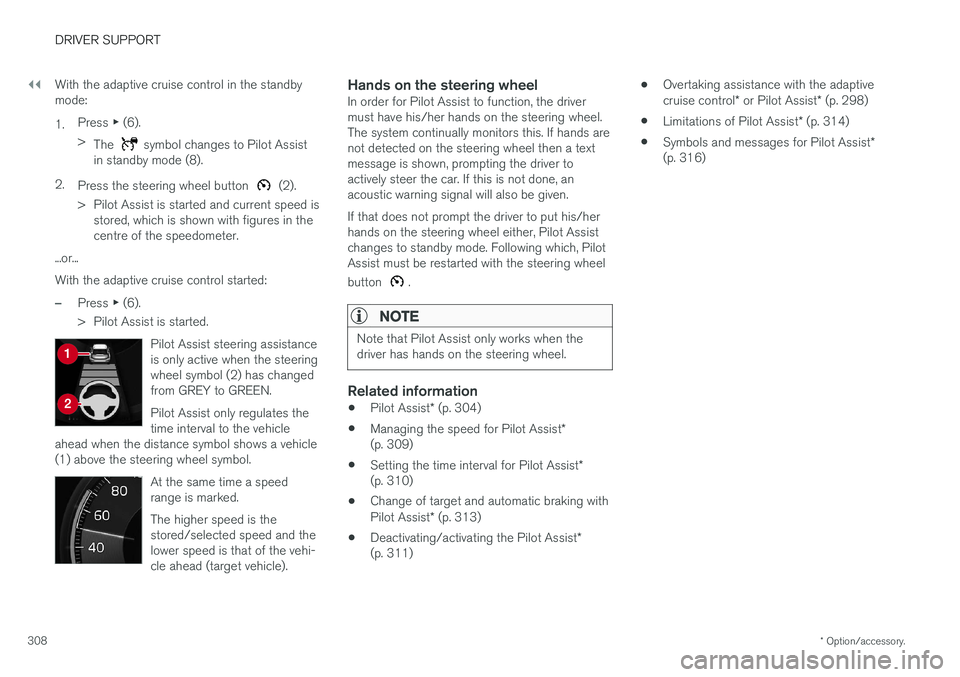
Pilot Assist steering assistance is only active when the steeringwheel symbol (2) has changedfrom GREY to GREEN. Pilot Assist only regulates the time interval to the vehicle
ahead when the distance symbol shows a vehicle(1) above the steering wheel symbol.
At the same time a speed range is marked. The higher speed is the stored/selected speed and thelower speed is that of the vehi-cle ahead (target vehicle).
Hands on the steering wheelIn order for Pilot Assist to function, the driver must have his/her hands on the steering wheel.The system continually monitors this. If hands arenot detected on the steering wheel then a textmessage is shown, prompting the driver toactively steer the car. If this is not done, anacoustic warning signal will also be given. If that does not prompt the driver to put his/her hands on the steering wheel either, Pilot Assistchanges to standby mode. Following which, PilotAssist must be restarted with the steering wheel button
.
NOTE
Note that Pilot Assist only works when the driver has hands on the steering wheel.
Related information
• Pilot Assist
* (p. 304)
• Managing the speed for Pilot Assist
*
(p. 309)
• Setting the time interval for Pilot Assist
*
(p. 310)
• Change of target and automatic braking with Pilot Assist
* (p. 313)
• Deactivating/activating the Pilot Assist
*
(p. 311) •
Overtaking assistance with the adaptivecruise control
* or Pilot Assist * (p. 298)
• Limitations of Pilot Assist
* (p. 314)
• Symbols and messages for Pilot Assist
*
(p. 316)
Page 312 of 594

DRIVER SUPPORT
* Option/accessory.
310
Setting the time interval for Pilot Assist *
Pilot Assist can be set with different time inter- vals.
Different time intervals to the vehicle in front can be selectedand shown in the driver displayas 1-5 horizontal lines - themore lines the longer the timeinterval. One line representsabout 1 second to the vehicle
in front, 5 lines represents about 3 seconds.
NOTE
When the symbol in the driver display shows a car and a steering wheel, Pilot Assist fol-lows a vehicle in front at a preset time gap. When only one steering wheel is shown, there is no vehicle within a reasonable distanceahead.
Control for time interval.
Decrease time interval
Increase time interval
Distance indicator
–Press the steering wheel button (1) or (2) to increase or decrease the time interval.
> The distance indicator (3) shows the cur- rent time interval.
In order to follow the vehicle ahead in a smooth and comfortable way, Pilot Assist allows the timeinterval to vary noticeably in certain conditions.For example, at low speed, when the distancesbecome short, Pilot Assist increases the timeinterval slightly. Note that a short time interval only allows the driver a short time to react and take action if anyunforeseen problem should arise.
NOTE
Only use the time intervals permitted by local traffic regulations. If Pilot Assist does not appear to react when activated, this may be because the time dis-tance to the vehicle in front is preventing anincrease in speed. The higher the speed the longer the calcula- ted distance in metres for a given time inter-val.
Related information
• Pilot Assist
* (p. 304)
• Activating and starting the Pilot Assist
*
(p. 307)
• Managing the speed for Pilot Assist
* (p. 309)
• Change of target and automatic braking with Pilot Assist
* (p. 313)
• Deactivating/activating the Pilot Assist
*
(p. 311)
• Overtaking assistance with the adaptivecruise control
* or Pilot Assist * (p. 298)
• Limitations of Pilot Assist
* (p. 314)
• Symbols and messages for Pilot Assist
*
(p. 316)
• Distance Warning
* (p. 288)
Page 313 of 594

DRIVER SUPPORT
}}
* Option/accessory.311
Deactivating/activating the Pilot Assist*
Pilot Assist can be temporarily deactivated so that it is set in the standby mode and can bereactivated later.
Deactivating and setting Pilot Assist in
standby mode
NOTE: The illustration is schematic - details may vary depending on car model.
To temporarily switch off Pilot Assist and set it in standby mode:
–Press the steering wheel button (2).
> Pilot Assist is set in standby mode - the symbol (8) in the driver display changes colour from WHITE to GREY and thestored speed in the centre of the speed-ometer changes from BEIGE to GREY.
...or...
–Press ◀ (3).
> Pilot Assist is switched off and changes to the adaptive cruise control in active mode.
In standby mode, the driver is no longer given anydriver steering recommendations and must con-trol both speed and distance him/herself. When Pilot Assist is in standby mode and the car drives too close to a vehicle ahead, the driver iswarned about the short distance by the DistanceWarning function instead (see reference to theheading "Distance Warning" at the end of thissection).
Standby mode on driver intervention
Pilot Assist is temporarily deactivated and set in standby mode if:
• the foot brake is used
• the gear selector is moved to
N position.
• the direction indicators are used for longerthan 1 minute .
• the driver maintains a speed higher than thestored speed for longer than 1 minute.
• the clutch pedal is depressed forapprox. 1 minute - applies to cars with man-ual gearbox.
A temporary increase in speed with the accelera-tor pedal, e.g. during overtaking, does not affectthe setting - the car returns to the last storedspeed when the accelerator pedal is released. When the direction indicators are used, PilotAssist steering assistance is temporarily disen-gaged. When this is no longer the case, steeringassistance is automatically reactivated if thelane's side markings can still be detected.
Page 314 of 594

||
DRIVER SUPPORT
* Option/accessory.
312
Automatic standby mode
Pilot Assist is dependent on other systems, e.g. stability control/anti-skid ESC. If any of theseother systems stops working, Pilot Assist isswitched off automatically. In the event of automatic deactivation a signal will sound and a message is shown in the driver dis-play. The driver must then intervene and adaptthe speed and distance to the vehicle ahead. Automatic deactivation may occur if:
• the speed is below 5 km/h (3 mph) and Pilot Assist is uncertain whether the vehicle aheadis a stationary vehicle or an object, such as aspeed bump.
• the speed is below 5 km/h (3 mph) and thevehicle ahead turns off so that Pilot Assist nolonger has a vehicle to follow.
• speed is reduced to below 30 km/h(20 mph) - only applies to cars with manualgearbox.
• the driver's hands are not on the steeringwheel
• the driver opens the door
• the driver takes off the seatbelt
• engine speed is too low/high
• wheels lose traction
• brake temperature is high
• the parking brake is applied •
the camera and radar unit is covered by e.g.snow or heavy rainfall (camera lens/radiowaves are blocked).
Reactivating Pilot Assist from the
standby mode
NOTE: The illustration is schematic - details may vary depending on car model.
–Press the steering wheel button (1).
> The speed is then set to the most recently stored speed.
NOTE
A marked speed increase may occur once the speed has been resumed by pressing steer- ing wheel button
.
Related information
• Pilot Assist
* (p. 304)
• Activating and starting the Pilot Assist
*
(p. 307)
• Managing the speed for Pilot Assist
* (p. 309)
• Setting the time interval for Pilot Assist
*
(p. 310)
• Change of target and automatic braking with Pilot Assist
* (p. 313)
• Overtaking assistance with the adaptivecruise control
* or Pilot Assist * (p. 298)
• Limitations of Pilot Assist
* (p. 314)
• Symbols and messages for Pilot Assist
*
(p. 316)
• Distance Warning
* (p. 288)
Page 315 of 594

DRIVER SUPPORT
}}
* Option/accessory.313
Change of target and automatic braking with Pilot Assist *
In combination with automatic gearbox, Pilot Assist has functionality for change of target and braking at certain speeds.
Change of target
If the target vehicle in front suddenly turns then there may be stationary traffic in front.
When Pilot Assist is following another vehicle at speeds below 30 km/h (20 mph) and changes
target from a moving to a stationary vehicle, Pilot Assist will slow down for the stationary vehicle.
WARNING
When Pilot Assist is following another vehicle at speeds in excess of approx. 30 km/h
(20 mph) and the target is changed from a moving vehicle to a stationary vehicle, PilotAssist will ignore the stationary vehicle andinstead select the stored speed.
• The driver must then intervene him/ herself and brake.
Automatic standby mode with change of target
Pilot Assist is disengaged and set in standby mode: •when the speed is below 5 km/h (3 mph) and Pilot Assist is uncertain whether the tar-get object is a stationary vehicle or someother object, e.g. a speed bump.
• when the speed is below 5 km/h (3 mph)and the vehicle in front turns off so the PilotAssist no longer has a vehicle to follow.
Automatic brakingFor shorter stops in connection with inching for-ward in slow traffic or at traffic lights, driving isautomatically resumed if the stops do not exceedabout 3 seconds - if it takes longer before thecar in front starts moving again then the PilotAssist is set in standby mode with automaticbraking.
–Pilot Assist is reactivated in the following way:
• Press the steering wheel button
.
• Depress the accelerator pedal.
> Pilot Assist resumes following the vehicle ahead if it starts moving forward within 6 seconds.
NOTE
Pilot Assist can hold the car stationary for a maximum of 5 minutes - then the parkingbrake is applied and the function is disen-gaged. Before Pilot Assist can be reactivated, the parking brake must be released.
Page 320 of 594

DRIVER SUPPORT
* Option/accessory.
318
Radar unit
The radar unit is used by several driver support systems and has the task of sensing other vehi-cles.
NOTE: The illustration is schematic - details may vary depending on car model.
The radar unit is used by the following functions:
• Distance Warning
*
• Adaptive cruise control
*
• Pilot Assist
*
• City Safety
Modification of the radar unit could result in its use being illegal.
Related information
• Limitations of the radar unit (p. 319)
• Type approval for radar units (p. 323) •
Distance Warning
* (p. 288)
• Adaptive cruise control
* (p. 290)
• Pilot Assist
* (p. 304)
• City Safety (p. 330)
Page 333 of 594

DRIVER SUPPORT
}}
331
WARNING
City Safety is an aid and does not work in all driving situations, traffic, weather and roadconditions. Warning only activated in the event of a high risk for collision. This section and the section"Limitations for City Safety" inform about limi-tations that the driver should be aware ofbefore using City Safety. Warnings and brake interventions for pedes- trians and cyclists are deactivated at vehiclespeeds above 70 km/h (43 mph). City Safety's auto-brake function can prevent a collision or reduce collision speed. Toensure full brake performance, the drivershould always depress the brake pedal - evenif the car auto-brakes. City Safety does not activates any auto-brake functions in the event of heavy acceleration. The driver is always responsible for maintain- ing the correct distance and speed - neverwait for a collision warning or for City Safetyto intervene.
Market limitationCity Safety is not available in all countries. If City Safety does not appear in the centre display's
Settings menu, the car is not equipped with this
function. Search path in the top menu:
SettingsMy
Car
IntelliSafe
Overview
Function overview 14
.
Acoustic warning signal in the event of a risk of collision
Warning signal in the event of a risk of colli- sion
Distance measurement with the camera and radar unit
City Safety carries out three steps in the follow-ing order:
1. Collision warning
2. Brake support
3. Auto Brake
Collision warning
The driver is first warned of a potentially immi- nent collision. City Safety can detect pedestrians, cyclists or vehicles that are stationary or moving in the samedirection as the car and are ahead. City Safetycan also detect pedestrians, cyclists or large ani-mals that are crossing the road in front of the car. In the event of a risk of collision with a pedes- trian, large animal, cyclist or vehicle (includingvehicles described in the "City Safety in crosstraffic" section), the driver's attention is alerted bymeans of a red flashing warning signal, an acous-tic signal and a haptic warning in the form of abrake pulse. At lower speeds or with hard brakingor acceleration there will be no haptic warning.The brake pulse frequency varies according tothe car's speed.
Brake support
If the risk of collision has increased further after the collision warning then the brake support isactivated. Brake support reinforces the driver
Page 334 of 594

||
DRIVER SUPPORT
332
Auto Brake
The automatic brake function is activated last. If in this situation the driver has not yet started to take evasive action and the risk of collision isimminent then the automatic braking function isdeployed - this takes place irrespective ofwhether or not the driver brakes. Braking thentakes place with full brake force in order toreduce collision speed, or with limited brake forceif it is sufficient to avoid a collision. In connection with automatic braking the seatbelt tensioner may also be activated. For more infor-mation see the "Seatbelt tensioner" section. In some situations, the action of Auto-brake may begin with light braking and then progress to fullbrake action. When City Safety has prevented a collision with a stationary object, the car remains stationary inanticipation of positive action by the driver. If thecar has been braked to avoid collision with aslower vehicle in front, its speed is reduced tomatch that of the vehicle in front.
NOTE
On cars with manual gearbox, the engine stops when the Auto-brake function has stop-ped the car, unless the driver has managed todepress the clutch pedal beforehand.
The driver can always interrupt a braking inter- vention by firmly depressing the acceleratorpedal.
NOTE
When City Safety™ brakes, the brake lights
come on.
When City Safety is activated and brakes the vehicle, the driver display shows a text messageto the effect that the function is/has been active.
WARNING
City Safety must not be used as an excuse for the driver to change his/her driving style. Ifthe driver relies solely on City Safety to do thebraking, there might be a risk of a collisionsooner or later.
Related information
• Setting the warning distance for City Safety (p. 332)
• Detection of obstacles with City Safety
™
(p. 333)
• City Safety when evasive manoeuvres areprevented (p. 336)
• City Safety in cross traffic (p. 335)
• Limitations of City Safety (p. 337)
• Messages for City Safety (p. 339)
• Seatbelt tensioner (p. 59)
Setting the warning distance for City Safety
City Safety is always activated, but it is possible to select the warning distance for the function.
NOTE
The City Safety function cannot be deacti- vated. It is activated automatically when theengine/electric operation is started andremains switched on until the engine/electricoperation is switched off.
The warning distance determines the sensitivity of the system and regulates the distance atwhich the visual, acoustic and haptic warningsshall be triggered. 1. Tap on
Settings in top view in the centre
display.
2. Press
My CarIntelliSafe.
3. Under
City Safety Warning, select Late,Normal or Early to set the desired warning
distance.
If the
Early setting produces too many warnings,
which could be perceived as irritating in certain situations, then use the
Normal or Late warning
distance. If warnings are perceived as being too frequent or disturbing then the warning distance can bereduced. This would lead to the system warning