Page 420 of 672
4206-1. Using the air conditioning system and defogger
SIENNA_OM_OM08007U_(U)
WARNING
■To prevent the windshield from fogging up
●Do not use during cool air operat ion in extremely humid weather.
The difference between the temperature of the outside air and that of the
windshield can cause the outer surface of the windshield to fog up, block-
ing your vision.
■ To prevent burns
●Do not touch the rear view mirror surfaces when the outside rear view mir-
ror defoggers (vehicles with outside rear view mirror defoggers) are on.
● Do not touch the glass at lower part of the windshield or to the side of the
front pillars when the windshield wiper de-icer is on. (vehicles with wind-
shield wiper de-icer)
NOTICE
■To prevent battery discharge
Do not leave the air conditioning system on longer than necessary when the
engine is stopped.
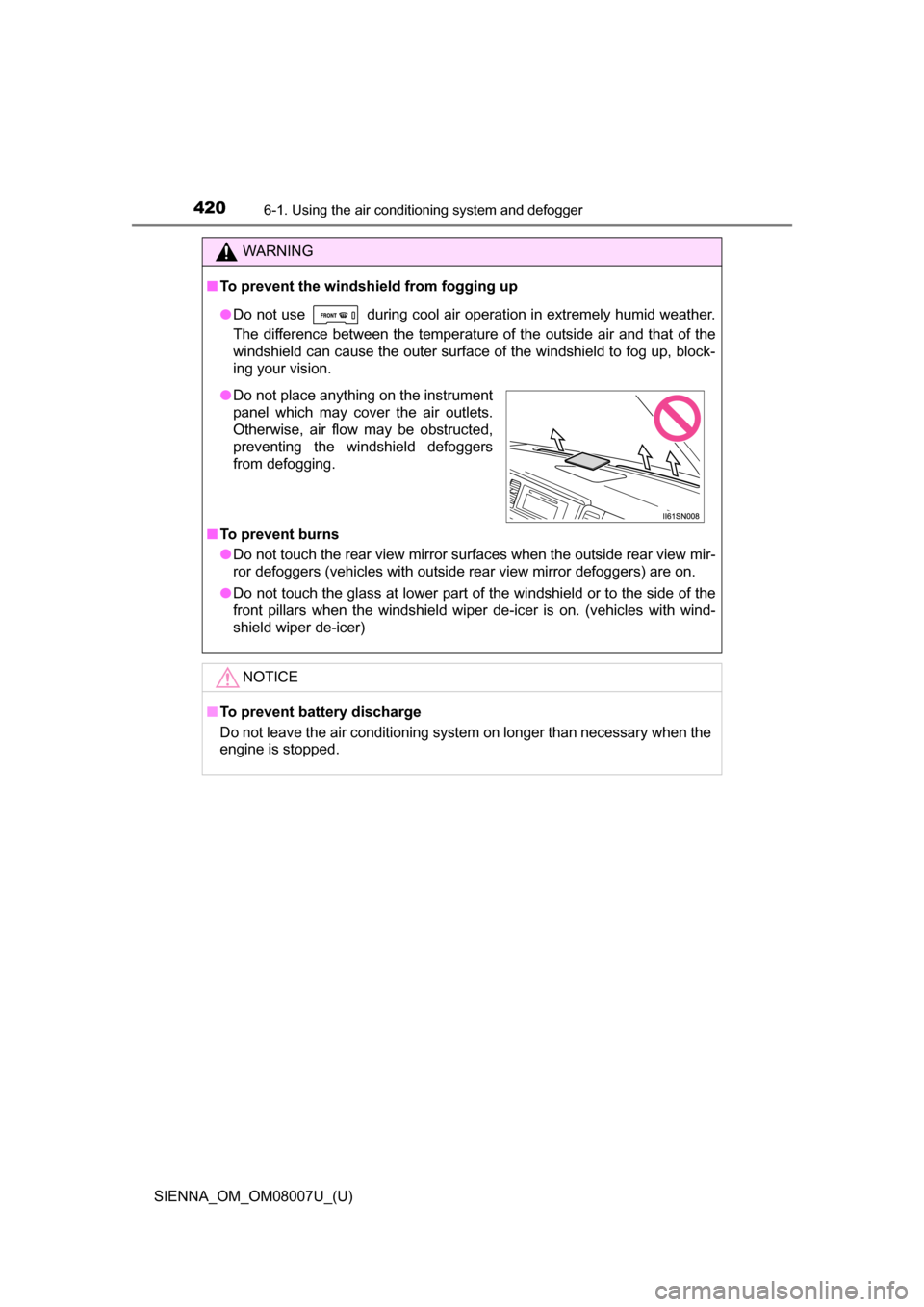
●Do not place anything on the instrument
panel which may cover the air outlets.
Otherwise, air flow may be obstructed,
preventing the windshield defoggers
from defogging.
Page 429 of 672
SIENNA_OM_OM08007U_(U)
4296-2. Using the interior lights
6
Interior features
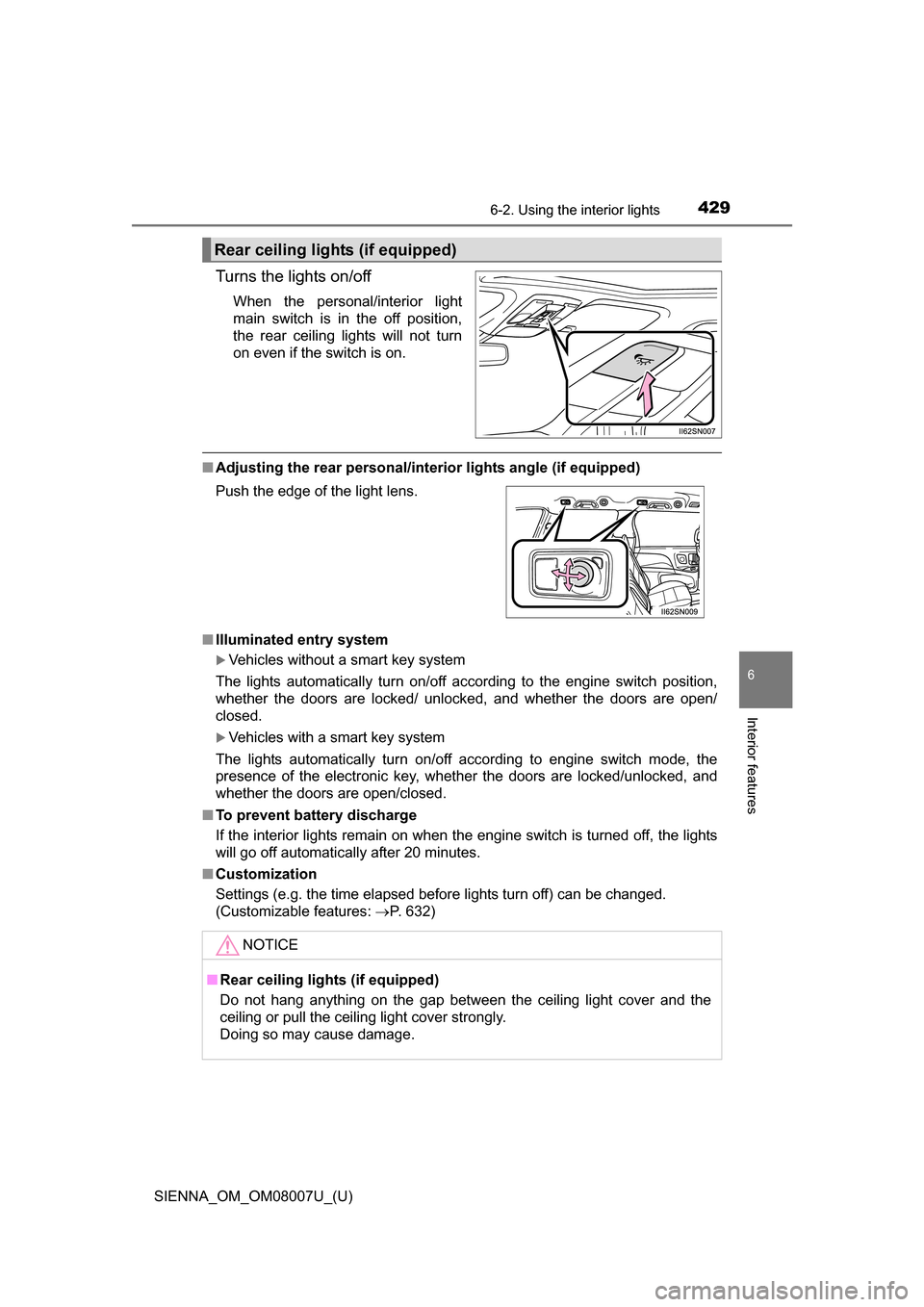
Turns the lights on/off
When the personal/interior light
main switch is in the off position,
the rear ceiling lights will not turn
on even if the switch is on.
■Adjusting the rear personal/interior lights angle (if equipped)
■ Illuminated entry system
Vehicles without a smart key system
The lights automatically turn on/off according to the engine switch position,
whether the doors are locked/ unlocked, and whether the doors are open/
closed.
Vehicles with a smart key system
The lights automatically turn on/off according to engine switch mode, the
presence of the electronic key, whether the doors are locked/unlocked, and
whether the doors are open/closed.
■ To prevent battery discharge
If the interior lights remain on when the engine switch is turned off, the lights
will go off automatically after 20 minutes.
■ Customization
Settings (e.g. the time elapsed before lights turn off) can be changed.
(Customizable features: P. 632)
Rear ceiling lights (if equipped)
Push the edge of the light lens.
NOTICE
■Rear ceiling lights (if equipped)
Do not hang anything on the gap between the ceiling light cover and the
ceiling or pull the ceiling light cover strongly.
Doing so may cause damage.
Page 431 of 672
SIENNA_OM_OM08007U_(U)
4316-3. Using the storage features
6
Interior features
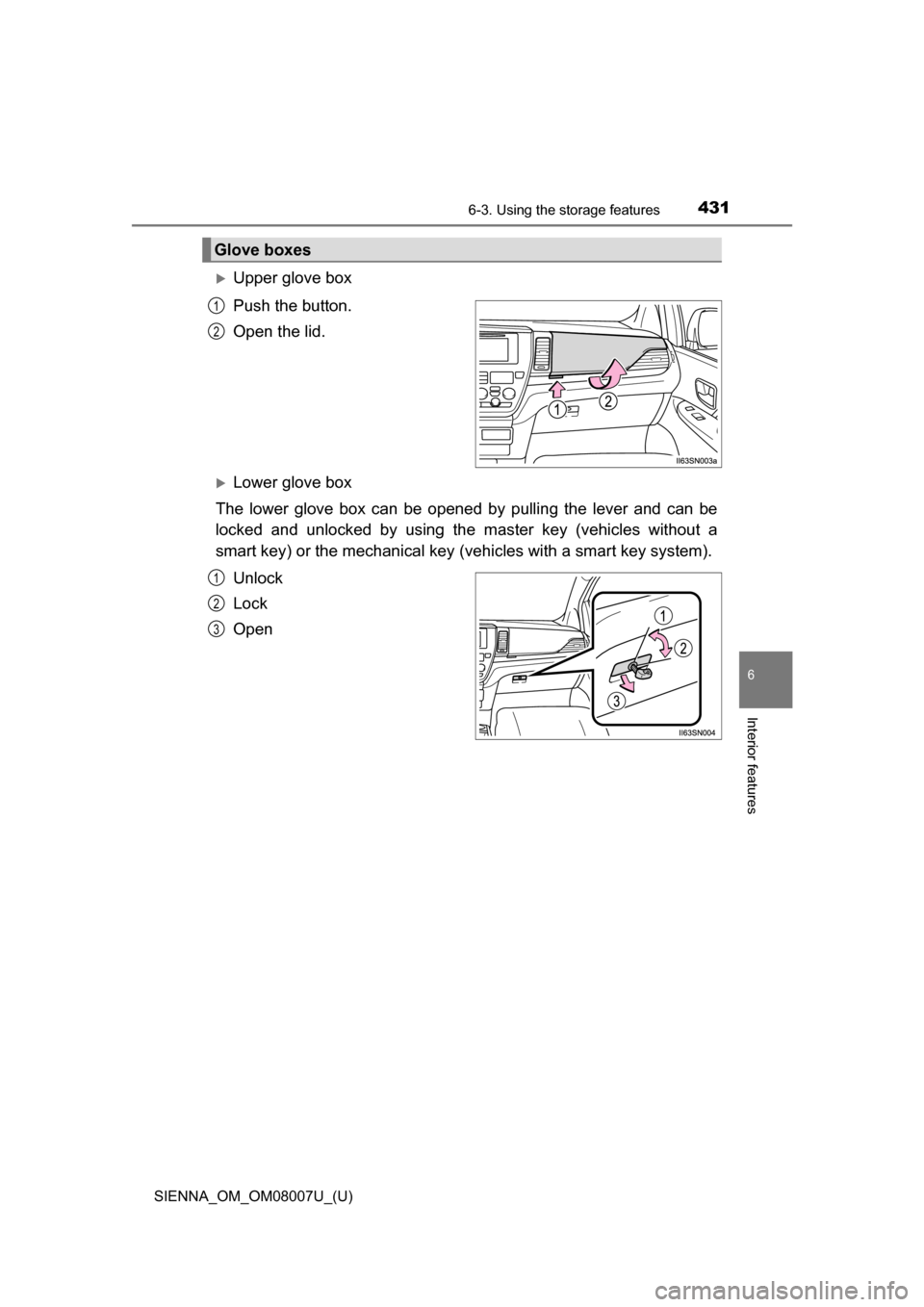
Upper glove box
Push the button.
Open the lid.
Lower glove box
The lower glove box can be opened by pulling the lever and can be
locked and unlocked by using th e master key (vehicles without a
smart key) or the mechanical key (vehicles with a smart key system).
Unlock
Lock
Open
Glove boxes
1
2
1
2
3
Page 433 of 672
SIENNA_OM_OM08007U_(U)
4336-3. Using the storage features
6
Interior features
WARNING
■Console box adjustment precaution (type B)
● Do not adjust the position of the console box while the vehicle is moving.
This may cause the driver to mishandle the vehicle and may lead to an
accident that results in death or serious injury.
● Be careful not to get hands or feet pinched between the console box and
the rear sliding console or rear seat.
● Be careful not to allow the console box to hit any passenger while adjust-
ing its position.
● After adjusting the console box, make sure it is securely locked in position.
Page 444 of 672
444
SIENNA_OM_OM08007U_(U)
6-4. Using the other interior features
Vehicles with an Entune Audio
P. 3 3 2
Vehicles with an Entune Audio
Plus or Entune Premium Audio
with Navigation
Refer to the “NAVIGATION AND
MULTIMEDIA SYSTEM
OWNER’S MANUAL”.
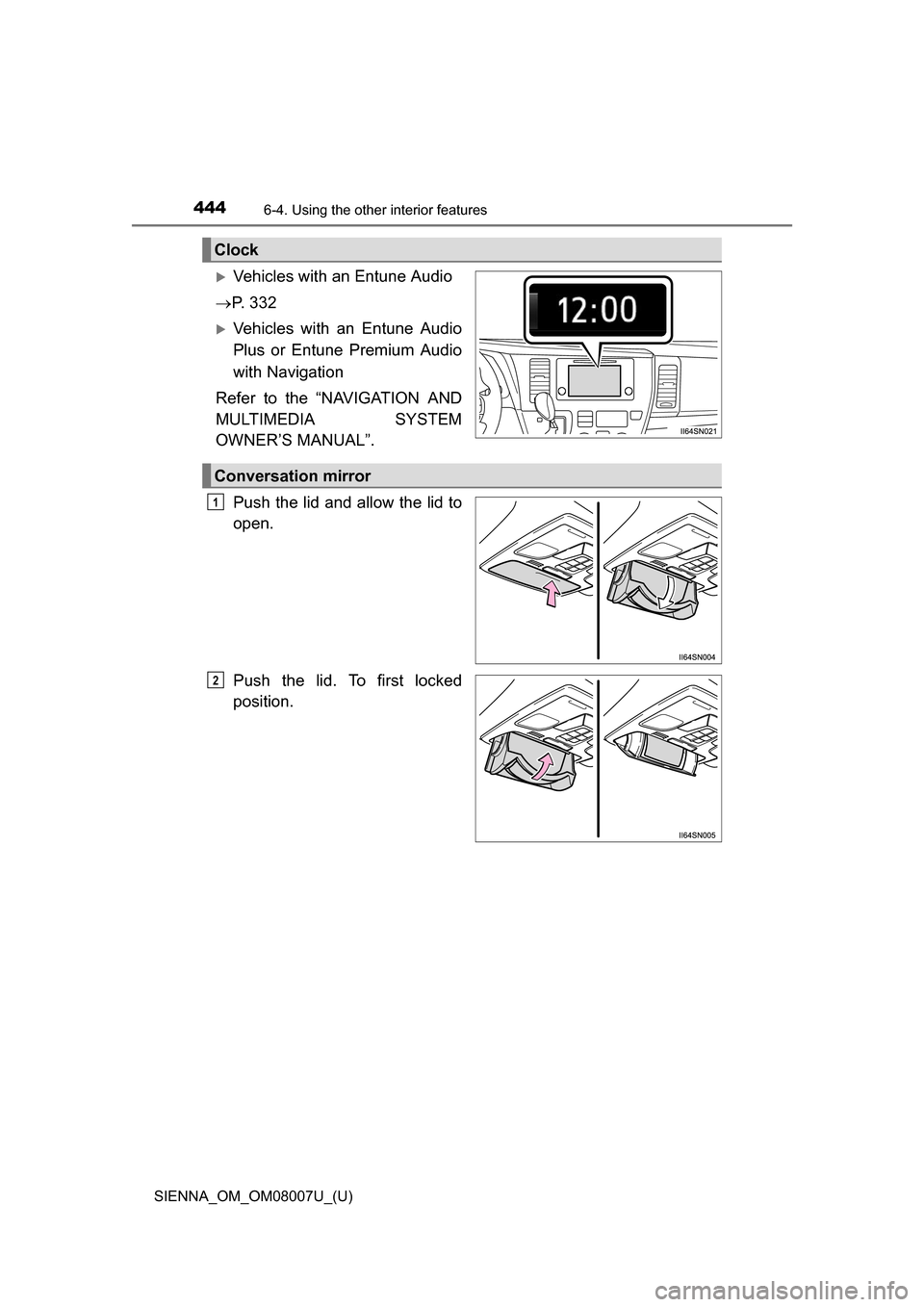
Push the lid and allow the lid to
open.
Push the lid. To first locked
position.
Clock
Conversation mirror
1
2
Page 452 of 672
452
SIENNA_OM_OM08007U_(U)
6-4. Using the other interior features
Garage door opener
The garage door opener (HomeLink® Universal Transceiver) is manu-
factured under license from HomeLink®.
The HomeLink
® compatible transceiver in your vehicle has 3 buttons
which can be programmed to operate 3 different devices. Refer to the
programming method below appropriate for the device.
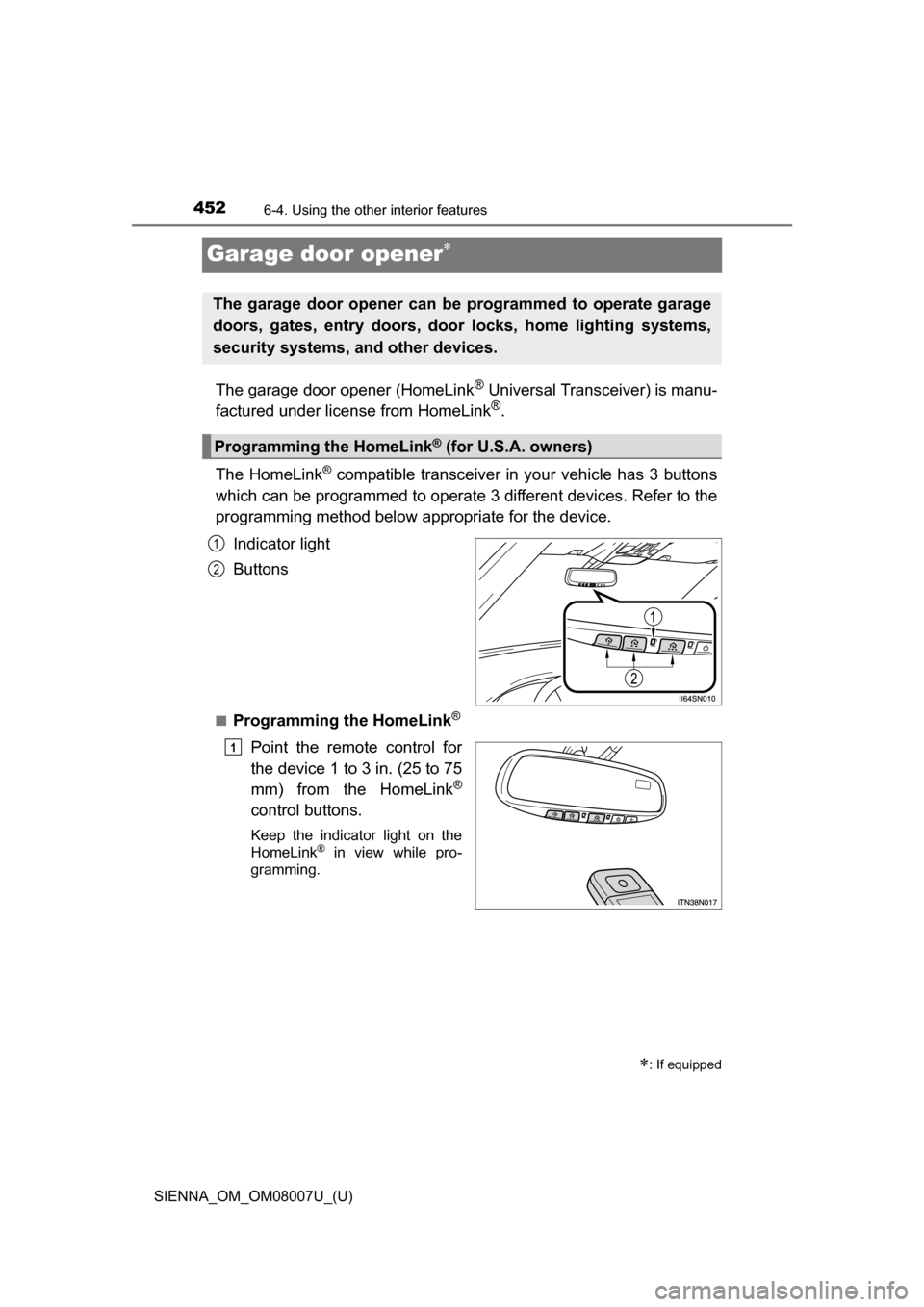
Indicator light
Buttons
■Programming the HomeLink®
Point the remote control for
the device 1 to 3 in. (25 to 75
mm) from the HomeLink
®
control buttons.
Keep the indicator light on the
HomeLink® in view while pro-
gramming.
: If equipped
The garage door opener can be programmed to operate garage
doors, gates, entry doors, door locks, home lighting systems,
security systems, and other devices.
Programming the HomeLink® (for U.S.A. owners)
1
2
1
Page 455 of 672
SIENNA_OM_OM08007U_(U)
4556-4. Using the other interior features
6
Interior features
■Programming other devices
To program other devices such as home security systems, home
door locks or lighting, contact your authorized Toyota dealer for
assistance.
■Reprogramming a button
The individual HomeLink
® buttons cannot be erased but can be
reprogrammed. To reprogram a button, follow the programming
instructions.
Press the appropriate HomeLink
® button. The HomeLink® indicator
light on the HomeLink® transceiver should turn on.
The HomeLink® continues to send a signal for up to 20 seconds as long as
the button is pressed.
Press and hold the desired HomeLink® button. After 20 seconds, the
HomeLink® indicator light will start flashing slowly. Keep pressing the
HomeLink® button and press and hold the transmitter button until the
HomeLink® indicator light changes from a slow to a rapid flash.
Release the buttons.
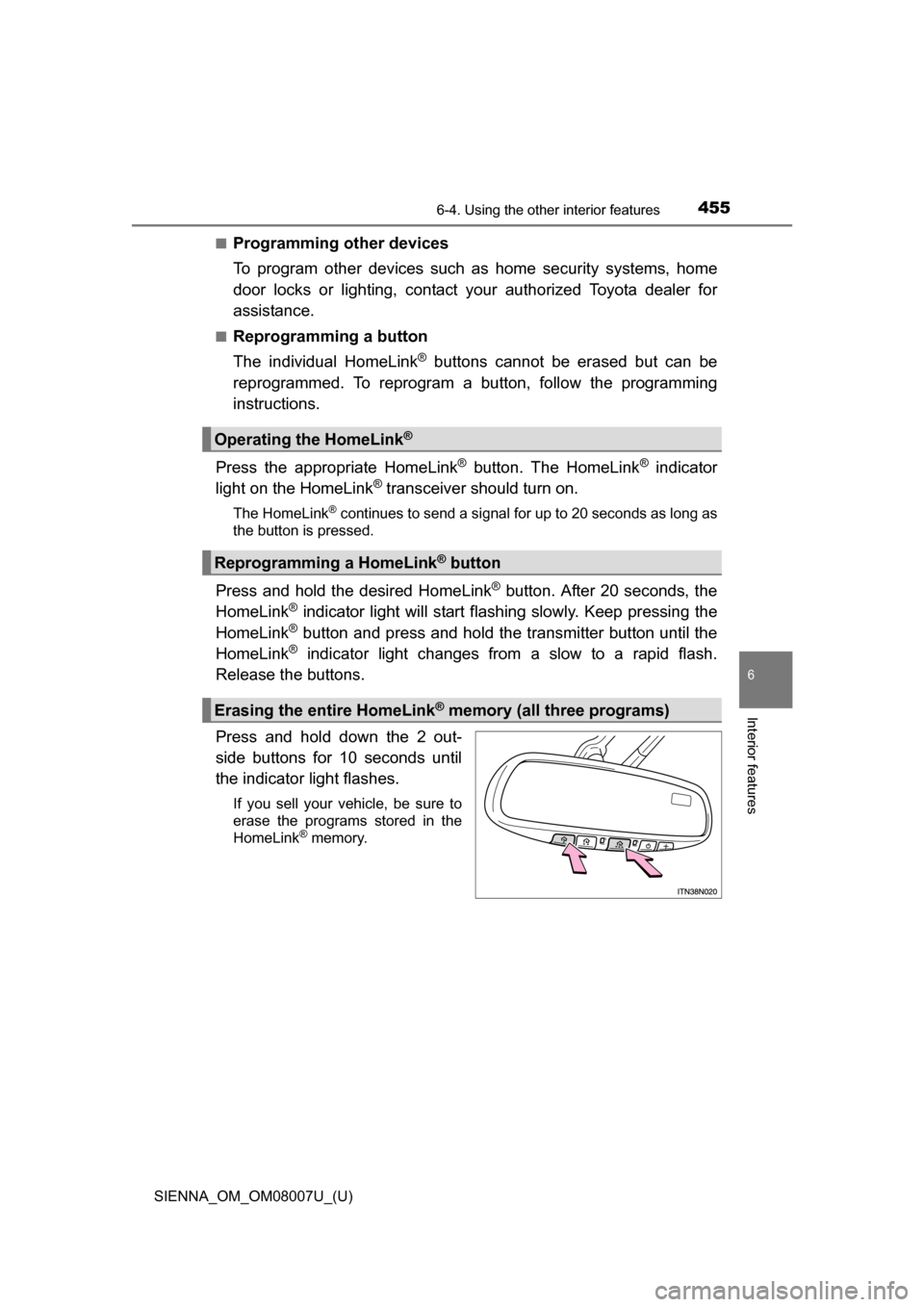
Press and hold down the 2 out-
side buttons for 10 seconds until
the indicator light flashes.
If you sell your vehicle, be sure to
erase the programs stored in the
HomeLink
® memory.
Operating the HomeLink®
Reprogramming a HomeLink® button
Erasing the entire HomeLink® memory (all three programs)
Page 459 of 672
SIENNA_OM_OM08007U_(U)
4596-4. Using the other interior features
6
Interior features
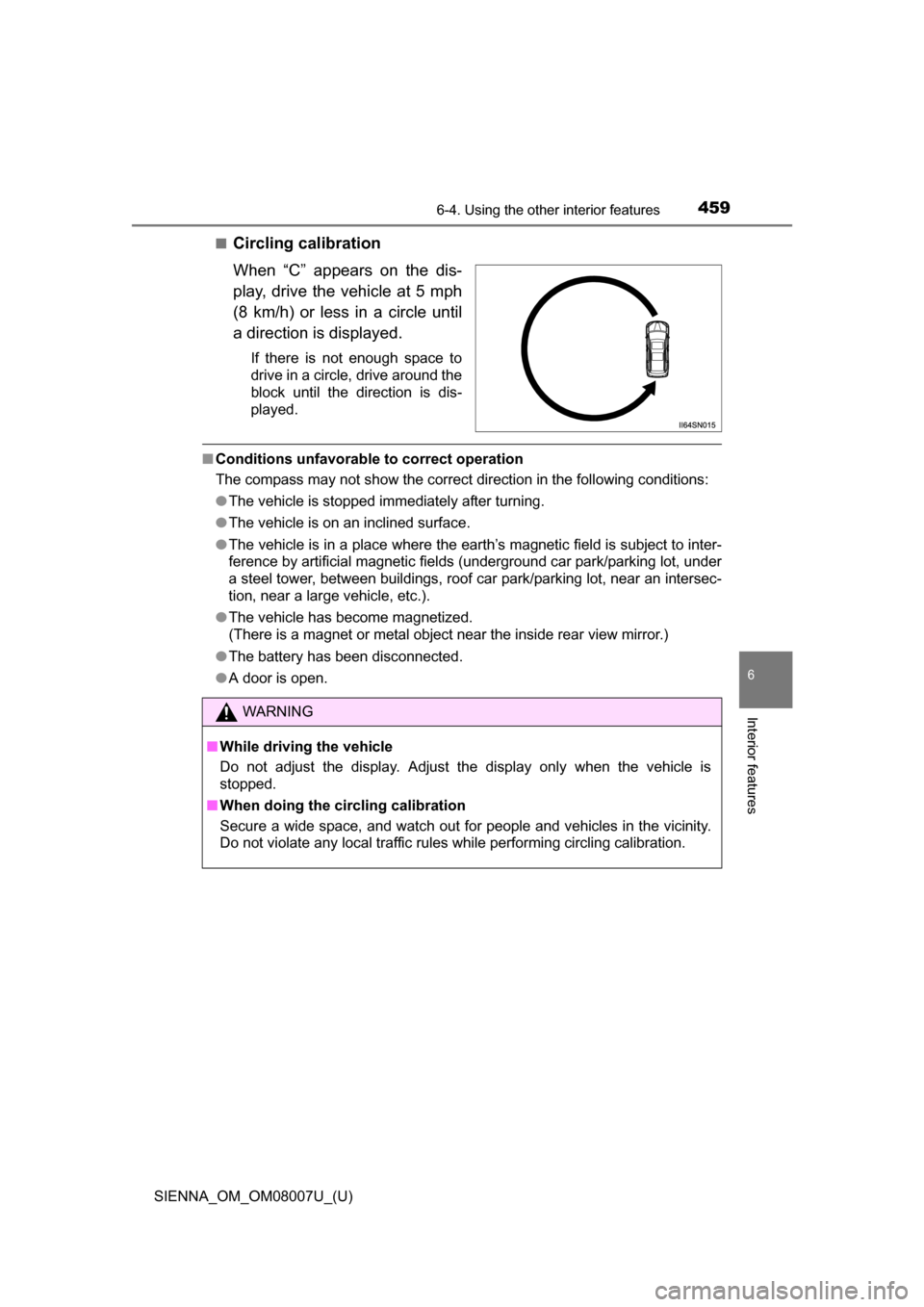
■Circling calibration
When “C” appears on the dis-
play, drive the vehicle at 5 mph
(8 km/h) or less in a circle until
a direction is displayed.
If there is not enough space to
drive in a circle, drive around the
block until the direction is dis-
played.
■Conditions unfavorable to correct operation
The compass may not show the correct direction in the following conditions:
●The vehicle is stopped immediately after turning.
● The vehicle is on an inclined surface.
● The vehicle is in a place where the earth’s magnetic field is subject to inter-
ference by artificial magnetic fiel ds (underground car park/parking lot, under
a steel tower, between buildings, roof car park/parking lot, near an intersec-
tion, near a large vehicle, etc.).
● The vehicle has become magnetized.
(There is a magnet or metal object near the inside rear view mirror.)
● The battery has been disconnected.
● A door is open.
WARNING
■ While driving the vehicle
Do not adjust the display. Adjust the display only when the vehicle is
stopped.
■ When doing the circling calibration
Secure a wide space, and watch out for people and vehicles in the vicinity.
Do not violate any local traffic rules while performing circling calibration.