2017 TOYOTA SIENNA lock
[x] Cancel search: lockPage 299 of 672
SIENNA_OM_OM08007U_(U)
2994-5. Using the driving support systems
4
Driving
■Turning off both TRAC and VSC systems
To turn the TRAC and VSC systems off, press and hold for more than 3
seconds while the vehicle is stopped.
The VSC OFF indicator light will come on and the “Traction Control OFF”/
“TRAC OFF” will be shown on the multi-information display.
Press again to turn the systems back on.
■ When the message is displayed on th e multi-information display show-
ing that TRAC has been disable d even if has not been pressed
TRAC and hill-start assist control (if equipped) cannot be operated. Contact
your Toyota dealer.
■ Sounds and vibrations caused by ABS, brake assist, TRAC, VSC and
hill-start assist contro l (if equipped) systems
● A sound may be heard from the engine compartment when the brake pedal
is depressed repeatedly, when the engine is started or just after the vehicle
begins to move. This sound does not indicate that a malfunction has
occurred in any of these systems.
● Any of the following conditions may occur when the above systems are
operating. None of these indicates that a malfunction has occurred.
• Vibrations may be felt through the vehicle body and steering.
• A motor sound may be heard after the vehicle comes to a stop.
• The brake pedal may pulsate slightly after ABS is activated.
• The brake pedal may move down slightly after ABS is activated.
■ EPS operation sound
When the steering wheel is operated, a motor sound (whirring sound) may be
heard. This does not indicate a malfunction.
■ Automatic reactivation of TRAC and VSC systems
After turning the TRAC and VSC systems off, the systems will be automati-
cally re-enabled in the following situations:
● When the engine switch is turned to the “LOCK” position (vehicles without a
smart key system) or off (vehicles with a smart key system).
● If only the TRAC system is turned off, the TRAC will turn on when vehicle
speed increases
If both the TRAC and VSC systems are turned off, automatic re-enabling will
not occur when vehicle speed increases.
Page 305 of 672

SIENNA_OM_OM08007U_(U)
3054-5. Using the driving support systems
4
Driving
■Conditions that may trigger the system even if there is no possibility of a
collision
In any of the following situations where the frontal area of the radar sensor is
interrupted, the radar sensor may detect possibility of a frontal collision and
the system may be activated.
●When passing by an oncoming vehicle in a curve or a turn to the right or the
left.
● When rapidly approaching an obstacle ahead (e.g. preceding vehicle, toll
gate barrier, etc.)
● When there is a structural object (billboard, low ceiling, fluorescent light,
etc.) above the uphill road ahead
● When driving on a narrow road or through under a low overhead structure
(bridge, tunnel, fly-under, etc.)
● When driving on an uneven road surface
● When there is a metal object, bump, or protrusion on the road surface
● When vehicle’s front part is raised or lowered depending on loading condi-
tions
● When the direction of radar sensor is misaligned by strong impact applied
on an area around the radar sensor, etc.
● When there is an obstacle (guard rail, etc.) by the roadside at the entrance
to a curve
● When the front of your vehicle is pointing upwards (caused by towing a
trailer, during emergency towing or putting a heavy load in the luggage com-
partment etc.)
When the system is activated in the situations described above, there is also
a possibility that the seat belts will retract quickly and the brakes may be
applied with a force greater than normal. When the seat belt is locked in the
retracted position, stop the vehicle in a safe place, release the seat belt and
refasten it.
■ Obstacles not detected
The sensor cannot detect plastic obstacles such as traffic cones. There may
also be occasions when the radar sens or cannot detect pedestrians, animals,
bicycles, motorcycles, trees, or snowdrifts.
■ Situations in which the pre-collis ion system does not function properly
The system may not function effectively in situations such as the following:
● On roads with sharp bends or uneven surfaces
● If a vehicle suddenly moves in front of your vehicle, such as at an intersec-
tion
● If a vehicle suddenly cuts in front of your vehicle, such as when overtaking
● In inclement weather such as heavy rain, fog, snow or sand storms
● When your vehicle is skidding with the VSC system off
● When the axis of the radar is out of adjustment
● When an extreme change in vehicle height occurs
Page 318 of 672
318
SIENNA_OM_OM08007U_(U)
4-6. Driving tips
Accelerate the vehicle slowly, keep a safe distance between you and
the vehicle ahead, and drive at a reduced speed suitable to road con-
ditions.
●Park the vehicle and move the shift lever to P without setting the
parking brake. The parking brake may freeze up, preventing it from
being released. If the vehicle is parked without setting the parking
brake, make sure block the wheels.
Failure to do so may be dangerous because it may cause the vehi-
cle to move unexpectedly, pos sibly leading to an accident.
● If the vehicle is parked without setting the parking brake, confirm
that the shift lever cannot be moved out of P
*.
*: The shift lever will be locked if it is attempted to be shifted from P to any
other position without depressing the brake pedal. If the shift lever can be
shifted from P, there may be a problem with the shift lock system. Have the
vehicle inspected by your Toyota dealer immediately.
Use the tire chains of correct size and type.
Use SAE Class “S” type radial tire chains, with the exception of radial
cable chains or V-bar type chains.
Regulations regarding the use of tire chains vary depending on loca-
tion and type of road. Al ways check local regulations before installing
chains.
■ Tire chain installation
Observe the following precautions when installing and removing chains.
●Install and remove tire chains in a safe location.
● Install tire chains on the front tires only. Do not install tire chains on the rear
tires.
● Install tire chains on front tires as tightly as possible. Retighten chains after
driving 1/4 - 1/2 mile (0.5 - 1.0 km).
● Install tire chains following the instructions provided with the tire chains.
When driving the vehicle
When parking the vehicle
Selecting tire chains
Regulations on the use of tire chains
Page 331 of 672
331
SIENNA_OM_OM08007U_(U)
5-2. Setup
5
Audio system
General settings
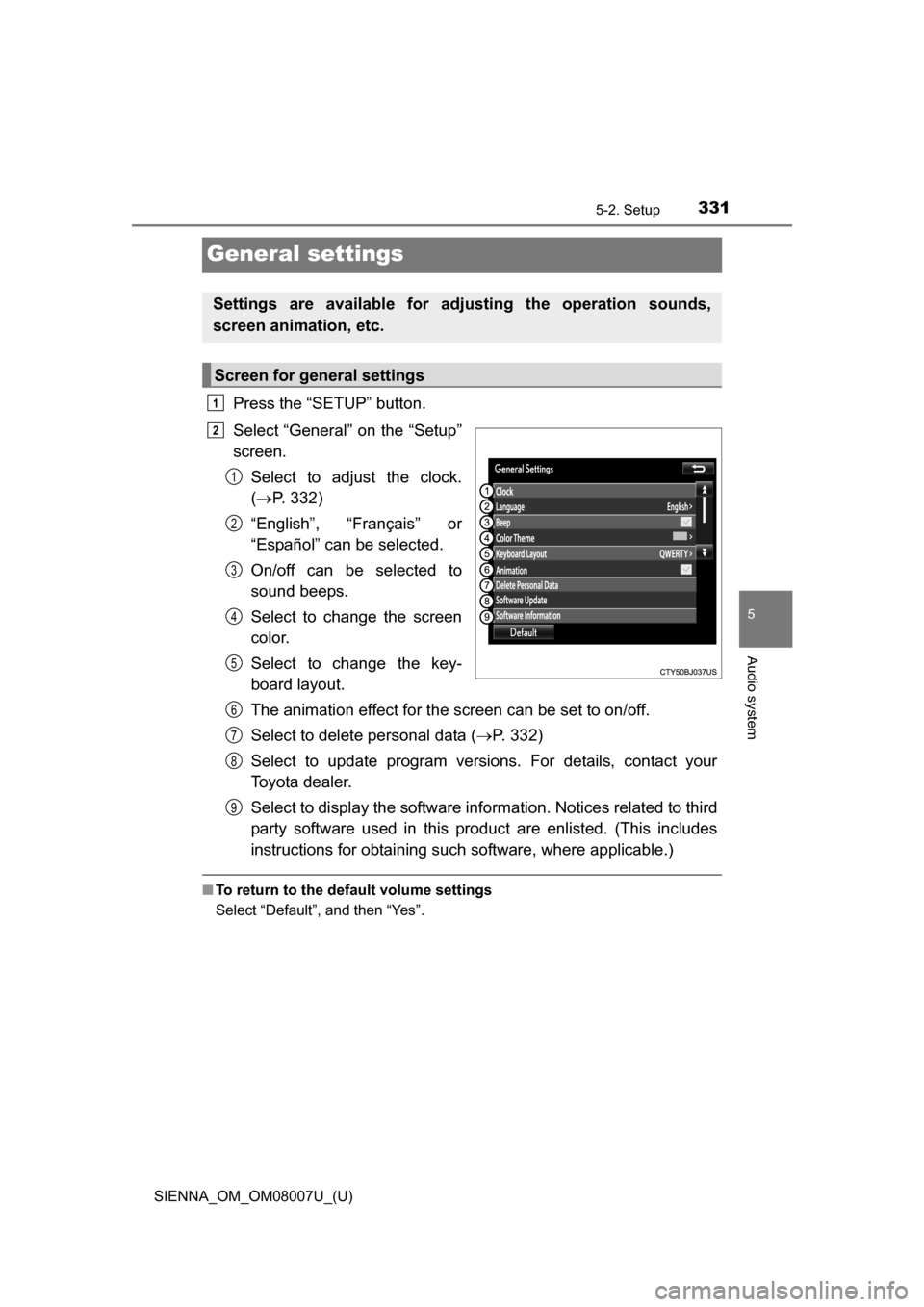
Press the “SETUP” button.
Select “General” on the “Setup”
screen.Select to adjust the clock.
( P. 332)
“English”, “Français” or
“Español” can be selected.
On/off can be selected to
sound beeps.
Select to change the screen
color.
Select to change the key-
board layout.
The animation effect for the screen can be set to on/off.
Select to delete personal data ( P. 332)
Select to update program versions. For details, contact your
Toyota dealer.
Select to display the software info rmation. Notices related to third
party software used in this pr oduct are enlisted. (This includes
instructions for obtaining such software, where applicable.)
■ To return to the default volume settings
Select “Default”, and then “Yes”.
Settings are available for adjusting the operation sounds,
screen animation, etc.
Screen for general settings
1
2
1
2
3
4
5
6
7
8
9
Page 332 of 672
3325-2. Setup
SIENNA_OM_OM08007U_(U)
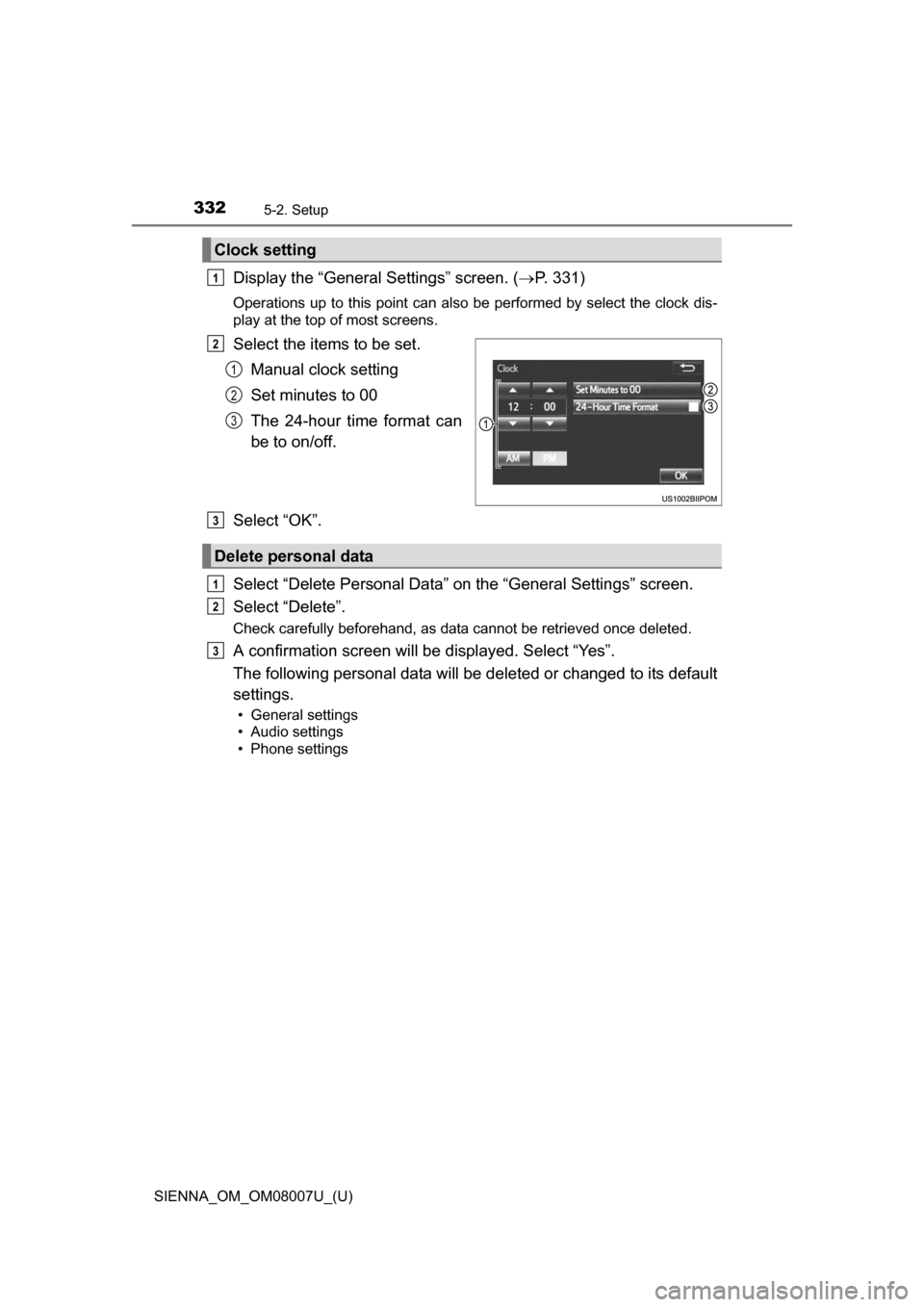
Display the “General Settings” screen. (P. 331)
Operations up to this point can also be performed by select the clock dis-
play at the top of most screens.
Select the items to be set.
Manual clock setting
Set minutes to 00
The 24-hour time format can
be to on/off.
Select “OK”.
Select “Delete Personal Data” on the “General Settings” screen.
Select “Delete”.
Check carefully beforehand, as data cannot be retrieved once deleted.
A confirmation screen will be displayed. Select “Yes”.
The following personal data will be deleted or changed to its default
settings.
• General settings
• Audio settings
• Phone settings
Clock setting
1
2
1
2
3
Delete personal data
3
1
2
3
Page 411 of 672
411
SIENNA_OM_OM08007U_(U)
6Interior features
6-1. Using the air conditioning system and defogger
Front automatic air conditioning system ........ 412
Rear automatic air conditioning system ........ 421
Heated steering wheel/seat heaters .......... 424
• Heated steering wheel ............................ 425
• Seat heaters ................. 426
6-2. Using the interior lights Interior lights list ................ 427• Personal/interior light
main switch ................... 428
• Personal/interior lights ............................. 428
• Rear ceiling lights ......... 429 6-3. Using the storage features
List of storage features ..... 430• Glove boxes .................. 431
• Console box .................. 432
• Cup holders .................. 434
• Bottle holders ................ 436
• Door pockets................. 437
• Auxiliary boxes.............. 438
Luggage compartment features ........................... 441
6-4. Using the other interior features
Other interior features ....... 443 • Sun visors ..................... 443
• Vanity mirrors................ 443
• Clock ............................. 444
• Conversation mirror ...... 444
• Power outlets ................ 445
• Armrests ....................... 448
• Assist grips ................... 449
• Rear side sunshades .... 450
• Grocery bag hooks ....... 451
Garage door opener.......... 452
Compass ........................... 457
Safety Connect ................. 461
Page 412 of 672
412
SIENNA_OM_OM08007U_(U)
6-1. Using the air conditioning system and defogger
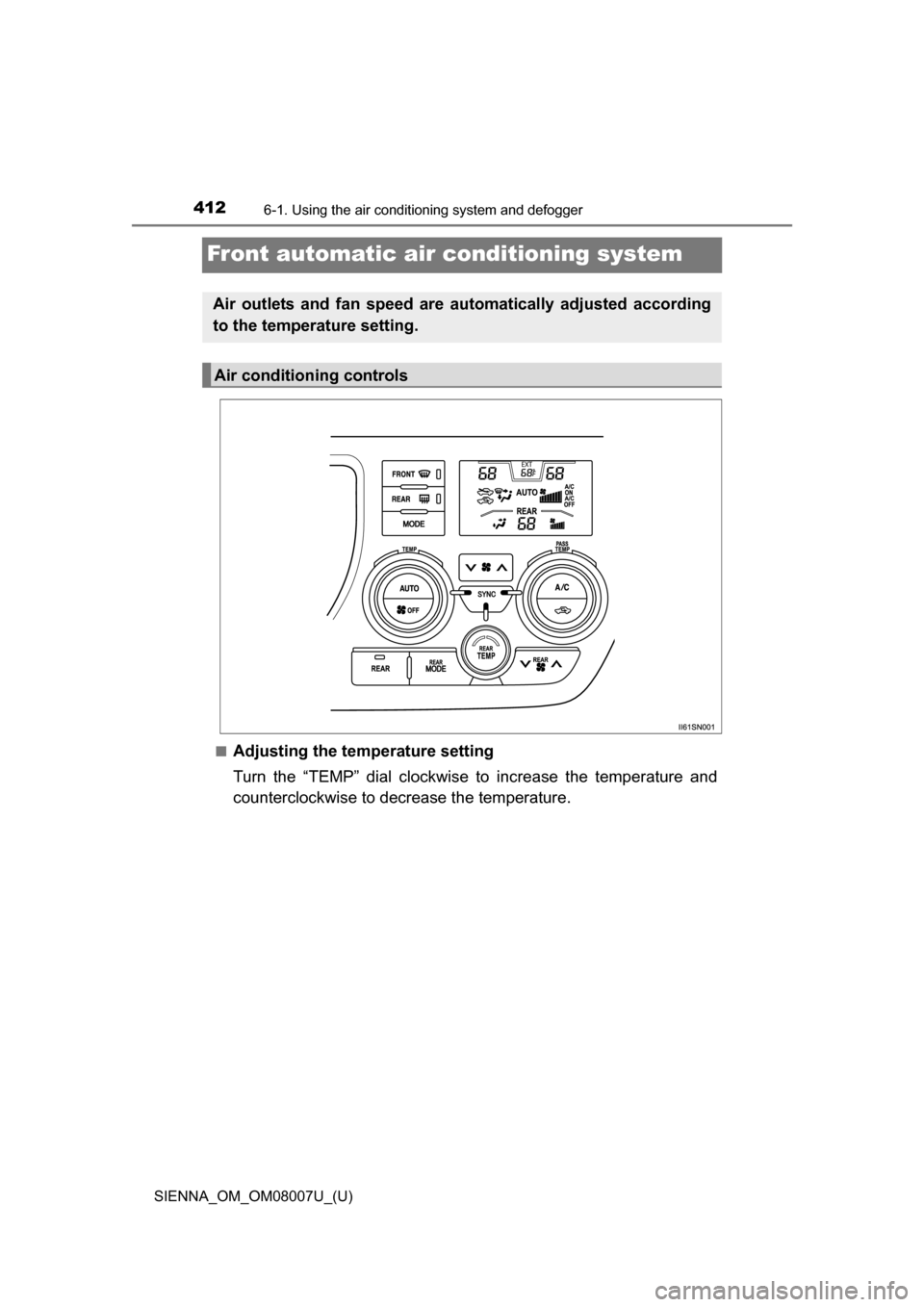
Front automatic air conditioning system
■Adjusting the temperature setting
Turn the “TEMP” dial clockwise to increase the temperature and
counterclockwise to decrease the temperature.
Air outlets and fan speed are automatically adjusted according
to the temperature setting.
Air conditioning controls
Page 415 of 672
SIENNA_OM_OM08007U_(U)
4156-1. Using the air conditioning system and defogger
6
Interior features
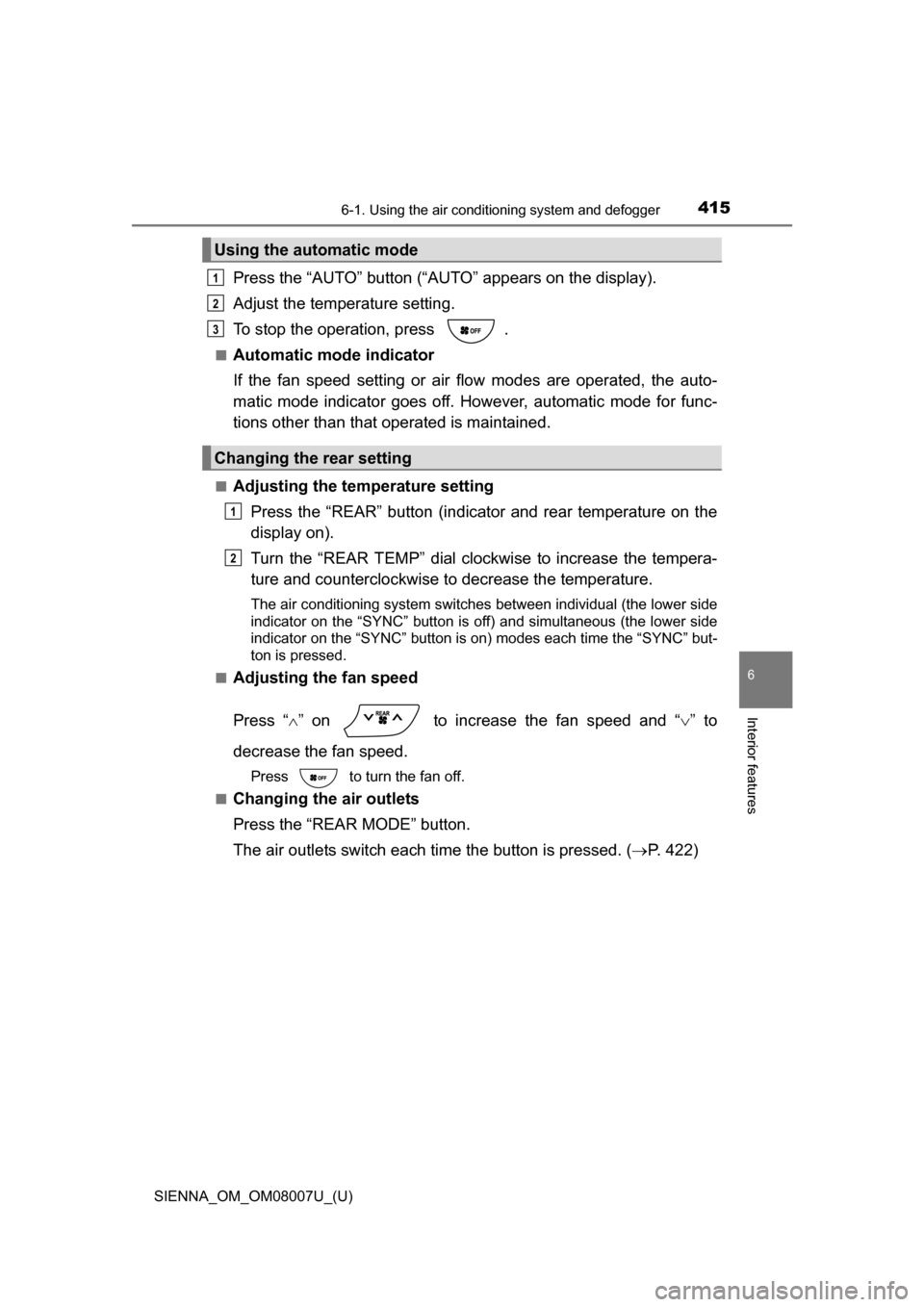
Press the “AUTO” button (“AUTO” appears on the display).
Adjust the temperature setting.
To stop the operation, press .
■Automatic mode indicator
If the fan speed setting or air fl ow modes are operated, the auto-
matic mode indicator goes off. However, automatic mode for func-
tions other than that operated is maintained.
■Adjusting the temperature setting
Press the “REAR” button (indicator and rear temperature on the
display on).
Turn the “REAR TEMP” dial clockwise to increase the tempera-
ture and counterclockwise to decrease the temperature.
The air conditioning system switches between individual (the lower side
indicator on the “SYNC” button is off) and simultaneous (the lower side
indicator on the “SYNC” button is on) modes each time the “SYNC” but-
ton is pressed.
■
Adjusting the fan speed
Press “ ” on to increase the fan speed and “ ” to
decrease the fan speed.
Press to turn the fan off.
■
Changing the air outlets
Press the “REAR MODE” button.
The air outlets switch each time the button is pressed. ( P. 422)
Using the automatic mode
Changing the rear setting
1
2
3
1
2