2017 TOYOTA RAV4 Eco
[x] Cancel search: EcoPage 310 of 741

310
RAV4_OM_OM0R005U_(U)
4-5. Using the driving support systems
■Turning off the TRAC/VSC/Trailer Sway Control systems
To turn the TRAC/VSC/Trailer Sway Control systems off, press and hold
for more than 3 seconds while the vehicle is stopped.
“Traction Control Turned Off” will be shown and the VSC OFF indicator light
will come on.
*
Press again to turn the systems back on.
*: On vehicles with pre-collision system, pre-collision brake assist and pre-
collision braking will also be disabled. The PCS warning light will come on
and the message will be shown on the multi-information display. ( →P. 239)
■ When the “AUTO LSD” indicator light flashes even if the VSC OFF
switch has not been pressed (2WD models)
TRAC, AUTO LSD and hill-start assist control cannot be operated. Contact
your Toyota dealer.
■ When the message is displayed on th e multi-information display show-
ing that TRAC has been disabled even if the VSC OFF switch has not
been pressed (AWD models)
TRAC and hill-start assist control cannot be operated. Contact your Toyota
dealer.
■ Sounds and vibrations caused by the ABS, brake assist, VSC/Trailer
Sway Control, TRAC and hill-start assist control systems
● A sound may be heard from the engine compartment when the brake pedal
is depressed repeatedly, when the engine is started or just after the vehicle
begins to move. This sound does not indicate that a malfunction has
occurred in any of these systems.
● Any of the following conditions may occur when the above systems are
operating. None of these indicates that a malfunction has occurred.
• Vibrations may be felt through the vehicle body and steering.
• A motor sound may be heard after the vehicle comes to a stop.
• The brake pedal may pulsate slightly after the ABS is activated.
• The brake pedal may move down slightly after the ABS is activated.
■ EPS operation sound
When the steering wheel is operated, a motor sound (whirring sound) may be
heard. This does not indicate a malfunction.
■ Automatic reactivation of TRAC an d VSC/Trailer Sway Control systems
After turning the TRAC and VSC/Trailer Sway Control systems off, the sys-
tems will be automatically re-enabled in the following situations:
● When the engine switch is turned to the “LOCK” position (vehicles without
smart key system) or off (vehicles with smart key system).
● If only the TRAC system is turned off, the TRAC will turn on when vehicle
speed increases.
If both the TRAC and VSC/Trailer Sway Control systems are turned off,
automatic re-enabling will not occur when vehicle speed increases.
Page 311 of 741

RAV4_OM_OM0R005U_(U)
3114-5. Using the driving support systems
4
Driving
■Reduced effectiveness of the EPS system
The effectiveness of the EPS system is reduced to prevent the system from
overheating when there is frequent steering input over an extended period of
time. The steering wheel may feel heavy as a result. Should this occur, refrain
from excessive steering input or stop the vehicle and turn the engine of\
f. The
EPS system should return to normal within 10 minutes.
■ Operating conditions of hill-start assist control
When the following four conditions are met, the hill-start assist control will
operate:
● The shift lever is in a position other than P or N (when starting off forward/
backward on an upward incline).
● The vehicle is stopped.
● The accelerator pedal is not depressed.
● The parking brake is not applied.
■ Automatic system cancelation of hill-start assist control
The hill-start assist control will turn off in any of the following situations:
● The shift lever is shifted to P or N.
● The accelerator pedal is depressed.
● The parking brake is applied.
● Approximately 2 seconds elapse after the brake pedal is released.
Page 313 of 741
RAV4_OM_OM0R005U_(U)
3134-5. Using the driving support systems
4
Driving
WARNING
■Replacing tires
Make sure that all tires are of the specified size, brand, tread pattern and
total load capacity. In addition, make sure that the tires are inflated to the
recommended tire inflation pressure level.
The ABS, TRAC and VSC/Trailer Sway Control systems will not function
correctly if different tires are installed on the vehicle.
Contact your Toyota dealer for further information when replacing tires or
wheels.
■ Handling of tires and the suspension
Using tires with any kind of problem or modifying the suspension will affect
the driving assist systems, and may cause a system to malfunction.
■ Trailer Sway Control precaution
The Trailer Sway Control system is not able to reduce trailer sway in all situ-
ations. Depending on many factors such as the conditions of the vehicle,
trailer, road surface, and driving environment, the Trailer Sway Control sys-
tem may not be effective. Refer to your trailer owner’ manual for information
on how to tow your trailer properly.
■ If trailer sway occurs
Observe the following precautions.
Failing to do so may cause death or serious injury.
● Firmly grip the steering wheel. Steer straight ahead.
Do not try to control trailer swaying by turning the steering wheel.
● Begin releasing the accelerator pedal immediately but very gradually to
reduce speed.
Do not increase speed. Do not apply vehicle brakes.
If you make no extreme correction with the steering or brakes, your vehicle
and trailer should stabilize. (→P. 192)
Page 317 of 741
316
RAV4_OM_OM0R005U_(U)
4-6. Driving tips
■Tire chain installation
Observe the following precautions when installing and removing chains:
●Install and remove tire chains in a safe location.
● Install tire chains on the front tires only. Do not install tire chains on the rear
tires.
● Install tire chains on front tires as tightly as possible. Retighten chains after
driving 1/4 - 1/2 mile (0.5 - 1.0 km).
● Install tire chains following the instructions provided with the tire chains.
WARNING
■ Driving with snow tires
Observe the following precautions to reduce the risk of accidents.
Failure to do so may result in a loss of vehicle control and cause death or
serious injury.
● Use tires of the specified size.
● Maintain the recommended level of air pressure.
● Do not drive in excess of 75 mph (120 km/h), regardless of the type of
snow tires being used.
● Use snow tires on all, not just some wheels.
■ Driving with tire chains
Observe the following precautions to reduce the risk of accidents.
Failure to do so may result in the vehicle being unable to be driven safely,
and may cause death or serious injury.
● Do not drive in excess of the speed limit specified for the tire chains being
used, or 30 mph (50 km/h), whichever is lower.
● Avoid driving on bumpy road surfaces or over potholes.
● Avoid sudden acceleration, abrupt steering, sudden braking and shifting
operations that cause sudden engine braking.
● Slow down sufficiently before entering a curve to ensure that vehicle con-
trol is maintained.
● Do not use LDA (Lane Departure Alert with steering control) system (if
equipped).
Page 336 of 741
RAV4_OM_OM0R005U_(U)
3355-3. Using the radio
5
Audio system
■Scanning the preset radio stationsPress and hold the “SCAN” button until you hear a beep.
Preset stations will be played for 5 seconds each.
To cancel, press the button again.
When the desired station is reached, press the button again.
■Scanning all the radio stations within rangePress the “SCAN” button.
All the stations with reception will be played for 5 seconds each.
To cancel, press the button again.
When the desired station is reached, press the button again.
Press the “TEXT” button to display or hide the radio texts.
If there are continuing texts, is displayed.
Press the button to display the remaining texts.
■ When the battery is disconnected
Stations presets are erased.
■ Reception sensitivity
●Maintaining perfect radio reception at all times is difficult due to the continu-
ally changing position of the antenna, differences in signal strength and sur-
rounding objects, such as trains, transmitters, etc.
● The radio antenna is mounted on the roof.
Scanning radio stations
Switching the display
1
2
1
2
Page 338 of 741
RAV4_OM_OM0R005U_(U)
3375-4. Playing an audio CD and MP3/WMA discs
5
Audio system
■Selecting a track from a track listPress the “TUNE•SCROLL” knob.
The track list will be displayed.
Turn and press the knob to select a track.
To return to the previous display, press (BACK).
■
Scanning tracks
Press the “SCAN” button.
The first 10 seconds of each track will be played.
To cancel, press the button again.
Press the button again when th e desired track is reached.
■Fast-forwarding and rewinding tracks
Press ( ) or ( ).
■Random play
Press (RDM).
To cancel, press (RDM) again.
■
Repeat play
Press (RPT).
To cancel, press (RPT) again.
■
Playing and pausing tracks
Press ( ).
■Switching the display
Press the “TEXT” button to display or hide the CD title.
If there are continuing texts, is displayed.
Press and hold the button to display the remaining texts.
1
2
1
2
Page 339 of 741
338
RAV4_OM_OM0R005U_(U)
5-4. Playing an audio CD and MP3/WMA discs
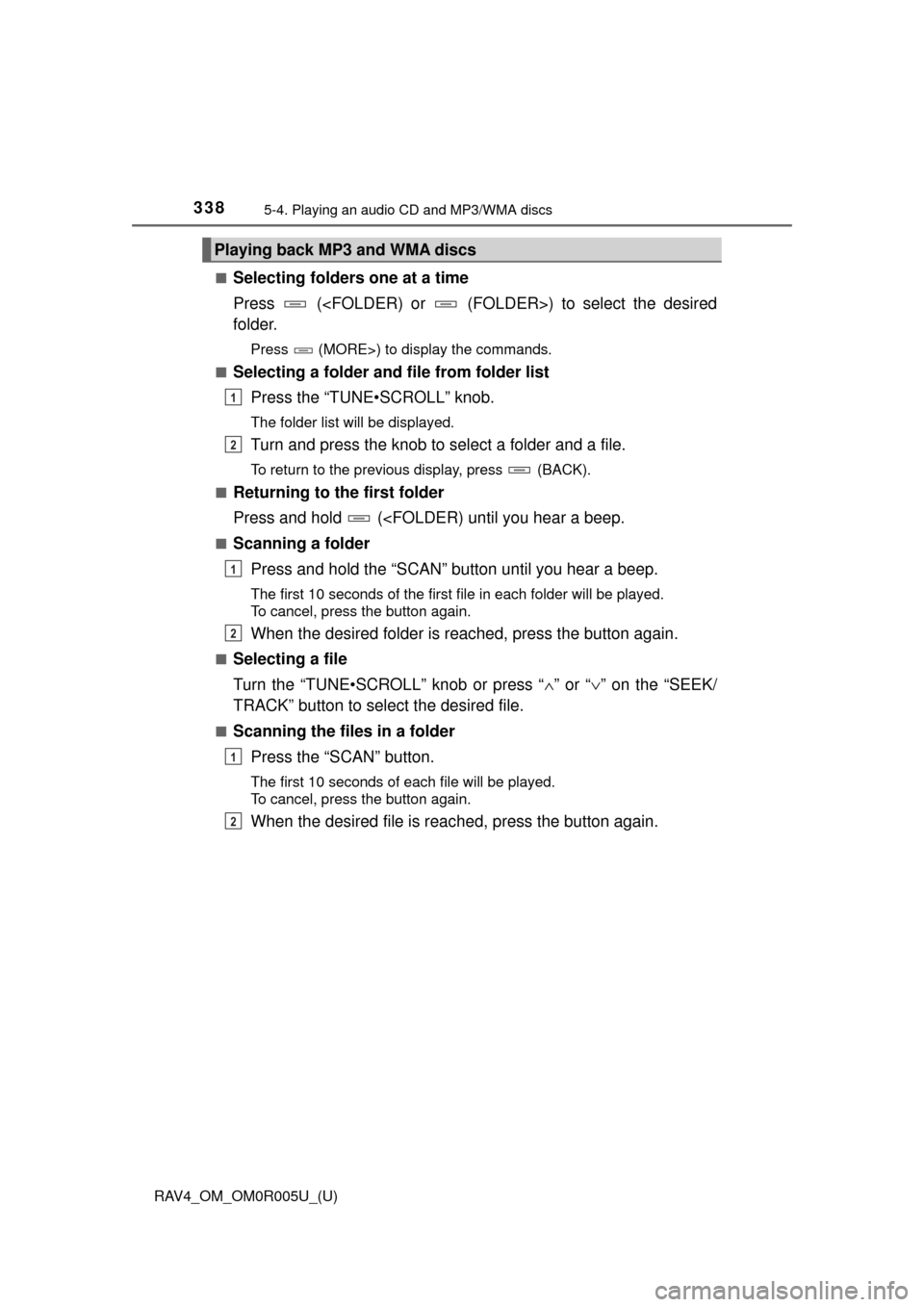
■Selecting folders one at a time
Press (
folder.
Press (MORE>) to display the commands.
■
Selecting a folder and file from folder list
Press the “TUNE•SCROLL” knob.
The folder list will be displayed.
Turn and press the knob to select a folder and a file.
To return to the previous display, press (BACK).
■
Returning to the first folder
Press and hold (
Press and hold the “SCAN” button until you hear a beep.
The first 10 seconds of the first file in each folder will be played.
To cancel, press the button again.
When the desired folder is reac hed, press the button again.
■Selecting a file
Turn the “TUNE•SCROLL” knob or press “ ∧” or “ ∨” on the “SEEK/
TRACK” button to select the desired file.
■Scanning the files in a folder
Press the “SCAN” button.
The first 10 seconds of each file will be played.
To cancel, press the button again.
When the desired file is reac hed, press the button again.
Playing back MP3 and WMA discs
1
2
1
2
1
2
Page 341 of 741
340
RAV4_OM_OM0R005U_(U)
5-4. Playing an audio CD and MP3/WMA discs
■Display
Depending on the contents recorded, the characters may not be displayed
properly or may not be displayed at all.
■ Error messages
If an error message is displayed, refer to the following table and take the
appropriate measures. If the problem is not rectified, take the vehicle to your
Toyota dealer.
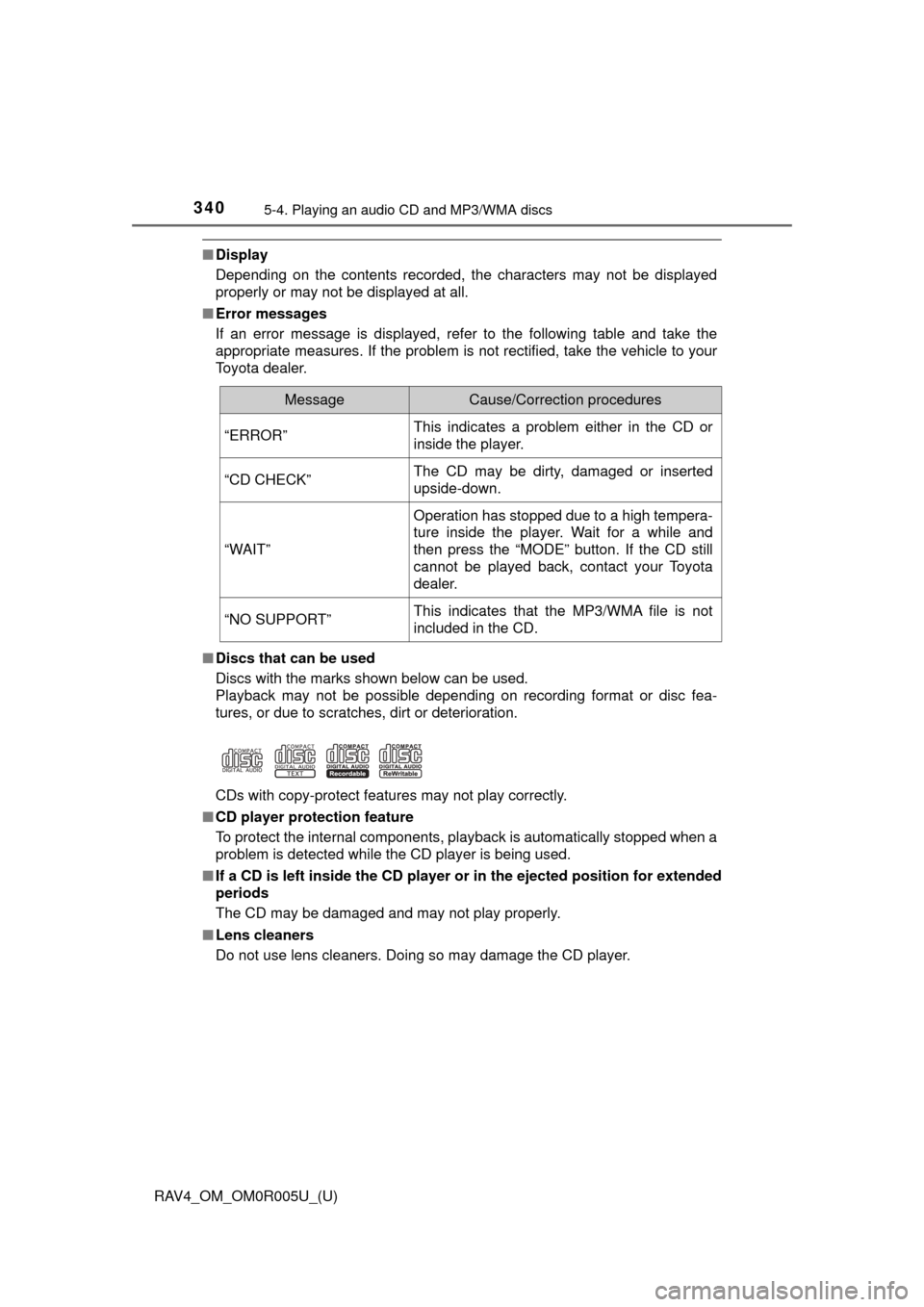
■ Discs that can be used
Discs with the marks shown below can be used.
Playback may not be possible depending on recording format or disc fea-
tures, or due to scratches, dirt or deterioration.
CDs with copy-protect features may not play correctly.
■ CD player protection feature
To protect the internal components, playback is automatically stopped when a
problem is detected while the CD player is being used.
■ If a CD is left inside the CD player or in the ejected position for extended
periods
The CD may be damaged and may not play properly.
■ Lens cleaners
Do not use lens cleaners. Doing so may damage the CD player.
MessageCause/Correction procedures
“ERROR”This indicates a problem either in the CD or
inside the player.
“CD CHECK”The CD may be dirty, damaged or inserted
upside-down.
“WAIT”
Operation has stopped due to a high tempera-
ture inside the player. Wait for a while and
then press the “MODE” button. If the CD still
cannot be played back, contact your Toyota
dealer.
“NO SUPPORT”This indicates that the MP3/WMA file is not
included in the CD.