Page 175 of 784

PRIUS PRIME_OM_OM47A88U_(U)
1752-2. Charging
2
Plug-in hybrid system
When the hybrid system is started
after charging, a message is dis-
played in the multi-information dis-
play.
When this occurs, follow the
instructions displayed on the
screen.
When charging-related message is displayed
Likely causeCorrection procedure
If “Charging Stopped Connect Plug to Charge” is shown
Charging connector is not securely
connected
Check the connection status of the
charging connector.
If charging cannot be carried out,
even though the proper procedures
were followed, have the vehicle
inspected by your Toyota dealer.
Latch release button of charging
connector was pressed while
chargingWhen the latch release button is
pressed while charging, charging
stops. To continue charging, recon-
nect the charging connector.
If “Charging Complete Limited Due to Battery Temp” is shown
Charging was stopped to protect the
hybrid battery (traction battery) as it
continued to remain hot for a certain
period of time.Allow the hybrid battery (traction
battery) to cool down and perform
charging again if the charging
amount has not reached the desired
amount.
Page 179 of 784
179
PRIUS PRIME_OM_OM47A88U_(U)
Instrument cluster3
3. Instrument clusterCombination meter............ 180
Warning lights and indicators ........................ 188
Main display ...................... 196
Multi-information display ... 205
Head-up display ................ 238
Energy monitor/ consumption screen/
detail screen (vehicles
with 7-inch display) ......... 246
Energy monitor/ consumption screen/
detail screen (vehicles
with 11.6-inch display) .... 252
Page 180 of 784

180
PRIUS PRIME_OM_OM47A88U_(U)
3. Instrument cluster
Combination meter
The units used on the display may differ depending on the target region.
Main display (→P. 196)
The main display shows basic information related to driving, such as the
vehicle speed and remaining fuel amount.
Multi-information display ( →P. 205)
The multi-information display shows information which makes the vehicle
convenient-to-use, such as the hybrid system operation condition, electric-
ity consumption and fuel consumption history. Also, the operation contents
of the driving support systems and the combination meter display settings
can be changed by switching to the settings screen.
Warning lights and indicators (→ P. 188)
The warning lights and indicators comes on or flashes to indicate problems
with the vehicle or to show the operation status of the vehicle’s systems.
Clock (→P. 185)
The large meter uses 2 liquid crys tal displays to display informa-
tion such as the vehicle condition , driving status, electricity con-
sumption and fuel consumption.
Combination meter layout
1
2
3
4
Page 183 of 784
PRIUS PRIME_OM_OM47A88U_(U)
1833. Instrument cluster
3
Instrument cluster
Some information will be displayed automatically according to power
switch operation, vehicle condition, etc.
■When starting the hybrid system
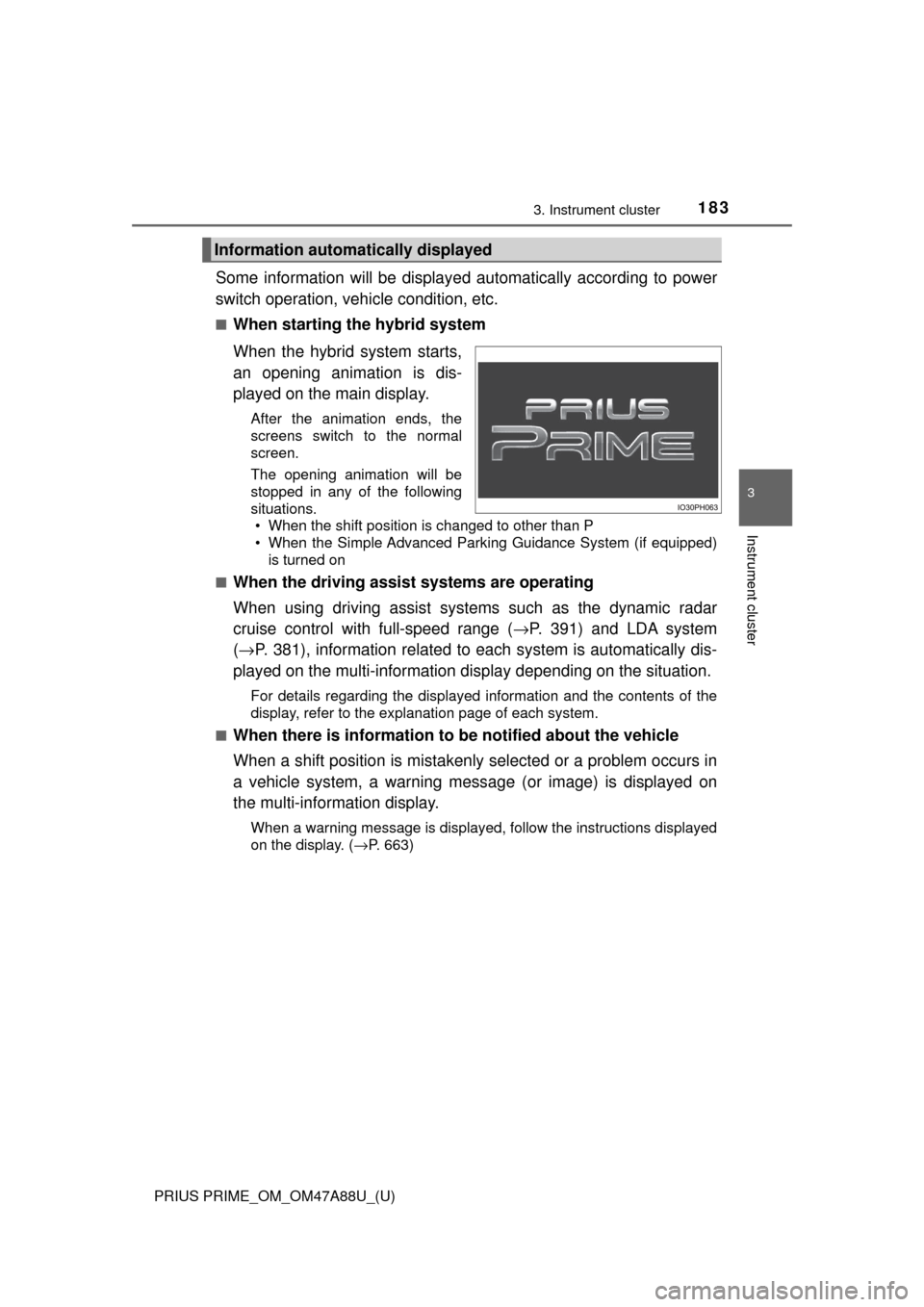
When the hybrid system starts,
an opening animation is dis-
played on the main display.
After the animation ends, the
screens switch to the normal
screen.
The opening animation will be
stopped in any of the following
situations. • When the shift position is changed to other than P
• When the Simple Advanced Parking Guidance System (if equipped)
is turned on
■
When the driving assist systems are operating
When using driving assist systems such as the dynamic radar
cruise control with full-speed range ( →P. 391) and LDA system
( → P. 381), information related to each system is automatically dis-
played on the multi-information display depending on the situation.
For details regarding the displayed information and the contents of the
display, refer to the explanation page of each system.
■
When there is information to be notified about the vehicle
When a shift position is mistakenly selected or a problem occurs in
a vehicle system, a warning mess age (or image) is displayed on
the multi-information display.
When a warning message is displayed, follow the instructions displayed
on the display. ( →P. 663)
Information automatically displayed
Page 184 of 784
184
PRIUS PRIME_OM_OM47A88U_(U)
3. Instrument cluster
■When stopping the hybrid system
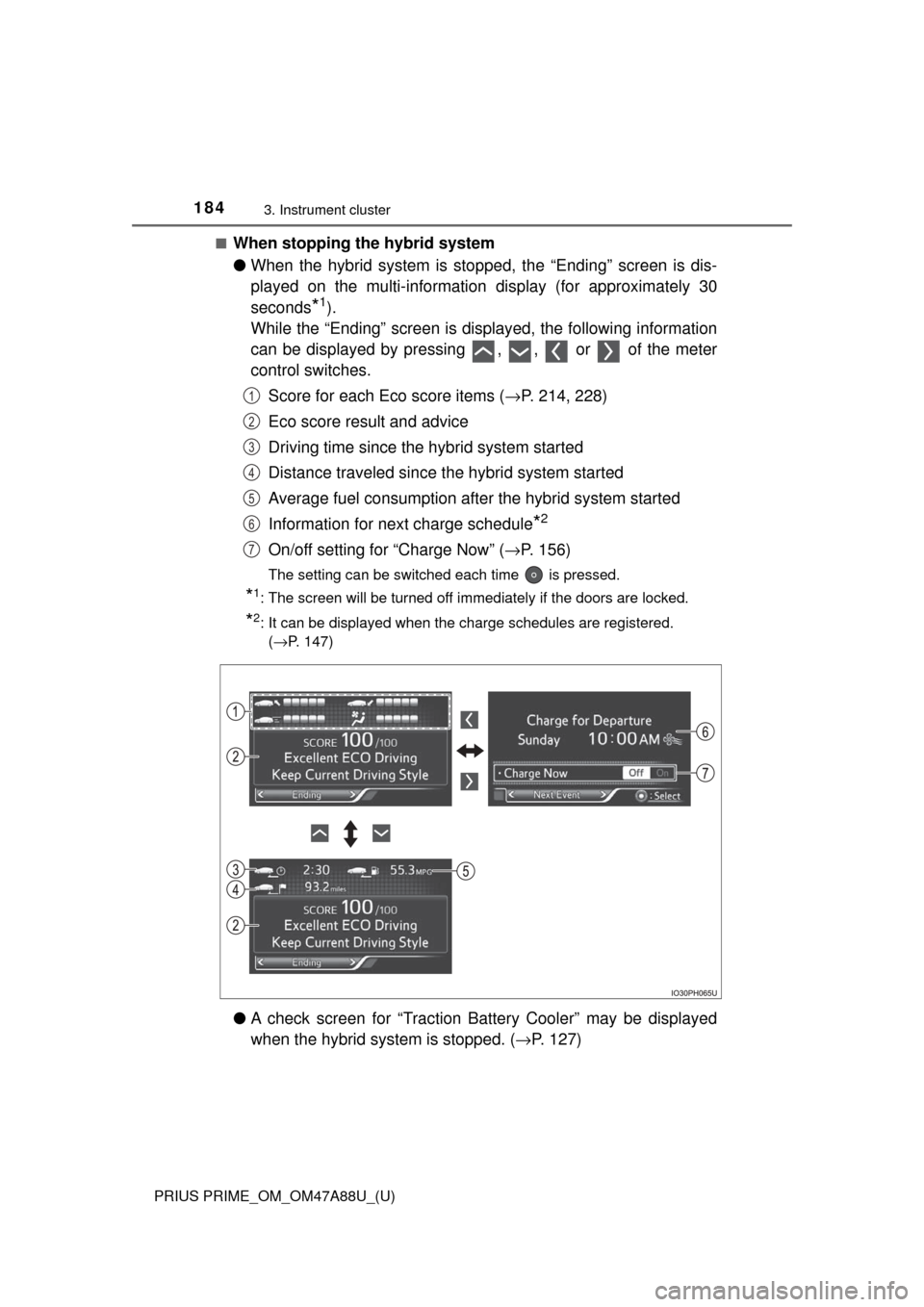
●When the hybrid system is stopped, the “Ending” screen is dis-
played on the multi-information display (for approximately 30
seconds
*1).
While the “Ending” screen is displayed, the following information
can be displayed by pressing , , or of the meter
control switches.
Score for each Eco score items ( →P. 214, 228)
Eco score result and advice
Driving time since the hybrid system started
Distance traveled since th e hybrid system started
Average fuel consumption after the hybrid system started
Information for next charge schedule
*2
On/off setting for “Charge Now” ( →P. 156)
The setting can be switched each time is pressed.
*1: The screen will be turned off immediately if the doors are locked.
*2: It can be displayed when the charge schedules are registered.
(→P. 147)
● A check screen for “Traction Battery Cooler” may be displayed
when the hybrid syst em is stopped. (→P. 127)
1
2
3
4
5
6
7
Page 186 of 784

186
PRIUS PRIME_OM_OM47A88U_(U)
3. Instrument cluster
■The meters and display illuminate when
The power switch is in ON mode.
■ Adjusting the instrument cluster brightness (→P. 182)
● The brightness levels that can be selected differ depending on whether the
tail lights are on and surrounding brightness levels, as shown in the table
below.
*: 22 levels of the brightness are displayed on the setting screen. However,
the brightness setting will be the brightest when other than 1st level (the
darkest) is selected. If other than 1st or 22nd level is selected, when the
tail lights are turned on in a dark place, the instrument cluster brightness
setting will be the selected level.
● If the taillights are illuminated in a dark environment, the instrument cluster
light dims. However, when the brightness of the instrument cluster is set to
minimum or maximum (1st or 22nd level of the instrument cluster bright-
ness), even if the taillights are illuminated, the instrument cluster light will
not dim.
■ When disconnecting and reconnect ing 12-volt battery terminals
The settings of the clock will be reset.
■ Calendar settings
●Until the calendar settings are set, the check screen is displayed every time
the power switch is turned to ON mode.
● After the calendar information is set, it can be changed in the “Meter Cus-
tomize” settings. ( →P. 233)
The tail lights are offThe tail lights are on
In a bright place2 levels*2 levels*
In a dark place22 levels
If calendar recording is interrupted due to
replacement of the 12-volt battery or 12-
volt battery discharge, etc., when the
power switch is turned to ON mode after
maintenance, the calendar settings check
screen is automatically displayed on the
multi-information display.
● If date information is not set, the electric-
ity and fuel consumption record cannot
be stored correctly. When the calendar
settings check screen is displayed,
make sure to always set the settings.
(→P. 231)
Page 187 of 784

PRIUS PRIME_OM_OM47A88U_(U)
1873. Instrument cluster
3
Instrument cluster
■When the menu screen on the naviga tion system is operated (vehicles
with 11.6-inch display)
■ Liquid crystal display
Small spots or light spots may appear on the display. This phenomenon is
characteristic of liquid crystal displays, and there is no problem continuing to
use the display.
■ Pop-up display
Some functions, such as the driving mode select switch and air conditioning
system, are operation-linked and display pop-up screens on the multi-infor-
mation display. If the pop-up screens of these functions are not desired, they
can be turned off in the “Meter Customize” settings. ( →P. 233)
A pop-up display of the menu screen icon
is displayed on the multi-information dis-
play.
*
*
: The pop-up display on the navigation
system can be turned off in the “Meter
Customize” settings. ( →P. 234)
WARNING
■To prevent an accident
■ Caution for use while driving
For safety, avoid operating the meter control switch while driving as much
as possible, and do not look continuously at the multi-information display
while driving. Stop the vehicle and operate the meter control switch. Failure
to do so may cause a steering wheel operation error, resulting in an unex-
pected accident.
NOTICE
■The information display at low temperatures
Allow the interior of the vehicle to warm up before using the liquid crystal
information display. At extremely low temperatures, the information display
monitor may respond slowly, and display changes may be delayed.
Do not place anything or attach a sticker
in front of the instrument cluster. The item
may obscure or obstruct the display, or
could reflect off the display, possibly
causing an accident.
Page 193 of 784
PRIUS PRIME_OM_OM47A88U_(U)
1933. Instrument cluster
3
Instrument cluster
■Main display and multi-information display
*1: The displayed indicator changes according to the current plug-in hybridsystem operation mode.
*2: The displayed indicator changes according to the current driving mode.
Indicators and symbols displayed on the display
IndicatorsPages
*1EV drive mode indicator P. 82
*1EV auto mode indicator P. 82
*1Hybrid battery charge mode indicator P. 83
*2“ECO MODE” indicatorP. 406
*2“PWR MODE” indicatorP. 406
EV indicatorP. 212

