Page 17 of 608
17Pictorial index
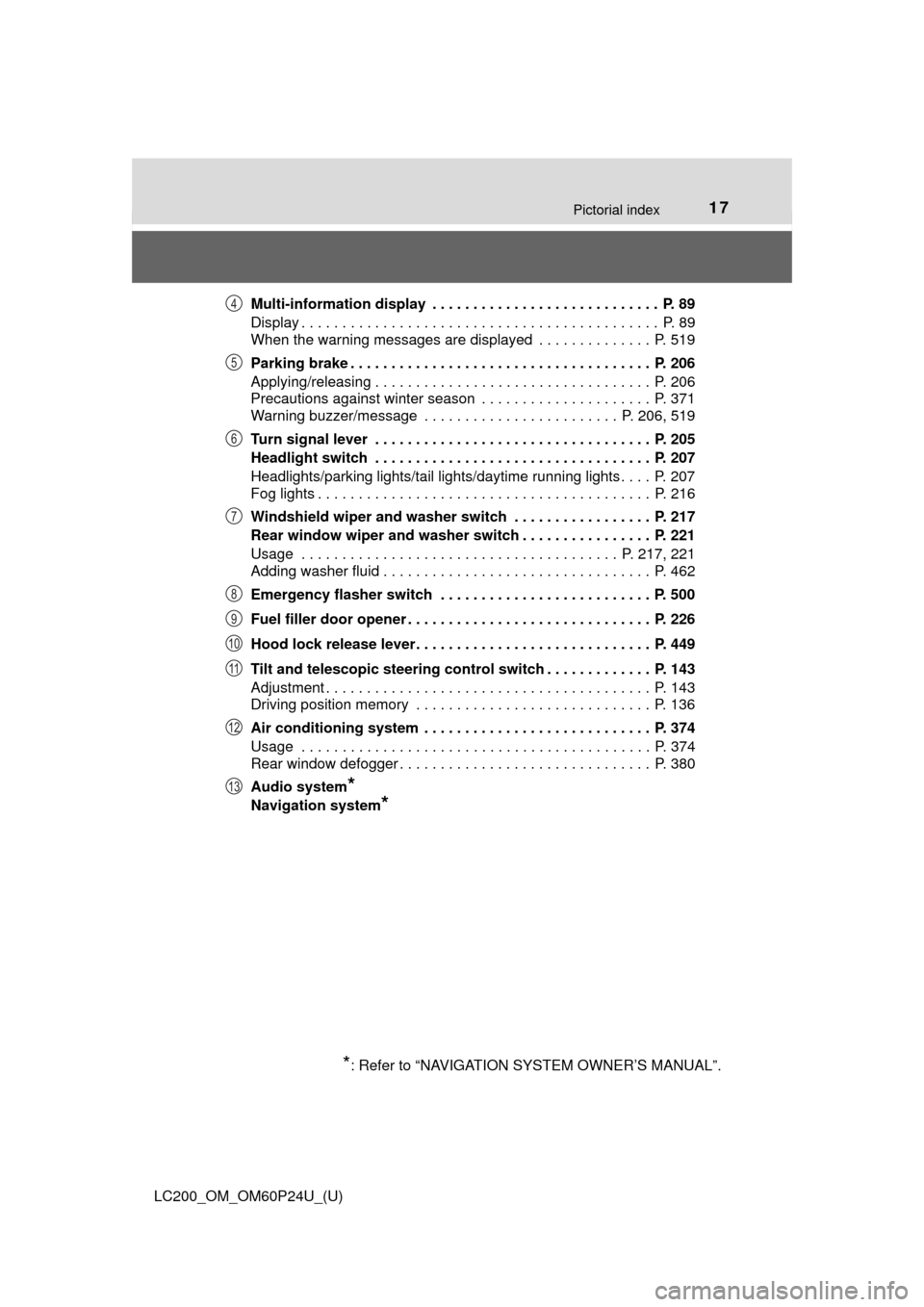
LC200_OM_OM60P24U_(U)Multi-information display . . . . . . . . . . . . . . . . . . . . . . . . . . . . P. 89
Display . . . . . . . . . . . . . . . . . . . . . . . . . . . . . . . . . . . . . . . . . . . . P. 89
When the warning messages are displayed . . . . . . . . . . . . . . P. 519
Parking brake . . . . . . . . . . . . . . . . . . . . . . . . . . . . . . . . . . . . . P. 206
Applying/releasing . . . . . . . . . . . . . . . . . . . . . . . . . . . . . . . . . . P. 206
Precautions against winter season . . . . . . . . . . . . . . . . . . . . . P. 371
Warning buzzer/message . . . . . . . . . . . . . . . . . . . . . . . . P. 206, 519
Turn signal lever . . . . . . . . . . . . . . . . . . . . . . . . . . . . . . . . . . P. 205
Headlight switch . . . . . . . . . . . . . . . . . . . . . . . . . . . . . . . . . . P. 207
Headlights/parking lights/tail lights/daytime running lights . . . . P. 207
Fog lights . . . . . . . . . . . . . . . . . . . . . . . . . . . . . . . . . . . . . . . . . P. 216
Windshield wiper and washer switch . . . . . . . . . . . . . . . . . P. 217
Rear window wiper and washer switch . . . . . . . . . . . . . . . . P. 221
Usage . . . . . . . . . . . . . . . . . . . . . . . . . . . . . . . . . . . . . . . P. 217, 221
Adding washer fluid . . . . . . . . . . . . . . . . . . . . . . . . . . . . . . . . . P. 462
Emergency flasher switch . . . . . . . . . . . . . . . . . . . . . . . . . . P. 500
Fuel filler door opener . . . . . . . . . . . . . . . . . . . . . . . . . . . . . . P. 226
Hood lock release lever. . . . . . . . . . . . . . . . . . . . . . . . . . . . . P. 449
Tilt and telescopic steering control switch . . . . . . . . . . . . . P. 143
Adjustment . . . . . . . . . . . . . . . . . . . . . . . . . . . . . . . . . . . . . . . . P. 143
Driving position memory . . . . . . . . . . . . . . . . . . . . . . . . . . . . . P. 136
Air conditioning system . . . . . . . . . . . . . . . . . . . . . . . . . . . . P. 374
Usage . . . . . . . . . . . . . . . . . . . . . . . . . . . . . . . . . . . . . . . . . . . P. 374
Rear window defogger . . . . . . . . . . . . . . . . . . . . . . . . . . . . . . . P. 380
Audio system
*
Navigation system*
*
: Refer to “NAVIGATION SYSTEM OWNER’S MANUAL”.
4
5
6
7
8
9
10
11
12
13
Page 19 of 608
19Pictorial index
LC200_OM_OM60P24U_(U)
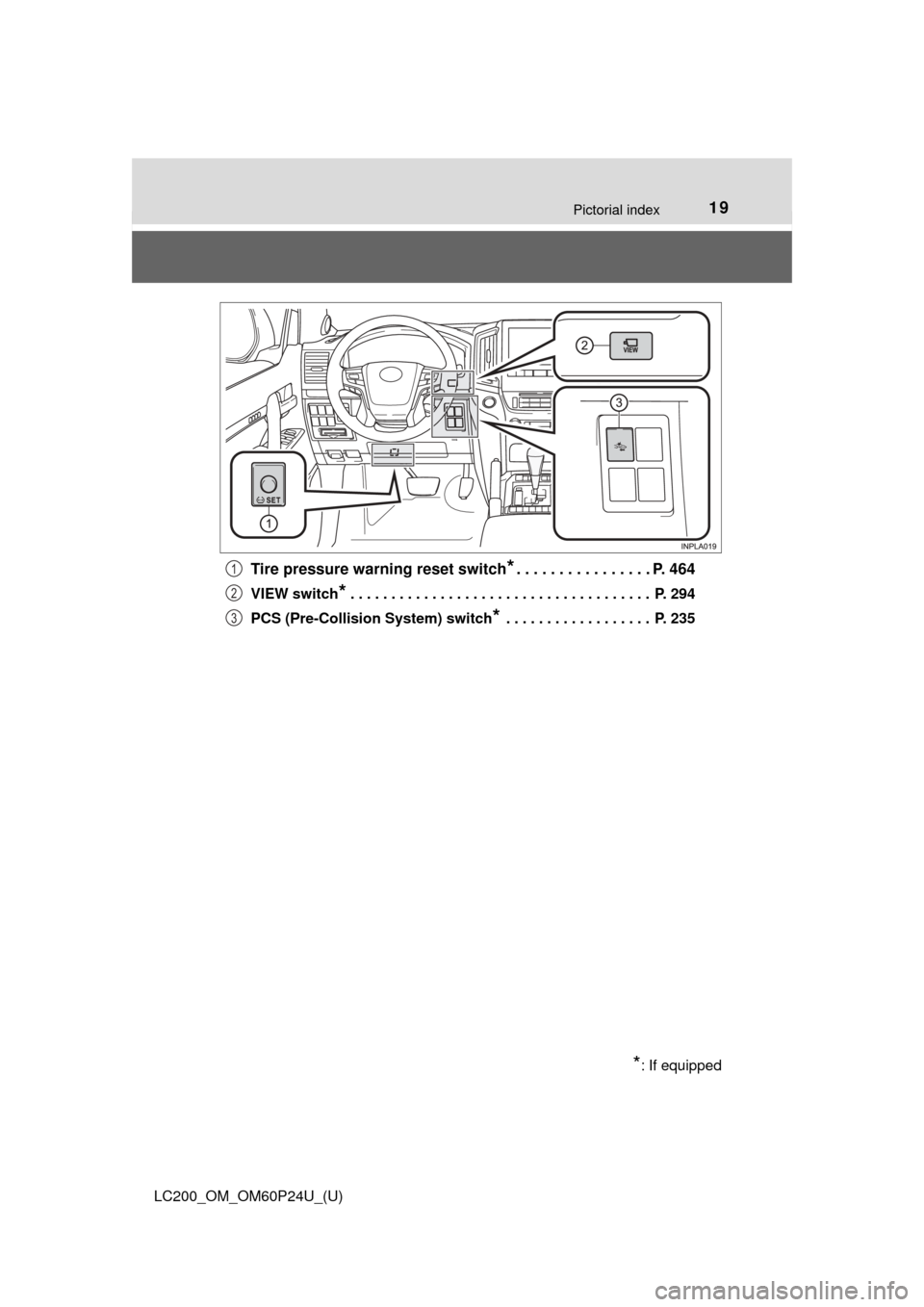
Tire pressure warning reset switch*. . . . . . . . . . . . . . . . P. 464
VIEW switch* . . . . . . . . . . . . . . . . . . . . . . . . . . . . . . . . . . . . . P. 294
PCS (Pre-Collision System) switch
* . . . . . . . . . . . . . . . . . . P. 235
*: If equipped
1
2
3
Page 25 of 608
25
LC200_OM_OM60P24U_(U)
For safety and security1
1-1. For safe useBefore driving ...................... 26
For safety drive ................... 28
Seat belts ............................ 30
SRS airbags ........................ 38
Front passenger occupant classification system ......... 51
Safety information for children ............................. 57
Child restraint systems........ 58
Installing child restraints...... 63
Exhaust gas precautions..... 73
1-2. Theft deterrent system Engine immobilizer system .............................. 74
Alarm................................... 76
Page 27 of 608
271-1. For safe use
LC200_OM_OM60P24U_(U)
1
For safety and security
WARNING
Observe the following precautions.
Failure to do so may cause the driver’s floor mat to slip, possibly interfering
with the pedals while driving. An unexpectedly high speed may result or it may
become difficult to stop the vehicle. This could lead to an accident, resulting in
death or serious injury.
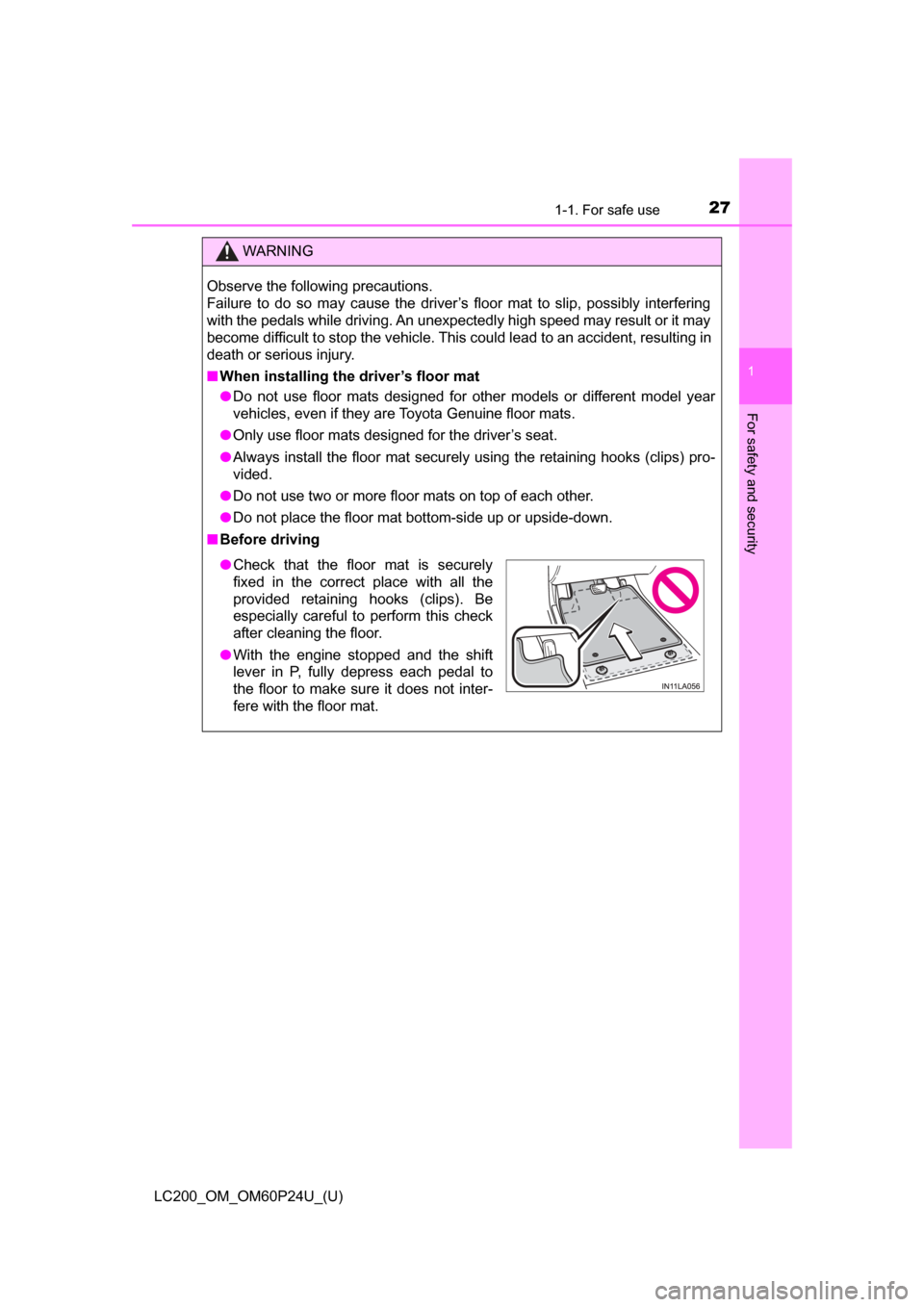
■When installing the driver’s floor mat
● Do not use floor mats designed for other models or different model year
vehicles, even if they are Toyota Genuine floor mats.
● Only use floor mats designed for the driver’s seat.
● Always install the floor mat securely using the retaining hooks (clips) pro-
vided.
● Do not use two or more floor mats on top of each other.
● Do not place the floor mat bottom-side up or upside-down.
■ Before driving
● Check that the floor mat is securely
fixed in the correct place with all the
provided retaining hooks (clips). Be
especially careful to perform this check
after cleaning the floor.
● With the engine stopped and the shift
lever in P, fully depress each pedal to
the floor to make sure it does not inter-
fere with the floor mat.
Page 28 of 608
281-1. For safe use
LC200_OM_OM60P24U_(U)
For safety drive
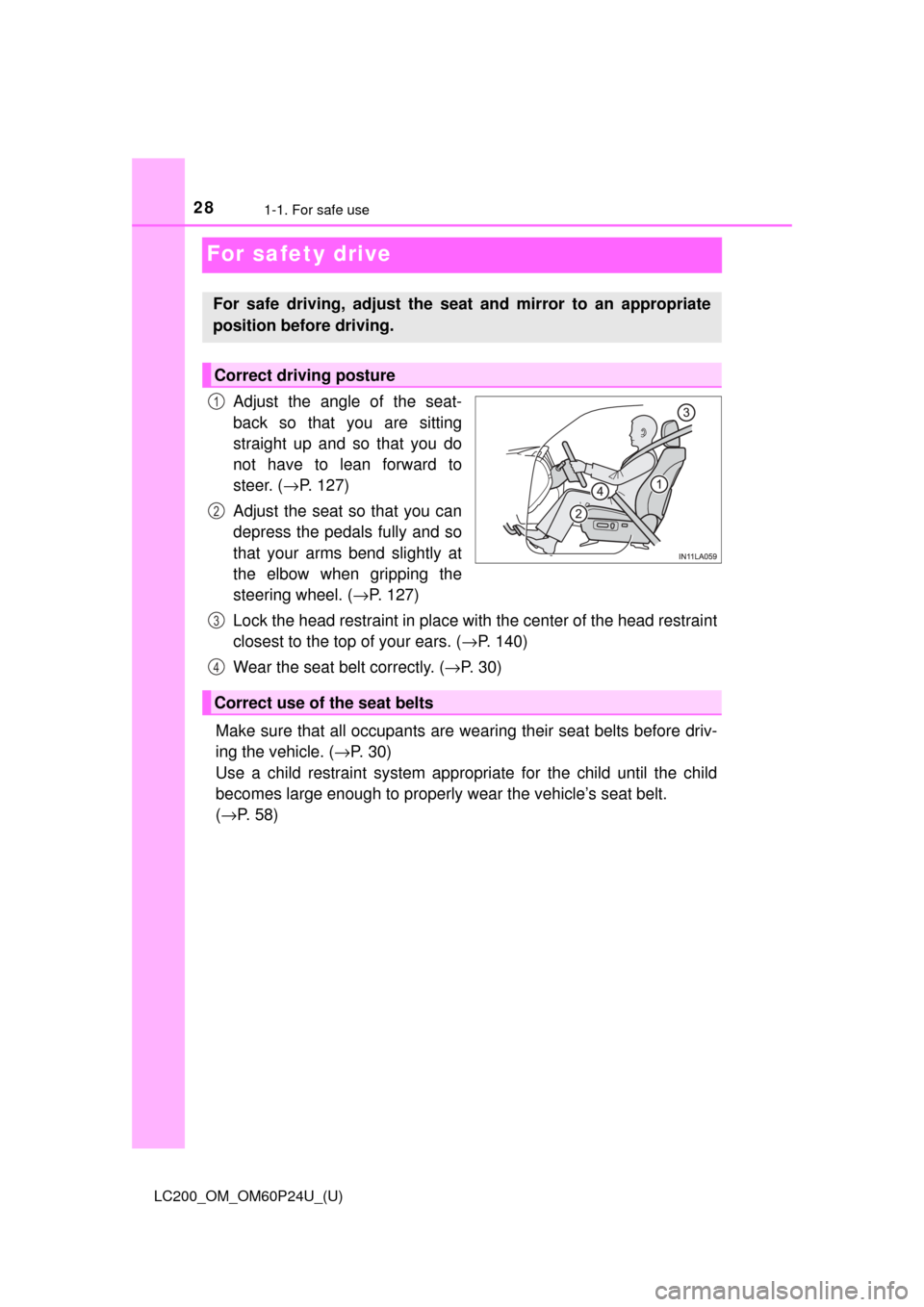
Adjust the angle of the seat-
back so that you are sitting
straight up and so that you do
not have to lean forward to
steer. (→P. 127)
Adjust the seat so that you can
depress the pedals fully and so
that your arms bend slightly at
the elbow when gripping the
steering wheel. ( →P. 127)
Lock the head restraint in place with the center of the head restraint
closest to the top of your ears. ( →P. 140)
Wear the seat belt correctly. ( →P. 3 0 )
Make sure that all occupants are we aring their seat belts before driv-
ing the vehicle. ( →P. 3 0 )
Use a child restraint system appropriate for the child until the child
becomes large enough to properly wear the vehicle’s seat belt.
( → P. 58)
For safe driving, adjust the seat and mirror to an appropriate
position before driving.
Correct driving posture
1
2
Correct use of the seat belts
3
4
Page 29 of 608
291-1. For safe use
LC200_OM_OM60P24U_(U)
1
For safety and security
Make sure that you can see backward clearly by adjusting the inside
and outside rear view mirrors properly. (→P. 145, 147)
Adjusting the mirrors
WARNING
Observe the following precautions.
Failure to do so may result in death or serious injury.
● Do not adjust the position of the driver’s seat while driving.
Doing so could cause the driver to lose control of the vehicle.
● Do not place a cushion between the driver or passenger and the seatback.
A cushion may prevent correct posture from being achieved, and reduce
the effectiveness of the seat belt and head restraint.
● Do not place anything under the front seats.
Objects placed under the front seats may become jammed in the seat
tracks and stop the seat from locking in place. This may lead to an acci-
dent and the adjustment mechanism may also be damaged.
● Always observe the legal speed limit when driving on public roads.
● When driving over long distances, take regular breaks before you start to
feel tired.
Also, if you feel tired or sleepy while driving, do not force yourself to con-
tinue driving and take a break immediately.
Page 30 of 608
301-1. For safe use
LC200_OM_OM60P24U_(U)
Seat belts
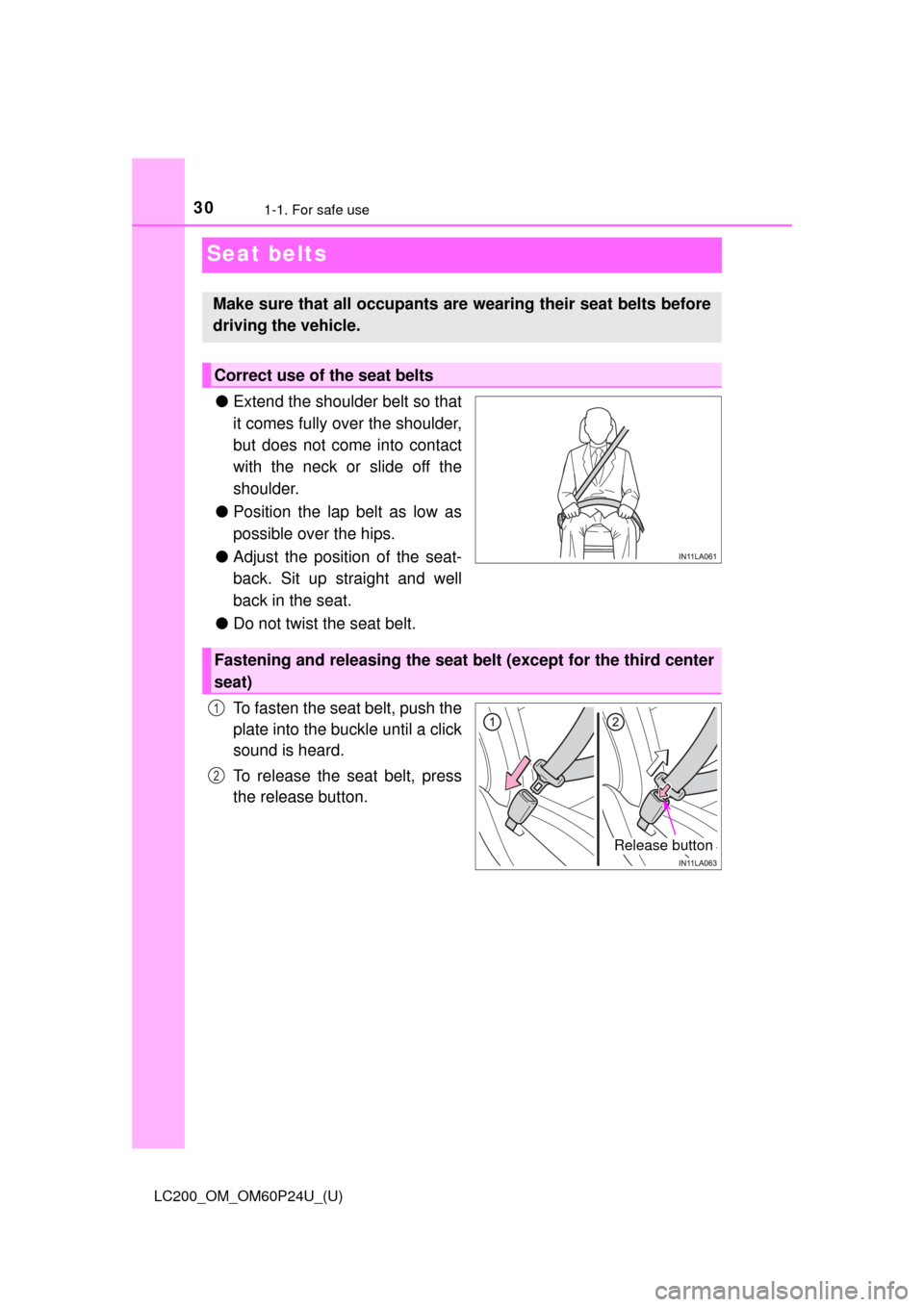
●Extend the shoulder belt so that
it comes fully over the shoulder,
but does not come into contact
with the neck or slide off the
shoulder.
● Position the lap belt as low as
possible over the hips.
● Adjust the position of the seat-
back. Sit up straight and well
back in the seat.
● Do not twist the seat belt.
To fasten the seat belt, push the
plate into the buckle until a click
sound is heard.
To release the seat belt, press
the release button.
Make sure that all occupants are wearing their seat belts before
driving the vehicle.
Correct use of the seat belts
Fastening and releasing the seat belt (except for the third center
seat)
Release button
1
2
Page 31 of 608
311-1. For safe use
LC200_OM_OM60P24U_(U)
1
For safety and security
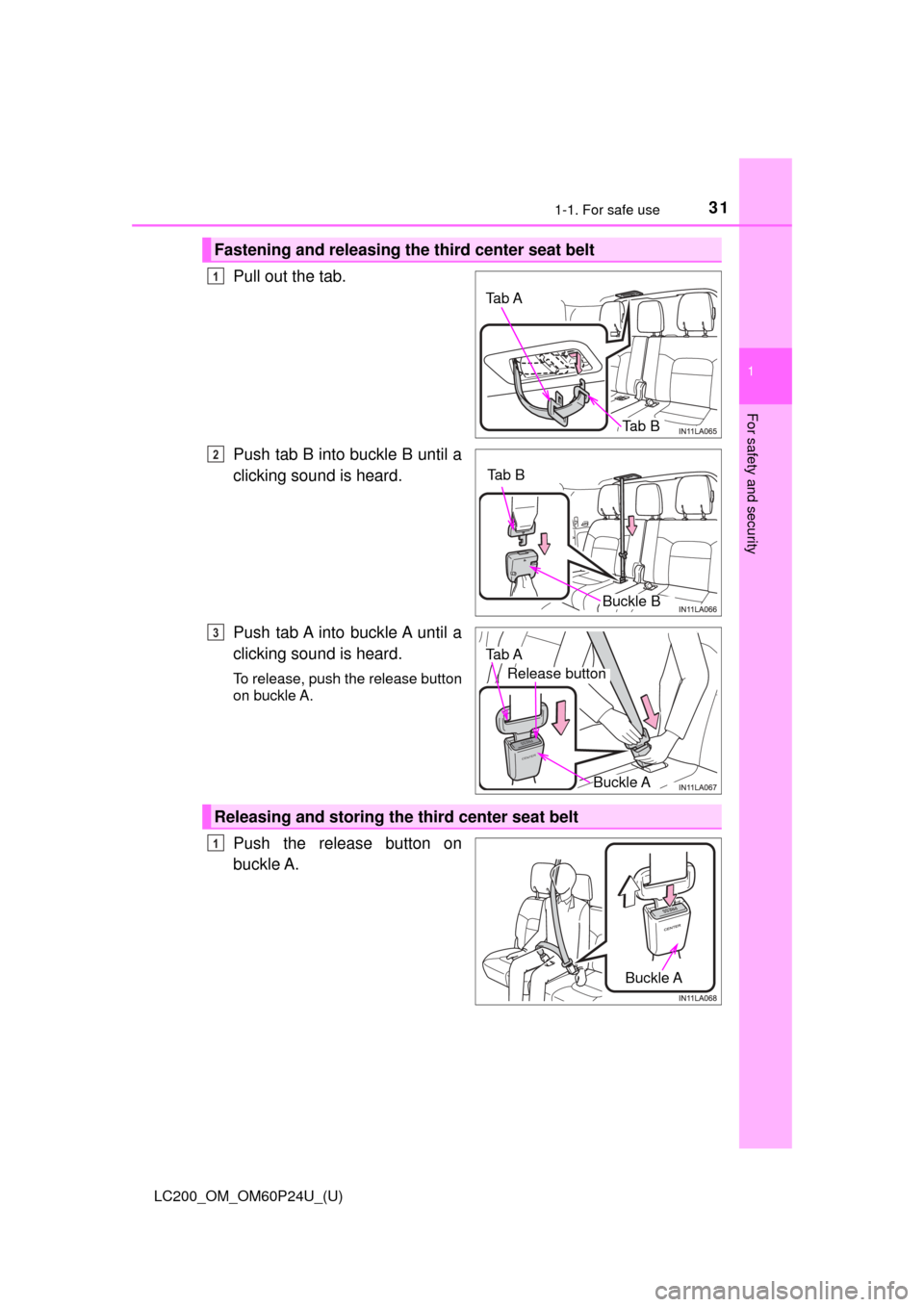
Pull out the tab.
Push tab B into buckle B until a
clicking sound is heard.
Push tab A into buckle A until a
clicking sound is heard.
To release, push the release button
on buckle A.
Push the release button on
buckle A.
Fastening and releasing the third center seat belt
Tab A
Tab B
1
Tab B
Buckle B
2
PRESS
CENTER
Tab A
Buckle A
Release button
3
Releasing and storing the third center seat belt
Buckle A
1