Page 77 of 608
771-2. Theft deterrent system
LC200_OM_OM60P24U_(U)
1
For safety and security
■System maintenance
The vehicle has a maintenance-free type alarm system.
■ Items to check before locking the vehicle
To prevent unexpected triggering of the alarm and vehicle theft, make sure of
the following.
●Nobody is in the vehicle.
● The windows and moon roof are closed before the alarm is set.
● No valuables or other personal items are left in the vehicle.
■ Triggering of the alarm
The alarm may be triggered in the following situations:
(Stopping the alarm deactivates the alarm system.)
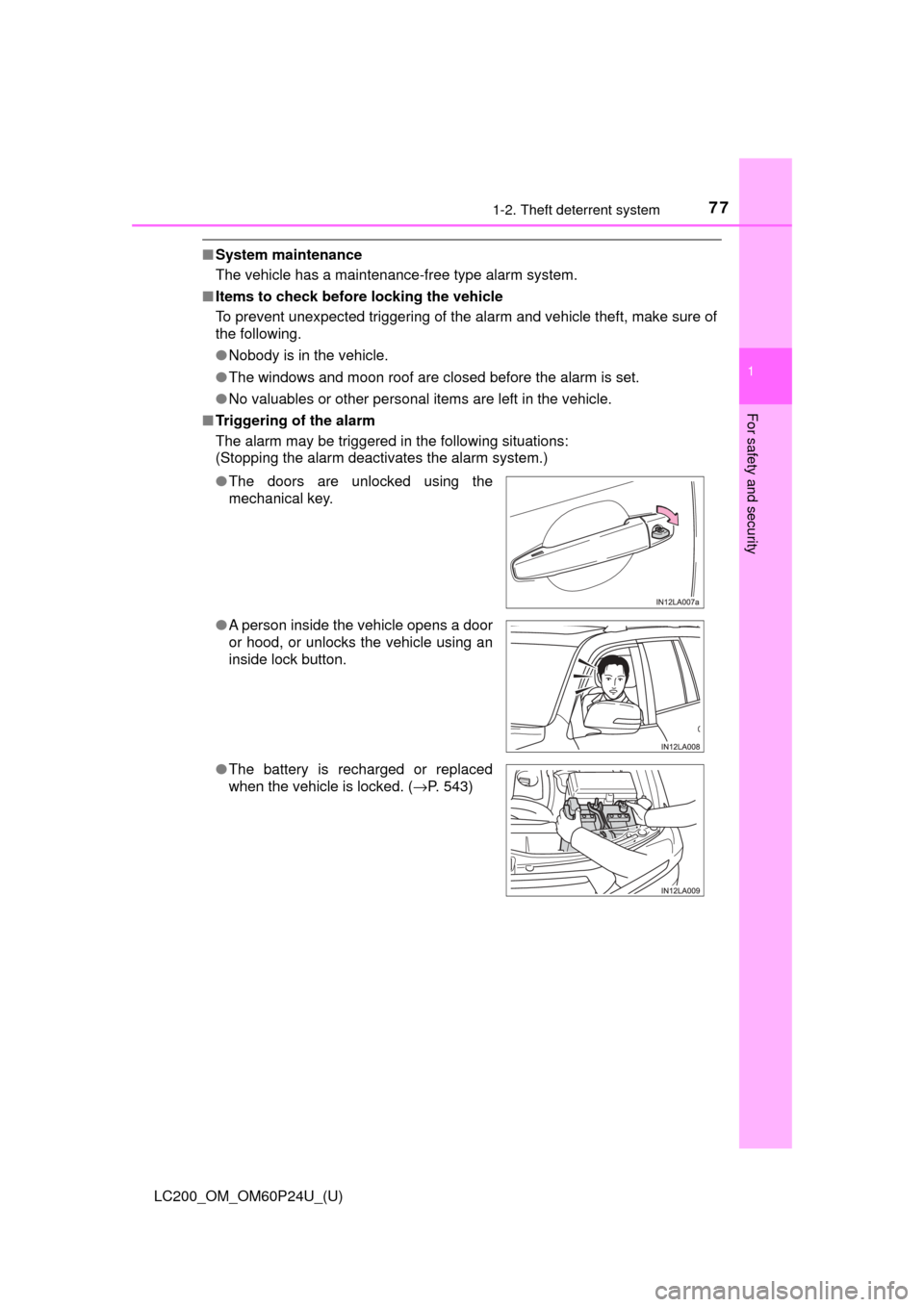
●The doors are unlocked using the
mechanical key.
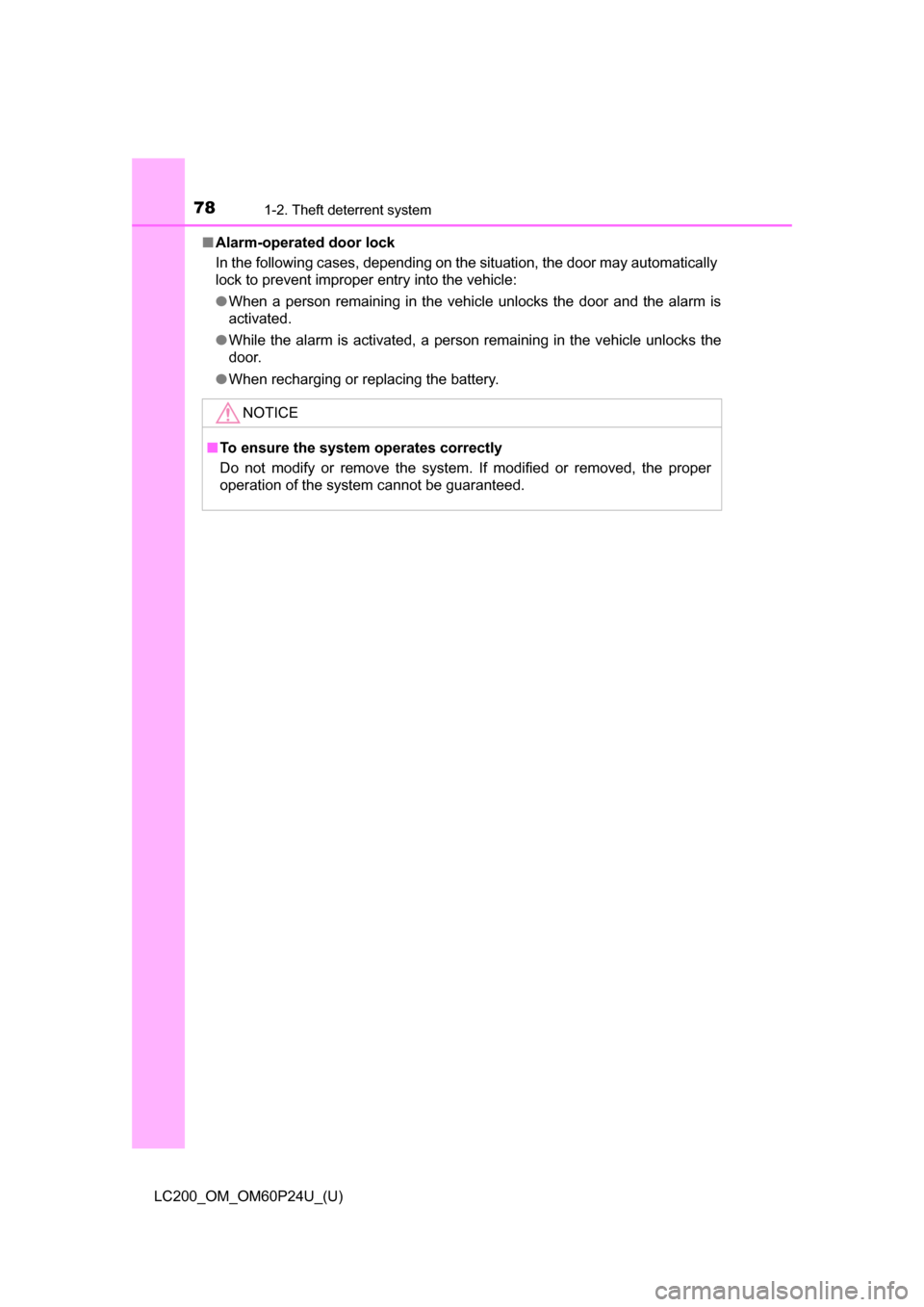
● A person inside the vehicle opens a door
or hood, or unlocks the vehicle using an
inside lock button.
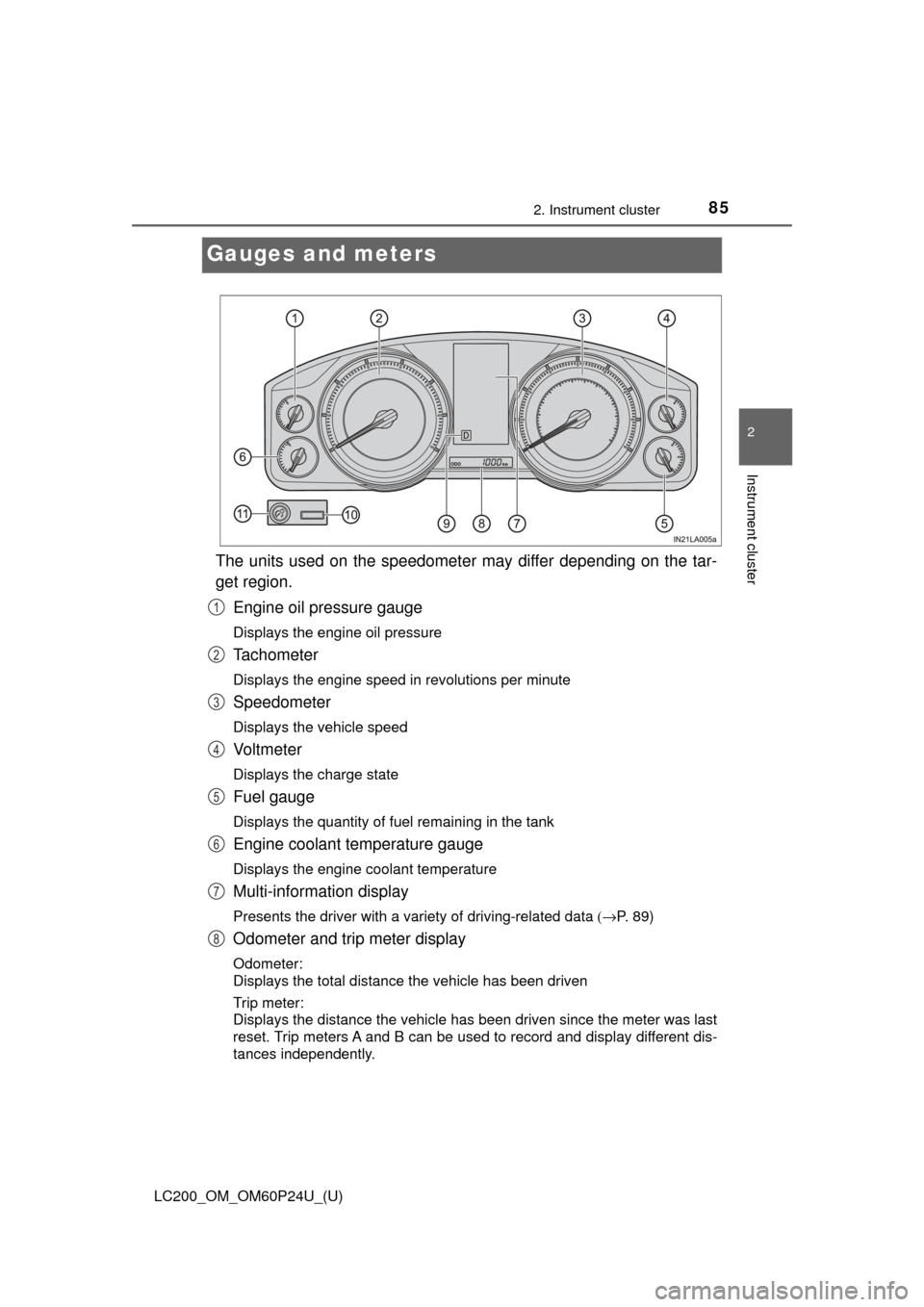
● The battery is recharged or replaced
when the vehicle is locked. ( →P. 543)
Page 78 of 608
781-2. Theft deterrent system
LC200_OM_OM60P24U_(U)■
Alarm-operated door lock
In the following cases, depending on the situation, the door may automatically
lock to prevent improper entry into the vehicle:
●When a person remaining in the vehicle unlocks the door and the alarm is
activated.
● While the alarm is activated, a person remaining in the vehicle unlocks the
door.
● When recharging or replacing the battery.
NOTICE
■To ensure the system operates correctly
Do not modify or remove the system. If modified or removed, the proper
operation of the system cannot be guaranteed.
Page 81 of 608
LC200_OM_OM60P24U_(U)
812. Instrument cluster
2
Instrument cluster
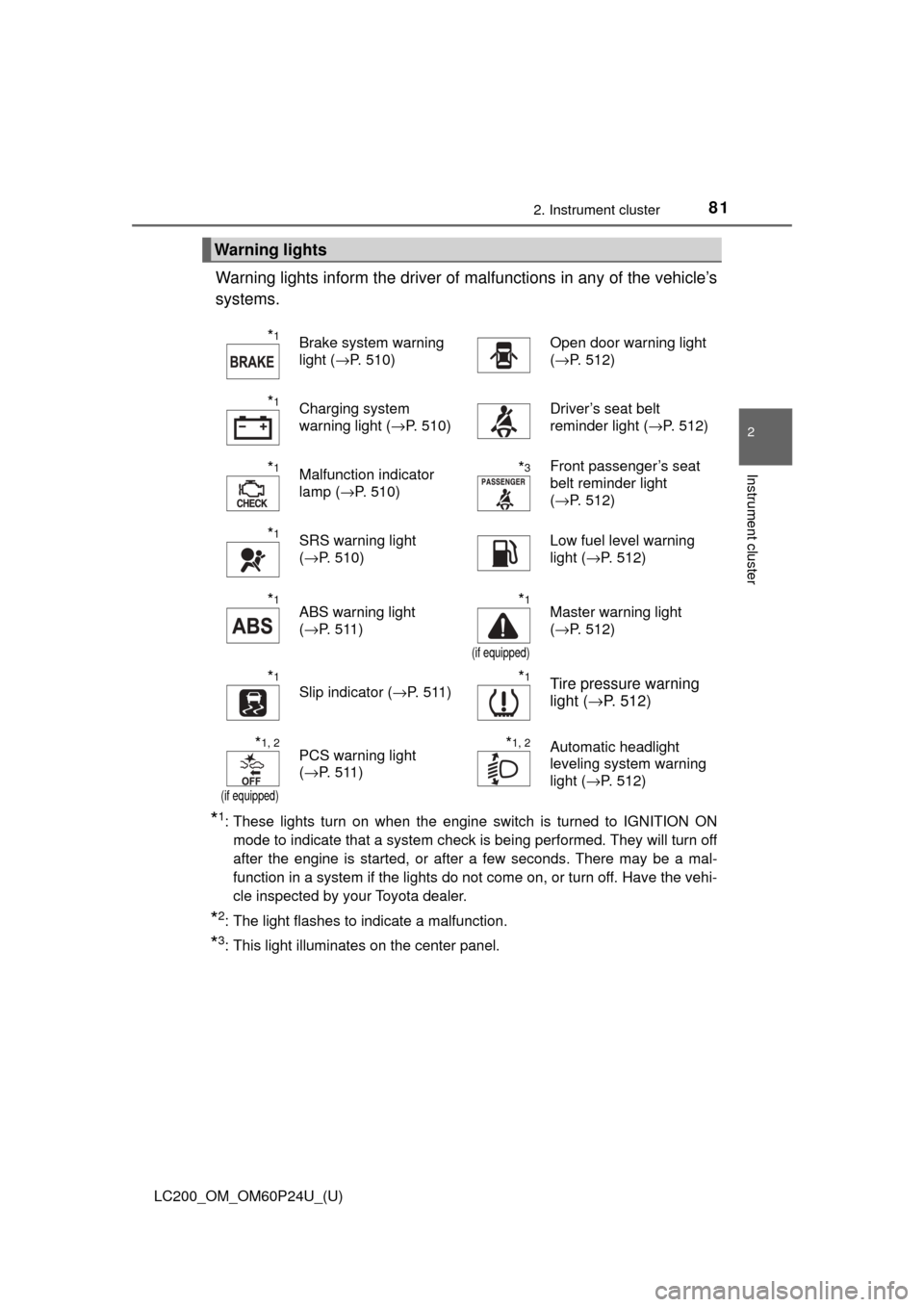
Warning lights inform the driver of malfunctions in any of the vehicle’s
systems.
*1: These lights turn on when the engine switch is turned to IGNITION ON mode to indicate that a system check is being performed. They will turn off
after the engine is started, or after a few seconds. There may be a mal-
function in a system if the lights do not come on, or turn off. Have the vehi-
cle inspected by your Toyota dealer.
*2: The light flashes to indicate a malfunction.
*3: This light illuminates on the center panel.
Warning lights
*1Brake system warning
light ( →P. 510)Open door warning light
(→P. 512)
*1Charging system
warning light ( →P. 510)Driver’s seat belt
reminder light ( →P. 512)
*1Malfunction indicator
lamp (→P. 510)*3Front passenger’s seat
belt reminder light
(→P. 512)
*1SRS warning light
(→P. 510)Low fuel level warning
light ( →P. 512)
*1ABS warning light
(→P. 511)*1
(if equipped)
Master warning light
(→P. 512)
*1
Slip indicator ( →P. 511)*1Tire pressure warning
light (→P. 512)
*1, 2
(if equipped)
PCS warning light
(→P. 511)*1, 2Automatic headlight
leveling system warning
light ( →P. 512)
Page 85 of 608
85
LC200_OM_OM60P24U_(U)
2. Instrument cluster
2
Instrument cluster
Gauges and meters
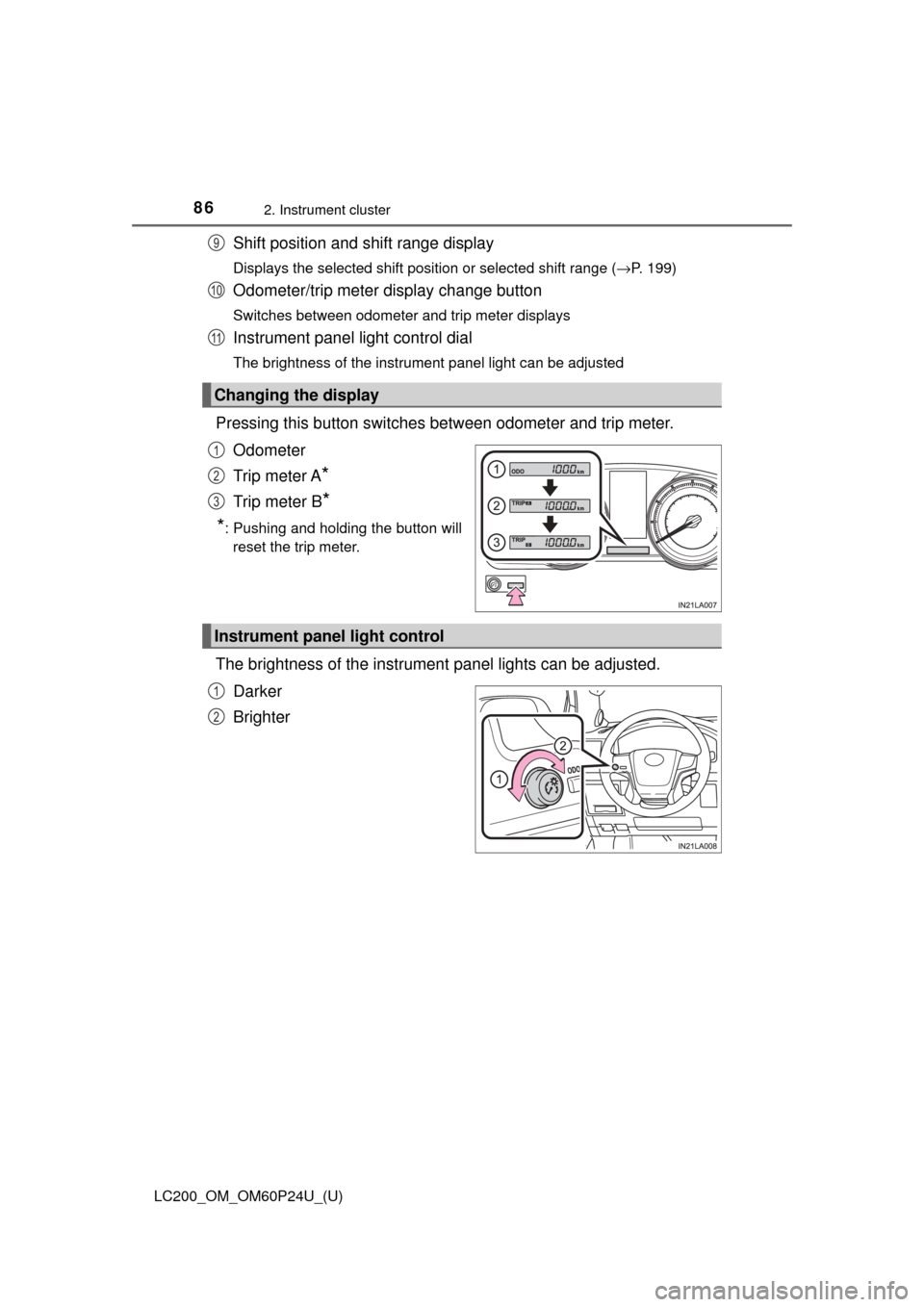
The units used on the speedometer may differ depending on the tar-
get region.Engine oil pressure gauge
Displays the engine oil pressure
Tachometer
Displays the engine speed in revolutions per minute
Speedometer
Displays the vehicle speed
Vo l t m e t e r
Displays the charge state
Fuel gauge
Displays the quantity of fuel remaining in the tank
Engine coolant temperature gauge
Displays the engine coolant temperature
Multi-information display
Presents the driver with a variety of driving-related data (→P. 89)
Odometer and trip meter display
Odometer:
Displays the total distance the vehicle has been driven
Trip meter:
Displays the distance the vehicle has been driven since the meter was last
reset. Trip meters A and B can be used to record and display different dis-
tances independently.
1
2
3
4
5
6
7
8
Page 86 of 608
86
LC200_OM_OM60P24U_(U)
2. Instrument cluster
Shift position and shift range display
Displays the selected shift position or selected shift range (→P. 199)
Odometer/trip meter display change button
Switches between odometer and trip meter displays
Instrument panel light control dial
The brightness of the instrument panel light can be adjusted
Pressing this button switches between odometer and trip meter.
Odometer
Trip meter A
*
Trip meter B*
*
: Pushing and holding the button will reset the trip meter.
The brightness of the instrument panel lights can be adjusted.
Darker
Brighter
Changing the display
9
10
11
1
2
3
Instrument panel light control
1
2
Page 88 of 608
88
LC200_OM_OM60P24U_(U)
2. Instrument cluster
NOTICE
■To prevent damage to the engine and its components
● Do not let the indicator needle of the tachometer enter the red zone, which
indicates the maximum engine speed.
● The engine may be overheating if the engine coolant temperature gauge is
in the red zone (H). In this case, immediately stop the vehicle in a safe
place, and check the engine after it has cooled completely. (→ P. 546)
■ Voltmeter
When the voltmeter indicates 19 V or higher or 9 V or lower while the engine
is running, there may be a battery or charging system malfunction. Have the
vehicle inspected at your Toyota dealer.
■ Engine oil pressure gauge
When the value of the engine oil pressure gauge drops while the engine is
running, stop the vehicle in a safe place immediately and check the amount
of engine oil. ( →P. 452)
When the oil pressure drops even though the engine oil amount has not
decreased, or if the oil pressure does not increase when engine oil is
added, contact your Toyota dealer, as there may be a problem with the lubri-
cation system.
Page 91 of 608
LC200_OM_OM60P24U_(U)
912. Instrument cluster
2
Instrument cluster
The multi-information display is operated using the meter control
switches.
Switching displayed items
Operate up and down:
Switches screens and moves
the cursor
Press:
Enters, moves to next screen
*,
and turns functions on/off
*
*
: For some functions
Press: Displays the screen re gistered as the top screen
When no screen has been registered, the drive information screen will be
displayed.
Press and hold: Registers the current ly displayed screen as the top
screen
When the confirmation screen is displayed, select yes to register the
screen. If the selected screen cannot be registered, a registration failure
message will be shown.
Return to the previous screen
Operating the meter control switches
1
2
3
4
Page 92 of 608
92
LC200_OM_OM60P24U_(U)
2. Instrument cluster
Items displayed can be switched by operating up and down.
■Drive information
4 of the following items can be registered and displayed as the
drive information 1 and the drive information 2 (2 items on each
screen).
Refer to P. 94 for the registration method of the drive information 1
and the drive information 2.
●
Current fuel consumption (bar type/value type)
Displays the current rate of fuel consumption.
● Average fuel consumption (after reset*2/after start/after refuel)*1
Displays the average fuel consumption since the function was reset, the
engine was started, and the vehicle was refueled, respectively.
●Average vehicle speed (after reset*2/after start)
Displays the average vehicle speed since the function was reset and the
engine was started, respectively.
●Elapsed time (after reset*2/after start)
Displays the elapsed time since the function was reset and the engine
was started, respectively
●Distance (driving range/after start)
Displays the estimated maximum distance that can be driven with the
quantity of fuel remaining and the distance driven after the engine was
started respectively.
• This distance is computed based on your average fuel consumption. As a result, the actual distance that can be driven may differ from that
displayed.
• When only a small amount of fuel is added to the tank, the display may not be updated.
When refueling, turn the engine switch off. If the vehicle is refueled
without turning the engine switch off, the display may not be updated.
*1: Use the displayed average fuel consumption as a reference.
*2: The function can be reset by pressing for longer than 1 second
when the item to reset is displayed. If there is more than one item that can
be reset, the item selection screen will appear.
Drive information