Page 94 of 608
94
LC200_OM_OM60P24U_(U)
2. Instrument cluster
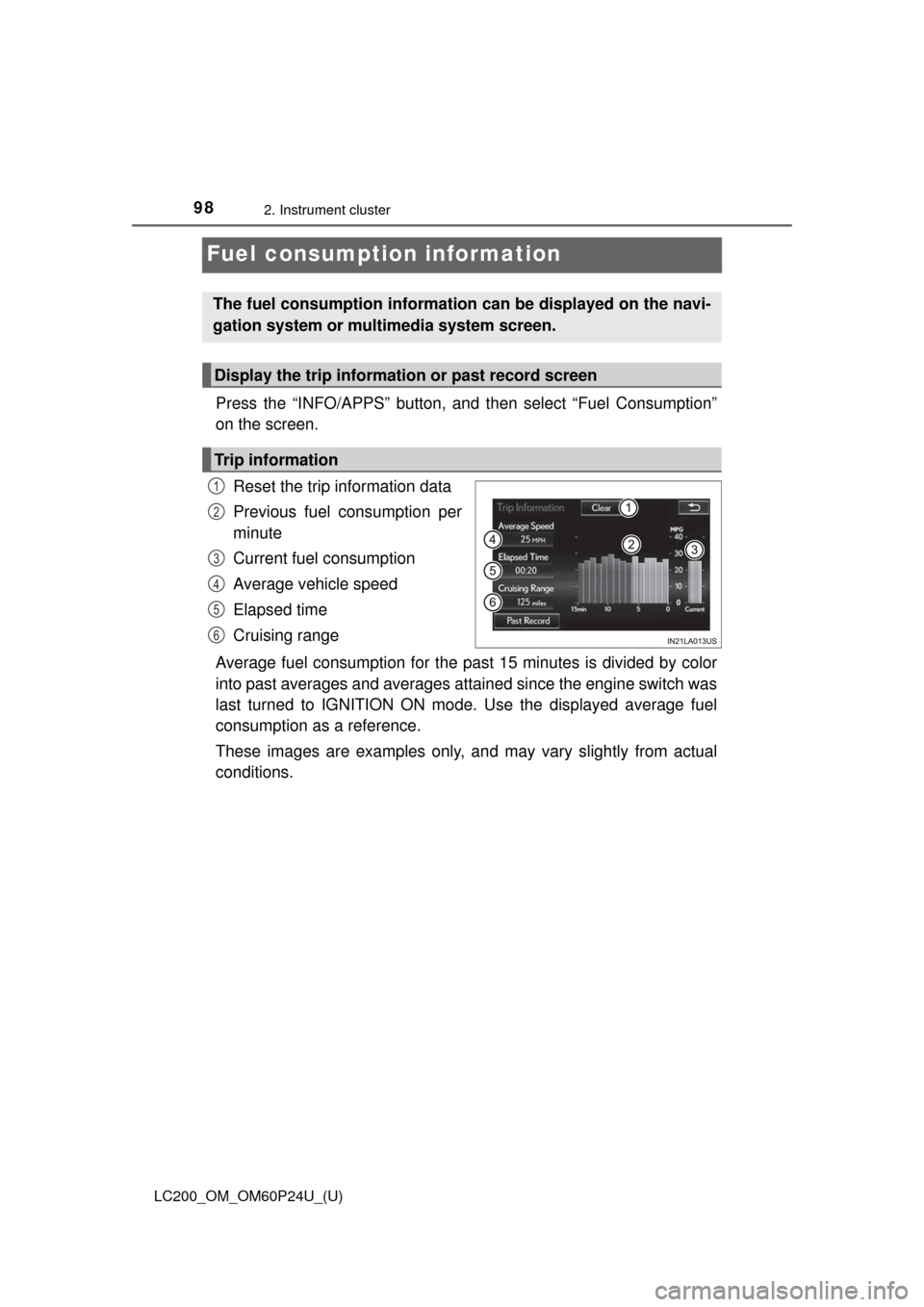
Items displayed can be switched by operating up and down.
■Front tire angle (if equipped)
Displays the direction of the front tires.
The tire direction is displayed in 3 stages for both left and right, in
accordance with the angle of the tire.
If a battery terminal is disconnected and reconnected, the display may
be disabled temporarily. After driving the vehicle for a while, the display
will be enabled.
■
Tire inflation pressure (if equipped)
Displays inflation pressure of each tire
The inflation pressure of the spare tire will be displayed.
■Oil maintenance
Displays the remaining distance before the next maintenance is
required.
The settings of some features can be changed by using the meter
control switches.
■Setting procedure On the setting screen, choose the desired item using , and
then press .
• For functions that can be enabled or disabled, the function switches between on and off each time is pressed.
• For functions that allow to select operation contents, display con-
tents, etc., the setting screen is displayed.
Select the desired setting by operating , and then press
.
To stop the selection, press to return to the previous screen.
Vehicle information
Settings display
1
2
Page 95 of 608
LC200_OM_OM60P24U_(U)
952. Instrument cluster
2
Instrument cluster
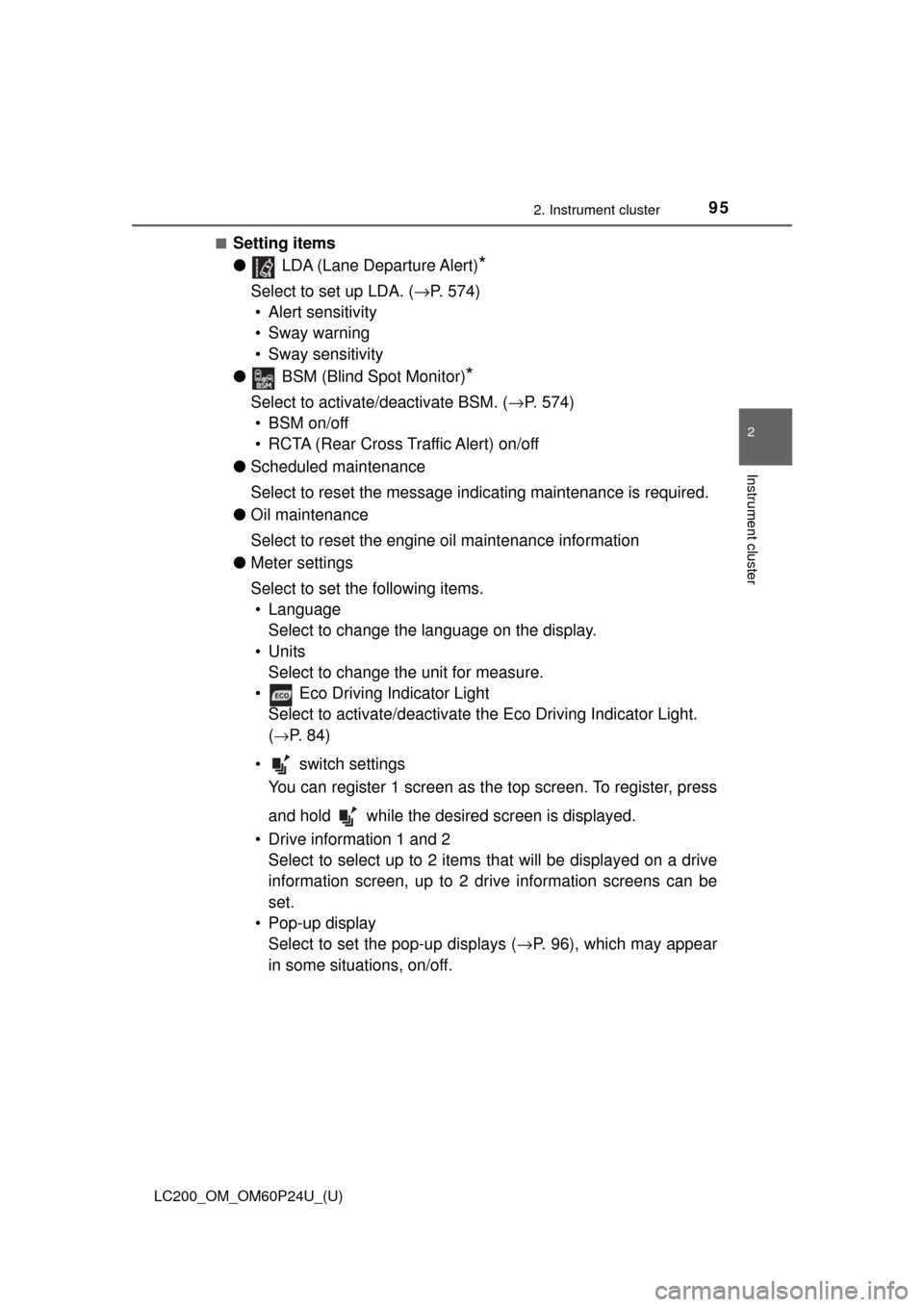
■Setting items
● LDA (Lane Departure Alert)
*
Select to set up LDA. ( →P. 574)
• Alert sensitivity
• Sway warning
• Sway sensitivity
● BSM (Blind Spot Monitor)
*
Select to activate/deactivate BSM. ( →P. 574)
• BSM on/off
• RCTA (Rear Cross Traffic Alert) on/off
● Scheduled maintenance
Select to reset the message indicating maintenance is required.
● Oil maintenance
Select to reset the engine oil maintenance information
● Meter settings
Select to set the following items.
• Language Select to change the language on the display.
•Units Select to change the unit for measure.
• Eco Driving Indicator Light Select to activate/deactivate th e Eco Driving Indicator Light.
(
→P. 8 4 )
• switch settings You can register 1 screen as t he top screen. To register, press
and hold while the desired screen is displayed.
• Drive information 1 and 2 Select to select up to 2 items th at will be displayed on a drive
information screen, up to 2 dr ive information screens can be
set.
• Pop-up display Select to set the pop-up displays (→ P. 96), which may appear
in some situations, on/off.
Page 97 of 608
LC200_OM_OM60P24U_(U)
972. Instrument cluster
2
Instrument cluster
■Tire inflation pressure
●It may take a few minutes to display the tire inflation pressure after the
engine switch is turned to IGNITION ON mode. It may also take a few
minutes to display the tire inflation pressure after inflation pressure has
been adjusted.
●“---” may be displayed if the tire information cannot be determined due to
unfavorable radio wave conditions.
●Tire inflation pressure changes with temperature. The displayed values
may also be different from the values measured using a tire pressure
gauge.
■ When setting up the display
Stop the vehicle in a safe place, apply the parking brake, and shift the shift
lever to P
■ Suspension of the settings display
In the following situations, the settings display using the meter control
switches will be suspended.
●When a warning message appears on the multi-information display
● When the vehicle begins to move
■ Liquid crystal display
Small spots or light spots may appear on the display. This phenomenon is
characteristic of liquid crystal displays, and there is no problem continuing to
use the display.
WARNING
■Caution for use while driving
For safety, avoid operating the meter control switch while driving as much
as possible, and do not look continuously at the multi-information display
while driving. Stop the vehicle and operate the meter control switch. Failure
to do so may cause a steering wheel operation error, resulting in an unex-
pected accident.
■ Cautions while setting up the display
As the engine needs to be running during setting up the display, ensure that
the vehicle is parked in a place with adequate ventilation. In a closed area
such as a garage, exhaust gases including harmful carbon monoxide (CO)
may collect and enter the vehicle. This may lead to death or a serious
health hazard.
NOTICE
■While setting up the display
To prevent battery discharge, ensure that the engine is running while setting
up the display features.
Page 98 of 608
98
LC200_OM_OM60P24U_(U)
2. Instrument cluster
Fuel consumption information
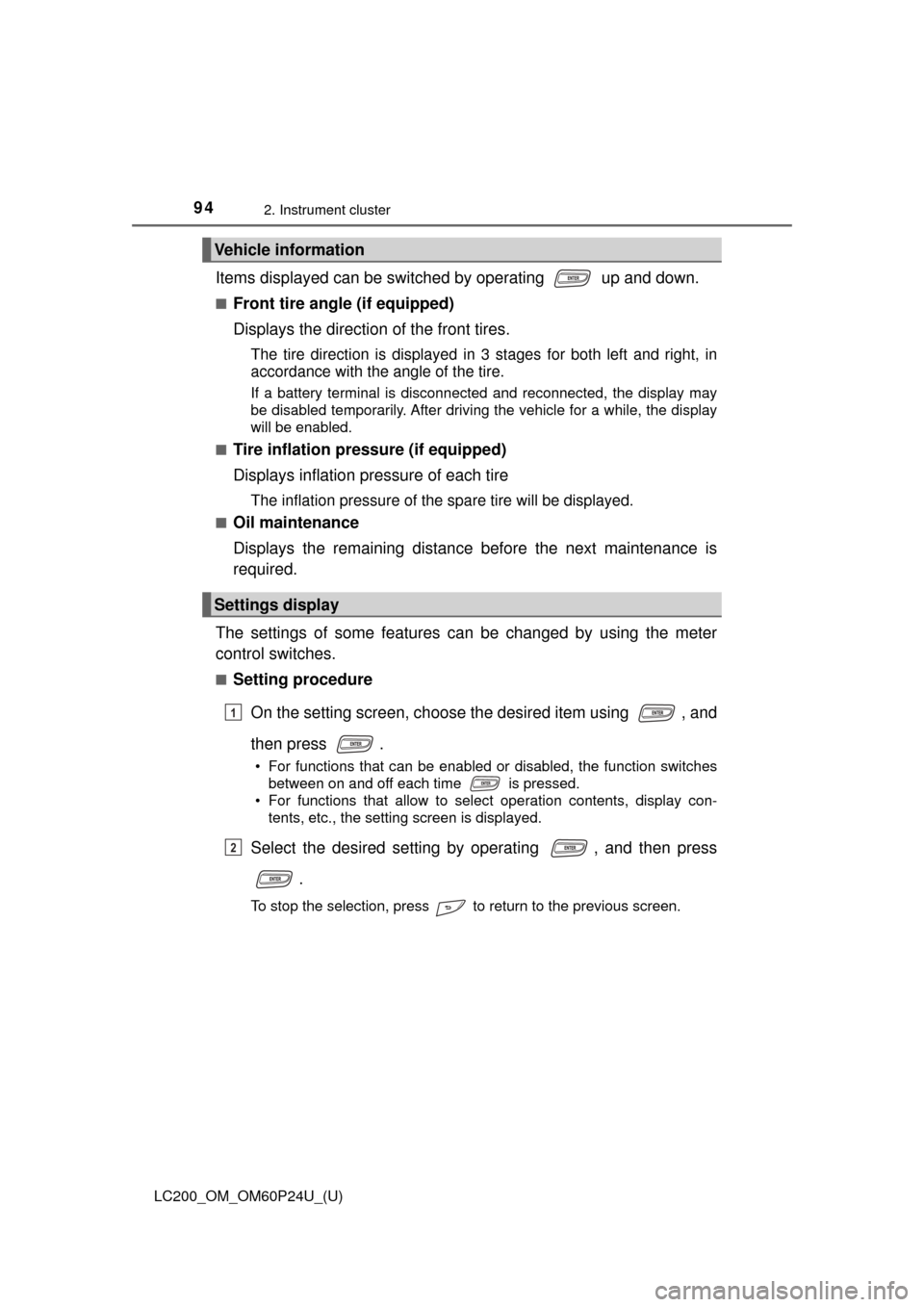
Press the “INFO/APPS” button, and then select “Fuel Consumption”
on the screen.
Reset the trip information data
Previous fuel consumption per
minute
Current fuel consumption
Average vehicle speed
Elapsed time
Cruising range
Average fuel consumption for the past 15 minutes is divided by color
into past averages and averages at tained since the engine switch was
last turned to IGNITION ON mode. Use the displayed average fuel
consumption as a reference.
These images are examples only, an d may vary slightly from actual
conditions.
The fuel consumption information can be displayed on the navi-
gation system or multimedia system screen.
Display the trip information or past record screen
Trip information
1
2
3
4
5
6
Page 99 of 608
LC200_OM_OM60P24U_(U)
992. Instrument cluster
2
Instrument cluster
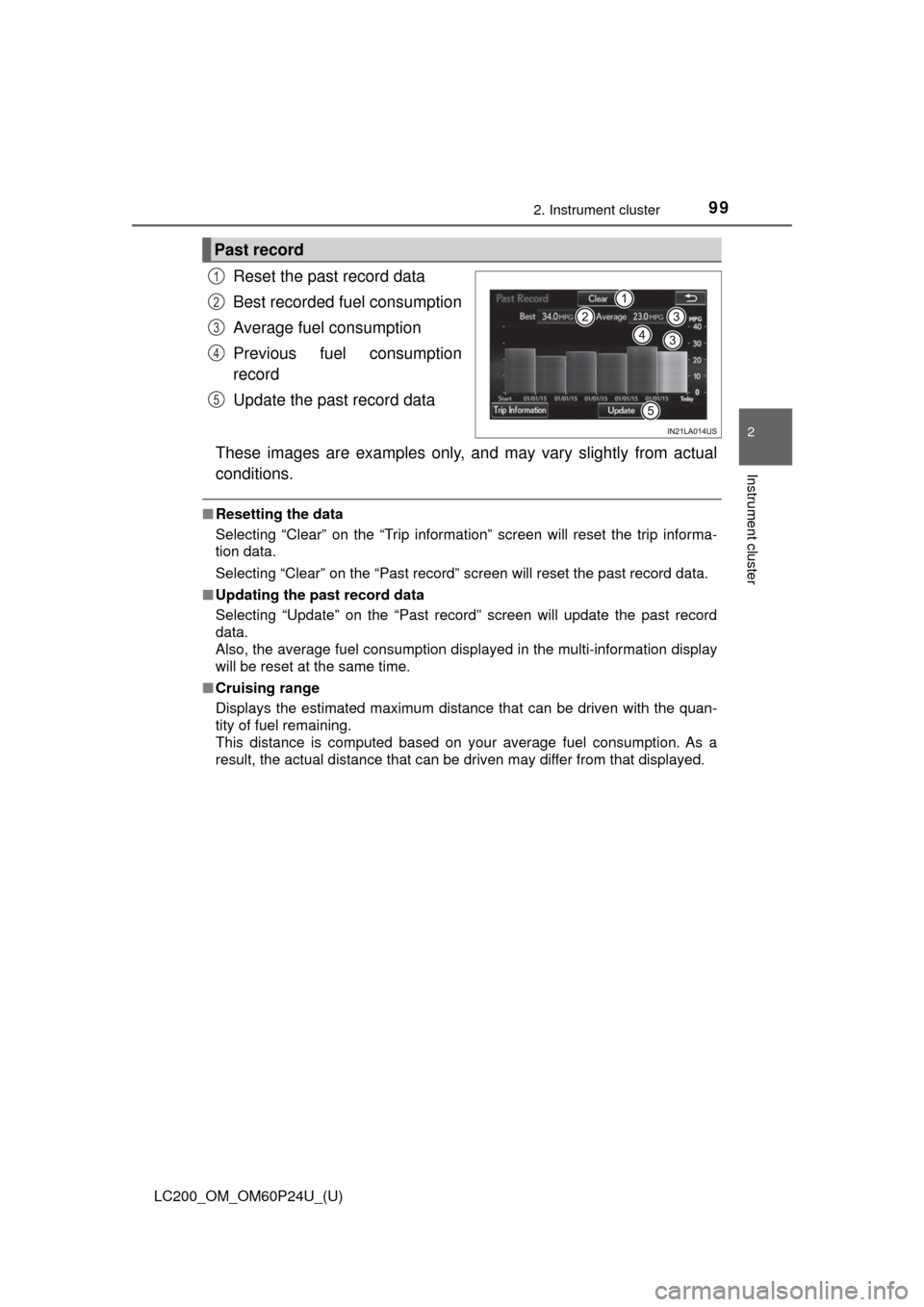
Reset the past record data
Best recorded fuel consumption
Average fuel consumption
Previous fuel consumption
record
Update the past record data
These images are examples only, an d may vary slightly from actual
conditions.
■ Resetting the data
Selecting “Clear” on the “Trip information” screen will reset the trip informa-
tion data.
Selecting “Clear” on the “Past record” screen will reset the\
past record data.
■ Updating the past record data
Selecting “Update” on the “Past record” screen will update the past record
data.
Also, the average fuel consumption displa yed in the multi-information display
will be reset at the same time.
■ Cruising range
Displays the estimated maximum distance that can be driven with the quan-
tity of fuel remaining.
This distance is computed based on your average fuel consumption. As a
result, the actual distance that can be driven may differ from that displayed.
Past record
1
2
3
4
5
Page 103 of 608
LC200_OM_OM60P24U_(U)
1033-1. Key information
3
Operation of each component
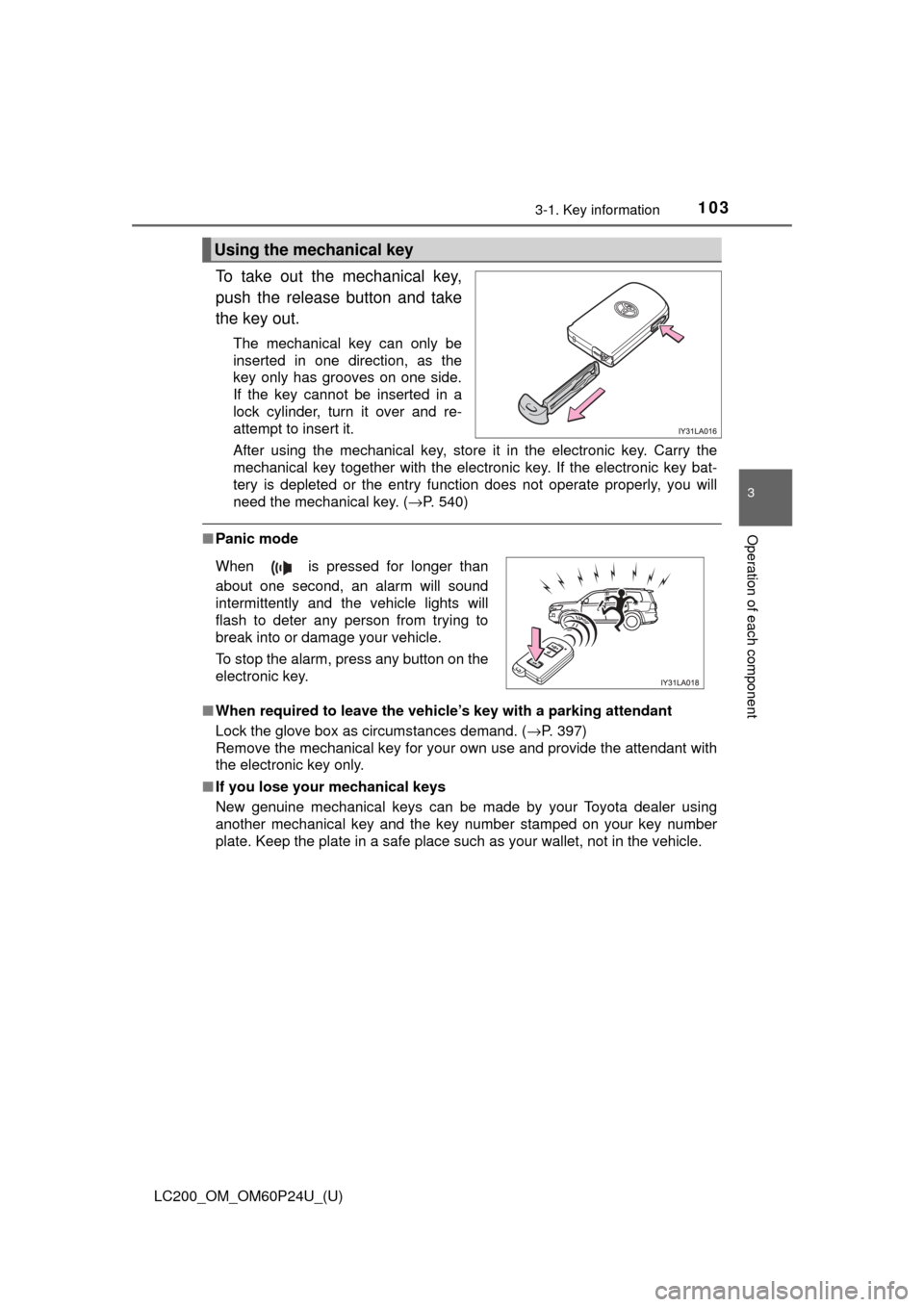
To take out the mechanical key,
push the release button and take
the key out.
The mechanical key can only be
inserted in one direction, as the
key only has grooves on one side.
If the key cannot be inserted in a
lock cylinder, turn it over and re-
attempt to insert it.
After using the mechanical key, store it in the electronic key. Carry the
mechanical key together with the electronic key. If the electronic key bat-
tery is depleted or the entry function does not operate properly, you will
need the mechanical key. (→P. 540)
■Panic mode
■ When required to leave the vehicle’s key with a parking attendant
Lock the glove box as circumstances demand. ( →P. 397)
Remove the mechanical key for your own use and provide the attendant with
the electronic key only.
■ If you lose your mechanical keys
New genuine mechanical keys can be made by your Toyota dealer using
another mechanical key and the key number stamped on your key number
plate. Keep the plate in a safe place such as your wallet, not in the vehicle.
Using the mechanical key
When is pressed for longer than
about one second, an alarm will sound
intermittently and the vehicle lights will
flash to deter any person from trying to
break into or damage your vehicle.
To stop the alarm, press any button on the
electronic key.
Page 104 of 608

104
LC200_OM_OM60P24U_(U)
3-1. Key information
■When riding in an aircraft
When bringing an electronic key onto an aircraft, make sure you do not press
any buttons on the electronic key while inside the aircraft cabin. If you are
carrying an electronic key in your bag etc., ensure that the buttons are not
likely to be pressed accidentally. Pressing a button may cause the electronic
key to emit radio waves that could interfere with the operation of the aircraft.
■ Electronic key battery depletion
●The standard battery life is 1 to 2 years.
● If the battery becomes low, an alarm will sound in the cabin when the engine
stops.
● As the electronic key always receives radio waves, the battery will become
depleted even if the electronic key is not used. The following symptoms indi-
cate that the electronic key battery may be depleted. Replace the battery
when necessary. ( →P. 479)
• The smart key system or the wireless remote control does not operate.
• The detection area becomes smaller.
• The LED indicator on the key surface does not turn on.
● To avoid serious deterioration, do not leave the electronic key within 3 ft. (1
m) of the following electrical appl iances that produce a magnetic field:
•TVs
• Personal computers
• Recharging cellular phones or cordless phones
• Table lamps
• Induction cookers
■ Replacing the key battery
→P. 479
Page 105 of 608
LC200_OM_OM60P24U_(U)
1053-1. Key information
3
Operation of each component
NOTICE
■To prevent key damage
● Do not drop the keys, subject them to strong shocks or bend them.
● Do not expose the keys to high temperatures for long periods of time.
● Do not get the keys wet or wash them in an ultrasonic washer, etc.
● Do not attach metallic or magnetic materials to the keys or place the keys
close to such materials.
● Do not attach a sticker or anything else to the surface of the electronic key.
● Do not disassemble the keys.
● Do not place the keys near objects that produce magnetic fields, such as
TVs, audio systems and induction cookers.
● Do not place the keys near medical electrical equipment such as low-fre-
quency therapy equipment or microwave therapy equipment, and do not
receive medical attention with the keys on your person.
■ Carrying the electronic key on your person
Carry the electronic key 3.9 in. (10 cm) or more away from electric appli-
ances that are turned on. Radio wave s emitted from electric appliances
within 3.9 in. (10 cm) of the electronic key may interfere with the key, caus-
ing the key to not function properly.
■ In case of a smart key system malfunction or other key-related prob-
lems
Take your vehicle with all the electronic keys provided with your vehicle to
your Toyota dealer.
■ When an electronic key is lost
If the electronic key remains lost, the risk of vehicle theft increases signifi-
cantly. Visit your Toyota dealer immediately with all remaining electronic
keys that were provided with your vehicle.