Page 34 of 198
Location of AirbagsAirbags are located in the approximate areas shown here. Airbag warning information is printed
on the sun visors.
Model X is equipped with an air bag and lap/shoulder belt at both front outboard seating
positions. The air bag is a supplemental restraint at those seating positions. All occupants,
including the driver, should always wear their seat belts whether or not an air bag is also provided at their seating position to minimize the risk of severe injury or death in the event of a crash.
1. Knee airbags
2. Front airbags
3. Curtain airbags
4. Seat-mounted side airbags
5. Door-mounted airbags
Airbags
Seating and Safety Restraints33
Page 41 of 198
3. PreviousSame as described above for Next, except
it skips to the previous song or station. If
you have more than one favorite
defined,press and hold to cycle through favorites.
Note: Regardless of how you customize the
left side of the instrument panel, it
automatically changes to display navigation
instructions (if applicable), or to let you know
if a door or trunk is open when Model X is in a driving gear.
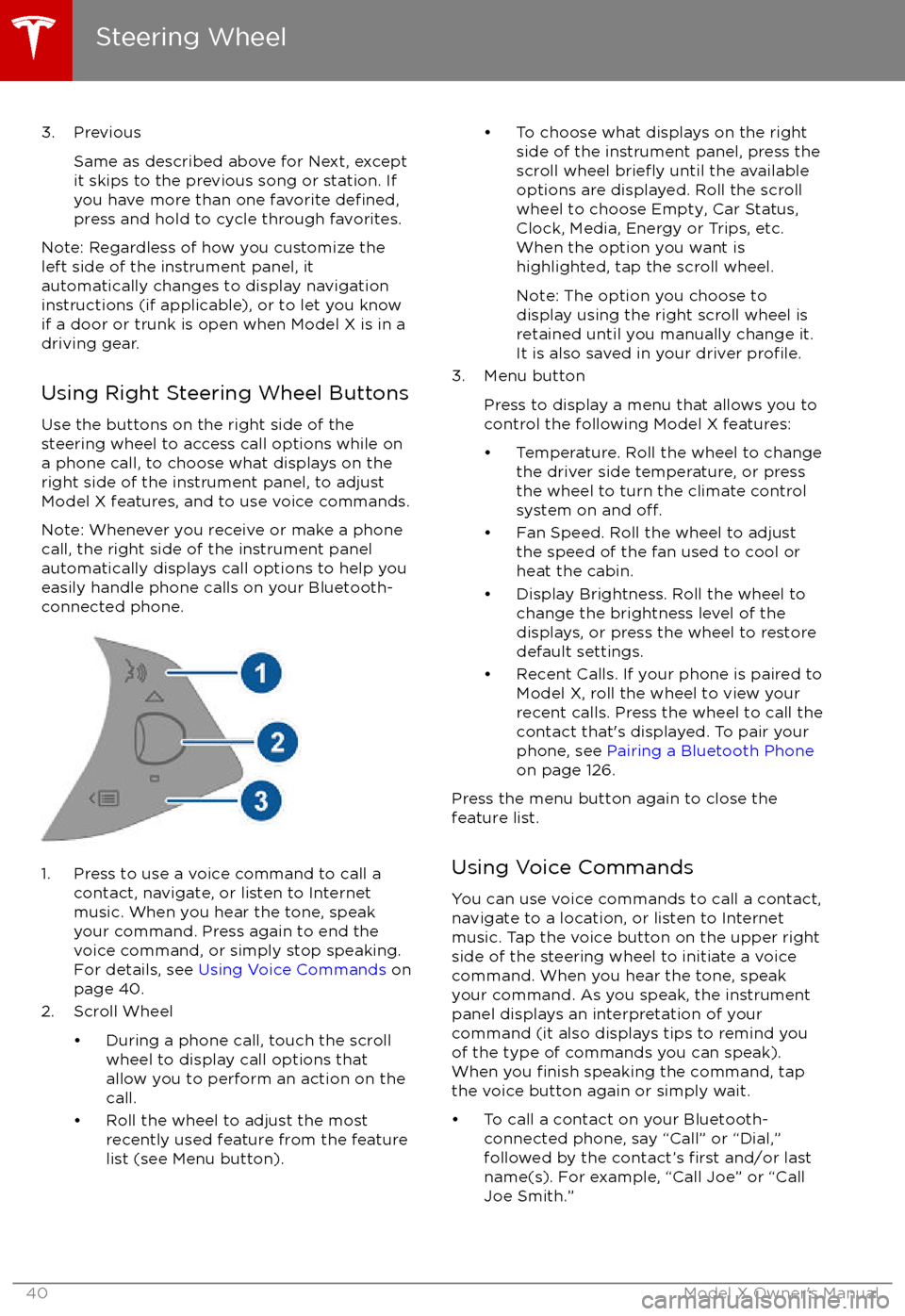
Using Right Steering Wheel Buttons Use the buttons on the right side of the
steering wheel to access call options while on
a phone call, to choose what displays on the
right side of the instrument panel, to adjust
Model X features, and to use voice commands.
Note: Whenever you receive or make a phone call, the right side of the instrument panelautomatically displays call options to help you
easily handle phone calls on your Bluetooth-
connected phone.
1. Press to use a voice command to call a
contact, navigate, or listen to Internetmusic. When you hear the tone, speak
your command. Press again to end the
voice command, or simply stop speaking.
For details, see Using Voice Commands on
page 40.
2. Scroll Wheel
Page 44 of 198
StartingWhen you open a door, Model X powers on
the instrument panel and touchscreen. The
instrument panel displays the status of doors
and the charge level, and you can operate all
controls.
To drive:
Page 51 of 198
Controlling LightsTouch Controls on the bottom corner of the touchscreen to control most of the lights.In addition to the lights that you can control from the touchscreen, Model X has convenience
lights that turn on and
off automatically based on what you are doing. For example, you will
notice interior lights, marker lights, tail lights, door handle lights, and puddle lights that turn on
when you unlock Model X, when you open a door, and when you shift into Park. They turn
offautomatically after a minute or two or when you shift into a driving gear or lock Model X.
Lights
50Model X Owner
Page 52 of 198
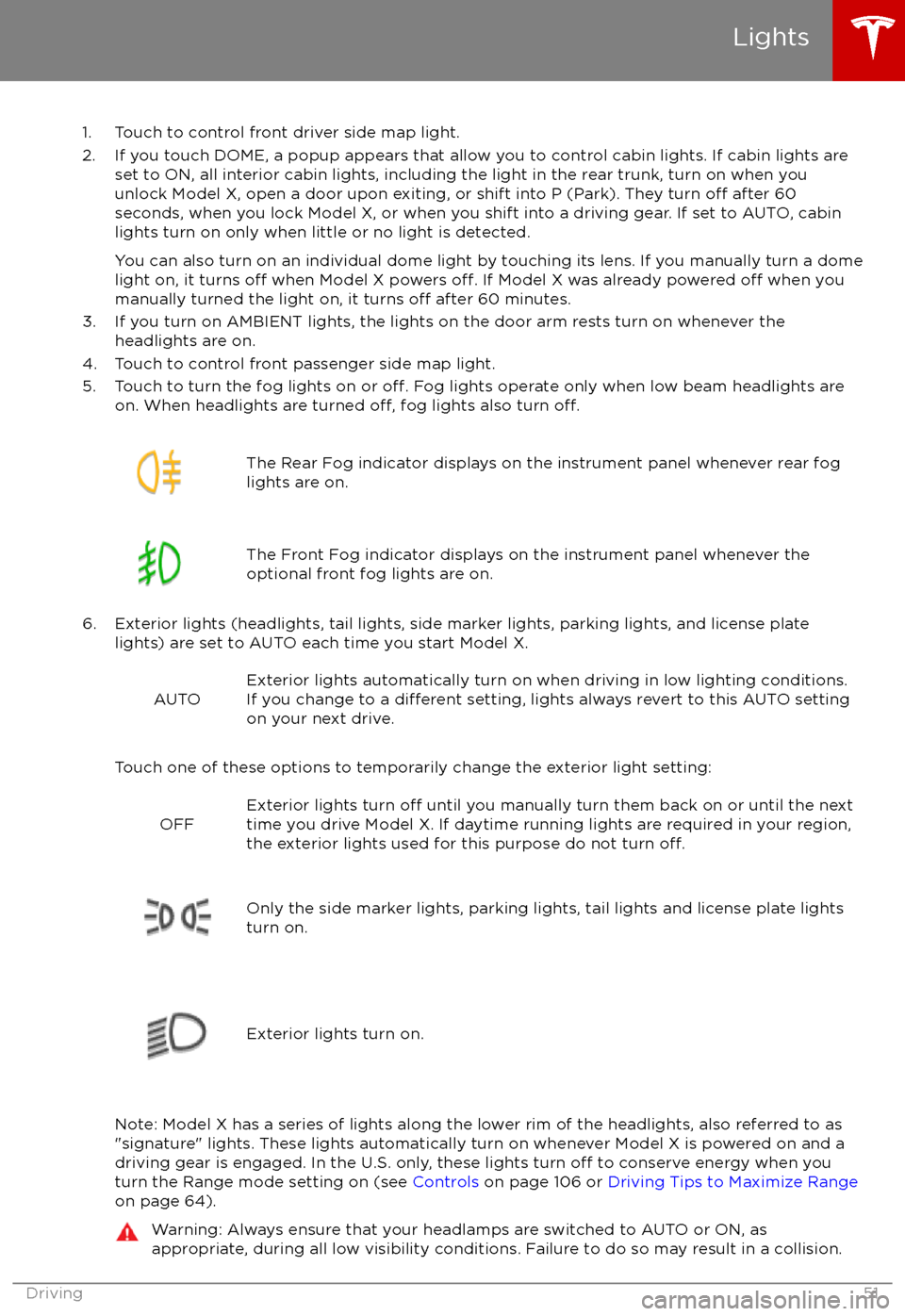
1. Touch to control front driver side map light.
2. If you touch DOME, a popup appears that allow you to control cabin lights. If cabin lights are set to ON, all interior cabin lights, including the light in the rear trunk, turn on when youunlock Model X, open a door upon exiting, or shift into P (Park). They turn
off after 60
seconds, when you lock Model X, or when you shift into a driving gear. If set to AUTO, cabin lights turn on only when little or no light is detected.
You can also turn on an individual dome light by touching its lens. If you manually turn a domelight on, it turns
off when Model X powers off. If Model X was already powered off when you
manually turned the light on, it turns off after 60 minutes.
3. If you turn on AMBIENT lights, the lights on the door arm rests turn on whenever the headlights are on.
4. Touch to control front passenger side map light.
5. Touch to turn the fog lights on or
off. Fog lights operate only when low beam headlights are
on. When headlights are turned off, fog lights also turn off.
The Rear Fog indicator displays on the instrument panel whenever rear fog
lights are on.The Front Fog indicator displays on the instrument panel whenever the
optional front fog lights are on.
6. Exterior lights (headlights, tail lights, side marker lights, parking lights, and license plate lights) are set to AUTO each time you start Model X.
AUTOExterior lights automatically turn on when driving in low lighting conditions.
If you change to a different setting, lights always revert to this AUTO setting
on your next drive.
Touch one of these options to temporarily change the exterior light setting:
OFFExterior lights turn off until you manually turn them back on or until the next
time you drive Model X. If daytime running lights are required in your region,
the exterior lights used for this purpose do not turn
off.Only the side marker lights, parking lights, tail lights and license plate lights
turn on.Exterior lights turn on.
Note: Model X has a series of lights along the lower rim of the headlights, also referred to as
"signature" lights. These lights automatically turn on whenever Model X is powered on and a driving gear is engaged. In the U.S. only, these lights turn
off to conserve energy when you
turn the Range mode setting on (see Controls on page 106 or Driving Tips to Maximize Range
on page 64).
Warning: Always ensure that your headlamps are switched to AUTO or ON, as
appropriate, during all low visibility conditions. Failure to do so may result in a collision.
Lights
Driving51
Page 94 of 198
2. On the touchscreen, choose the direction of travel.
3. Exit Model X and close the door.
Note: All doors and trunks must be closed.
Note: To cancel the parking maneuver before exiting the vehicle, touch Cancel on the popup window.
Summon now drives Model X into the parking space according to the direction you
specified on
the touchscreen.
Stopping or Canceling Summon
You can stop Model X at any time while Summon is active by pressing any button on the key or
using the mobile app. Summon also cancels when:
Page 108 of 198

1. CloseTouch the circled X in the top left corner of a window to close it (or you can touch anywhere
outside the window).
2. Doors
Touch to open or close doors.
3. Seats
Touch to move the second row seats forward or back.
4. Cold Weather
If Model X is equipped with the optional cold weather package, you can control all seatheaters as well as the heated wipers and steering wheel. Heaters that are turned on are displayed in red. To turn
off all seat heaters, touch All Off. Note that you can also control the
front driver and passenger seats using the main climate control panel located on the bottom
of the touchscreen (see Climate Controls on page 114).
5. Suspension
If Model X is equipped with Smart Air Suspension, touch to manually raise or lower Model X,or to remove a previously saved auto-raising location (see Smart Air Suspension on page
119). Model X must be powered on and you must press the brake pedal before you can
change suspension settings. Smart Air Suspension causes Model X to self-level, even when powered
off. Therefore, when towing or lifting, you must disable self-leveling (see Instructions
for Transporters on page 181 and Jacking and Lifting on page 165).
6. Driving
Page 135 of 198
About the Security System
If Model X does not detect a key nearby and a
locked door or trunk is opened, an alarm sounds and headlights and turn signals
flash.To deactivate the alarm, press any button on the key.
To manually enable or disable the alarm system, touch Controls > Settings > Safety &
Security > Alarm. When set to on, Model X activates its alarm one minute after the doors
lock and a recognized key is no longer
detected nearby.
Security Settings
134Model X Owner


