Page 161 of 252
123
Certain objects detected at the beginning of the
manoeuvre will no longer be detected at the
end of the manoeuvre due to the blind spots
between and below the sensors.
Examples: stake, roadworks cone or pavement
post.
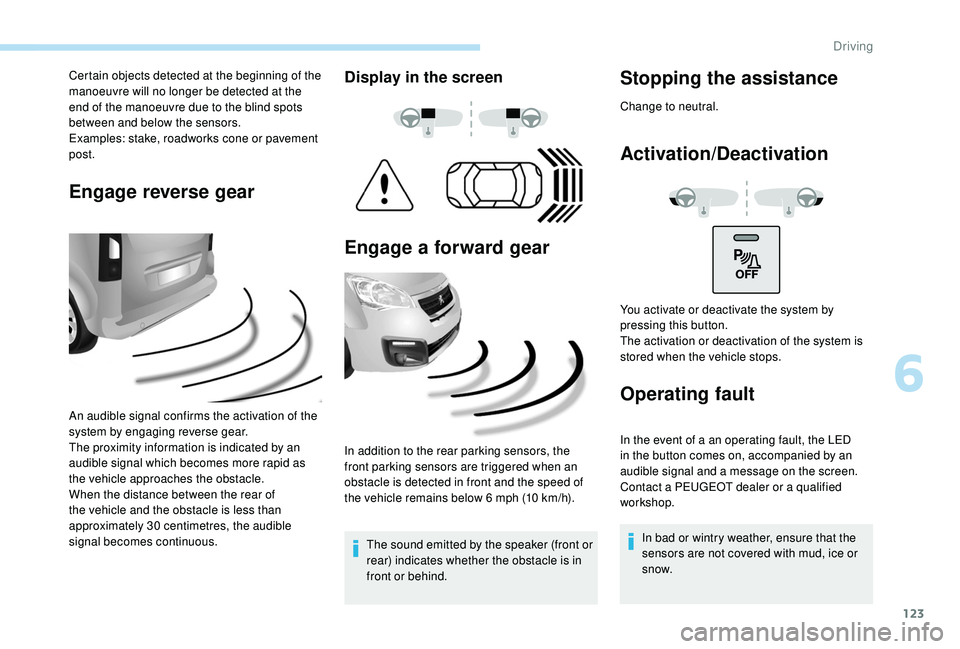
Engage reverse gear
An audible signal confirms the activation of the
system by engaging reverse gear.
The proximity information is indicated by an
audible signal which becomes more rapid as
the vehicle approaches the obstacle.
When the distance between the rear of
the vehicle and the obstacle is less than
approximately 30
centimetres, the audible
signal becomes continuous.
Display in the screen
Engage a forward gear
In addition to the rear parking sensors, the
front parking sensors are triggered when an
obstacle is detected in front and the speed of
the vehicle remains below 6
mph (10 km/h).
The sound emitted by the speaker (front or
rear) indicates whether the obstacle is in
front or behind.
Stopping the assistance
Change to neutral.
Activation/Deactivation
Operating fault
In the event of a an operating fault, the LED
in the button comes on, accompanied by an
audible signal and a message on the screen.
Contact a PEUGEOT dealer or a qualified
workshop. In bad or wintry weather, ensure that the
sensors are not covered with mud, ice or
snow.
You activate or deactivate the system by
pressing this button.
The activation or deactivation of the system is
stored when the vehicle stops.
6
Driving
Page 162 of 252
124
The system will be deactivated
automatically if a trailer is being towed or if
a bicycle carrier is fitted (vehicle fitted with
a towbar or bicycle carrier recommended
by PEUGEOT).
The parking sensor system cannot in
any circumstances replace the need for
vigilance on the part of the driver.
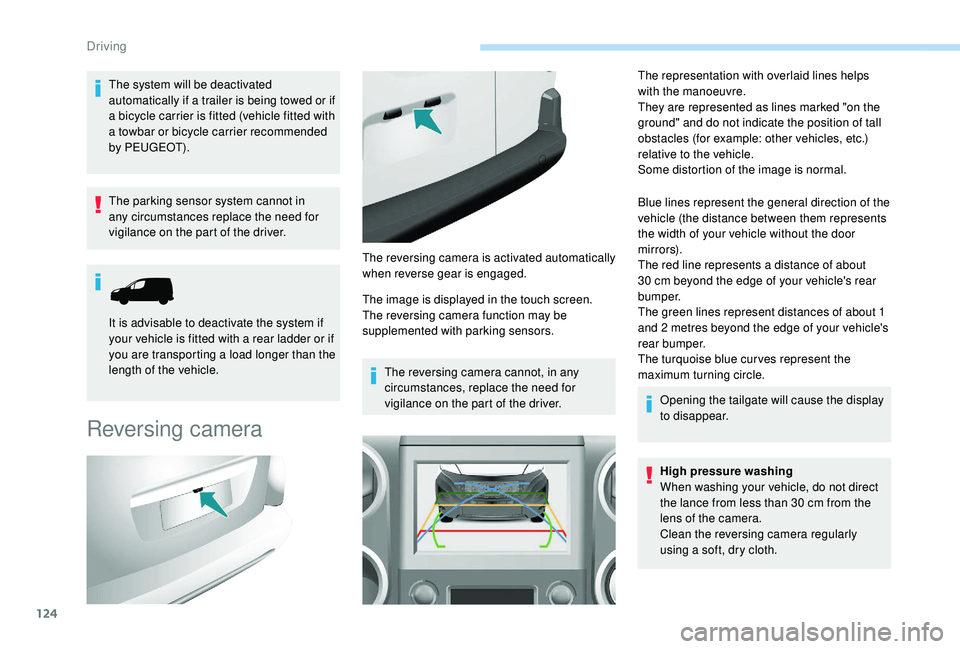
Reversing camera
The image is displayed in the touch screen.
The reversing camera function may be
supplemented with parking sensors.The reversing camera cannot, in any
circumstances, replace the need for
vigilance on the part of the driver. The representation with overlaid lines helps
with the manoeuvre.
They are represented as lines marked "on the
ground" and do not indicate the position of tall
obstacles (for example: other vehicles, etc.)
relative to the vehicle.
Some distortion of the image is normal.
Blue lines represent the general direction of the
vehicle (the distance between them represents
the width of your vehicle without the door
m i r r o r s).
The red line represents a distance of about
30
cm beyond the edge of your vehicle's rear
b u m p e r.
The green lines represent distances of about 1
and 2
metres beyond the edge of your vehicle's
rear bumper.
The turquoise blue cur ves represent the
maximum turning circle.
Opening the tailgate will cause the display
to disappear.
High pressure washing
When washing your vehicle, do not direct
the lance from less than 30
cm from the
lens of the camera.
Clean the reversing camera regularly
using a soft, dry cloth.
It is advisable to deactivate the system if
your vehicle is fitted with a rear ladder or if
you are transporting a load longer than the
length of the vehicle.
The reversing camera is activated automatically
when reverse gear is engaged.
Driving
Page 172 of 252
134
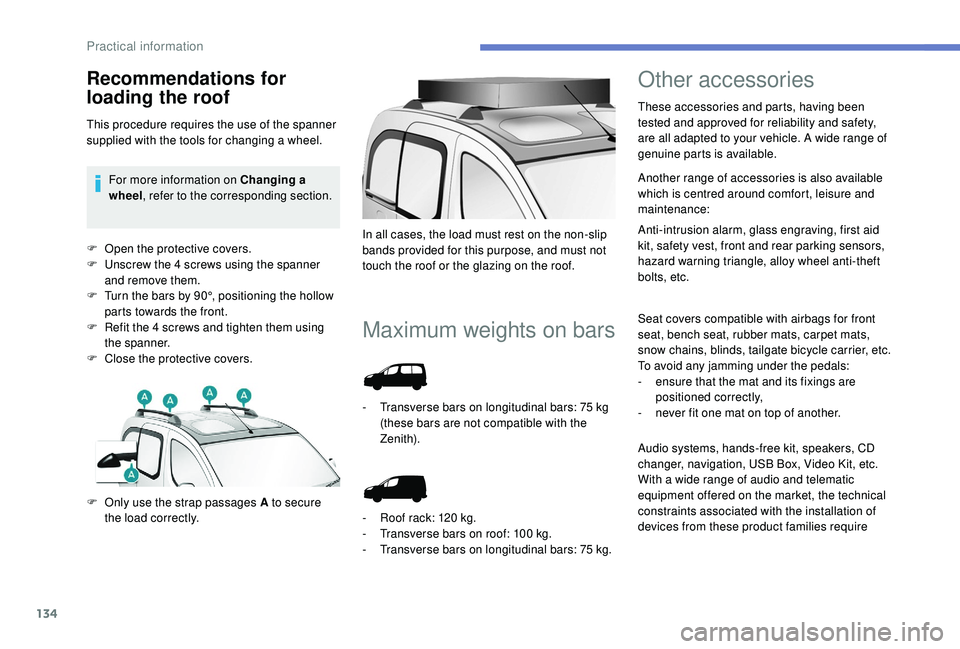
F Open the protective covers.
F U nscrew the 4 screws using the spanner
and remove them.
F
T
urn the bars by 90°, positioning the hollow
parts towards the front.
F
R
efit the 4 screws and tighten them using
the spanner.
F
C
lose the protective covers.
Maximum weights on bars
F Only use the strap passages A to secure the load correctly. In all cases, the load must rest on the non-slip
bands provided for this purpose, and must not
touch the roof or the glazing on the roof.
-
T
ransverse bars on longitudinal bars: 75 kg
(these bars are not compatible with the
Zenith).
-
R
oof rack: 120 kg.
-
T
ransverse bars on roof: 100 kg.
-
T
ransverse bars on longitudinal bars: 75
kg.
Other accessories
These accessories and parts, having been
tested and approved for reliability and safety,
are all adapted to your vehicle. A wide range of
genuine parts is available.
Another range of accessories is also available
which is centred around comfort, leisure and
maintenance:
Anti-intrusion alarm, glass engraving, first aid
kit, safety vest, front and rear parking sensors,
hazard warning triangle, alloy wheel anti-theft
bolts, etc.
Seat covers compatible with airbags for front
seat, bench seat, rubber mats, carpet mats,
snow chains, blinds, tailgate bicycle carrier, etc.
To avoid any jamming under the pedals:
-
e
nsure that the mat and its fixings are
positioned correctly,
-
n
ever fit one mat on top of another.
Recommendations for
loading the roof
This procedure requires the use of the spanner
supplied with the tools for changing a wheel.For more information on Changing a
wheel , refer to the corresponding section.
Audio systems, hands-free kit, speakers, CD
changer, navigation, USB Box, Video Kit, etc.
With a wide range of audio and telematic
equipment offered on the market, the technical
constraints associated with the installation of
devices from these product families require
Practical information
Page 185 of 252
147
Never go underneath a vehicle that is
supported only by a jack (use an axle stand).
Never use an electric screwdriver instead of
the wheelbrace.
Refitting the repaired wheel
The wheel is refitted in the same way as the
spare wheel; do not forget to refit the wheel
trim.For more information on Identification
markings
, including the tyre label, refer to
the corresponding section.
For more information on Tyre under-
inflation detection , including
recommendations after changing a wheel
with a tyre under-inflation detection
sensor, refer to the corresponding section.
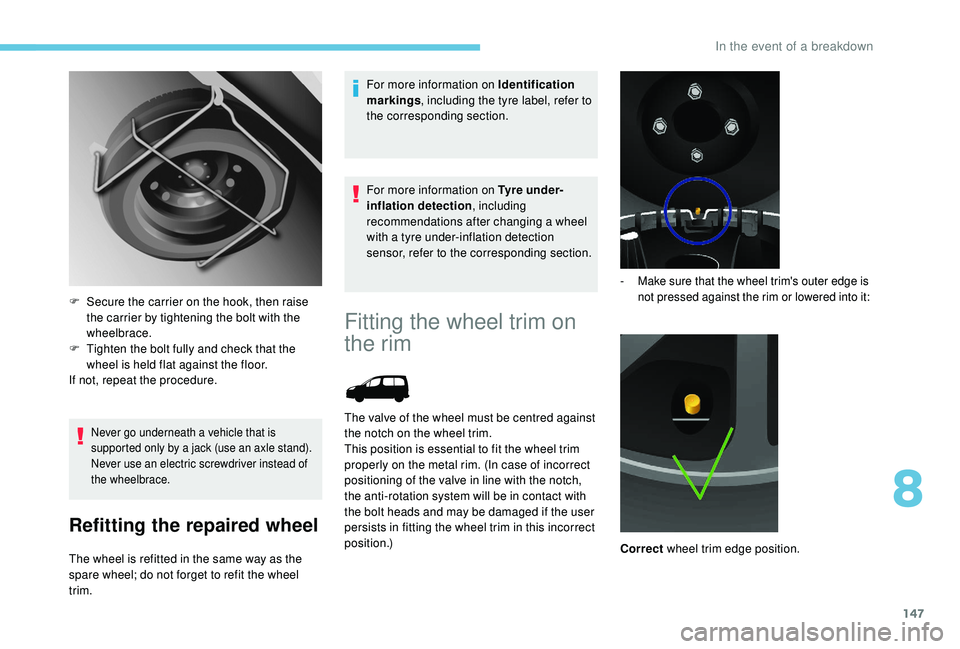
F
S
ecure the carrier on the hook, then raise
the carrier by tightening the bolt with the
wheelbrace.
F
T
ighten the bolt fully and check that the
wheel is held flat against the floor.
If not, repeat the procedure.
Fitting the wheel trim on
the rim
The valve of the wheel must be centred against
the notch on the wheel trim.
This position is essential to fit the wheel trim
properly on the metal rim. (In case of incorrect
positioning of the valve in line with the notch,
the anti-rotation system will be in contact with
the bolt heads and may be damaged if the user
persists in fitting the wheel trim in this incorrect
position.)
- Make sure that the wheel trim's outer edge is not pressed against the rim or lowered into it:
Correct wheel trim edge position.
8
In the event of a breakdown
Page 193 of 252
155
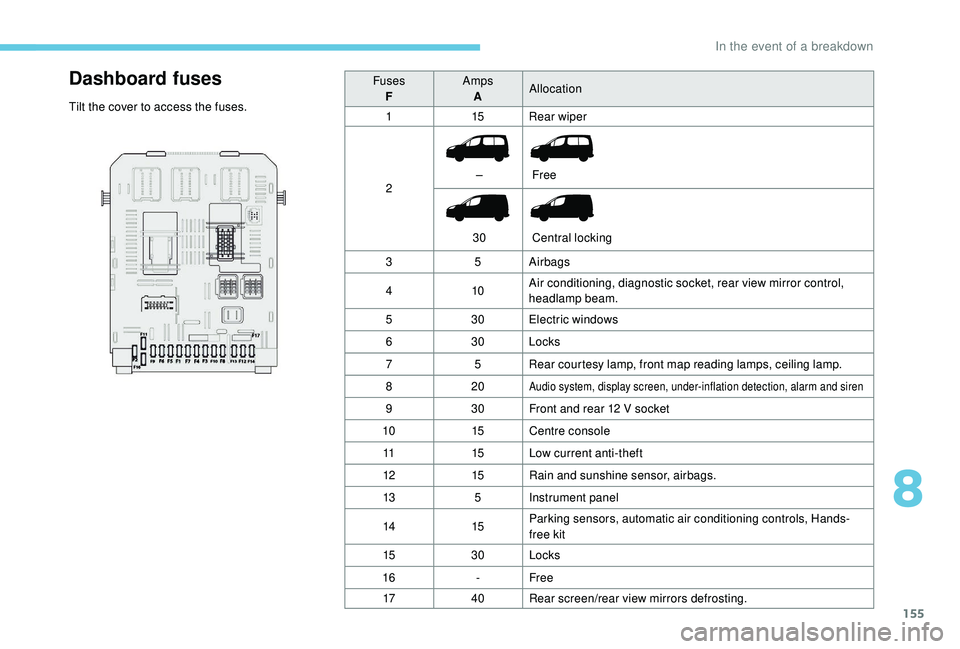
Dashboard fuses
Tilt the cover to access the fuses.Fuses
F Amps
A Allocation
1 15Rear wiper
2 –
30 Free
Central locking
3 5Airbags
4 10Air conditioning, diagnostic socket, rear view mirror control,
headlamp beam.
5 30Electric windows
6 30Locks
7 5Rear courtesy lamp, front map reading lamps, ceiling lamp.
8 20
Audio system, display screen, under-inflation detection, alarm and siren
930Front and rear 12 V socket
10 15Centre console
11 15Low current anti-theft
12 15Rain and sunshine sensor, airbags.
13 5Instrument panel
14 15Parking sensors, automatic air conditioning controls, Hands-
free kit
15 30Locks
16 -Free
17 40Rear screen/rear view mirrors defrosting.
8
In the event of a breakdown
Page 195 of 252
157
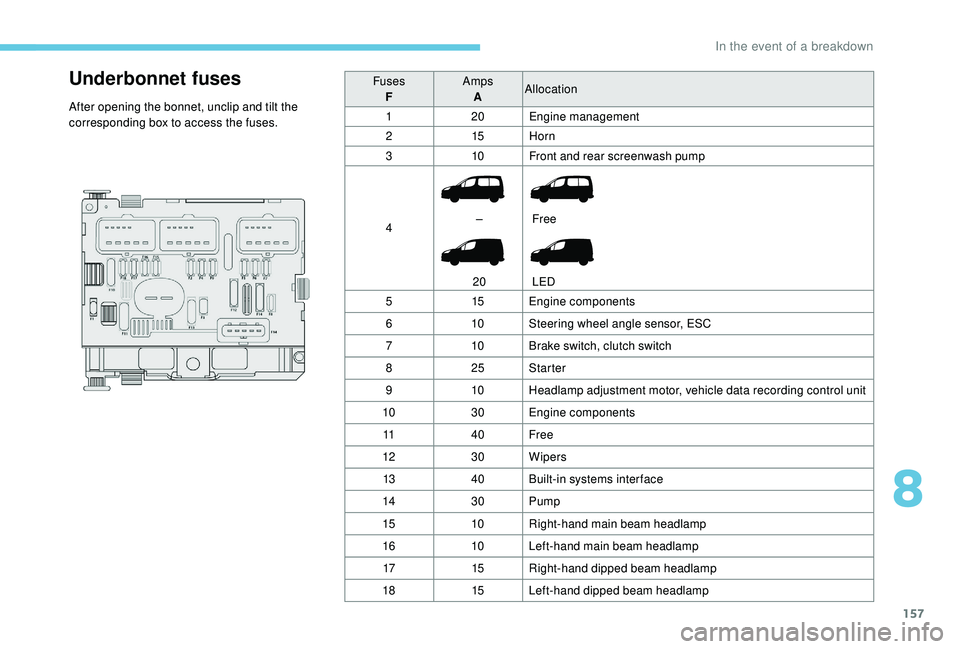
Underbonnet fuses
After opening the bonnet, unclip and tilt the
corresponding box to access the fuses.Fuses
F Amps
A Allocation
1 20Engine management
2 15Horn
3 10Front and rear screenwash pump
4 –
20 Free
LED
5 15Engine components
6 10Steering wheel angle sensor, ESC
7 10Brake switch, clutch switch
8 25Starter
9 10Headlamp adjustment motor, vehicle data recording control unit
10 30Engine components
11 40Free
12 30Wipers
13 40Built-in systems inter face
14 30Pump
15 10Right-hand main beam headlamp
16 10Left-hand main beam headlamp
17 15Right-hand dipped beam headlamp
18 15Left-hand dipped beam headlamp
8
In the event of a breakdown
Page:
< prev 1-8 9-16 17-24