2017 NISSAN JUKE display
[x] Cancel search: displayPage 277 of 416

5-16Starting and driving
N (Neutral):
Neither forward nor reverse gear is engaged.
The engine can be started in this position. You
may shift to N (Neutral) and restart a stalled
engine while the vehicle is moving.
D (Drive):
Use this position for all normal forward driving.
JVS0388X
Paddle shifter (if so equipped)
Manual shift mode (if so equipped)
When the shift lever is shifted from the D (Drive)
position to the manual shift gate, the transmis-
sion enters the manual shift mode. Shift ranges
can be selected manually by moving the shift
lever up or down, or pulling the right-side or left-
side paddle shifter (if so equipped) .
In the manual shift mode, the shift range is
displayed on the position indicator in the meter.Shift ranges up or down one by one as follows:
Except for NISMO RS models:
M1
?
M2?
M3?
M4?
M5 ?
M6 ?
M7
///// /
NISMO RS models:
M1?
M2 ?
M3 ?
M4 ?
M5 ?
M6 ?
M7 ?
M8
////// /
.
When shifting up, move the shift lever to the
+ (up) side or pull the right-side paddle
shifter (+)
*A(if so equipped) . The
transmission shifts to a higher range.
. When shifting down, move the shift lever to
theí(down) side or pull the left-side paddle
shifter (í )
*B(if so equipped) . The
transmission shifts to a lower range.
. Moving the shift lever to the same side twice
will shift the ranges in succession. However,
if this motion is rapidly done, the second
shifting may not be completed properly.
. When canceling the manual shift mode,
return the shift lever to the D (Drive) position.
The transmission returns to the normal
driving mode.
. When you pull the paddle shifter (if so
equipped) while in the D (Drive) position, the
transmission will shift to the upper or lower
range temporarily. The transmission will
automatically return to the D (Drive) position
Page 282 of 416

The Integrated Control System is located below
the audio system or navigation system (if so
equipped) . Two Integrated Control System
modes can be selected: Drive mode and
Climate Control mode.
Depending on which Integrated Control System
mode selected (Drive mode or Climate Control
mode) , the screen display and some button
functions will change.
.Drive mode
In the Drive mode, three types of driving
modes can be selected: NORMAL, SPORT
and ECO. See “Drive mode” (P.5-22). In
addition, while in the Drive mode, SETUP,
Drive information and ECO information can
be displayed and adjusted. See “Integrated
control system” (P.2-24).
. Climate Control mode
In the Climate Control mode, the climate
control can be set and adjusted. See
“Automatic air conditioner (with Integrated
Control System)” (P.4-32) .
SSD1154
1. NORMAL drive mode button
2. Climate control mode select button
3. Drive mode select button
4. SETUP button
5. SPORT drive mode button
6. ECO drive mode button
7. Display screen 8. Enter button/Selection dial
Starting and driving5-21
INTEGRATED CONTROL SYSTEM (if
so equipped)
Page 283 of 416

5-22Starting and driving
SSD1144
Example
DRIVE MODE
Three drive modes (NORMAL, SPORT and
ECO) can be selected depending on the driving
condition. When each mode is selected, the
control state of the engine, CVT (if so
equipped) , steering and climate appears on
the display briefly.
Each selected Drive mode (NORMAL, SPORT
or ECO) is displayed at the top of the display
screen.
NOTE:
.The display values of torque, boost and
current fuel economy may differ de-
pending on driving conditions. Use the display values as reference only.
. The vehicle will be set to the NORMAL
drive mode when restarting the engine.
SSD1145
NORMAL drive mode
The NORMAL drive mode is recommended for
normal driving. To set the NORMAL drive mode,
press the Drive mode select button and then
press the NORMAL drive mode button. The
control state of the engine, CVT (if so equipped)
steering and climate is displayed briefly.
When the NORMAL drive mode is selected, a
voltage meter and an engine torque meter
appear on the display screen.
NOTE:
.The voltage meter may change accord-
ing to the driving condition. This is not
a malfunction.
Page 284 of 416

.At start up, the vehicle is automatically
set to the NORMAL drive mode.
SSD1146
SPORT drive mode
The SPORT drive mode is recommended for an
enhanced performance feel. To set the SPORT
drive mode, press the drive mode select button.
The control state of the engine, CVT (if so
equipped) , steering and climate control is
displayed briefly. In the SPORT mode, the
engine, CVT (if so equipped) and steering are
set to SPORT. Climate control is set to
NORMAL.
When the SPORT drive mode is selected, a
boost meter appears on the display screen. NOTE:
In the SPORT mode, fuel economy may be
reduced.
Starting and driving5-23
Page 285 of 416

5-24Starting and driving
SSD1147
ECO drive mode
The ECO drive mode is recommended for
maximum fuel economy. In the ECO drive mode,
the engine and CVT (if so equipped) are
adjusted to enhance fuel economy.
To set the ECO drive mode, press the drive
mode select button and then press the ECO
drive mode button. The control state of the
engine, CVT (if so equipped) , steering and
climate control is displayed briefly.
When the ECO drive mode is selected, the
current fuel economy appears on the display
screen.
When the climate ECO mode is also switchedon, the climate control system is adjusted to
further enhance fuel economy.
The climate ECO mode can be switched on or
off in the SETUP mode. See “Setting the climate
ECO mode” (P.5-24) .
NOTE:
.
Many driving factors influence fuel
economy. Selecting the ECO drive
mode may not improve fuel economy.
. In the ECO drive mode, performance
may be reduced.
SSD1148
Setting the climate ECO mode:
When the climate ECO mode is switched on,
the climate control system operates to enhance
fuel economy.
To turn the climate ECO mode on or off
1. Press the drive mode select button to select
the drive mode.
2. Press the SETUP button.
3. Turn the selection dial until “CLIMATE ECO” is selected.
4. Press the ENTER button to switch climate ECO on or off. When the CLIMATE ECO
mode is turned on, the CLIMATE ECO
indicator
*Aturns red on the display
Page 290 of 416
.Keep your engine tuned up.
. Follow the recommended scheduled main-
tenance.
. Keep the tires inflated to the correct
pressure. Low tire pressure increases tire
wear and lowers fuel economy.
. Keep the wheels in correct alignment.
Improper alignment increases tire wear and
lowers fuel economy.
. Use the recommended viscosity engine oil.
(See “Engine oil and oil filter recommenda-
tion” (P.10-7) .)
WARNING
.For AWD equipped vehicles, do not
attempt to raise two wheels off the
ground and shift the transmission to
any drive or reverse position with
the engine running. Doing so may
result in drivetrain damage or un-
expected vehicle movement which
could result in serious vehicle da-
mage or personal injury.
. Do not attempt to test an AWD
equipped vehicle on a 2-wheel dy-
namometer (such as the dynam-
ometers used by some states for
emissions testing) or similar equip-
ment even if the other two wheels
are raised off the ground. Make sure
that you inform the test facility
personnel that your vehicle is
equipped with AWD before it is
placed on a dynamometer. Using
the wrong test equipment may re-
sult in drivetrain damage or unex-
pected vehicle movement which
could result in serious vehicle da-
mage or personal injury.
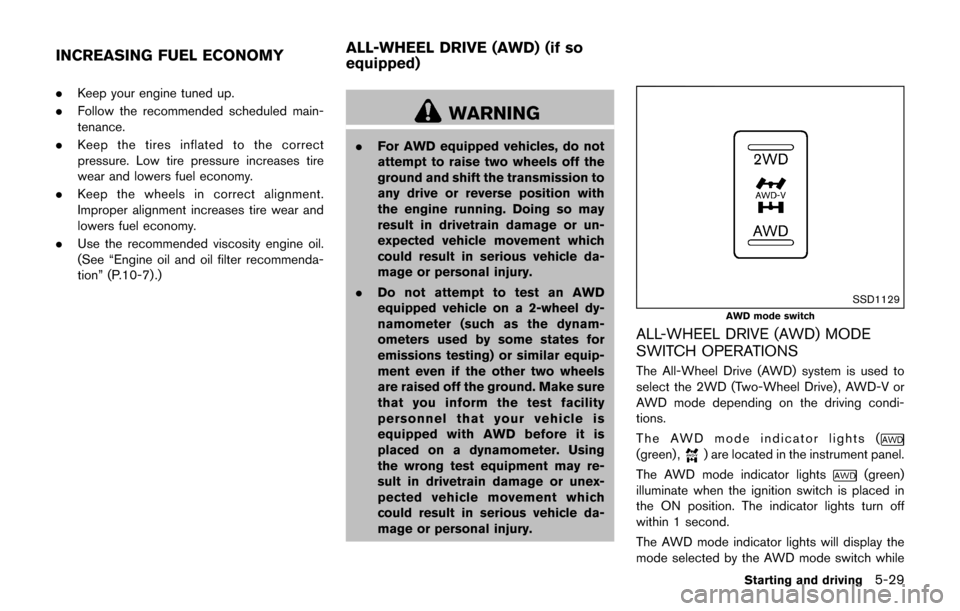
SSD1129
AWD mode switch
ALL-WHEEL DRIVE (AWD) MODE
SWITCH OPERATIONS
The All-Wheel Drive (AWD) system is used to
select the 2WD (Two-Wheel Drive) , AWD-V or
AWD mode depending on the driving condi-
tions.
The AWD mode indicator lights (
(green) ,) are located in the instrument panel.
The AWD mode indicator lights
(green)
illuminate when the ignition switch is placed in
the ON position. The indicator lights turn off
within 1 second.
The AWD mode indicator lights will display the
mode selected by the AWD mode switch while
Starting and driving5-29
INCREASING FUEL ECONOMY ALL-WHEEL DRIVE (AWD) (if so
equipped)
Page 304 of 416
To shut off the engine in an emergency situation
while driving, perform the following procedure:
.Rapidly push the push-button ignition switch
3 consecutive times in less than 1.5
seconds, or
. Push and hold the push-button ignition
switch for more than 2 seconds.TIRE PRESSURE MONITORING SYS-
TEM (TPMS)
This vehicle is equipped with the Tire Pressure
Monitoring System (TPMS) . It monitors tire
pressure of all tires except the spare. When
the low tire pressure warning light is lit, and the
CHECK TIRE PRES (pressure) warning mes-
sage is displayed in the vehicle information
display, one or more of your tires is significantly
under-inflated. If the vehicle is being driven with
low tire pressure, the TPMS will activate and
warn you of it by the low tire pressure warning
light. This system will activate only when the
vehicle is driven at speeds above 16 MPH (25
km/h) . For more details, see “Warning lights,
indicator lights and audible reminders” (P.2-15)
and “Tire Pressure Monitoring System (TPMS)”
(P.5-3) .
WARNING
.If the low tire pressure warning light
illuminates while driving, avoid sud-
den steering maneuvers or abrupt
braking, reduce vehicle speed, pull
off the road to a safe location and
stop the vehicle as soon as possi-
ble. Driving with under-inflated tires
may permanently damage the tires and increase the likelihood of tire
failure. Serious vehicle damage
could occur and may lead to an
accident and could result in serious
personal injury. Check the tire pres-
sure for all four tires. Adjust the tire
pressure to the recommended COLD
tire pressure shown on the Tire and
Loading Information label to turn
the low tire pressure warning light
OFF. If you have a flat tire, replace it
with a spare tire as soon as possi-
ble.
. Since the spare tire is not equipped
with the TPMS, when a spare tire is
mounted or a wheel is replaced, the
TPMS will not function and the low
tire pressure warning light will flash
for approximately 1 minute. The
light will remain on after 1 minute.
Have your tires replaced and/or
TPMS system reset as soon as
possible. It is recommended you
visit a NISSAN dealer for these
services.
. Replacing tires with those not ori-
ginally specified by NISSAN could
affect the proper operation of the
TPMS.
In case of emergency6-3
EMERGENCY ENGINE SHUT OFF FLAT TIRE
Page 345 of 416

8-20Do-it-yourself
SDI2705
Extended storage fuse switch (if so
equipped)
To reduce battery drain, the extended storage
fuse switch comes from the factory switched off.
Prior to delivery of your vehicle, the switch is
pushed in (switched on) and should always
remain on.
If the extended storage fuse switch is not
pushed in (switched on) , the meter may display
a warning message. See “Extended storage fuse
warning message” (P.2-9).
If any electrical equipment does not operate,
remove the extended storage fuse switch and
check for an open fuse.NOTE:
If the extended storage fuse switch mal-
functions or if the fuse is open, it is not
necessary to replace the switch. In this
case, remove the extended storage fuse
switch and replace it with a new fuse of the
same rating.
How to remove the extended storage fuse
switch:
1. To remove the extended storage fuse switch,
be sure the ignition switch is in the OFF or
LOCK position.
2. Be sure the headlight switch is in the OFF position.
3. Remove the fuse box cover.
4. Pinch the storage fuse switch and pull it in the direction illustrated.
CAUTION
Be careful not to allow children to
swallow the battery and removed parts.
INTELLIGENT KEY BATTERY
REPLACEMENT