2017 NISSAN ARMADA Ignition
[x] Cancel search: IgnitionPage 362 of 614
gear. This helps maintain driving per-
formance and reduces the chance of
vehicle damage or loss of control.
. When the transmission does not shift
to the selected gear, the Automatic
Transmission (AT) position indicator
light (in the vehicle information dis-
play) will blink and the buzzer will
sound.
. In the manual shift mode, the transmis-
sion automatically shifts down to 1st
gear before the vehicle comes to a
stop. When accelerating again, it is
necessary to shift up to the desired
range.
Accelerator downshift — In D (Drive)
position —
For passing or hill climbing, fully depress the
accelerator pedal to the floor. This shifts the
transmission down into the lower gear, depend-
ing on the vehicle speed.
Fail-safe
When the fail-safe operation occurs, note that
the transmission will be locked in any of the
forward gears according to the condition.
If the vehicle is driven under extreme
conditions, such as excessive wheel spin-
ning and subsequent hard braking, the fail-safe system may be activated. This will
occur even if all electrical circuits are
functioning properly. In this case, push
the switch to the OFF position and wait for
3 seconds. Then push the ignition switch
back to the ON position. The vehicle
should return to its normal operating
condition. If it does not return to its normal
operating condition, have the transmission
checked and repaired, if necessary. It is
recommended you visit a NISSAN dealer
for this service.
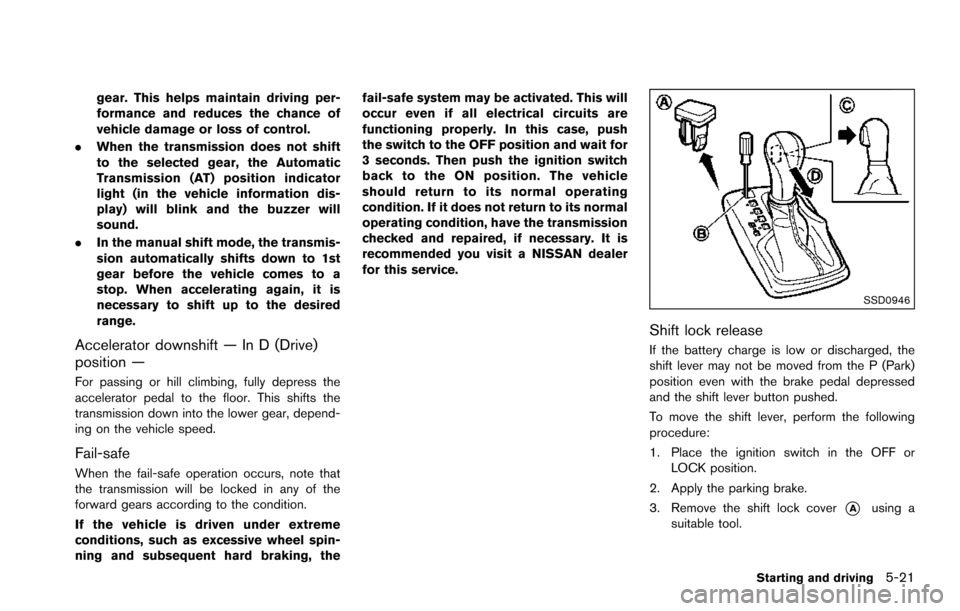
SSD0946
Shift lock release
If the battery charge is low or discharged, the
shift lever may not be moved from the P (Park)
position even with the brake pedal depressed
and the shift lever button pushed.
To move the shift lever, perform the following
procedure:
1. Place the ignition switch in the OFF or
LOCK position.
2. Apply the parking brake.
3. Remove the shift lock cover
*Ausing a
suitable tool.
Starting and driving5-21
Page 376 of 614
BSW SYSTEM OPERATION
The BSW system operates above approximately
20 MPH (32 km/h) .
If the radar sensors detect a vehicle in the
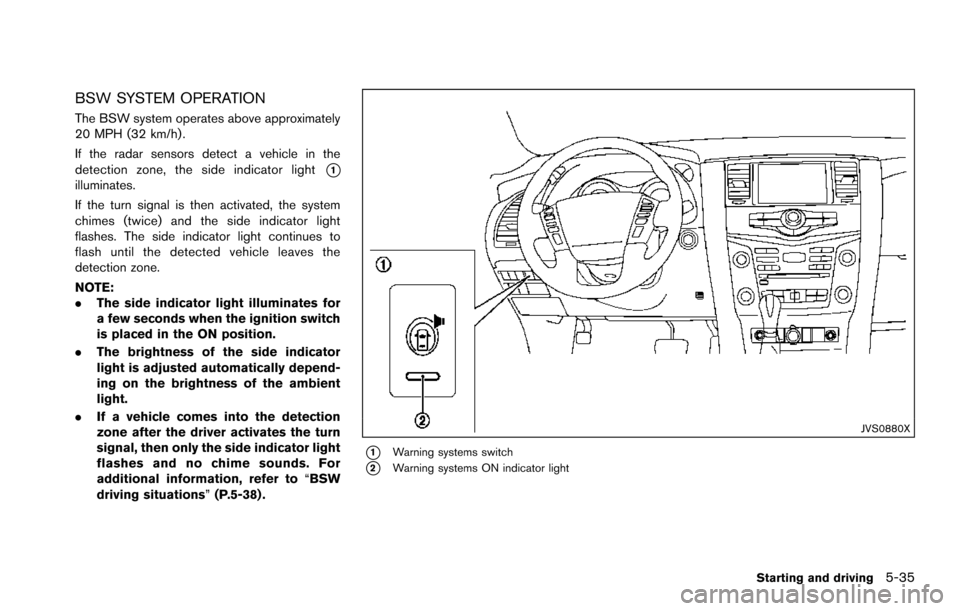
detection zone, the side indicator light
*1illuminates.
If the turn signal is then activated, the system
chimes (twice) and the side indicator light
flashes. The side indicator light continues to
flash until the detected vehicle leaves the
detection zone.
NOTE:
.The side indicator light illuminates for
a few seconds when the ignition switch
is placed in the ON position.
. The brightness of the side indicator
light is adjusted automatically depend-
ing on the brightness of the ambient
light.
. If a vehicle comes into the detection
zone after the driver activates the turn
signal, then only the side indicator light
flashes and no chime sounds. For
additional information, refer to “BSW
driving situations” (P.5-38) .
JVS0880X
*1Warning systems switch
*2Warning systems ON indicator light
Starting and driving5-35
Page 416 of 614
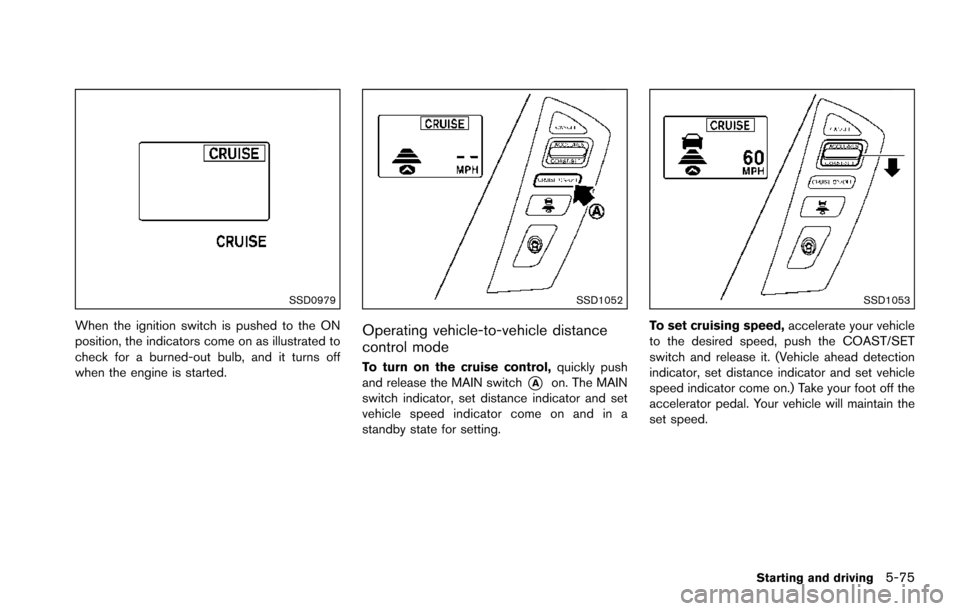
SSD0979
When the ignition switch is pushed to the ON
position, the indicators come on as illustrated to
check for a burned-out bulb, and it turns off
when the engine is started.
SSD1052
Operating vehicle-to-vehicle distance
control mode
To turn on the cruise control,quickly push
and release the MAIN switch
*Aon. The MAIN
switch indicator, set distance indicator and set
vehicle speed indicator come on and in a
standby state for setting.
SSD1053
To set cruising speed, accelerate your vehicle
to the desired speed, push the COAST/SET
switch and release it. (Vehicle ahead detection
indicator, set distance indicator and set vehicle
speed indicator come on.) Take your foot off the
accelerator pedal. Your vehicle will maintain the
set speed.
Starting and driving5-75
Page 430 of 614
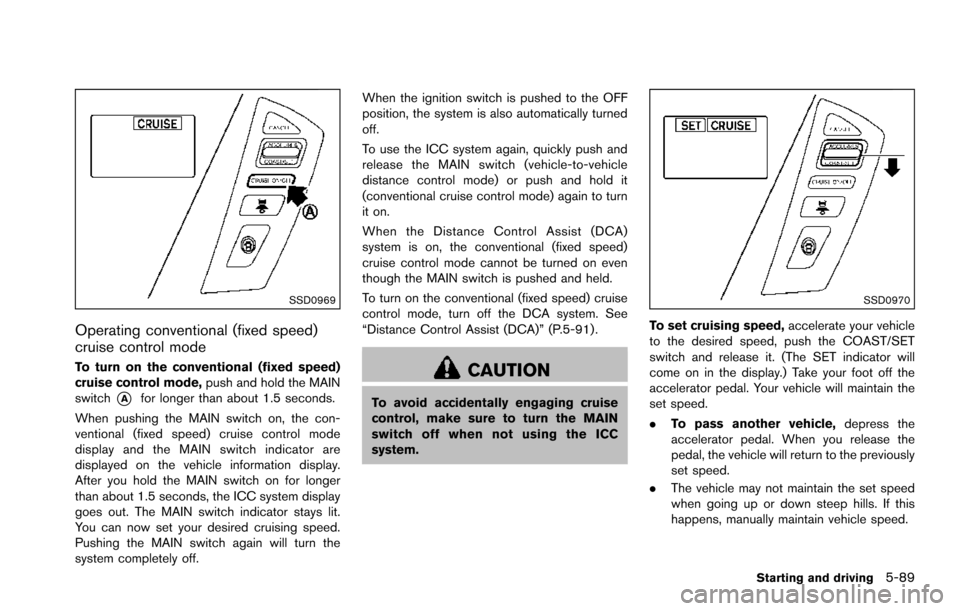
SSD0969
Operating conventional (fixed speed)
cruise control mode
To turn on the conventional (fixed speed)
cruise control mode,push and hold the MAIN
switch
*Afor longer than about 1.5 seconds.
When pushing the MAIN switch on, the con-
ventional (fixed speed) cruise control mode
display and the MAIN switch indicator are
displayed on the vehicle information display.
After you hold the MAIN switch on for longer
than about 1.5 seconds, the ICC system display
goes out. The MAIN switch indicator stays lit.
You can now set your desired cruising speed.
Pushing the MAIN switch again will turn the
system completely off. When the ignition switch is pushed to the OFF
position, the system is also automatically turned
off.
To use the ICC system again, quickly push and
release the MAIN switch (vehicle-to-vehicle
distance control mode) or push and hold it
(conventional cruise control mode) again to turn
it on.
When the Distance Control Assist (DCA)
system is on, the conventional (fixed speed)
cruise control mode cannot be turned on even
though the MAIN switch is pushed and held.
To turn on the conventional (fixed speed) cruise
control mode, turn off the DCA system. See
“Distance Control Assist (DCA)” (P.5-91) .
CAUTION
To avoid accidentally engaging cruise
control, make sure to turn the MAIN
switch off when not using the ICC
system.
SSD0970
To set cruising speed,
accelerate your vehicle
to the desired speed, push the COAST/SET
switch and release it. (The SET indicator will
come on in the display.) Take your foot off the
accelerator pedal. Your vehicle will maintain the
set speed.
. To pass another vehicle, depress the
accelerator pedal. When you release the
pedal, the vehicle will return to the previously
set speed.
. The vehicle may not maintain the set speed
when going up or down steep hills. If this
happens, manually maintain vehicle speed.
Starting and driving5-89
Page 468 of 614
When driving on rough roads,
.Drive carefully according to the road surface
conditions.
When the vehicle is stuck,
. Place stones or wooden blocks under the
tires to free the vehicle.
. Set the 4WD shift switch to 4H or 4L.
. If it is difficult to free the vehicle, repeat
forward and backward movement to in-
crease the movement.
. If the vehicle is stuck deep in mud, tire
chains may be effective.
CAUTION
.Do not spin the tires excessively.
Tires will sink deep into the mud,
making it difficult to free the vehi-
cle.
. Avoid shifting gears with the engine
running at high speeds as this may
cause malfunction.
SSD1048
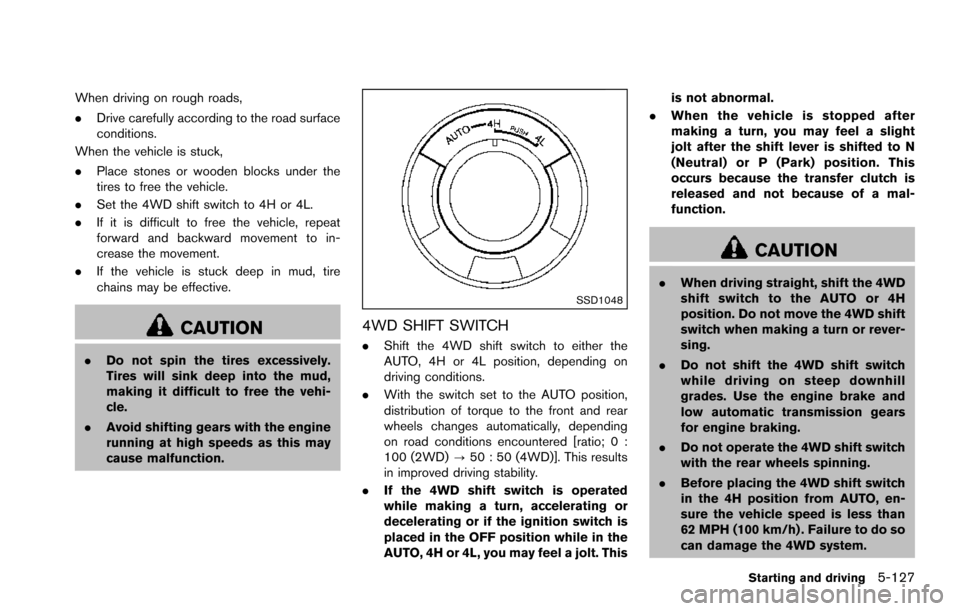
4WD SHIFT SWITCH
.Shift the 4WD shift switch to either the
AUTO, 4H or 4L position, depending on
driving conditions.
. With the switch set to the AUTO position,
distribution of torque to the front and rear
wheels changes automatically, depending
on road conditions encountered [ratio; 0 :
100 (2WD) ?50 : 50 (4WD)]. This results
in improved driving stability.
. If the 4WD shift switch is operated
while making a turn, accelerating or
decelerating or if the ignition switch is
placed in the OFF position while in the
AUTO, 4H or 4L, you may feel a jolt. This is not abnormal.
. When the vehicle is stopped after
making a turn, you may feel a slight
jolt after the shift lever is shifted to N
(Neutral) or P (Park) position. This
occurs because the transfer clutch is
released and not because of a mal-
function.
CAUTION
.When driving straight, shift the 4WD
shift switch to the AUTO or 4H
position. Do not move the 4WD shift
switch when making a turn or rever-
sing.
. Do not shift the 4WD shift switch
while driving on steep downhill
grades. Use the engine brake and
low automatic transmission gears
for engine braking.
. Do not operate the 4WD shift switch
with the rear wheels spinning.
. Before placing the 4WD shift switch
in the 4H position from AUTO, en-
sure the vehicle speed is less than
62 MPH (100 km/h) . Failure to do so
can damage the 4WD system.
Starting and driving5-127
Page 469 of 614
5-128Starting and driving
.Never shift the 4WD shift switch
between 4L and 4H while driving.
. Engine idling speed is high while
warming up the engine. Be espe-
cially careful when starting or driv-
ing on slippery surfaces with the
4WD shift switch in AUTO.
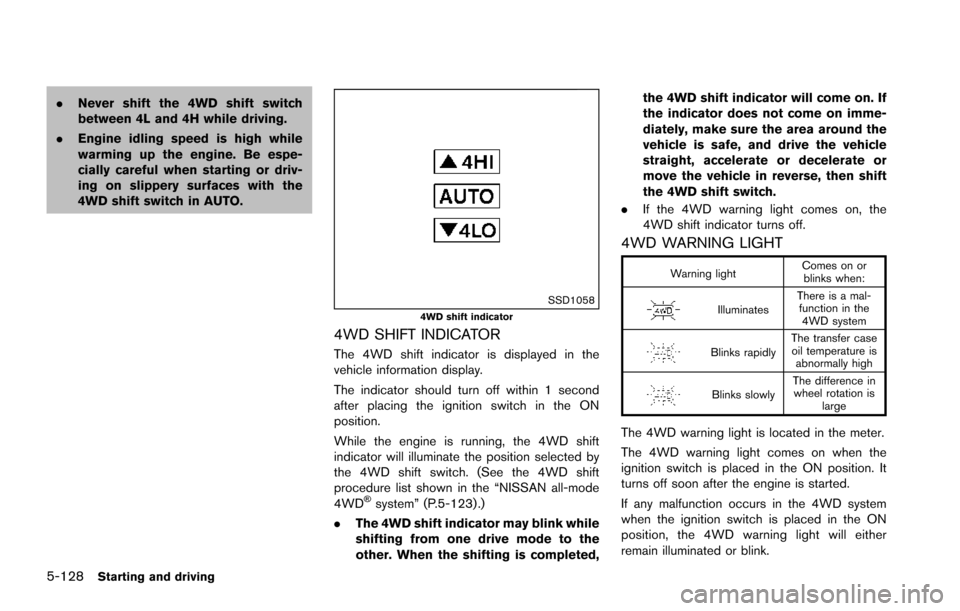
SSD10584WD shift indicator
4WD SHIFT INDICATOR
The 4WD shift indicator is displayed in the
vehicle information display.
The indicator should turn off within 1 second
after placing the ignition switch in the ON
position.
While the engine is running, the 4WD shift
indicator will illuminate the position selected by
the 4WD shift switch. (See the 4WD shift
procedure list shown in the “NISSAN all-mode
4WD
Šsystem” (P.5-123) .)
. The 4WD shift indicator may blink while
shifting from one drive mode to the
other. When the shifting is completed, the 4WD shift indicator will come on. If
the indicator does not come on imme-
diately, make sure the area around the
vehicle is safe, and drive the vehicle
straight, accelerate or decelerate or
move the vehicle in reverse, then shift
the 4WD shift switch.
. If the 4WD warning light comes on, the
4WD shift indicator turns off.
4WD WARNING LIGHT
Warning light Comes on or
blinks when:
Illuminates There is a mal-
function in the 4WD system
Blinks rapidly The transfer case
oil temperature is abnormally high
Blinks slowly The difference in
wheel rotation is large
The 4WD warning light is located in the meter.
The 4WD warning light comes on when the
ignition switch is placed in the ON position. It
turns off soon after the engine is started.
If any malfunction occurs in the 4WD system
when the ignition switch is placed in the ON
position, the 4WD warning light will either
remain illuminated or blink.
Page 473 of 614
5-132Starting and driving
so the vehicle will move away from the
center of the road if it moves.
4. Push the ignition switch to the OFF position.
SIC4474
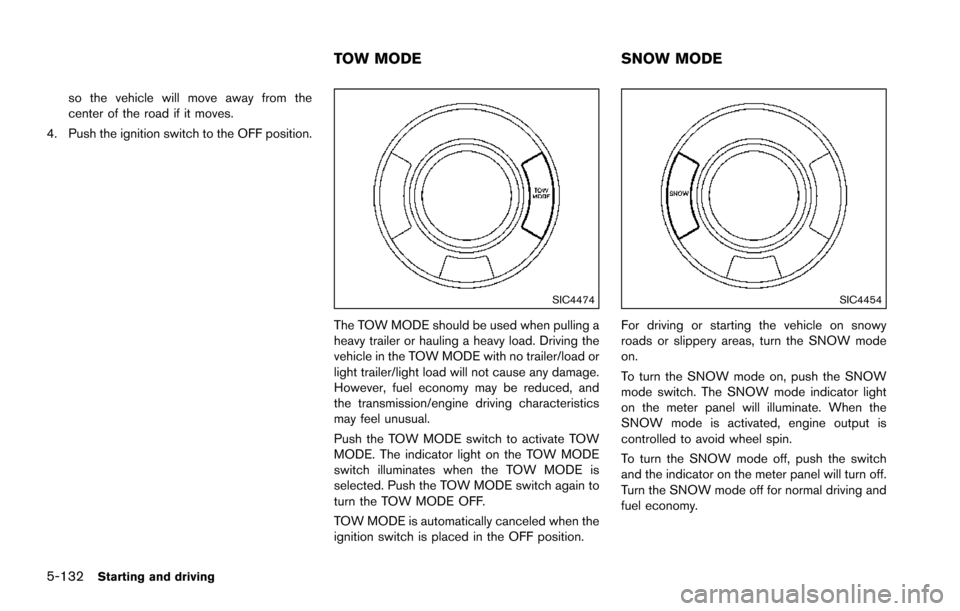
The TOW MODE should be used when pulling a
heavy trailer or hauling a heavy load. Driving the
vehicle in the TOW MODE with no trailer/load or
light trailer/light load will not cause any damage.
However, fuel economy may be reduced, and
the transmission/engine driving characteristics
may feel unusual.
Push the TOW MODE switch to activate TOW
MODE. The indicator light on the TOW MODE
switch illuminates when the TOW MODE is
selected. Push the TOW MODE switch again to
turn the TOW MODE OFF.
TOW MODE is automatically canceled when the
ignition switch is placed in the OFF position.
SIC4454
For driving or starting the vehicle on snowy
roads or slippery areas, turn the SNOW mode
on.
To turn the SNOW mode on, push the SNOW
mode switch. The SNOW mode indicator light
on the meter panel will illuminate. When the
SNOW mode is activated, engine output is
controlled to avoid wheel spin.
To turn the SNOW mode off, push the switch
and the indicator on the meter panel will turn off.
Turn the SNOW mode off for normal driving and
fuel economy.
TOW MODE SNOW MODE
Page 476 of 614
SSD0972
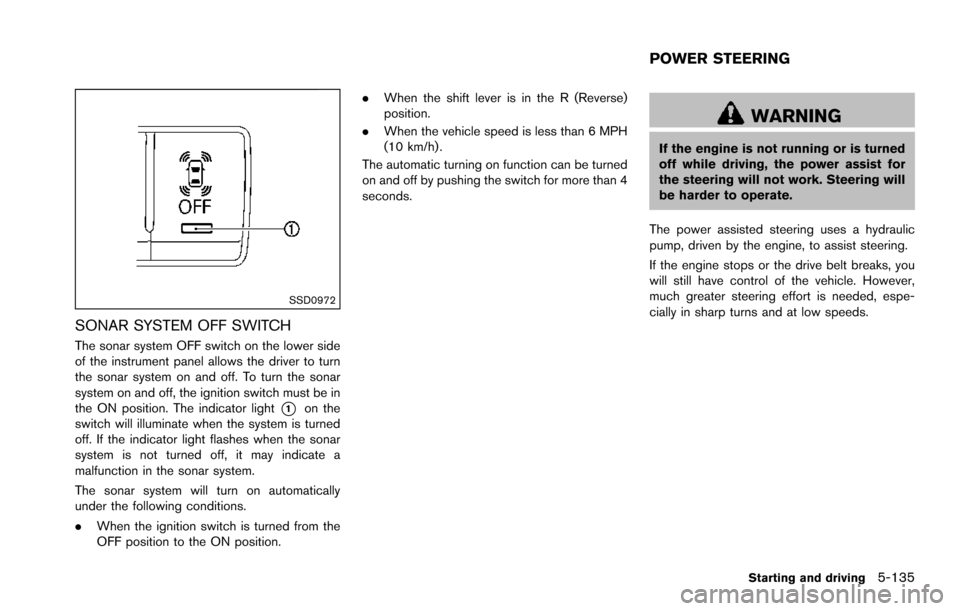
SONAR SYSTEM OFF SWITCH
The sonar system OFF switch on the lower side
of the instrument panel allows the driver to turn
the sonar system on and off. To turn the sonar
system on and off, the ignition switch must be in
the ON position. The indicator light
*1on the
switch will illuminate when the system is turned
off. If the indicator light flashes when the sonar
system is not turned off, it may indicate a
malfunction in the sonar system.
The sonar system will turn on automatically
under the following conditions.
. When the ignition switch is turned from the
OFF position to the ON position. .
When the shift lever is in the R (Reverse)
position.
. When the vehicle speed is less than 6 MPH
(10 km/h) .
The automatic turning on function can be turned
on and off by pushing the switch for more than 4
seconds.
WARNING
If the engine is not running or is turned
off while driving, the power assist for
the steering will not work. Steering will
be harder to operate.
The power assisted steering uses a hydraulic
pump, driven by the engine, to assist steering.
If the engine stops or the drive belt breaks, you
will still have control of the vehicle. However,
much greater steering effort is needed, espe-
cially in sharp turns and at low speeds.
Starting and driving5-135
POWER STEERING