2017 MITSUBISHI OUTLANDER speed control
[x] Cancel search: speed controlPage 353 of 521
HomeLink® Wireless Control System (if so equipped) 5-272 Features and controls
5
The HomeLink
® has the capability of listen-
ing to these messages at a range up to 820.2feet (250 m) (open line of sight), but range may be reduced by obst
acles such as houses
or trees. You may have to slow your vehiclespeed to receive the CLOSED or OPENED message feedback from the garage door opener. If the unit is out of range beforereceiving either the UP or DOWN message from the door opener, both the UP and DOWN indicators will
flash red followed by
a continuous lit orange indicator in the direc- tion the door was last moving.Recall of the door state after initial feedback is possible by simultaneously pressing either HomeLink
® buttons 1 and 2 or buttons 2 and
3 for 2 seconds. The la
st recorded message
will be displayed for 3 seconds, again follow- ing the garage door stat
us indication of the
figure above.
N00585300023
To erase programming from the 3 buttons (individual buttons cannot
be erased but can
be “reprogrammed” as
outlined below), fol-
low the steps noted:
1. Press and hold the 2 outer HomeLink
®
buttons for at least
10 seconds. The indi-
cator will change from continuous yellow to rapidly flashing green. 2. Release both buttons. 3. HomeLink
® is now in the train (or learn-
ing) mode and can be programmed at anytime beginning with
“Programming a new
HomeLink
®” step 1.
N00585400024
To reprogram a HomeLink
® button, complete
the following. 1. Press and hold the desired HomeLink
®
button. Do not release the button. 2. The indicator light
will begin to slowly
flash orange after 20 seconds. The Home- Link
® button can be released at this point.
Proceed with “Programming a new HomeLink
®” step 2.
N00585600026
Your HomeLink
® system operates on a radio
frequency subject to
Federal Communica-
tions Commission (FCC)
Rules (For vehicles
sold in U.S.A.) and Industry Canada Rules (For vehicles sold in
Canada). This device
complies with Part 15 of the FCC Rules and RSS- 210 of the Industry Canada Rules. Operation is subject to
the following two con-
ditions. This device may not
cause harmful inter-
ference. This device must ac
cept any interference
that may be received, including interfer- ence that may caus
e undesired operation.
Clearing the programmed information
NOTE
Do not hold for longer than 20 seconds.
Reprogramming a single HomeLink
® button
NOTE
If you do not complete the programming of a new device to the button,
it will revert to the
previously stored programming.For questions or comments, visit www.homelink.com, www.youtube.com/HomeL
inkGentex, or by
calling the HomeLink
® Hotline.
General information
BK0239700US.book 272 ページ 2016年6月16日 木曜日 午前10時58分
Page 367 of 521
Driving precaution 6-2 Driving safety
6
N00629301092
Your vehicle has been designed for both nor- mal and occasional off-road use. However, avoid driving the vehicle through areas wherethe tires may get stuck in deep sand or mud as your vehicle is designe
d primarily for use on
pavement, unlike a conventional off-roadvehicle. Keep in mind that 2-wheel drive vehicles are less capable than 4-wh
eel drive vehicles for
driving on muddy, slippery, wet or snow-cov- ered roads. Utility vehicles have
higher ground clearance
and a narrower track, which enables them toperform in a wide variety of off-road situa- tions. Because of the higher ground clear- ance, these vehicles have a higher center ofgravity, which makes them handle differently than ordinary vehicles when driving on pave- ment. They are not designed to maneuver orcorner at the same speed on pavement as con- ventional 2-wheel driv
e passenger cars any
more than low-slung sports cars are designed
to perform satisfactorily in off-road condi- tions.Always drive safely
and steer the vehicle
carefully. Avoid operating the vehicle in a manner that might require sharp turns orabrupt maneuvers. As wi
th other vehicles of
this type, failure to operate this vehicle cor- rectly can result in lo
ss of control or vehicle
rollover. In a rollover crash, an unbelted person is sig- nificantly more likely to die than a person wearing a seat belt. Be
fore starting the vehi-
cle, always make cert
ain that you and all your
passengers are properly wearing their seat belts (with children in the rear seat, in appro- priate restraints).
N00628801191
Fuel economy is depe
ndent on many factors.
Your personal driving habits can have a sig-nificant effect on your fuel consumption. Several recommendations
for achieving the
greatest fuel economy are listed below. Whenever accelerating from a stop, always accelerate
slowly and smoothly.
When parked for even a short period, do not idle the engine. Shut it off. Plan your trips to avoid unnecessary stops.
Keep your tires inflated to the recom- mended pressures. When driving a 4-wheel drive vehicle on highways or dry improved roads, set the drive mode to “4WD ECO” or “4WDAUTO” (Electronically controlled 4WD), or “AWC ECO” or “NORMAL” (S- AW C ) . For freeway driving, maintain a speed of approximately 50 mph (80 km/h) when traffic, roadway and weather conditions safely permit. Keep your air filter clean and your vehicle lubricated according
to the recommenda-
tions in this manual. Always keep your ve
hicle well main-
tained. A poorly maintained engine wastes fuel and costs money. Never overload your vehicle.
N00628900049
Drunk driving is one of the most frequent causes of accidents.Your driving ability ca
n be seriously impaired
even with blood alcohol levels far below the legal minimum. If you
have been drinking,
don’t drive. Ride with a designated non- drinking driver, call a cab or a friend, or use public transportation. Drinking coffee or tak-ing a cold shower will not make you sober.
Driving precaution
WA R N I N G Utility vehicles have
a significantly higher
rollover rate than othe
r types of vehicles.
Avoid abrupt maneuvers and excessive speed. Always buckle up.
Fuel economy
Driving, alcohol and drugs
BK0239700US.book 2 ページ 2016年6月16日 木曜日 午前10時58分
Page 388 of 521
Dual-zone automatic climat
e control air conditioner Comfort controls 7-5
7
N00731501412
The air conditioner can only be us
ed while the engine is running.
N00711801682
Dual-zone automatic climat
e control air conditioner
CAUTIONThe engine speed may increase when
the air conditioner is operating.
With an increased engine speed, an A/T or
CVT vehicle will creep to a gr
eater degree than with a lo
wer engine speed. Fully depr
ess the brake pedal to pre-
vent the vehicl
e from creeping.
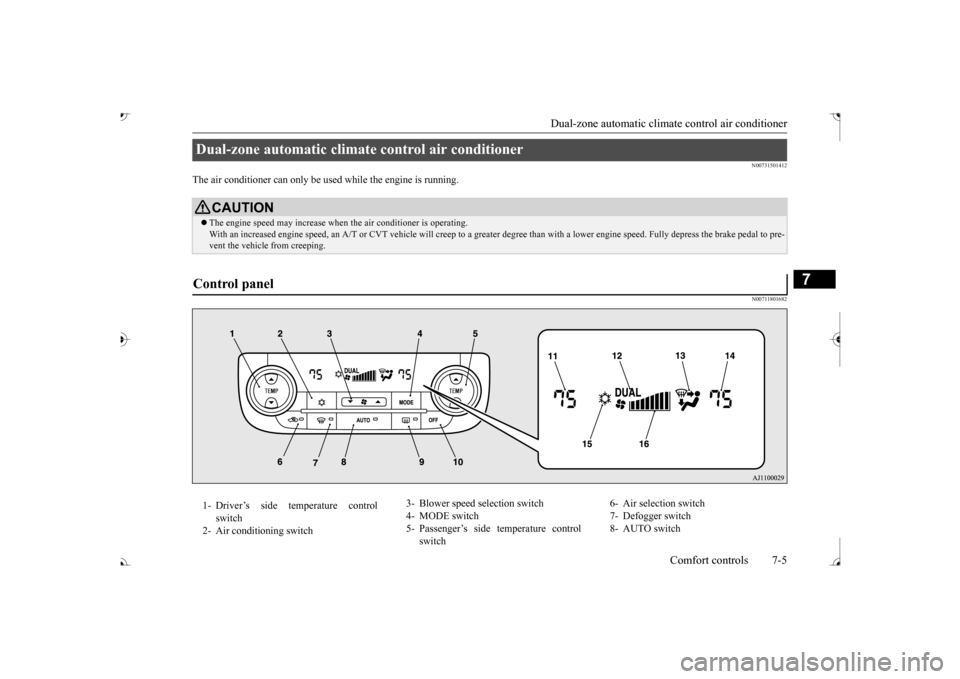
Control panel 1- Driver’s side temperature control
switch
2- Air conditioning switch
3- Blower speed
selection switch
4- MODE switch 5- Passenger’s side temperature control
switch
6- Air selection switch 7- Defogger switch 8- AUTO switch
BK0239700US.book 5 ページ 2016年6月16日 木曜日 午前10時58分
Page 389 of 521

Dual-zone automatic climate
control air conditioner
7-6 Comfort controls
7
N00736901206
Press of the blower speed selection switch to increase the blower speed. Press of the blower speed selection switch to decrease the blower speed. The selected blower sp
eed will be shown in
the display (A).
9- Electric rear window
defogger switch
P.5-237
10- OFF switch11- Driver’s side temperature display
P.7-7
12- DUAL indicator13- Mode selection display 14- Passenger’s side temperature display
P.7-7
15- Air conditioning indicator 16- Blower speed display
NOTE
There is an interior air temperature sensor (A) in the illustrated position. Never place anything ove
r the sensor, since
doing so will prevent it from functioning properly.
NOTE
Since the air conditi
oning operation is con-
trolled while the ECO mode is operating,you may feel that effectiveness of the airconditioner is insufficient. ECO mode switch P.5-231
Even during ECO mode operation, you can select normal operati
on of the air condi-
tioner.On vehicles equipped
with Mitsubishi Multi-
Communication System,
screen operations
can be used to change
the setting. Refer to
the separate owner’ In extreme cold, the air conditioning control panel screen may ope
rate sluggishly. This
does not indicate a problem. It will disappear when the vehicle interiortemperature rises to a normal temperature.
Blower speed selection switch 1- Increase 2- Decrease
BK0239700US.book 6 ページ 2016年6月16日 木曜日 午前10時58分
Page 390 of 521
Dual-zone automatic climat
e control air conditioner Comfort controls 7-7
7
N00737001448
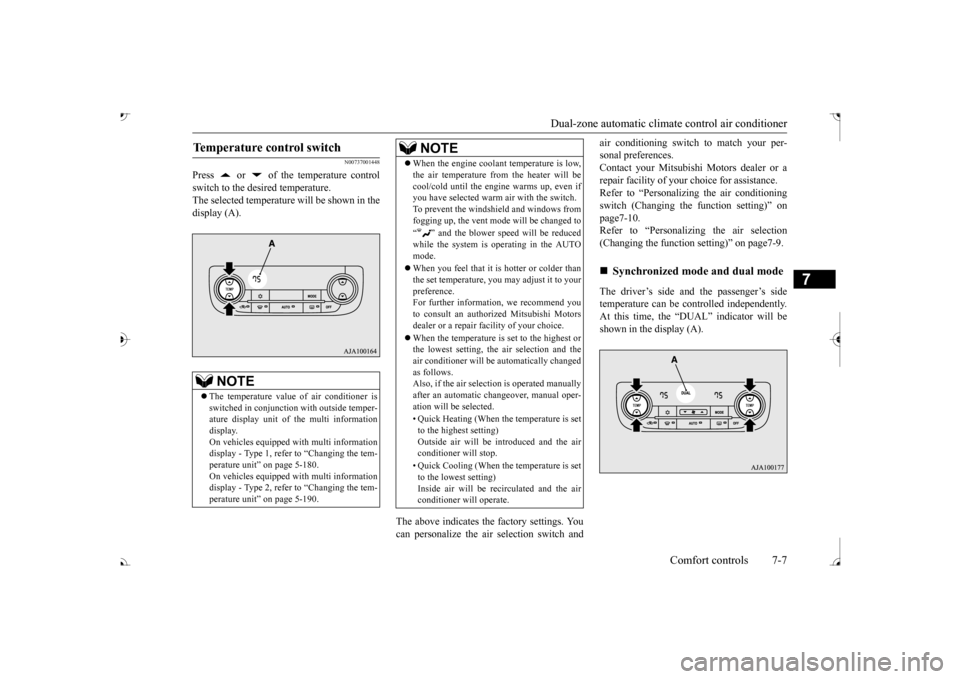
Press or of the temperature control switch to the desired temperature. The selected temperature will be shown in the display (A).
The above indicates the
factory settings. You
can personalize the air
selection switch and
air conditioning switch to match your per- sonal preferences.Contact your Mitsubishi
Motors dealer or a
repair facility of your
choice for assistance.
Refer to “Personalizi
ng the air conditioning
switch (Changing the function setting)” on page7-10. Refer to “Personalizing the air selection(Changing the function setting)” on page7-9. The driver’s side and the passenger’s side temperature can be controlled independently.At this time, the “
DUAL” indicato
r will be
shown in the display (A).
Temperature control switch
NOTE
The temperature value
of air conditioner is
switched in conjunction
with outside temper-
ature display unit of the multi informationdisplay. On vehicles equipped with multi information display - Type 1, refer to “Changing the tem-perature unit” on page 5-180. On vehicles equipped with multi information display - Type 2, refer to “Changing the tem-perature unit” on page 5-190.
When the engine coolan
t temperature is low,
the air temperature from the heater will becool/cold until the engi
ne warms up, even if
you have selected warm
air with the switch.
To prevent the windshield and windows from fogging up, the vent mode will be changed to “ ” and the blower speed will be reduced while the system is operating in the AUTO mode. When you feel that it is hotter or colder than the set temperature, you may adjust it to yourpreference. For further information, we recommend you to consult an authorized Mitsubishi Motorsdealer or a repair fa
cility of your choice.
When the temperature is set to the highest or the lowest setting, the air selection and the air conditioner will be automatically changed as follows.Also, if the air select
ion is operated manually
after an automatic ch
angeover, manual oper-
ation will be selected. • Quick Heating (When th
e temperature is set
to the highest setting)Outside air will be introduced and the air conditioner will stop. • Quick Cooling (When the temperature is set to the lowest setting) Inside air will be reci
rculated and the air
conditioner wi
ll operate.
NOTE
Synchronized mode and dual mode
BK0239700US.book 7 ページ 2016年6月16日 木曜日 午前10時58分
Page 391 of 521
Dual-zone automatic climate
control air conditioner
7-8 Comfort controls
7
Synchronized mode If the driver’s side temperature controlswitch is pressed, the passenger’s side temperature will also be controlled to the same setting temperature as the driver’sside. Dual mode If the passenger’s side temperature con-trol switch is pressed under synchronized mode, the system will switch to dual mode. In dual mode, the driver’s side and the passenger’s side
temperature can be
set separately by usi
ng each temperature
control switch. Press the AUTO switch to return to syn- chronized mode.
N00737101234
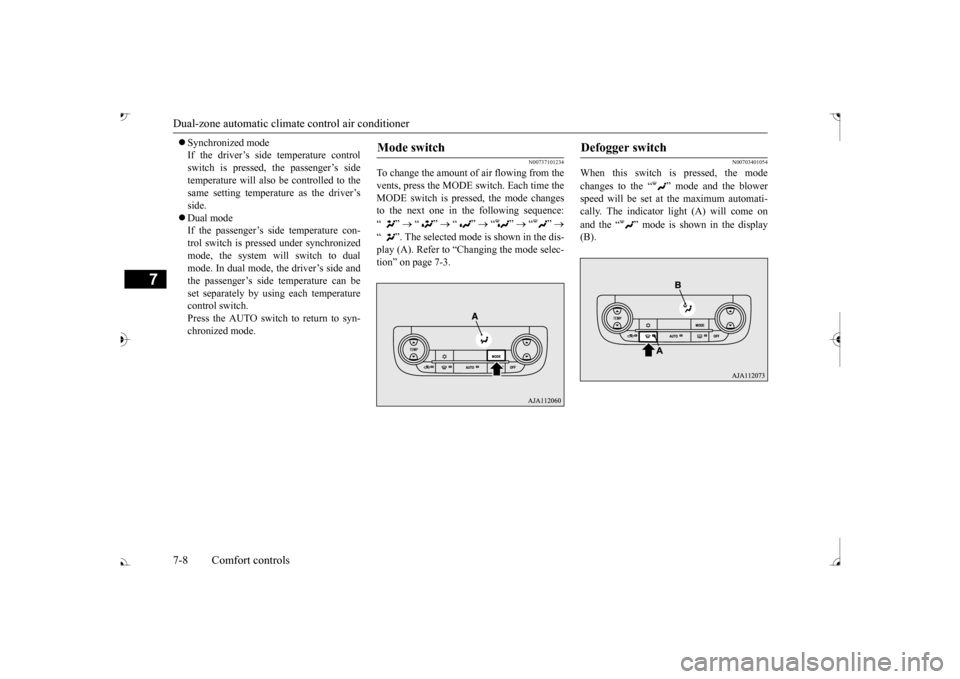
To change the amount of air flowing from the vents, press the MODE switch. Each time the MODE switch is pressed, the mode changesto the next one in the following sequence: “”
“”
“”
“”
“”
“ ”. The selected mode is shown in the dis- play (A). Refer to “C tion” on page 7-3.
N00703401054
When this switch is pressed, the mode changes to the “ ”
mode and the blower
speed will be set at the maximum automati- cally. The indicator light (A) will come on and the “ ” mode is shown in the display (B).
Mode switch
Defogger switch
BK0239700US.book 8 ページ 2016年6月16日 木曜日 午前10時58分
Page 394 of 521
Dual-zone automatic climat
e control air conditioner Comfort controls 7-11
7
On vehicles equippe
d with Mitsubishi
Multi-Communication System, screenoperations can also be
used to change the
setting. Refer to the separate owner’s manual for details.
N00703501042
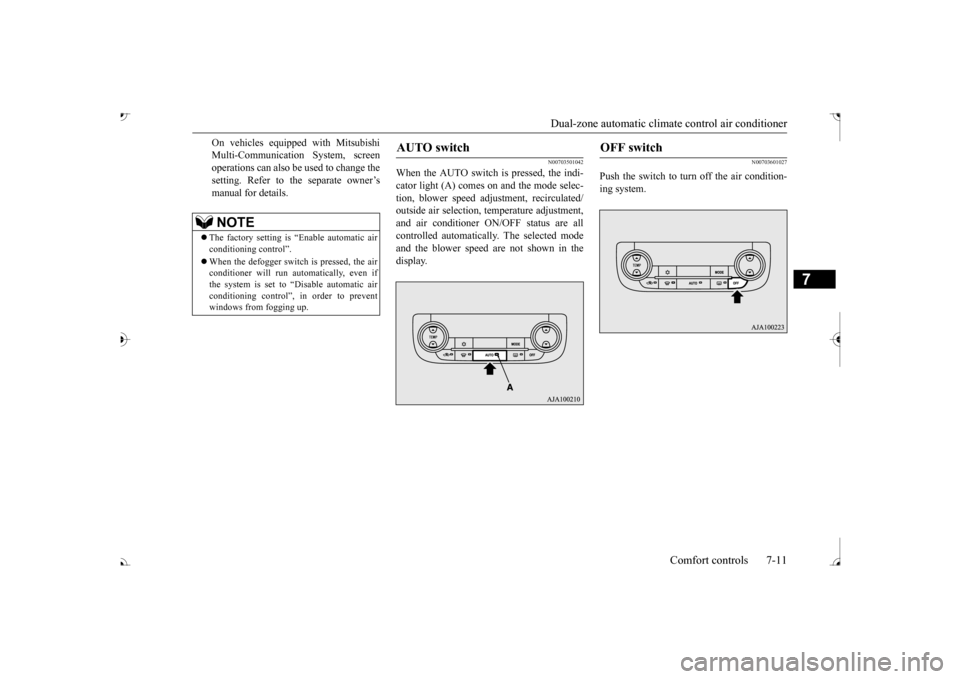
When the AUTO switch is pressed, the indi- cator light (A) comes on and the mode selec- tion, blower speed adju
stment, recirculated/
outside air selection,
temperature adjustment,
and air conditioner ON/OFF status are all controlled automatically. The selected modeand the blower speed are not shown in the display.
N00703601027
Push the switch to turn off the air condition-ing system.
NOTE
The factory setting is
“Enable automatic air
conditioning control”. When the defogger switch
is pressed, the air
conditioner will run au
tomatically, even if
the system is set to “Disable automatic air conditioning control”, in order to preventwindows from fogging up.
AUTO switch
OFF switch
BK0239700US.book 11 ページ 2016年6月16日 木曜日 午前10時58分
Page 395 of 521
Dual-zone automatic climate
control air conditioner
7-12 Comfort controls
7
N00731701443
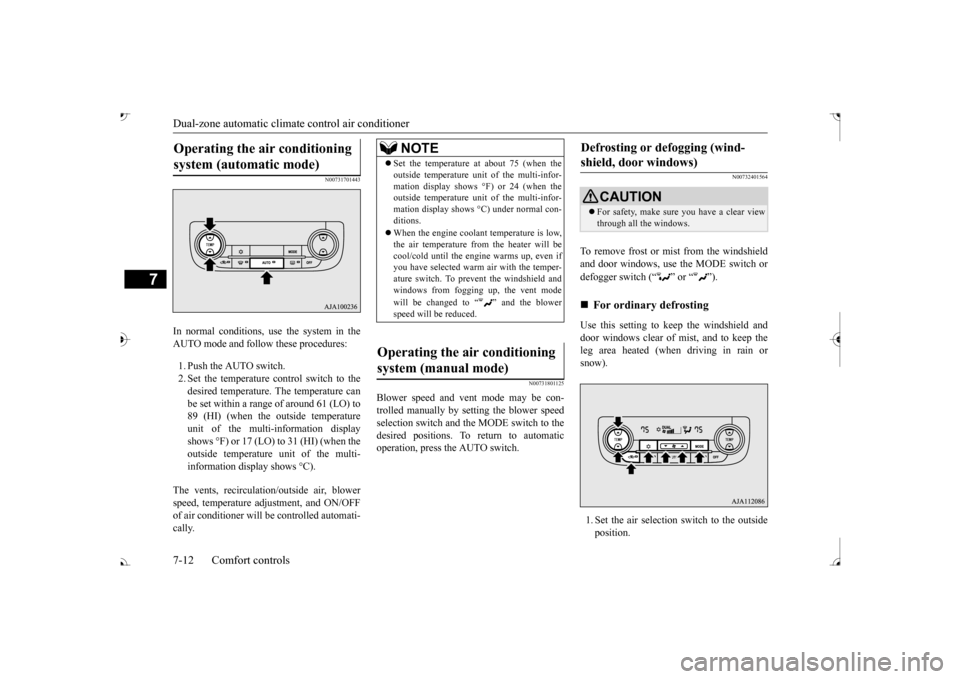
In normal conditions, use the system in the AUTO mode and follow these procedures: 1. Push the AUTO switch. 2. Set the temperature control switch to the desired temperature. The temperature can be set within a range of around 61 (LO) to89 (HI) (when the outside temperature unit of the multi-information display shows °F) or 17 (LO) to 31 (HI) (when theoutside temperature
unit of the multi-
information display shows °C).
The vents, recirculati
on/outside air, blower
speed, temperature ad
justment, and ON/OFF
of air conditioner will
be controlled automati-
cally.
N00731801125
Blower speed and vent
mode may be con-
trolled manually by setting the blower speedselection switch and the MODE switch to the desired positions. To return to automatic operation, press the AUTO switch.
N00732401564
To remove frost or mist from the windshieldand door windows, use the MODE switch or defogger switch (