2017 MITSUBISHI OUTLANDER speed control
[x] Cancel search: speed controlPage 195 of 521
Adaptive Cruise Control System (ACC) (if so equipped) 5-114 Features and controls
5
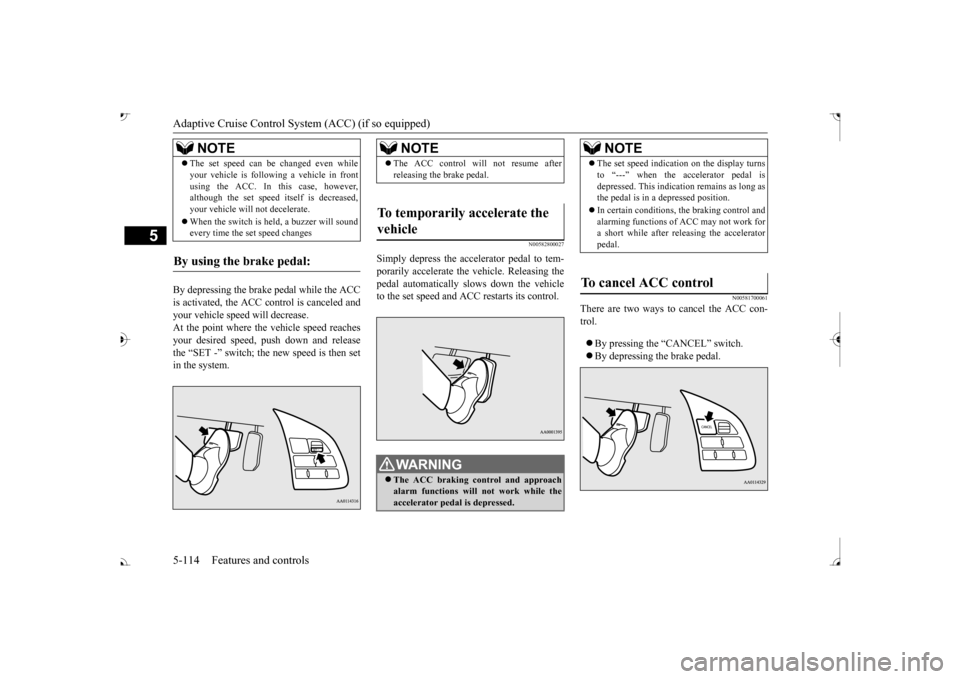
By depressing the brake pedal while the ACC is activated, the ACC c
ontrol is canceled and
your vehicle speed will decrease.At the point where the vehicle speed reaches your desired speed,
push down and release
the “SET -” switch; the new speed is then setin the system.
N00582800027
Simply depress the accelerator pedal to tem-porarily accelerate the
vehicle. Releasing the
pedal automatically sl
ows down the vehicle
to the set speed and ACC restarts its control.
N00581700061
There are two ways to cancel the ACC con- trol. By pressing the “CANCEL” switch. By depressing the brake pedal.
The set speed can be changed even while your vehicle is follow
ing a vehicle in front
using the ACC. In this case, however,although the set speed it
self is decreased,
your vehicle will
not decelerate.
When the switch is held, a buzzer will sound every time the set speed changes
By using the brake pedal:
NOTE
NOTE
The ACC control will
not resume after
releasing the brake pedal.
To temporarily accelerate the vehicle
WA R N I N G The ACC braking control and approach alarm functions will not work while the accelerator pedal is depressed.
NOTE
The set speed indication on the display turns to “---” when the accelerator pedal isdepressed. This indication remains as long asthe pedal is in a depressed position. In certain conditions, th
e braking control and
alarming functions of ACC may not work for a short while after releasing the accelerator pedal.
To cancel ACC control
BK0239700US.book 114 ページ 2016年6月16日 木曜日 午前10時58分
Page 197 of 521
Adaptive Cruise Control System (ACC) (if so equipped) 5-116 Features and controls
5
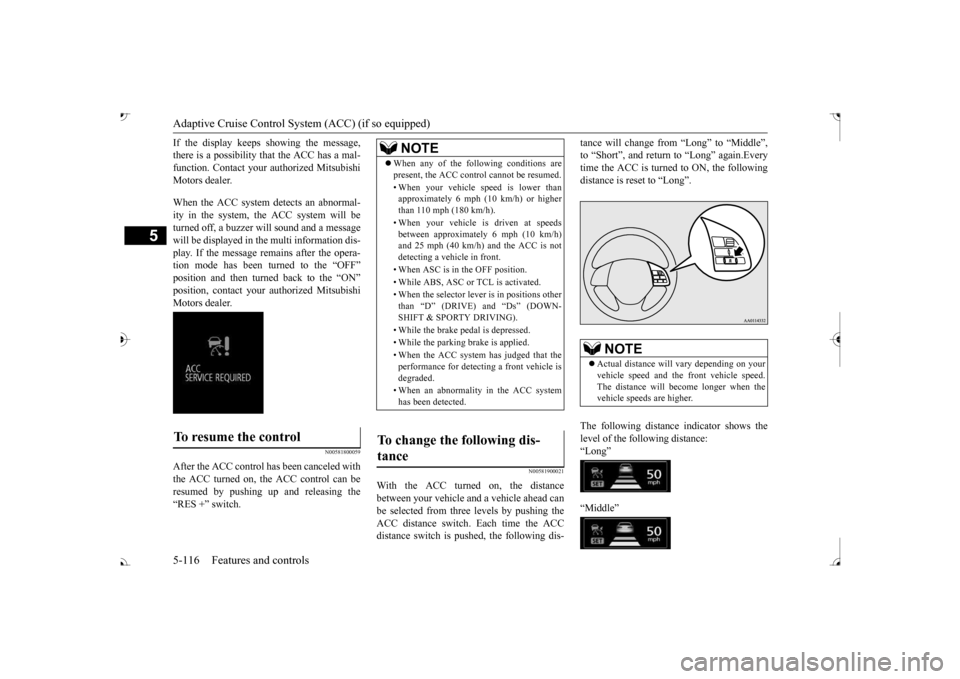
If the display keeps showing the message, there is a possibility that the ACC has a mal-function. Contact your authorized Mitsubishi Motors dealer. When the ACC system
detects an abnormal-
ity in the system, the ACC system will beturned off, a buzzer will sound and a message will be displayed in the multi information dis- play. If the message remains after the opera-tion mode has been turned to the “OFF” position and then turned back to the “ON” position, contact your au
thorized Mitsubishi
Motors dealer.
N00581800059
After the ACC control has been canceled with the ACC turned on, the ACC control can beresumed by pushing up
and releasing the
“RES +” switch.
N00581900021
With the ACC turned on, the distance between your vehicle an
d a vehicle ahead can
be selected from thre
e levels by pushing the
ACC distance switch. Each time the ACC distance switch is pus
hed, the following dis-
tance will change fro
m “Long” to “Middle”,
to “Short”, and return to “Long” again.Everytime the ACC is turned to ON, the following distance is re
set to “Long”.
The following distance indicator shows the level of the following distance:“Long” “Middle”
To resume the control
NOTE
When any of the following conditions are present, the ACC cont
rol cannot be resumed.
• When your vehicle speed is lower than approximately 6 mph (10 km/h) or higher than 110 mph (180 km/h). • When your vehicle is driven at speeds between approximately 6 mph (10 km/h)and 25 mph (40 km/h) and the ACC is not detecting a vehi
cle in front.
• When ASC is in the OFF position. • While ABS, ASC or TCL is activated.• When the selector lever
is in positions other
than
Page 198 of 521

Forward Collision Mitigation System (FCM) (if so equipped)
Features and controls 5-117
5
“Short”
N00582000029
Press and hold the “ACC ON/OFF” switch while the operation mode is in the “ON” posi- tion. A buzzer will sound and the multi infor- mation display will show the following indicator. The conventional cruise
control is turned off
when the operation mode is tuned off. For operation of the cruise control, refer to“Cruise control” on page 5-102.
N00582100020
FCC ID:OAYARS3-B (for vehicles sold in the U.S.A) IC: 4135A-ARS3B (for vehicles sold in theCanada) This device complies
with Part 15 of FCC
Rules and Industry Canada licence-exempt RSS standard(s). Operation is subject to
the following two con-
ditions. this device may not
cause harmful inter-
ference. this device must ac
cept any interference
received, including interference that maycause undesired operation.
N00577300066
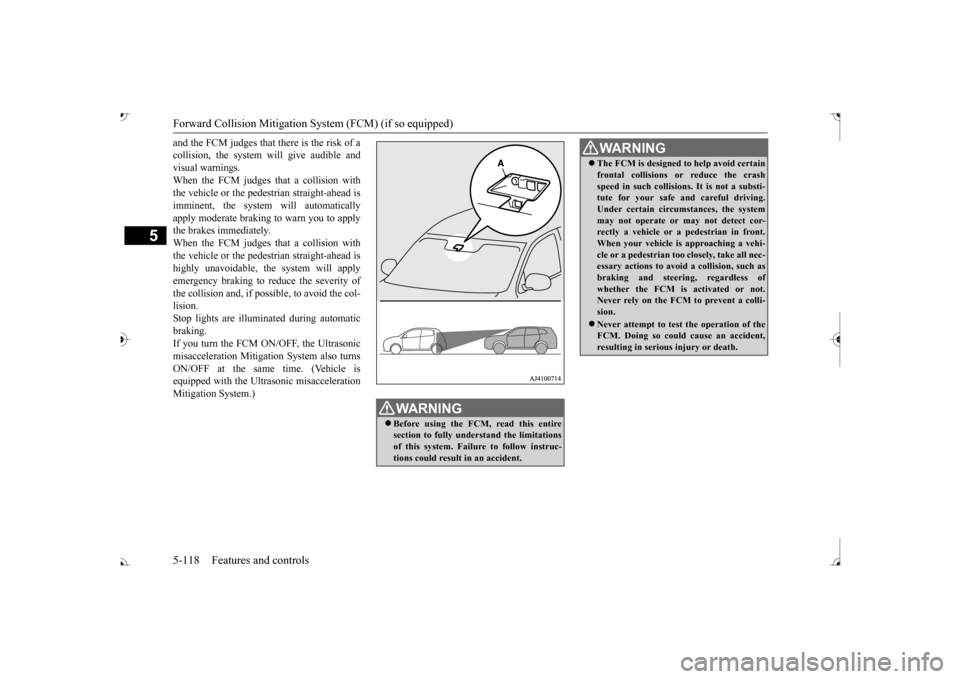
The Forward Collision Mitigation System(FCM) is designed to help reduce the risk of a collision with a vehicle or a pedestrian straight ahead of your vehicle. The FCM usesa sensor (A) to determine the distance and relative speed to a vehicle and a pedestrian in front. The FCM is not designed as an auto-matic driving system or as a collision avoid- ance system. When your vehicle is approaching a vehicleor a pedestrian strai
ght-ahead in your path
To activate conventional cruise control
NOTE
The conventional crui
se control does not
sound or display the approach alarm, will notadjust your vehicle sp
eed, and does not con-
trol the distance betw
een your vehicle and a
vehicle in front.
General information
CAUTION Changes or modifica
tions not expressly
approved by the manufacturer for compli- ance could void the user’s authority to oper-ate the equipment.
Forward Collision Mitiga- tion System (FCM)
(if so
equipped)
BK0239700US.book 117 ページ 2016年6月16日 木曜日 午前10時58分
Page 199 of 521
Forward Collision Mitigation System (FCM) (if so equipped) 5-118 Features and controls
5
and the FCM judges that there is the risk of a collision, the system
will give audible and
visual warnings. When the FCM judges that a collision with the vehicle or the pedest
rian straight-ahead is
imminent, the system will automatically apply moderate braking to warn you to apply the brakes immediately. When the FCM judges that a collision with the vehicle or the pedest
rian straight-ahead is
highly unavoidable, th
e system will apply
emergency braking to reduce the severity of the collision and, if possible, to avoid the col-lision. Stop lights are illuminated during automatic braking.If you turn the FCM ON/OFF, the Ultrasonic misacceleration Mitigation System also turns ON/OFF at the same time. (Vehicle isequipped with the Ultr
asonic misacceleration
Mitigation System.)
WA R N I N G Before using the FCM, read this entire section to fully understand the limitationsof this system. Failure to follow instruc- tions could result
in an accident.
The FCM is designed
to help avoid certain
frontal collisions or reduce the crashspeed in such collisions. It is not a substi-tute for your safe and careful driving. Under certain circumstances, the system may not operate or may not detect cor-rectly a vehicle or a
pedestrian in front.
When your vehicle is
approaching a vehi-
cle or a pedestri
an too closely, take all nec-
essary actions to avoid
a collision, such as
braking and
steering, regardless of
whether the FCM is
activated or not.
Never rely on the FCM to prevent a colli- sion. Never attempt to test the operation of the FCM. Doing so could cause an accident, resulting in seriou
s injury or death.
WA R N I N G
BK0239700US.book 118 ページ 2016年6月16日 木曜日 午前10時58分
Page 200 of 521
Forward Collision Mitigation System (FCM) (if so equipped)
Features and controls 5-119
5
N00577400041
If the system judges that there is a risk of your vehicle colliding wi
th a vehicle or the
pedestrian in front, this function warns you of the potential hazard with
visual and audible
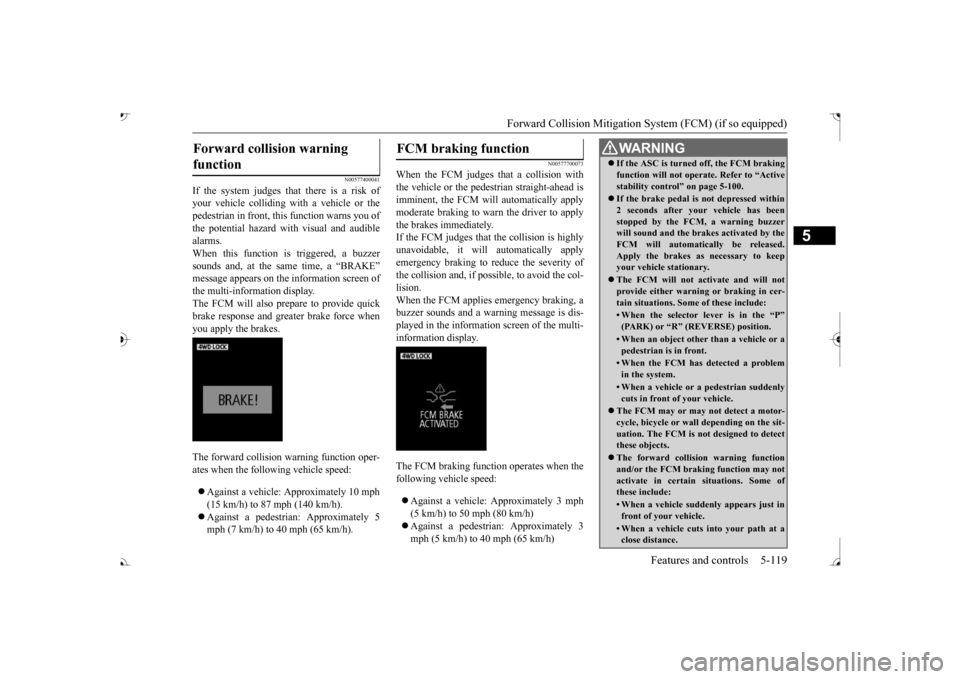
alarms.When this function is triggered, a buzzer sounds and, at the sa
me time, a “BRAKE”
message appears on the information screen of the multi-information display. The FCM will also prepare to provide quickbrake response and greater brake force when you apply the brakes. The forward collision
warning function oper-
ates when the following vehicle speed: Against a vehicle: Approximately 10 mph (15 km/h) to 87 mph (140 km/h). Against a pedestrian: Approximately 5 mph (7 km/h) to 40 mph (65 km/h).
N00577700073
When the FCM judges th
at a collision with
the vehicle or the pedest
rian straight-ahead is
imminent, the FCM will automatically applymoderate braking to warn the driver to apply the brakes immediately. If the FCM judges that the collision is highlyunavoidable, it will
automatically apply
emergency braking to reduce the severity of the collision and, if possible, to avoid the col- lision. When the FCM applies emergency braking, abuzzer sounds and a warn
ing message is dis-
played in the information screen of the multi- information display. The FCM braking function operates when the following vehicle speed: Against a vehicle:
Approximately 3 mph
(5 km/h) to 50 mph (80 km/h) mph (5 km/h) to 40 mph (65 km/h)
Forward collision warning function
FCM braking function
WA R N I N G If the ASC is turned off, the FCM braking function will not operate. Refer to “Activestability control” on page 5-100. If the brake pedal is not depressed within 2 seconds after your vehicle has beenstopped by the FCM,
a warning buzzer
will sound and the brakes activated by the FCM will automatically be released.Apply the brakes as
necessary to keep
your vehicle stationary. The FCM will not activate and will not provide either warnin
g or braking in cer-
tain situations. Some of these include:• When the selector lever is in the “P”(PARK) or “R” (R
EVERSE) position.
• When an object other
than a vehicle or a
pedestrian is in front.• When the FCM has detected a problemin the system.• When a vehicle or a
pedestrian suddenly
cuts in front of your vehicle.
The FCM may or may not detect a motor- cycle, bicycle or wall depending on the sit-uation. The FCM is not designed to detect these objects. The forward collision warning function and/or the FCM brakin
g function may not
activate in certain
situations. Some of
these include:• When a vehicle sudden
ly appears just in
front of your vehicle.• When a vehicle cuts
into your path at a
close distance.
BK0239700US.book 119 ページ 2016年6月16日 木曜日 午前10時58分
Page 202 of 521

Forward Collision Mitigation System (FCM) (if so equipped)
Features and controls 5-121
5
• When driving on a curve.• When there is a road
side object (B) that
reflects the radar sensor signal, such as a road sign.• When approaching a gate, a railroad crossing, an underpa
ss, a narrow bridge,
manhole lid or
a speed bump.
• When driving unde
r an overpass or
pedestrian bridge.• When driving in
a narrow tunnel.
• When driving in a parking structure.• When approaching a slope where the incline changes
significantly.
• When trying to stop your vehicle very close to a vehicle or
an object in front.
• When passing a vehicle, a pedestrian or an object closely.WA R N I N G
• When a vehicle in the next lane becomespositioned directly in
front of your vehi-
cle due to winding road conditions.• When passing through an area that objects may contact the vehicle, such as thick grass, tree br
anches, or a banner.
• When there are patterns on the road that may be mistaken for
a vehicle or a pedes-
trian.• When a vehicle cuts in
to your path in the
detecting range of the sensor.• When an oncoming vehicle is positionedstraight ahead of your vehicle on a curved road.• When the FCM detects a long object car-ried on your vehicle, such as skies or a roof carrier.• When driving through fog, steam, smokeor dust.
The FCM should be tuned off if any of fol- lowing situations occur:• When using an automatic car wash.• When the tires are not properly inflated. • When the emergency spare tire is used.WA R N I N G
• When your vehicle is
towed or
your vehi-
cle tows another vehicle.• When your vehicle is
carried on a truck.
• When your vehicle is on a chassis dyna- mometer or free rollers.• If the windshield on or surrounding thesensor is cracke
d or scratched.
NOTE
When depressing the brake pedal while auto- matic braking is applie
d, the brake pedal will
feel firm. This is normal. Depress the brake pedal harder to apply
greater braking force.
During the automatic braking, operating sounds may be heard. This is normal. WA R N I N G
BK0239700US.book 121 ページ 2016年6月16日 木曜日 午前10時58分
Page 204 of 521

Forward Collision Mitigation System (FCM) (if so equipped)
Features and controls 5-123
5
To change the distan
ce mode, push the FCM
and Ultrasonic misacc
eleration
Mitigation
System ON/OFF switch. Every time the switch is pushed, the
distance mode will be
switched. The selected distance mode isshown on the information screen of the multi- information display. When “FAR” is selected When “MIDDLE” is selected When “NEAR” is selected
N00593300035
When the FCM system determines that its performance has been degraded, the FCMwill become inoperative. This can occur when Foreign objects, such as dirt, snow, ice, mist or dew condensation adhere to thewindshield of the sensor portion. In adverse weather
conditions, such as
rain, snow, sand storms, etc. A front vehicle or an oncoming vehicle is splashing water, snow or dirt.
“DRIVER ASSISTANCE CAMERA BLOCKED” message will appear and the indicator will appear
on the information
screen of the multi-information display. When the sensor performance returns, the FCM functions will resume operation.If the message continue
s showing, there is a
possibility that the sensor has a malfunction. Contact an authorized Mitsubishi Motorsdealer for inspection of the sensor.
NOTE
Actual distance which
triggers the forward
collision warnings will vary depending onyour vehicle speed a
nd the front vehicle
speed. The distance
will become longer
when the vehicle speeds are higher. The distance which will trigger the FCM braking function cannot be adjusted.
When a problem is detected
NOTE
The “DRIVER ASSISTANCE CAMERA BLOCKED” message
may temporarily
appear on the information screen when the sensor cannot detect a
vehicle, a pedestrian
or an object within range. This is not a mal- function. When a vehicle or an object comes within range, the FCM function will resumeand the message will go off.
BK0239700US.book 123 ページ 2016年6月16日 木曜日 午前10時58分
Page 221 of 521
Lane Departure Warning System (LDW) (if so equipped) 5-140 Features and controls
5
N00581100036
The LDW, when turned ON, is capable of recognizing the lane in which your vehicle is travelling and issuing
an audible warning
when your vehicle begins to leave that travel lane. When operating, the “LDW” indicator on the multi-information display will be changed to indicator (green). The LDW
will not operate, however, and the “LDW”conditions have occurred: The vehicle speed is less than 38 mph (60 km/h). The turn signal lever
is being operated or
has been operated in the past 7 seconds. The hazard warning light is being oper- ated or has been operated in the past 7seconds.
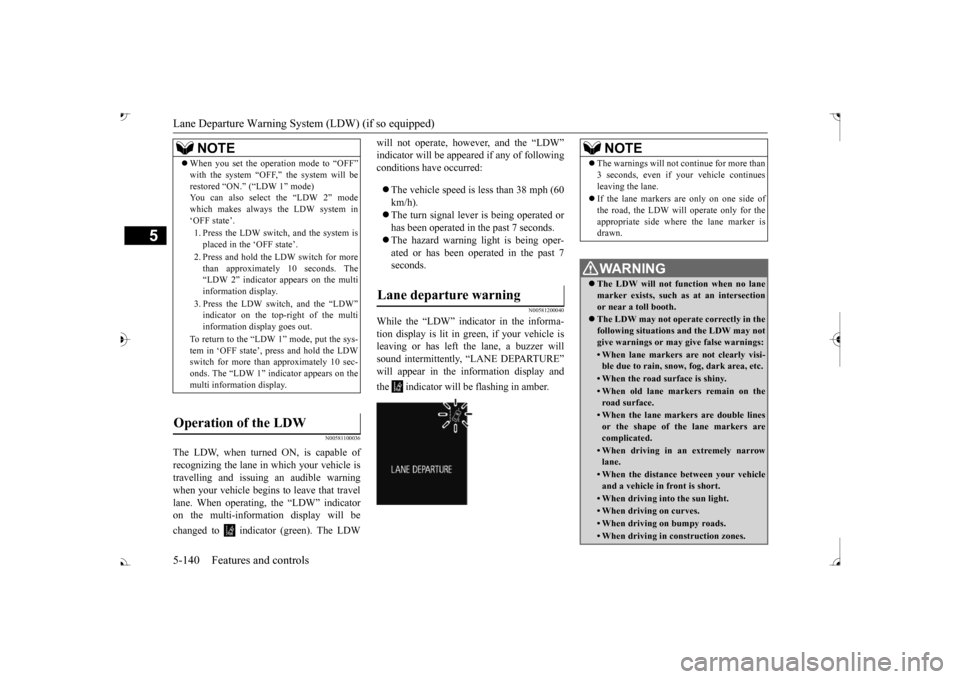
N00581200040
While the “LDW” indicator in the informa- tion display is lit in gr
een, if your vehicle is
leaving or has left the lane, a buzzer willsound intermittently, “LANE DEPARTURE” will appear in the information display and the indicator will be flashing in amber.
NOTE
When you set the operation mode to “OFF” with the system “OFF,” the system will berestored